Blog

  • Effective Call to Action Tips for Websites

    Effective Call to Action Tips for Websites

    High traffic on your website is a huge win for your SEO goals. But getting people there is just the start. Think about shopping at Amazon. Your cart is full, but there’s no clear way to check out. It’s frustrating. This is why Calls to Action (CTAs) are important. They guide visitors to become leads or customers.

    CTAs act as friendly pointers, encouraging visitors to take action. This could be signing up for news, downloading a guide, or making a purchase. When CTAs are well-designed and in the right place, they can boost your success. How do you make CTAs that work? Let’s look at some essential tips.Array

    Key Takeaways

    • Effective CTAs are essential for converting website traffic into leads or customers.
    • CTAs guide visitors towards desired actions such as signing up, downloading, or purchasing.
    • Crafting powerful CTAs involves strategic writing, designing, and positioning.
    • Thoughtful CTAs significantly enhance click-through rates and boost sales.
    • Continuous experimentation and refinement of CTAs can maximize their conversion potential.

    Understanding the Importance of CTAs

    A Call to Action (CTA) is crucial in digital marketing. It helps engage users and boost conversion rates. Understanding its role can greatly affect your success.

    What is a Call to Action (CTA)?

    A Call to Action, or CTA, sparks an immediate user response. Commonly seen as buttons or links, CTAs guide users deeper into the marketing process. These can be as simple as “Download now” or “Join today.”

    Why CTAs are Crucial for Website Success

    CTAs are key in getting users to take desired actions on your site. They help turn visitors into customers. Using CTAs effectively boosts interaction and conversion rates.

    How CTAs Influence User Behavior

    CTAs transform visitors into customers by guiding their actions. They use clear and concise language to encourage users. By resonating with user needs, CTAs are more effective in increasing conversion rates.

    Designing Visible and Eye-Catching CTAs

    Creating effective CTAs is all about design. They should catch the eye and prompt action quickly. The color of the CTA and its placement are key to this.

    The Role of Color Contrast

    Choosing the right colors can really make a CTA pop. Using bright, bold colors that stand out from the rest of the page is important. These colors need to look good on any device to make sure everyone sees them well.

    Importance of CTA Button Size and Position

    The size and where you put the CTA button also matter a lot. It should be big enough to see right away but not so big it’s all you can see. Putting CTAs in the right spots on your page can really grab people’s attention when they’re ready to act.

    So, choosing colors wisely, picking the right size, and placing your CTA well can do a lot for your site. These steps can help make your CTAs get noticed and drive more sales or sign-ups.

    Crafting Compelling and Persuasive Copy

    To make your CTA strategies work, your text must connect with your readers. Use words that push people to act. Make them feel like they must act now. Also, tailor your CTA text to each user to draw them in even more.

    Using Action-Oriented Language

    Choose words in your CTA that make people want to act right away. Words like “Buy,” “Subscribe,” or “Register now” have a big effect. They move people to take the action you want quickly and firmly.

    Creating a Sense of Urgency

    Add urgency to your CTAs to get quicker responses. Lines like “Offer ends today” or “Limited time only” make people want to decide now. This method turns interest into action faster.

    Personalizing Your CTA Text

    According to HubSpot, customized CTAs can increase conversion rates by 202%. By creating CTAs that speak to your audience’s specific needs, you can engage them better. This strategy helps users feel like you understand and care about them.

    Tips for an Effective Call to Action

    Putting strong and actionable Call to Actions (CTAs) on your site can change a simple visit into something more. By mastering good CTA strategies, you can make more people act and engage better with your content.

    Keep Your CTAs Clear and Concise

    Making your CTAs clear and to the point is key. Use simple and easy to understand words that tell people what to do. Phrases like “Subscribe Now” or “Download Free Guide” leave no room for doubt.

    [object Object]

    Aligning CTAs with User Intent

    Matching your CTAs with why people are visiting your site is vital. When you know what they’re looking for, you can focus your CTAs to meet those needs. This will make them more likely to take action.

    A/B Testing Your CTAs

    Testing different versions of your CTAs with A/B testing is key to finding what works best. By changing texts, designs, or positions, you can see what calls to your audience more. Doing this regularly ensures your CTAs are always at their peak.

    Placement Strategies for CTAs

    Effective CTA placement is key for engaging users and making CTAs more visible. Where you put a CTA on a webpage can really impact its success. It guides users clearly towards actions you want them to take.

    Above the Fold vs. Below the Fold

    Putting CTAs above the fold means users see them right away, no scrolling needed. This is good for visitors who might not look at everything on the page.
    Below the fold placement, on the other hand, targets more interested users. They may be more ready to commit when they finally see the CTA. Each way to place a CTA has its own strengths, depending on user habits and page content.

    Using Multiple CTAs on Long Pages

    On long pages, having multiple CTAs is smart. This helps fit users’ different reading speeds and keeps them interested.
    Placing several CTAs at various spots can draw users back in and boost chances of them acting at different times.

    CTA Placement in Blogs and Articles

    Adding CTAs within blogs and articles can boost engagement with the right context. Inserting CTAs in content’s flow or at the end feels natural for already interested readers.
    This method makes following the CTA the next logical step, which can up user engagement and conversions.

    Best Practices for CTA Design

    To create user-friendly CTAs, start with an attractive button design. Combine shapes, colors, and fonts that match your brand while standing out. Be sure the button has enough space for easy clicking and clear text for users to understand the action.

    Make all your CTAs look similar to boost the user’s experience. This way, users know what to expect while finding each CTA special. Your CTA design should also blend well with your website’s look, making the user’s journey smooth and inviting.

    Below is a quick-reference table summarizing key aspects of CTA button design:

    Aspect Best Practice
    Shapes Rounded edges often perform well as they appear more clickable.
    Colors High contrast with the background color, often using brand colors.
    Fonts Clear and legible, aligned with overall brand typography.
    Padding Ample enough to ensure easy clickability and visual appeal.
    Consistency Uniform styling of user-friendly CTAs throughout the site.

    It’s crucial to understand how users move through the website and adjust your CTA button design accordingly. Doing so will help your CTAs support the site’s goals, driving more interaction and conversions.

    Examples of High-Converting CTAs

    Looking at successful CTAs shows us how they work well. Evernote, Buffer, and HubSpot are great examples. They create CTAs that win clicks because they understand what users want.

    Case Study: Evernote

    Evernote knows the power of ‘free’ in their CTAs. They use a bright color that comes out against their site’s design. This catches the eye right away. By offering something for free, they lower the barrier for users. This approach boosts clicks and user engagement.

    Case Study: Buffer

    Buffer’s CTAs clearly show the benefits to users. They talk about how Buffers can make life easier or better on social media. This approach entices users who are looking for helpful tools. Buffer connects their CTA to improving the user’s life, increasing their success with these prompts.

    Case Study: HubSpot

    HubSpot uses different types of CTAs to suit various users. They offer free resources or trials to attract clicks. This mix of CTAs and freebies reaches more users, pulling them in with what’s useful or interesting to them.

    Brand CTA Strategy Key Elements
    Evernote Use of bold colors and “free” offerings Bold color, Attractive wording
    Buffer Contextual benefits before CTAs Benefit communication, User-centric
    HubSpot Multiple CTA formats and free offerings Varied formats, Free trials

    Use of Social Proof to Increase CTA Effectiveness

    By adding social proof to your CTAs, you can make them much more effective. Testimonials and success stories help build trust. They show your audience that others have found value in your product or service.

    [object Object]

    Incorporating Testimonials and Reviews

    Testimonials and reviews are key in proving your CTA’s credibility. They allow potential customers to see the positive experiences of others. This sharing can make them more confident in taking action. Always pick authentic reviews that clearly show the benefits of what you offer.

    “Using this service has transformed our business. The results were immediate and impressive!” – Jane Smith, CEO of Digital Solutions

    Using Case Studies and Success Stories

    Case studies and success stories provide detailed proof of your product’s value. They share how you’ve helped others. By showcasing these alongside your CTAs, you provide concrete evidence of what you can do.

    1. A brief overview of the problem the client faced
    2. The solution your product or service provided
    3. Quantifiable results and benefits experienced

    Testimonials, reviews, and detailed success stories all build a strong case. This approach doesn’t just help your CTAs work better. It also shows your users that you’re trustworthy and reliable.

    Supporting Text and Context for CTAs

    Compelling CTAs go beyond a simple directive button. They need enticing supporting text that resonates with user needs. It’s crucial to connect user interests and pain points effectively with the action you want them to complete.

    Imagine reading a piece on time management. A CTA for a free, helpful time-tracking tool should come next. It would be introduced by enticing supporting text that points out how it helps busy professionals. This makes users more likely to respond to the CTA.

    It’s key to focus on specific benefits to further this strategy. Highlight how the tool saves time or share testimonials about its effectiveness. Doing so creates a stronger story. This approach makes the CTA feel like the next logical and beneficial step.

    A contextual CTA strategy also involves telling problem-solution stories. Clearly laying out a user’s issue and showcasing your CTA as the answer does the trick. This method deepens the CTA’s impact and raises the chance of user action.

    In summary, well-thought-out supporting text can greatly improve your CTAs’ performance. Using a strategic story not only urges action but also makes the transition from reading to acting smoother for users.

    Common CTA Mistakes to Avoid

    It’s really important to think through your Calls to Action (CTAs) well. Steer clear of usual errors to make them really work. You’ll notice improvements in how many people follow through on the action you ask them to take.

    Overloading Pages with Too Many CTAs

    Filling pages with too many CTAs is a classic mistake. It confuses and frustrates visitors. Keep it simple and focused to avoid confusing people. Making each CTA clear and distinct usually works better.

    Using Vague or Generic Language

    Giving CTAs clear CTA language is key to their success. Avoid using words like “Click Here” or “Submit”, they’re just too vague. Instead, use phrases that tell clearly what the user will get or do, like “Download Our Free Guide” or “Start Your Free Trial.” Being specific helps people understand what’s in it for them.

    Ignoring Mobile Optimization

    Today, a lot of web visitors come from phones. So, mobile-responsive CTAs are a must. CTAs should be easy to tap and clear, just like on bigger screens. Forgetting to make them mobile-friendly could mean losing out on potential actions from your audience.

    To get people more interested and clicking, keep your CTAs simple, clear, and easy to use. This way, you’ll be more likely to achieve what you want from your audience.

    Conclusion

    Converting website visitors into leads or customers is key. This is done through effective Calls to Action (CTAs). It is crucial to make CTAs visible, compelling, and well-placed. The way they look and what they say is very important. It grabs users’ attention and gets them to act.

    From just a visitor to someone involved, the journey is marked by effective CTAs. They must be catchy and give a clear direction. Using the right strategies, businesses can make user progress easy. This includes writing persuasive copy and putting CTAs in the right spots. Also, it means avoiding things like too much on a page or unclear directions.

    Testing and refining are ongoing processes. They should be based on what users say and how CTAs perform. This step is critical for better success with CTAs. By mastering these basics, companies can see more success. Well-made CTAs in the right places can turn passive users into active ones. This boosts growth and improves user involvement.

    FAQ

    What is a Call to Action (CTA)?

    A Call to Action (CTA) is a way to get a response quickly. It can be a button or a link, like “Download now” or “Join today.” This helps move people forward in marketing.

    Why are CTAs crucial for website success?

    CTAs are key for getting people to do what you want, like signing up for news or buying things. They help turn visitors into leads or customers, boosting sales.

    How do CTAs influence user behavior?

    CTAs tell users what to do clearly. They match a user’s needs or emotions, making them more likely to act.

    What’s the role of color contrast in designing CTAs?

    Color contrast makes a CTA visible. Bright colors stand out and make people want to click. This grabs attention without being too much.

    Why is the size and position of CTA buttons important?

    The size and where you put CTAs on a page matter a lot. They should pop and be in the right spots. This helps get people interested without making them frustrated.

    How can using action-oriented language improve CTA performance?

    Words like “Buy,” “Subscribe,” or “Register now” push people to act. Using these words makes the message more direct. It gets more people involved.

    How does creating a sense of urgency in a CTA work?

    Urgency, like “Offer ends today,” makes people act fast. It plays on the fear of missing something. This gets folks to move quickly.

    Why is personalizing your CTA text effective?

    Customizing CTAs for the audience can boost results. For instance, HubSpot saw a big jump in sign-ups by talking directly to people’s needs and problems.

    What are the best practices for keeping CTAs clear and concise?

    Good CTAs are short and say what to do clearly in five words or less. This avoids confusion. Users know what to do and what they’ll get.

    How do you align CTAs with user intent?

    To align CTAs with what users want, you need to understand their needs. This makes the CTA more relevant. It improves the chances of them doing what you want.

    Why is A/B testing important for CTAs?

    A/B testing shows what works best in CTAs, like the wording or where to place them. It’s key for making better CTAs by learning from what works.

    Should CTAs be placed above the fold or below the fold?

    CTAs above the fold get seen right away. Yet, putting some below appeals to deeper readers. A mix of both often works best.

    When should you use multiple CTAs on a long page?

    Long pages need different CTAs for different reader types. This way, everyone has a chance to take action at various points while reading.

    How should CTAs be placed in blogs and articles?

    In articles, place CTAs where they feel natural, like in the flow of the content or at the end. They should guide the reader to the next step.

    How do design elements impact CTA effectiveness?

    Good CTA design is a mix of looking good and working well. It should fit your brand, be eye-catching, and give a clear message. This keeps the user experience smooth.

    What are some examples of high-converting CTAs?

    Evernote uses a vibrant color and “free.” Buffer shows what’s in it for users. HubSpot uses several CTAs that suit different tastes to attract users with different preferences.

    How can social proof increase CTA effectiveness?

    Adding testimonials near CTAs increases trust. Real stories and good reviews show the value truthfully. This wins more people over.

    How should supporting text for CTAs be crafted?

    Text next to a CTA should show why it’s worth taking action or solve a problem. It smoothly leads to the CTA, making the choice clear.

    What common CTA mistakes should be avoided?

    Too many CTAs can confuse visitors. Also, avoid unclear wording. Make sure CTAs are easy to tap on phones for a better user experience.

    Source Links

  • 20 Effective Ways to Improve Your Website Business.

    20 Effective Ways to Improve Your Website Business.

    Ever ask yourself why you stay on some sites but not others? The key is making your website stand out from the start. This is more important than ever, with today’s fast-changing digital world. You want your website to be more than just a place for info. It should work like a top salesperson for your business. By using the best website tweaks, boosting your online presence, and smart digital marketing, you can do just that. These steps can turn your site into an active, high-traffic place that keeps users interested.

    Enhancing how easy and enjoyable people find your website is crucial. This helps solve what visitors are looking for quickly and makes them want to stay. It’s also vital to make sure your site runs well and follows search engine rules. This way, your site shows up more often online. To do this, you can use simple design, make your site faster, have clear action steps for visitors, keep your content fresh, and use smart SEO. All these steps play a big role in keeping users happy and attracting more of them to your site.

    Array

    Key Takeaways

    • Enhancing your website can transform it into a 24/7 salesperson for your business.
    • Prioritizing user experience (UX) can better solve visitors’ problems and enhance engagement.
    • SEO best practices are essential for boosting your online visibility.
    • Utilizing strategies like white space, optimized page speed, and effective CTAs can increase performance.
    • Regularly updating content keeps your website relevant and engaging.

    Enhancing Website User Experience

    Creating a great user experience on your site is key. It helps keep visitors and turns them into customers. A good design doesn’t just look nice. It also makes your site easier to use, boosting traffic and keeping users interested.

    Importance of White Space

    Using white space well can really help your text stand out. With the right placement, it can make your content 20% more eye-catching. This can be a big factor in keeping your readers focused and engaged. It’s a powerful tool for improving the website’s overall feel.

    Optimizing Your Page Speed

    How fast your site loads matters a lot. Studies show that people leave if it takes too long. Even a small five-second delay can make 20% of visitors give up. To fix this, try tools like image compression and caching. They can help your site run smoothly, giving visitors a good experience.

    Effective Use of CTAs

    CTAs need to stand out and tell users what to do. They can’t be missed and must be clear. Using colors and text that pop is a must. This makes users more likely to click and do what you want, boosting your success.

    Technique Impact Usage Example
    White Space Increases legibility, focus Makes text sections more readable
    Page Speed Optimization Reduces bounce rate, increases engagement Compressing images, enabling caching
    Effective CTAs Boosts conversions Actionable language, contrasting colors

    Optimizing for Mobile Responsiveness

    In the digital age, making sure your site works well on mobile is key. With more people using phones, your site must look good on every device. This helps your site be found easily and keeps visitors happy.

    Adapting to Changing User Behaviors

    Nowadays, people browse the internet more on their phones and tablets. So, it’s vital your site looks good on these devices. Creating a site that adjusts to different screens and reacts to touch is important. It not only makes users happy but also helps your site get seen more online.

    Creating Content That Engages

    The content you create plays a big role in how well your site works on mobile. Make your words and images easy to read and understand on small screens. Visitors want to find info quickly without a lot of scrolling.

    Adding elements like clickable buttons and easy-to-read fonts can be very helpful. They guide users to what they need, boosting both interest and action. This can help make your site a place where people want to stay, leading to more business.

    Impact on SEO Rankings

    Google now looks at mobiles first when it ranks sites. A mobile-friendly site not only makes users happier but also ranks better in search results. This means more people can find you, bringing in more traffic and business.

    Working on mobile design, SEO, and how you convert visitors into customers can really improve your site. It’s about making your site work better for users and for your business goals.

    Using High-Quality Images Wisely

    Today, websites need great images to succeed. Adding high-quality pictures doesn’t just make your site look better. It also helps get visitors interested in what you’re offering. Let’s see how to pick the right images for your website.

    Advantages of Authentic Images Over Stock Photos

    Authentic photos are better than stock ones. They connect more with people visiting your site. This builds trust and shows who you really are. For instance, Spectrum, Inc.’s study showed using real team photos boosted sales more than stock images.

    Incorporating Relevant Visuals

    Good images are those that fit your content well. They make your pages more interesting and keep readers involved. This approach also makes your website look nicer and work better.

    Image Type Impact on User Engagement
    Authentic Images Significantly Increased Conversions
    High-Quality Stock Photos Moderate Improvement
    Low-Quality Stock Photos Negligible Impact

    In short, good images help your website a lot. They make your site look better and help visitors connect with what you’re showing. So, they’re a big deal in making your online space stand out.

    Implementing SEO Best Practices

    SEO is key for making your website perform better. Doing good keyword research and organizing your content well can boost your site’s search rankings and draw more visitors.

    Keyword Research and Integration

    Start with solid keyword research for a strong SEO base. Understand what your audience is looking for. Then, use these keywords naturally in your content to help your site rank higher in search results.

    Improving Site Structure and Navigation

    Structuring your site well and making it easy to navigate is vital. Organize your content logically and use clear menus. This makes it easier for visitors to find what they need, keeping them on your site longer.

    Integrating Social Proof

    [object Object]

    Adding social proof, like customer reviews, can boost your site’s trustworthiness. It shows that others have found value in what you offer. This helps visitors connect more with your content, improving your overall site performance.

    Utilizing Hub-and-Spoke Content Strategy

    Creating a central “hub” page connected to more detailed “spoke” pages can do wonders. It highlights your expertise on a topic while providing a wider set of information. This makes search engines more likely to showcase your site.

    Component Description Benefit
    Hub Page Main topic content focusing on broad subjects. Displays central expertise.
    Spoke Pages Detailed articles on subtopics linked to the hub page. Increases content depth and authority.
    Internal Links Links connecting hub and spoke pages. Boosts navigation and SEO.

    Following these SEO practices can really make a difference in your site’s performance. It’s all about continually improving and making sure your site meets both user and search engine standards.

    Keeping Your Website Design Simple and Clean

    A clean web design is key. It makes your site look good and work better. When you keep things simple, visitors find your website easier to use and enjoy.

    Improving Readability

    Making text easy to read is crucial. Choose the right font sizes and styles. It’s important that text stands out clearly from the background to read without hassle.

    Effective Use of Bullet Points

    Bullet points are great for key info. They break down information into easy chunks. This is good for website marketing tactics and makes finding important details quick.

    • Cambridge Analytica Scandal
    • Impacts on Political Campaigns
    • Global Data Privacy Regulations

    Highlighting Key Information

    Putting focus on vital information is smart. It makes sure visitors see what’s most important right away. This boosts how well website marketing tactics work and can increase visitors who take actions on your site.

    Maintaining Fresh and Updated Content

    It’s key to keep your website content fresh and up-to-date. This is critical for a strong online presence. Regular updates not only keep your visitors engaged but also boost your search ranking. Here are some important strategies to keep your site current.

    [object Object]

    Regular Blog Updates

    Updating a blog is a great fresh content strategy. It keeps users coming back for the latest news and insights. Adding new blog posts regularly also improves your site’s performance. This leads to more traffic and better engagement with your visitors.

    Updating Product and Service Information

    Make sure your product and service details are always current. Keeping them up-to-date with market trends and customer needs is crucial. This helps your users stay informed and builds trust. It’s important for your website traffic growth techniques to have fresh details. Old information can turn away potential customers.

    Placing Contact Information Prominently

    Hiding your contact info is a big no-no. Make it easy for visitors to get in touch. This is a simple but powerful conversion rate optimization tip. A good content strategy is not just about blogs and products. It’s also about making contact info easy to find for everyone.

    Developing a Solid Content Strategy

    Creating a strong plan for your content is key for any business looking to boost its online presence. This method helps you make and sort out content that shows your expertise and makes people more engaged.

    Creating Authoritative Pieces

    The first step in a winning content strategy is making authoritative content. This means putting together articles that are packed with info, are deeply researched, and that showcase your knowledge. Content like this not only makes your brand look smart but also builds trust with your readers.

    Linking Relevant Content Internally

    Linking to your own content inside your website is a smart digital marketing move. It makes your site easier to use and helps with how high search engines rank you. Visitors find it easier to move around your site and discover valuable info with this strategy. Plus, it helps search engines understand your site better. This can lead to better search results and more people finding your site on their own.

    Here’s a fast look at why linking inside your site and coming up with expert content are important:

    Aspect Benefits
    Internal Linking Improves site navigation, enhances SEO, facilitates better user engagement
    Authoritative Content Builds credibility, establishes thought leadership, increases audience trust

    Conclusion

    Optimizing your website business needs many strategies. It’s key to make user experience better. Adding white space and making your pages load fast helps a lot. Effective CTAs or calls to action make users more satisfied.

    Being mobile-friendly is a must now. It helps your site work well on any device and improve search result rankings. Quality images are important too. Real, clear pictures are better than fake ones. They show your brand in the best light.

    Using good SEO methods is a big plus. This includes looking for the right keywords and organizing your site well. It makes your website more visible and works better. A simple design and easy-to-read content also do wonders for user experience.

    Keep your site fresh by updating it often. This includes your blog and any info about your products or services. Creating strong content and linking it internally also helps in many ways. It makes users find your site more interesting and helps in SEO.

    By using these digital marketing strategies, your website can become a strong tool. It will increase visitors and help your business grow. This is all part of a well-rounded website improvement plan.

    FAQ

    How can I optimize my website for better performance and user experience?

    To make your site better, remember these tips. Use white space well. Make sure your pages load fast. Put clear and strong CTAs that grab attention. Also, update your site often. These steps will make users happy and bring more people to your site.

    Why is white space important in web design?

    White space boosts user focus by 20%. It makes text easier to read and draws attention to key elements. This method is great for making your site more user-friendly.

    How does page speed influence my website’s performance?

    If your site takes five seconds too long to load, you could lose 20% of visitors. Fast pages mean happier users who stay longer. So, it’s very important to make your site load quickly.

    What makes an effective CTA?

    A good CTA stands out and uses strong words to get people to act. It’s a smart way to make more users interact with your site. It leads to a better experience for visitors.

    How important is mobile responsiveness for my website?

    Mobile is huge, and Google favors mobile-friendly sites. Being mobile-responsive can better your site’s results in search engines. It improves how users see your site, their behavior, and your SEO.

    What benefits do high-quality, authentic images provide?

    Real images build trust and show your brand’s true story better than stock photos. They mix well with text, fight boredom, and draw the eye. They’re great for keeping users interested.

    How can SEO strategies improve my website’s performance?

    For better SEO, focus on keywords and quality content. Using a hub-and-spoke content strategy can work wonders. It’ll raise your site in search results and attract more visitors.

    Why should I keep my website design simple and clean?

    A straightforward design looks good and works well. It makes your content shine and easy to understand. This helps keep visitors around and improve your site’s success.

    How often should I update my website content?

    Keep your blog and other info up-to-date to be seen as current and trustworthy. It brings in more visitors and keeps your site aligned with what people want.

    What is a solid content strategy, and how does it help my website?

    A strong content plan highlights your knowledge and guides users on your site. It makes for a better UX, boosts SEO, and establishes your business as an expert.

    Source Links

  • How to Choose Domain Name for Your Website

    How to Choose Domain Name for Your Website

    How to choose a domain name

    Choosing a domain name is key to online success. Think of it as your digital identity’s cornerstone. It either lifts or drops your brand in the digital world. How do you find the best domain name for your website? It’s more than combining words. It’s blending strategy and creativity. Whether you’re starting an online business or a blog, getting the right domain is crucial.

    In today’s competitive online world, finding a unique domain name is essential. It should capture your brand’s spirit and stand out. With tips from AI domain generators like namy.ai picking a domain name becomes easier. You can find a name that fits and also shines. Let’s explore how to pick a domain name that draws people in and represents your brand well.

    Key Takeaways

    • Identify a domain name that mirrors your brand and is easy for users to discover and remember.
    • Embrace the principles of simplicity and conciseness for a name that’s straightforward for web visitors.
    • Conduct extensive research and use tools to secure a domain void of legal encumbrances.
    • Tap into resources such as Porkbun.com or Namecheap.com for swift domain name registration, ensuring you don’t miss out on your ideal web address.
    • Choose an appropriate domain extension and consider brand-based versus keyword-focused names for optimal impact.

    Understanding the Importance of Domain Names

    Choosing the right domain name is crucial. It affects your online presence and brand recognition deeply. With millions of domain names out there, you need a smart strategy. A great domain name makes your business stand out online. It shapes first impressions and secures your internet spot.

    Picking your domain name is like placing the first stone in your online build. It’s where people find you and what you offer. The key is blending creativity with what’s available and SEO considerations. Think of your domain name as a key investment in your brand’s future online.

    Here are some tips for selecting a domain name:

    • Keep it concise and memorable: Shorter names stick in the mind, reducing typo errors.
    • Make it unique: Stand out with a unique name to boost brand recall.
    • Use keywords effectively: Right keywords can boost your site’s SEO, attracting more visitors.
    • Consider brand alignment: Your name should reflect your brand and attract your audience.

    “A great domain name is simple, memorable, and captures the essence of your brand.” — Successful Online Entrepreneurs

    A strong domain name is priceless. It’s a big part of your online marketing puzzle. By following these domain name selection tips, you’ll grab a unique spot for your brand online.

    Choose Domain Name for Your Website: Getting Started

    Starting your website journey begins with picking the right domain name. It’s about coming up with ideas and seeing what’s available. The choice of a domain name lays the foundation for your success. It’s not just a technical need but a piece of your brand’s image. It shapes how the online world sees you.

    Significance of a .com Extension

    The .com extension stands out in the online world. It’s known and trusted globally, adding credibility to your brand. This extension is popular and easily remembered by people. It’s a key factor in making your website easy to find. Plus, the .com button on phones makes visiting your site simpler.

    Brandable vs Descriptive Domain Names

    Choosing between unique brand names or clear descriptive names is crucial. Brand names are memorable but need to capture your brand’s spirit. Descriptive names tell directly what you offer but might lack uniqueness. This decision highlights the need for creativity and clear thinking right from the start.

    Your domain name tells your brand’s story. It’s how people find and remember you. So, it should mirror what you stand for and promise to offer. Making the right choice here is a step towards telling a compelling brand story.

    Using Keywords to Your Advantage

    Understanding how to use keywords in your domain is key for a strong online presence. By using targeted keywords, your business is clearly outlined for search engines and customers. It’s about selecting words that show the heart of what you offer.

    Precision is crucial for domain names. A domain name checker helps verify your domain’s availability and ensures it reflects your business essence. It’s like having a sign that tells people what you offer, attracting your ideal customers.

    Domain names with well-chosen keywords improve your search engine ranking. This leads to more website visitors and potentially more customers. A smart domain serves two purposes: it attracts people and tells search engines about your site’s relevance.

    • Consider what your business stands for.
    • Identify keywords that succinctly summarize your services.
    • Think about common queries your customers might use.
    • Use a domain name generator for creative inspiration.

    Using a domain name generator can provide many options. Choosing a domain that’s easy for users and good for search engines can give you a strong edge. A well-picked domain acts as a powerful marketing tool and digital identifier.

    Think of navigating digital space like sailing vast seas. Your domain name is your leading ship. Build it wisely to navigate towards success.

    Short and Simple Domain Selection

    https://www.youtube.com/watch?v=RUFV897DAGg

    Finding the best domain name for your website can be complex. Yet, experts suggest keeping the domain name short and simple. This makes it easy for users to remember your brand online.

    Avoiding Complexity in Domain Names

    Complex domain names can confuse and deter visitors. Using a domain name generator helps find clear, memorable names. It balances being memorable without being too plain.

    Character Limit Best Practices

    The number ‘6’ isn’t just any number in domain names. It marks the beginning. WebsiteSetup.org advises a domain name length of 6-14 characters. This length helps users remember and accurately type your domain. It’s key for short domain name benefits success.

    Character Range Typing Error Probability User Recall Ease Search Engine Performance
    6-10 characters Low High Generally better
    11-14 characters Moderate Moderate Can be effective
    15+ characters High Low Needs optimization

    In your search for the perfect domain name, simplicity is key. It’s not just about looks but how well it works. Choosing a simple domain name makes a big impact online.

    The Role of Domain Name Extensions

    Choosing the right domain name for your site is crucial. It’s important to know about what is a domain name and the types of domain name extension options. Each extension targets a specific audience, similar to how phone numbers have area codes. This article will help you understand domain name extensions. And show how they can effectively showcase your brand online.

    Differentiation Between .net, .org, and Newer Extensions

    .Net and .org are traditional domain extensions. .Net is for internet services, while .org is for non-profits. They are great alternatives to the common .com. However, new extensions are now available. They offer creative and precise web addresses. These extensions help businesses match their digital identity with their industry or community.

    1. .io – Popular with tech startups and gaming sites
    2. .ai – Chosen by artificial intelligence firms
    3. .co – Stands for company, commerce, and community

    Choose an extension that fits your brand’s field or values. New generic top-level domains (gTLDs) can help you stand out in the digital world.

    Geographic Domains for Local Relevance

    Geographic domain extensions are great for local businesses. They link your domain to a certain area, helping with SEO. Adding your location to your domain boosts visibility to local customers. It shows your community connection. These extensions make your location clear and memorable, which might improve your findability and brand loyalty.

    Some geographic domain extensions are:

    • .nyc
    • .london
    • .berlin

    Here’s a comparison of several geographic domain extensions:

    General Extension Geographic Extension Typical Use
    .com .vegas Businesses in Las Vegas
    .biz .tokyo Commerce in Tokyo
    .info .paris Info about Paris culture

    Picking the right domain extension can strengthen your market impact. It works whether you’re growing globally or focusing locally. Every part of your domain name says something about your online identity.

    Navigating Trademarks and Legal Considerations 

    Choosing a domain name involves more than picking something catchy. You must understand legal matters first. Ensuring your choice won’t step on anyone’s trademark is key. This can save you from legal issues and help maintain your brand’s image.

    Checking for Trademarked Terms

    Start by searching the U.S. Patent and Trademark Office’s database. It shows if your desired domain clashes with any trademarks. Skipping this might expose your business to legal troubles. So, always check the legality of your domain name.

    Avoiding Legal Pitfalls in Domain Naming

    Once trademarks are clear, make sure your domain has no other legal problems. Choosing a domain legally protects your online dreams. Consulting a lawyer adds more safety to your domain pick.

    Resource Purpose Benefit
    U.S. Patent and Trademark Office Trademark Search Identifies existing trademarks to avoid infringement
    ICANN WHOIS Domain Registration Lookup Checks current domain name registrations and availability
    Sedo , Buy, Park, Sell Domain Value & Legal Considerations Assesses the domain’s market value and legality

    Being diligent about checking domain name trademarks and considering domain name legality protects your business. It also builds a strong digital foundation. Remember these steps to avoid future legal issues and strengthen your online brand.

    Memorability and Phonetic Ease in Domain Names

    The right domain is key to brand success for businesses. It must be catchy yet easy to say, sticking in people’s minds. Creating memorable domain names is both creative and strategic.

    To make sure your domain name stands out and is easy to share, follow these tips:

    Crafting a Catchy Domain Name

    Think of iconic brands that are easy to recall. They have catchy domain names in common. Since ‘catchy’ varies by person, test your names with different groups. Get opinions from friends, family, and your target audience to find a universally appealing name. A catchy name is also a memorable one.

    Ensuring Easy Pronunciation and Spelling

    Complex or odd words can frustrate people or send them to the wrong place. Easy domain names help your brand grow. Pick names that sound natural and are easy to spell. This makes word-of-mouth promotion easier and prevents lost customers due to spelling mistakes.

    Quality Benefits Considerations
    Catchiness Instantly appeals, easy to remember, prompts curiosity Keep it relevant, suitable for brand personality, avoid fads
    Phonetic Simplicity Aids in word-of-mouth marketing, reduces confusion Ensure international appeal, avoid homophones
    Spelling Clarity Facilitates online searches, minimizes error rates Use familiar words, steer clear of made-up phrases

    The number 9 underlines that naming is an art. It combines marketing savvy with strategy. Remember, the power of nine stands for lasting success. Strive for a domain name that endures through time.

    Staying Away From Numbers and Hyphens

    Simple Domain Names

    When picking a domain, remember one important rule: avoid numbers and hyphens. These can make your address confusing to remember and share. It’s best to keep your domain name simple and easy to recall.

    Using a domain name checker can really help you find the right name. It shows which names are free and follow the good rules. But, if numbers or hyphens mean something special for your brand, think about getting several variations. This stops users from getting lost.

    Here are some examples to show why skipping these characters is a smart move:

    With Numbers/Hyphens Without Numbers/Hyphens Reason to Avoid
    best-deals4u.com bestdealsforyou.com Numbers/hyphens reduce clarity and can be misunderstood when spoken.
    buy2gether.com buytogether.com Number homophones cause confusion and misdirection.
    eco-friendly-cars.com ecofriendlycars.com Hyphens complicate verbal sharing and typing.
    x-treme.com extreme.com Hyphens and letter substitutions can make a domain seem dated or unprofessional.
    4ubaby.com foryoubaby.com Numbers can be mistaken for characters and vice versa (for/4).

    Choosing a domain without numbers and hyphens makes your site easier to remember and use. This improves your site’s memorability and reach. A domain name checker is your best friend in finding a simple name people won’t forget.

    Research Tools and Domain Name Generators

    Choosing the best domain name for their website is a big challenge for entrepreneurs and creatives. Luckily, domain name generator tools are here to help. They mix your keywords to come up with new domain name ideas. Plus, they check if these names are available, making it easier to start your website.

    Leveraging Technology for Domain Ideas

    Finding the right domain name can be hard at first. Yet, domain name generators make it easier by using your ideas creatively. They provide many possible names that might fit your brand and appeal to your audience.

    Evaluating Domain Name Suggestions

    After getting options from a domain name generator, you need to carefully pick the best one. Consider if it fits your brand, appeals to your target market, and has long-term potential. The right domain name should be easy to remember and could become your brand’s digital signature.

    Feature Benefit Tool Examples
    Keyword Integration Creates SEO-friendly domain names that match your business goals. Nameboy, Lean Domain Search
    Brandability Analysis Makes sure domain names are unique and stand out online. WPBeginner’s Business Name Generator
    Instant Availability Check Quickly shows if your chosen domain is available. Shopify Business Name Generator
    Thesaurus and Synonyms Offers more options by suggesting related words. Domain Puzzler

    Domain name generators are crucial for finding the perfect domain name. But, the final choice relies on your own judgment. The right domain will mirror your brand’s core and drive your online success. It’s a vital part of your digital strategy.

    Strategies for Domain Name Registration

    Securing a domain name is the first step to an online identity. A clear, memorable name helps with search rankings and user experience. We’ll share tips to find and register your ideal domain name quickly.

    Finding Available Domain Names

    Looking for a domain name involves creativity and smart tools. Use a domain name checker for help. Porkbun.com or Namecheap.com offers tools for an easy search among many choices.

    When you find your name, try to get it fast. Checkers also offer other catchy names for your brand.

    Securing Your Domain Quickly

    After finding the perfect name, act fast. Registering domain names is competitive. Domain registrars like Porkbun.com or Namecheap.com help grab your name quickly.

    Using real-time data helps make smart choices. We will explore domain registration trends:

    Year Domains Registered % Change from Previous Year
    2021 150 million +5%
    2022 157 million +4.7%
    2023 165 million +5.1%

    Domain registration grows each year. This table shows why securing your domain quickly is important.

    Conclusion

    Starting an online journey begins with one key step: picking a domain name. This name is more than just an address. It’s your brand’s online symbol and a light for potential visitors. Choosing the right name takes thought and care. It’s crucial in shaping your digital future.

    A good domain name matches your brand’s values and sticks in people’s minds. It must also be free from legal issues. Getting the perfect name quickly is important. With so many people looking for domain names, acting fast means securing your top choice.

    Your domain name plays a big role in how people see your website, its visibility, and where it ranks on search engines. Following good advice on choosing a domain sets a strong foundation for your site. Quick, informed decisions here help your online presence grow, making a strong mark in the digital world.

    FAQ

    What are the key factors to consider when choosing a domain name for my website?

    A domain name should be short, memorable, and easy to say and spell. Think about including keywords and representing your brand. Avoid hyphens and numbers. Check if the name is available and not already trademarked or close to another brand.

    Why is the choice of a domain name so important for my online presence?

    Your domain name is your web address and shapes your brand online. It helps people find you and affects your search engine ranking. A good name also boosts your site’s credibility and trust.

    What is the benefit of selecting a .com extension for my domain?

    The .com extension is widely recognized and adds credibility to your business. It’s what people usually think of first. Plus, there’s even a .com button on many keyboards, so it’s easier to type.

    Should I choose a brandable domain name or a descriptive one?

    Choosing between a brandable or descriptive domain depends on your branding needs. A brandable name stands out and is memorable. A descriptive one immediately tells what your site is about. Your business goals will guide your choice.

    How can keywords in my domain name improve my website’s visibility?

    Using relevant keywords in your domain helps show what your site offers. This improves your match with search queries, leading to better SEO rankings and more traffic.

    Why should I opt for a short and simple domain name?

    A short and simple domain name is easier to remember and share. It’s also less likely to be typed incorrectly by users.

    What are character limit best practices for domain names?

    Keep your domain name between 6 to 14 characters. Shorter names are easier to remember and less likely to be entered wrong.

    How should I choose between different domain name extensions?

    Choose an extension that fits your business type. Examples include .com for businesses, .org for nonprofits, and .net for tech companies. Use local extensions if targeting a local market.

    Why should my domain name include a geographic location if I’m serving a local market?

    Including a city or state in your domain name helps local customers identify you easier. It also boosts your ranking in local searches.

    How do I ensure my domain name doesn’t violate any trademarks?

    Make sure your domain name isn’t trademarked or copyrighted by searching databases like the USPTO. This prevents legal issues.

    What are some tips for avoiding legal pitfalls in domain naming?

    Check for existing trademarks and copyrights to avoid legal issues. If needed, seek legal advice to ensure your domain doesn’t infringe on any rights.

    How can I craft a domain name that is catchy and memorable?

    For a catchy domain name, try using puns, alliterations, or fun phrases. Make sure it resonates with your brand and ask for feedback.

    What steps can I take to ensure my domain name is easy to pronounce and spell?

    Test the spelling and pronunciation of your domain name with friends. This ensures it’s easy to share by word-of-mouth and avoids typing mistakes.

    Why should I avoid using numbers and hyphens in my domain name?

    Numbers and hyphens complicate your domain name, leading to errors and confusion. They also make it harder to share your site verbally.

    How can domain name generators help in selecting a great domain name?

    Domain name generators offer creative ideas based on your keywords. They’re great for brainstorming and finding relevant and available names for your brand.

    How should I evaluate domain name suggestions from generators?

    Assess suggestions for relevance, simplicity, memorability, and uniqueness. Keep your audience and SEO goals in mind when choosing.

    What’s the importance of finding available domain names and securing them quickly?

    Finding and securing your domain name quickly protects it from others. Fast action is key to safeguarding your brand and starting your web presence.

  • The Ultimate Guide to Choosing the Best CMS Platform for Your Content Management Needs

    The Ultimate Guide to Choosing the Best CMS Platform for Your Content Management Needs

    Managing a website is crucial for success, and it all starts with picking the right Content Management System (CMS). I know it can be tough to choose one because there are so many. In this guide, I’ll help make it easier for you to find the best CMS for your needs. Whether you’re starting a new website or want a CMS that’s easier to use, I’ll focus on making this choice simple.

    Today’s digital world needs more than just a basic website builder. It needs a CMS that’s flexible and can match your goals. We’ll look at open source CMS options that let you customize things and compare them with other kinds of systems. I’ve explored many CMS features and will guide you on the key things like being able to grow with your site, keeping it safe, and working well with other tools. I’ll also talk about good CMS choices for beginners or smaller projects as we compare different CMS options.

    Key Takeaways

    • Understanding the importance of aligning a CMS with personal and business goals.
    • Learning about the cost versus benefits of various CMS options and what might best suit your budget and ambitions.
    • Realizing the significance of user experience in a CMS — it should be intuitive no matter your technical expertise.
    • Gaining insights into open source CMS options for greater flexibility and control over your web presence.
    • Highlighting essential CMS features that will streamline website management and promote content dynamism.
    • Comparing different platforms to discover a user-friendly yet powerful CMS fit for both novices and seasoned developers.

    Understanding Your CMS Needs and Stakeholder Requirements

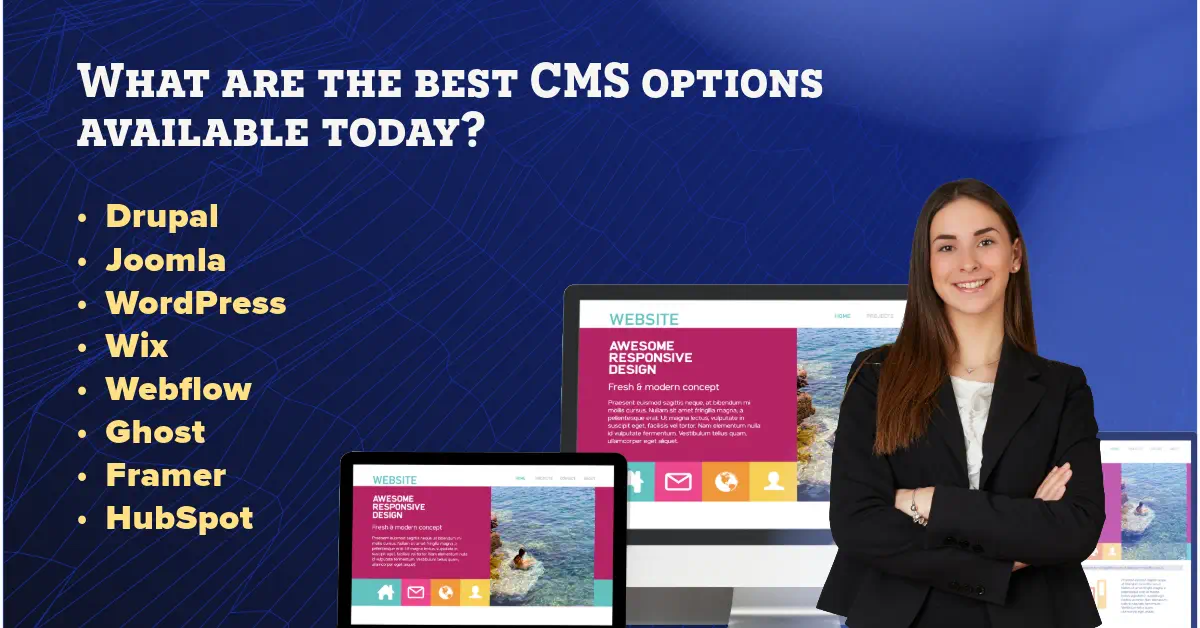
    When it comes to ensuring that a content management system (CMS) meets not only my business objectives but also those of the stakeholders, I recognize that a thorough analysis of requirements is critical. The vast array of CMS options available, including DrupalJoomlaWordPressWixWebflowGhostFramer, and HubSpot CMS Hub, offer diverse functionalities and cater to specific business strategies. It’s imperative for me to select a platform that serves the multidimensional needs of IT, marketing, and sales departments.

    Identifying Your Content Management Objectives

    To effectively manage my content, the identification of precise objectives is paramount. With a clear view of what a CMS must achieve, whether it’s handling frequent content updates with ease or providing robust customer relationship management (CRM) integrations, You can thereby streamline the decision-making process. The Drupal platform, for instance, stands out with strong security features, while Ghost is lauded for its simplicity and focus on blogging.

    Aligning CMS Selection with Business Strategy

    My business strategy serves as the blueprint to my CMS selection, ensuring that it is fully capable of fostering growth and adapting to evolving market trends. Whether aiming for expansive scalability akin to Webflow or seeking the comprehensive sales tools provided by HubSpot CMS Hub, it’s crucial to choose a CMS that parallels the long-term vision I have for my business.

    Crucial CMS Features for Empowering Marketing Efforts

    To enhance my marketing efforts, I must prioritize features that contribute to a robust digital presence. The platform should enable my marketing team to create, deploy, and analyze campaigns efficiently. A platform like Wix or WordPress, known for their extensive app markets and plugin ecosystems, can offer the versatility needed for dynamic marketing strategies.

    CMS Platform Integration Capabilities Strength in Marketing User-Friendliness
    Drupal Highly adaptable for complex sites Advanced user role customization Suitable for technical users
    Joomla Good for e-commerce integrations Strong content workflows Needs intermediate know-how
    WordPress Vast plugin ecosystem Excellent for SEO and content marketing Intuitive for beginners and pros
    Wix Streamlined in-app integrations User-friendly marketing tools Drag-and-drop simplicity
    Webflow Visual design and integration Responsive design for marketing assets Geared towards designers
    Ghost Focused on publishing and subscriptions SEO features for content reach Clarity and ease for writers
    Framer Rich for interactive design integration N/A For design professionals
    HubSpot CMS Hub Seamless marketing tools integration All-in-one marketing solutions Marketer-oriented design

    In adopting a MoSCoW method for prioritizing these features, I ensure that the CMS effectively balances must-haves against nice-to-haves, thereby achieving the best fit for my marketing efforts. However, the work doesn’t end at selection; ongoing stakeholder engagement is crucial for your CMS to remain a vital and effective tool in achieving your content management objectives.

    Start by understanding your client’s website type, key features, budget, and comfort level with technology. Consider factors like ease of use and community support. Focus on scalability, the availability of themes, and security features. Choose WordPress if you want a highly customizable website. Opt for Shopify if they aim to set up an online store. Recommend Ghost if they focus on blogging and prefer an easy-to-use platform. Remember, it’s all about aligning with their goals and priorities. Involve them in hands-on trials. By navigating them through these crucial aspects, you’ll help them find the CMS that meets their current needs and paves the way for long-term success. — Jamin Giersbach, CEO and Co-founder at Popproxx

    What are the best CMS options available today?

    Evaluating the CMS Landscape: An Overview of Top Platforms

    As I delve into the world of content management systems, it’s becoming increasingly clear that the likes of Adobe Experience Manager, DrupalJoomla, and WordPress are not just tools but ecosystems that markedly influence the digital experience. When considering cms features, I’m looking at platforms that don’t just offer a place to store content but provide a matrix of functionalities that align with diverse business strategies.

    For example, Emacs, with its powerful extensibility for enterprise-level projects, contrasts sharply with the open source cms ethos of Drupal—a platform designed to offer flexibility and a secure foundation for developers. As a user-friendly CMS, WordPress remains unparalleled due to its user-friendly interface and vast plugin library, simplifying website management and empowering creators at every skill level.

    • Drupal stands out for its robust security framework, making it a staple for websites requiring stringent data protection.
    • Joomla’s object-oriented programming enables a high degree of customization, appealing to those with specific, advanced site requirements.
    • WordPress is the go-to for those seeking a straightforward, extensible platform with a vast community and resources to match.
    CMS Platform Key Strengths Ideal Use Case
    Adobe Experience Manager Comprehensive enterprise features, robust scaling Large businesses with complex digital assets
    Drupal Security-focused, community driven, open-source Organizations needing custom security solutions
    Joomla Object-oriented software, user-friendly backend Businesses requiring intricate website hierarchies
    WordPress User-friendly, massive plugin ecosystem, high extensibility Startups, bloggers, SMEs seeking easy content management

    To illustrate, Chase Bank’s use of Adobe Experience Manager showcases the platform’s mighty integration capabilities, while the U.S. Department of Energy’s reliance on Drupal underscores its commitment to security and customizable content architectures. Similarly, MLS Soccer benefits from Joomla’s organized content management tools. Each platform has carved a niche in the market, advocating that there is indeed a CMS for every need—a testament to the evolution and specialized nature of these tools. In my journey to demystify these complex systems, I recognize that dedicated platforms like these offer targeted solutions for managing online content, and it is paramount to align them with specific organizational goals for an optimal digital experience.

    Comparing Budgets: Free vs. Paid CMS Solutions

    When embarking on the process to select a website builder or a CMS platform, one of the critical decisions revolves around the financial aspect: should one opt for a free version or invest in a paid solution? The cms comparison between these options is not just about the initial costs but also involves evaluating the total expenditure over the lifespan of your website. Let me dive deeper into these considerations to understand what might be the best cms platform for your financial circumstances, whether you’re a seasoned developer or looking for a cms for beginners.

    Understanding the True Cost of CMS Ownership

    It’s easy to be enticed by the word “free,” but I caution that this oftentimes doesn’t represent the full picture of cost. While a free CMS platform could substantially lower upfront expenses, there might be underlying costs associated with themes, plugins, and potential customizations required to meet your needs. Additionally, consider that more complex projects may necessitate professional assistance, thus adding to the cost.

    Assessing the Long-Term Financial Implications

    Longevity is key in choosing a CMS. For my site, I looked beyond the launch date and assessed the cms comparison from the angle of growth and scalability. While paid solutions might seem expensive initially, their inclusive support, security updates, and advanced features could offer more value in the long run. Think about where you want your website to be in the next few years and whether your chosen CMS can support that growth without incurring prohibitive costs.

    Navigating Licensing and Subscription Models

    The world of CMS platforms is teeming with various licensing and subscription models, tailored to a diverse range of business requirements and budgets. Open-source models, for instance, offer cost-effectiveness and flexibility, a perfect fit for those who have the technical know-how to manage it. Meanwhile, SaaS and hosted solutions might be a better fit for businesses that prefer a more hands-off approach and are willing to pay a recurring fee for it. It’s imperative to understand these differences to identify which promises the best ROI for your specific use case.

    Feature Free CMS Paid CMS
    Initial Cost Minimal Higher, due to licensing or subscription fees
    Customization Limited by available plugins/themes More flexibility and bespoke options
    Support Community-based, self-service Professional, dedicated support
    Security Dependent on user action for updates Automatic updates and enterprise-level security features
    Scalability Can be limited Designed with growth in mind

    Technical Considerations: Ease of Use, Customization, and Integrations

    When I’m exploring CMS features, user-friendliness stands out as a cornerstone for productive content management. A user-friendly CMS equates to efficiency; it enables me to swiftly adapt to the interface and perform content updates without needing to delve into dense tutorials or code. Yet, ease of use must go hand in hand with the scope of customization provided. A custom CMS solution, tailored to specific business requirements, can dramatically enhance website functionality and user experience.

    Ensuring a CMS offers a breadth of cms integrations is pivotal; it expands the platform’s capabilities and streamlines workflows by connecting seamlessly with other tools and software I rely on. This interconnectedness is not a luxury, but a requisite for dynamic content strategies in today’s digital landscape.

    The appeal of an open source CMS lies in its flexibility and the community-driven enhancements it brings. Such platforms often encourage a culture of innovation, where I’m privy to a continuously evolving suite of features and the freedom to modify the CMS core according to emerging trends and needs.

    Feature Open Source CMS Custom CMS Popular CMS Platforms
    User-Friendly Interface Varies by platform Highly tailored approach Intuitive dashboards common
    Accessibility for Non-Technical Users Community support forums Custom training materials possible Documentation and user support available
    Range of Customizations Unlimited with developer knowledge Built to specification Limited by built-in features and extensions
    Integration with Third-Party Tools Dependent on open API and community plugins Integration as part of the development process Varies widely, often via plugins or add-ons
    Content Management Flexibility High, depending on technical skill Complete control with potential complexities Structured but may require custom coding for unique demands

    The decision between choosing an open source or custom CMS often hinges on my specific requirements and the desired level of control over website and content management. It is the harmony of cms features and cms integrations, matched with an understanding of the brand’s goals, that informs my CMS selection—a decision critical to the digital success of any enterprise.

    Choosing a CMS: Balancing Features with User-Friendly Design

    When it comes down to deciding on a content management system (CMS), the crux lies in finding harmony between comprehensive features and a user-friendly interface. This equilibrium allows individuals at all skill levels, especially those just starting, to navigate the platform with ease while simultaneously utilizing its full potential for their unique content strategies.

    Analyzing the Importance of Intuitive Navigation

    For me, the adoption of a CMS with intuitive navigation is not just a preference, but a requirement. A user-friendly CMS simplifies the complexities often encountered during website management, allowing users to focus on content creation rather than technical troubleshooting. By reducing the learning curve, it becomes an ideal choice for beginners, opening up opportunities for a wider audience to engage in building and managing websites without extensive training.

    Personalization and Workflow Automation Features

    The ability to tailor the user experience and streamline content production processes through personalization and workflow automation distinguishes a superior CMS from the rest. Customization, crucial for creating unique websites, should be straightforward, motivating users to adopt the system with confidence. Automation features, meanwhile, play a pivotal role in marketing, offering efficiency that saves time and reduces errors, leading to an increase in overall productivity.

    Supporting Multichannel Content Distribution

    In today’s digital age, ensuring that content reaches audiences over a multitude of platforms is paramount. A CMS should not only accommodate multichannel distribution but should also make the process feel effortless. This capability should extend to various social media platforms and adapt to different languages, ensuring that content creators have the tools they need to expand their reach globally.

    CMS Component Importance for Beginners Importance for Customization
    Intuitive Interface High – reduces learning curve Medium – facilitates easier personalization
    Template Availability High – offers starting points for design High – templates serve as a customizable foundation
    Workflow Automation Medium – enhances efficiency for new users High – allows seasoned users to streamline complex processes
    Multichannel Distribution Medium – encourages broader content reach High – critical for coordinated campaign management

    An ideal CMS for beginners must strike a balance between sophistication and simplicity, delivering a streamlined user experience without sacrificing advanced capabilities such as cms customization and expansion. The pursuit of this balance elevates a CMS from merely a website builder to a comprehensive platform that not only manages content but also shapes it to fit the dynamic requirements of the modern web landscape.

    Conclusion

    In navigating the multifaceted terrain of content management systems, it is evident that choosing a CMS is less about selecting a tool and more about finding a partner for digital growth. A tailored fit between technical specifications and the unique requirements of the stakeholders is not just ideal, but necessary for the sustained success of website management. My journey through the assorted CMS platforms has reinforced the notion that each system possesses a suite of strengths ready to be harnessed by those who recognize its value relative to their goals.

    Whether I am engaging with a platform that excels in user-friendly interfaces geared towards beginners or delving into the robust feature sets of an open source CMS, the pursuit for the best cms platform revolves around a balance of power, accessibility, and adaptability. As the digital landscape evolves, the CMS of choice must not merely keep pace but anticipate and drive the forward momentum of business strategy. This encompasses the seamless distribution of content, the intelligent automation of tasks, and management capabilities that empower users at every skill level.

    To summarize, my experience reaffirms that a judicious scrutiny of CMS options—assessing factors from developer support to integration potential—can yield a profound impact on strategic marketing outcomes. In making these pivotal decisions, one should be guided by quality information and careful consideration of the future trajectory. The endeavor of choosing a CMS, thus, is integral to the orchestration of successful content management, positioning businesses to thrive in an increasingly digital universe.

    What is a Content Management System (CMS)?

    A Content Management System (CMS) is software that allows users to create, manage, and modify web content without the need for specialized technical knowledge. Essentially, a CMS platform provides a user-friendly interface that makes it easy to publish content, create new pages, and manage digital content with varying degrees of access user management. From blog posts to media galleries and website content, a CMS simplifies the content creation and management process for developers and non-developers alike.

    How do I choose a CMS that’s right for my needs?

    To choose a CMS that’s right for you, start by defining your specific needs for creating and managing your web content. Consider factors such as ease of use, user management capabilities, content marketing features, and scalability. It’s also important to decide between a traditional CMS and a headless CMS, based on whether you need to deliver content across multiple platforms and devices. Researching and comparing the most popular CMS options, such as WordPress, Drupal, and Joomla, can help you understand what different CMS platforms offer in terms of functionality, content management process, and cms support.

    What are the best CMS options available today?

    The best CMS option depends on your specific content creation and management needs. Some of the most popular content management systems include WordPress, known for its flexibility and extensive plugin ecosystem; Drupal, appreciated for its robust security features and customizability; Joomla, which offers a balance between ease of use and functionality; and Webflow and Wix, which are praised for their user-friendly drag-and-drop interfaces. For businesses focusing on content marketing, HubSpot CMS Hub provides integrated

  • Unlocking New Heights in WordPress Design: The Ultimate 2024 Crocoblock Review for Elementor Users

    Unlocking New Heights in WordPress Design: The Ultimate 2024 Crocoblock Review for Elementor Users

    Imagine elevating your online presence to new frontiers of customization and design, seamlessly and without a single line of code. Many might think it sounds like the work of a full development team, but what if all it took was a powerful duo: Elementor and Crocoblock? With WordPress, where nearly every site fights to stand out, the pairing of the Elementor page builder with the versatile Crocoblock suite has revolutionized how we think about website creation. This Elementor Crocoblock Review for WordPress will show the strong features that change how you build websites with Elementor. It brings a new level of action to create clear website experiences. From sliders to forms, and the ability to create custom post types with ease, the toolkit bids a hearty farewell to the cumbersome intricacies of code.

    [object Object]

    Key Takeaways

    • Discover the synergistic power of integrating Crocoblock with Elementor page builder to transform your WordPress site.
    • Explore the extended functionalities that come with the suite, including 60+ templates and 200 Elementor widgets.
    • Understand how Crocoblock empowers you to create custom post types and tailor-make dynamic content with minimal effort.
    • Gain insight into building responsive, mobile-optimized websites using Crocoblock’s robust WordPress plugins.
    • Learn about the possibilities that a strong theme builder can unlock for your online identity and branding.
    • Unveil the secrets to crafting compelling e-commerce platforms with powerful Elementor widgets and designs.

    Why Choose Crocoblock for Your Elementor WordPress Site in 2024?

    If boosting the capability and design flair of your WordPress website using Elementor is your goal, Crocoblock offers a treasure trove of resources to elevate your site’s functionality and aesthetic appeal. With a comprehensive suite of robust crocoblock plugins at your service, the limitations of web design become a thing of the past. Let’s delve into how this toolkit stands apart in the realm of WordPress website building.

    Enhancing Your WordPress Website with Crocoblock and Elementor

    Utilizing Crocoblock with Elementor opens up a universe of design possibilities for your site, turning the act of building a website from a necessity into a creative endeavor. This powerful duo simplifies the process of creating custom post types and taxonomies, fleshing out dynamic templates, and integrating e-commerce functionalities that are vital for modern online presence.

    Crocoblock vs. Other Elementor Add-Ons: A Comparative Analysis

    It is vital to juxtapose Crocoblock against other plugins for Elementor to appreciate its comprehensive offering. As the latest reviews indicate, Crocoblock’s suite, with its regular updates and a strong supportive community of over 23,000 members, outperforms other elementor add-ons on multiple fronts, such as features, usability, and developer support.

    Is Crocoblock Worth the Investment for WordPress Users?

    Deciding to use the Crocoblock subscription is more than just a purchase—it’s an investment in your website’s future. With a starting point of $199, Crocoblock provides an all-encompassing toolkit that practically pays for itself, given the professional results and time saved. Whether enhancing an existing site or building a new one from scratch, Crocoblock’s suite is engineered to maximize your website’s potential in the competitive Internet of 2024.

    The price of Crocoblock varies based on the subscription plan chosen. Here are the main pricing options:

    • All-Inclusive Yearly Subscription: This plan costs $199 per year and provides access to all JetPlugins and pre-made templates for one year.
    • Freelance Lifetime Subscription: Priced at $750 per year, this lifetime package includes all Jet plugins, templates, and popups and can be used on 500 WordPress sites.
    • Lifetime Subscription: The Lifetime package costs $999 and offers unlimited access to all Crocoblock products and updates forever.

    These prices are subject to change, so it’s advisable to check the Crocoblock website for the most up-to-date pricing information.

    Discover a whole new level of WordPress design.

    Ready to enhance your WordPress site with the ultimate 2024 Crocoblock tools? Buy Now and experience the difference!

    Exploring the Core Features of Crocoblock Plugins

    For users seeking to augment their WordPress experience with unmatched flexibility and design potential, Crocoblock plugins emerge as a formidable choice. In this deep dive, we’ll explore how Crocoblock’s jetengine plugin, jet plugins, and additional tools harmoniously enhance Elementor, revolutionizing how we approach and execute web design.

    JetEngine: Extending the Power of Elementor with Dynamic Content

    JetEngine is a quintessential component for web professionals who want to break free from static page limitations and embrace dynamic content in their WordPress sites. This robust plugin is ideal for adding intricate details to your site through custom post types, fields, and taxonomies, thereby enabling sophisticated data management and display options that cater to complex web project demands.

    JetElements: Elevating Your Page Design with Unique Widgets

    With JetElements, your creative toolkit expands significantly. This plugin curates a curated collection of Elementor widgets, each designed to deliver not only visual flair but also functional sophistication to your web pages. The diversity of widgets ranges from simple buttons to advanced sliders, all engineered to amplify the user interface and user experience on your WordPress site.

    JetWooBuilder: Revolutionizing WooCommerce Product Pages

    The online shopping experience stands at the forefront of digital business success. JetWooBuilder addresses this priority by providing a rich array of tools tailored for WooCommerce product pages. Users gain access to numerous widgets and features, allowing for complete customization of product listings, and intricate layout options that engage customers and encourage sales.

    Feature Description Benefits
    Custom Post Types Add different types of content beyond posts and pages Enhanced site structure and SEO benefits
    Dynamic Field Widgets Display custom field data dynamically on the site Personalized user experience based on content
    WooCommerce Widgets Customize WooCommerce product and category pages Boosted conversion rates with tailored shopping experience
    Interactive Carousels & Sliders Create engaging visual displays for multimedia content Improved storytelling and visual appeal

    Each plugin and widget within the Crocoblock suite has been meticulously developed with user needs in mind, delivering both utility and elegance to any WordPress project. Layered with the possibilities of Elementor widgets and WooCommerce products, these tools evoke a new era of web building, where creativity is both accessible and boundless.

    The Crocoblock suite includes a comprehensive range of plugins and addons to enhance website design and functionality. Here is the full list of Crocoblock plugins and addons:

    Plugin/Addon Description
    JetEngine Develops website structure and dynamic content
    JetElements Adds various elements to Elementor for design
    JetStyleManager Manages styles and design settings
    JetSearch Enhances search functionality on websites
    JetSmartFilters Provides advanced filtering options
    JetGridBuilder Builds customizable grids for website layouts
    JetBlocks Customizes headers and footers on websites
    JetCompareWishlist Enables comparison and wishlist functionality
    JetBooking Offers booking services for websites
    JetPopup Creates eye-catching pop-ups with customization
    JetTabs Adds tabbed content sections to websites
    JetMenu Enhances website menus with design options
    JetReviews Improves audience engagement with better reviews
    JetWooBuilder Enhances WooCommerce experience
    JetBlog Improves blog functionality and design
    JetThemeCore Core functionalities for website themes
    JetAppointment Provides appointment scheduling services
    JetProductGallery Enhances product galleries on e-commerce sites
    JetTricks Adds visual effects and animations to websites
    JetFormBuilder Builds custom forms for websites

    How to Seamlessly Integrate Crocoblock with Your Elementor Workflow

    The synergy between Crocoblock and Elementor opens users to a world of possibilities within the realm of WordPress website creation. This powerful combo facilitates a user-centric approach to web design, making it a coveted duel for developers aiming for top-notch, dynamic websites. Below you’ll find pivotal steps and techniques to incorporate Crocoblock seamlessly into your Elementor page builder ecosystem.

    Step-by-Step Tutorial on Using Crocoblock Plugins with Elementor

    Integrating Crocoblock with Elementor is a straightforward process that boosts your webpage’s functionality. To start, install the Crocoblock plugin after purchase and activate it in your WordPress dashboard. Following this, navigate to Elementor’s visual interface where you can begin dragging and dropping Crocoblock’s widgets onto your pages. Each plugin, from creating a WooCommerce product showcase to adding attractive pricing tables, is designed to take full advantage of Elementor’s intuitive layout for an effortless user experience.

    Customizing WooCommerce Stores with JetWooBuilder and Elementor

    The JetWooBuilder plugin is a true game-changer for users keen on perfecting their e-commerce space. Using JetWooBuilder with Elementor, create bespoke WooCommerce product pages by selecting from a number of widgets specifically tailored for shop functionalities. Customize every aspect of your product listings and details to provide a unique shopping experience that stands out from the digital crowd.

    Maximizing Efficiency: Tips and Tricks for Crocoblock and Elementor Users

    1. Synchronize JetWooBuilder: Automatically link your WooCommerce products with Crocoblock’s widgets to display real-time updates.
    2. Utilize Theme Templates: Use Crocoblock’s theme builder capabilities to construct global templates for headers, footers, and more for a consistent look across your website.
    3. Apply Dynamic Content: Make content dynamic with JetEngine, bringing personalization to your audience for a fresher and more engaging user experience.

    When you marry Crocoblock’s multifaceted toolset with the prefacing Elementor page builder, the depth of customization and efficiency is unparalleled. Employ these practices consistently, and you will undeniably cultivate a standout digital space poised for growth and success in the vast, competitive landscape of the internet.

    Feature Benefits Elementor Integration
    Dynamic Templates Themes that adapt and change content based on user behavior or conditions Fully compatible with Elementor, which allows customization without coding skills
    WooCommerce Customization Specific widgets and blocks for tailoring the online shopping experience Widgets can be visually edited and placed within Elementor’s UI
    Responsive Design Adaptive and mobile-friendly interfaces for better user engagement Elementor and Crocoblock facilitate design coherence on all devices

    Crocoblock for WooCommerce: Transforming Your Online Store in 2024

    As the e-commerce world evolves, the need for robust and flexible web-building tools has never been greater. This is where Elementor Crocoblock Review WordPress steps in, providing a comprehensive suite of crocoblock plugins and jet plugins specifically tailored for WooCommerce users. The integration of these state-of-the-art tools can boost the functionality, appearance, and user experience of any WooCommerce product page and e-commerce site as a whole.

    Must-Have WooCommerce Plugins from Crocoblock for eCommerce Success

    To stay competitive in the online marketplace, an array of key plugins is essential. Crocoblock offers a range of JetPlugins that are unmatched in their capability to furnish a WooCommerce store with everything it needs for seamless operations and engaging customer interaction.

    • JetWooBuilder – Personalize your checkout page and product displays
    • JetSearch – Implement an intelligent search form that customers love
    • JetSmartFilters – Offer powerful filtering options for easier product navigation
    • JetPopup – Create enticing promotional pop-ups to capture customer attention

    Enhancing Your WooCommerce Store with JetPlugins

    Customizing your online storefront is a breeze with JetPlugins. These powerful extensions work in tandem with Elementor to give you an unrivaled level of customization. With tools designed for every aspect of the store, from product listings to user reviews, implementing advanced features is straightforward, thereby elevating the user experience to new heights.

    1. Create engaging product grids and lists tailored to your audience’s needs
    2. Design bespoke WooCommerce product pages that showcase items in the best light
    3. Easily manage inventory and pricing options with intuitive interface elements
    4. Incorporate dynamic pricing and sales badges to grab attention and boost conversions

    Creating a Seamless Shopping Experience with Elementor and Crocoblock

    A streamlined shopping journey is paramount for converting visitors into loyal customers. The combination of Crocoblock and Elementor is instrumental in crafting a shopping experience that users find both, seamless and enjoyable. With a focus on blending functionality with aesthetics, you can ensure that every element, from the contact form to the checkout page, works in harmony to deliver a high-quality user journey.

    Elementor Crocoblock Review WordPress is a testament to the versatility and efficiency that these powerful tools can bring to your online WooCommerce store, helping you stay a step ahead in the dynamic e-commerce landscape of 2024.

    Crocoblock Review: Real User Experiences and Success Stories

    The impact of Crocoblock paired with Elementor is best understood through the lens of those who have used it to transform their WordPress websites. It’s not just about the tools— it’s the real-world applications that show the power of the Crocoblock plugin and theme. Let’s dive into some of the narratives that define this powerful duo’s place in the WordPress community.

    Case Studies: Successful WordPress Sites Built with Crocoblock and Elementor

    Over the years, many businesses have harnessed the capabilities offered by Crocoblock and Elementor to create stunning, functional websites. These success stories come from a diverse range of industries, showcasing the versatility of the Crocoblock theme and its compatibility with Elementor add-ons. Tailored design, e-commerce expansion, and user engagement are just some of the highlights in these case studies.

    What the WordPress Community Says About Crocoblock in 2024

    The consensus among WordPress users is clear: the integration of Crocoblock plugins within a WordPress theme elevates the website building experience. Forums, discussion groups, and online communities often tout Crocoblock’s continuous innovation and compatibility with the latest version of Elementor, reinforcing its status as a top choice for website developers.

    Pros and Cons: Is Crocoblock the Right Choice for Your Website?

    When it comes to optimizing a WordPress site, every developer weighs the benefits and possible downsides. Crocoblock’s expansive features list and seamless Elementor integration stand as significant benefits. However, one must consider the possibility of needing additional plugins for certain niche functionalities, which can be a deciding factor for some. Here is a detailed comparison:

    Pros Cons
    Comprehensive WooCommerce integration Potential need for additional plugins
    Extensive library of prebuilt templates and advanced features Learning curve for maximizing all available tools
    Regular updates and a robust user community Cost may be prohibitive for small-scale projects
    Real-time customer support with a strong focus on user satisfaction Interdependency between plugins for certain complex functionalities

    Whether you’re a freelance developer or part of an agency, the experiences of real users and the vibrant community around Crocoblock and Elementor provide valuable insights for making an informed decision. It’s no wonder that Crocoblock remains a cornerstone for people looking to get the most out of their WordPress website in 2024 and beyond.

    Advanced Customization Techniques Using Crocoblock with Elementor

    In this Elementor Crocoblock Review for WordPress, we delve into the advanced customization potential that Crocoblock unleashes when paired with the Elementor page builder. The focus of Crocoblock on providing intricate tools that go beyond basic design allows savvy developers and WordPress enthusiasts to construct highly customized, complex websites that cater to specific audience needs. The dexterity of these tools, especially the celebrated JetEngine plugin, is central to bringing this unprecedented customization to life.

    Building Complex Websites with JetEngine and Custom Post Types

    The JetEngine plugin is a cornerstone in the Crocoblock suite for those wanting to create custom post types and extend functionality beyond the regular page content. This powerful plugin facilitates the structuring of a diverse range of content types, making it possible to design an elaborate WordPress site that can cater to varied and intricate data sets. Crafting complex websites is no longer a daunting task, as this seamless integration fits perfectly within the Elementor ecosystem, empowering creators to envision and execute with precision.

    Using Crocoblock to Create Advanced Elementor Designs

    Utilizing the Crocoblock plugin with Elementor elevates the design process, allowing for the creation of advanced, bespoke designs that resonate with users. The added widgets and features that come with Crocoblock are essential in fashioning experiences that are not just visually appealing but also highly functional and interactive. They serve as the backbone of a theme builder toolkit where limitless design possibilities await those who dare to push the envelope and think creatively.

    Integrating Custom Fields and Taxonomies with Your WordPress Theme

    Integration of custom fields and taxonomies into a WordPress theme is rendered effortless with the jetengine plugin, a testament to the sophisticated nature of Crocoblock. With these capabilities, website creators can tailor their sites to extraordinary levels, ensuring that each piece of content relates precisely to the bespoke structure of their theme. This transformative approach to content management and site architecture emphasizes Crocoblock’s commitment to maximizing the potential of websites using Elementor, guiding users towards developing truly unique digital experiences.

  • How to Setup Credit Card Payments on Website

    How to Setup Credit Card Payments on Website

    Group of credit cards
    Group of credit cards

    Did you know that businesses lose a staggering average of 5% in annual revenue due to issues related to payment processing, such as fraud or chargeback fees? In the digital marketplace, having robust online payment solutions is not just about convenience — it’s about survival. For a business to thrive in the e-commerce sphere, providing website payment options that include accepting credit card payments online is crucial. However, the linchpin of this operation isn’t just any system, but a secure online payments network. With the right credit card payment gateway, you can reassure your customers that their transactions are safe, which is paramount in an era where transactions no longer occur face to face.

    Key Takeaways

    • Understand the repercussions of not utilizing a secure credit card payment system, including potential revenue loss.
    • Learn the importance of selecting a reliable credit card payment gateway to instill consumer trust and facilitate secure transactions.
    • Recognize the necessity of balancing the management of transaction fees with effective fraud prevention.
    • Explore how the right online payment solutions can open gates for international sales and expand market reach.
    • Gain insights into establishing a secure and efficient payment processing system that aligns with global standards.

    The Essentials of Credit Card Payment Integration

    Integrating credit card payments into your website doesn’t just broaden your customer base; it’s a transformative step towards modernizing how your customers transact with your business. To streamline the process, it’s crucial to comprehend the dynamics of various payment components and how they converge to provide a seamless payment experience. Setting up a system that enables easy payment processing requires awareness of the different entities that handle these transactions.

    Understanding Merchant Accounts and Payment Gateways

    For businesses diving into online sales, it’s essential to know that a merchant account and a payment gateway are the backbone of accepting credit card payments. A merchant account, offered by financial institutions like SecureNet, is where funds are held before moving to your business bank account, and is pivotal in managing credit card payment methods. Coupled with this is a payment gateway such as Authorize.Net, acting as the intermediary to facilitate the transfer of information between the merchant account and the bank.

    Comparing Payment Processors: Fees, Contracts, and Security

    When determining the best website for credit card payments, it’s imperative to consider the processor’s fees, contract terms, and security measures. Here’s a comparison of vital factors you must evaluate:

    Payment Processor Fees Contract Terms Security Features
    Processor A 2.9% + 30¢ per transaction Month-to-month, no cancellation fee PCI DSS compliant, Encryption, Fraud detection
    Processor B 3.5% + 15¢ per transaction One-year contract, Early termination fee applies Tokenization, PCI DSS compliance

    Opting for a payment processor that aligns with your financial capabilities and security needs ensures not only cost-effectiveness but also the trust of your customers.

    The Role of Ecommerce Platforms in Payment Processing

    Ecommerce platforms such as Shopify and BigCommerce ease the intricacies of integrating credit card payments into websites. They offer built-in tools which support multiple credit card payment methods, making it straightforward for businesses of any size to use their services for easy payment processing. By handling the technical aspects, these platforms allow you to focus on other significant sides of your business, like growth and customer service.

    Online payment
    Online payment

    Choosing the Right Payment Processor for Your Business

    Selecting a payment processor is a critical step for any business intent on accepting credit card payments online. With the aim of maintaining secure online payments, the choice hinges on several key elements that businesses must consider to ensure smooth financial operations and bolster customer confidence.

    Foremost, the sheer volume of transactions your business will handle can influence which processor fits your needs. A company with high transactional volume may benefit from a dedicated credit card payment gateway to effectively handle rapid and numerous transactions, while smaller businesses might find an aggregator more cost-effective.

    1. Assessment of security measures and compliance with PCI DSS to ensure the highest standard of secure online payments.
    2. Evaluation of transaction fees and pricing structures for economical online payment solutions.
    3. Consideration of user experience to facilitate ease in accepting credit card payments online.

    Security concerns are also paramount, necessitating a processor that not only meets industry standards but exceeds them whenever possible. Comprehensive fraud detection and chargeback prevention capabilities are the bedrock of establishing trust with customers who expect their online payment data to be protected.

    Another critical aspect is the user experience. A payment processor should integrate seamlessly with your website, offering a straightforward, hassle-free transaction process. This includes quick loading times, minimal steps to complete a payment, and clear, concise instructions at every stage.

    Here is a comparative overview of key features offered by popular payment processors:

    Feature PayPal Commerce Platform Square Stripe
    Transaction Fees 2.9% + $0.30 per transaction 2.6% + $0.10 per transaction 2.9% + $0.30 per transaction
    Chargeback Fees $20 $0 (first chargeback) $15
    International Use Available in over 200 markets Available in multiple countries Global payment processing
    Fraud Protection Advanced fraud protection Standard detection tools Machine learning fraud prevention

    Take the time to research and understand the transaction fees, potential for account holds or freezes, and the kind of support offered by payment gateways. Customer support responsiveness can be a deal-breaker for businesses that operate around the clock.

    Ultimately, the decision lies in weighing these features against your company’s specific requirements to find a tailor-made solution that supports robust online payment solutions while fortifying customer trust.

    Cheerful young man shopping online satisfied making payment online payment for services
    Cheerful young man shopping online satisfied making payment online payment for services

    How to Credit Card Payments Website: Implementation Steps

    Embracing digital transactions is essential for businesses aiming to thrive in the e-commerce landscape. By enabling customers to use various credit card payment methods, merchants not only expand their market reach but also enhance user convenience. Let’s dive into the steps to set up and streamline easy payment processing on your website.

    Setting Up a Merchant Account and Payment Gateway

    To begin accepting credit card payments, you need to establish a merchant account—a bank account that allows your business to process electronic payment transactions. In tandem with a merchant account, a payment gateway serves as the bridge between your website and the payment processing network. Selecting a trusted online payment solution is critical for both security and efficiency.

    Configuring Your Website for E-Commerce Compatibility

    Your website requires certain functionalities to handle online transactions smoothly. Integration of a robust e-commerce platform such as Shopify or WooCommerce can provide you with the needed framework, including shopping carts and website payment options. This critical step ensures seamless checkout processes for your customers.

    Testing and Going Live with Your Payment Solution

    Prior to officially launching your payment system, thorough testing is indispensable. This phase detects potential issues affecting transaction success or security vulnerabilities that could jeopardize sensitive data. After comprehensive testing and ensuring all components work harmoniously, you’re ready to go live, offering your customers a secure and easy payment processing experience.

    Payment Processor Features Cost User Experience
    Stripe Global payments, recurring billing Competitive rates per transaction Straightforward API
    PayPal Buy now pay later, invoicing No monthly fees, percentage per sale Recognizable checkout
    Square Combined in-person and online sales Flat rates for card processing Easy to use POS system integration

    Choosing the right mix of online payment solutions and credit card payment methods can make a significant difference in the way your customers perceive your brand. Not just in terms of trust and security but also when it comes to ease of use—which together contribute to the overall success of your online sales platform.

    Conclusion

    Embarking on the digital journey of establishing secure online payments for a website is a significant step for any business looking to broaden its market reach and enhance customer experience. The process, though intricate, is fundamental in laying down a foundation of trust and professionalism that resonates with both the brand and its patrons. Selecting an exemplary credit card payment gateway and processor is crucial and sets the stage for the operational success of your e-commerce platform.

    At the heart of a competent e-commerce strategy is the unification of security and user-friendliness. When aiming to set up the best website for credit card payments, an enterprise must integrate these elements with precision. This requires a methodical approach to the technicalities of payment processing systems — from diligent testing to a thorough understanding of merchant accounts.

    In essence, the paramount goal is to master how to credit card payments website infrastructure supports and thereby facilitates global commerce. Businesses that can adeptly balance the trifecta of costs, security provisions, and a stellar user checkout experience are ideally positioned to thrive in the competitive landscape of online sales. As your online store gets ready to accept credit card payments, maintaining this equilibrium will be instrumental in defining your venture’s success and longevity in the digital marketplace.

    FAQ

    What are the key steps to setting up credit card payments on my website?

    To set up credit card payments on your website, you’ll need to choose a reliable credit card payment gateway, apply for a merchant account, ensure your website is e-commerce ready, integrate your shopping cart with the payment processor, and rigorously test the payment system before going live to ensure seamless and **secure online payments** from customers.

    How do I select a credit card payment gateway for my online business?

    When selecting a payment gateway, look for one that offers **online payment solutions**, compatibility with multiple currencies for international sales, competitive transaction fees, robust security features, fraud prevention tools, and excellent customer support. Gateways like Authorize.Net, PayPal, and Stripe are popular choices.

    What is the difference between a merchant account and a payment gateway?

    A merchant account is a bank account that allows you to accept credit card payments, whereas a payment gateway is the service that processes the transactions and facilitates the secure transfer of funds from the customer’s account to the merchant account. They often work together to enable **accepting credit card payments online**.

    Are there different types of payment processors, and how do I choose the best one?

    Yes, there are dedicated merchant accounts, payment service providers (PSPs), and merchant aggregators. To choose the best one, you should consider factors like transaction volume, security requirements, ease of integration, support for multiple **website payment options**, fee structures, and whether they offer features such as fraud protection and chargeback management. Merchant aggregators like PayPal are typically easier to set up but may have higher fees and risk of account holds, while dedicated merchant accounts offer more control but come with more stringent application processes.

    What role do ecommerce platforms play in payment processing?

    Ecommerce platforms like Shopify, WooCommerce, or BigCommerce facilitate the overall process of setting up an online store, including payment processing. They offer built-in integrations with various payment gateways and processors, making it easier for merchants to configure and manage **easy payment processing**. They also provide shopping cart functionality that’s crucial for a complete e-commerce experience.

    What are the best practices for ensuring secure online payments on my website?

    Best practices include choosing a PCI DSS-compliant payment gateway, using encryption via SSL certificates for your website, adding additional layers of security like 3D Secure, monitoring for fraudulent activities through the payment gateway’s tools, and being transparent with customers about your **secure online payments** policies.

    How can I test my website’s credit card payment system effectively?

    To effectively test your payment system, conduct transactions using test credit card numbers provided by the payment gateway, verify that all payment methods work as expected, check the responsiveness of your website across different devices, and ensure that transaction data is accurately captured in your dashboard or analytics tools. It’s crucial to smooth out any issues for **easy payment processing** before going live.

    What documentation is required to apply for a merchant account?

    Typically, applying for a merchant account requires business documentation such as your business license, articles of incorporation, EIN (Employer Identification Number), and possibly financial statements. You’ll also need to provide personal identification, such as a driver’s license or passport, for the individuals owning the company.

    Can I accept international credit card payments on my website?

    Yes, you can accept international payments, but you’ll need a payment gateway that supports currency conversion and international credit card transactions. Be aware of any additional costs or fees associated with **international sales**, and clearly communicate any extra charges to your international customers.

    How do fees from payment gateways impact my business’s bottom line?

    Payment gateway fees can include transaction fees, monthly fees, setup fees, and potential chargeback fees, which can add up and affect your profit margins. It’s important to understand the fee structure of any payment processor you’re considering to ensure you choose the **best website for credit card payments** that align with your business model and budget.

  • Top cPanel Alternatives for Web Hosting Control

    Top cPanel Alternatives for Web Hosting Control

    Man pointing at top cPanel alternatives for web hosting.
    Web hosting management is becoming more important. Control panels make managing websites easier. cPanel is popular but now more expensive. People are looking for cheaper options with good features. We will look at other choices that work as well as cPanel.

    Key Takeaways

    • Discover the spectrum of web hosting management platforms beyond cPanel.
    • Identify control panel options offering enhanced security and automation for efficient website hosting.
    • Understand the benefits of various alternatives based on hosting preferences and specific needs.
    • Explore value-driven alternatives to cPanel licenses that cater to diverse hosting requirements.
    • Learn about platforms enhancing web hosting ease-of-use through intuitive user interfaces.

    Plesk: Enhancing Web Hosting Efficiency with Advanced Security and Automation Features

    As a stalwart in the web hosting industry, Plesk has carved out a notable reputation for its ability to seamlessly navigate both Windows hosting and Linux hosting landscapes. Its interface represents the pinnacle of design efficiency—a sleek user experience that seamlessly empowers server management without compromising on style or functionality.

    Plesk’s dedication to advanced security is evident with features that solidify the fortitude of hosted websites. Incorporating vigilant monitoring and proactive defense mechanisms, it provides peace of mind to web professionals knowing that their digital properties are safeguarded against potential threats. This dedication to security within web hosting services is an invaluable asset in today’s cyber landscape.

    Equally impressive are Plesk’s automation features, which not only enhance operational efficiency but also simplify the scalability of web hosting ventures. Through its intuitive tools, web hosts can swiftly adjust resources to meet the ebb and flow of traffic demands. Below is a glimpse into Plesk’s robust toolset:

    Feature Description Benefit
    One-Click App Management Effortlessly install and manage applications including content management systems like WordPress. Saves time and simplifies web development workflows.
    Server-Level Automation Schedule and automate server tasks with ease. Reduces the manual effort needed for server maintenance.
    Advanced Access Controls Granular user permissions and access rights management tools. Enhances security and allows tailored access for different users.
    Backup and Restore Integrated options for data protection and recovery. Ensures business continuity and data integrity.

    Moreover, Plesk’s seamless integration capabilities with a vast array of extensions and third-party applications position it as an adaptable control panel, capable of personalizing the hosting experience. The platform’s 24/7 support remains a testament to its commitment to user satisfaction and stands as a beacon for those requiring continual assistance.

    Despite Plesk’s edge in the premium market segment, the value it delivers more than compensates for the investment. For individuals and enterprises that place a premium on top-tier security and support, Plesk is more than a mere cPanel alternative—it is a smart business strategy to maintain competitive advantage in a digitalized world.

    Plesk offers several pricing options for VPS hosting, including the Web Admin Edition at €6.60/month for managing up to 10 domains, the Web Pro Edition at €9.90/month for up to 30 domains, and the Web Host Edition at €16.50/month for unlimited domains. There’s also a business plan for partners with a monthly minimum of €250, which offers up to 45% discounts and includes priority support and a dedicated account manager. A free trial is available to test Plesk’s features

    DirectAdmin: Simplifying Web Management Through User-Friendly Interface and Flexibility

    In the arena of web management, DirectAdmin emerges as a formidable cPanel alternative, balancing a user-friendly management interface with a comprehensive suite of advanced hosting features. This control panel distinguishes itself by offering a streamlined approach, enabling users to handle complex web hosting tasks with ease and precision. Its lean yet powerful approach is particularly appealing to those seeking efficiency without the overhead of more cumbersome platforms.

    Where DirectAdmin truly shines is in its affordability. With competitive prices, it positions itself as a cost-effective solution for both personal and professional web management needs. It is designed to appeal to users who are conscious of their budget but unwilling to compromise on functionality and performance. Throughout the DirectAdmin interface, users are met with a logical layout that distills complex web hosting tasks into approachable and manageable operations.

    1. Dashboard Overview – Keeping a firm grasp on hosting resource usage, database health, domain settings, and other key performance indicators.
    2. SSL Management – Offering a simplified process for securing communication on your web domains.
    3. Custom Error Pages – Allowing personalization and better user experience management when visitors encounter errors.
    4. Cron Jobs – Facilitating scheduled tasks with ease, thus enhancing website maintenance and automation.
    5. SSH Key Integration – Prioritizing security with streamlined SSH access that remains user-focused.

    DirectAdmin caters to a broad user base by providing essential tools for daily web management alongside more advanced options for seasoned users. This equilibrium of capabilities ensures that whether you’re running a small personal blog or managing a host of business websites, DirectAdmin delivers a consistent and user-friendly experience without the steep learning curve often associated with powerful web management tools.

    For users contemplating a shift from the familiar grounds of cPanel or exploring alternatives to Plesk, DirectAdmin presents itself as a valuable contender. In the current marketplace where efficiency and user empowerment are paramount, DirectAdmin is not just a tool for managing web hosting – it’s a strategic asset in streamlining online operations.

    DirectAdmin offers three main retail license options: Personal PLUS at $5/month for 2 accounts and 20 domains, Lite at $15/month for 10 accounts and 50 domains, and Standard at $29/month for unlimited accounts and domains. Prices are in US dollars and include features like automatic upgrades, technical support, and protection against price increases. Bulk pricing discounts ranging from 15%-25% are available for purchasing multiple licenses

    Webmin: Offering Comprehensive Server Control with Extensive Module Support

    As an esteemed open-source platform, Webmin has garnered attention for its robust suite of hosting management tools. Predominantly favored by users of the famed Unix system, Webmin delivers on the promise of substantial server control, wrapped in a package that’s not only cost-free but also deeply functional. Navigating through Webmin’s interface reveals an approach that marries simplicity with full-scale control, giving users command over server functionalities through its web-based dashboard.

    A sterling advantage of this platform is its extensibility. Users can amplify Webmin’s core functionalities with a plethora of modules, spanning from standard file and server management to more niche requirements. Undoubtedly, this makes Webmin not just a control panel, but a full-fledged toolkit adept at catering to diverse hosting needs. Below is a comparison table highlighting the key areas where Webmin shines as an administrative interface for server management.

    Feature Description
    User Interface (UI) A clean and intuitive UI that streamlines the management process, enabling efficient navigation and operations.
    Module Support An extensive repository of modules allows users to customize and extend server capabilities according to specific demands.
    System Compatibility Designed with Unix-based systems in mind, offering a stable and seamless management experience for these environments.
    Community Support Leverages an active community for support and development, ensuring a pool of knowledge and peer assistance.
    Cost Efficiency Free to use, presenting an attractive alternative for budget-conscious businesses and individuals.

    While Webmin’s strengths are undeniable, prospective users should note its reliance on community-based support and the necessity for some technical acumen for advanced server manipulations. This might present a slight learning curve, yet it’s one that’s invariably met with rich rewards in utility and adaptability. Hence, for those who prioritize a hands-on approach to server management, replete with a breadth of tools at no additional cost, Webmin proves to be a noteworthy and reliable open-source platform.

    Webmin is an open-source control panel for system administration on Unix-like systems. It’s free to use, so there’s no direct cost associated with downloading and using Webmin itself. This makes it a cost-effective solution for those looking to manage their servers without the financial outlay required for some other control panels.

    RunCloud: Streamlining Cloud Server Management with Easy Deployment and Monitoring

    For developers and IT specialists seeking an efficient way to manage cloud-based PHP applications, RunCloud stands out as a compelling solution for cloud server management. Its user-centric approach simplifies server monitoring and expedites easy deployment, ensuring that PHP applications are smoothly managed from start to finish. RunCloud boasts a friendly user interface that revolutionizes the way databases and file systems are managed, utilizing FTP for seamless interaction.

    • Efficient use of cron jobs for task scheduling
    • Secure access to servers through SSH
    • Enhanced security with a web-access firewall

    With a free plan that caters to managing an unlimited number of domains, RunCloud is particularly attractive to those who need to scale without the immediate overheads. For added sophistication in cloud server management, premium plans introduce advanced features:

    Feature Free Plan Premium Plan
    Unlimited Domains
    Mobile App
    System Hardening

    RunCloud is designed to adapt to a variety of use cases, catering to the needs of solo developers and larger teams looking for reliable cloud server management tools. With features aimed at improving productivity and maintaining high levels of security, RunCloud is pioneering new standards in server deployment and management, establishing itself as a favorite amongst the PHP developer community.

    For managing a single server, pricing begins at $8 monthly. Unlimited server management is available for $15 monthly. However, agencies might prefer the Business plan at $45 monthly. These are prices for month-to-month billing, with an option to receive two months free on annual subscriptions.

    GridPane: Providing Premium WordPress Hosting Optimization for Speed and Security

    As WordPress continues to power a significant portion of the web, the demand for optimized hosting solutions has never been higher. GridPane has emerged as a sterling service for those who seek an edge in both web hosting speed and secure hosting. Delivering a suite of tools specialized in WordPress hosting optimization, it stands out as a premium hosting choice.

    One of the main appeals of GridPane is its ability to fine-tune performance to each website’s unique specifications, ensuring rapid content delivery and outstanding uptime. This commitment to speed is coupled with vigorous security protocols to create a hosting environment that is not only fast but also fundamentally secure.

    • Automated performance tweaks deliver significant speed increases
    • Rigorous security shielding to fend off threats and vulnerabilities
    • Multi-server management made simple for scaling WordPress projects
    • Strategic partnerships with leading cloud hosting providers for expansive choices

    A closer look at GridPane’s capabilities reveals that it is more than just a hosting service; it is an investment in robust digital infrastructure. Its suite of features, designed to enhance WordPress installations, includes advanced caching techniques, an intuitive control panel, and real-time monitoring systems—all geared towards propelling websites to their peak potential.

    For businesses and independent entrepreneurs alike, GridPane’s platform reflects a shared aspiration: to harness the full potential of WordPress without compromise.

    While GridPane requires a financial commitment, those who prioritize excellence in their digital presence understand that premium tools come at a premium value. In the competitive landscape where milliseconds can dictate success, investing in GridPane’s combination of speed and security can provide a discernible advantage.

    GridPane’s pricing structure caters to various needs with three main plans. The Panel Plan, at $100 monthly, supports up to 50 sites and offers extensive features for server management. For those requiring more, the Developer PLUS Plan, at $500 monthly, provides unlimited sites and servers, with advanced staging and Git features. Agencies seeking comprehensive solutions can opt for the Agency Plan, starting at $18,000 annually.

    CyberPanel: Delivering Cutting-Edge Web Hosting with LiteSpeed Server and LSCache

    In the rapidly evolving digital landscape, CyberPanel emerges as a beacon of cutting-edge web hosting, harnessing the power of LiteSpeed server technology. Recognized for its lightning-fast performance and rock-solid stability, LiteSpeed servers pave the way for unparalleled hosting experiences. As an open-source control panel, CyberPanel presents a treasure trove of functionalities while remaining accessible to the budget-conscious webmaster. This powerhouse panel is not only favored by individual developers but has also earned the endorsement of established web hosting companies such as Hostinger.

    At its core, CyberPanel, complemented by the efficient LSCache plugin, is tailored for speed. The term “seamless” is no exaggeration when referring to CyberPanel’s ability to streamline workflows; websites spring to life faster than ever, courtesy of one-click installations for a multitude of Content Management Systems (CMSs). Here’s a look at some key features that make CyberPanel stand out:

    • **Robust Security**: Through the built-in support for SSL, users can rest assured that security is a cornerstone of CyberPanel’s architecture.
    • **Optimization Capabilities**: With LSCache, CyberPanel deftly enhances responsive performance, effectively shortening page load times and reducing server load.
    • **Flexibility in Hosting Options**: Whether users opt for CyberPanel Free or CyberPanel Enterprise, they are granted the freedom to choose a solution that best suits their specific web hosting requirements.
    • **Cost-Efficiency**: Competitive pricing ensures that outstanding web hosting solutions remain within reach for those adhering to stringent budgets.

    “CyberPanel’s integration of LiteSpeed technologies offers a forward-thinking web hosting solution that matches unparalleled speed with ease of use, making it an ideal choice for hosting providers and users around the globe.”

    Another highlight of CyberPanel’s prowess is its inherent synergy with LiteSpeed’s suite of products. This harmonious integration imbues CyberPanel with an ability to scale and adapt, satisfying a spectrum of needs from personal bloggers to enterprise-level e-commerce sites. Experience the future of web hosting today with CyberPanel and step into an ecosystem designed for excellence.

    CyberPanel is a control panel built especially for LiteSpeed servers. You can use it for free with OpenLiteSpeed, the open source web server, or you can purchase a LiteSpeed Enterprise license bundled with CyberPanel.

    SPanel: Boosting Hosting Performance with Seamless Integration and Resource Management

    Introducing the SPanel, a revolutionary all-in-one hosting platform, meticulously developed by the team at ScalaHosting. Designed to serve as the nerve center for your Scala VPS plan, SPanel facilitates a user experience that is both powerful and minimalist. With an emphasis on seamless integration, this control panel embodies efficiency, pairing robust functionality with unparalleled ease of use. For those in pursuit of an integrated hosting solution that does not compromise on performance or security, the SPanel shines as a premier choice.

    Let’s delve into the advantages of choosing SPanel as your trusted hosting ally:

    • Complimentary with every Scala Hosting VPS plan, offering exceptional value.
    • A treasure trove of security tools, ensuring your digital assets are vigilantly safeguarded.
    • Automated backup features present peace of mind through data protection.
    • A user-friendly interface built for effortless navigation and resource management.

    Moreover, SPanel has been engineered for seamless integration with a vast array of applications, making it a highly adaptable and scalable solution. Whether you’re running a bustling e-commerce site or a fledgling blog, SPanel’s all-encompassing approach ensures you have the necessary tools at your disposal.

    Feature Description Benefit
    Security Suite Advanced security measures to protect against threats Keeps websites safe and secure from vulnerabilities
    Automated Backups Regular, automatic data backups Ensures business continuity and data loss prevention
    One-Click Apps Easy installation of popular applications and services Saves time and simplifies web management
    Resource Monitoring Real-time tracking of VPS resources and performance Enables proactive management of server health

    In the current digital landscape, SPanel has emerged as the go-to solution for a diverse range of web professionals. Its ability to deliver a comprehensive, all-in-one hosting platform without overwhelming users with complexity is its true hallmark. Scala Hosting’s relentless dedication to innovation is evident in SPanel’s design—a testament to their commitment to elevating hosting performance through thoughtful integration and meticulous resource management.

    SPanel offers both fully managed and self-managed pricing plans. For fully managed services, prices start at $19.95 per month for up to 5 accounts, with higher tiers for up to 30 accounts at $24.95 per month, and up to 100 accounts at $39.95 per month. Self-managed plans are available, starting at $9.95 per month for up to 5 accounts, $14.95 per month for up to 30 accounts, and $19.95 per month for up to 100 accounts. Each plan includes 24/7 support and a range of features designed to manage cloud hosting efficiently

    Froxlor: Facilitating Efficient Hosting Services Management with Powerful Admin Capabilities

    The quest for a powerful, efficient, yet lightweight platform for hosting service management often leads to the doorstep of Froxlor. This open-source control panel is tailored for those who appreciate fine-grained administrative control without compromising on performance. Particularly favored by users of the long-standing Debian and Gentoo Linux distributions, Froxlor champions a streamlined approach to hosting services, establishing itself as a tool of choice for developers and web hosts alike.

    Despite some opinions on its user interface complexity, Froxlor remains accessible and performance-centric for managing diverse hosting tasks. With features that accommodate reselling and a customizable interface, the platform ensures that your service can uniquely resonate with your brand’s identity, granting you the liberty to orchestrate hosting operations seamlessly.

    1. Froxlor’s Administration Perks: Boasting a comprehensive admin panel, you can expect intricate control over accounts, domains, and subdomains, fostering a nurturing environment for web hosting management.
    2. Resource-Friendly Operation: In line with its commitment to being a lightweight platform, you’ll find that it conservatively utilizes server resources without sacrificing essential functionality.
    3. Alignment with Branding: The tailored experience doesn’t end with functionality—Froxlor offers interface customizations to align visually with your brand identity, cementing a consistent user experience.

    For those curious about how Froxlor compares to other control panels in the field, the following table provides a glimpse into various aspects where it shines:

    Aspect Froxlor Other Control Panels
    License Type Open-source Various (open-source and proprietary)
    Distribution Compatibility Optimized for Debian and Gentoo Generic Linux compatibility
    User Interface Efficient administration; possibility of utilizing custom themes Ranges from simple to complex; often less customizable
    Functionality Performance-centric with essential features for hosting service management Diverse, with some platforms offering an extensive range of features
    Branding Alignment Highly customizable to match service branding Varies, with some offering limited customization options
    Cost Efficiency Free to use, which is ideal for budget-conscious operations Includes both free alternatives and premium, subscription-based services

    In choosing Froxlor, you’re not just adopting an open-source control panel; you’re securing a hosting service management ally that melds seamlessly with your operations, especially on Debian and Gentoo systems. It’s a testament to the open-source community’s drive to deliver quality, accessible tools in the vibrant landscape of web hosting.

    Froxlor is an open-source server management panel and, as such, it is available for free. It is designed to manage hosting services and offers features for web hosting management without any cost for the software itself. Being open-source, users can download, install, and use Froxlor on their servers without a direct purchase or subscription fee.

    ISPmanager: Navigating Web Hosting Challenges with Versatile Administration Tools

    In an industry where the efficiency of server configurations and the finesse in PHP management are pivotal, ISPmanager emerges as a control panel solution adept at tackling web hosting challenges. The platform is equipped with versatile administration tools to cater to the demanding needs of web professionals and hosting companies alike, setting itself apart with a feature-rich environment and competitive pricing.

    Despite being perceived as slightly less user-friendly, ISPmanager compensates with a plethora of features that rival those of more renowned panels. These include a comprehensive suite for managing Apache/Nginx server environments, which become indispensable for administrators dealing with diverse hosting scenarios. Moreover, the control panel’s prowess in PHP management is a testament to its commitment to accommodating the ubiquitous language that powers a vast majority of the web.

    ISPmanager presents an administrative experience that is as robust as it is nuanced, offering an array of customization options alongside CMS support, including:

    • Manual and automated domain management
    • Effortless backup configurations
    • Streamlined file management systems
    • Advanced security protocols

    As web hosting providers and administrators continually adapt to ever-evolving market demands and technical requirements, ISPmanager stands ready to empower its users through a balance of power, innovation, and cost-effectiveness. The platform’s commitment to provide a comprehensive control panel speaks directly to its role as a formidable contender in the web hosting arena.

    ISPmanager offers three main pricing plans on an annual basis: Lite at €65.89 per year for personal use or small projects with up to 10 websites, Pro at €131.89 per year for professionals and medium-sized businesses with Docker and up to 50 websites, and Host at €208.89 per year for service providers with unlimited websites and all features included​

    SpinupWP: Enhancing WordPress Development with Fast, Secure, and Scalable Solutions

    When it comes to WordPress development, the tools we choose to power our projects are pivotal to success. Enter SpinupWP, a cutting-edge platform that redefines the possibilities of scalable hosting with an array of features designed to supercharge the WordPress experience. Developers and businesses alike are turning to SpinupWP for secure hosting solutions that do not compromise on performance.

    SpinupWP’s advantage is its laser focus on the WordPress environment. By tailoring its services to the world’s most popular content management system, this platform provides an unrivaled synergy between server architecture and CMS requirements. The result is a tailor-made toolkit that supports consistent growth and adapts seamlessly to fluctuating traffic, making each website it hosts robust yet responsive.

    Efficiency in WordPress development stems from the ability to deploy servers swiftly without the overhead of complicated setup processes. SpinupWP excels here too, brandishing a user-friendly interface that guides users through deployment and management with ease. Plus, with SpinupWP’s commitment to security, every WordPress site benefits from rigorous protocols designed to keep data safe, updated, and invulnerable to online threats.

    SpinupWP dedicates itself to delivering peace of mind with scalable hosting that ensures your WordPress site is always fast, always online, and always secure.

    • Automatic WordPress optimizations for peak performance
    • Server-level caching and backups for reliable secure hosting solutions
    • SSL certificate management to keep visitor data protected

    While SpinupWP is a specialist tool for WordPress development, its scope does not restrict its capability. By providing a hosting solution that concentrates on optimizing a WordPress setup for speed, security, and scalability, it caters to a fast-growing segment of the market that demands excellence in WordPress hosting.

    SpinupWP offers two pricing plans: the Personal plan at $12 per month for one server and the Team plan at $39 per month for three servers, with $7 per month for each additional server. Both plans support unlimited sites, with priority email support for the Team plan.

    CloudPanel: Simplifying Cloud Hosting with Intuitive Control and Cloud Optimization

    Embracing the shift towards digital expanses, CloudPanel emerges as a beacon of innovation in the realm of cloud hosting. This platform has been meticulously crafted to distill the complexities of cloud management into an intuitive control panel that resonates with both novice users and seasoned professionals. The essence of CloudPanel lies in its ability to marry functionality with simplicity, thereby empowering its users to manage and deploy web applications with unprecedented ease.

    In the densely populated forest of cloud services, where giants like AWS and Google Cloud dominate, CloudPanel carves out a clearing for its patrons, offering refined cloud optimization techniques. The control panel stands proud, not merely as a tool but as a trusted ally in the art of digital asset management. With a vision set firmly on user autonomy, CloudPanel enables a seamless connection between the users’ ambition and their cloud infrastructure’s performance.

    • Effortless Management of Cloud Resources
    • Sophisticated yet User-Friendly Interface
    • Seamless Integration with Leading Cloud Services
    • Advanced Cloud Optimization Methods
    • One-Click Installations and Configurations

    Below is a comparative snapshot highlighting CloudPanel’s advantageous features:

    Feature CloudPanel Traditional Control Panels
    User Interface Streamlined and intuitive Often cluttered and complex
    Cloud Service Integration Seamless with AWS, Google Cloud and others Varied, sometimes limited
    Optimization Automatic cloud resource optimization Manual fine-tuning required
    Installation Process Simple one-click installs Typically multi-step setups
    Pricing Cost-effective for cloud-scale operations License fees can be costly

    CloudPanel offers a Community Edition that is 100% free to use, suitable for both commercial and hobby sites, with support available via documentation and Discord.

    What are the Best cPanel Alternatives to Consider?

    In the process of selecting the best cPanel alternative, it’s essential to balance the importance of features with the level of support provided. Affordability can also play a decisive role. Ultimately, the perfect alternative is one that not only fits within your budget but also aligns with the specific objectives and methodology of your web hosting strategy.

    Plesk: User-Friendly but Owned by Oakley Capital the same as cPanel

    The Plesk control panel stands out in the realm of web server management for its ease of use and comprehensive feature set. A key player in the hosting industry, owned by the investment powerhouse Oakley Capital—the same group that holds cPanel in its portfolio—Plesk continues to innovate independently, providing a distinct experience for users with its sleek, modern UI and automation capabilities. Spotlighting the need for a centralized control panel, Plesk answers the call with a platform supporting a wide variety of technologies, demonstrating why it remains a heavyweight contender for hosting services and server management.

    Despite sharing an owner with cPanel, Plesk charts its own waters with an interface and features tailored to enhance productivity and streamline hosting tasks. The premium pricing of the Plesk platform reflects its value proposition, catering to those who prioritize quality web hosting operations. Below is a comparative outline of key Plesk attributes, underscoring its unique selling propositions within the bustling market space.

    Feature Description Benefit
    Centralized User Interface User-friendly dashboard providing centralized access to manage multiple servers. Streamlines website and server management, enhancing efficiency.
    Automation Tools Features for automating regular tasks, such as updates and backups. Saves time and minimizes human error, reducing operational overhead.
    Technology Support Supports an extensive range of applications, programming languages, and databases. Gives flexibility to developers and businesses with diverse technological needs.
    Security Focus Robust security with features like SSL/TLS certificates and firewall management tools. Keeps web assets secure, promoting trust and reliability.
    Pricing Model Premium pricing aligned with the advanced features offered. Reflects the high caliber of the platform, targeting professional and enterprise users.

    In recognizing the unique capacity of the Plesk control panel and its premium market position, potential adopters must consider the nuanced differences between it and its sibling cPanel. While both are under the Oakley Capital umbrella, each serves distinct niches in the web server management ecosystem—Plesk with its polished, centralized approach and cPanel with its broad, established base. The final decision rests on individual needs, priorities, and the value placed on a sophisticated, user-centric hosting experience.

    CyberPanel: Inexpensive and Feature Rich

    When it comes to managing your web hosting efficiently and affordably, CyberPanel emerges as a top contender. Not only does it provide cost-effective hosting, but it also features a feature-rich control panel that harnesses LiteSpeed technology for superior performance. CyberPanel offers a suite of tools that cater to a variety of hosting needs without breaking the bank.

    One of the most significant advantages of CyberPanel is its intuitive interface, which simplifies web hosting management. Users can take advantage of one-click installations for popular content management systems, streamlining the deployment process. Moreover, CyberPanel’s robust caching solutions, backed by LiteSpeed’s caching engine, ensure that websites load quickly, providing an enhanced user experience.

    CyberPanel comes in two distinct versions, CyberPanel Free and CyberPanel Enterprise, each designed to suit different hosting scenarios. Here’s a comparative look at what each version offers:

    Feature CyberPanel Free CyberPanel Enterprise
    Litespeed Technology OpenLiteSpeed Litespeed Enterprise
    SSL Certificate Management Supported Supported
    Automatic Backups Available Enhanced Options
    Support for CMS WordPress, Joomla, etc. WordPress, Joomla, etc.
    Email Services Basic Email Support Advanced Features
    User Access Levels Multiple Levels Multiple Levels with More Control

    Whether you opt for the free option or the enterprise solution, CyberPanel assures a cost-effective and streamlined hosting experience, leveraging the power of LiteSpeed technology. With its commitment to providing a feature-rich control panel, CyberPanel stands out as a smart choice for users who are conscious of both performance and price.

    RunCloud: Fast Deployment For WordPress Websites

    When it comes to WordPress hosting on cloud servers, RunCloud has positioned itself as a go-to tool for professionals seeking quick deployment and efficient management. With an emphasis on simplicity, RunCloud provides a powerful control panel that caters neatly to the needs of WordPress developers and administrators by considerably reducing the time and complexity usually associated with launching and maintaining WordPress sites on the cloud.

    Distinguished for its user-friendly interface, RunCloud bridges the gap between complex cloud server management and the accessibility expected by contemporary web developers. The platform subdivides hosting tasks into intuitive processes, whether you are overseeing database configurations, setting up FTP for file uploads, or implementing cron jobs for scheduling tasks.

    Feature Description
    One-Click WordPress Deployment Ease of installation with a single click, streamlining your workflow.
    Server Health Monitor Real-time updates on server status to ensure optimal performance and uptime.
    Automatic Backups Routine backups to keep your WordPress data secure and restorable at any time.
    SSL Certificate Management Effortless setup of Let’s Encrypt SSL to enhance website security.
    Firewall & Security Pre-configured security settings and firewall to protect against vulnerabilities.

    For WordPress users on cloud infrastructure, experiencing the benefits of RunCloud starts with an accessible free base plan, allowing you to manage multiple PHP applications across various environments. The allure of RunCloud lies not only in its ability to facilitate quick deployment but also in its scalable approach that adapts as your WordPress hosting demands evolve.

    GridPane: Powerful but Expensive

    For those in pursuit of premium WordPress hosting, GridPane stands as a stalwart option that marries performance optimization and advanced security in its feature set. Designed for the discerning user, this platform provides a wealth of tools geared toward streamlining and securing the WordPress hosting experience. However, it’s clear that this high-caliber functionality comes with a corresponding price point, setting GridPane apart as a premium service in the competitive market of web hosting control panels.

    Despite the higher investment threshold, GridPane does not fluctuate on its promise to deliver exceptional quality. Its advanced security measures and performance optimization techniques are highly suited for those who prioritize these aspects above all else. The ability to manage multiple servers simultaneously underscores GridPane’s commitment to performance without compromise, supporting users who oversee extensive WordPress environments and seek to maintain peak website efficiency.

    Ultimately, the value proposition of GridPane hinges on its capacity to enhance WordPress hosting infrastructures with a sophisticated touch. For businesses and developers where budget considerations are secondary to top-tier service prerequisites, GridPane provides a powerful solution that might justify its expense through the tangible benefits of speed, security, and reliability in web hosting management.

    FAQ

    What are some cost-effective alternatives to cPanel for web hosting management?

    Some cost-effective alternatives to cPanel include DirectAdmin, Webmin, and CyberPanel. They offer competitive prices and a range of features suitable for web hosting management, making them popular among users looking for affordable control panel options.

    Can Plesk be used for both Windows and Linux hosting?

    Yes, Plesk is a versatile control panel that excels in both Windows and Linux hosting environments, providing advanced security, automation features, and a user-friendly interface for comprehensive web hosting services.

    Is DirectAdmin user-friendly for beginners?

    DirectAdmin is acknowledged for its user-friendly management interface, making it a suitable option for beginners. It simplifies web management through its straightforward UI and provides flexibility with its advanced hosting features.

    What makes Webmin a good choice for Unix-based hosting management?

    Webmin is a comprehensive open-source platform that offers extensive module support and server control specifically tailored for Unix systems. Its extensive hosting management tools make it an excellent choice for experienced users managing Unix-based servers.

    How does RunCloud facilitate cloud server management?

    RunCloud streamlines cloud server management through easy deployment and monitoring tools. It simplifies the management of PHP applications on cloud servers with its user-friendly interface and robust functionalities.

    What are the advantages of using GridPane for WordPress hosting?

    GridPane provides premium WordPress hosting optimization with a focus on enhancing web hosting speed and security. Its advanced features are designed to ensure high performance and secure hosting for WordPress websites.

    Does CyberPanel support LiteSpeed server technology?

    Yes, CyberPanel is built on LiteSpeed server technology and includes LSCache to deliver cutting-edge web hosting solutions. It’s an open-source control panel that offers a range of features like one-click installations and SSL certificate management.

    What is unique about SPanel as a hosting control panel?

    SPanel stands out with its seamless integration and resource management capabilities. Developed by ScalaHosting, it is included for free with their VPS plan and provides an all-in-one hosting platform with a focus on boosting hosting performance.

    Can Froxlor handle reselling and customization for web hosting services?

    Yes, Froxlor is an open-source control panel that caters well to web hosting service management, reselling features, and offers customization options. It’s a lightweight platform that provides powerful admin capabilities, particularly favored by Debian and Gentoo Linux users.

    What versatile administration tools does ISPmanager offer?

    ISPmanager provides a comprehensive set of versatile administration tools, including server configurations, PHP management, and support for various CMS installations. It tackles web hosting challenges effectively and allows for both manual and automated domain and backup management.

    Is SpinupWP a good solution for scalable WordPress hosting?

    SpinupWP is specifically designed to enhance WordPress development, offering a platform that is fast, secure, and scalable. It’s a solid choice for developers and businesses looking for WordPress-centric hosting solutions.

    How does CloudPanel optimize cloud hosting?

    CloudPanel is designed to simplify cloud hosting with an intuitive control panel that is user-friendly and geared towards cloud optimization. It supports digital asset management on cloud services like AWS and Google Cloud.

    What does VestaCP offer for web hosting essentials?

    VestaCP offers the essential features needed for web hosting, such as DNS management, FTP support, and backups. It’s a lightweight and feature-rich panel, compatible with various Linux versions and web servers, making it an ideal choice for those seeking a straightforward control panel.

    What factors should I consider when looking for the best cPanel alternatives?

    When looking for the best cPanel alternatives, consider the specific needs of your web hosting, the ease of use, support availability, customization flexibility, and the price-point that balances the set of features you require for effective server control and hosting efficiency.

    Are there differences between Plesk and cPanel since they’re owned by the same company?

    Despite being owned by Oakley Capital, Plesk offers unique features compared to cPanel. It has a centralized control panel, supports a wide range of technologies, and comes with automation capabilities that differentiate it from cPanel’s offering.

    How does CyberPanel’s free version differ from CyberPanel Enterprise?

    CyberPanel Free offers basic functionalities like one-click installations and SSL support. In contrast, CyberPanel Enterprise augments these features with the addition of LiteSpeed Enterprise server technology for enhanced performance, making it a more comprehensive package for users needing advanced capabilities.

    What makes RunCloud an efficient choice for WordPress hosting?

    RunCloud is tailored for quick deployment and effective management of WordPress websites on cloud servers. With features that cater to both development and production environments, it offers a user-friendly control panel and a streamlined process for WordPress-centric workflows.

    Why might someone choose GridPane despite its premium cost?

    Users might choose GridPane despite its premium cost for its powerful WordPress hosting capabilities, which include performance optimization and advanced security features. Its ability to manage multiple servers and provide a sophisticated hosting service makes it worth the investment for some users.


  • Craig Gomes Unveils New Currently WordPress Plugin

    Craig Gomes Unveils New Currently WordPress Plugin

    Status update graphic with work and vacation indicators.WordPress powers over 40% of all websites on the internet. Yesterday, on WP Weekly, I read that Craig Gomes released a new open-source WordPress extension. A seasoned web designer and developer who has recently introduced the Currently Plugin for WordPress.
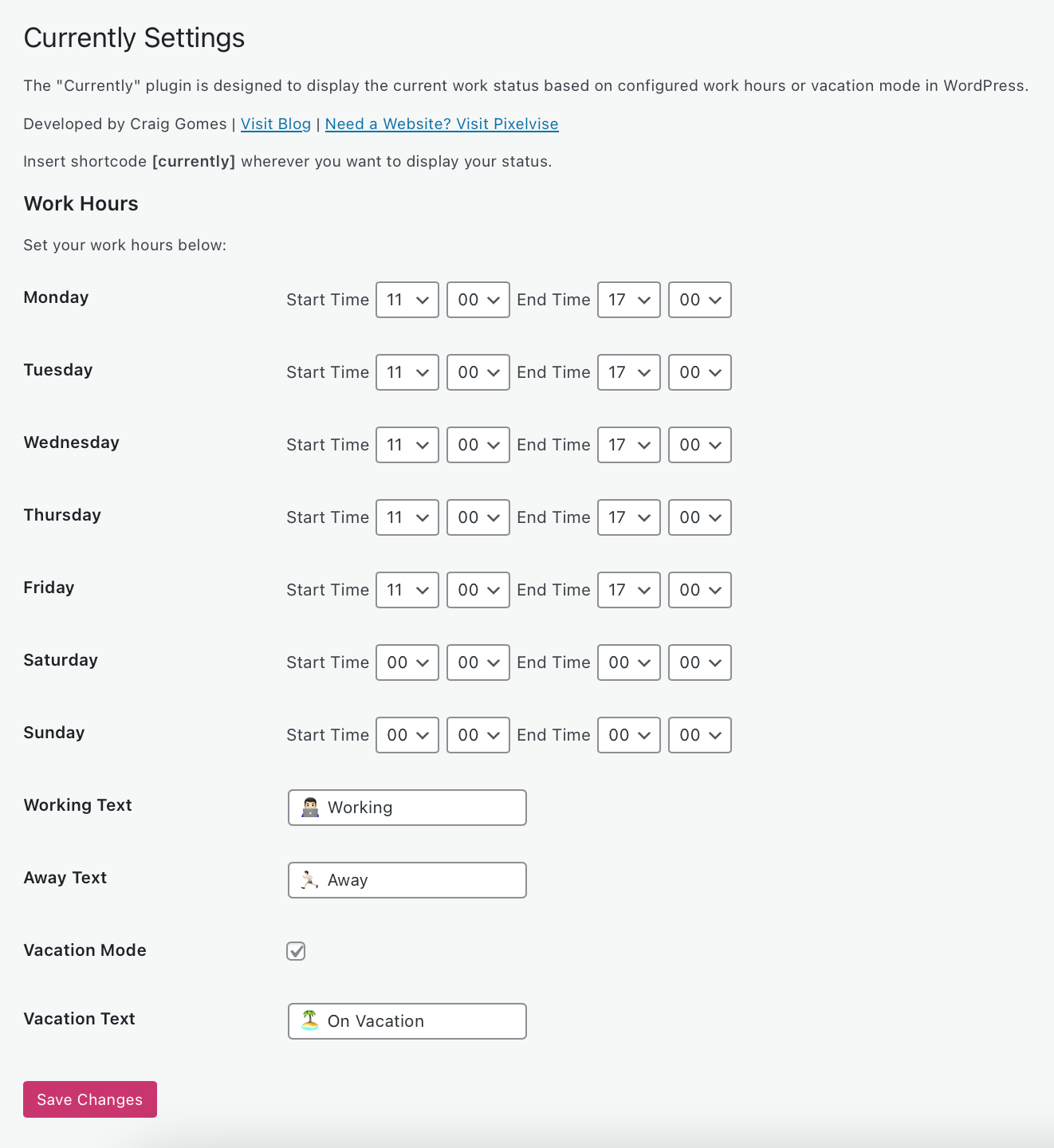
    This project emerges from Gomes’ decade-long dedication to website craftsmanship. It represents a significant departure into theme design, an area he has enriched with his expertise over the past seven years. His initiative, WabiPress, a minimalistic and efficient WordPress theme, now finds a companion in the Currently Plugin, designed under a GPL license to enhance the user publishing experience.

    This WordPress status plugin is Gomes’ latest contribution to a vibrant community, offering an elegant solution to status management on the world’s leading content management system.

    Key Takeaways

    • Craig Gomes leverages his extensive experience in website design to venture into theme design with WabiPress.
    • The Currently Plugin for WordPress signifies a fresh, user-centric approach to status management on websites.
    • Emphasizing simplicity and effectiveness, the plugin is built to complement Gomes’ WabiPress theme.
    • Gomes ensures key plugin compatibility with major tools, focusing on a seamless, feed-like content structure.
    • Adhering to the GPL license, the open-source WordPress extension is freely available, aiming to support the dynamic needs of the WordPress community.
    • This WordPress status plugin is a strategic addition to WordPress.org’s Theme Store, catering to users’ quest for resource-light and scalable solutions.

    Introducing the Currently WordPress Plugin by Craig Gomes

    In an era where digital efficiency is paramount, Craig Gomes has elevated the user experience on WordPress with the launch of the Currently WordPress Plugin. This innovative tool is crafted to harmonize with Pixelvise’s newly rebranded vision, offering businesses of all scales a streamlined approach to indicating work status display, real-time status updates, and user availability notification.

    The Currently plugin emerges as a vital element in transforming how professionals manage their digital presence. With the ability to update one’s status in real time, the plugin stands as an indispensable tool for improving communication and ensuring seamless interaction within the digital workspace.

    • Provides immediate work status display for enhanced communication.
    • Enable real-time status updates to reflect user’s current engagements.
    • Sends out user availability notifications, improving team coordination.

    As Pixelvise unfolds its rebranded identity, the Currently WordPress Plugin is the embodiment of Craig Gomes’ pledge to simplifying the complexities of online business operations. The feature-rich plugin is a milestone in the digital journey, offering intuitive solutions for a dynamic web environment.

    Craig Gomes released Currently Plugin for WordPress

    The digital landscape for entrepreneurs and content creators continues to evolve, and with the introduction of the Currently Plugin for WordPress by Craig Gomes, website management becomes more personal and dynamic. This revolutionary plugin carves out a niche for those desiring customizable status messages on their platforms. Gomes, a respected developer in the WordPress community, delivers an essential tool that empowers users to convey their real-time availability with style and simplicity.

    Understanding the vital role communication plays in today’s fast-paced online environments, the Currently plugin steps in as an indispensable asset for shortcode integration, offering effortless updates. Whether you are a busy freelancer juggling multiple projects or a business owner stepping away for a break, this plugin ensures that your audience stays informed about your availability without the need for constant manual updates.

    • Effortlessly activate vacation mode for websites to announce extended leave.
    • Use shortcodes to update the website status in a few clicks from anywhere on your WordPress site.
    • Customize messages with unique flairs that resonate with your personal brand or company’s image.

    As remote work and digital nomadism surge in popularity, the ability to maintain clear communication lines with clients and colleagues becomes paramount. The Currently Plugin not only enhances productivity but also enriches the user experience by integrating an intuitive system for status alerts. Unveiled by Craig Gomes, a luminary in the technical sphere of website development, this plugin ensures your website is always communicating effectively, even when you’re not.

    WordPress plugin settings page for work hours configuration.Customization at Your Fingertips: Exploring the Customizable Status Messages

    For WordPress users looking to bring a higher level of personalization to their websites, the Currently Plugin by Craig Gomes offers a suite of options designed to tailor your online presence with precision. This open-source WordPress extension enables seamless updates to your work status, encapsulating both the flexibility and immediacy that dynamic web environments require.

    Personalize Your Work Status: Vacation Mode, Busy Indicator and More

    The wordpress status plugin goes beyond static updates; it affords a degree of customization that conveys your availability or current activity in a more authentic manner. Whether you are temporarily stepping away and need a “busy” indicator or are heading off for a well-deserved break and require a “vacation mode,” these customizable status messages offer the gamut of personalization. This feature is particularly valuable for professionals and businesses aiming to maintain clear communication channels with their audience without the complexity of traditional coding.

    Shortcode Integration: Simplified Insertion Across Your WordPress Site

    The beauty of the Currently Plugin lies in its shortcode integration, a tool that effortlessly embeds real-time status updates anywhere on your site. With a simple line of shortcode, users can update their status in a matter of seconds—streamlining the process of conveying real-time information to site visitors. This function stands out for its user-friendliness, eliminating the often tedious need to navigate the back end of WordPress to make updates. Craig Gomes has ensured that whether you’re updating from desktop or mobile, these status changes are quick and straightforward to implement.

    • Vacation Mode: Indicate your out-of-office status with ease.
    • Busy Indicator: Let visitors know when you’re not immediately available.
    • Meeting Status: Share when you’re in a meeting and when you’ll be free.
    • Lunch Break Alert: Temporarily signal your away time for a break.

    By leveraging these tools, WordPress site owners can build a rapport with their visitors based on transparency and up-to-the-minute communication, thanks to the real-time status updates facilitated by this robust open-source wordpress extension.

    Conclusion

    The unveiling of the Currently Plugin for WordPress by Craig Gomes marks a significant advancement for digital professionals seeking enhanced communication capabilities on their websites. The commitment to open-source software and adherence to the GPL license underscore Gomes’ dedication to the WordPress community, offering a tool that resonates with the principles of collaboration and accessibility. The incorporation of features like vacation mode for websites and flexible work status display ensures that users across various industries can maintain clarity regarding their availability.

    This open-source WordPress extension is more than just a technical achievement; it represents an understanding of the evolving workspace and the need for real-time status updates. Whether for handling customer inquiries, coordinating with team members, or managing personal workflow, the Currently Plugin brings a new level of efficiency and user-friendliness to the WordPress ecosystem.

    As Craig Gomes continues to innovate within the digital arena, the Currently Plugin stands as a beacon of progress, simplifying the way we manage our online presence. For freelancers, entrepreneurs, and businesses alike, this plugin is poised to become an indispensable resource in achieving seamless communication with audiences and associates alike.

    FAQ

    Who is Craig Gomes?

    Craig Gomes is a website designer and developer with over a decade of experience in the industry. He has recently expanded his expertise into theme design, creating the WabiPress WordPress theme, and has developed the Currently WordPress Plugin to enhance user interactions on websites.

    What is the Currently Plugin for WordPress?

    The Currently Plugin for WordPress is an open-source WordPress extension designed by Craig Gomes that allows users to display customizable status messages on their website, indicating their real-time work status and availability.

    Is the Currently Plugin available for free?

    Yes, the Currently Plugin adheres to the GPL license, making it an open-source WordPress extension that is available for free. It complements the ethos of WordPress as a platform that supports and encourages community contributions.

    How does the Currently Plugin improve user availability notification?

    The plugin provides a seamless work status display that users can update in real-time. It helps inform website visitors, clients, and colleagues about the user’s current availability, fostering clear and immediate communication.

    Can the Currently Plugin be customized?

    Absolutely. The Currently Plugin offers customization features, such as the ability to set a vacation mode for your website or indicate when you are busy. These customizable status messages help users tailor their presence to accurately reflect their current activity to visitors.

    How does shortcode integration work with the Currently Plugin?

    The Currently Plugin uses shortcode integration to allow users to effortlessly embed their work status updates across different sections of their WordPress site. The plugin provides a shortcode that can be easily inserted into posts, pages, or widgets for quick and easy updates.

    Is technical knowledge required to use the Currently Plugin?

    No, one of the core benefits of the Currently Plugin is its user-friendly design. The shortcode integration means that even those without technical knowledge can update their status on their WordPress site without any coding.

    Can the plugin be used by businesses of all sizes?

    Yes, the Currently Plugin is designed for individuals, freelancers, solopreneurs, and businesses of all sizes. It’s a flexible tool meant to simplify digital interactions and communications for a wide range of users.

    Where can I download the Currently Plugin?

    The Currently Plugin will be avlible for downloaded from the WordPress.org Plugin Directory after it’s reviewed. Until then, you can get it from the Craig Gomes Website.

  • Web Development Cost: How Much Does a Website Cost in 2024?

    Web Development Cost: How Much Does a Website Cost in 2024?

    Web Development Pricing Guide

    Web development costs in 2024 infographic.

    In 2024, the average cost of web development for small to medium-sized businesses is projected to increase by 15% compared to previous years as demand for advanced functionalities and integrations continues to rise. Whether planning to create a new website or revamp an existing one, understanding the average cost to build a website this year is essential.

    Gone are the days when a simple HTML page would suffice. In this day and age, companies require sophisticated websites with robust functionalities that provide exceptional user experiences. The website development costs reflect this complexity and the expertise of the web developers who bring these digital visions to life. From website design to website hosting, partnering with the right website designer and web developer can significantly influence the development cost while ensuring that the end product aligns perfectly with your brand values and business objectives.

    With a myriad of elements factoring into the expenses—from the intricacy of design to the depth of content, the scalability of infrastructure to the potency of functionality—the cost in 2024 to establish or upgrade a web presence requires detailed foresight. As digital solutions become increasingly integrated into our economic fabric, the question isn’t just how much does it cost to build a website, but rather how can we smartly invest to gain maximal returns from this digital transformation.

    Key Takeaways

    • Investigating the average cost of web development in 2024 is key for planning your business’s online strategy.
    • Complexity in design and functionality are major factors affecting the development cost.
    • Choosing between different web development options can make a significant financial difference for businesses.
    • Web design and website hosting remain critical components of overall website development costs.
    • Professional web developers and website designers can provide value in streamlining the web creation process.
    • Anticipating future needs and scalability can influence the upfront cost to build a website.
    • Understanding the long-term benefits is as important as considering the initial development cost.
    2024 Web Development Trends Guide Ad

    Understanding the Web Development Landscape in 2024

    As we forge further into the decade, it is essential to grasp the rapid advancements and prevailing trends shaping the web development industry. From custom website creation to the rise of comprehensive ecommerce functionality, these elements are crucial for businesses to consider when establishing or upgrading their digital presence in 2024. Now, let us explore how these trends are influencing the design and development process, and in turn, the financial landscape of creating and maintaining a small business website or any type of website.

    Jamin Giersbach, CEO and Co-founder at Popproxx: “The best approach is balanced, considering both immediate needs and long-term objectives. Businesses should not cut corners on essential aspects like security and user experience but also avoid overspending on unnecessary features. Consider the 80/20 rule: 80% for web development and 20% for ongoing maintenance and hosting. A well-planned budget aligned with clear business goals ensures a cost-effective and successful web development project.”

    Maria Martin, (February 22, 2024), Evaluating the Cost of Web Development: Coverage and Considerations, Design Rush. https://www.designrush.com/agency/web-development-companies/trends/cost-of-web-development

    The Evolution of Web Design and Development

    Advancements in web design and web development have outpaced almost all predictions, redefining what we consider to be a state-of-the-art website. Key to this evolution is the implementation of sophisticated content management systems that offer exceptional ease of use and enhanced functionality. Additionally, the push towards responsive design is not just a trend but a standard, given the variety of devices accessing the internet today.

    Key Trends Influencing Website Costs

    The cost structure of web development has felt the ripple effects of various trend currents. High on the list are the demands for bespoke, custom website designs which allow businesses to stand out in a crowded digital marketplace. Web design agencies are continually innovating, creating unique graphics and interactive features that require a deeper pool of resources to design, test, and implement. The integration of ecommerce functionality has also become more complex, accommodating an array of payment gateways, inventory management systems, and customer relationship tools. Here’s a comparative look at common website features and their influence on overall cost:

    Feature Impact on Design/Development Costs Added Value for Businesses
    Responsive Design Increased costs due to extensive testing across multiple devices Improved user experience leading to higher retention and conversion rates
    Custom Visuals and Interactivity Higher costs for custom graphic creation and user interface design A unique brand presence distinguishable from competitors
    Ecommerce Functionality Significant upsurge in costs due to the complexity of transactions and security Direct sales channel with comprehensive analytics for better business decisions
    Content Management Systems Varied costs depending on the level of customization and scalability Ease of site management and content updates, minimizing long-term maintenance costs

    Importance of SEO Optimization in Modern Web Development

    At the heart of a website’s success is its ability to be discovered by potential clients, making SEO optimization an integral aspect of modern web development. An optimized website transcends aesthetic appeal and functionality; it serves as a marketing powerhouse that propels a site’s visibility in search engine rankings. Effective SEO strategies incorporate responsiveness, fast loading times, quality content, intuitive navigation, and structured data – all playing pivotal roles in determining a website’s reach and, implicitly, its ability to generate business.

    Professional discussing web development costs.

    Breaking Down the Cost of Web Development 2024

    When we consider the development services required for a professional website, the total cost is often a focal point for businesses. A closer look at the breakdown of website development costs reveals a spectrum of financial commitments associated with website creation. Let’s dissect the average expenditures that one can anticipate in the current development process.

    Website Component Cost Range Remarks
    Domain Name $8.97 – $20 Annual registration
    SSL Certificate $0 – $1,500 Essential for website security
    Hosting Services $24 – $10,000 Varies based on traffic, resources
    Style/Theme Development $2,000 – $15,000 Custom designs incur higher costs
    Interactive Multimedia Features $250 – $10,000 Includes advanced interactivity

    The aforementioned elements encapsulate the primary investment areas, yet the average cost of hiring web development professionals can surge, particularly if specialized or custom work is required. The curation of website content, including text, graphics, and multimedia, must also be factored into the calculation for an all-encompassing financial overview of website creation.

    Note: The fees listed for development and content creation represent a one-time cost; it’s the upkeep, including hosting, domain renewals, and content updates that comprise the recurring financial responsibilities.

    To summarize, businesses exploring online presence through web development in 2024 need to prepare for an initial cost range of $12,000 to $150,000, which encapsulates the essentials for launching a robust and professional website. It’s crucial to recognize that these figures are sizeable but fundamental investments in the ever-evolving digital landscape.

    Options for Building a Website: Which Path Suits Your Budget?

    In 2024, the digital landscape offers a variety of routes for creating an online presence that aligns with both your budget and technical skill level. Whether you’re looking to build your website with a low-cost solution or invest in a high-end, professional design, understanding the cost implications of each option is vital in making an informed decision. Here we explore the common avenues available for website creation and the associated expenses.

    DIY with Website Builders: Costs and Considerations

    For those taking their first steps into digital territory or seeking a simple website, using a website builder stands out as the most budget-friendly choice. The cost of using a website builder can be surprisingly low, often starting at just $9.99 per month. This low-cost website solution provides a plethora of templates and drag-and-drop features, making it a practical choice for individuals and small businesses aiming to build your website without extensive technical expertise.

    WordPress: Balancing Flexibility and Expense

    Moving up the technical ladder, WordPress represents an excellent middle-ground solution. It requires a slight learning curve but rewards users with flexibility and control over their site’s design and functionality. Starting at $11 and going up to about $50 per month, WordPress users can select from a plethora of themes and plugins, making it a preferred platform for those who need more than a simple website but are still mindful of the cost around web development.

    Hiring Professionals: When to Invest in Expertise

    For businesses aiming to stand out with a complex website that boasts customized features and a unique brand identity, engaging a web development partner or hiring a professional designer or agency is the recommended path. Although this is the most costly option, with starting prices cost around $10,000, the investment translates into a high-quality, exclusive web presence tailored precisely to your business requirements. When the prefabricated templates of a website builder don’t suffice, the expertise of a dedicated professional ensures your website’s functionality and aesthetics are second to none.

    In essence, the website builder cost for a basic platform is dwarfed by the premium paid for tailored web development services. However, the right investment for your business depends on the balance between the desired website complexity and the allocated budget.

    Web design services ad with professional man and pricing info.

    The Comprehensive Cost of Website Design Services

    When contemplating the investment involved in launching a user-friendly website, understanding the financial commitment attributed to web design services is key. For a small business or an informational site, the cost range is typically narrower, potentially making it a more accessible option for small-scale operations.

    Freelancers and agencies cater to diverse needs by offering scalable services, from designing a custom website to integrating interactive multimedia. However, the complexity of the website remains a driving force behind the cost spectrum, with detailed features and bespoke design leading to higher prices.

    Type of Website Design Cost Maintenance Cost Interactivity/Multimedia Cost
    Small Business Site $2,000 – $9,000 Lower Annual Cost $250 – $5,000
    Ecommerce Website $10,000 – $55,000 Higher Annual Cost $1,000 – $10,000
    Custom Corporate Site $15,000 – $55,000 Correlated to Site Traffic $2,500 – $10,000

    Diligence in selecting the right web designer or design and development partner can lead to significant savings while ensuring an online presence that genuinely exemplifies your brand and engages your audience effectively. Whether choosing an independent professional or full-service agency, the investment in your online platform is fundamental to your business’s success and growth in the digital marketplace.

    Maintaining Your Investment: Website Maintenance Costs Explained

    To maintain the functionality and security of your website, you must account for the various ongoing costs associated with website maintenance. Understanding these recurring expenses is essential for budgeting and ensuring your site operates effectively and securely. Let’s explore the key components of annual website costs.

    Domain Names and Hosting Essentials

    Consistent and reliable website hosting and the annual renewal of your domain name are fundamental to your website’s presence and performance. The cost of maintaining these crucial aspects varies, reflecting the diversity in the services available to website owners.

    Keeping Your Website Secure with SSL Certificates

    The SSL certificate is critical to your website security, encrypting data and building trust with your visitors. The SSL certificate costs can range from free to a significant investment, based on the level of protection required for your site.

    Regular Updates and Content Management Systems

    Ensuring regular updates and effective content management are essential to keep your website functional. These ongoing tasks can be managed internally or outsourced to professionals, affecting the overall cost of maintaining your site.

    Website Maintenance Component Cost Range Notes
    Domain Name $8.97 to $20 per year Necessary for brand identity and site accessibility
    Hosting $24 to $10,000 per year Varies from shared hosting to dedicated servers
    SSL Certificate $0 to $1,500 per year Dependent on the level of encryption and validation
    Content Management System (CMS) $0 to $40,000 annually Can be free or carry a high cost for advanced features
    Regular Site Updates $200 to $1,250 per year Includes updates for security, features, and content
    Speaker discussing website marketing costs.

    Marketing Your Website: Budgeting for Digital Marketing in 2024

    Promoting online visibility is more crucial than ever before. Navigating options, from SEO to PPC and email marketing, businesses need a clear plan aligning with their financial capabilities while ensuring their message reaches the targeted audience. Below is a comprehensive overview of how to allocate your marketing budget effectively to enhance your site’s reach and foster optimal growth in 2024.

    Digital Marketing Service Average Monthly Cost Objective
    SEO $1,500 – $5,000 Improving search engine rankings for enhanced online visibility
    PPC Campaigns $2,500 – $10,000+ Generating targeted traffic quickly through paid advertisements
    Content Marketing $2,000 – $10,000 Engaging and educating potential customers with relevant content
    Social Media Marketing $2,000 – $7,000 Building brand awareness and community engagement on social platforms
    Email Marketing $1,000 – $5,000 Cultivating relationships and retention through targeted communication
    Copywriting $50 – $500 per page Conveying brand message and value proposition through compelling copy

    In pursuit of a robust marketing strategy, companies must weigh the pros and cons of each channel against their marketing objectives and sales targets. Effective search engine optimization (SEO)—a key player in website marketing—is not simply about increasing traffic but about drawing in the right audience ready to engage and convert. PPC can offer quick returns on investment, yet it requires meticulous tracking to ensure profitability.

    • Content marketing feeds information to your audience and fuels your SEO efforts for a double-edged approach.
    • Email marketing, often an underappreciated tool, holds remarkable power in maintaining customer relationships and driving repeat business.
    • Social media marketing can greatly increase your brand’s exposure and is crucial for sustaining an ongoing dialogue with your audience.

    However, ensuring a steady return on investment can become a complex challenge without a holistic approach that cohesively blends these channels into a unified marketing strategy. Critical to the success of any campaign is a thorough understanding of how each aspect contributes to a cohesive online presence, ultimately nurturing and converting leads into loyal customers.

    Conclusion

    As we encapsulate the vast landscape of web development costs for 2024, it becomes evident that cost-effectiveness remains a central tenet for businesses seeking to expand their digital footprint. The delicate balance between affordability and high-quality development underscores the emphasis on deriving maximum value for money from the web development budget. Astute businesses know all too well that a penny saved in the present, without a view toward future growth, could mean dollars spent prematurely. Thus, a prudent investment in quality development isn’t just considered expenditure—it’s capitalizing on a digital asset that will appreciate in value as technology advances.

    Maximizing Value for Your Web Development Budget

    When evaluating web development pricing quotes, the angle of cost-benefit analysis becomes indispensable. The analysis should pivot on how the proposed spending relates to the anticipated return, not just in monetary terms but also in terms of customer engagement, brand development, and market competitiveness. A judicious approach to the web development budget ensures that both the frontend allure and backend functionality synergize to embody the intended corporate persona, enhancing the user experience and, by extension, value for money.

    Preparing for Future Growth: Investing in Quality Development

    Investing in a website that scales with your business’s trajectory in an era of rapid technological evolution is paramount. Embracing quality development as an investment for future growth paves the way for enhancements, feature integrations, and platform updates without necessitating complete overhauls. The foresight to choose a web development partner that aligns with this philosophy will be the keystone to a resilient digital presence that grows in tandem with your enterprise.

    Next Steps: Calculating Your Customized Web Development Costs

    The path forward involves tailoring a strategy that works for your business’s unique needs. This means calculating your customized web development costs by assessing current requirements against long-term objectives, encompassing all facets of the process, from design to maintenance, and from marketing to continuous optimization. Crafting this detailed plan in partnership with a reputable web developer will chart a course for a website that not only meets today’s standards but is also primed for tomorrow’s opportunities.

    FAQ

    What factors influence the cost of web development in 2024?

    The cost of web development in 2024 is influenced by design complexity, functionality, type of website, responsiveness, user experience, ecommerce features, content management systems, SEO optimization, and the particular demands of custom web development.

    Can smaller businesses afford web development services?

    Yes, smaller businesses can find affordable web development options such as using a website builder for basic functionality, or they may opt for WordPress to balance cost and flexibility. There are also web design agencies that offer tailored services to fit smaller budgets.

    How much does it cost to hire a professional web designer or developer in 2024?

    The cost to hire a professional web designer or developer can vary widely, depending on the scope and complexity of the project. Simple website designs may start at a few thousand dollars, whereas custom, feature-rich websites can go upwards of $10,000 or more.

    What are some ongoing costs associated with maintaining a website?

    Ongoing website maintenance costs include domain name renewals, hosting services, SSL certificates, regular updates, and content management systems. These can range from a few dollars up to several thousand annually, depending on the services required.

    What should be budgeted for digital marketing in 2024?

    Digital marketing budgets can encompass SEO strategies, PPC campaigns, professional copywriting, content marketing efforts, and social media and email marketing. Costs can vary, but businesses may expect to spend from a few thousand up to $10,000 monthly on these services.

    How has the rise of responsive design and user experience affected web development costs?

    The increased importance of responsive design and user experience has led to more sophisticated and intensive development processes, which can raise the cost of creating a website. These elements are essential for ensuring accessibility and engagement across multiple devices.

    Why should businesses invest in SEO optimization for their websites?

    SEO optimization is essential for enhancing a website’s visibility online, improving search engine rankings, and driving organic traffic. This, in turn, can lead to better lead conversion rates and overall business growth.

    Is it more cost-effective to use a website builder or to hire a web development agency?

    The cost-effectiveness of using a website builder versus hiring a web development agency depends on the specific needs of a business. Website builders are often more affordable and suitable for basic websites, while agencies provide customized solutions which can have a greater initial cost but may offer more value in the long term.

    What additional features can affect the cost of building a website?

    Additional features such as interactive multimedia, advanced ecommerce functionality, custom animations, API integrations, and specialized content management solutions can significantly affect the overall cost of website development.

    How do I determine the total cost to build and maintain my website in 2024?

    To determine the total cost, you should account for the initial design and development expenses, add the ongoing maintenance fees (like domain renewal, hosting, SSL certificates), and include any recurring marketing and content updates to ensure comprehensive budgeting.

  • Understanding IP Addresses: Definition, How They Work, and Examples

    Understanding IP Addresses: Definition, How They Work, and Examples

    Educational IP address guide with smiling man holding laptop.How IP Addresses Work

    An IP (Internet Protocol) address is a unique numerical label assigned to each device connected to a computer network that uses the Internet Protocol for communication. Think of an IP address as a unique number that helps devices talk to each other on the internet. Each device has its own unique IP address, like an ID, so that it can send and receive information online. This isn’t just a bunch of random numbers – it’s crucial to ensure devices can communicate properly over the internet.

    It serves two primary functions: it identifies the host or network interface and provides the location of the host in the network, thus facilitating the routing of data packets between devices. IP addresses are an essential part of the internet’s infrastructure, allowing devices to communicate with each other over a network.

    Key Takeaways

    • The essence of an IP address lies in its role as a unique identifier for devices on a network.
    • Understanding how IP addresses work is fundamental to navigating and troubleshooting network communication.
    • Knowledge about IP addresses underpins sound network management and the use of the internet protocol.

    Exploring the Basics of IP Addresses

    An IP address, short for Internet Protocol address, is like a home address for your device on the Internet. It ensures that the information you send and receive online goes to the right place. As we increasingly use the internet, it’s essential to understand IP addresses.

    There are two main types of IP addresses: IPv4 and the newer IPv6. IPv4 has been around for a while, but because we have so many devices now, we started using IPv6, which has many more addresses available. Both kinds of IP addresses have important roles in making sure our devices can talk to each other over the internet.

    What is an Internet Protocol Address?

    At its core, an Internet protocol address is a unique, numerical label assigned to individual devices—a smartphone, printer, or web server—communicating over a network using the Internet Protocol. This address is more than just a random assortment of digits; it embodies the type of IP address, which can be public or private, dynamic or static, signifying the device’s identity and location within the greater network infrastructure.

    The Role of IP in Network Communication

    IP addresses are essential for two primary reasons: identification and location. Every time a device joins a network, it’s given an IP, a bit like a postal address, that ensures data sent across the internet arrives accurately to its endpoint. Whether it’s a simple web page request or a complex cloud service, IP addresses facilitate this exchange; non-routable IP addresses play a significant role within internal networks, ensuring secure and local communications.

    IPv4 vs. IPv6: Understanding the Standards

    With the original IPv4 address space becoming saturated due to the abundance of internet-connected devices, the need for a more expansive address space was apparent. Enter IPv6, with a considerably larger pool of addresses to accommodate the ever-growing internet, ensuring that we have enough for the foreseeable future.

    Aspect IPv4 IPv6
    Address Size 32-bit (4.3 billion addresses) 128-bit (340 undecillion addresses)
    Address Format Numerical, dotted decimal Alphanumeric, colon-separated hexadecimals
    Auto-Configuration Limited Improved with stateless address autoconfiguration (SLAAC)
    Address Types Broadcast addresses No broadcast addresses; uses multicast

    While IPv4 laid the foundation for modern internet protocol design, IPv6 represents the evolution of the protocol that meets the current and future demands of network communication. Whether it’s an IPv4 broadcast address or an IPv6 multicast address, both formats sustain a critical aspect of networking: the ability to send data to multiple recipients efficiently. Even though they’re different, both IPv4 and IPv6 are vital for keeping the internet connected. They both help make sure that devices can talk to each other and share information online.

    Abstract network connections with digital nodes and IP addresses.Let’s talk about IP Address Assignments and Structure

    The internet is a web of networks where every device needs an exclusive identifier to communicate effectively. This process of identifier assignment is critical for functional and secure network operations. Within this system, two distinct methods are predominantly used to assign an IP address—either through the automation of the Dynamic Host Configuration Protocol (DHCP) or the manual configuration of a static IP address.

    The Hierarchical System of IP Address Allocation

    IP address allocations follow a multi-tiered structure. At the apex of this hierarchy is the Internet Assigned Numbers Authority (IANA), responsible for the global coordination of the DNS Root, IP addressing, and other internet protocol resources. IANA allocation is a crucial step in the distribution process, supplying large blocks of addresses to five Regional Internet Registries (RIRs) demarcated by geographical regions, each managing the assignment delegations within their respective areas.

    Internet Assigned Numbers Authority (IANA) and Regional Internet Registries (RIRs)

    The interrelationship between IANA and RIRs exemplifies a distributed management approach ensuring efficient and context-appropriate IP address generation. Each Regional Internet Registry engages with local organizations, including internet service providers, to assign and administer IP addresses in line with regional protocol and needs—a model of hierarchical IP address generation that blends global oversight with regional application.

    Dynamic Host Configuration Protocol (DHCP) and Static Address Assignment

    Dynamic IP addresses are assigned by network servers using DHCP, a protocol that alleviates the need for a network administrator to assign an IP address to every device. A DHCP-assigned IP address can change over time—a dynamic IP address. This flexibility aids in efficient use of the limited IPv4 space and enhances security. Conversely, a static IP address remains consistent and requires manual setup. Servers and other critical equipment often use static IPs to ensure reliable and uninterrupted services.

    Comparison of Static vs. Dynamic IP Address Assignments:

    Criteria Static IP Address Dynamic IP Address
    Assignment Method Manually configured Automatically assigned via DHCP
    Change Frequency Remains the same unless altered manually Can change at the end of the lease time or upon reconnection
    Common Uses Servers, network printers, and other permanent network fixtures Consumer devices, such as desktops, laptops, and mobile phones
    Security and Management More vulnerable to targeted attacks, easier to manage once set up Better for privacy and reduces the risk of long-term network attacks
    Allocation Efficiency Can lead to inefficient use of IP addresses if not managed properly More efficient, particularly within large networks with many temporary devices

    Illustration of trucks and IP addresses sign on highway.Types and Classes of IP Addresses

    In the world of internet networking, knowing about IP addresses is important for both personal and work reasons. IP addresses are key for online communication. Each IP address belongs to certain types and classes, which helps make internet connections smoother and more organized.

    Private vs. Public IP Addresses: A Comparative Analysis

    Every device within a local network is assigned a private IP address by the network’s DHCP server, allowing for internal communication without exposure to the external internet. These address blocks, typically starting with ‘192.168’ for Class C or ’10’ for Class A, remain unique within the private network. Conversely, public IP addresses are designated to the network by an Internet Service Provider (ISP), acting as the primary identifier for the network on the global internet. The distinction between private and public IPs is foundational for network security and efficient management of IP address space.

    Static and Dynamic IP Addresses: Benefits and Challenges

    Both private and public IP addresses can be static or dynamic. A static IP address is a constant number assigned to a device, providing reliable and consistent connectivity ideal for hosting servers or services. In contrast, a dynamic IP address is allocated for only a certain period or until the network configuration changes, enhancing security through its transient nature.

    Network Address Translation (NAT) helps in this environment by allowing multiple devices on a local network to share a single public IP address, conserving addresses and adding a security layer by hiding individual device addresses, though it can complicate network setups.

    Unique Characteristics of Address Blocks and Subnets

    Address blocks are segments of IP addresses that serve specific purposes or are reserved for particular types of networks and hosts. For instance, the Class D block is dedicated to multicast addresses, enabling the dissemination of information to multiple devices simultaneously. Private (RFC 1918) address blocks facilitate internal network efficiency, differentiating the network infrastructure and allowing consistent operation. By subdividing these blocks into subnets, network administrators can further partition networks, reflecting the complexity and scalability of modern network design.

    Explainer illustration on how IP addresses function.How IP Addresses Work

    At the heart of network communication lies the essential function of IP addresses, which are integral in their role to connect devices across networks. Every device, upon connecting to the internet, is allocated an IP address, which is akin to a postal address for digital data, distinctly guiding each data packet to its proper destination.

    Allocating IP addresses is a structured process and varies depending on whether an IP is static or dynamic. Here’s an overview of how these different IP addresses play a pivotal role in seamless Internet protocol functions and robust network communication:

    • Dynamic IP addresses are assigned automatically and can change with each connection to the network – a feature that enhances security and optimizes available address space. They are commonly used for residential internet connections.
    • Static IP addresses, on the other hand, remain consistent across sessions and are typically used by servers that host websites or provide email services, ensuring that external devices can reliably connect to them.

    Internet Service Providers (ISPs) and network administrators must allocate IP addresses judiciously to ensure everything works well on large networks. Each unique IP address is important because when duplicate IP addresses exist on the same network, it leads to an IP address conflict, causing several network issues, including intermittent connectivity problems, error messages indicating a conflict, and potential packet loss due to confusion in data routing.

    Network administrators must identify and disconnect one of the conflicting devices to address this conflict and then reassign a unique IP address to prevent further packet loss and connectivity issues.

    Type of IP Address Usage Advantages Common Application
    Dynamic IP Address Automatically assigned and may change with each new session. Gives a degree of anonymity, reduces security risks, and makes optimal use of limited IP address resources. Most residential and consumer devices, smart home gadgets.
    Static IP Address Permanently assigned to a device or network. Provides reliable connectivity for services requiring constant access, like DNS or hosting. Web, email, and DNS servers, large organization networks.

    Conclusion

    In conclusion, IP addresses are fundamental to the functioning of networks, acting as unique identifiers for devices and facilitating their communication over the Internet. They come in two primary forms: static IP addresses, which are permanent and useful for stable services but require careful management, and dynamic IP addresses, which are temporary and efficiently allocate limited IP resources while enhancing security.

    The introduction of Network Address Translation (NAT) has further optimized the use of IP addresses by allowing multiple devices on a local network to share a single public IP, enhancing security and conserving the limited IPv4 addresses. Understanding how IP addresses work, including their allocation and potential conflicts like duplicate addresses, is crucial for maintaining a stable and secure network environment.

    Future Trends and IPv6 Adoption

    Looking ahead, the growing use of IPv6 marks a significant change in internet protocol. IPv6, with its strong design, is ready to support the growing number of devices connected to the internet. It offers so many addresses that it can easily handle the vast increase in smart devices, the Internet of Things (IoT), and other digital communication technologies. This big step in network infrastructure isn’t just a small change; it’s something we really need. It helps our digital world keep up with the needs of a world that’s more and more connected.

    FAQ

    What is an Internet Protocol Address?

    An Internet Protocol Address, commonly known as an IP address, is a numerical label assigned to each device connected to a computer network that uses the Internet Protocol for communication. It serves as a device identifier and is essential for network communication.

    How do IP addresses work?

    IP addresses enable devices to communicate over a network by providing unique identifiers for each device. When data is sent from one device to another over the Internet, the IP address is used to determine where to deliver the information, ensuring it reaches the correct destination.

    What is the difference between IPv4 and IPv6?

    IPv4 and IPv6 are two different versions of the Internet Protocol. IPv4 uses a 32-bit address space, which allows for about 4.3 billion unique addresses, while IPv6 uses a 128-bit address space, providing a virtually unlimited supply of IP addresses to accommodate future growth of the Internet.

    What are private and public IP addresses?

    Private IP addresses are used within a private network and aren’t routable on the internet, meaning they can’t be reached from outside the network. Public IP addresses are routable on the internet and are used to identify devices globally, allowing them to communicate with other networks worldwide.

    What is the role of IANA and RIRs in IP address allocation?

    The Internet Assigned Numbers Authority (IANA) allocates blocks of IP addresses to five Regional Internet Registries (RIRs) based on geographic region. RIRs then distribute IP addresses within their regions to Internet Service Providers (ISPs) and organizations.

    What is the DHCP and its role in IP assignment?

    The Dynamic Host Configuration Protocol (DHCP) is a network management protocol used to automate the process of configuring devices on IP networks. DHCP enables devices to be dynamically assigned IP addresses, along with other network configuration parameters, facilitating smooth and flexible network operations.

    What are the benefits and challenges of static and dynamic IP addresses?

    Static IP addresses remain the same over time, providing a reliable address for hosting servers or services that need to remain consistently accessible on the internet. The challenge with static IPs is that they can be more vulnerable to security risks if not managed properly. Dynamic IP addresses change periodically, which can provide some level of security through IP address variability. However, they can be less stable for hosting services that rely on a fixed IP address.

    How are IP addresses structured in terms of blocks and subnets?

    IP addresses are structured into blocks based on their class and usage. Subnets are smaller parts carved out of these blocks to organize and divide networks. Subnetting allows networks to be segmented for better performance and security. Each subnet has a network address, a range of host addresses, and a broadcast address that is used to communicate with all devices on that subnet.

    Why do we need to understand IP addresses?

    Understanding IP addresses is crucial for anyone involved in network management, IT, or cybersecurity. It allows for properly administrating networks, troubleshooting connectivity issues, and securing networks against unauthorized access and other cyber threats.

    What does the future look like for IPv6 adoption?

    The future of IPv6 adoption looks promising as the number of internet-connected devices continues to grow and the available IPv4 addresses become scarce. IPv6 provides a much larger address space, accommodating the internet’s expansion and allowing for more devices and services to be connected. Its adoption is steadily increasing, with ISPs, businesses, and governments investing in transitioning to the IPv6 infrastructure.