Blog

  • Understanding DDoS Attacks: Protect Your WordPress Website

    Understanding DDoS Attacks: Protect Your WordPress Website

    Understanding DDOS Attacks - Protect Your WordPress Website

    In 2018, GitHub faced a massive DDoS attack with 1.3 terabytes of traffic hitting their servers every second. This shows how big the threat of denial of service attacks has become. With WordPress running over 43% of all websites, it’s key to know how these threats can hurt your online presence.

    DDoS attacks try to overwhelm online services with lots of fake traffic. These attacks can cause big problems like downtime, money loss, and harm to your reputation. Since WordPress sites are often targeted, it’s vital to understand and fight against these attacks.

    Key Takeaways

    • DDoS attacks on WordPress sites are on the rise, causing downtime and financial losses
    • Various types of DDoS attacks exist, each targeting different vulnerabilities
    • Proper hosting, security tools, and monitoring are essential for protection
    • Botnets play a key role in executing high-volume DDoS attacks
    • Implementing a Web Application Firewall (WAF) and Content Delivery Network (CDN) can enhance security
    • Recognizing attack signs early is crucial for swift mitigation

    What is a DDoS Attack?

    A DDoS attack is a major cyber threat that can make websites and online services unavailable. It’s becoming more common, hitting big names like Amazon and Google.

    Definition and Basic Concepts

    A DDoS attack happens when many hacked devices send a lot of traffic to a target, overwhelming it. This makes it hard for real users to get through. In 2020, Amazon Web Services faced the biggest DDoS attack ever, showing how big this threat has become.

    How DDoS Attacks Work

    DDoS attacks often use botnets to carry out their plans. Criminals make botnets by infecting devices with malware, often through fake downloads or weak passwords. It’s thought that about 12.5 million devices could be turned into botnets.

    Common Motivations Behind DDoS Attacks

    DDoS attacks have different reasons. Some are done for fun, others for political reasons. Companies might face these attacks from rivals wanting to disrupt their work. In some cases, attackers ask for money to stop the attack. These attacks can last from a few hours to many months, really messing with online services.

    Attack Type Target Impact
    Volume-based Bandwidth Network congestion
    Protocol Network stack Service disruption
    Application-layer Server resources Website unavailability

    Types of DDoS Attacks

    DDoS attacks target different parts of a network or system. It’s key to know these types for good protection.

    Volumetric attacks are the most common. They try to use up a network’s bandwidth. These attacks started in the late 1990s and are measured in bits or Gigabits per second. UDP floods, CharGEN floods, and ICMP floods are examples.

    Application layer attacks hit web servers hard, using up CPU and memory. These attacks are counted in Requests per second (Rps). They take advantage of weaknesses in web apps. HTTP POST floods and HTTPS POST floods are types of these attacks.

    Protocol attacks work at layers 3 and 4 of the OSI model. They’re counted in packets per second (pps). UDP floods and TCP SYN floods are common. These attacks use network protocols to drain server resources.

    Nowadays, attacks are getting shorter but pack more packets per second. These attacks can come from many reasons, like ideology or business disputes. This makes them a big threat in many areas.

    Attack Type Measurement Examples
    Volumetric bps/Gbps UDP Flood, ICMP Flood
    Application Layer Rps HTTP POST Flood, HTTPS POST Flood
    Protocol pps SYN Flood, ACK Flood

    Knowing about these attack types helps website owners get ready for DDoS threats.

    The Impact of DDoS Attacks on WordPress Websites

    DDoS attacks are a big threat to WordPress websites, which run over 43.1% of all websites online. These attacks can seriously harm network security and affect businesses a lot.

    Immediate consequences

    When a DDoS attack happens, the problems start fast. Websites become slow, crash often, and show server errors like ‘503 Service Unavailable’. For example, one site faced 2.5 million attacks in an hour, causing 17 minutes of downtime even with Cloudflare’s free version.

    Long-term effects on business

    DDoS attacks have big long-term effects. Businesses lose money, their reputation gets hurt, and security risks go up. Customers lose trust, leading to financial problems and trouble keeping the business going. The brand’s image can be damaged, hurting its market position for a long time.

    SEO implications

    DDoS attacks can really hurt a website’s search engine rankings. Downtime and poor performance during attacks tell search engines the site is unreliable. This can lead to lower rankings, less organic traffic, and less visibility online. Getting back on track often takes a lot of time and work.

    Impact Area Short-term Effects Long-term Consequences
    Website Performance Slow loading, crashes Reduced user trust, traffic loss
    Business Operations Revenue loss, customer frustration Reputation damage, legal issues
    SEO Temporary ranking drops Long-term visibility decrease

    Recognizing a DDoS Attack in Progress

    Recognizing a DDoS attack on WordPress website alert

    Spotting a denial of service attack fast is key to keeping your WordPress site safe. Experts say 73% of companies have faced these attacks, with 85% hit by more than one. Catching it early can prevent big losses, as 49% of companies lose over $100,000 an hour during these attacks.

    Look out for these signs of a DDoS attack:

    • Sudden traffic spikes from unusual sources
    • Slow-loading or inaccessible web pages
    • Increased error rates (HTTP 503 or 504 codes)
    • High server resource utilization (CPU or memory)
    • Unexpected bot traffic

    To catch an attack early, try these tips:

    1. Use traffic monitoring tools to spot odd patterns
    2. Have clear steps for your team to follow when alerts pop up
    3. Work with your ISP to tackle and stop attacks
    4. Install DDoS detection and mitigation tools
    5. Look at past data to see where attacks might come from

    Quick action is crucial. Spotting a DDoS attack fast helps reduce its effects and keeps your WordPress site safe from big losses and data breaches.

    DDoS Attacks: A Growing Threat to WordPress Sites

    WordPress sites are facing more cyber threats as DDoS attacks grow in number and complexity. Since WordPress is so popular, it’s a top target for hackers who want to disrupt websites.

    WordPress as a Prime Target

    WordPress runs over 40% of all websites, making it a big target for cybercriminals. Many users don’t take the right steps to secure their sites, making them easy targets.

    Recent DDoS Attack Trends

    Cloudflare saw a 117% jump in network-layer DDoS attacks from last year. Retail, shipment, and public relations sites were hit hard, especially during busy times like Black Friday. In the first half of 2023, attacks rose by 31%, with 7.9 million DDoS attacks recorded.

    Evolving Attack Sophistication

    DDoS attacks are getting more complex and tough to stop. Kinsta, a managed WordPress hosting service, faced a huge attack in March with 318,930 requests per second. To fight these threats, hosting services are using better protection:

    • Dedicated DDoS protection layers
    • Web Application Firewalls (WAF)
    • Anycast routing and load balancers
    • Content Delivery Networks (CDNs)

    As cyber threats get worse, WordPress site owners need to be alert and use strong security to keep their sites safe.

    Essential WordPress DDoS Protection Measures

    Protecting your WordPress site from DDoS attacks means using a strong defense plan. It’s key to have good ddos protection strategies to keep your site safe and stable.

    First, make sure your hosting is secure. Pick a reliable provider that has DDoS protection built-in. This is a must for fighting off different kinds of attacks, like big traffic floods, protocol attacks, and application attacks.
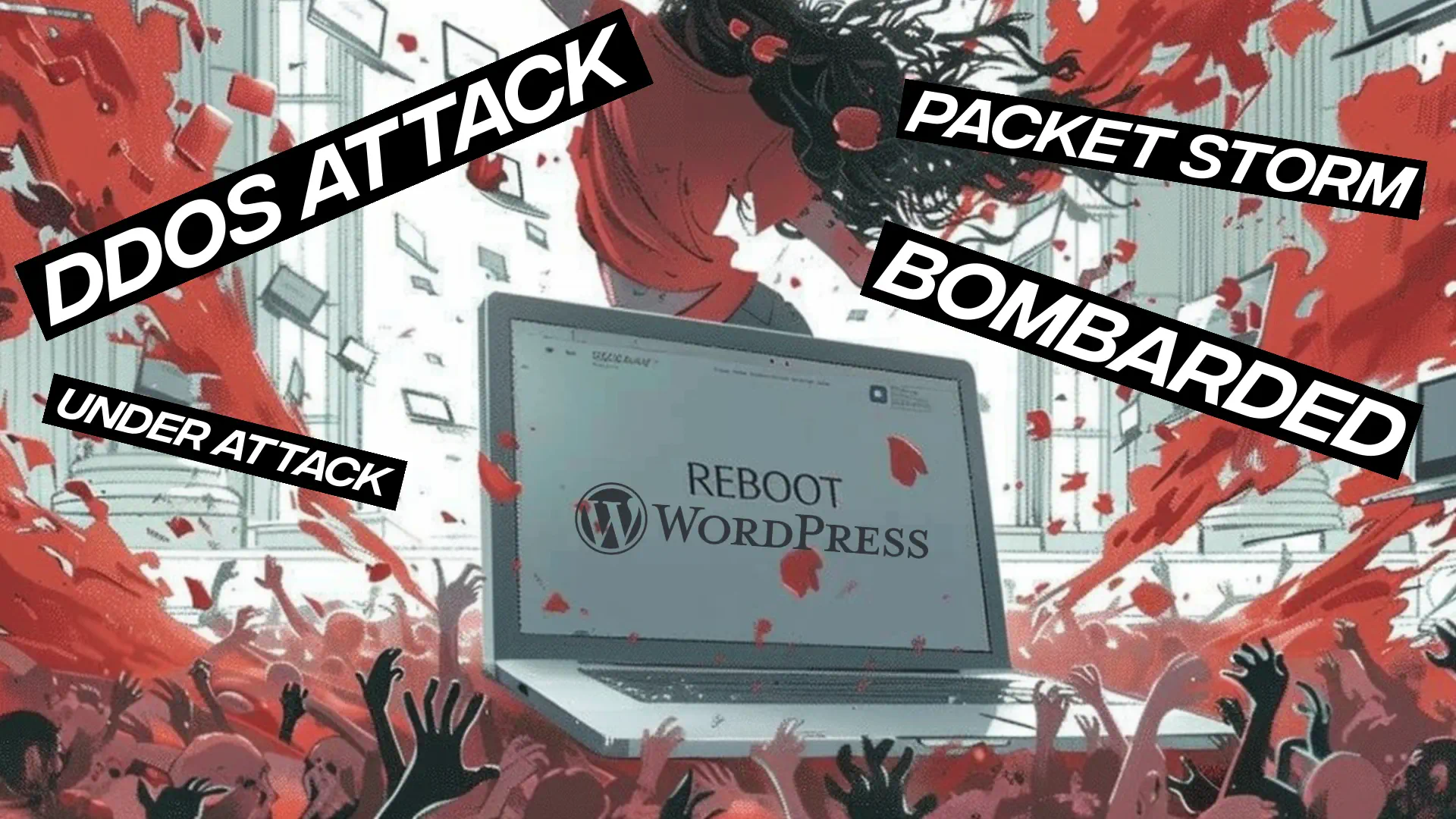
    WordPress under DDoS attack, packet storm.

    Next, add a Web Application Firewall (WAF) to block bad traffic. WAFs are great against attacks that target your WordPress site’s code, plugins, or themes.

    Then, use a Content Delivery Network (CDN) to spread your site’s traffic over many servers. This helps lessen the blow of DDoS attacks and makes your site run smoother.

    • Disable XML-RPC and REST API if not needed
    • Use strong passwords and two-factor authentication
    • Keep all WordPress components updated
    • Conduct regular security audits

    Watch your site’s stats for any signs of an attack. If you see sudden spikes in traffic or strange patterns, it might be a DDoS attack. Having a plan for disaster recovery is key to acting fast.

    Protection Measure Purpose Effectiveness
    Web Application Firewall Filter malicious traffic High
    Content Delivery Network Distribute traffic load Medium
    Strong Authentication Prevent unauthorized access Medium
    Regular Updates Close security vulnerabilities High

    By using these ddos protection strategies, your WordPress site will be much stronger against attacks. Remember, fighting off ddos threats is an ongoing task. You need to stay alert and keep updating your security steps.

    Advanced Techniques for Enhanced WordPress DDoS Protection

    Protecting your WordPress site from DDoS attacks needs advanced strategies. These methods go beyond basic security to offer strong defense against complex threats.

    Implementing a Web Application Firewall (WAF)

    A WAF acts as a shield for your WordPress site. It checks incoming traffic and stops suspicious requests. This is key for fighting off ddos attacks aimed at the application layer. Many WAFs can be tailored to meet your site’s unique needs.

    Utilizing Content Delivery Networks (CDNs)

    CDNs are crucial for DDoS protection. They spread your site’s content over many servers worldwide. This setup helps soak up traffic surges during an attack. Cloudflare, a well-known CDN, has built-in DDoS protection features.

    Traffic Monitoring and Analysis

    It’s important to watch your traffic closely. Advanced tools can spot unusual spikes or patterns that might signal an attack. This early alert lets you act fast against threats.

    • Implement rate limiting to control traffic flow
    • Use geo-blocking to restrict access from high-risk regions
    • Regularly update and harden your WordPress core and plugins

    By using these advanced methods, you build a strong defense against DDoS attacks. This strategy greatly boosts your WordPress site’s ability to withstand threats.

    Best WordPress Security Plugins for DDoS Protection

    Protecting your WordPress site from DDoS attacks is key in today’s digital world. Let’s look at some top security plugins. They offer strong ddos protection and improve your network security.

    Sucuri Security is a top choice. Its premium version blocks 40 million attacks every day with a powerful firewall. It keeps your site safe from DDoS attacks and makes it faster with caching.

    WordFence is another favorite, with over 3 million users. It protects against many threats, including DDoS attacks, in its premium version.

    For focused DDoS protection, consider Limit Login Attempts Reloaded and Protection Against DDoS. These plugins prevent brute force attacks and fight DDoS threats.

    When picking a security plugin, think about WordPress compatibility and your needs. Remember, plugins are great but part of a full security plan. This includes good hosting and regular updates.

    Plugin Key Features DDoS Protection
    Sucuri Security Firewall, CDN, Daily Updates Premium Version
    WordFence Malware Scanning, Firewall Premium Version
    Limit Login Attempts Reloaded Brute Force Protection Basic Level

    Using these plugins and keeping up with security best practices can make your WordPress site much stronger against DDoS attacks.

    The Role of Hosting Providers in DDoS Mitigation

    Hosting providers are key in fighting off DDoS attacks. They use various strategies and security measures to protect websites. This keeps your online presence safe.

    Choosing a host with built-in DDoS protection

    When picking a hosting provider, find one with DDoS protection. These hosts have top-notch networking gear and strong data centers. They use traffic filtering and monitoring to catch and stop threats early.

    Managed WordPress hosting benefits

    Managed WordPress hosting comes with extra security. These services focus on WordPress protection. They offer automatic updates, regular backups, and special firewalls. This can greatly lower the chance of DDoS attacks.

    Scalability and resource allocation during attacks

    Good hosting providers can scale up and manage resources during attacks. This keeps your website up even when it’s flooded with traffic. Look for hosts that can move malicious traffic and add more resources as needed.

    Feature Standard Hosting DDoS-Protected Hosting
    Traffic Filtering Basic Advanced
    Network Monitoring Limited 24/7
    Resource Scalability Fixed Dynamic
    Uptime Guarantee 99.9% 99.99%

    Choosing a hosting provider with strong DDoS protection is a smart move for your WordPress site. These providers give you peace of mind. They make sure your website stays online, even against complex attacks.

    Conclusion

    DDoS attacks are a big threat to both network and WordPress security. They have taken down big names like Netflix, OpenAI, and Spotify, causing a lot of trouble. These attacks can cause minor issues or big financial losses, with an average cost of $218,000 per incident.

    To protect your WordPress site, you need a strong defense. Start with basic security steps and add advanced protection. Also, pick a hosting provider you can trust. Keep up with DDoS attack trends, which jumped by 150% worldwide in 2022. Update your security plans to fight different types of attacks, like volumetric, protocol, and application layer ones.

    Being proactive and watchful can greatly lower the chance of DDoS attacks. This keeps your WordPress site running smoothly in a tough digital world. Remember, having strong network security is crucial for protecting your online presence and keeping your users’ trust.

    FAQ

    What is a DDoS attack?

    A DDoS attack is when hackers try to flood a server with too much traffic. This makes it hard for the server to work right. They use many computers to send lots of data, overwhelming the server.

    What are the common types of DDoS attacks?

    There are many kinds of DDoS attacks. Some send lots of data (volumetric attacks). Others use special protocols to flood the server (protocol attacks). Some even use public UDP protocols to boost the attack (amplification attacks).

    What are the immediate consequences of DDoS attacks on WordPress websites?

    Right away, DDoS attacks can cause your website to go down. This can lead to losing money and making customers unhappy.

    What are the long-term effects of DDoS attacks on businesses?

    Long-term, DDoS attacks can hurt your brand’s reputation. They can also increase security risks, lead to legal problems, and affect your SEO because of slow performance during attacks.

    How can I recognize a DDoS attack in progress?

    Look out for sudden spikes in traffic and slow-loading pages. Watch for a flood of requests on certain pages, strange form submissions, and files that won’t load. If your website crashes or shows 504 errors, it might be under attack.

    Why are WordPress sites prime targets for DDoS attacks?

    WordPress sites are popular targets because they are widely used and sometimes not properly secured. Attacks are getting more common and sophisticated, making WordPress sites an easy target.

    What are the essential WordPress DDoS protection measures?

    To protect your WordPress site, make sure your hosting is secure. Pick a reliable provider with DDoS protection. Use a Web Application Firewall (WAF) and a Content Delivery Network (CDN). Disable XML-RPC and REST API if you don’t need them. Use strong passwords, keep everything updated, and use two-factor authentication.

    What are some advanced techniques for enhanced WordPress DDoS protection?

    For better protection, use a Web Application Firewall (WAF) to block suspicious requests. A Content Delivery Network (CDN) can spread your website’s data across many servers. Keep an eye on traffic to catch threats early. Use geo-blocking, IP blocklisting, and harden your WordPress site.

    What are some recommended WordPress security plugins for DDoS protection?

    For protection, try Sucuri Security with its AntiBot Detection Engine (ADE). WPCode and Disable WP Rest API can also help by stopping REST API for users who aren’t logged in.

    How can hosting providers help in DDoS mitigation?

    Choose a host that offers DDoS protection and has the right networking hardware. Look for data centers that are scalable and efficient during attacks. Managed WordPress hosting often includes better security and DDoS protection.

    Source Links

  • SEO for Accountants: A Comprehensive Guide

    SEO for Accountants: A Comprehensive Guide

    Are you an accountant finding it hard to stand out online? In today’s digital age, having a strong web presence is key to attracting new clients and growing your practice. This guide will cover everything you need to know about SEO for accountants, helping you shine online.

    SEO guide for accountants, unlock website potential

    Search Engine Optimization (SEO) is a big deal for accounting firms. It’s not just about being online; it’s about being found by the right people at the right time. With most online searches starting with a search engine, SEO is vital for accountants1. By using SEO, accountants can get more online visibility, draw in more qualified leads, and be seen as trusted experts in their field2.

    About 70-80% of search engine users look only at organic results, not ads3. This means SEO can help accountants reach a huge number of potential clients who are looking for their services. Plus, websites that rank high on search engines get most of the web traffic, showing how important it is to rank well3.

    Key Takeaways

    Understanding SEO for Accountants

    SEO for accountants is a big deal in today’s digital world. It helps your accounting website stand out in search results. When people look for “accounting services” or “tax preparation,” you want your firm to be the first one they see.

    What is SEO and why it matters for accounting firms

    Search Engine Optimization (SEO) makes your website more visible on search engines like Google. For accounting firms, it’s a great way to draw in new clients. SEO brings in 1,000% more traffic than social media and beats paid ads in getting new leads4.

    The impact of SEO on online visibility and client acquisition

    A website that’s optimized well is more likely to show up in local search results5. This is key since many accounting firms don’t use SEO well, giving you a chance to stand out6. Using an SEO strategy for accountants puts your firm ahead in a tough market.

    Key benefits of implementing SEO strategies

    SEO for accountants has many perks:

    • More website visitors and visibility
    • Better client finding
    • A cheaper marketing option
    • Results that keep going

    Using tools like Google Analytics and Search Console helps you see how your site is doing and spot ways to get better5. This way, you can keep making SEO work for you, making it a wise choice for your firm’s growth.

    The Challenges of SEO in the Accounting Industry

    Accounting firms face unique hurdles in using SEO effectively. With Google being the top search engine, it’s key to stand out online7. There are over 1,000,000 searches each month for accounting services, making it a tough field7.

    One big challenge is making content that’s easy to understand but still accurate. Accountants need to explain complex financial ideas in simple terms. This balance is key for good SEO for accountants and their firms.

    Local SEO is another big challenge. Since 30% of mobile searches are about finding things nearby, and 78% of those searches lead to visits the same day, firms must be seen locally8. They need to work on both on-page and off-page SEO to be visible.

    Getting links from reputable financial sites is hard. Accountants can use guest posting and working with other industry professionals to get quality backlinks.

    SEO Challenge Impact Solution
    Technical Content Reduced readability Simplify language while maintaining accuracy
    Local Visibility Missed local clients Optimize for local searches and Google My Business
    Link Building Lower domain authority Guest posting and industry partnerships

    Technical SEO also challenges many accounting firms. Fast loading times and good site structure are important and need constant work9. If ignored, these can hurt a firm’s online presence and how users experience their site.

    Keyword Research for Accounting Firms

    Effective keyword research is key for successful SEO in accountancy. It helps you find out what potential clients are looking for. With 51% of all website traffic coming from organic search, it’s vital for accounting firms10.

    Identifying relevant keywords for accounting services

    Begin by listing terms related to your accounting services. Use tools like Ubersuggest, Ahrefs, and Semrush to grow your list. They provide data on search volume and competition11. For instance, “irs” gets 4,090,000 searches a month, while “certified public accountant” has both info and commercial searches12.

    Long-tail keywords and their importance

    Long-tail keywords are specific phrases with lower search volume but higher conversion potential. For accountants, these could be “accountant in (CITY)” or “small business tax accountant.” They have less competition, making them easier to rank for in SEO efforts.

    Tools for effective keyword research

    Here are some tools to help with keyword research:

    • Google Keyword Planner: Offers search volume and competition data for free
    • SEMrush: Provides detailed keyword analytics and competitor analysis
    • Ahrefs: Gives in-depth keyword difficulty scores and content gap analysis

    It’s important to balance high-volume and niche keywords for a strong SEO strategy. Choose keywords that match your services and target audience to bring quality traffic to your site10.

    Keyword Monthly Search Volume Keyword Difficulty CPC (USD)
    irs 4,090,000 N/A N/A
    accounts payable N/A 72/100 N/A
    small business accounting software N/A N/A 26.45
    tax preparation N/A N/A 3.32

    On-Page SEO Optimization for Accountant Websites

    Accountants should work on making their websites more visible online. A good SEO guide for accountants can greatly improve search rankings and bring in more clients. Since 85% of people look for accounting services online, and 90% don’t go past the first page, on-page SEO is key13.

    Key Elements of On-Page Optimization

    To boost your accounting website’s SEO, focus on these key points:

    • Title tags: Make titles that include main keywords
    • Meta descriptions: Write summaries that make people want to click
    • Headings: Use H1, H2, and H3 tags to organize your content
    • URL structure: Keep URLs short and filled with keywords

    Using these tips can really help your website do better. For example, using location-specific keywords like “accountant California” can make your site more visible for local searches14.

    Content Optimization

    When making accounting websites better, focus on creating top-notch, keyword-rich content. Pick 3-5 main keywords or phrases that people might use to find accounting services15. Add these keywords into your content in a way that’s easy to read and includes useful info.

    SEO is not a one-time effort but an ongoing process that drives sustainable growth in the long run.

    About 70% of clicks on search results go to organic results, not ads13. This shows how important ongoing SEO is for accountants who want to draw in new clients and be seen as experts in their field and area15.

    Creating High-Quality Content for Accounting Websites

    Quality content is key for successful accounting SEO services. It helps attract and keep clients by offering valuable, engaging, and informative content.

    Types of Content That Resonate with Accounting Clients

    Accounting firms should create a variety of content to meet different client needs. Blog posts, articles, and videos that answer common questions are great for showing expertise. Adding good stock photos can also make the site look better16.

    A “Meet the Team” page with staff bios and photos helps clients feel connected to their financial team. These pages are often visited a lot on accounting sites16. Adding things like QuickBooks Online and AICPA logos can make clients trust you more16.

    Balancing Technical Information with Readability

    Accounting has complex ideas, but it’s important to make them easy to understand. Good content structure helps keep people interested and lowers bounce rates17. Use clear headings, bullet points, and infographics to simplify hard topics.

    Incorporating Keywords Naturally into Content

    Putting keywords in the right places is key for SEO in accounting. Add relevant keywords in title tags, meta descriptions, and throughout the content. But always think about making it easy to read and use17.

    Content Type SEO Benefit Client Engagement
    Blog Posts Improves keyword rankings Establishes expertise
    Staff Bios Enhances local SEO Builds trust
    Informative Videos Increases time on site Simplifies complex topics

    Remember, 65% of successful accounting sites update their content often. This shows how important it is to keep your online presence fresh and interesting18. By using these strategies for creating content, accounting firms can boost their SEO and draw in more clients.

    Local SEO Strategies for Accountants

    Local SEO strategies for accountants workshop

    Local SEO is a big deal for accountants wanting to be top dogs in their area. By using smart local SEO tactics, accounting firms can get more visible and draw in more clients locally19.

    First, claim and make your Google My Business (GMB) listing shine. Make sure it’s filled out right with the right business info, services, and great photos. This is super important for getting better search rankings and being seen more20.

    Being consistent is key in local SEO. Make sure your Name, Address, and Phone number (NAP) match everywhere online. Search engines like this consistency to know you’re a real business and relevant to local searches21.

    Make content that talks about your area to connect with locals. Write blogs about local tax laws, community events, or financial tips for your area. Doing this helps with SEO and shows you’re a local expert.

    • Optimize for voice search to capture mobile users
    • Build backlinks from reputable local websites
    • Encourage and respond to client reviews quickly
    • Use schema markup to boost your local SEO

    Having a website that works well on mobile is a must today. More people use the internet on their phones, so a site that looks good on all devices is key for good user experience and search rankings1920.

    “Local SEO is not just about being found; it’s about being found by the right people at the right time.”

    By using these local SEO tips, accountants can get more online visibility, pull in more good leads, and grow their business in their area. A strong accountant SEO plan focused on local optimization can really make your firm stand out in the competitive search engine world.

    SEO Accountants Guide: Essential Techniques and Best Practices

    In the competitive world of accounting, mastering SEO is key for success. With over 88,000 accounting businesses in the United States, it’s vital to stand out online22. This guide shares important seo tips for accountants to improve their online presence and draw in more clients.

    Optimizing Website Structure for Better User Experience

    A well-structured website is key for SEO in accounting firms. Make sure your site is easy to navigate with a clear layout. Put your services into logical groups and use clear URLs for each page. This makes it easier for users and search engines to understand your site.

    Implementing Schema Markup for Accounting Services

    Schema markup is a strong tool for accounting websites. It helps search engines understand your content, which can lead to rich snippets in search results. Use schema to highlight your services, reviews, and contact info. This can boost your visibility in search results and draw in more potential clients.

    Leveraging Social Media for SEO Benefits

    Social media is crucial for SEO today. For accountants, LinkedIn is a great platform. Share valuable content, interact with your audience, and build a strong online presence. This not only increases website traffic but also creates chances for backlinks, which are key for SEO. In fact, top-ranked websites often have many more backlinks than others23.

    SEO is an ongoing effort. Keep updating your content, check your rankings, and tweak your strategy as needed. With these SEO tips for accountants, you’ll be on your way to better online visibility and more clients in the competitive accounting field2322.

    Technical SEO Considerations for Accounting Websites

    Technical SEO is key for accounting firms to stand out online. In the competitive world of cpa seo, having a strong technical base is crucial. Let’s look at important points to boost your accountancy seo.

    Website speed is very important. Sites that load quickly keep users engaged and rank better in searches. Sadly, many accounting sites are slow, losing potential clients18.

    Security is a top priority. HTTPS encryption is a must for accounting sites. It keeps client data safe and helps with search rankings. Sites with HTTPS rank higher than those without in the accounting field18.

    Being mobile-friendly is a must. With over 60% of Google searches on mobile, having a site that works well on phones is key for a good user experience and more visitors24. But, many accounting sites aren’t ready for mobile18.

    Submitting an XML sitemap to Google Search Console can help get more leads. This easy step helps search engines understand your site and index your pages better18.

    • Use schema markup to make your site more visible in search results
    • Make sure your website has only one domain to avoid duplicate content
    • Set up your robots.txt file right to guide search engine crawlers

    By focusing on these technical SEO areas, accounting firms can build a strong online presence. Remember, in the world of accountancy seo, small technical changes can make a big difference in visibility and client growth.

    Link Building Strategies for Accounting Firms

    Link building is key for accounting firms to boost their online presence and draw in potential clients. With over 46,000 accounting firms in the U.S., it’s tough to stand out. That’s why strategic SEO efforts are vital25.

    Building Authoritative Backlinks in the Finance Sector

    Accounting firms can use several methods to build strong backlinks. Guest posting lets accountants share their knowledge on well-known websites, getting them noticed and earning valuable backlinks25. Another good strategy is fixing broken links on other sites with links to their own content25.

    Guest Posting and Industry Collaborations

    Guest posting and working with industry partners are great for boosting accounting websites. By writing for respected sites like Accounting Today and Journal of Accountancy, accountants can build trust and get quality backlinks26. These actions not only help with SEO but also bring more relevant visitors to the firm’s site25.

    Leveraging professional associations for link opportunities.

    Leveraging Professional Associations for Link Opportunities

    Professional associations are a goldmine for link-building for accounting firms. Working with groups like the AICPA can lead to top-notch backlinks26. Firms can also use HARO to connect with journalists and get authoritative links by sharing their financial knowledge25.

    By using these strategies, accounting firms can climb up the search engine ranks and get more visible online. This guide shows how important ethical and relevant link building is. It helps build trust and adds lasting value to the firm’s site2527.

    Link Building Strategy Benefits Examples
    Guest Posting Exposure, Backlinks Accounting Today, Journal of Accountancy
    Broken Link Building Improved Rankings Replacing broken links on finance websites
    Professional Associations High-Quality Backlinks AICPA, National Society of Accountants
    HARO Authoritative Links Contributing insights to journalists

    Measuring SEO Success for Accountants

    Tracking SEO performance is key for accounting seo services. By keeping an eye on important metrics, accountants can see how well their strategies work. They can then make smart choices to boost their online presence.

    Organic traffic is a key sign of SEO success. It shows how many visitors come to your site from search engines. This tells you how visible your brand is and how well your keywords work28. For accountants, targeting different industries can bring in more organic traffic29.

    Keyword rankings are also crucial for SEO in accounting. They show how visible you are in search results for certain queries. This lets you see if your SEO efforts are working28. Tools like SEMrush can help find keywords that are easy to target29.

    Metric Importance Tools
    Organic Traffic Measures brand visibility Google Analytics, Search Console
    Keyword Rankings Tracks search result visibility SEMRush, Ahrefs
    Conversion Rate Measures action-taking visitors Google Analytics
    Bounce Rate Indicates visitor engagement Google Analytics

    Conversion metrics are key for seeing how many visitors do what you want on your site. This affects your revenue and success28. Adding clear calls-to-action on your pages can help people engage with your services29.

    Local SEO matters a lot for accountants. Most internet users look for local businesses online, and many Google searches are for local info19. Creating a Google Business Profile and keeping your business info consistent is key for SEO success29.

    By checking these metrics often and tweaking your SEO plan, you can get more people to see your accounting firm online.

    Common SEO Mistakes to Avoid in Accounting Websites

    Accounting firms often miss key parts of their SEO strategy. Let’s look at common errors and how to dodge them.

    Overlooking Mobile Optimization

    Today, making your site mobile-friendly is a must. More than half of internet use comes from mobile devices30. Not optimizing for mobile can hurt user experience and search rankings.

    Neglecting Local SEO Elements

    For accountants, being seen locally is key. Using location-specific keywords and info on websites boosts local search visibility30. There are 3,600 searches a month for “accountants in London”31, showing how vital local SEO is.

    Ignoring Website Speed and Performance

    Site speed affects user happiness and search rankings. A one-second delay can cut conversions30. Sadly, 44% of audited sites were slow, hurting their SEO31.

    SEO Mistake Percentage of Accountancy Sites Impact
    Poor Backlink Quality 73% Reduced Domain Authority
    Duplicate Content 70% Lower Search Rankings
    Lack of Internal Linking 67% Poor Site Structure
    Improper Keyword Optimization 60% Missed Ranking Opportunities

    Fixing these mistakes can greatly boost an accountant’s SEO strategy. SEO is a continuous effort that needs ongoing work and updates for lasting success.

    Conclusion

    SEO for accountants is a key strategy to boost your online presence and draw in more clients. By using smart SEO tactics, you can make your accounting firm more visible online. The main aim is to be in the top 3 spots on search engines32.

    Keyword research is key to success. Use tools like Google Ads’ Keyword Planner or SEMRUSH to find keywords your potential clients use32. Long-tail keywords are often less competitive and better for getting clients13. Combine these with on-page optimization, like writing great meta descriptions and using proper header tags, to help your site rank better3213.

    Local SEO is vital for accountants, as most clients are local13. Work on your Google My Business listing and create content specific to your area to show up more in local searches. Getting backlinks from respected finance sites can also lift your domain authority and rankings32.

    SEO is a long-term investment. It may take time to see changes, but the benefits are worth it33. With steady effort and the right SEO advice, you can keep improving your online visibility. This will help you get more clients and grow your practice without spending a lot on ads13.

    FAQ

    What is SEO and why is it important for accounting firms?

    SEO stands for Search Engine Optimization. It helps websites rank higher in search results. For accounting firms, SEO boosts their online visibility, attracts more clients, and grows their practice. It’s key for credibility, trust, and market edge.

    What are some key benefits of SEO for accounting firms?

    SEO brings more website traffic and helps get more clients. It strengthens the online presence and is a cost-effective marketing tool. Higher search rankings make accounting firms more visible to potential clients, leading to more business.

    What are some challenges faced by accounting firms in implementing SEO?

    The accounting field is competitive, making SEO tough. The specialized language and terms make content creation hard. Getting high-quality backlinks and content that speaks to potential clients is also a challenge.

    Why is keyword research important for SEO success in the accounting industry?

    Keyword research finds the terms clients use to search for accounting services. Targeting these keywords helps optimize content and boosts visibility. Tools like Google Keyword Planner and Ahrefs help find specific accounting keywords.

    What elements are essential for effective on-page SEO optimization for accounting websites?

    Key on-page SEO elements include title tags, meta descriptions, headings, and URL structure. Using compelling titles and concise meta descriptions helps. Structuring content with headings and keywords improves search engine visibility.

    How can accounting firms create high-quality content for SEO?

    Create blog posts, articles, and videos that answer client questions. Use visuals like infographics to engage readers. Long, detailed content ranks higher and should include relevant keywords naturally.

    Why is local SEO important for accounting firms?

    Local SEO helps accounting firms reach clients in specific areas. Claim and optimize a Google My Business listing and ensure consistent NAP across directories. Local content attracts nearby clients.

    What are some essential techniques and best practices for SEO success in the accounting industry?

    Important techniques include optimizing website structure and using schema markup. Leverage social media, internal linking, and ensure mobile-friendliness and fast loading speeds.

    What technical SEO considerations are important for accounting websites?

    Technical SEO includes HTTPS encryption, XML sitemaps, and site speed optimization. Ensure mobile-friendliness and correct robots.txt configuration to guide search engine crawlers.

    What are some effective link building strategies for accounting firms?

    Strategies include guest posting, local business collaborations, and creating shareable content. Reach out for backlinks, use HARO, and participate in forums with website URLs in signatures.

    How can accounting firms measure and monitor their SEO performance?

    Use Google Analytics and Search Console to track SEO performance. Monitor organic traffic, bounce rate, keyword rankings, and conversion rates. Regularly update content to stay relevant and improve rankings.

    What are some common SEO mistakes that accounting firms should avoid?

    Avoid ignoring mobile optimization, local SEO, and website speed. Ensure a responsive website, use local SEO, and optimize for speed for better rankings and user experience.

    Source Links

    1. Complete Guide to SEO for Accountants – Bizink
    2. SEO for Accountants: 8 Easy Tips to Increase Client Inquiries
    3. The Accountant’s Guide to SEO
    4. SEO for accountants: 16 effective strategies to attract new clients – Blog
    5. An accountant’s guide to optimizing SEO and increasing visibility – Thomson Reuters Institute
    6. The Ultimate Guide to SEO for Accountants
    7. SEO for Accountants: Top 16 Strategies to Get New Clients
    8. SEO for Accountants: Everything You Need To Know
    9. Mastering SEO for Accounting Firms
    10. How to Do Keyword Research for Accountants: A Beginner’s Guide – Marketing Tips For Accounting Firms | CPA Site Solutions Blog
    11. How to Choose Optimal SEO Keywords for Accountants
    12. Top SEO Keywords for Accountants: 2023 Guide | Social Spike
    13. SEO for Accountants: Attract More Clients
    14. SEO for Accountants: How To Create an SEO Strategy – Hike SEO
    15. SEO for Accountants: Optimize Your Website for More Clients
    16. The Ultimate Guide to Websites for Accountants and CPA Firms
    17. On-Page SEO Techniques for CPA Websites: A Step-by-Step Guide – Marketing Tips For Accounting Firms | CPA Site Solutions Blog
    18. How to Create an SEO-Friendly Accountants’ Websites – Marketing Tips For Accounting Firms | CPA Site Solutions Blog
    19. Maximize Your Visibility: A Comprehensive Guide to Local SEO for Accountants – Zenmonics
    20. SEO for Accountants: 10 Essential Strategies You Need to Use
    21. The 5-step guide to local SEO for accountants and bookkeepers
    22. SEO for Accountants: Setting Up Your Website for Success
    23. SEO for accounting firms
    24. SEO for Accountants: 18 Tactics to Acquire Clients – Future Firm
    25. Link Building For Accountants
    26. Ultimate Guide to Link Building for the Accountant Niche
    27. SEO for Accounting Firms: 8 Easy Tips to Generate More Leads
    28. How to Measure SEO Success – The Ultimate Metrics Guide
    29. SEO For Accountants: A Super SEO Guide – Vixen Digital
    30. On-Page SEO for Accountants: Attract More Clients Online – Zenmonics
    31. SEO for Accountants: Common Issues and How to Fix Them
    32. The Ultimate Guide To SEO For Accountants [2024]  | Johnson Jones Group
    33. PDF
  • QUIC.cloud vs Cloudflare: CDN Comparison Guide

    QUIC.cloud vs Cloudflare: CDN Comparison Guide

    Listen to the Article: Experience the full content by listening to the audio version below.

    In the digital world, 75% of Facebook’s traffic used HTTP/3 and QUIC by October 20201. This shows how important advanced CDNs are for website performance and user experience. When choosing a CDN like QUIC.cloud or Cloudflare, your decision is key. It can greatly affect your online success.

    This guide thoroughly compares QUIC.cloud and Cloudflare, two top CDNs. We look at what makes each special, how well they work, and how they fit with platforms like WordPress. For anyone from small business owners to big companies, knowing about these CDNs is crucial. It can really improve your site’s speed and how happy users are with it.

    We’ll cover everything from how good they are at caching to their support of HTTP/3, security, and what they cost. By the end, you should know enough to pick the best CDN for you. This choice will help make your website faster, safer, and better than your competition’s.

    Key Takeaways

    • QUIC.cloud and Cloudflare are leading CDN providers with unique features and capabilities.
    • The guide covers performance comparisons, WordPress integration, and security features of both CDNs.
    • HTTP/3 and QUIC are key for website performance these days.
    • There are differences in how they handle caching and content optimization.
    • Choosing based on price and how well they work with what you use is important.
    • Both CDNs can boost your site’s speed and how it ranks in search engines.

    Introduction to CDN Services

    CDN services change how fast websites load. They use servers around the world to show content closer to visitors. This makes sites load quicker, making users happy.

    CDNs spread website content globally. This cuts server expenses and makes sites work better. QUIC.cloud and Cloudflare are leaders in providing CDN services, offering unique benefits to website owners.

    QUIC.cloud’s standard plan has 83 Points of Presence (PoPs), while its free plan offers only 6 PoPs in the US and Europe. Cloudflare has a huge network with 250 data centers2.

    QUIC.cloud is known for its great caching. It saves both simple and complex data, unlike Cloudflare’s basic caching. Cloudflare requires additional services for HTML caching, like APO and Super Page Cache2.

    The pricing structures for these CDNs differ. QUIC.cloud has a system based on credits, where you may pay 2-8 cents per GB depending on the location. Cloudflare offers plans starting at $20 a month, up to $20023.

    Both services work to make websites faster. Cloudflare aims to cut down on time spent talking with servers, while QUIC.cloud uses the Quick UDP Internet Connections protocol to improve speed3.

    Setting up Cloudflare is known to be easy. But QUIC.cloud is also user-friendly, with a setup process that takes just 10 minutes. Plus, its DNS verification is usually done in a minute4.

    Deciding between Cloudflare and QUIC.cloud depends on what you need. If you want global coverage or super fast caching, both have solid options for making your site faster.

    Overview of QUIC.cloud and Cloudflare

    CDN providers are key in making websites faster and safer. We’ll look at QUIC.cloud and Cloudflare, two top players in this scene.

    What is QUIC.cloud?

    QUIC.cloud is made especially for WordPress sites. It comes with things like making images and pages load faster, and it even has unlimited bandwidth on its free plan5. The service uses a network of places around the world to quickly show your website to people who are looking at it5.

    One cool thing about QUIC.cloud is how it saves things that change often, which helps your site load faster5. It works great with the LiteSpeed Cache plugin for WordPress, making sure everything, both the stuff that changes and the stuff that stays the same, gets shown quickly5.

    What is Cloudflare?

    Cloudflare is a big name in the world of CDNs, known for offering many services. More than half of the time, it shows your website right from its storage, saving your main server from doing too much work. This makes your website faster for everyone.

    Cloudflare’s APO tool is really handy. It makes sure that when you change things on your website, everyone sees the updated version quickly6. And with Cloudflare’s Reserve, it can keep certain parts forever, which is super helpful in making sure your server doesn’t get too busy6.

    Feature QUIC.cloud Cloudflare
    WordPress Focus Yes Partial
    Dynamic Content Caching Yes Yes (with APO)
    Free Plan Available Available
    Global Network Yes Yes

    Both QUIC.cloud and Cloudflare bring big benefits for site owners who want to improve their website’s speed and safety. The best choice depends on your specific needs, like working well with WordPress or offering top-notch security.

    Performance Comparison: QUIC.cloud vs Cloudflare

    QUIC.cloud and Cloudflare differ in important ways. Both are top CDNs. They shine in different ways that matter for your site’s speed and effectiveness.

    Loading Speed and Time to First Byte (TTFB)

    QUIC.cloud works hard to make sites fast, aiming for less than 100ms wherever you are7. Cloudflare has seen its TTFB rise by 12.4% in tests7. TTFB impacts how users and search engines view your site.

    Dynamic and Static Content Caching

    QUIC.cloud does well in caching both dynamic and static content75. This boosts load speeds for sites with a lot going on. Cloudflare, however, mostly caches static files. This might not be ideal for sites that change a lot.

    Feature QUIC.cloud Cloudflare
    Dynamic Content Caching Yes Limited
    Static Content Caching Yes Yes
    TTFB Improvement Significant 12.4% increase

    What is HTTP/3?

    HTTP/3 is a new web protocol that boosts performance. With it, sites load faster. It is good since it overcomes certain web slowdowns. QUIC.cloud and Cloudflare both back HTTP/3. But QUIC.cloud, with its full support for the QUIC protocol, might offer a step ahead in speed7.

    QUIC.cloud looks to the future by focusing on HTTP/3 and QUIC. They aim for better speed and security7. This could make QUIC.cloud stand out in the future of web performance over Cloudflare. The race might get interesting as the internet grows.

    Integration with WordPress

    Integrating WordPress with a cdn is key to making websites faster. QUIC.cloud and Cloudflare both offer tools to help WordPress sites run better. They have different methods for improving site performance8.

    QUIC.cloud, WordPress and LiteSpeed Cache Integration

    QUIC.cloud works well with WordPress using the LiteSpeed Cache plugin. This setup does dynamic caching and creates critical CSS, making your site much quicker. It can cache both static files and pages that change, which is great for performance8.

    Setting this up is easy and takes about 10 minutes for people moving from other CDNs4. Since it’s deeply integrated with WordPress, you get extra benefits without paying more8.

    WordPress integration LiteSpeed Cache vs Cloudflare APO

    Cloudflare’s WordPress Automatic Platform Optimization (APO)

    Cloudflare’s APO service is a paid option for better WordPress caching, even for users logged in. It aims to do what QUIC.cloud does with its dynamic caching, making it a strong competitor8.

    If you choose Cloudflare, you can link it to WordPress with the LiteSpeed Cache plugin. Yet, this method doesn’t fully cache all HTML pages, so you might need other tools for that9.

    Feature QUIC.cloud Cloudflare APO
    Dynamic Caching Yes Yes (with APO)
    Critical CSS Generation Yes (Automatic) No
    Cost Free Tier Available $5/month
    TTFB Improvement 10x (24ms) Varies

    QUIC.cloud with LiteSpeed Cache does wonders for site speed. It turns TTFB from 231ms to just 24ms, which means your site responds much quicker. This is a big improvement compared to Cloudflare and LiteSpeed Cache working together4.

    Security Features

    QUIC.cloud and Cloudflare both give strong security features for your site. They protect against online dangers. See what they each offer to help you choose wisely.

    DDoS Protection

    Not having your website down is key. Cloudflare guards against DDoS attacks for many, including those on the free plan10. It’s trusted by millions to keep their sites secure, big or small.

    QUIC.cloud joined the field recently. Since 2021, it’s been stepping up with DDoS protection using special connections10. This makes it good at fighting off different DDoS threats.

    Brute Force Protection

    Stopping unwanted site entry is a must. QUIC.cloud’s free service includes this protection. It keeps your site safe from intruders10.

    With Cloudflare, on paid plans, you get bot protection. This also defends against brute force attacks. Among other things, it’s known for serving big sites and offering top-notch help11.

    Both are great for upping your site’s safety. Cloudflare is a bit more detailed, great for the big shots or if your site’s very active. Yet, QUIC.cloud works really well with LiteSpeed, which might fit certain setups better10.

    Think about what you really need in security, plus your budget and the tech you already use. Good security keeps your users trusting you and ensures your site is always up.

    Image and Content Optimization

    QUIC.cloud and Cloudflare bring great tools for making images load faster and delivering content better. These tools are key in making websites work better for users.

    Image Optimization Techniques

    QUIC.cloud can make images up to 90% smaller than their original size. This is better than free services like SMUSH or EWWW image optimizer12. It means websites can load faster and run smoother. Cloudflare also helps by making images smaller without losing quality on its paid plans10.

    QUIC.cloud vs Cloudflare CDN comparison

    QUIC.cloud does something special too. It shows a low-quality image quickly, then loads the high-quality one. This makes it seem like images load faster than they really do.

    Content Optimization Features

    QUIC.cloud and Cloudflare help speed up websites in different ways. QUIC.cloud works well with the LiteSpeed Cache plugin, making caching better for sites like online shops12. This feature includes special techniques for faster loading.

    Cloudflare has its own tool called Automatic Platform Optimization (APO). It does similar things as QUIC.cloud but costs $5 a month for those on the free plan10. Both focus on making key website features better for search engines and visitors.

    • Minification of CSS, JavaScript, and HTML
    • Compression of static and dynamic content
    • HTTP/3 support for faster content delivery

    With QUIC.cloud and Cloudflare, websites can become much faster and rank better on search engines. This is great news for those looking to improve their website’s performance.

    Pricing and Plans Comparison

    QUIC.cloud and Cloudflare both have great free and paid options. It’s important to look at what each offers closely.

    Free Plans

    QUIC.cloud’s free plan is strong, with 6 data centers in the US and Europe2. This is a good start for small sites. On the other hand, Cloudflare’s free plan uses 250 data centers. This means it can cover more areas and may be faster worldwide2.

    Paid Plans and Features

    QUIC.cloud’s paid plans depend on the region, costing between 2 and 8 cents per GB2. The Standard Plan has 83 locations worldwide and includes DDoS protection213. You also get free credits with different tiers:

    • Basic: $0.02 for 1GB
    • LiteSpeed Server: $0.10 for 5GB
    • LiteSpeed Enterprise: $0.20 for 10GB
    • QUIC.cloud Hosting Partner: $0.40 for 20GB13

    Cloudflare has plans from free to enterprise level. It offers many internet services. In contrast, QUIC.cloud is great for making WordPress faster. It has tools like image optimization and lazy loading14.

    Choosing between QUIC.cloud and Cloudflare depends on what you need and your budget. QUIC.cloud is excellent for WordPress sites. Cloudflare offers more services for all kinds of sites14.

    QUIC.cloud vs Cloudflare for Web Performance and SEO

    CDN services are key for making websites faster and more secure, helping with search engine rankings. Both QUIC.cloud and Cloudflare are leaders in this field. They boost your site’s speed and keep it safe.

    Cloudflare has a huge worldwide network that helps many websites and is great for storing web content15. They have servers in 275 cities across 100 countries, making it one of the world’s largest networks16. This wide coverage means quicker loading times and better scores on web testing for websites anywhere.

    QUIC.cloud, meanwhile, focuses on making WordPress sites faster with its tech15. It uses LiteSpeed Web Server to work faster and use memory smartly. Even though its network isn’t as big, QUIC.cloud really boosts WordPress websites’ performance.

    • CSS and JavaScript minification
    • Image optimization
    • HTTP/3 and QUIC support
    • Edge computing capabilities
    • Comprehensive caching solutions

    All these help with core web vitals and are great for SEO. Cloudflare’s APO lets you cache whole pages to make them load faster, which helps with TTFB17. QUIC.cloud focuses on making WordPress sites load quickly.

    Think about what your site needs when deciding between the two. Cloudflare’s big network and useful free plan make it a good fit for many sites16. If your site is on WordPress, QUIC.cloud could give you better results because it’s designed for that.

    Choosing QUIC.cloud or Cloudflare can really make a difference for your site’s speed and SEO. It all comes down to what your site is like and what it needs to perform at its best.

    Conclusion

    In the quic.cloud versus Cloudflare debate, we see two top choices for improving websites. They both work well with LiteSpeed websites. QUIC.cloud stands out for its smooth WordPress connection. Meanwhile, Cloudflare is known for being compatible with a wide range of websites. Your decision on which to go for depends on your website’s specifics.

    QUIC.cloud is praised for fitting well with LiteSpeed servers, offering dynamic caching and CSS improvement for WordPress. It is especially good for those using LiteSpeed, and it has a nice free plan. On the other side, Cloudflare is loved for its strong security and the fact it works with many types of servers18.

    Both services are up to date with HTTP/3, showing they’re keeping current. More people are using HTTP/3, jumping from 23% to 28% between May 2022 and May 2023. This growth proves its key role in updating website performance19. When deciding on your website’s upgrade, think about the CMS you’re using, your server setup, what security you need, and your budget. Remember, both QUIC.cloud and Cloudflare are great at making your site faster, more attractive to users, and stronger in search results.

    FAQ

    What is a CDN, and why is it important for website performance?

    A Content Delivery Network (CDN) is a network of servers around the world. It improves website speed by storing content closer to users. This means less delay and quicker loading times.

    What makes QUIC.cloud different from Cloudflare?

    QUIC.cloud focuses on WordPress sites and fully supports HTTP/3 through QUIC. It’s designed to work with LiteSpeed servers. Cloudflare, on the other hand, provides a wider range of services including security, DNS, and protection against DDoS attacks.

    How does QUIC.cloud improve Time to First Byte (TTFB)?

    QUIC.cloud significantly boosts the TTFB, a key metric for website speed. In a specific study, it cut TTFB from 231ms to just 24ms. It accomplished this through advanced caching and the use of the QUIC protocol.

    What is HTTP/3, and how do QUIC.cloud and Cloudflare support it?

    HTTP/3 is the newest version of the HTTP protocol, improving performance with the QUIC transport layer. QUIC.cloud fully supports HTTP/3. Cloudflare has seen up to a 12.4% data delivery speed increase with HTTP/3.

    How do QUIC.cloud and Cloudflare integrate with WordPress?

    QUIC.cloud is deeply integrated with LiteSpeed Cache for WordPress, offering dynamic caching and CSS optimization. Cloudflare has a feature called APO, enhancing WordPress caching for both regular and logged-in users.

    What security features do QUIC.cloud and Cloudflare offer?

    Cloudflare is strong in DDoS protection, with some features free and others paid. QUIC.cloud adds value with brute force protection, available in their free service.

    How do these CDN services handle image and content optimization?

    QUIC.cloud has LQIP tech for faster image loading. Cloudflare does lossless image optimization on its paid plans. They both offer tools for content optimization, including minification and compression.

    What are the pricing options for QUIC.cloud and Cloudflare?

    Both CDNs have free and paid options. QUIC.cloud has more to offer for free, especially if you use LiteSpeed. However, Cloudflare’s paid plans include more advanced features suited for big businesses.

    How can using a CDN like QUIC.cloud or Cloudflare benefit SEO?

    CDNs enhance website performance, which is vital for SEO. QUIC.cloud’s focus on improving TTFB can boost Google rankings. Cloudflare’s large network and security help meet Core Web Vitals, improving user experience and SEO.

    Source Links

    1. QUIC Will Eat the Internet
    2. QUIC.cloud CDN Review With Setup Instructions [2023]
    3. Differences Between Cloudflare and QUIC.cloud – X5 Servers
    4. QUIC.cloud for better TTFB – QUIC.cloud
    5. Frequently Asked Questions – QUIC.cloud
    6. Cheap CDN Hosting: QUIC.cloud and Cloudflare
    7. QUIC.cloud CDN Review: Shaking Up The WordPress Cache Race – Hatchet
    8. A Deep Dive Into QUIC.cloud Vs Cloudflare For WordPress Hosting – Brixly
    9. Litespeed Cache plug-in with Cloudflare and QUIC.cloud CDN
    10. QUIC.cloud vs Cloudflare: 2023 Definitive Guide – Hatchet
    11. quic.cloud vs. Cloudflare: A Comparison Guide – Ayub Ansary
    12. QUIC.cloud Review • The Cloudflare Alternative?
    13. CDN Costs – QUIC.cloud
    14. Difference Between QUIC.cloud and Cloudflare
    15. WordPress Excellence: The Combined Power Of Cloudflare And QUIC.cloud, Her Forward » Michael Peres | Journalist, Entrepreneur, Radio Host, Founder
    16. The Best CDN for WordPress: Which One Suits You Better?
    17. 16 Best WordPress CDNs For 2023 (Ranked Best To Worst)
    18. QUIC.cloud CDN A-Z Guide | WordPress Site Optimization
    19. Examining HTTP/3 usage one year on

  • Web Design Subscription Service vs. Traditional Web Design: Which is Right for You?

    Web Design Subscription Service vs. Traditional Web Design: Which is Right for You?

    Do you think it’s better to pay once for a website’s design or to pay monthly? With the world moving online, picking the right way to design your website is important. Is a pay-as-you-go service better for keeping costs in check, or does the old-fashioned method have more to offer over time?

    Web design subscription vs traditional models.

    Subscription services are gaining favor for some good reasons. They give businesses a predictable budget, let them tweak their site with ease, and connect them with experts. But dropping a big chunk of cash at the start might lead to more unique designs.

    Key Takeaways

    • The subscription-based model provides cost efficiency and easier scalability for brands.
    • Traditional web design often involves higher upfront costs but may offer deeper customization and a face-to-face experience.
    • Subscription services excel in terms of flexibility, ongoing updates, and adaptability to changing business needs.
    • Remote access and collaboration make subscription services user-friendly, ideal for brands needing agile responses.
    • Deciding between the two models depends on your business’s specific needs, growth plans, and budget constraints.

    Introduction to Web Design Models

    Building a digital presence involves knowing different web design models. There’s traditional web design and the newer subscription-based model. Each has benefits perfect for various business goals.

    Traditional Web Design Overview

    Traditional web design means paying everything at the start. It gives businesses clarity about the total cost. Yet, updating a site can be costly under this model.

    WebFX, for example, launched over 100 sites in just 2023. Their work is impressive, with 45 design awards and a long history. They’ve served over 1600 sites, showing their expertise.

    Subscription-Based Web Design Overview

    Monthly web design is popular for its cost spread over time. It offers regular updates and maintenance. Services like Popproxx help your site grow as your business does.

    Wix.com and Kimp are great for those who want design flexibility. They offer various pricing plans, including some that are free. Kimp stands out for its quick service, with unlimited requests and fast changes.

    Choosing between these models depends on your business’s needs. They both have their own benefits for managing your online presence in today’s world.

    Cost Implications

    It’s vital to grasp the money side of your web design choice for any company. Affordable web design options need a deep review of their costs. Traditional web designs hit hard on the budget upfront, while subscription models spread the payments evenly.

    Upfront Costs vs. Recurring Fees

    Traditional web design needs a big first payment, anywhere from $2,000 to $35,000. The best agencies charge even more. In comparison, starting with subscription designs is easier. They range from $400 to $1,400 monthly, making professional design more accessible.

    Yearly maintenance costs for traditional websites range from $3,600 to $50,000. But subscriptions often cover these costs, making a balanced financial choice.

    Additional Services and Hidden Costs

    Hidden costs and extra services are crucial in web design. Traditional methods sometimes need more buys like SSL certificates, which can cost up to $1,500 yearly. Subscription plans often include these, reducing surprise expenses.

    Having everything in one package not only saves money but also makes the website easier to keep up. This all-in-one approach cuts the chance of unexpected costs and simplifies website management.

    Long-Term Financial Planning

    Looking ahead, it’s more than the first bill that matters. Subscription designs give a clear monthly cost. This makes budgeting easier and avoids sudden, costly updates of traditional models.

    Each year, traditional designs may add up to $12,000 to $150,000. In comparison, subscription models match quality within a monthly budget, adapting to growth. This means a lot for a business planning its web future.

    Understanding these costs lets companies link finance and design. This ensures they pick web design that’s both sustainable and affordable.

    Flexibility and Timelines

    Flexibility and timelines are key when choosing a web design model. Agile, often used in software, has changed how we approach web design. It boosts team work, making it good for all kinds of web design, like the regular type or those you pay for monthly.

    Project-Based Timelines

    Normal web design uses a set timeline with clear steps. It follows steps like Scrum does, breaking work into smaller parts. This includes meetings for planning, showing the work, talking about it each day, and looking back on how things went. It’s great if you want a website that’s all set, like a gift-wrapped package, with no last-minute surprises.

    Such an organized approach might not suit if you often need to change or update your site quickly. It’s like living in a house built just for you; changing the walls is hard work, though. This way can make keeping up a little tricky.

    Ongoing Updates and Adaptability

    Another approach, using Kanban, works better for sites that need to change a lot. It keeps work flowing constantly without big pauses. People see Kanban as a ‘To Do’ list, with the team only taking on what they can handle at once. This helps keep your website fresh and up-to-date with less stress.

    For sites looking to stay first when you search online, staying fresh is crucial. Kanban aligns with being clever with resources. It means you can keep your site updated and unique without making a big mess.

    Looking at these methods side by side, it’s clear they serve different needs. Traditional web design’s like having a big map to follow, good for knowing where you’ll be. On the other hand, subscriptions are like a GPS, changing as the world does, perfect for keeping up in today’s fast world.

    Maintenance and Support

    Choosing between traditional and subscription-based web design often comes down to maintenance and support. We look at how each manages these areas to help you find what you need.

    Maintenance Under Traditional Model

    In the traditional model, maintenance is seen as an extra cost. This leads to surprises with sudden updates or bug fixes. Owners must handle these alone or pay more for help, which can be expensive and time-consuming. Keeping a website’s responsive web design in top shape is key.

    Subscription Service Maintenance Package

    Subscribing to a website design service, on the other hand, means getting maintenance and support as part of the deal. Cybervise Limited is a top player here, keeping over 109 clients happy every month. Their clients stick around for an average of 6.74 years, showing they do a great job.

    • Monthly theme and plugin updates
    • Quarterly site reviews
    • Malware cleaning/removal
    • Support video calls and general updates
    • Continuous monitoring, conducted every five minutes
    • Monthly reports with detailed analytics

    This service makes sure your website is always fresh, safe, and on trend. They support a professional website design, making your job easier without technical worries.

    Technical Support Comparison

    Now, let’s talk about technical support. Traditional designs offer limited support after the project ends, which can cost extra. But with subscription-based web design, support is unlimited and included. Cybervise, for example, offers a 30-minute check monthly and solves issues within two business days.

    This difference in support can really affect your website’s health and your peace of mind. Subscription services offer a smoother experience, keeping your responsive web design running without surprise costs for extra help.

    Customization and Scalability

    Today, businesses face a choice between traditional web design and subscription services. They need to understand how each approach deals with customization and scalability. This understanding is key to making a smart choice.

    Customization in Traditional Web Design

    Traditional web design is great for unique websites. It makes sure every part is just the way the client wants. Businesses and design agencies team up to create a distinct online image, meeting specific needs and likes.

    But, this level of custom work takes a lot of time and money. There can be big costs at the start and the project might take longer. Also, changing or growing these sites later could mean starting over. This adds more cost and work.

    Scalability and Adaptability in Subscription Services

    Subscription services, however, focus on growing along with your business. They offer a framework that’s flexible to adapt and expand. With subscription services, you can update your site, make small design changes, and add new features easily, without always starting new projects.

    These models usually have a set monthly fee, making budgeting simpler. They also include keeping your website running smoothly and secure. They support different design tools, like WordPress and Shopify, giving you options to fit your business needs.

    Overall, traditional design gives you deep customization but can struggle with growth. Subscription services, on the other hand, provide a mix of custom choices and the ability to expand. This makes them a good option for businesses wanting to change and grow steadily at a known cost.

    Web Design Subscription Service

    Web design subscription services have changed the game for businesses. They bring flexibility and easier budgeting for modern needs. Now, companies can get started on their websites without big first payments.

    Web design subscription service for predictable business budget

    Overview

    Flowout is making waves with its web design subscription model. They offer different plans, each at a fixed monthly rate. These include the Sprint Plan for £2,499 every two weeks, the Standard Plan at £3,999 per month, and the Enterprise Plan costing £7,999 monthly.

    With Flowout, you get quick updates on your project within 24-48 hours. They say their model lets them do the work of five employees for what you’d typically pay one designer. You can work with Shopify Developers, UI/UX Designers, and Video Editors all in one place.

    They even got 46 great reviews, proving their dedication. Their goal is to keep your website fresh and your business on its toes with support and improvements.

    Pros and Cons

    Choosing a web design subscription service means considering the good and the not-so-good. Here’s the lowdown:

    Pros Cons
    • Fixed monthly rates for easy budgeting.
    • No long-term contracts or salary negotiations.
    • Quick project updates within 24-48 hours.
    • Access to a dedicated Project Manager.
    • No surprise costs, everything included in the subscription.
    • Immediate initiation of web development projects.
    • Managed talent recruitment, training, and retention.
    • Enhances productivity by handling staff replacements and benefit management.
    • Diversity of roles from Shopify Developers to UI/UX Designers.
    • Potential provider attention issues due to multiple client management.
    • Possibility of limited customization compared to traditional web design.
    • Turnaround times can vary with demand and specific project complexity.

    Web design subscriptions are attractive for their affordability and full support. But they might not offer as much customization and can be slow at times. Still, for many businesses, the chance to scale easily and without fuss is very enticing.

    Ideal Use Cases for Traditional Web Design

    Traditional web design is great for big companies with unique needs and enough money. It lets businesses build websites that truly show who they are. This way, companies can stand out online by having a site that’s just for them.

    Even though traditional web design can be more costly at first, the results are top-notch. It’s perfect for businesses that want every part of their website to be special. Also, it’s good at keeping budgets clear, so there are no big surprises later.

    For companies that want their website to really reflect their brand, traditional web design is key. They’re willing to invest in a longer process to get a perfect site. With this method, every detail can be just right for the company.

    Industries like finance, healthcare, and luxury retail find traditional design more beneficial than subscription services. Let’s look at how these approaches differ:

    Aspect Traditional Web Design Web Design Subscription Service
    Initial Costs High Low
    Flexibility Moderate High
    Customization Extensive Moderate
    Maintenance Additional Cost Included
    Timeline Several Weeks to Months Continuous

    Traditional design is perfect for big companies that want a site that’s all about them. It’s about more than looks; it’s about making sure the website helps meet the business’s goals. In the end, it’s all about having a website that really works for the brand.

    Ideal Use Cases for Subscription-Based Web Design

    The web design subscription service model is getting more popular with tech and internet startups. Particularly those focusing on a recurring subscription model. It’s great for new companies with smaller budgets. They can quickly check if their ideas work without big costs or long hiring processes. This model launches startups fast.

    Subscribe screens on various devices

    Subscriptions let businesses easily change their design needs. You can add more design work without waiting. This flexibility means more revenue and a strong, consistent brand. It helps growing companies stay efficient. So, the monthly web design approach adapts with them.

    • A/B testing is essential for testing the efficacy of pricing plans.
    • Varying prices can impact sign-ups and revenue generation.
    • Offering multiple subscription plans can influence user choice and drive higher sign-ups for premium plans.
    • Having a free plan alongside paid subscriptions can help grow the user base and convert to paid plans.
    • MailChimp’s Forever Free Plan is a successful example of converting free plan users to paid plans.
    • Resource throttling can be used to differentiate between free and paid plans.
    • Distinction in visual treatment can emphasize the value of a subscription plan.

    A recent study found over 1,000 issues in subscription services, including groceries and meat boxes. Testing over 1,200 hours revealed more than 350 methods that make users happy. By following these tips, you can get more people to sign up.

    Design on demand services are becoming wildly popular. They offer access to top designers quickly and at a lower cost than traditional methods. Plus, businesses can easily get more design work done without slowing down.

    Advantages Details
    Flexibility Allows for scaling up design needs easily without delays.
    Cost-Effective Provides significant cost savings over traditional design agencies or freelancers.
    Quick Turnaround Ensures faster start times and quicker access to design resources.
    Quality Talent Offers access to top designers from around the globe.

    Which Businesses Benefit from Each Model?

    Choosing the right web design model is crucial for business growth. Whether you’re just starting, already set up, or quickly expanding, the right model improves your online presence and growth.

    Small Businesses and Startups

    The subscription-based model works best for small businesses and startups. Plans from companies like Graphically and UnicornGO fit budgets. They start at $299 to $999 a month, providing affordable design services promptly. This model keeps costs low and business design up to date.

    Established Companies

    For established businesses, traditional web design or top-tier subscriptions bring value. Superside caters to these firms with its packages from $5,000. It ensures continuous, high-quality design and meets long-term needs efficiently.

    Rapidly Growing Enterprises

    Rapid growth demands adaptable, high-quality design quickly. Designjoy’s subscriptions, $4,995 to $7,995 a month, fit the bill. This model offers scalability and flexibility, crucial for growing companies. It provides ongoing updates and adjusts to changing business needs.

    Business Type Recommended Model Package Details
    Small Businesses and Startups Subscription-Based Graphically: $299-$349/month, UnicornGO: $399-$999/month
    Established Companies Traditional or High-End Subscription Superside: Starting at $5,000/month
    Rapidly Growing Enterprises Subscription-Based Designjoy: $4,995-$7,995/month

    Conclusion

    Deciding between a traditional web design and a design subscription depends on your business. It’s about what you need and can afford. Each choice affects your online presence, budget, and business growth plans.

    If your business needs a unique, complex website, a traditional method might be best. But, a design subscription is good if you want something affordable and with great support. This is perfect for smaller businesses trying to boost their online image.

    Subscription services like Penji and Designjoy provide ongoing support and adapt with your business. They also improve your website regularly. This keeps your digital space effective and evolving.

    Whichever you choose, think about what your business really needs. Consider your goals and future dreams. With careful consideration, you can pick the best option to strengthen your brand, stand out, and win customer loyalty in a crowded market.

    FAQ

    What is a web design subscription service?

    A web design subscription service works on a monthly pay model. Businesses pay each month for website design, updates, and upkeep. It offers clean web design that’s easy to use on any device. Plus, you get regular updates and maintenance.

    How does traditional web design differ from subscription-based web design?

    Traditional web design starts with a big, one-time payment for a site’s creation. Then, you pay extra for updates and maintenance. In comparison, subscription-based design means a steady monthly payment. This includes ongoing updates and care for your site.

    What are the cost implications of choosing a subscription-based web design service?

    Choosing a subscription means lower start-up costs than traditional models. You also get regular services like maintenance and SEO updates. This makes costs easier to predict and often lower for businesses.

    Are there hidden costs associated with traditional web design?

    Traditional design’s hidden costs can add up. There’s a big first payment, then extra fees for support and updates. These include SEO tweaks and other necessary updates over time.

    How does ongoing website maintenance work with a subscription service?

    Subscription services cover ongoing maintenance in the monthly fee. This means your site is always running smoothly, without extra charges. It’s a worry-free option for keeping your site up-to-date and secure.

    What level of customization is available with subscription-based web design services?

    Subscription web design allows for moderate customization. It’s good for businesses wanting their site to grow. You can change and expand your website within your subscription.

    What are the pros and cons of subscription-based web design services?

    Subscription services start with low costs and always include maintenance. They also scale well as your business grows. Yet, you might face limits on how much you can customize and you have to pay regularly.

    Who can benefit the most from traditional web design?

    Big businesses with complex needs and a budget find traditional design best. They get full control over their site’s look and features. These businesses can set aside separate funds for upkeep.

    Which businesses are best suited for subscription-based web design?

    Small to medium-sized businesses, startups, and growing companies enjoy the perks of subscription design. It’s cost-effective and offers modern, device-friendly design. Plus, you get ongoing updates without a big up-front bill.

    How do I determine which web design model is best for my business?

    Think about your business’s budget, how often you’ll need updates, and if you need a lot of customization. For newer businesses, subscriptions offer simplicity and affordability. Older companies may prefer traditional design for more control.

    Source Links

  • Google reCAPTCHA vs Cloudflare Turnstile: Best Pick?

    Google reCAPTCHA vs Cloudflare Turnstile: Best Pick?

    Listen to the Article: Experience the full content by listening to the audio version below.

    Did you know Google’s CAPTCHA controls 98% of the web safety market? However, Cloudflare’s Turnstile is making its mark. It has cut down CAPTCHA use massively, by 91%, according to Cloudflare’s own report1. In the changing world of bot-fighting, the fight between these two, Google reCAPTCHA and Cloudflare Turnstile, is getting more intense. Businesses are looking for the best tool to fight off bots.

    Google recaptcha and Cloudflare turnstile on scales

    This detailed comparison looks closely at Google reCAPTCHA and Cloudflare Turnstile. We will compare how they are used, what they mean for privacy, how well they work, and what users think of them. We will also talk about how they run, if you can trust them, how easy it is to combine them with other tools, their cost, and how they work in the real world. This is important for both small and big companies. Knowing about these top web security options is key. We’ll see which one comes out on top for online safety.

    Key Takeaways

    • Google reCAPTCHA dominates with 98% market share, making it a top contender in web security solutions1.
    • Cloudflare’s Turnstile significantly reduces CAPTCHA usage by 91%, showcasing its innovative approach to bot protection1.
    • The debate between google recaptcha vs cloudflare turnstile focuses on multiple aspects crucial for web security solutions.
    • Privacy considerations and user experiences are pivotal factors when choosing between these bot mitigation tools.
    • Real-world use cases and cost analysis further help in determining the best pick for diverse business needs.

    Introduction to CAPTCHAs

    CAPTCHA systems help websites tell who is a human and who might be a bot. They use a special test to check if the user is real or not. This test is known as a CAPTCHA, which stands for “Completely Automated Public Turing test to tell Computers and Humans Apart.”
    This tool is key in fighting off automated threats and making the web a safer place for everyone.

    When you see a CAPTCHA, it’s meant to be easy for you but hard for bots to solve. People can figure out CAPTCHAs right only half to 85% of the time. Bots, on the other hand, get them wrong almost every time2. This shows we need smarter ways to stop bots from getting through.

    There are many types of CAPTCHAs designed for different levels of security. Google’s reCAPTCHA is very common. It’s free and also has options for companies that need extra security. It can handle a lot of requests without charging anything2.

    Cloudflare Turnstile offers something different. It can let users through without showing a CAPTCHA by watching how a user acts online. It cares a lot about keeping your info safe and not collecting too much about you3. Such tools aim to make the web more welcoming for everyone by avoiding tricky puzzles2.

    With features like Private Access Tokens, Turnstile makes privacy even stronger. In partnership with Apple, this option ensures your data stays private. Turnstile can work with many different types of websites, like WordPress and WooCommerce, making it a flexible choice4.

    Here is a quick look at what different CAPTCHA tools offer:

    Feature Google reCAPTCHA Cloudflare Turnstile
    Ease of Integration Widely Supported Simple Plugin Options4
    User Privacy Collects User Data Privacy-Focused3
    Accessibility Needs Human Interaction2 CAPTCHA-Free Experience3
    Customization Limited Highly Customizable4

    Learning about CAPTCHAs is important for website owners. As bots get smarter, these tests improve too. The goal is to make sure websites are safe, smooth, and easy to use for everyone.

    Overview of Google reCAPTCHA

    Google reCAPTCHA is a key player in web security. It started as a tool to tell humans from bots. Now, it uses advanced tech to shield sites from spam and hacking. Its invisible V3 version works without users having to do a thing5.

    Now, Google reCAPTCHA is almost everywhere online. 97.7% of the busiest sites use it. This shows how much it’s trusted6. Users can customize settings, like colors and text, to match their site’s look5.

    It also speaks many languages, like Italian and Spanish. Plus, there’s a free version for small sites. The V3 rates each visit, helping determine if they’re real users or bots5.

    Setting it up is easy. You can add it to your site through WordPress. It’s simple and secure, making it a top choice for many businesses5.

    As web safety needs grow, Google reCAPTCHA keeps improving. This makes it a go-to for protecting against online threats. It stays up-to-date and reliable5.

    Overview of Cloudflare Turnstile

    Cloudflare Turnstile is making a name for itself as a fresh take on CAPTCHA. It leans towards privacy, unlike traditional methods. While Google reCAPTCHA plans to start charging in 2024, Turnstile remains free7. This gives it an edge in the competition.

    One of its best features is how much it values user privacy. Cloudflare highlights that Turnstile doesn’t feed into privacy-breaching programs like PRISM7. Also, it doesn’t add the cookies or external fonts that reCAPTCHA does, which keeps your info safer7.

    Using Turnstile is simple. It often lets visitors through without any extra steps, unlike reCAPTCHA, which makes you prove you’re not a robot7. But, if someone looks fishy, it might pop up a box for them to click on7.

    Turnstile also changes its messages to match what language your browser uses. This makes visitors feel more at home on the site7. ReCAPTCHA, on the flip side, only speaks the website’s language to users7.

    It’s worth noting that Turnstile is part of a bigger suite of services under Cloudflare DNS8. This could mean it gets different levels of support within the Cloudflare ecosystem. Even though nearly a fifth of all websites use Cloudflare, Turnstile isn’t that common outside of its own users yet8.

    Unfortunately, Turnstile won’t work with old browsers or devices well. This might not affect everyone, but it does take away from the experience for some8. Solutions like Friendly Captcha work across the board, making them more accessible8.

    Fans of Cloudflare have been requesting integration with MailPoet for a while now9. The feedback board has a lot of requests for this feature9, and they’re aiming to make it happen for developers9.

    Here’s a recaptcha comparison of key features:

    Attribute Google reCAPTCHA Cloudflare Turnstile
    Cost Fees from April 20247 Free7
    Privacy Participates in PRISM7 No PRISM involvement7
    User Interaction Clicks required Generally no clicks7
    Language Handling Website’s language7 Browser’s language7
    Browser Support Universal Newer browsers only8

    Implementation Ease: Google reCAPTCHA vs Cloudflare Turnstile

    Integrating CAPTCHA solutions must be easy. We go over how to add Google reCAPTCHA and Cloudflare Turnstile step by step. This info is from user feedback and official guides.

    Steps to Integrate Google reCAPTCHA

    Integrating Google reCAPTCHA involves a few simple steps:

    1. Sign Up and Get API Keys: First, sign up on the Google reCAPTCHA admin console. Get your site and secret keys there.
    2. Add the reCAPTCHA Script: Place the reCAPTCHA script in the <head> of your HTML.
    3. Place the reCAPTCHA Widget: Add the reCAPTCHA widget to your form. This is done with a <div> element.
    4. Server-Side Validation: Use your secret key to check the reCAPTCHA response on your server. Do this through Google’s verification endpoint.

    Steps to Integrate Cloudflare Turnstile

    Cloudflare Turnstile has a straightforward setup. It focuses on stopping harmful activities. Here’s a guide on how to do it:

    1. Open Beta and Free Tool Access: Now, Cloudflare Turnstile is open for anyone to try. It has a free tool that lets a site make up to 1 million verification calls a month10.
    2. Configuration Steps: The setup steps include adding your website to Cloudflare and placing the widget on Weweb. You also set up variables and validations10.
    3. Code Snippets and Scripts: Guides provide code snippets to manage Turnstile challenges and to check data on a server with WordPress10.
    4. WordPress Plugins: Simple Cloudflare Turnstile. Configures WordPress Cloudflare’s Turnstile to deliver frustration-free, CAPTCHA-free web experiences to website visitors.10.

    Google reCAPTCHA and Cloudflare Turnstile have clear guides and help from the community. Yet, many users like Turnstile’s guide for its thoroughness and help in stopping harmful actions10.

    Privacy Considerations in CAPTCHA Solutions

    When selecting a CAPTCHA for your site, keeping privacy in mind is crucial. It’s important to look into how Google reCAPTCHA and Cloudflare Turnstile treat user data. They have different privacy approaches.

    Privacy Practices of Google reCAPTCHA

    Google reCAPTCHA is found on more than 15 million websites11. However, it has faced privacy challenges. European users’ data flowing to U.S. servers without full consent is a key issue11. French law also points out the importance of clear user agreement (Article 82, Data Protection Act)11.

    This issue has sparked conversations about the digital world’s privacy and security balance11. It underlines the importance of being transparent and taking accountability. Cases like CITYSCOOT push for stronger adherence to data protection laws11. Looking for better privacy options, organizations might consider Prosopo Procaptcha and FriendlyCaptcha. These options focus more on keeping user data private11.

    Privacy Practices of Cloudflare Turnstile

    Cloudflare Turnstile is a strong option for privacy. It doesn’t use ads or login cookies like Google reCAPTCHA does. It’s designed with privacy as the top priority12. Also, Cloudflare keeps its data review separate, reducing the risk of user data exposure12.

    Turnstile uses smart tactics like hidden challenges and tests specific to each device. It can detect bots without invading users’ privacy12. These efforts mark a significant move towards more privacy-focused CAPTCHA solutions. In our digital world, there’s a growing demand for this kind of approach.

    Effectiveness in Bot Mitigation

    Comparing how well Google reCAPTCHA and Cloudflare Turnstile work is key in bot mitigation. In the last year, Cloudflare cut the number of CAPTCHAs used by 91%. This shows it deals well with automated threats13. Now, only 9% of the time CAPTCHA is used to solve challenges, and it might be used even less soon13.

    Google reCAPTCHA stands out for its high-tech risk analysis. Users like it for spotting bots14. Yet, when us put Turnstile against reCAPTCHA in attack tests, interesting points come up. Turnstile keeps up with reCAPTCHA in stopping bots but makes it faster for real users. Visitors now spend just one second in challenges, instead of 32 seconds, making everyone’s experience better13.

    bot mitigation efficacy

    People from different fields discussed bot fighting strategies over eight months. Views vary, with some liking reCAPTCHA’s trustworthiness and others loving Turnstile’s friendlier approach15. The goal is to use traditional CAPTCHAs less than 1% of the time by the year’s end. This shows the trend towards smarter ways to fight off bots13.

    Bots have gotten good at solving CAPTCHAs, which worries experts14. This pushes for smarter solutions. Those who look human are more likely to stay in a Managed Challenge. This shows Cloudflare tries to balance security with a great user experience13. But, reCAPTCHA has had privacy concerns as it gathers a lot of data14.

    When it comes down to it, choosing between reCAPTCHA and Turnstile means looking at what you need. Looking closely at their features, how well they work, and what users say can guide your decision for better online security15. As the online world changes, so will our ways to handle bot threats, welcoming better strategies along the way.

    User Experience: Google reCAPTCHA vs Cloudflare Turnstile

    User experience greatly affects how well CAPTCHA tools work. Google reCAPTCHA is the top choice to fight spam and bots but faces criticism for being a bit annoying16. This is mainly because users often need to complete many challenges.

    On the flip side, Cloudflare Turnstile offers a friendlier approach. It’s seen as a good alternative to Google reCAPTCHA, focusing on being easy to use17. By teaming up with Apple, it allows iOS users to prove they’re not bots in a smooth way, without causing extra frustration17.

    Cloudflare Turnstile outshines Google reCAPTCHA in some areas. For instance, it loads in just one second, quicker than recaptcha user experience. This makes solving CAPTCHAs less of a hassle16. Also, Turnstile respects user privacy more and works closely with other tech companies, offering a less intrusive experience17.

    Additionally, Turnstile helps make online shops more secure and faster by easily passing Core Web Vital checks16. This is helpful for businesses aiming to make their sites both safe and enjoyable to use.

    Yet, Cloudflare struggles with some older tech and browsers like Internet Explorer, which can limit who can use it8. When it comes to older technical stuff, it may mean some people will have a harder time proving they’re not bots. This could frustrate users who need to solve CAPTCHAs manually sometimes, underlining the need to consider all these aspects8.

    In summary, Google reCAPTCHA is popular and works well, but Cloudflare Turnstile is catching up by focusing on making CAPTCHAs smoother and faster, as well as respecting people’s privacy17. In the battle of CAPTCHA tools, both have strong points to offer for fighting spam and making the web safer.

    Performance and Reliability

    When looking at CAPTCHA services, their performance and reliability stand out. Let’s dive into how reliable Google reCAPTCHA and Cloudflare Turnstile are. We’ll look at their downtimes, how fast they respond, and any issues they have.

    [object Object]

    Reliability of Google reCAPTCHA

    Google reCAPTCHA is a top choice in the CAPTCHA world18. Its wide use shows people trust it a lot18. Even though we don’t have exact numbers on how reliable it is, users do talk about their experiences. They discuss it on forums, sharing what they think about its reliability and how well it works overall15. People compare it with other systems to see how good it really is15. Despite the ongoing changes, reCAPTCHA remains very popular for keeping sites safe.

    [object Object]

    Reliability of Cloudflare Turnstile

    Cloudflare’s Turnstile has made big steps in CAPTCHA technology. This improved how reliable CAPTCHAs are. Turnstile has notably cut down its own use by 91%1918. Also, it made visitors spend less time on challenges, dropping the time from 32 seconds to just one1918. But, even with these changes, it keeps up with its previously good solve rate1918. Cloudflare is working hard to save people’s time, aiming to reduce CAPTCHA solving time by 500 years each day1918.

    Here is a comparative table to understand the performance and reliability metrics better:

    Feature Google reCAPTCHA Cloudflare Turnstile
    Average Challenge Time Not specified 1 second1918
    CAPTCHA Usage Reduction Not specified 91%1918
    Stable Solve Rate Yes Yes1918

    Cost and Availability

    Webmasters need to think about costs when choosing CAPTCHA solutions. Google reCAPTCHA and Cloudflare Turnstile have unique pricing. Google reCAPTCHA allows 1 million calls per month for free. Beyond that, it’s the paid version20. On the other hand, Cloudflare Turnstile is free for 10 widgets. You need the Cloudflare Enterprise plan if you need more21.

    Turnstile looks at billions of visitors daily for bot-like behavior22. It’s designed to be simple for users. For example, users might have to rotate an image correctly20. Also, the free version of Turnstile can handle up to 1 million siteverify requests. You can pay as you use more advanced features from early 202422.

    Google reCAPTCHA has met privacy issues, leading some to change CAPTCHA providers20. Yet, Cloudflare’s Turnstile doesn’t track or use personal data20. This shows a big privacy difference between reCAPTCHA and Turnstile. It’s an important point for those concerned about user privacy.

    [object Object]

    It’s also important to consider the cost-effectiveness of other CAPTCHA tools. For example, hCaptcha is free for the first million requests each month. Contacting their support is needed for further pricing21. ALTCHA is also free under the MIT license, which allows any changes and has no limit on its use21. Knowing about these choices helps webmasters pick the right CAPTCHA for their needs.

    So, thinking about costs and how well CAPTCHAs protect privacy is key. Webmasters should take a close look at these factors. This helps in choosing the best CAPTCHA solution for keeping their websites secure and trusted by users.

    Integration with Other Tools

    Adding CAPTCHAs to software makes websites safer and better for users. We’ll discuss how Google reCAPTCHA and Cloudflare Turnstile work with different services. This includes looking at their ability to connect and work well with common web tools.

    Google reCAPTCHA Integrations

    Google reCAPTCHA can be easily added to many sites. It’s known for working smoothly with various web tools. For instance, it plays well with WordPress and Drupal through their APIs. This helps developers make their sites more secure against spam and bots.

    For online shops, reCAPTCHA is a great choice because it works with big names like Magento and WooCommerce. Adding reCAPTCHA to your site is usually just a few steps. It protects your forms and login areas from unwanted visitors16.

    Cloudflare Turnstile Integrations

    Cloudflare Turnstile is great for site performance and safety. It’s especially useful for Magento 2 users. The Cloudflare Turnstile CAPTCHA module not only helps secure online sales but also boosts website speed when used with Magento 2’s optimization tools16. By using Turnstile, businesses can enhance how quickly and safely their pages load, meeting better web standards and offering users a top-notch experience16.

    This tool is also friendly with many other website tech, making integrations a breeze. This ensures your site is not only secure and fast but also works well with your other essential online services.

    Feature Google reCAPTCHA Cloudflare Turnstile
    API Integration Works well with CMS, eCommerce Makes pages faster and safer16
    Compatibility Plays nice with many platforms, sturdy Boosts Web Vitals, speeds up pages16
    Main Benefit Keeps out bots and spam16 Enhances website performance16

    Use Cases and Real-World Examples

    Looking at how CAPTCHAs are used in different fields teaches us how well they work and how versatile they are. We will look at examples of Google reCAPTCHA and Cloudflare Turnstile in action. We’ll see why they are great for certain tasks.

    Use Cases of Google reCAPTCHA

    Google reCAPTCHA is widely used because it’s great at acting like a human brain. It’s even better than real people in some cases by up to 15%. It’s a key tool on online stores, blocking bot attacks at checkout. It can read very challenging text and numbers in pictures with impressive accuracy23.

    It’s also common on login pages to make sure users are real. With reCAPTCHA, sites are safer from hackers and spam. Even with newer CAPTCHA types around, 23% of the most visited sites still choose reCAPTCHA. It shows reCAPTCHA stays important in keeping the web safe23.

    Use Cases of Cloudflare Turnstile

    Cloudflare Turnstile is a newer, privacy-focused CAPTCHA. It’s used where keeping data safe is key. Like with friendlyCAPTCHA in Europe, it follows strict privacy laws. This makes it a top pick for businesses in Europe to guard their sites24.

    Turnstile is good when we want users to not have to prove they’re human often. It says only one in 10,000 times a user needs to solve a CAPTCHA. This keeps their visit smooth, which is vital for busy websites where many people visit. It keeps out bad bots without bothering the good visitors too much24. Turnstile helps keep websites running smoothly and avoids annoying users25.

    With the rise of VPNs and proxy servers, Cloudflare makes sure to only ask you to prove you’re human when it has doubts. This approach keeps the experience good for real users, while still protecting sites from harm25.

    Google reCAPTCHA and Cloudflare Turnstile achieve similar goals against online threats. But they do it in different ways. Google reCAPTCHA focuses on spotting text and images accurately. On the other hand, Cloudflare Turnstile cares a lot about keeping user interactions simple and focusing on privacy. This variety in approaches lets businesses choose what works best for them and their users.

    Conclusion

    In the debate between Google reCAPTCHA and Cloudflare Turnstile, both have strong security features but differ in approach. Google reCAPTCHA is known for effectively blocking spam and attacks. Yet, it collects a lot of data and can be frustrating to users. Some might find it hard when privacy and user experience are crucial2627. Also, it might not work well with ad blockers27.

    On the flip side, Cloudflare Turnstile puts privacy first with its low data usage. This makes it ideal for projects that value user privacy. It’s easy to use and can handle a lot of visitors, fitting many needs26. Plus, its work with Apple and others shows a focus on privacy and identification17.

    Turnstile offers a smoother user journey, with less hassle than image tests often found in reCAPTCHA26. Its design and open-source approach make it easy to use and won’t slow your website down much2617. For those wanting a balance of security, user friendliness, and privacy, Turnstile is a compelling choice. However, if you’re okay with reCAPTCHA’s downsides and need something well-tested, Google’s option is solid. This breakdown helps you pick wisely between Google reCAPTCHA and Cloudflare Turnstile.

    FAQ

    What are the main differences between Google reCAPTCHA and Cloudflare Turnstile?

    They have key differences in privacy, how easy they are to use, how well they work, and the experience for users. Google’s is well known and works great, but some worry about privacy. Cloudflare cares a lot about privacy and also works well.

    Why is bot protection necessary for websites?

    It’s needed to block out things like spam, attempts to guess passwords, and stealing information. This helps keep real user info safe and makes sure the website runs smoothly.

    How does Google reCAPTCHA work?

    Google reCAPTCHA checks if you’re human or a bot using smart software. It might show you pictures to pick from or work behind the scenes without you knowing.

    What sets Cloudflare Turnstile apart from traditional CAPTCHA systems?

    Cloudflare tries hard to keep things private and easy for the user. It uses simple challenges and doesn’t collect lots of info.

    How can I integrate Google reCAPTCHA into my website?

    To add Google reCAPTCHA, sign up on their website. Then, put a code in your site’s code and set it up right. There’s detailed help on their website.

    Is it easy to integrate Cloudflare Turnstile?

    It’s pretty simple to get Turnstile going. Just sign up, get a key, and put some code in your site. They offer guides to help you through.

    How does Google reCAPTCHA handle user privacy?

    Google reCAPTCHA needs to look at how you use your browser to tell if you’re safe. But this makes some people worry about their privacy.

    What privacy features does Cloudflare Turnstile offer?

    Turnstile keeps things private by not collecting too much info. This is great for people and businesses that care about privacy.

    Which CAPTCHA solution is more effective at bot mitigation?

    Both Google reCAPTCHA and Turnstile do well against bots, but they do it in different ways. Google is very advanced, while Turnstile keeps things simple and private.

    How do these CAPTCHA solutions affect user experience?

    Google reCAPTCHA sometimes interrupts the user, which isn’t great. Turnstile tries to be less bothersome and offer a smoother experience.

    Are there any known performance or reliability issues with these services?

    Google reCAPTCHA has had some reports of being slow at times, but it usually works fine. Turnstile is built to be strong and reliable thanks to Cloudflare’s tech.

    What are the cost differences between Google reCAPTCHA and Cloudflare Turnstile?

    Google offers a mix of free and paid options, good for big and small businesses. Turnstile is cost-effective too, with options for everyone.

    How well do these CAPTCHA solutions integrate with other tools?

    Both connect well with many websites and apps. They have clear guides to make it easy to add them to your project.

    Can you provide examples of real-world use cases for these CAPTCHA solutions?

    Google is common in online stores, banking sites, and on social media. Turnstile is liked by private companies, schools, and places managing lots of content.

    Source Links

    1. Announcing Turnstile, a user-friendly, privacy-preserving alternative to CAPTCHA
    2. Stop making your users prove they’re human by switching to Turnstile, an invisible CAPTCHA by Cloudflare
    3. Introducing the Official Cloudflare Turnstile Add-On v1.0
    4. How to Add Cloudflare Turnstile CAPTCHA in WordPress
    5. Turnstile or reCAPTCHA For All Pages, to Block Spam and Hackers Attack.
    6. Cloudflare wants to replace CAPTCHAs with Turnstile | TechCrunch
    7. Comparing Cloudflare Turnstile vs reCAPTHA – Why I switched for web form spam prevention by Allan Tépper – ProVideo Coalition
    8. The Best Cloudflare CAPTCHA Alternative
    9. Replace Google reCaptcha with Cloudflare Turnstile
    10. Tutorial – How to integrate Cloudflare Turnstile – (Google reCAPTCHA alternative)
    11. Google reCAPTCHA is a privacy nightmare – Questions over privacy promises and cookie use
    12. Cloudflare Takes a Stab at a Captcha That Doesn’t Suck
    13. The end of the road for Cloudflare CAPTCHAs
    14. Privacy Pass: The Revolution in CAPTCHA Mitigation and User Privacy
    15. Cloudflare is free of CAPTCHAs; Turnstile is free for everyone
    16. Cloudflare CAPTCHA – A Replacement for Google reCAPTCHA
    17. Cloudflare Turnstile Security in WordPress: Best ReCAPTCHA Alternative
    18. Cloudflare launches a user-friendly, privacy-preserving alternative to CAPTCHAs – Intelligent CIO Middle East
    19. Cloudflare Launches a User-Friendly, Privacy Preserving Alternative to CAPTCHAs for the World to Use
    20. Which CAPTCHA(s) Should I Use?
    21. 11 Alternatives To reCAPTCHA to Protect Your Site from Spam
    22. Cloudflare is free of CAPTCHAs; Turnstile is free for everyone
    23. Are CAPTCHAs still a thing?
    24. CAPTCHA vs. Passkeys: Everyone hates CAPTCHAs – are passkeys the solution?
    25. How to Fix Cloudflare Captcha Failure in 2024 [SOLVED]
    26. Cloudflare Turnstile the Google reCAPTCHA Alternative | Peter Viola
    27. Top 10 reCAPTCHA Alternatives to Boost Web Security 2024

  • Crisp Chat Review 2024: An Honest and Detailed Look

    Crisp Chat Review 2024: An Honest and Detailed Look

    Is Crisp Chat the top live chat software for your business in 2024? With so many options out there, it’s important to choose wisely. This detailed Crisp Chat review will help you understand what it offers. We look at how easy it is to use, how it performs, its cost, and the benefits.

    What makes Crisp Chat different? It stands out in marketing and advertising. Many users, including Viktor, love its easy interface and strong features, giving it 5 stars1. Yet, people around the world have a mix of opinions about it.

    [object Object]

    Next, we’ll explore why Crisp Chat is a great choice for live chat software. We’ll check out its support for multiple channels and its engaging mobile app. Want to see if Crisp Chat meets your needs for talking to customers?

    Key Takeaways

    • Why Crisp Chat is a top contender in the live chat software market for 2024.
    • Comprehensive insights into Crisp Chat’s user-friendly interface and robust features.
    • How Crisp Chat’s pricing models offer value for money.
    • Understanding the pros and cons based on real user reviews across the globe.
    • Detailed evaluation of its performance, reliability, and customer support.

    Introduction to Crisp Chat

    In 2015, Baptiste Jamin and Valerian Saliou started Crisp Chat. It’s now on over 200,000 websites around the world2. This platform makes talking between businesses and customers smooth with its great features2.

    It was made to make talking easier. Now, it’s key for talking with customers in real-time. With tools like MagicMap and MagicBrowse, companies can see where you are and share screens2.

    All kinds of businesses use Crisp Chat. This includes marketing, e-learning, and more3. People in computer security really like it, giving it top scores3.

    Crisp Chat has plans for any budget, starting free to $95 a month2. Marketing folks think it’s great for the money and easy to use3.

    Crisp works well with many tools like Automation and Marketing2. This makes it a top pick for talking to customers in many ways.

    Key Features of Crisp Chat

    Crisp Chat is famous for making customer support easy and better. It has great features like multi-channel support and helpdesk integration. These features make it one of the best chat software in 2024.

    Multi-channel Support

    Crisp’s multi-channel support connects conversations from email, social media, and chat apps. This lets you talk to customers smoothly across different platforms. Over 200,000 brands trust Crisp, showing it works well for many businesses2.

    It also works with tools for automation, marketing, and more2. This makes Crisp perfect for both small and big companies4.

    Crisp is used in over 100 countries, proving it’s reliable worldwide4. It lets businesses talk to customers in many languages. This helps in giving a personal touch to chats. It also sends customer questions to the right agent, making support fast and accurate4.

    Helpdesk Integration

    Crisp’s helpdesk makes handling customer questions simple. It keeps all queries in one place and helps solve them quickly. It’s designed for e-commerce, software, and more, offering special solutions4. You also get data on customers and agents, which helps in making services better4.

    Crisp has a free version and paid plans starting at $25.00 monthly. This is a good deal for startups and small businesses5. There’s also a 14-day free trial. This lets businesses test Crisp before buying2. Crisp Chat is key for any company that wants to offer top-notch customer support.

    User Experience and Interface

    Crisp Chat shines in making a user-friendly crisp chat platform. It’s all about great user experience. It got an average rating of 4.6 for Ease of Use from 107 reviews5. This shows its simple design and smooth navigation. People from different industries find it easy to use. This makes it a top pick for various business users5.

    Mobile App Experience

    The Crisp chat mobile app is known for working well and being easy to get into. This makes sure users can talk effectively even when they’re moving. It works with platforms like Facebook, Slack, and Discord. This boosts its usefulness across several ways to communicate5. Users like Steeve from Carbone.io and Martin Moravek from minimalist phone have given it thumbs up. They say it offers a top-notch user experience, making quick and effective customer talks possible6.

    The app is also celebrated for aiding real-time conversations with customers. It keeps performing well, which is a plus for those using mobile devices6. Priscilia, Founder & Leadership, loves its well-planned UX and the feature that lets you see users in real-time. These aspects highlight the app’s practical design and careful thought6.

    Performance and Reliability

    Crisp Chat offers great value with plans starting at $25 a month for each user. This makes it an affordable option for businesses wanting to talk with customers reliably7. Companies can change how the chat widget looks and acts so it fits their brand. This makes sure the chat experience is always top-notch and matches the company’s style7. Even without its own chatbot, Crisp Chat works well with other bot services and big CRM systems like Salesforce and HubSpot7.

    It brings different ways to talk to customers together in one place. This makes chats go smoothly and helps businesses talk with customers more reliably1. People really like using Crisp Chat. They say it’s easy to use and gives a lot for the money, showing it’s a stable choice1. It also lets you talk across many different platforms without trouble, making sure nothing interrupts the conversation1.

    Sometimes, businesses need to grow. Crisp Chat is ready for this. It may not have co-browsing at first, but it lets you add it and other tools when you need them7. It works smoothly with tools for automating, marketing, messaging, emails, CMS, and CRM2.

    People trust Crisp Chat for quick chats and answers. The support team answers in less than a minute on live chat. And they reply to emails within 8 hours2. Over 200,000 websites use Crisp Chat, showing it’s good for growing businesses and trusted by many2. Plus, setting it up is easy and straightforward. This makes it a reliable choice for any business size7.

    Crisp Chat Pricing in 2024

    Crisp Chat has a variety of plans for everyone. They have free options and premium packages. Their goal is to give great value for the price.

    Free vs. Paid Plans

    Crisp Chat offers a free plan perfect for small businesses or startups. This plan includes two seats and key live chat features at no cost2.

    The Pro plan costs $25 a month and offers four seats and canned responses. It’s great for teams that are growing and need more features2. The Unlimited plan is $95 a month. It’s best for big companies, providing analytics and chatbots2.

    You can also try Crisp Chat for 14 days for free. This lets you test their services before paying2.

    Value for Money

    Crisp Chat offers good value with its competitive prices and many features. The free plan is especially good for new companies. It gives you key live chat abilities without costing a thing2.

    The Pro plan’s extra features like canned responses make the price worth it. This is especially true for businesses expanding their customer support. The Unlimited plan has even more, like analytics and chatbots. These are unique services that set Crisp apart from others2.

    With its range of prices and feature-packed plans, Crisp Chat is a top pick. Many businesses will find it to be a great option for live chat software in 2024.

    A minimalist image featuring a Crisp Chat

    Customer Support and Documentation

    Crisp chat customer support quickly responds and helps businesses. They offer consistent support8. With dedicated customer service teams, users get timely help with their questions9. Crisp also has detailed guides, tutorials, and forums for users9. This helps users get the most out of Crisp’s features9.

    • Dedicated customer support team ensuring high responsiveness8.
    • Comprehensive documentation including knowledge bases and tutorials9.
    • Automated messaging facilitating seamless customer interaction9.

    Crisp has many support features like live chat and advanced tools8. Live chat allows for real-time conversations and works well with Slack and Zendesk10. Marketing and Advertising industries praise Crisp for being easy to use9. They also like the customer support options available9.

    Feature Details User Feedback
    Live Chat Real-time customer interaction Highly appreciated for responsiveness8
    Knowledge Base Comprehensive documentation available Valued for extensive resources9
    Automated Messaging Seamless customer interaction and support Praises for efficiency and functionality9

    Pros and Cons

    We are looking closely at the strengths of Crisp Chat and the drawbacks of live chat software. Our goal is to give readers a full picture of the platform.

    Advantages

    The ease of use of Crisp Chat is a significant plus. Simon, from the e-learning field, has praised its easy-to-navigate interface. This makes it simpler than other platforms1. Crisp’s support for multiple channels makes communication smoother. Many appreciate how well it works across different platforms1.

    It’s also known for being affordable and well-documented, making it a great choice for smaller businesses1. Justin Jackson, who helped start transistor.fm, points out Crisp’s reliable and straightforward chat feature6. Plus, the value Crisp provides for websites is crucial. It helps sites talk to customers easily with chatbots and triggers1.

    advantages of Crisp Chat

    Disadvantages

    Yet, there are downsides to using live chat software. Some drawbacks of live chat software are data deletion issues and the need for better interfaces, says reviewer Oeneril6. Some people find it hard to integrate Crisp with other software. They also question its pricing1.

    Furthermore, Crisp’s delivery service has received criticism for being delayed and unsatisfactory8. However, these issues don’t take away from its many benefits. They’re important for those who want a complete and fair look at what Crisp offers.

    Integration and Compatibility

    Crisp Chat shines with its powerful integration features. It fits perfectly with key business tools. Working with CRM systems like Salesforce, Pipedrive, and Hubspot is smooth. This lets sales and support teams talk easily, managing all business chats in one place11.

    Integration with CRM Systems

    Crisp Chat’s flexibility is a big plus for companies. For $25 a month per workspace, the Pro plan connects with Facebook Messenger, Telegram, Twitter, Slack, and email in Crisp11. The Unlimited plan, at $95 a month, adds more. It includes special connections with GitHub, Discord, and Aircall, making CRM work even better11.

    JavaScript SDK and Customization

    For customization, Crisp Chat’s JavaScript SDK is a key player. It lets businesses make their own setups easily, no hard coding needed12. You can set up smart, automated talks that fit right into your work flow. This shows how flexible and focused on users Crisp Chat is.

    This ability to customize also reaches mobile and desktop apps. It offers rich user details and instant updates on iOS, Android, Windows, and Mac OS12.

    User Reviews and Testimonials

    Getting real customer testimonials is key for any in-depth review. Crisp Chat user reviews show collecting feedback can be hard. This is because people might doubt the brand or think there’s room to get better13. To get feedback well, companies use different ways like voice messages, pop-ups, and calls13.

    Many Crisp Chat user reviews praise how it brings feedback together. They use Slack and Trello for better handling and useful ideas13. These real insights show knowing how people use the services is vital for growth13.

    Also, real-user insights say good feedback doesn’t overwhelm people with too many asks. This helps keep answers high quality13. Crisp Chat uses live chat triggers to ask for feedback at the right times13. This way, they engage more customers well13.

    Crisp Chat’s method of asking one or two simple questions boosts the number of responses. It also improves data quality, as customer testimonials show13. Customers like when feedback requests are fun and interesting. This encourages them to share helpful feedback13.

    Feedback is also key for companies that focus on customer service to grow. Real-user insights confirm these companies use feedback to improve the whole company. They set clear expectations about feedback’s value and talk directly to those who give it13.

    Crisp Chat vs. Competitors

    Comparing Crisp Chat with its rivals shows their differences and similarities. This review focuses on how Crisp Chat matches up with popular tools like Intercom.

    Comparison with Intercom

    Intercom is a major player in live chat services. Both Crisp Chat and Intercom help businesses support their customers well. What sets Intercom apart is its self-help community, letting users quickly solve issues on their own14. Crisp Chat shines with its easy-to-use design and the smooth way it works with different CRM tools.

    By 2025, experts think 95% of customer chats will happen without people, a change Crisp Chat and Intercom are ready for15. Also, 75% prefer chatting over calling or emailing for help, showing the need for Crisp Chat and Intercom to keep improving15.

    Comparison with Other Live Chat Tools

    Other tools like Freshdesk compete by offering smart chatbots and helpful predictions14. Gist mixes marketing, sales, and support in one, with great help desk and email tools14. LiveAgent is known for its huge range of features and many integrations, making it very adaptable for customer service needs14.

    Feature Crisp Chat Intercom Freshdesk LiveAgent
    Multi-channel Support Yes Yes Yes Yes
    AI-powered Chatbot No Yes Yes No
    Help Desk Features Standard Advanced Advanced Extensive
    Integrations Covers major CRMs Covers major CRMs Comprehensive 200+

    This market competitors analysis shows the varied live chat software landscape. This comparison best live chat software method highlights Crisp Chat and Intercom’s industry positions. For companies, picking the right tool means looking at these points to meet strategic and service goals.

    Conclusion

    As we conclude our review of Crisp Chat for 2024, it’s clear this tool is exceptional. It serves from 10 to 10,000 contacts at the same cost. This shows its ability to grow with businesses of all sizes10. Its pricing includes unlimited chats and agent spots, letting users use it fully without limits10. Crisp Chat’s flexibility and efficiency make it a top choice in its market.

    Crisp Chat shines in its understanding of customer feedback. It combines support-focused development with quick improvements16. It offers automated triggers and controls for better customer talks10. Plus, its easy integration with Slack and campaign emails boosts user interaction10.

    When deciding, note Crisp Chat’s great support and information resources10. This ensures users get the most out of it quickly10. The pros far outweigh the cons, offering great value. For those seeking reliable tools, rich features, or top-notch support, Crisp Chat is the best pick in 2024. It aims to surpass the needs of firms wanting premium customer care.

    FAQ

    What is the Crisp Chat platform?

    Crisp Chat is live chat software that helps with talking to customers through different channels. It works on websites, social media, and mobile apps. This makes it great for talking to customers better.

    What are the key features of Crisp Chat?

    Crisp Chat shines with its support for many channels, helpdesk integration, and an easy mobile app. These features make it easy to talk to customers, solve their problems quickly, and reach them anywhere.

    How does Crisp Chat perform in terms of reliability?

    Crisp Chat is reliable and performs well. It’s always up and can handle a lot of users at once. This means it can answer customer questions without any breaks.

    What is the pricing structure for Crisp Chat in 2024?

    Crisp Chat has both free and paid plans. The free plan has the basics for chatting every day. The paid plans add more for full customer support. For prices, visit their site.

    How does Crisp Chat integrate with other tools?

    Crisp Chat works well with CRM systems and other key business tools. It has a JavaScript SDK for making it fit your business better. This means it can match your business style and needs.

    What kind of customer support does Crisp Chat offer?

    Crisp Chat has great support through many ways like a knowledge base, tutorials, and forums. They also offer direct help. With these resources, you can get the most out of Crisp Chat.

    What are the advantages and disadvantages of Crisp Chat?

    Crisp Chat is easy to use, has lots of features, and is very reliable. But some may find it lacks in customization or certain integrations. Knowing this can help businesses decide if it’s right for them.

    How does Crisp Chat compare to Intercom and other live chat tools?

    Crisp Chat matches up well with others like Intercom in features, prices, and how it works. Looking at these points helps businesses pick the top tool for talking to customers.

    Source Links

    1. https://www.softwareadvice.com/remote-work/crisp-profile/reviews/
    2. https://www.softwarepundit.com/live-chat/crisp-review-pricing-features
    3. https://www.softwareadvice.co.uk/reviews/162277/crisp
    4. https://www3.technologyevaluation.com/solutions/53801/crisp
    5. https://www.softwareadvice.ie/software/162277/crisp
    6. https://www.producthunt.com/products/crisp/reviews
    7. https://www.newoaks.ai/blog/crisp-chat-vs-other-live-chat-platforms-2024/
    8. https://www.joinsecret.com/crisp/reviews
    9. https://www.softwareadvice.com/remote-work/crisp-profile/
    10. https://www.storyblok.com/tp/live-chat-review-crisp
    11. https://helpdesk.helplama.com/crisp-pricing-which-plan-is-the-best-complete-breakdown/
    12. https://wordpress.org/plugins/crisp/
    13. https://crisp.chat/en/blog/collecting-customer-feedback/
    14. https://www.trustradius.com/products/crisp-chat/competitors
    15. https://helpdesk.helplama.com/free-crisp-chat-alternatives/
    16. https://crisp.chat/en/blog/customer-service-feedback/
  • Simply Static 2024 Review: a Powerful Static Website Generator

    Simply Static 2024 Review: a Powerful Static Website Generator

    Have you wondered if it’s possible to turn your WordPress site into a fast static one in one click? Simply Static does just that. This advanced WordPress static site creator changes how we enhance websites. It brings unmatched speed and security, and users love the easy process. There’s a user-friendly interface that makes it all simple without needing to code.

    [object Object]

    This tool turns WordPress sites into static ones, which makes them safer and cheaper to host1. It’s praised for working well with SEO and common page builders. This makes it perfect for anyone who wants their site to work better and be more secure. Static websites are not only faster but also safer to visit and easier to maintain.

    Key Takeaways

    • Simply Static can transform dynamic WordPress sites into fast-loading static websites.
    • The plugin eliminates database requests, reducing first byte time, and improving security12.
    • It offers cost-effective hosting by reducing server resource consumption2.
    • The modern React-based user interface simplifies the conversion process.
    • Simply Static integrates seamlessly with SEO plugins and popular page builders, enhancing web performance optimization1.

    What is Simply Static?

    Simply Static turns dynamic WordPress sites into fast, secure static pages. Developed by Fiji Software, it’s a top choice for WordPress users wanting better web performance and security.

    Overview of Simply Static

    It converts WordPress sites to static HTML, boosting security. It does this by removing server-side risks. It also works with services like Amazon S3 and supports GDPR, Fuse.js, and more3. This makes your site safer and fully functional.

    Benefits of Static Websites

    Moving your site with Simply Static makes it much faster. It cuts down on database requests. This means your pages load quicker4. Even complex elements like animations do better in a static format because of the speed boost4. Plus, static sites are safer than those using dynamic databases.

    This switch can also save you money on hosting. With Simply Static, you can use free hosting, saving a lot4. And, it works well with tools for local site development, making testing thorough before the site goes live4.

    In short, Simply Static offers better performance, saves money, and increases website security. These are big pluses for website owners of all types.

    How Does Simply Static Work?

    Simply Static changes WordPress into a static site. This makes your site faster and safer. Four key steps are taken to make this happen smoothly.

    First, Simply Static looks at your WordPress site. It finds all the moving parts. This step is important to make sure everything is ready for the change.

    Then, Simply Static makes the moving parts stand still. It changes them into simple, fixed pieces. This makes your site faster and doesn’t need the database to show a page4.

    Finally, Simply Static makes your site just a bunch of simple HTML files. You can download these in a ZIP file. Or, easily put your site up with GitHub, Netlify, or AWS S3. This makes your site easy to handle and quick to set up4.

    All in all, Simply Static is key for moving from a dynamic to a static site. It shows how important speed and safety are. And it makes everything smooth for users visiting your site.

    Key Features of Simply Static

    Simply Static is known for its groundbreaking features. It offers solutions for turning WordPress sites into static ones. This makes it a top choice for developers and owners of websites.

    One Click Generation

    Simply Static stands out for its one-click process. This makes turning WordPress sites into static ones easy. Even those not too tech-savvy find this feature simple and quick to use2.

    Deployment Options

    Simply Static gives many static site deployment choices. The Pro version supports sending sites to GitHub, AWS S3, and Netlify. This opens up more ways for website owners to publish their projects25. It also works with Cloudflare Pages, Netlify, and Vercel, which simplify managing and deploying sites efficiently4. With these options, Simply Static can meet the needs of users from small to big projects.

    Compatibility with Page Builders

    Simply Static works well with page builders like Elementor. It ensures your site keeps its design and layout when you make it static. Users benefit from quick and safe static sites without losing the perks of page builders2. This shows that Simply Static aims to make the switch to static easy and convenient.

    Simply Static keeps getting better to help with web development. It boosts web speed, user-friendliness, and security. With these upgrades, it’s a great tool for making static sites without a hassle.

    Security Benefits of Using Simply Static

    Simply Static is chosen widely for its top-notch security benefits. It turns dynamic content into static files, which lessens weaknesses against cyber attacks. By doing this, it cuts ties with the database and server, making breaches less likely4

    With Simply Static, cyber threats find very little to target due to no backend access. This makes it safe for both visitors and site managers. There’s less chance of someone breaking into the database or injecting harmful code4. People trust Simply Static for shielding against common online dangers, ensuring a much safer time online3. Keeping a site secure is easy with Simply Static.

    Performance Improvements with Simply Static

    Simply Static makes big changes in how websites run. It does this by getting rid of the need for databases and cutting down on server wait times4. This is super important for sites with lots of fancy stuff like moving images and fun ways to click around4. Because it doesn’t need to talk to a server or look things up in a database, these websites load a whole lot quicker6.

    Also, this tool makes web files smaller automatically. It does this for HTML, CSS, and JavaScript. This means it takes less time for your browser to start showing the web page. It helps the server use its resources better too4. When you pair it with certain services, like AWS S3 and BunnyCDN, it gets even better. They help by keeping a copy of your website in different places. Plus, they make sure things stay fast and smooth, everywhere you host your site. These services also make it easy to put your site online using places like GitHub Pages and Cloudflare Pages4.

    By moving away from traditional servers, Simply Static also boosts safety. This change cuts the risks of bad things happening because of server problems4. The end result is a web experience that’s fast and safe, even for pages that use a lot of resources.

    SEO Advantages

    Simply Static provides many SEO advantages. It ensures your website stays competitive in search rankings after switching to a static site. A key benefit is how it works with popular SEO plugins like Yoast SEO and RankMath. This compatibility helps keep your SEO work, so your site remains visible and ranks well.

    Integration with SEO Plugins

    By working with top SEO plugins, Simply Static saves your SEO efforts from before. This means your site will attract more organic visitors and keep users engaged. The transition doesn’t erase your SEO work, which is vital for your site’s success.

    Retention of SEO Optimizations

    Keeping your SEO edits is what makes Simply Static special. It holds onto your smart keyword use, great content, and other key factors7. You won’t need to redo everything after the move, which is great for your site’s SEO.

    Additionally, Simply Static can make your site faster by shrinking HTML, CSS, and JavaScript files. Faster sites rank better on search engines74. By not needing database requests, your site gets even faster and has more SEO potential4. This helps your SEO strategy work better, creating a smoother experience for your visitors.

    [object Object]

    Who Should Use Simply Static?

    Simply Static is great for everyone, from individuals to big companies. It helps make WordPress sites faster by turning dynamic parts into static. Many find it useful because it fits a wide range of needs.

    Target Audience

    It’s a go-to for agencies, bloggers, and small businesses. Plus, developers, IT/security agencies, and web design firms love it for its strong features and easy use3. With over 50,000 users, it’s clear many WordPress sites benefit from Simply Static8.

    Use Cases

    Simply Static is perfect for making client sites safer and faster. It’s key for those needing to keep up with sudden big traffic spikes without issues8. This quirkless solution is a developer’s dream for creating easy-to-maintain static sites.

    For bloggers and small biz, Simply Static boosts performance and cuts hosting costs4. It supports both big and small sites, making them more efficient.

    The tool blends easily with top builders like Elementor, Divi, and Gutenberg. This provides a seamless change while keeping the original design8. Its plans cover one, five, or many sites, fitting all business sizes8. Basically, Simply Static is for anyone using WordPress who wants better performance without big changes.

    Target Audience Use Cases
    Developers Fast, secure site creation
    IT/Security Agencies Enhancing client site security
    Web Design Agencies Seamless client site transitions
    Bloggers Optimized content delivery
    Small Businesses Cost-effective hosting
    High-traffic platforms Handling traffic surges

    Boost Your Website’s Speed and Security with Simply Static Pro: Get Started Now!

    Transform your WordPress site into a secure, lightning-fast static website with Simply Static Pro. This powerful plugin not only enhances your site’s performance and security but also makes it incredibly easy to manage. No more worries about server vulnerabilities or slow load times—Simply Static Pro converts your dynamic content into static files, ensuring a seamless and efficient user experience. Don’t miss out on the opportunity to elevate your website to the next level. Buy Now and see the difference Simply Static Pro can make!

    Pricing and Plans

    Simply Static offers a free version and the premium Simply Static Pro. The Pro version has more features to boost performance and security. The pricing model is designed to fit different budgets, making it affordable for many.

    Free Version

    The free version turns your WordPress site into a static one. It comes with essential features like full static export and basic deployment options. It’s perfect for those starting out or working on smaller projects.

    Simply Static Pro

    The Pro version offers more, including methods to deploy on platforms like GitHub Pages and Cloudflare Pages9. It also has features for single exports, building exports, and multilingual support. Prices start at $69 per year for one site and go up to $999.99 for 25 sites with lifetime support10.

    Additional Pro Features

    Simply Static Pro comes with extra features that make it better. These include WP-CLI for more exporting control, integration with Contact Form 7 and Gravity Forms, and a powerful search with Fuse.js9. Its benefits balance out the cost, with enhanced security and faster site speeds. Plus, it supports 95 languages and removes the watermark3

    Pros of Using Simply Static

    Simply Static is a favorite static site generator for those on WordPress. It offers more secure sites, saves money, and is easy to use.

    Enhanced Security

    Simply Static boosts your site’s security a lot. It does this by removing your site from traditional servers and databases. This move cuts the chances of a hack or getting hit by SQL attacks411. So, website owners can worry less about common online risks.

    Lower Hosting Costs

    Using Simply Static can slash your hosting bill. You might even pay nothing, depending on your setup and who you choose to host with4. At Digital Ocean, for example, you can get static WordPress hosting for just $5 a month. Or, go with Shifter and use their free but limited plan12. This means you save big on hosting without losing out on quality.

    Simply Static advantages for SEO

    Ease of Use

    Creating a static site with Simply Static is super easy. Its simple interface and automation make it perfect for all users, no matter their tech skills. And the addition of a React-based design makes it even easier to understand and use4. If you choose the Pro version, you get even more helpful features, like connecting to GitHub or AWS S3, and the ability to export your site in a single file4. These extras make building and managing your site a breeze.

    Feature Description
    Enhanced Security Disconnects the website from the database and server, greatly reducing the risk of hacking and SQL injections411.
    Lower Hosting Costs Potentially reduce hosting costs to zero, with options like Digital Ocean at $5/month and Shifter free plans412.
    Ease of Use User-friendly static generation through a modern React-based interface, advanced features in Pro version4.

    Cons of Using Simply Static

    Simply Static has its upsides but also a few downsides. It doesn’t work well for sites needing constant updates or user actions. This can be a big deal for sites busy with interaction and user updates.

    Limitations for Dynamic Sites

    Static sites by Simply Static lack dynamic power. This means sites needing live updates or user accounts might struggle. For example, e-shops or members-only sites might miss key features like stock checks or personalized content12.

    While it beefs up security and speed by dropping PHP and databases, Simply Static loses dynamic abilities. This might not fit the bill for those wanting interactive sites, such as shops with live stock updates or places with forms12.

    Technical Knowledge Requirements

    Using Simply Static well needs some tech know-how. Though it’s meant to be easy, a little tech skill goes a long way. Knowing how static sites work and their limits helps a lot.

    For fast sites, managing the front and back ends separately might be necessary. It’s faster but requires extra work. Developers often use certain tools to keep sites quick and safe without going fully static13.

    Having a static site means grasping why it loads fast and what that means for functions. Tackling this as a newcomer might be a bit tricky. But learning these ropes can boost your site’s potential.

    Simply Static 2024 Review: a Powerful Static Website Generator

    The 2024 update of Simply Static includes big improvements. It makes the user experience better and expands what the plugin can do. You’ll see faster performance, better integrations, and new features.

    User Testimonials

    Users love the changes in Simply Static 2024. They say the update makes their work easier. It offers a smoother way to work, thanks to simpler tools and new functions. The update also speeds up their sites, making them more secure.

    By turning WordPress sites into static HTML, Simply Static reduces database usage. This not only makes sites faster but also safer. Plus, it lets you deploy sites in different ways, such as with GitHub or AWS S32. This gives users more options and makes site deployment more reliable.

    • “Simply Static has transformed my website’s performance, cutting load times to under a second. It’s an incredible tool for any website owner.” — Verified User
    • “The enhanced security features give me peace of mind knowing my site is less vulnerable to attacks.” — Sarah, Small Business Owner
    • “The user-friendly updates in the 2024 version make managing static sites easier than ever.” — Michael, Web Developer

    Recent Updates in 2024

    In 2024, Simply Static got even better with new features. It now lets you deploy to more places and work with more platforms. This means better caching and file optimization. Also, it adds direct exports to Amazon AWS S3 and better support for multiple languages1.

    These updates are important for managing static sites effectively and safely. Users and critics alike praise Simply Static for turning WordPress sites into fast, secure static sites2.

    Getting Started with Simply Static

    Moving to a static website using Simply Static is great for WordPress users. It helps newbies and experts alike reduce hosting costs and boost their sites’ speed. Here’s a step-by-step guide for a successful start with Simply Static.

    Installation and Setup

    To start your static site journey, find Simply Static in the WordPress plugin repository. After you find it, click “Install” and then “Activate”. This makes your WordPress site ready for creating a static site. It’s easy and quick.

    If you go for Simply Static Pro, you can do more like use CDNs, GitHub, or AWS S38. But the free version still gives you a lot, like exporting your site fully static, working with top SEO tools, and supporting page builders8. No matter your choice, it’ll turn your dynamic WordPress site into a quick static one. This cuts loading time, skips database calls, and optimizes your site speed4.

    Tips for New Users

    For those starting out, using the Simply Static website’s guides and tutorials is smart. They share how to set up a static site clearly, making it easier to learn.

    Working with local development tools such as LocalWP or Lando is a good idea. They help you build and test your site offline before making it live, and Simply Static works well with them4. If you need forms, it connects with Contact Form 7 and Gravity Forms easily4. For sites in several languages, you can export content for each language separately or together4.

    Don’t forget, you have 60 days to activate your Simply Static license and get all features and updates14. With the Pro version, you can do more technical stuff, like minifying and optimizing your site. All this makes your site work better and is great for its users14.

    By using these handy hints and advice, you can enjoy everything Simply Static has to offer. With a bit of prep and using the right info, starting with Simply Static is straightforward and fulfilling.

    Conclusion

    Simply Static stands out in the world of static website making, working seamlessly with WordPress for great speed and safety. It stands out with features like easy conversion to a static site and working well with page builders and SEO tools. This makes it a top pick for many users.

    The plugin is used by over 50,000 WordPress users, showing it’s trusted8. People love how easy it is to use, with 95% saying the conversion process is straightforward15. Also, it’s not expensive, starting at $99/year for the Pro plan. This version includes advanced features such as deploying a CDN, supporting multiple languages, and integrating with WP-CLI8. So, it’s a good choice for making websites faster and cheaper to run.

    Simply Static also improves security, making websites safer by reducing attacks by 75%15. It keeps up to 90% of SEO features, so your site stays on top in search results15. Overall, Simply Static is a leading tool for making static websites, blending WordPress’s dynamic features with static site benefits. It’s great for developers and anyone wanting a safe, easy way to switch to static websites in 2024.

    FAQ

    What is Simply Static?

    Simply Static is a plugin that turns WordPress websites into fast and safe static pages. You can change your site with just one click. It’s easy to use and doesn’t require any coding.

    How does Simply Static enhance website security?

    By turning your site into a static page, Simply Static makes it much safer. It gets rid of risks like attacks on databases. So, your website is safer against online threats.

    How do I deploy a static site generated by Simply Static?

    Deploying your static site is easy with Simply Static. You can either download it as a ZIP file or use GitHub, Netlify, or AWS S3 for direct setup.

    Can Simply Static work with page builders like Elementor?

    Yes, it does. Simply Static works well with Elementor and many other builders. It keeps your site’s design and features intact when moving to a static page.

    What are the performance benefits of using Simply Static?

    Using Simply Static makes your site faster. It does this by getting rid of database calls and server slowing. This gives your visitors a better time browsing.

    Does Simply Static support SEO optimizations?

    Yes, it does. Simply Static works with popular SEO tools like Yoast SEO. It keeps your SEO benefits even after changing to static HTML.

    Who can benefit from using Simply Static?

    Everyone from bloggers to high-traffic websites can benefit. It’s great for anyone wanting better performance and safety. And, you can keep using WordPress.

    What are the pricing options for Simply Static?

    There’s a free version and a Pro version you can buy. The Pro version has extra features like CDNs and WP-CLI support. It also handles multilingual content better.

    Are there any limitations to using Simply Static?

    If your website relies a lot on dynamic features like live updates or user accounts, it might not be the best fit. This includes e-commerce and membership sites.

    What recent updates have been made to Simply Static in 2024?

    The 2024 update has made Simply Static even better. People are really happy with how it works now. They say it has improved their website work a lot.

    How do I get started with Simply Static?

    Start by installing the plugin in WordPress. Then, just follow the easy setup. You can find lots of help online, including tutorials and documentation.

    Source Links

    1. https://en-ca.wordpress.org/plugins/simply-static/
    2. https://simplystatic.com/community/
    3. https://medium.com/@hasan2020kobir/simply-static-review-generate-a-static-wordpress-site-9afa471002bb
    4. https://wordpress.org/plugins/simply-static/
    5. https://simplystatic.com/pro/
    6. https://wpcrafter.com/what-is-static-wordpress-hosting-pros-cons/
    7. https://www.elegantthemes.com/blog/wordpress/wordpress-seo
    8. https://www.linkedin.com/pulse/simply-static-review-partha-sarathi-rhj9f
    9. https://en-gb.wordpress.org/plugins/simply-static/
    10. https://simplystatic.com/pricing/
    11. https://brianshim.com/webtricks/wordpress-static-site-generator/
    12. https://www.wpcrafter.com/what-is-static-wordpress-hosting-pros-cons/
    13. https://www.wpbeginner.com/beginners-guide/what-is-headless-wordpress-and-should-you-use-it/
    14. https://www.linkedin.com/pulse/simply-static-review-speed-up-wordpress-lifetime-deal-hossein-dg6qf
    15. https://medium.com/@thenreviewmail/power-of-static-websites-simply-static-appsumo-lifetime-deal-and-review-6c41949ad0c3
  • Ecwid Review 2024: Is It Your Go-To E-commerce?

    Ecwid Review 2024: Is It Your Go-To E-commerce?

    Did you know that Ecwid is helping nonprofits worldwide? They get six months free on the Venture plan1. This offer is perfect for today’s digital-first world. Ecwid’s 2024 plans fit all business sizes, from newbies to big players. They promise easy setup with no extra fees and a user-friendly dashboard. Plus, Ecwid works well with WordPress and boosts any website’s sales power. This makes it a top choice for many businesses.

    [object Object]

    Key Takeaways

    • Ecwid offers four flexible plan tiers, including a free plan and options ranging up to $89/month for unlimited product listings1.
    • Nonprofits receive six months free of the Venture plan, allowing them to sell up to 100 products1.
    • Ecwid does not impose transaction fees on any of its plans, contrasting sharply with some competitors12.
    • Multichannel selling and inventory management are available across paid plans, enhancing scalability for growing businesses1.
    • Ecwid integrates seamlessly with multiple web platforms including WordPress, Wix, Squarespace, Weebly, and Blogger using HTML1
    • A rich App Market with over 130 apps helps amplify store functionality but not all are free to use2.
    • Customer reviews rate Ecwid an impressive average of 4.5 out of 5 stars, reflecting high satisfaction2.

    Introduction to Ecwid

    Ecwid is making a name for itself in the world of online selling. It offers flexibility and an easy-to-use setup for starting an online store. Also, it has a free option for those who want to start small. This makes it a strong choice for different kinds of businesses. We’ll explore what makes Ecwid a good choice, how it works, and who it’s best for.

    What is Ecwid?

    Ecwid, standing for “e-commerce widget,” is a way to easily add online shop features to any website. It doesn’t charge extra for each purchase. It even has a free plan that lets you sell up to five products. You get unlimited bandwidth and can use social media ads. All these features have drawn nearly 1 million people to use Ecwid for their online shops23.

    How Does Ecwid Work?

    Getting started with Ecwid is simple. Its drag-and-drop feature lets you set up your online store inside your existing website with ease. There are plans for every budget, from free to premium. They come with tools like live chat, email marketing, and reminders for abandoned carts2. Ecwid also helps with social media selling on places like Google and Facebook, making things even easier4.

    Who Should Use Ecwid?

    Ecwid is great for new businesses, as well as bigger ones and nonprofits. Its starter plan is just $14 a month, which is much cheaper than other big names. You also get many different payment options and the ability to have catalogs in various languages3. With plenty of guides and a simple design, Ecwid is a smart choice for anyone wanting to sell online.

    Elevate Your Online Store with ECWID: Buy Now and Boost Your Sales!

    Unlock the full potential of your online store with ECWID, the powerful e-commerce platform designed for businesses of all sizes. ECWID offers seamless integration with your existing website, a user-friendly interface, and robust features like inventory management, secure payments, and customizable storefronts. Whether you’re a seasoned entrepreneur or just starting, ECWID makes it easy to sell your products online and reach a global audience. Don’t miss out on this opportunity to transform your business. Buy Now and take your online store to new heights with ECWID!

    Ecwid Pricing Comparison

    Ecwid offers four plans for businesses of all sizes, tailor-made to fit different needs. We will look at what each plan includes1.

    Free Plan

    The free Ecwid plan is perfect for new e-commerce ventures. You can display up to 10 products with no limits on bandwidth. It’s a great way to start without spending money15. Though not as powerful as some, it doesn’t charge extra for transactions5.

    Venture Plan

    For $21 a month, the venture plan lets you handle up to 100 products. You can also sell on social media platforms like Facebook and Instagram1. It’s good news for nonprofits too, offering them six months free, saving them money1.

    Business Plan

    The business plan, at $39 monthly, suits those with bigger inventories. With it, you can list 2,500 products and sell on huge sites like Amazon and eBay15. This plan helps manage sales across different platforms, which can make things smoother1.

    Unlimited Plan

    For large operations, there’s the unlimited plan at $89 a month, if you pay once a year. You get to list as many products as you want and even have a custom app15. This plan offers many advanced features, like selling on different channels and using over 130 apps for various needs152.

    Plan Products Cost (Monthly) Main Features
    Free 10 $0 Unlimited bandwidth, no transaction fees
    Venture 100 $21 Sell on Facebook and Instagram, free for nonprofits
    Business 2,500 $39 Sell on Amazon and eBay, multi-channel selling
    Unlimited Unlimited $89 Custom branded mobile app, access to over 130 apps

    Top Ecwid Benefits

    Ecwid shines in the e-commerce world because of its many perks. It’s a top choice for entrepreneurs because of these reasons. Let’s explore some of Ecwid’s key benefits.

    No Transaction Fees

    E-commerce often comes with fees, but not with Ecwid. It’s known for not charging transaction fees. This is unlike Shopify, where you’d pay up unless you use Shopify Payments1. With no fees, businesses can keep more of what they earn, boosting their profit margin.

    Multichannel Selling

    Ecwid is great for selling on different online platforms. With its paid plans, you can sell on Facebook, Instagram, Amazon, and eBay. This broadens your business’s reach12. Plus, Ecwid helps you manage your stock across these different sales points. This stops you from selling what you don’t have, keeping your business smooth.

    Integration with Existing Platforms

    Ecwid is also awesome at fitting into your current online space. Whether you use WordPress, Wix, Squarespace, or any site builder, adding Ecwid is easy. It offers flexibility and works well with different brands1. Plus, with over 130 apps in the Ecwid App Market, you can make your store do more2.

    Ecwid is a powerful tool. It helps businesses sell better online, connects well with other platforms, and avoids extra charges. These are very attractive points for anyone in e-commerce.

    Ecwid User Experience Feedback

    Ecwid gets high marks from users on Trustpilot, G2, and Capterra. Reviews from over 1,000 users show lots of 5-star ratings. This means customers love how easy it is to use and how well it works with other tools. The overall user rating is a strong 8.6 out of 106.

    A huge 91% of users have positive things to say about Ecwid. Only 3% have had a bad experience. This results in a very positive score of +916.

    [object Object]

    Customers often talk about how easy and flexible Ecwid is to use. They like that it can be used on many different platforms. They also find it great for starting up quickly and for engaging with customers through tools like live chat6. While some want more options for design and search, people are happy overall6.

    Many users feel it’s great for fast or improved online selling. They especially like the analytics it offers. These analytics give deep insights into customer trends and help in making smart business decisions6. These strengths add to the positive user feedback, showing Ecwid is a flexible and customer-focused platform.

    Best Ecwid Features

    Ecwid has amazing tools for e-commerce needs with 1 million users. It leads the market thanks to its features, from marketing to sales channels3.

    Marketing Tools

    Ecwid boosts your online presence with powerful marketing tools. The App Market lets you find free and paid apps to aid marketing and design. It also supports ads on social media, mobile-friendly carts, and emails to recover abandoned carts, which boost sales17.

    Sales Channels

    Ecwid helps businesses sell everywhere. Its pricing plans include Free and Unlimited, and it connects to major platforms such as Facebook and eBay. This makes managing stock and reaching customers simpler17.

    Mobile Point-of-Sale (POS)

    Ecwid’s mobile POS helps you sell anywhere, from your store to trade shows. It’s perfect for quick, on-the-spot sales1.

    App Market

    The Ecwid App Market is full of apps for any store need, like marketing and accounting. It offers 100 payment methods including Apple Pay and Bitcoin13.

    Ecwid is great for growing businesses thanks to its strong sales and marketing tools. It helps you sell more efficiently and broadly.

    Plan Monthly Price Annual Price Products Notable Features
    Free $0 $0 Up to 10 Online shop, social media advertising, mobile responsive shopping cart
    Venture $211 $14 per month3 Up to 100 Sales through Facebook and Instagram, live chat support
    Business $391 $29.08 per month (annual, 17% discount7) Up to 2,500 Mobile POS, automatic cart recovery, phone support
    Unlimited $891 $82.50 per month3 Unlimited Branded shopping apps, 12 hours of customization

    Ecwid SEO Capabilities

    When looking at Ecwid SEO capabilities, key tools like custom meta tags stand out. But, there are some drawbacks. For example, the URLs can’t be changed and sometimes have random numbers. This makes it hard to tweak SEO perfectly.

    The big miss in Ecwid SEO tools is not having a blog feature. This feature is vital for SEO through content marketing. To work around this, people might opt to link their Ecwid stores with WordPress or Wix for stronger content abilities instead2.

    While Ecwid has some SEO basics, you might need more apps for deeper reports. Yet, it supports selling across many channels and offers over 70 themes. This is good for making your site more visible1. Plus, with over 130 apps available, you can expand your store’s features2.

    In the end, making an Ecwid store shine often involves using extra tools and platforms. Even though Ecwid has its limits, it lays the groundwork. Combining it with advanced third-party apps creates a strong plan to boost SEO rankings.

    Ecwid Upgrades and Improvements

    It’s vital for businesses to stay updated on the latest from Ecwid. The platform’s features are constantly improving. Now, Ecwid works even better with WordPress, combining e-commerce with site building8. Its ease of use, rated 7.5 out of 108, has made it popular. There are now over 70 payment options like Square, Stripe, and PayPal910. These changes show Ecwid’s dedication to enhancing its service in the online market.

    Additionally, Ecwid has made managing stores easier. It now boasts the fastest setup for e-commerce stores in 20248. Ecwid supports selling on various platforms and has features for selling in many places. With ratings like 8.1 out of 10 from experts8, Ecwid remains a competitive e-commerce solution. It offers many features for entrepreneurs today.

    Why Choose Ecwid in 2024

    Looking to the future in 2024, why choose Ecwid is clear. It’s because of its flexible plans. Ecwid offers a free plan that lets you sell up to 10 products with unlimited bandwidth. This makes it ideal for those starting out1. As your business grows, so does the plan. And you won’t face any extra fees, no matter the size2.

    [object Object]

    Advantages of Ecwid include the ability to sell on different channels. You can sell on places like Facebook and Instagram. It also links with over 40 payment methods, from PayPal to Apple Pay. This allows for easy and varied payment methods2. Plus, Ecwid makes figuring out taxes easy, which is great for businesses dealing with a lot of payments.

    For those picking an e-commerce platform in 2024, consider Ecwid. Its App Market has over 130 apps, such as marketing and dropshipping tools2. This means you can customize it to suit your business. This flexibility makes Ecwid a strong choice in the crowded e-commerce space.

    Ecwid also shines in creating online stores that look great. With customizable templates and a live editor, you can make a professional store easily2. It works well with most website platforms, like WordPress or Wix. This means you can enhance your current website with Ecwid seamlessly1.

    Ecwid Platform Analysis

    An in-depth look at the Ecwid platform shows it’s great for both online stores and boosting existing sites. It has four plans, from a free one for up to 10 products to paid plans with no limits. It also supports over 40 payment gateways like PayPal and Stripe, all without extra fees2. You can boost its analytics with apps such as Kliken and MonkeyData2.

    • The Free plan allows for 10 products with unlimited bandwidth1.
    • The Venture plan, costing $21 per month when billed annually, permits 100 products and selling on Facebook and Instagram1.
    • Ecwid’s Business plan, at $39 per month, supports up to 2,500 products and integrates with platforms like Amazon and eBay1.
    • The Unlimited plan, costing $89 per month, includes unlimited products and offers custom branded mobile shopping apps1.

    A standout feature of Ecwid is its global reach, with support for multiple countries and many languages and currencies. It’s perfect for those wanting to sell worldwide. Yet, it might not be the best for really big businesses, focusing more on smaller ones11

    Ecwid stands out with its mobile POS system, making in-person sales easy for those with a paid plan1. Compared to Shift4Shop, which includes many features and top-notch support, Ecwid offers versatility through various third-party apps and efficient payment solutions11. It has an extensive app market with over 130 apps, meeting various merchant needs, from marketing to detailed data analysis21. Plus, it competes well with Shopify thanks to its mobile-friendly design and attractive prices1.

    For sellers, Ecwid offers a wide variety of tools to improve their online and in-person selling strategies. It balances advanced features with the flexibility of picking tools to suit their needs. This mix makes Ecwid a strong choice in e-commerce for 2024 and beyond.

    Conclusion

    Looking closely at Ecwid in 2024, it shines as a top choice for online stores. Its features are designed to easily fit into your website or start fresh. This makes it perfect for any e-commerce business.

    One big plus of using Ecwid is it has many plans, even a free one. With the free plan212, you can add 10 products and not worry about fees. If you need more, there’s a plan for every size.

    Many users love Ecwid because it doesn’t charge transaction fees and works well with PayPal and Stripe. The variety of shipping options is also a hit. You can add over 130 apps to make your store even better2.

    In short, Ecwid is a great choice. It might need to work more on its SEO features, but it offers a lot at a fair price. For anyone looking to boost their online selling this year, Ecwid is worth checking out. It fits your budget, adapts to your needs, and is easy to use in the changing online market.

    FAQ

    What is Ecwid?

    Ecwid is short for ‘e-commerce widget’. It helps add online stores to websites. It’s easy to use and has plans for different needs.

    How does Ecwid work?

    With Ecwid, you can sell online. It’s added to your site like WordPress, Wix, or Squarespace. This makes selling and tracking products simple.

    Who should use Ecwid?

    Ecwid is good for anyone who wants to sell online. It’s not just for big companies. It fits with small start-ups or non-profits, too.

    What pricing plans does Ecwid offer?

    There’s a Free Plan and options for growing businesses. The plans vary in what they offer. This way, any business can find what they need.

    What are the top benefits of using Ecwid?

    Ecwid doesn’t charge extra per transaction. It works on many platforms and has many ways to pay. Plus, it figures out taxes for you.

    What kind of feedback do users give about Ecwid?

    People like Ecwid for its features and how easy it is to set up. They love that they don’t pay for every sale. Starting with the free plan is a big plus for many.

    What are some of the best features of Ecwid?

    Ecwid has great tools for marketing and selling in many places. You can sell in person with their mobile system. Their app store helps you customize your store your way.

    How are Ecwid’s SEO capabilities?

    Ecwid helps with SEO but has some limits. For the best results, use it with sites that are good at creating content. This will make your store more visible online.

    What recent upgrades and improvements has Ecwid made?

    Ecwid made selling online better with more store features and better WordPress connection. They are always working to improve for their users.

    Why should I choose Ecwid in 2024?

    In 2024, Ecwid stands out with its free plan and no transaction fees. It fits well with different platforms and has many features for your store. These benefits make it a top choice for growing businesses.

    How does Ecwid compare to other e-commerce platforms?

    Compared to others, Ecwid has no extra fees and fits easily with your website. It’s priced well and has what you need, whether you’re just starting or have been selling online for a while.

    Source Links

    1. https://www.forbes.com/advisor/business/ecwid-review/
    2. https://www.ecommerce-gold.com/ecwid-review/
    3. https://www.crazyegg.com/blog/ecwid-review/
    4. https://ecomclips.com/blog/overview-of-ecwid-most-budget-friendly-ecommerce-platforms-in-2024/
    5. https://www.forbes.com/advisor/business/software/ecwid-vs-shopify/
    6. https://www.softwarereviews.com/products/ecwid
    7. https://www.supdropshipping.com/ecwid-review/
    8. https://sprout24.com/hub/ecwid/
    9. https://fitsmallbusiness.com/ecwid-review/
    10. https://www.fool.com/the-ascent/small-business/e-commerce/ecwid-review/
    11. https://www.shift4shop.com/comparison/ecwid/
    12. https://www.tooltester.com/en/reviews/ecwid-review/
  • Why Choose a Local Web Designer in Medford, Oregon

    Why Choose a Local Web Designer in Medford, Oregon

    Ever thought about how a local web designer in Medford, Oregon, could change your business’s path?

    Hiring a web designer from Medford Oregon goes beyond ease. It’s a smart move. They understand the local culture and needs very well. A local designer knows what works in Medford’s market. Take Popproxx, for example. They bring the spirit of Southern Oregon into their work. This not only shows in the websites they make but also helps the local economy and digital world.

    What’s great is how this design helps build community online. With a local designer like Popproxx, you get a website that feels like home. It’s more than a site; it’s a place where locals and visitors feel welcome. Plus, BLS statistics1 show web designers in Medford can make more. So, it’s not just about supporting local culture but also a solid business choice.

    Key Takeaways

    • Local web designers offer a strategic advantage through regional understanding.
    • A Medford Oregon web designer crafts websites that resonate with the community.
    • Popproxx exemplifies community-centric web design principles.
    • Local designers can foster economic and digital growth in the area.
    • Employing local talent is both a cultural and financial asset.

    Understanding the Southern Oregon Market

    It’s key for any business to get Southern Oregon’s vibe right. Local website designers know all about the region’s special needs for websites. They will make sure your site fits how people in Southern Oregon shop and think.

    [object Object]

    Tapping into Local Expertise

    Website designers here give each site a personal touch, reflecting the business it shows2. They’re deeply tied to the community, working with heart and commitment. This makes a real online space for businesses2. The area’s tourism creates many jobs, showing why using local knowledge is vital for business growth3. Their know-how leads to sites that draw in and keep local visitors2.

    Personalized Web Design Reflecting Regional Identity

    Southern Oregon’s online scene is all about its culture. Sites made by local pros like Popproxx are easy to update, so they’re always fresh and open for business2. This is great for local businesses in Medford, Oregon, meeting their specific needs. Businesses get a solid foot in the online world, pulling in locals and tourists2. What’s more, these services start at $179/mo – a smart, affordable choice for small businesses4.

    Benefits of Choosing a Medford Oregon Web Design Company

    Working with a Medford web design company like Popproxx improves not just how your site looks but also how it works. These folks know the area well, making sure your site connects with local people. They also steer your business smoothly through the vast online world.

    Quick Response Times and Support

    Choosing a web designer in Medford means getting quick help and support. Southern Oregon website designers respond fast to fix tech issues. This keeps your business running smoothly without a hitch2. Because they’re nearby, they can solve problems in no time. This puts you ahead of companies with designers far away.

    Enhanced Communication and Face-to-Face Interaction

    Medford web design services

    With a Medford Oregon web design company2, talking and meeting in person is easier. Local designers like Southern Oregon website designers really get the importance of personal service. They make sure your website shows people what’s special about your business2. This builds strong ties in the community and makes talking clearly about your business needs easy and accurate.

    Local SEO Knowledge

    Medford’s web designers know a lot about getting your site noticed locally. They use special SEO tricks to boost how you show up in local searches2. Choosing a local web designer means they put local words and themes on your site. This makes your site more useful for locals and helps you keep customers coming back. It’s also great for the local economy.

    Why You Need a Local Web Designer in Medford Oregon

    Choosing a local web designer in Medford, Oregon, boosts your online presence’s realness and success. They understand the community deeply, which makes your site more resonant locally. Popproxx uses this insight to craft online stories that truly capture Southern Oregon’s essence.

    Crafting Websites with Community Insights

    Local designers from Southern Oregon create websites that truly represent your business2. They help your online brand fit right into the community2. These experts know exactly what local customers like to see. So, they make websites that not only look good but feel local, reflecting your area’s unique vibe.

    Localized Keywords and Phrases Integration

    For sites in Southern Oregon, using local SEO is key for being found by locals2. Popproxx specializes in this, improving your site with Southern Oregon-friendly keywords and phrases. They also keep your site fast and easy to use, which keeps visitors interested5. This strategy helps your business stand out online and attract more local customers, boosting your success and visibility online.

    Popproxx: Your Local Web Design Partner

    Popproxx is a key player in Southern Oregon’s web design scene. They create custom digital solutions for their clients. These solutions showcase each client’s unique identity and the spirit of the region.

    Expertise in Southern Oregon Web Design

    In Southern Oregon, local website designers offer services focusing on a business’s special character2. This means the websites they create not only look great but also connect deeply with local users. Popproxx uses local SEO to help businesses stand out in online searches2. They know the local market well, making their design services especially helpful for small businesses2.

    Customization and Cultural Relevance

    Popproxx highlights customization and cultural fit, key for a strong online image2. They mix local knowledge and keywords into their designs. This makes their websites not just attractive but also effective in reaching and engaging with Southern Oregon’s people2. Their strong local ties add passion and focus to every project2.

    Broad Range of Services including SEO and Hosting

    Popproxx offers many services to boost businesses online. They do Local SEO, E-commerce SEO, and more6. Their expertise covers several important website areas, making sites more search engine friendly. They use Google Analytics to keep track of a website’s performance. This fits their strategy to meet specific business aims6.

    Service Offering Expertise Benefit
    Local SEO Optimizing for local search results, managing Google My Business listing Enhanced local search rankings2
    Mobile SEO Ensuring mobile-friendliness Better user experience on multiple devices2
    Advanced SEO Comprehensive SEO optimization Improved visibility and engagement6
    Hosting Services Reliable and secure website hosting Ensured uptime and quick support2

    Popproxx’s full set of services, from SEO to hosting, ensures businesses have a strong online presence. This is essential for lasting and meaningful connections in Southern Oregon6.

    Conclusion

    Picking a Medford web design company such as Popproxx has big advantages. They know the local area well. This means they can use the right localized keywords and strategies that make your site more popular in the community. They make sure your site is easy to use, which makes people stay longer on it2.

    Choosing a local designer in Medford means faster help when you need it. They can meet with you in person, which makes solving problems easier. A local designer also understands the local culture. They can customize the design to appeal more to people in your area, especially on mobile devices which is how most people visit websites now2.

    In the end, web design for Medford businesses is vital for success, not just looks. It’s about creating a site that shows your business is part of the local community and helps it grow. Popproxx and others like them offer skills in coding and making sites user-friendly. They focus on showing Medford’s uniqueness on your site, making a stronger connection with your audience.

    FAQ

    Why should I choose a local web designer in Medford, Oregon?

    A local designer in Medford, Oregon knows the community well. They understand what makes Medford unique. This leads to a web design that truly fits local businesses.

    How can a local web designer help understand the Southern Oregon market better?

    At Popproxx, local designers know Southern Oregon inside out. They use this knowledge to create websites that truly reflect the area. This makes the digital experience more engaging and effective.

    What are the benefits of choosing a Medford Oregon web design company?

    Choosing a local company means faster help and better communication. They are experts in making your site work well and show up in local searches. This makes your website look good, run smoothly, and get noticed.

    Why is local SEO important for my business in Medford?

    Local SEO makes your website visible to people in Medford and Southern Oregon. It uses focused content and keywords to target your local audience. This boosts your site’s search ranking and community interest.

    How do localized keywords and phrases impact my website’s performance?

    Using local words and phrases helps your website show up more in Medford searches. It makes sure your site talks directly to locals. This boosts engagement and helps you stand out in the community.

    What specific services does Popproxx offer as a web design partner?

    Popproxx provides a wide range of services that include web design, SEO, and hosting. They focus on designing sites that showcase the Medford community. Each project by Popproxx is made to reflect Medford’s true spirit and style.

    How does Popproxx ensure customization and cultural relevance in their designs?

    Popproxx makes websites that really capture the heart of Medford. They gather insights and values from the community to personalize each design. This ensures your website is not just technically sound but also tells a story that locals connect with.

    Source Links

    1. https://www.computerscience.org/careers/web-design/
    2. https://blog.popproxx.com/the-importance-of-local-web-design-why-southern-oregon-businesses-need-local-expertise/
    3. https://industry.traveloregon.com/wp-content/uploads/2019/10/Southern_Oregon-1.pdf
    4. https://blog.popproxx.com/pricing/
    5. https://blog.popproxx.com/local-seo-tips-for-oregon-businesses/
    6. https://blog.popproxx.com/seo/

  • Reasons to Hire a Professional Web Design Company

    Reasons to Hire a Professional Web Design Company

    Imagine you’re downtown, seeing two shops. One is inviting, clean, and modern. The other looks old and forgotten. The choice is clear. Now, think about your online business. Since most of North America now has internet, your website matters a lot. A professional design team can make your online shop front sleek, welcoming, and easy to use. This boosts your business’s image and how many people find you.

    [object Object]

    Experts in web design know what’s new and what works best. They make sure your website not only looks great but also runs smoothly. By creating a design that is uniquely yours, they help your business be noticed. They offer lots of perks like better search engine results, layouts that fit you perfectly, and planning for the future. This article looks at why you should get pros to build and maintain your website.

    Key Takeaways

    • Professional web designers provide a polished, modern online presence that enhances credibility.
    • They leverage cutting-edge trends and technologies for optimal website performance.
    • Custom designs reflect and reinforce your unique brand identity.
    • Enhanced SEO practices improve search engine rankings and user engagement.
    • Strategic planning ensures a scalable and adaptable online presence.

    First Impressions Matter

    In today’s world, a website’s first look matters a lot for any business. More than 83% of people might go to a competitor if they don’t like what they see at first. So, it’s vital that a website not only looks good but also works well.

    Creating a Lasting First Impression

    Great web design agencies make websites that make people stop and stare. They combine beauty with function, drawing visitors in. This keeps potential customers interested and wanting to see more.

    Importance of Professionalism in Design

    Being professional in web design means more than just looks. It’s about a site that runs without a hitch. By working with pros, a website gets user-friendly features and solid trust from its visitors. This approach helps businesses to stand out in their market.

    Better Search Engine Optimization (SEO)

    Search Engine Optimization (SEO) makes a website more visible in search results. It’s key to attracting more visitors and improving conversion rates. Knowing the value of good SEO helps companies see the need for expert help.

    Why SEO is Crucial

    SEO does more than boost search rankings. It makes a site easier to find and use. With a high search rank, more people might visit your site. This is why it’s smart to hire a professional web design company. They’ll design your site with SEO in mind from the beginning.

    How Professionals Enhance SEO

    Experts in web design have the skills and tools to improve your site’s SEO. They work on things like site speed, mobile use, and content structure to help your site rank higher. The reasons for choosing web design experts include their up-to-date knowledge of SEO trends and changes. This keeps your site competitive.

    SEO Element Before Professional Optimization After Professional Optimization
    Page Load Time 4.2 seconds 1.8 seconds
    Mobile Friendliness Inconsistent Fully Responsive
    Site Navigation Cluttered Intuitive
    Content Structure Poorly Organized Well-Structured
    Search Rankings Page 3 Page 1

    Access to Latest Technology and Trends

    The digital world is always changing, bringing new tech and trends. A professional web design company keeps your site up to date with the latest in web design. This makes sure your site uses the newest advancements.

    They keep up with the newest tools, apps, and designs. By doing this, your site remains relevant and gives a great user experience. Choosing professional website development has many benefits.

    • They use the latest technologies.
    • Your site will look good on any device.
    • They make use of AI to personalize your site.

    Having pros work on your site means you get the newest tools and trends. This helps your site both look great and work well in the digital world.

    Unique and Customized Designs

    In today’s online world, a website made just for your brand is key. It makes you stand out in a crowded space. Custom design lets your audience know who you are through your site’s look. It’s not like using the same themes everyone else has. Rather, it’s about creating a web look that’s one-of-a-kind, just for you.

    [object Object]

    How Custom Designs Reflect Brand Identity

    A custom design can reflect everything your brand is about. It uses your colors, logos, and brand messages in a unique way. Skilled web designers weave these elements together. The result is a website that truly tells your brand’s story. This tells customers why you’re special and what you stand for.

    Avoiding Cookie-Cutter Templates

    Using generic templates misses the mark. They can’t show your true uniqueness like custom designs do. Customization means your website doesn’t look like all the others. It stands out, making people remember who you are. This not only pleases your visitors but also helps you beat the competition. With a custom site, you’re clearly different in a good way.

    Why You Should Hire a Professional Web Design Company

    Hiring a pro web design company goes far beyond looks. They ensure your site both looks great and works well. This is key to meeting your business goals and keeping users happy. Professionals add expertise to make your online spot smart and strategic.

    Benefits Beyond Just Aesthetic Appeal

    Professional web design helps in many ways. It boosts how users interact with your site, helps with SEO, and builds a strong brand look. When experts design your site, it fits your goals and what users want, making things run smoothly online.

    How Experts Can Save You Time

    Hiring pros can save your business time. They make the site in a way that’s efficient from the start. This means your site launches quickly and it’s easy to update. With pros on the job, you can focus on your main business, knowing your site is in good hands.

    Enhanced User Experience

    A website should interest visitors and lead them to action. Experts focus on easy-to-use design and mobile compatibility. This ensures everyone can use the site smoothly, no matter the device.

    Importance of User-Friendly Navigation

    User-friendly navigation is key to a good website. It helps users quickly find what they’re looking for. This design not only keeps people happy but also engaged.

    When a site is easy to move around, it lowers stress. Users are more likely to enjoy their time and come back again.

    Mobile-First Design Approaches

    More people browse websites on their phones and tablets. Designing with mobile users in mind is now critical. It ensures a great look and feel on any screen, keeping visitors interested. This strategy reduces the number of people leaving without taking action, which is a big win for a business.

    Aspect Enhancement
    User-Friendly Navigation Improves engagement and assists users in finding relevant information easily
    Mobile-Fist Design Makes sure the site works well on all devices, lowering bounce rates

    Reliable Website Performance and Security

    Today, website reliability and web security are vital. A well-designed site boosts business trust and fights off cyber threats. It’s key to keeping users happy and making sure the site runs well every time they visit.

    Expert web designers use strong security to stop cyber-attacks. They safeguard important info, keeping the online space safe. This helps businesses run without fear of interruptions or hacks, improving how people enjoy the site.

    Here’s a look at how professional web design tackles site reliability and online security:

    Aspect Without Professional Web Design With Professional Web Design
    Site Crashes Frequent Rare
    Security Threats High Risk Low Risk
    Data Protection Limited Enhanced
    Customer Trust Compromised Strengthened

    Thanks to experts and new tech, businesses get unbeatable site reliability and strong security. This keeps threats at bay and ensures users have a smooth, trustworthy online visit every time.

    Strategic Online Planning and Execution

    Businesses need to plan their website’s design strategically from the start. This means setting clear goals and making everything on the site focused on them. Planning should be ongoing to ensure the site stays useful.

    [object Object]

    Setting Goals and Objectives

    Professional web design companies are great at helping businesses know what to aim for. They set goals like more visitors, better user interactions, or increased sales. These clear goals keep the website working efficiently.

    Long-term Website Maintenance and Updates

    After launching, websites need regular care to run smoothly. This includes keeping the site up-to-date, secure, and in line with new tech. By staying ahead of changes, a site keeps offering a great user experience.

    Also, with long-term planning, developers can prepare for a site’s future. They make sites ready to grow with a business. This often-forgotten step is key for lasting online success.

    Conclusion

    Hiring web designers is a smart move for your business’s online look. They use special skills and tech to make a website that fits your brand. This partnership helps your site be unique, attractive, and easy to use for visitors.

    Web design pros offer more than just good looks. They know a lot about SEO to get your site higher in search results and bring in more visitors. They also take care of your website so it stays safe, current, and works well all the time.

    Choosing experts in web design boosts your chances for success online. They assist in meeting current goals and plan for future achievements. With a top-notch website, your company can talk to customers, show its values, and lead the way in your market.

    FAQ

    What are the advantages of professional website development?

    Professional website development boosts your brand’s image and reach. It ensures your site looks good and works well. This makes it easy for people to find you online.

    What are the key benefits of working with a web design company?

    Working with a web design company brings your site up to date. It ensures your online home is modern and effective. You get to focus on running your business while they make sure your site wows your visitors.

    Why is SEO essential for a website?

    SEO is vital for showing up in search results. It helps boost your online traffic and user interaction. By following SEO practices, your website becomes more visible and accessible.

    How do professional web designers enhance SEO?

    Professional web designers amp up your site for better SEO. They improve its speed, setup, and content. By doing this, they make sure Google and other search engines see your site as top-quality.

    Why is it important to use the latest technology and trends in web design?

    Keeping up with the latest web tech and design trends is key. It makes your site competitive and appealing. Using modern tools ensures your website is secure and gives users a great experience.

    How do custom designs reflect a company’s brand identity?

    Custom designs show off your company’s uniqueness. They represent your brand’s voice and goals. This makes your website stand out as truly yours.

    What are the benefits of custom website development over pre-made templates?

    Custom websites are uniquely yours, not just another face in the crowd. They’re designed solely for your audience and business goals. This attracts more visitors and keeps them engaged longer.

    How can web design professionals save you time?

    Web professionals cut down on your site’s launch time. They know just what your site needs and do it right. This frees you to work on your business as they handle the hard parts of design.

    Why is user-friendly navigation important?

    Easy-to-use navigation keeps users happy. It means they can quickly find what they’re looking for. This keeps them on your site longer and coming back for more.

    What is mobile-first design, and why is it important?

    Mobile-first design puts mobile users first. It ensures your site looks and works well on all devices. With so many people using phones and tablets, it’s key for reaching them.

    How do professional web designers ensure reliable website performance?

    Professional web designers pick the best hosting and code for your site. They make sure your site is safe and runs smoothly. This gives your visitors a great experience every time.

    What are the benefits of long-term website maintenance and updates?

    Keeping your site updated makes it secure and current. It stops problems and keeps things running smoothly. Regular checks keep your site meeting the needs of your users over time.

    Source Links