Category: WordPress

  • WooCommerce vs Shopify: Best E-Commerce Pick?

    WooCommerce vs Shopify: Best E-Commerce Pick?

    E-commerce comparison: WooCommerce versus Shopify graphic.

    When asked about the ideal eCommerce platform for online stores, the debate of WooCommerce vs Shopify often takes center stage. As a seasoned eCommerce developer, I have witnessed firsthand how choosing the right platform can significantly influence the success of an online business. You must assess user-friendliness, feature set, cost implications, user experience, and customer support. With their ardent followers, WooCommerce and Shopify have carved out substantial niches for themselves, reflecting the complexities and varied needs of millions of global users and their successful billion-dollar revenue streams.

    When advising my clients on their choice, I often distinguish between prioritizing a straightforward shopping cart system or a highly customizable website. Shopify is a buy-my-product forward approach to a website design and doesn’t offer the deep customization you can create with WordPress Woocommerce. Shopify leans towards a straightforward, product-focused website design with limited customization options compared to what’s achievable with WordPress WooCommerce. Although Shopify is beginning to embrace more third-party design tools, it still lags behind the extensive range of third-party add-ons available for WooCommerce, which offers richer customization possibilities.

    Streamlining the debate, both platforms proffer distinct experiences despite sharing some standard features. Shopify shines with its quick setup and superior customer support, while WooCommerce is widely acknowledged for its unrivaled customizability and SEO prowess. However, it’s also clear that WooCommerce demands more technical savvy. I aim to empower small business owners and entrepreneurs to make informed choices, aligning their online business objectives with the most fitting eCommerce system.

    Key Takeaways

    • Assessing both platforms’ user-friendliness is crucial in the WooCommerce vs Shopify debate.
    • Understanding the cost structures of WooCommerce and Shopify informs long-term financial planning for an online store’s budgeting needs.
    • Considering the technical proficiency required for WooCommerce instead of Shopify’s ease of use provides a clear perspective on their fit for different entrepreneurs.
    • Evaluating Shopify’s comprehensive customer support helps gauge the level of assistance an online store owner might need.
    • Reflecting on WooCommerce’s customizability and advantageous SEO capabilities outlines the potential for a unique and optimized online presence.
    • Acknowledging each platform’s global user base and revenue generation offers insight into their proven track records of success.

    Introduction to WooCommerce and Shopify

    When establishing an online store, WooCommerce or Shopify often enters the discussion as top contenders in the eCommerce space. I want you to know that choosing between WooCommerce and Shopify requires a good understanding of what each platform offers and how it aligns with your business objectives. As I go into their features, it’s clear that the decision isn’t black and white; it depends on various factors, including technical know-how, customization needs, and desired user experiences.

    WooCommerce, the robust plugin designed for WordPress, gives users significant creative control – a dream for professionals with development knowledge. Its open-source nature encourages a more hands-on approach, allowing businesses to craft a unique online presence. Meanwhile, Shopify is celebrated for its user-friendly platform that simplifies technical hurdles, providing everything you need in one place to get your shop up and running, making it highly appealing to those without a web development background.

    Determining which is better – WooCommerce or Shopify revolves around the users’ specific needs and the kind of online store they intend to build. Whether you prioritize complete design freedom or ease of use for a quick market entry, both platforms support your eCommerce goals.

    • For tech-savvy users who prefer to have detailed control over every aspect of their website, WooCommerce provides the flexibility that might be critical to success.
    • On the other hand, Shopify might be the better choice for entrepreneurs seeking to minimize the complexity and time invested in setting up their stores.

    Ultimately, my journey in choosing between WooCommerce and Shopify is a decision that weighs individual preferences for control and customization versus convenience and streamlined functionality. As we further explore their distinct features, we can see why each has attracted such a dedicated user base in their own right.

    Understanding the Basics: What WooCommerce and Shopify Offer

    As an e-commerce entrepreneur, choosing the right platform is a critical decision that can significantly impact your online business’s success. Two giants dominate the landscape, WooCommerce and Shopify, each with impressive features tailored to various business needs. In this section, we’ll explore the WooCommerce pros and cons and the Shopify advantages and disadvantages to help you make an informed decision.

    A comparison of WooCommerce and Shopify reveals that both platforms are equipped with distinctive features. My analysis will delve into these features and how they weigh against each other regarding benefits and drawbacks.

    Key Features of WooCommerce

    Running on nearly 28% of all e-commerce websites, WooCommerce is a powerful, extendable platform designed for seamless integration with WordPress. Here are some of the standout WooCommerce features:

    • Customization: WooCommerce provides extensive customization options through hundreds of themes and plugins, allowing for a tailored approach to e-commerce.
    • SEO Performance: Leveraging WordPress’s formidable SEO capabilities, WooCommerce stores often rank well in search results.
    • Open-Source: The open-source nature gives you full access to modify the code to suit specific requirements, offering unparalleled flexibility.
    • Cost-Effectiveness: Starting out is free, with costs mainly associated with additional plugins, themes and hosting.
    • Self-Hosted: You can own your website and have complete control.

    Despite the advantages, consider the following WooCommerce pros and cons. The open-source format means you’ll face continuous maintenance, and a certain level of proficiency is required to optimize the platform’s use. Over time, additional costs may accrue from leveraging premium plugins and themes to maintain or enhance your site’s capabilities.
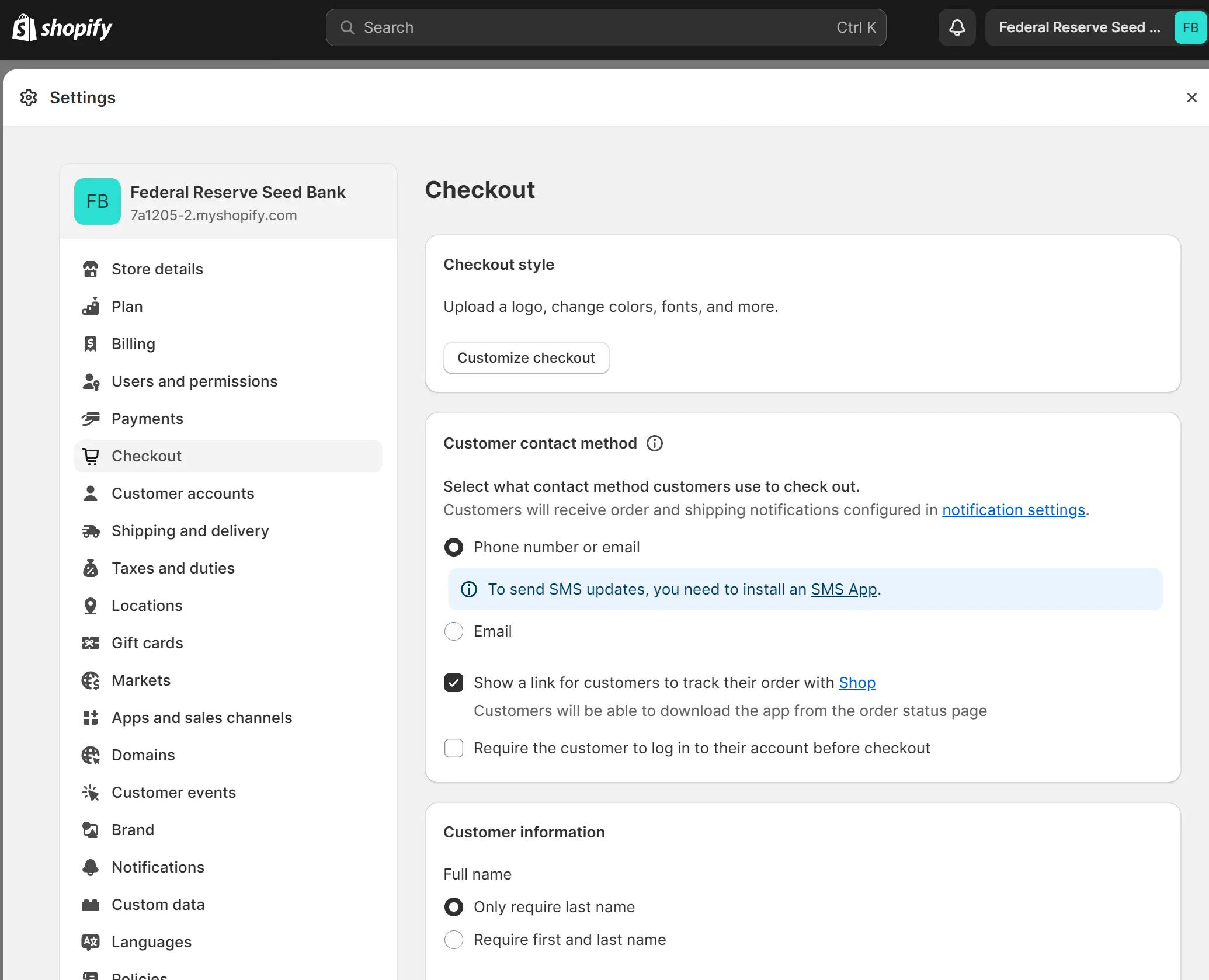
    Screenshot of Shopify checkout settings page.

    Key Features of Shopify

    Shopify simplifies the e-commerce experience with a comprehensive, all-in-one approach. Here are some Shopify features:

    • Simplicity: Shopify’s platform is known for its user-friendly interface, requiring less technical skill to get started.
    • Integrated Shipping Having shipping built into the website without needing to install 3rd party plugins is convenient.
    • Integrated Sales Features: From abandoned cart recovery to various payment gateways, Shopify equips you with tools that assist in managing sales efficiently.
    • Reliable Customer Support: With 24/7 support, Shopify takes pride in ensuring that help is available whenever you need it.

    When evaluating Shopify’s advantages and disadvantages, it’s essential to recognize its less customizable nature because it is a closed ecosystem compared to WooCommerce. Nevertheless, the platform’s ease of use and robust customer support make it a favored choice for entrepreneurs drawn to simplicity over flexibility.

    In your quest to evaluate the pros and cons of WooCommerce and Shopify, it’s crucial to consider your business’s unique requirements and technical capabilities. A careful assessment will guide you toward the best platform for your e-commerce vision.
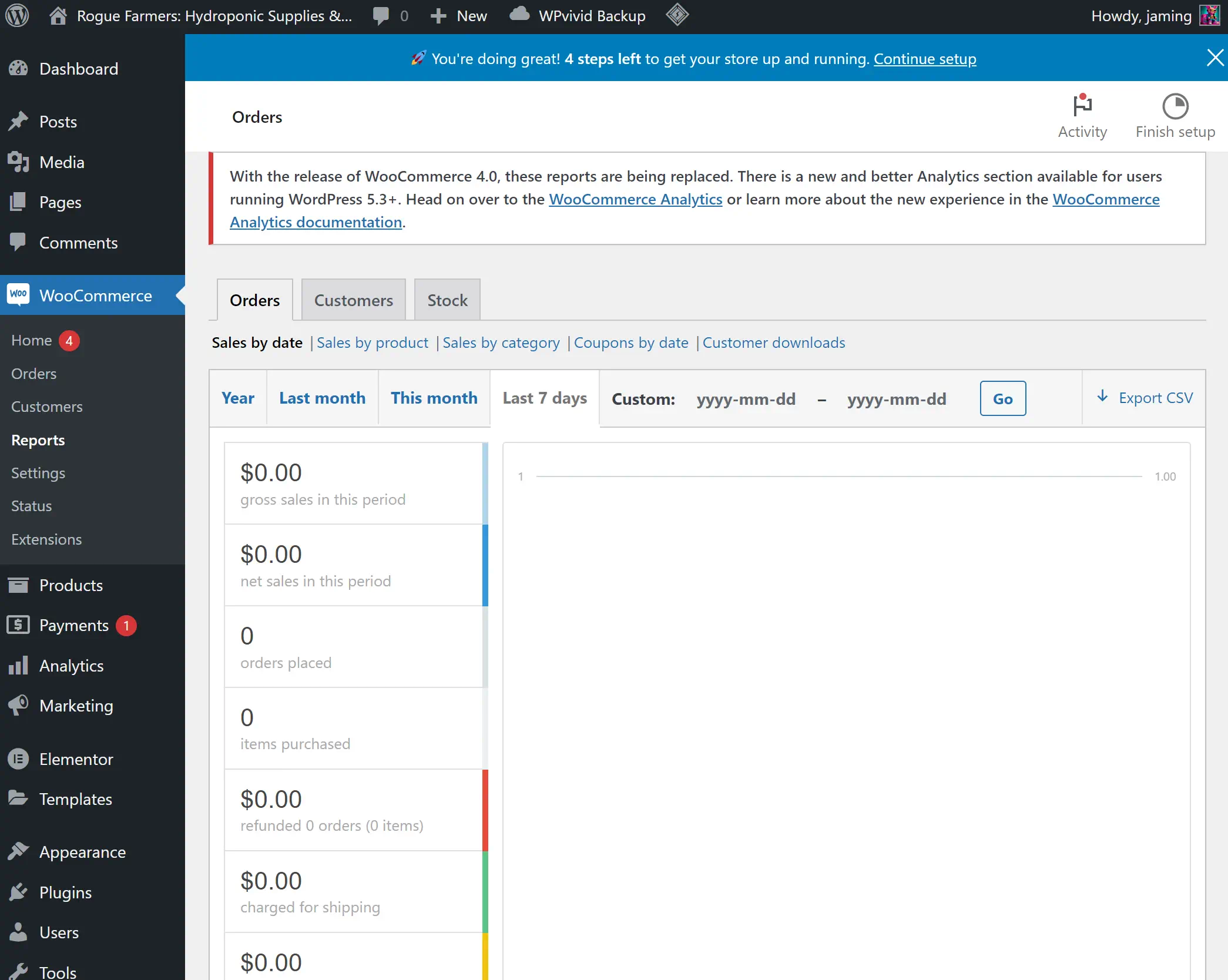
    WooCommerce dashboard displaying zero sales data.

    Diving Into WooCommerce: Advantages and Limitations

    Choosing between WooCommerce vs Shopify for small businesses involves an analysis deep enough to understand WooCommerce limitations and the advantages of WooCommerce. As an e-commerce platform built on the premise of flexibility, WooCommerce shows its strength in its capacity to be shaped and customized according to distinct business requirements, making it captivating for those looking to inject a unique flair into their online storefronts.

    The platform’s inherent affordability often entices small business owners; WooCommerce is free, and the primary expenses are tied to web hosting and domain registration. This compelling pricing structure is, however, just part of the picture. The reliance on plugins, which can amplify functionality, entails potential added costs. These additional expenses and the need for routine maintenance and updates must be considered when appraising the total cost of ownership.

    One must recognize the WooCommerce limitations that necessitate an understanding of web development. The platform demands more from you, urging the deployment of skills to manipulate an extensive array of themes and plugins effectively. This requirement may introduce a learning curve that some may need help with. Even though Shopify is easier to use, it still has many complexities that take time to learn, and if you have experience with WordPress, you might find it easier to use WooCommerce.

    If you want to build a great eCommerce website, you should hire a skilled web developer. Both eCommerce platforms overstate user-friendliness, and you don’t want a low-quality website representing your brand.

    With these considerations, the advantages of WooCommerce become clear with its high level of customizability and openness. The power to tweak every element of an e-commerce store to match a business’s precise vision and strategy is a lure strong enough to draw in those with the necessary technical savoir-faire. With WooCommerce, my experience has shown that the learning invested translates to greater control over your online presence—a nuanced advantage that should not be underestimated.

    1. Free platform with cost primarily from hosting and domain.
    2. High customizability and flexibility with open-source access.
    3. Requires web development knowledge for perfecting themes and plugins.
    4. Additional costs and maintenance associated with plugin reliance.

    WooCommerce’s New Integrated Payments and User-Friendly Product Editor Challenge Shopify’s Ease of Use

    WooCommerce has recently introduced new features that significantly enhance its product management capabilities, narrowing the gap in user-friendliness that has been a distinct advantage for Shopify. These updates include an integrated payments system similar to Shopify, offering a more streamlined and efficient checkout process.

    A standout improvement is the new product editor, currently in beta. This editor revolutionizes the way products are managed on WooCommerce. It adopts a tabbed workflow approach, simplifying product management by dividing it into specific sections such as descriptions, images, organization, pricing, inventory, shipping, and variations. This method allows users to concentrate on one aspect at a time, thereby improving efficiency and reducing distractions.

    Moreover, the introduction of Gutenberg blocks in the new editor offers enhanced design capabilities. Users can now create more engaging and visually appealing product descriptions, improving the overall aesthetic and information quality of product listings. The updated editor also makes adding and managing product images simpler, enhancing the visual appeal of products on the platform.

    These advancements in WooCommerce demonstrate a significant step towards providing a more user-friendly experience, rivaling the ease of use that Shopify is known for.
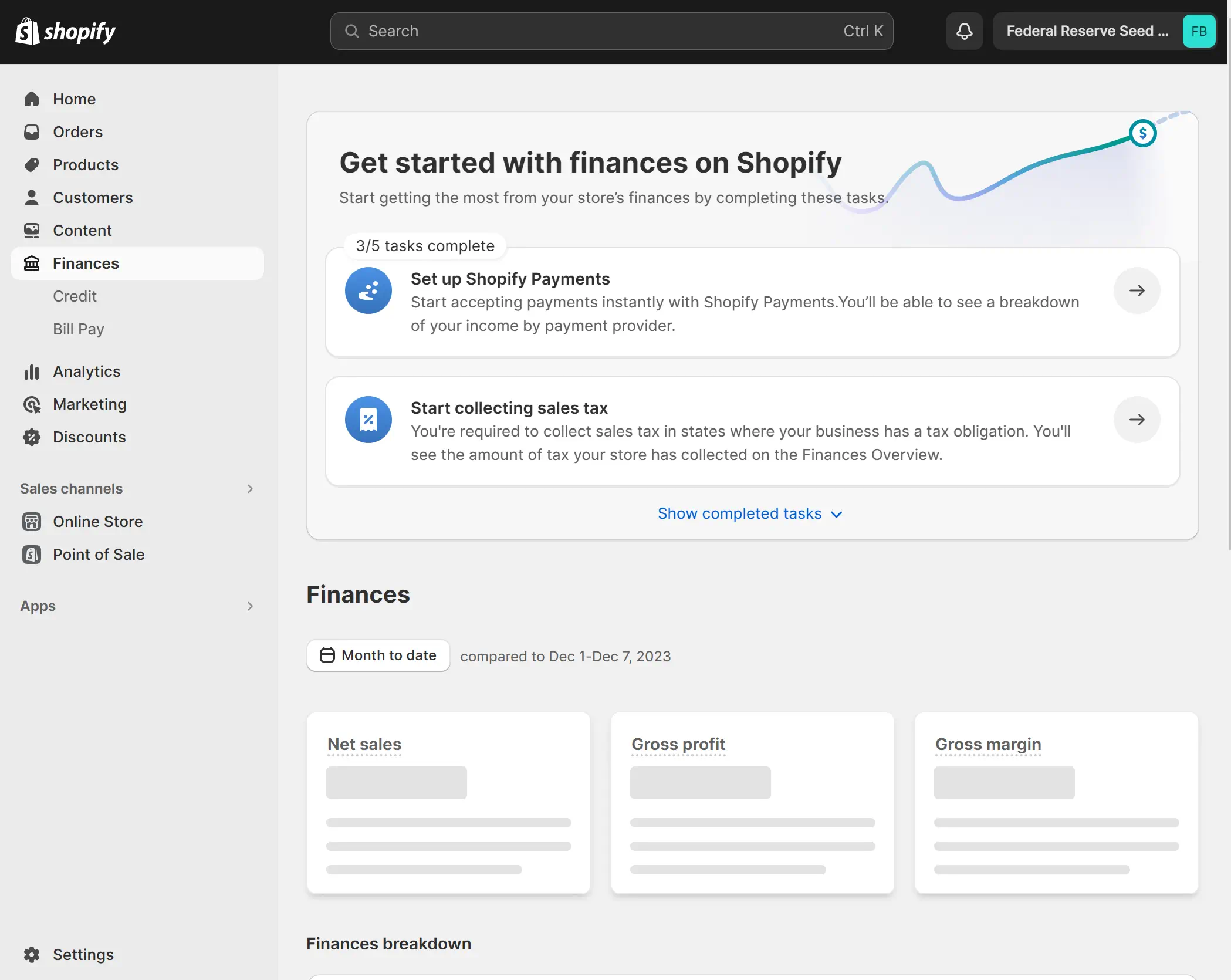
    Shopify dashboard displaying financial tasks and sales overview.

    Exploring Shopify: Pros and Cons

    When considering Shopify for online stores, it’s clear that the platform positions itself as the go-to choice for businesses seeking a seamless entry into e-commerce. I’ll explore the significant advantages of being user-friendly and customer-centric support.

    Ease of Use and Customer Support

    Shopify’s ease of use of Shopify is often highlighted by users who appreciate its intuitive interface. Setting up a shop is a hassle-free experience, guided by a clear dashboard and easy-to-follow steps. This simplicity is bolstered by Shopify customer support, a critical resource for users at all stages of building and managing their online presence. With a dedicated 24/7 Shopify Help Center and direct access to experts, merchants are assured they have the backing needed to resolve issues swiftly.

    Shopify Pricing and Transaction Fees

    Regarding Shopify costs, newcomers are sometimes surprised by the upfront price tag. Plans start at $39 monthly and can reach $399 for businesses scaling up their operations. They also have a Shopify Plus for $2000 monthly. These figures may initially overshadow the hidden costs of platforms with separate hosting fees. If you want to use a separate payment processor, Shopify charges transaction fees; these are forgone when utilizing Shopify Payments. Therefore, businesses opting for Shopify’s in-house payment processor stand to gain in the long run.

    Reflecting on these factors, it’s evident that Shopify presents an end-to-end solution that balances straightforward usability with a comprehensive support system. Despite these strengths, one must carefully assess ongoing transaction fees against the breadth of features and support provided. This evaluation is crucial in determining whether Shopify is the most cost-effective route for an online store, particularly when pitted against WooCommerce’s modular, but sometimes more complex, cost structure.

    WooCommerce vs Shopify: Core Differences

    When considering the options of WooCommerce versus Shopify, it’s essential to understand their core differences to make an informed decision that aligns with your business needs. These platforms diverge significantly, not just in terms of design and user experience but also regarding their fundamental structure and approach to e-commerce.

    With WooCommerce, the freedom it offers through its open-source nature is as expansive as it is demanding. The trade-off comes in the form of greater responsibility for your store’s maintenance and technical enhancements. In contrast, Shopify simplifies the process to a large extent, providing a hosted and comprehensive platform that spares you the intricacies of backend management.

    Here’s a concise WooCommerce vs Shopify comparison encapsulated in a table creates a clearer picture of their differences:

    Aspect WooCommerce Shopify
    Hosting Requires separate hosting services Includes centralized hosting solutions
    Customization Complete control with open-source customization Limited by the platform’s standardized features
    Technical Skill Required Higher technical understanding is needed for development and maintenance Designed for ease of use with minimal technical skill required
    Cost Free to start with, costs for extensions, themes, and hosting Monthly plans with various tiers, additional fees for extra features
    Payment Processing Flexibility in choosing payment gateways, potential additional fees Integrated payment solution with Shopify Payments, transaction fees can apply
    Support Community forums and developer resources are available 24/7 dedicated customer support

    While I contemplate the unique selling points of each platform, the choice between WooCommerce and Shopify can significantly impact the trajectory of your online business. Do you need control or prefer the ease of a pre-set structure? Analyzing the core differences between WooCommerce and Shopify is imperative to devise a strategy that’s not only compatible but also conducive to your online store’s growth.

    Real-World Performance: Case Studies and Success Stories
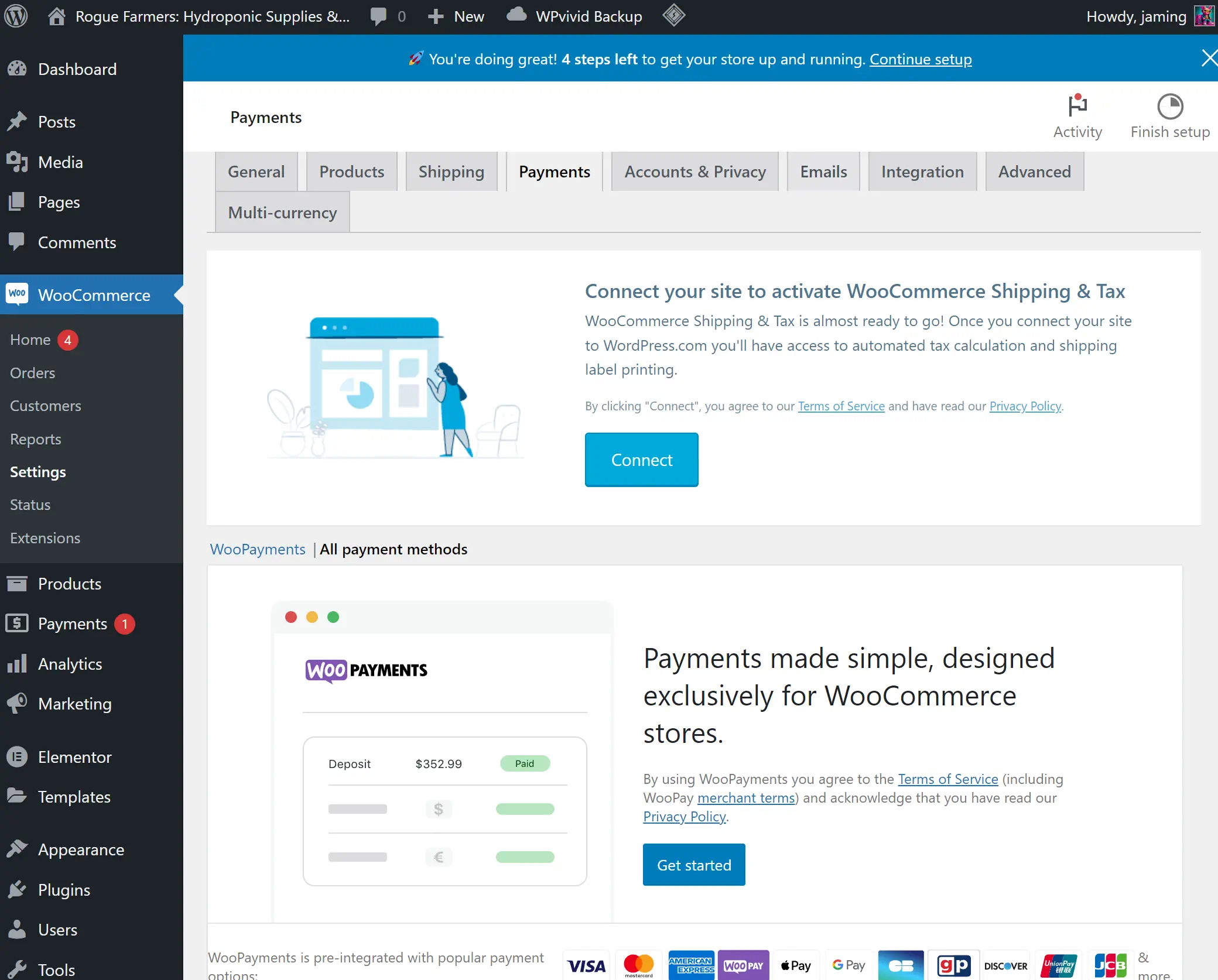
    WooCommerce Payments setup screen in WordPress dashboard.

    The true test for any platform is how it holds up in the real world. Let’s examine closely some of the real-world WooCommerce examples and Shopify success cases to understand the tangible impact these platforms have on the success of online stores.

    Success with WooCommerce

    One of the most compelling WooCommerce success stories comes from the famous home improvement brand Forage and Sundry. Beyond just selling products, the brand’s site provides a tailored experience with gardening tips and workshops, fully utilizing WooCommerce’s flexible nature to create a community around their niche. This level of customization is a testament to WooCommerce’s achievements, showcasing how a brand can leverage the platform to build a robust, content-rich, and distinct online presence.

    Success with Shopify

    A shining example of Shopify eCommerce success is seen with the fashion retailer Allure Bridals. Their transition to Shopify allowed for a more streamlined shopping experience, integrating multiple sales channels and simplifying inventory management. This case illustrates the Shopify store achievements that can be had when harnessing Shopify’s tools, making it easier for customers to purchase their dream wedding gowns.

    Platform Brand Key Achievements
    WooCommerce Forage and Sundry Customized content approach, community engagement, niche market leadership
    Shopify Allure Bridals Multichannel selling, simplified user experience, effective inventory management

    Both platforms have their myriad of success stories, but what’s clear is their capacity to scale and adapt to the specific needs of their users’ businesses. While WooCommerce offers a broad canvas for personalization and SEO strength, Shopify’s user-friendly interface and turnkey solutions provide quick market entry and operational simplicity.

    User Experience: Setting Up Your E-Commerce Store

    As someone who values the importance of user experience with WooCommerce and user experience with Shopify, I understand its critical role when setting up an eCommerce store. Crafting an appealing and functional storefront is essential, and the platform choice significantly impacts this process.

    From personal involvement with WooCommerce, I’ve come to recognize the depth and autonomy it provides. Yet, this comes with a caveat: a greater demand for technical knowledge. Acquiring a domain name, securing hosting services, and installing WordPress and its corresponding themes are steps that could intimidate novices, making it a better choice for those with technical proficiency or those willing to learn.

    Conversely, setting up an eCommerce store on Shopify is akin to having a personal assistant by your side. Its streamlined and guided setup processes offer a starkly different user experience—simplistic, direct, and beginner-friendly. This distinctive ease of Shopify use sparks a resonance with my clients who seek quick and efficient entry points into the online market.

    Shopify’s dashboard is designed for immediacy and ease, thriving as a turnkey solution for many aspiring online entrepreneurs.

    To show a clearer picture of these distinct set-up experiences, consider this comparative table highlighting the key steps and user involvement for both WooCommerce and Shopify.

    Set-Up Stage WooCommerce Shopify
    Domain Registration User Responsibility Guided Process
    Hosting Setup User Responsibility Included in Service
    Platform Installation Included with hosting Automatic Platform Setup
    Theme Installation Extensive Customization Curated Selection
    Adding Products Easy to use Product Builder Intuitive Product Builder
    Payment Gateway Configuration Multiple 3rd-Party Integrations Simple Native Solution
    Customer Support Community & Service Providers 24/7 Direct Support
    Launch Readiness Technical Testing User-Friendly Checklist

    Recognizing the strengths and constraints of WooCommerce and Shopify is integral for aspiring online retailers. One’s comfort with technology, desired control over their store, and support needs are all decisive factors—the final choice determines not only the set-up experience but possibly the trajectory of online business success.

    Conclusion

    The debate surrounding WooCommerce vs Shopify for online stores often boils down to choosing between personalization and convenience. I’ve taken a deep dive into both platforms and showed that the decision isn’t necessarily a matter of which is better—WooCommerce or Shopify—but rather which platform aligns seamlessly with your specific business needs and aspirations.

    Shopify has invested significantly in advertising, a stark contrast to WooCommerce’s more modest approach. Despite this disparity in marketing spend, with Shopify reportedly investing millions, the core functionalities of the two platforms are remarkably similar. Both Shopify and WooCommerce offer robust tools for building and managing online stores. Shopify’s extensive advertising budget, including a substantial investment in enhancing their software, doesn’t necessarily make it superior to WooCommerce, which maintains its strong position as a free, open-source solution. Each platform has its unique strengths, making them both excellent choices for different types of online businesses.

    For entrepreneurs with technical knowledge and a vision for a highly customized web store, WooCommerce presents an alluring choice. Its robust customization capabilities offer a hands-on approach to building an online store, and pairing it with a block builder like Elementor allows unlimited customization. On the flip side, Shopify shines in its ability to expedite the process with its user-friendly environment and dedicated support, making it a go-to for business owners seeking speed and ease in getting their store up and running in a shorter time.

    Deciding between WooCommerce and Shopify is akin to selecting a path in a choose-your-own-adventure story. Both platforms have significantly evolved from older systems such as Commerc.cgi, Zen Cart, and Magento. Nowadays, businesses can more easily create basic websites using these systems. However, to fully realize the website’s potential, the expertise of a dedicated team specializing in eCommerce is indispensable.

    Choosing between WooCommerce and Shopify depends on your digital expertise, business size, and eCommerce goals. Success comes from matching your platform choice with your business strategy and the customer experience you aim to provide. Whether it’s WooCommerce’s adaptability or Shopify’s user-friendly approach, the right fit is key.

    FAQ

    What are the key features of WooCommerce?

    WooCommerce is known for its flexibility and customizability due to being an open-source plugin for WordPress. It offers extensive customization options with hundreds of themes and plugins, allows for full control of your store’s functionality, and is known for its favorable SEO capabilities. However, it requires a higher level of technical expertise and may involve additional costs for hosting, themes, and plugins.

    What are the key features of Shopify?

    Shopify features an all-in-one, user-friendly platform that simplifies setting up and managing an eCommerce store. It includes hosting, security, and many payment gateway options. Its ease of use and 24/7 customer support appeal to those without extensive technical knowledge. The platform is less customizable than WooCommerce but offers a range of out-of-the-box sales features, such as abandoned cart recovery.

    What are the advantages and limitations of WooCommerce?

    WooCommerce offers a highly customizable platform, which is advantageous for those seeking to tailor their online stores to specific needs. The main advantages include no starting fees and expanding the functionality with plugins. However, the limitations involve the need for technical knowledge, additional costs for plugins, themes, hosting, and ongoing maintenance. It is ideal for those comfortable with the technical aspects of website development.

    What are the pros and cons of Shopify?

    The pros of Shopify include its hassle-free setup, comprehensive customer support, and inclusive package that covers hosting and security. It’s an excellent platform for entrepreneurs who prefer a straightforward approach to launching their online business. However, the cons involve higher monthly fees, less customizability, and transaction fees if using something other than Shopify Payments.

    What are the core differences between WooCommerce and Shopify?

    The core difference lies in their approach; WooCommerce is an open-source, highly customizable platform requiring more hands-on management and technical know-how. Shopify is a closed, all-encompassing platform known for its ease of use, making it ideal for those who prefer a more guided and maintenance-free pathway to establishing their online store.

    Can WooCommerce be more cost-efficient than Shopify?

    WooCommerce is free, making it appear more cost-efficient, especially for small businesses or startups on a tight budget. However, additional costs, such as hosting, can add up. Comparatively, Shopify has a monthly fee, which includes hosting and website security. The cost-effectiveness of either platform ultimately depends on the specific needs and budget of the business.

    What makes Shopify particularly appealing to new business owners?

    Shopify’s simplicity and ease of use appeal to new business owners. The platform is designed to help entrepreneurs set up their online stores quickly without needing advanced technical knowledge or understanding of web development. This simplicity, combined with its comprehensive customer support and all-in-one package, makes Shopify a go-to choice for those new to eCommerce.

    Are there any success stories from businesses using WooCommerce?

    Yes, many successful eCommerce websites have been built on WooCommerce, showcasing its scalability and ability to fit specific business needs through customization. Success stories often focus on the platform’s adaptable environment and efficient SEO management, which are pivotal to their growth and success.

    How do user experiences differ when setting up an online store on WooCommerce vs Shopify?

    Setting up an online store with WooCommerce can be more complex, involving the purchase of a domain, selecting hosting, installing WordPress, and setting up the WooCommerce plugin with the desired themes and extensions. On the other hand, Shopify users can enjoy a smoother initial setup due to Shopify’s guided process, comprehensive documentation, and user-friendly dashboard.

    Which platform is better for selling online – WooCommerce or Shopify?

    The better platform for selling online depends on the business owner’s specific needs and expertise. WooCommerce is suitable for those who want a highly customizable platform and are willing to manage the technicalities. Shopify is better for entrepreneurs looking for ease of use, quick setup, and minimal maintenance. Both platforms offer robust capabilities and have proven success, so the choice ultimately aligns with the individual’s business goals and technical aptitude.

    Source Links

  • Optimize Your Store with 5 Best Practices for WooCommerce

    Optimize Your Store with 5 Best Practices for WooCommerce

    Computer on desk displaying sunset through window.

    At the core of our endeavors, we pursue a singular goal: to empower WordPress ecommerce by sharing our profound insights into WooCommerce best practices. Our mission is to equip you with the tools and knowledge to optimize your WooCommerce shop for the ultimate customer experience and performance. We understand that in the age of digital retail, the difference between an average and outstanding online store hinges not just on what you sell but on how efficiently and engagingly you present it.

    In this rapidly evolving ecommerce sphere, optimizing your WooCommerce store is no longer optional. It’s imperative for success. Be it a startup or a well-established business, the digital storefront must function flawlessly – because if your online store isn’t up to par, customers have an abundance of alternatives just a click away. This is why we’ve invested our time and expertise to help you boost your WooCommerce store’s performance and, in turn, your sales.

    Key Takeaways

    • Implementing WooCommerce best practices is crucial for a lucrative WordPress ecommerce venture.
    • Optimizing your WooCommerce shop encompasses more than just aesthetic appeal – it includes technical enhancements for speed and efficiency.
    • A streamlined, optimized store significantly reduces the risk of losing customers to competitor sites due to slow load times or poor user experience.
    • Regular updates and mindful optimizations cater to evolving customer expectations and search engine requirements.
    • Critical aspects of WooCommerce optimization will be discussed, tackling settings, hosting, and performance strategies to cement your store’s presence in the competitive market.

    Understanding the Significance of WooCommerce Optimization

    As we delve into the realm of e-commerce, it is paramount to recognize that user experience (UX) forms the backbone of a successful online store. The quest to optimize WooCommerce shop operations goes hand-in-hand with providing customers with an environment that is visually appealing and functionally seamless. We understand that each second shaved off from load times can substantially improve customer satisfaction and, in turn, escalates conversion rates and profitability.

    A fully optimized WooCommerce store does more than merely display products; it engages with visitors, minimizes their effort, and ensures a delightful and smooth shopping journey. Amazon’s research on page speed underscores the critical nature of optimization, revealing the considerable influence of mere milliseconds on revenue streams. WooCommerce optimization tips extend beyond mere aesthetics, encompassing a comprehensive strategy to uplift every facet of the shopper’s experience—from the landing page to checkout.

    Every aspect of our WooCommerce optimization process is meticulously designed to foster trust, encourage interaction, and ultimately inspire action.

    • Improving load times for a swift browsing experience.
    • Enhancing site usability for effortless navigation and user interaction.
    • Implementing intuitive design elements that guide the buyer’s journey.
    • Ensuring responsive layouts for a consistent shopping experience across all devices.

    By aligning with these principles, we ensure a robust foundation for an optimized WooCommerce shop that not only attracts but retains customers, driving your business towards a trajectory of growth and success.

    Maximizing Efficiency with WooCommerce Settings

    Vibrant cafe interior with customers and plants illustration.

    As we delve into the capabilities of WordPress ecommerce, it is apparent that optimizing WooCommerce settings plays a pivotal role in streamlining the shopping experience. With a focus on improving operational efficiency, let’s explore essential adjustments within the WooCommerce settings that can enhance both speed and user interaction on your retail platform.

    Streamlining Add to Cart Behavior

    One of the first steps we take involves refining the ‘Add to Cart’ process through AJAX. By incorporating the AJAX Add to Cart feature on product archives, we reduce the number of server calls each time a customer adds a product to their cart. This not only minimizes loading times but also creates a smoother and more immediate interaction for users who wish to continue shopping without disruption.

    Effective Placeholder Image Use

    In our pursuit to optimize WooCommerce settings, we acknowledge the importance of image efficiency. Employing a unique identifier for placeholder images benefits us twofold: it conserves server space and accelerates content delivery by reducing file size. Smaller, optimized placeholder images mean quicker load times, essential for retaining customer interest and decreasing bounce rates.

    Managing Product Reviews and Ratings

    Product reviews and ratings can be a double-edged sword. While they foster trust and inform potential buyers, they also demand additional resources. For our smaller WordPress ecommerce sites, where numerous products lack reviews, disabling reviews can lead to a cleaner presentation and faster page loads. Similarly, turning off product ratings can streamline the user journey, eliminating the need for additional scripts associated with star-rating functionalities.

    Our commitment to refining your WordPress ecommerce venture does not end here. By focusing on these strategies to optimize WooCommerce settings, we foster a robust platform, ready to meet the expectations of the discerning online shopper. We continue to explore and implement innovative solutions for a seamless and efficient online store.

    Woman working on laptop at outdoor cafe evening.Choosing the Right Hosting for WooCommerce


    When we embark on the journey of operating a WooCommerce store, the bedrock of our success is not merely the products we offer or the UI/UX design we implement—it’s fundamentally the hosting that powers our WordPress ecommerce. Settling on WooCommerce optimized hosting is not just an option; it is an essential decision that profoundly influences the scalability, speed, and security of our online business.

    Recognizing the unique demands of an online store, we often recommend choosing a managed WordPress host that is tailored to cater to the high-performance requirements of WooCommerce. A stellar example in this domain includes hosting services from established providers like Liquid Web or Kinsta. These specialists in the field have fine-tuned their hosting environments to synergize with WooCommerce, thus allowing us store owners to focus on growth rather than getting bogged down by technicalities.

    Managed WooCommerce hosting solutions take the guesswork out of server management, providing optimized resources that adapt to the ebbs and flows of our ecommerce activities.

    • Optimization for WooCommerce features and updates
    • Robust security measures to protect customer data
    • Expert support tailored for WooCommerce retailers
    • Enhanced performance that scales with your store’s traffic

    Given these advantages, transitioning from a basic discount hosting service to a robust, WooCommerce optimized hosting plan can yield measurable enhancements in your store’s efficiency. In today’s competitive market, we can’t afford to compromise on uptime and page load speed—a reality that positions specialized WooCommerce hosting as a strategic investment for our ecommerce ambitions.

    We understand that every second counts in retaining customer interest and driving conversions. Thus, investing in the right hosting environment is a critical step toward securing a seamless shopping experience that customers anticipate and deserve. Let’s make the smart choice for our WooCommerce stores, ensuring our digital storefronts are always open, fast, and ready to welcome shoppers worldwide.Creative workspace with laptop, plants, camera, and coffee.

    5 Best Practices WooCommerce for Peak Performance

    To enhance WooCommerce performance effectively, there are five key strategies to implement. First, choosing a specialized WooCommerce hosting provider ensures optimized server resources and scalability to handle varying traffic volumes. Second, implementing caching solutions like Redis Object Cache or WordPress caching plugins significantly reduces server load and speeds up page loading. Third, optimizing images and media files through compression and implementing lazy loading techniques cuts down on page load times, improving overall site speed. Fourth, minimizing and combining CSS and JavaScript files reduces the number of HTTP requests, thus enhancing page loading efficiency. Lastly, regular database optimization by cleaning redundant data and optimizing tables ensures smooth and quick data retrieval, which is vital for maintaining a fast and responsive WooCommerce store. Each of these strategies contributes to a more efficient, user-friendly, and high-performing eCommerce site, ultimately leading to a better shopping experience for customers and higher conversion rates for businesses.

    1. Utilizing Global CDN Networks

    Embracing the power of content delivery networks (CDN), we partner with industry leaders like Cloudflare to establish a robust global presence. This strategic move ensures that images and content are delivered expeditiously to shoppers worldwide, regardless of their location, thereby reducing latency and improving site speed.

    2. Object Cache Like Redis

    Redis Object Cache significantly boosts WooCommerce performance by optimizing data retrieval. It caches database queries, allowing repeated queries to be served from the cache rather than the database, which reduces load and speeds up response times. It optimizes session storage by handling visitor sessions in memory, improving efficiency, and reducing database interactions. Unlike standard WordPress object caching, Redis’s persistent caching ensures data remains across multiple requests, enhancing page load speeds, particularly for repeated data access. This is crucial during high-traffic periods, as it allows for better handling of increased visitor volumes without compromising site responsiveness. Additionally, Redis reduces overall server load, offers scalability, and improves user experience with faster page loads and responsive interactions, which are essential for eCommerce success. This customization and flexibility in cache invalidation and data persistence allow WooCommerce sites to perform more efficiently, leading to smoother transactions and a better shopping experience.

    3. Focusing on Core Web Vitals

    Our adherence to Google’s Core Web Vitals underscores our commitment to user-centric performance metrics. We fine-tune code efficiency by minifying and deferring JavaScript, HTML, and CSS, dramatically enhancing loading times, interactivity, and visual stability. This meticulous attention to detail translates into a seamless shopping experience that customers can rely on.

    4. Compressing Images for Optimal Delivery

    Efficient image compression remains at the forefront of our optimization endeavors. Tools like Imagify have proven indispensable, seamlessly integrating with WordPress to support next-gen formats such as WEBP. We accelerate product page load times by reducing image file sizes without sacrificing quality, significantly enhancing customer engagement and satisfaction.

    5. Database Optimization

    Database optimization plays a pivotal role in enhancing the performance of a WooCommerce store. As an eCommerce platform, WooCommerce generates substantial data, including product details, customer information, order histories, and more. Over time, this accumulation can lead to database bloat, slowing down query processing and, consequently, website performance. Regularly cleaning the database by removing obsolete and redundant data such as expired transient options, outdated customer sessions, old order metadata, and spam comments can significantly streamline database efficiency. Additionally, optimizing database tables ensures data is stored and retrieved more effectively. Tools like WP-Optimize or plugins specifically designed for WooCommerce can automate this optimization process, handling tasks like database cleanup, image compression, and caching. This not only improves the speed and responsiveness of the WooCommerce site, enhancing user experience and search engine rankings but also ensures the database remains manageable and scalable as the store grows. Therefore, proper database maintenance and optimization are crucial for maintaining a fast, reliable, and efficient WooCommerce operation.

    WooCommerce Hosting SolutionsConclusion

    In wrapping up our discussion on optimizing a WooCommerce store, it’s essential to recognize that mastering the 5 best practices WooCommerce is not merely recommended, it’s imperative for thriving in today’s competitive WordPress ecommerce landscape. By implementing these strategic practices, you can fine-tune your WooCommerce settings and choose hosting solutions purpose-built for performance to ensure that your shop operates at peak efficiency.

    Implement caching mechanisms like Redis Object Cache, as mentioned earlier, or use WordPress caching plugins like W3 Total Cache or WP Rocket. Caching reduces server load by storing static copies of your content, decreasing the time it takes for pages to load.

    Leveraging CDN networks and image compression techniques not only enhance the speed and responsiveness of your store but also fortify the user experience. Moreover, adhering diligently to Core Web Vitals and regular updates enables your online store to align closely with user expectations and search engine benchmarks. It’s through these sustainable practices that we can optimize WooCommerce shops effectively, yielding significant improvements in conversion rates and revenue.

    Large images and media files can slow down your website. Use image optimization tools to compress and resize images without losing quality. Implement lazy loading, which loads images only as they come into the viewer’s screen, reducing initial page load time.

    Regularly cleaning and optimizing your WooCommerce database can boost performance. This includes removing unnecessary data like old revisions, spam comments, and transient options. Plugins like WP-Optimize can automate this process.

    At the heart of our efforts lies the commitment to a seamless shopping experience that proactively addresses the needs of our users while also meeting the technical rigor of search engines. With focused application of these WooCommerce optimization tips, we are setting the stage for increased shopper engagement, robust search engine visibility, and long-term success of our WooCommerce ventures. Remember, in the dynamic world of WordPress ecommerce, ongoing optimization is not just an option—it’s the cornerstone of enduring online retail success.

    FAQ

    Why is it important to optimize my WooCommerce store?

    Optimizing your WooCommerce store is essential for providing a superior user experience, achieving faster page speeds, and meeting customer expectations. This can help improve conversion rates and revenue, as online shoppers are likely to abandon a site that loads slowly or offers a cumbersome shopping experience. Companies such as Amazon have demonstrated that any delay can significantly impact finances, making optimization a critical aspect of ecommerce success.

    What are some WooCommerce best practices I should follow?

    Some best practices for optimizing your WooCommerce store include streamlining the ‘Add to Cart’ process with AJAX, optimizing placeholder images for reduced load times, managing product reviews and ratings, selecting a WooCommerce optimized hosting service, compressing and optimizing images for faster delivery, utilizing global CDN networks, and focusing on improving Core Web Vitals for better user experience and search engine performance.

    Can the choice of web hosting affect my WooCommerce store’s performance?

    Absolutely, the choice of web hosting significantly affects your WooCommerce store’s performance. Opting for a managed WordPress host that is specifically optimized for WooCommerce, like Liquid Web or Kinsta, can improve server-side stability, speed, and overall store efficiency. Such specialized hosting services cater to the unique requirements of WooCommerce shops, providing better support for features and updates.

    How can I effectively use placeholders in my WooCommerce store?

    To use placeholders effectively, it’s recommended to use a unique ID for a small, low file size image that minimizes the consumption of server space and loading time. This practice ensures that your store maintains a polished look without compromising on loading speeds, which are critical for user retention and conversion.

    How does compressing images and using a CDN network enhance my WooCommerce performance?

    Compressing images lessens file sizes, thereby reducing the loading time on product pages, which is crucial for keeping potential customers engaged. Using a global CDN network like Cloudflare ensures that images and other static content are delivered efficiently to users around the world, buffering the performance impact of geographical distance and reducing load on your primary server.

    What are Core Web Vitals and how do they affect my WooCommerce site?

    Core Web Vitals are a set of metrics by Google that measure real-world user experience for loading performance, interactivity, and visual stability of a webpage. They are particularly important for good SEO and user experience. Optimizing your WooCommerce site to improve Core Web Vitals involves techniques such as minifying and deferring JavaScript, HTML, and CSS. By focusing on these metrics, you can significantly enhance the shopping experience on your site and potentially improve search engine rankings.

    Should I disable product reviews and ratings to speed up my WooCommerce site?

    Whether or not you should disable product reviews and ratings depends on your specific context. For smaller sites with many unreviewed products, disabling reviews might make the site look more professional and load faster. However, reviews can build customer trust and influence purchase decisions. Therefore, it’s important to balance the feature’s impact on loading times with its benefit to the user experience.

    Is updating WooCommerce regularly necessary?

    Yes, it is crucial to keep WooCommerce and its extensions up to date. Regular updates ensure that you have the latest features, bug fixes, and security patches, which collectively improve the reliability, user experience, and performance of your store.

  • Optimize Your Site with WordPress Care Plans

    Optimize Your Site with WordPress Care Plans

    Maintaining the health and efficiency of your WordPress site is paramount in today’s fast-paced digital landscape. Tailored WordPress care plans are the backbone for a robust online presence, ensuring your website is optimized, supported, and resilient against the myriad of online challenges. With comprehensive WordPress website support, business owners can focus on growth while professionals manage the technical intricacies.

    From securing your site against potential threats to bolstering its performance, a WordPress care plan is the armor and toolkit your digital fortress needs. These care plans are intricately designed to optimize WordPress sites and elevate your digital strategy, underpinning your online efforts with reliability and efficiency.

    Key Takeaways

    • Essential maintenance and support tailored to WordPress websites.
    • Proactive measures to optimize site performance and prevent downtime.
    • Daily backups and robust security protocols to safeguard your online presence.
    • Monthly reports providing insights into website health and user engagement.
    • Image optimization and content support to enhance SEO and loading times.
    • Managed WordPress hosting with cutting-edge features for peak site performance.

    Understanding the Importance of WordPress Maintenance Services

    Engaging in professional WordPress maintenance services is not a luxury but a necessity for any website owner looking to ensure the longevity and security of their online presence. An effective WordPress care strategy focuses on both preventative measures and recovery solutions to safeguard against and address the challenges of running a continuously smooth operation.

    Prevention and Restoration: A Dual Approach

    WordPress maintenance services adopt a dual approach, combining prevention with restoration. This ensures that your digital asset remains unaffected by common and unforeseen issues, such as website hacking, with robust support structures for website restoration and cleanup firmly in place. Daily backups, included as a standard in these plans, become lifesavers in scenarios where swift recovery is needed, minimizing the risks of data loss and service interruption.

    Keeping Your WordPress Website Secure and Functional

    WordPress site management must include proactive actions such as malware scanning and regular WordPress updates. These actions ensure that your WordPress site’s performance and security settings are always optimized. Part of this protective suite is hosting features finely tuned for specific WordPress requirements, including SSD storage, firewall protection, and anti-DDoS measures to ensure your website remains secure and functional at all times.

    Monthly Status Reports: Transparency in Maintenance

    Accountability in WordPress site management is enhanced through comprehensive monthly status reports. These reports not only serve as a WordPress site health check but Subsequent also provide valuable insights into the health and performance of your website. Clear insights into traffic analysis, completed maintenance tasks, and a bird’s-eye view of your digital footprint with competitor and social media analysis are included. For websites opting for premium plans, these insights extend into a strategic marketing advisory, helping you to keep ahead of the curve.

    Optimized WordPress management ensures your site remains an effective, secure, and reliable tool for engaging users, powering transactions, and building your brand.

    Service Included in Basic Plan Included in Premium Plan
    Daily Backups Yes Yes
    Malware Scanning Yes Yes
    Firewall Protection No Yes
    WordPress Updates Yes Yes + Priority Support
    SSD Storage Standard Enhanced
    Monthly Status Report Yes Yes + Marketing Insights

    Maximizing Performance with WordPress Care Plans

    Achieving peak performance optimization for WordPress is not simply about launching a website; it’s about ongoing care that addresses all aspects critical to delivering a flawless user experience. Frequent WordPress site monitoring and timely WordPress backup processes are just as important as the development phase itself. Here, we delve into how WordPress care plans are intelligently designed to elevate your website’s performance in line with Google’s Core Web Vitals, encompassing speed, interactivity, and visual stability.

    Core Web Vitals represent a subset of factors that Google considers essential in a webpage’s overall user experience. WordPress care plans help ensure that websites offer fast, interactive, and stable visitor experiences by focusing on these factors, ultimately contributing to better search rankings and user engagement.

    • Speed: Site speed is of the essence in the digital age, and WordPress care plans prioritize loading times to keep bounce rates to a minimum.
    • Interactivity: Responsive and engaging care plans fine-tune a site’s interactivity, aiming to make user navigation as intuitive as possible.
    • Visual Stability: Care plans address visual stability to prevent annoying page shifts that could hinder the reading or browsing experience.

    In comprehensive care plans, tasks extend beyond mere maintenance, involving cutting-edge strategies for performance optimization for WordPress, including:

    1. Regular updates to themes, plugins, and core WordPress files to maintain performance levels and security.
    2. Continuous WordPress site monitoring to detect and troubleshoot issues before they affect users.
    3. Strategic WordPress backup approaches to safeguard data and ensure business continuity.

    Apart from the basic tasks, these plans may also offer the use of a staging server for websites with custom functionalities. This allows for safe and secure testing before any new feature goes live, ensuring the stability and performance of your live environment remain uncompromised. Below is a table that further illustrates the components of an optimum performance optimization strategy within a WordPress care plan:

    Performance Aspect Basic Plan Features Premium Plan Enhancements
    Speed Optimization Caching, CDN setup, Image optimization advanced Advanced caching rules, Custom CDN configurations
    Interactivity Adjustments Database optimizations, Minification of JS and CSS Real-time monitoring, Priority issue resolution
    Visual Stability Maintenance Focused layout shift correctional-time Real-time visual debugging, Custom coding solutions
    Regular Updates & Backups Scheduled backups and updates Real-time backups, Immediate updates post-release
    Staging Server Use Not included provision Provision and management of staging environments

    Implementing a WordPress care plan with these optimizations at its core enhances site performance and aligns closely with Google’s expectations for a superior web experience. This proactive approach to WordPress site monitoring and robust WordPress backup protocols ensures uninterrupted performance and, by extension, site success.

    Enhance Security and Protect Your Investment

    In an era of increasing digital threats, security for WordPress is not just a feature; it is necessary to safeguard your online presence. WordPress care plans are not just a maintenance routine—they are a profound investment in the security and longevity of your WordPress site. As website breaches become more sophisticated, implementing strong security measures and ensuring diligent WordPress site management can distinguish between a thriving online presence and a cyber incident.

    Preemptive Security Measures against Hacks and Malware

    A WordPress care plan integrates preemptive measures to fend off cyber threats effectively. By closely monitoring for unusual activity and employing regular malware scanning, these strategies are designed to detect vulnerabilities before they are exploited. WordPress updates also play a critical role, as they often contain necessary security patches, reducing the risk of malware injections and hacking attempts.

    Continuous WordPress Site Monitoring for Ultimate Safety

    Real-time website monitoring serves as the eyes and ears for your WordPress site, diligently scanning for any signs that may indicate a security breach. This constant vigilance enables immediate response to potential threats, ensuring that any unusual activities are scrutinized and managed before they escalate into a full-blown security crisis. The commitment to continuous monitoring is the hallmark of advanced WordPress site management.

    Regular Backups as Your Safety Net

    The importance of reliable and regular backups cannot be overstated. They serve as your digital safety net, ensuring that if your site suffers an attack or data loss, you can quickly revert to an earlier state with minimal impact on your operations. Detailed care plans include backups and daily and diversified backups—offline and online—to provide a multi-layered approach to recovery and security for WordPress sites.

    Streamlining WordPress Updates and Site Management

    The upkeep of a WordPress website can often be as challenging as its development. It’s a continuous process that requires attention to detail and understanding the ecosystem. To address this critical aspect, WordPress care plans focus on simplifying WordPress updates and overall WordPress site management, thereby solidifying WordPress website support. Let’s delve into how these care plans streamline the administrative workload so that business owners can focus more on growth and less on maintenance.

    • Plugin and Theme Updates: Care plans take charge of routine updates, ensuring all components of your WordPress site are current, thus shielding it from potential vulnerabilities.
    • Database Optimization: Regular database maintenance is crucial for site speed and efficiency and is a staple in these comprehensive care plans.
    • License Verification: WordPress care plans maintain compliance and functionality by checking licenses for themes and plugins, preventing legal or technical setbacks.
    • Scheduled Performance and Security Scans: Weekly security checks are combined with performance scans to maintain optimal site health and protect against emerging threats.

    Through meticulously scheduled maintenance, your WordPress site benefits from an environment constantly optimized for the best possible performance and security. This proactivity improves stability and user experience and efficiently prepares the site to address sudden security patches. WordPress care plans empower site owners and administrators to redirect their energies toward strategic business objectives by alleviating the worry of technical maintenance.

    In WordPress management, foresight is the cornerstone of stability and success.

    The forward-thinking approach of incorporating a WordPress care plan into your site’s ecosystem can be the difference between a site that functions and one that thrives in the digital landscape.

    Utilizing WordPress Care Plans for E-Commerce Success

    The importance of a steadfast maintenance plan cannot be overstated for e-commerce entrepreneurs who have chosen WooCommerce to power their online stores. A well-rounded WordPress care plan lays the groundwork for an online store’s success, affording website owners the peace of mind of knowing their platform is continuously polished, secure, and ready to welcome customers.

    Maintaining WooCommerce Sites for Seamless Operations

    Steering a WooCommerce site towards flawless operation necessitates regular tune-ups and supervision. WordPress maintenance services are the cornerstone of this process, delivering a suite of solutions designed to calibrate and safeguard all the moving parts constituting a dynamic e-commerce experience.

    Importance of Performance Optimization for Online Stores

    Speed and efficiency are non-negotiable in the competitive landscape of online shopping, where every millisecond counts. Performance optimization for WordPress is, therefore, pivotal for e-commerce websites, ensuring that each customer interaction is swift, responsive, and enjoyable, thus reducing bounce rates and increasing conversions.

    Timely Content Changes to Keep Your Store Up-to-Date

    Engaging in e-commerce requires more than just a static catalog of products; it demands freshness and relevance. Thanks to timely content changes facilitated by dedicated care plans, WordPress site owners can swiftly update their offerings, banners, and promotions, keeping pace with market trends and customer expectations.

    Benefits Features of WordPress Care Plans Impact on WooCommerce Sites
    Reliable Performance Speed optimization and cache management faster Faster loading times and improved user experience
    Enhanced Security Regular malware scans and security audits Greater trust from customers and reduced risk of data breaches-to-date
    Up-to-date Content Streamlined processes for content updates and product edits Continuously refreshed product listings, leading to better customer engagement
    Seamless Operations Ongoing plugin and theme updates, compatibility checks Uninterrupted shopping experiences without glitches or downtime

    Conclusion

    In the contemporary digital landscape, the vitality of a WordPress site’s health cannot be overstated—prompting us to recognize the all-encompassing role of WordPress care plans. With an extensive array of services tailoring to the meticulous demands of WordPress backupWordPress site monitoring, and WordPress site health checks, these plans are nothing short of a safeguarding cocoon for your online presence. Businesses of varying scales, from boutique eCommerce stores powered by WooCommerce to large-scale enterprises with bespoke functionalities, find resolute partners in these care plans.

    Embracing these care plans means embracing enduring security, optimal performance, and seamless content management. This powerful triad fortifies a site’s foundation against potential disruptors, ensuring that every avenue—from minor updates to comprehensive site overhauls—is handled precisely. Regular maintenance is a pivotal feature of these plans, guaranteeing that a website remains operational, polished, and responsive. In essence, these care plans are a proactive stance against the plights of digital complacency, consistently driving your site toward peak proficiency.

    Leveraging a WordPress care plan is an investment towards cultivating and sustaining a robust, thriving online ecosystem for your brand. It transcends mere protection; it’s a strategic move to augment your digital footprint. Doing so fosters a resonant trust with your clientele and elevates the user experience to its pinnacle—a testament to the unwavering commitment to excellence these plans embody. Hence, for those looking to fortify their digital assets, WordPress care plans are not just an option; they’re an indispensable ally in the ongoing quest for online supremacy.

    FAQ

    What are WordPress care plans, and how can they optimize my website?

    WordPress care plans are comprehensive services designed to support and enhance a WordPress website’s overall performance and security. They include regular updates, backups, performance optimizations, and ongoing support to ensure your site remains healthy and efficient, thus contributing to improved user experience and SEO rankings.

    Why are WordPress maintenance services essential for my site’s health?

    WordPress maintenance services are crucial as they prevent potential problems such as security vulnerabilities and plugin conflicts. They ensure your site is running the latest software, which is both secure and functional. Regular maintenance checks performed as part of these services help identify and fix issues early, keep your site healthy, and reduce the risk of downtime.

    What are the benefits of prevention and restoration strategies in maintenance services?

    Prevention strategies in maintenance services aim to reduce the likelihood of problems occurring by keeping all software up to date and monitoring for security threats. Restoration strategies ensure that if something goes wrong, such as a hack or a technical malfunction, the site can be quickly restored to working condition, often with the help of daily backups and support from experts.

    How do care plans keep my WordPress website secure and functional?

    WordPress care plans maintain optimized security and operational settings through regular malware scanning, firewalls, and real-time monitoring. These measures are designed to detect and prevent security breaches and keep your website running smoothly, prioritizing security and functionality.

    What sort of insights can I expect from monthly status reports?

    Monthly status reports from WordPress care plans typically include a detailed breakdown of maintenance tasks performed, security and performance scans, updates completed, traffic analysis, and sometimes, insights into competitor and social media analysis. This transparency helps website owners understand what’s done to maintain their site’s health.

    How do WordPress care plans contribute to performance optimization?

    Performance optimization is a crucial feature of WordPress care plans, including tasks such as content changes, image optimization, database optimization, and the implementation of caching mechanisms. This contributes to faster loading times and improved user engagement, which are beneficial for SEO and the overall user experience.

    What proactive security measures are included in WordPress care plans?

    WordPress care plans include proactive security measures such as continuous malware scanning, firewall implementation, and security monitoring to guard against hacks and malware. These steps are put in place to protect your website from potential threats and quickly respond to any incidents.

    How does continuous site monitoring enhance my website’s safety?

    Continuous site monitoring involves real-time tracking of your website’s performance and security. It can quickly identify and respond to anomalies or security breaches, ensuring your website remains safe and reliable for visitors and reducing the risk of prolonged downtime.

    Why are regular backups important, and how do they function as a safety net?

    Regular backups are critical because they allow your website to be restored to its most recent state during data loss, hacking, or technical issues. They act as a safety net, providing peace of mind that you can quickly recover your site without significant disruption to your business or loss of essential data.

    How do WordPress care plans streamline updates and site management?

    WordPress care plans usually include weekly updates of themes and plugins, routine database optimizations, and license verifications. This systematic approach helps prevent security vulnerabilities and technical issues, enabling a smooth and well-managed WordPress site.

    How do specialized care plans benefit WooCommerce sites?

    Specialized WordPress care plans for WooCommerce sites provide critical services tailored to e-commerce needs, such as heightened security measures, enhanced performance optimizations for faster loading times, and support for regular content updates. These plans help maintain a seamless shopping experience, which is crucial for retaining customers and driving sales.

    Why is performance optimization essential for online stores?

    Performance optimization is essential for online stores because it directly impacts loading times and the overall shopping experience. Fast, responsive sites encourage customers to continue browsing and making purchases, while slow performance can lead to lost sales and reduced customer satisfaction.

    How can timely content changes improve my e-commerce site?

    Timely content changes, including updates to product listings, promotions, and marketing materials, keep your online store relevant and engaging. Regular updates can attract new customers, retain existing ones, and enhance your site’s SEO, contributing to increased traffic and conversion rates.