Category: Tips & Tricks

  • Understanding Core Web Vitals: A Comprehensive Guide for Webmasters

    Understanding Core Web Vitals: A Comprehensive Guide for Webmasters

    As stewards of the web, we recognize the significance of **web performance metrics** in shaping the user experience offered by our websites. Search engine optimization (SEO) trends have evolved, prompting us to focus more acutely on **Understanding Core Web Vitals**. These essential metrics serve as the pulse of website health, influencing factors such as accessibility, engagement, and retention. As webmasters, our mission extends beyond mere visibility; we strive for excellence in **website optimization** to ensure our users have the most seamless and enjoyable online experience possible.

    The journey toward mastering Core Web Vitals begins with a commitment to perpetual learning and adaptation. We immerse ourselves in the nitty-gritty of metrics like Largest Contentful Paint (LCP), First Input Delay (FID), and Cumulative Layout Shift (CLS), gaining an intrinsic understanding of how they affect our website’s standing in the vast expanse of the digital universe. Google’s algorithm intricately weaves these metrics into its tapestry, making them indispensable for anyone seeking a prime spot in search engine results.

    Embarking on this expedition entails not just knowledge acquisition but also proactive application. Let us delve into this guide with a steadfast dedication to refining our sites, sculpting a user-centric virtual environment where performance soars and satisfaction prevails. This is our frontier, our path to prominence in the competitive realm of SEO.

    Key Takeaways

    • Core Web Vitals are a trio of **web performance metrics** critical for SEO.
    • Understanding and improving these vitals contribute significantly to **website optimization**.
    • LCP, FID, and CLS are critical factors in Google’s user experience assessment.
    • Dedication to optimizing Core Web Vitals allows for better user engagement and retention.
    • A proactive approach enables web admins to improve site ranking and maintain competitive advantage.
    • Our goal is to create websites that not only rank well but also deliver exceptional user experiences.

    Discussing website project
    Discussing website project

    Introduction to Core Web Vitals and Their Impact on SEO

    As we delve into the realm of search engine optimization, the significance of Core Web Vitals has become increasingly prominent. These metrics serve as a beacon, shedding light on user experience signals that influence a site’s position in search rankings. Let’s explore the elements that illustrate why understanding and optimizing these metrics is indispensable for digital success.

    The Evolving Role of Page Speed in Search Rankings

    To remain competitive in today’s digital ecosystem, page loading speed is no longer a luxury; it’s imperative. As user patience dwindles and the demand for instant information rises, Google has adapted its algorithms to prioritize faster websites. This evolution underscores the reality that website speed optimization is not merely a technicality but a strategic component of SEO.

    Demystifying Core Web Vitals: Definition and Importance

    Core Web Vitals are the bedrock of Google’s user experience metrics. Comprising of distinct factors that measure real-world user interactions, these vitals are decisive in evaluating a site’s health. They quantify dimensions of web usability such as stability, responsiveness, and loading speed, all of which tie back to the overarching goal of enhancing user satisfaction.

    Embracing the User-Centric Metrics for Website Success

    We acknowledge that grasping the intricacies of Core Web Vitals can be daunting. However, familiarizing ourselves with tools like PageSpeed Insights and WebPageTest.org equips us with the analytics needed to refine our performance. Thus, we embrace these user-centric metrics, recognizing their capacity to elevate our website’s user experience and, by extension, our search ranking potential.

    We present a comparative analysis of tools to help digital enthusiasts gauge and improve their website’s loading efficiency, thereby enhancing the overall user experience:

    Tool Primary Function User Experience Signals Usability
    PageSpeed Insights Performance Auditing Loading Speed, Interactivity User-friendly with actionable insights
    Auditzy Comprehensive Analysis Loading Speed, Responsiveness Detailed reports for technical users
    GTmetrics Speed Testing Efficiency, User Engagement Intuitive with historical data tracking
    WebPageTest.org Custom Testing Options Custom Metrics, Real User Monitoring Advanced options for bespoke analysis

    As we continue to navigate the vast and ever-evolving landscape of SEO, it becomes clear that a dynamic approach toward website speed optimization is crucial for survival and success. Let us harness the power of Core Web Vitals and let every second saved in loading speed open a world of opportunities.

    The Three Pillars of Core Web Vitals

    As we delve into the intricacies of website optimization, it’s pivotal to focus on the three key metrics that Google emphasizes for a superior user experience. These pillars, vital for any webmaster’s toolkit, include Largest Contentful Paint (LCP), First Input Delay (FID), and Cumulative Layout Shift (CLS). Each of these plays a significant role in how users perceive the performance of a webpage, impacting both engagement and search engine rankings.

    Understanding Largest Contentful Paint (LCP)

    When we talk about Largest Contentful Paint, we refer to the time it takes for the page’s main content to load. An optimal LCP provides users with a sense that the webpage is loading swiftly, which is crucial for retaining their attention and minimizing bounce rates.

    Breaking Down First Input Delay (FID)

    First Input Delay, on the other hand, measures the time from when a user first interacts with your site to the moment the browser is able to respond to that interaction. This metric is essential for understanding the interactivity and responsiveness of a webpage, ensuring that users can navigate smoothly without frustrating delays.

    Addressing Cumulative Layout Shift (CLS)

    Last but not least, Cumulative Layout Shift assesses the visual stability of your website. This metric helps us understand how often users experience unexpected layout shifts – a critical factor for providing a seamless and enjoyable browsing experience.

    It is crucial to monitor these metrics closely, as they collectively form the foundation of Google’s latest user experience benchmarks. Below is a detailed comparison of these Core Web Vitals, providing insights into their specific thresholds and how they contribute to website performance.

    Core Web Vital Description Optimal Value
    Largest Contentful Paint (LCP) Loading performance of the main content 2.5 seconds or faster
    First Input Delay (FID) Interactivity and responsiveness metric Less than 100 milliseconds
    Cumulative Layout Shift (CLS) Visual stability of the page 0.1 or less

    To achieve excellence in these areas, we must invest in performance optimization strategies tailored to each pillar. By doing so, we not only enhance user satisfaction but also fortify our standing in today’s competitive SEO landscape.

    Tools for Measuring and Analyzing Core Web Vitals

    As digital landscapes evolve, it’s crucial for us to monitor and enhance our website’s user experience. To accomplish this, web vitals analysis is an instrumental procedure that gauges the health and responsiveness of a website. Fortunately, we have robust tools like Google Search Console and PageSpeed Insights at our disposal, which are tailored to measure the intricate Core Web Vitals. These instruments are not just diagnostics, and they are conduits to an optimized user experience.

    To fully understand the scope and utility of these tools, let’s consider PageSpeed Insights first. This powerful service conducts a thorough performance audit of web pages, presenting actionable insights aligned with Core Web Vitals metrics. It’s critical for us to review these recommendations and benchmarks regularly to ensure we stay ahead in the SEO race.

    Google Search Console, on the other hand, tracks web vital scores across an entire website, offering a macro view of our site’s health. Seeing our pages through the lens of actual user experiences allows us to make data-driven decisions to enhance performance at scale.

    Tool Core Web Vitals Measurement Utility
    PageSpeed Insights Performance Score, LCP, FID, CLS Identifies areas for improvement and provides suggestions for optimization
    Google Search Console URL-based CWV reports Monitors user experience across the site and highlights issues
    Chrome Web Vitals Extension Real-time LCP, FID, CLS Provides immediate feedback as users interact with the website

    Lastly, for those of us requiring instantaneous feedback on our web vitals, the Chrome Web Vitals Extension is a gem. It provides real-time data on how users interact with the page, an invaluable resource when testing new features or updates. Remember, the insights from these tools stem from the Chrome User Experience Report, rendering them credible and incredibly effective for enhancing our websites.

    At the core, understanding and improving these metrics is not just about appeasing algorithms but about delivering the seamless digital experiences that our users deserve. Let us wield these tools with precision and foresight, for our efforts today dictate the digital excellence of tomorrow.

    Strategies to Optimize the Largest Contentful Paint (LCP)

    Optimize Largest Contentful Paint

    To improve website performance, particularly the Largest Contentful Paint (LCP) metric, a critical starting point is the server that hosts your site. Superior hardware, faster networking equipment, and optimized server-side code can all significantly enhance loading times. Beyond server improvements, resource loading prioritization is key—ensuring that the most important parts of your site load first create a rapid appearance of complete pages to users. Further amplification of these efforts can be achieved by using a content delivery network (CDN) to reduce the geographical distance between your content and your visitors, leading to instant gains in speed.

    Server Upgrades and the Role of Web Hosting

    When we think about hosting, it’s not just about finding a place for our website to live. It’s about securing a fast, reliable, and scalable environment that can respond efficiently to the demands of our content. Upgrading to a premium hosting solution with dedicated resources can substantially cut down on the time it takes to deliver content to your users, directly benefiting LCP scores. Additionally, advanced configurations like the HTTP/2 protocol can further improve the speed of content delivery.

    Resource Loading Optimization Techniques

    Optimization techniques that fine-tune the order in which resources load play a crucial role. By implementing optimized image strategies, preloading critical assets, and deferring non-critical ones, we can control and reduce the biggest paint times. This not only speeds up the perceived load time for the user but also decreases the time until the page is fully interactive.

    Leveraging Content Delivery Networks (CDNs)

    Content delivery networks are vital in today’s global internet infrastructure. These networks enable us to distribute copies of our content across several geographically diverse servers, ensuring users have access to the data from a location nearest to them. This reduces latency, improves site speed, and, as a result, enhances LCP. Especially for websites serving a wide geographic audience, CDNs are not just an optimization; they are a necessity.

    Below is a table that outlines some key strategies and their direct impacts on LCP:

    Strategy Description Impact on LCP
    Upgrade Hosting Plan Move to a faster, more reliable server with dedicated resources. Directly improve server response time and load speed.
    Implement HTTP/2 Adopt modern protocols for faster and more efficient data transfer. Reduces load latency and boosts paint metrics.
    Critical Resource Preloading Preload key assets that are necessary for the initial paint of the website. Ensures vital content is loaded with priority, slashing paint times.
    Image Optimization Compress, scale, and use modern formats for imagery. Shrinks image weight without a loss in quality, accelerating LCP.
    Use a CDN Distribute content globally to minimize distance to end-users. Lowers network latency, making sites load faster across the globe.

    Applying a combination of these strategies will set a robust foundation for not only achieving but surpassing LCP performance targets. Always remember faster load times are not just about improving scores; they’re about delivering the best user experience possible.

    Enhancing User Interaction with First Input Delay (FID) Improvements

    As we delve into the intricacies of First Input Delay (FID), it’s imperative to recognize its critical role in improving website performance. This measure is paramount in perceiving how swiftly your webpage becomes interactive. Every millisecond counts towards creating a seamless user experience, and that’s where JavaScript optimization comes to the fore. By streamlining JavaScript parsing, compilation, and execution, we can significantly reduce response times.

    A pivotal aspect of enhancing user interactivity revolves around efficient web hosting. A robust hosting solution is the backbone of FID improvements, reducing server response time and swiftly delivering content to the user. To assist in these efforts, consider the following table, which outlines some of the effective strategies for optimizing FID.

    Optimization Strategy Benefits Notes
    Minifying JavaScript & CSS Reduces file sizes, improving load times. Tools like UglifyJS or CSSNano can be utilized.
    Eliminating Render-Blocking Resources Facilitates quicker interactivity. Async or defer attributes can be used for non-critical scripts.
    Efficient Third-Party Scripts Handling Minimizes unwanted latency. Use rel= “preload” to prioritize key scripts.
    Server-Side Rendering Delivers a fully rendered page to the browser. Allows quicker first paint and interaction.
    Code Splitting Loads only the necessary code chunks for initial load. Webpack, Rollup, or Browserify can be instrumental here.

    Implementing these strategies ensures that when users first click, tap, or press keys on your website, the response is instantaneous and effective. Prioritizing these aspects of website creation and maintenance can lead to a considerable uptick in user satisfaction and engagement.

    In sum, the journey to optimize user interaction is continuous. Our focus remains steadfast on refining the nuances of JavaScript optimization and selecting the right web hosting services to improve website performance. On this trajectory, the impact on FID is palpable, contributing to a more intuitive and responsive user experience.

    Improving Layout Stability with Cumulative Layout Shift (CLS) Solutions
    Website traffic
    Website Traffic

    Our journey towards achieving unparalleled website stability and user satisfaction leads us to address the critical aspect of Cumulative Layout Shift (CLS). The key to eliminating bothersome content movement lies in strategic implementation techniques that enhance the user’s visual experience. These tactics not only improve stability but also contribute significantly towards the elusive goal of mobile-friendliness. We’ll delve into how managing media dimensions, employing lunar synchronous loading methods, and focusing on above-the-fold content can dramatically optimize layout shifts on any website.

    Managing Media and Content Dimensions

    One of the foundational steps in CLS optimization is to ascertain and define the dimensions of media files and content blocks before they are loaded. This practice prevents unexpected content flow and delivers a smoother browsing experience. We encourage the precise measurement and implementation of dimensions for images, videos, advertisements, and embeds as a norm for content stability.

    Introducing Preloading and Asynchronous Loading Practices

    Asynchronous loading represents a cornerstone technique in our layout shift optimization toolkit. Through this approach, we can delay the loading of non-essential resources, allowing the critical sections to render promptly. This approach facilitates the swift availability of user-interaction elements and bolsters site performance on both desktop and mobile platforms.

    Prioritizing Above-the-Fold Critical Elements

    Our attention to above-the-fold content is unwavering. By prioritizing the loading of essential elements that the user first interacts with, we ensure an efficient and engaging experience from the moment the webpage opens. This technique underscores our commitment to delivering immediate interactivity, reinforcing the positive integration of both CLS and mobile-friendliness, along with user engagement.

    Below is a practical summary that illustrates our commitment to enhancing user experience through meticulous layout shift optimization:

    Optimization Strategy Benefits Implementation
    Defining media dimensions Prevents reflow and layout shifts Specify width and height in HTML/CSS
    Asynchronous resource loading Improves page responsiveness Use async/defer attributes in scripts
    Prioritizing above-the-fold content Enhances initial user interaction Inline critical CSS and defer non-critical
    Utilizing preload for key assets Speeds up access to critical resources Use rel= “preload” in link tags

    In our hands, these solutions pave the way for not just a stable and seamless experience but one that is deeply rooted in the principles of mobile-friendliness and layout shift optimization. As we continue to refine these practices, we remain at the forefront of delivering digital excellence that meets and exceeds user expectations.

    Online shopping website
    Online shopping website

    Understanding Core Web Vitals: Navigating the Future of User Experience

    As we delve into the ever-evolving landscape of website optimization, it’s clear that Core Web Vitals are poised to become a cornerstone of future algorithm updates. With search engines continuously refining their evaluation processes, staying informed on these critical metrics becomes essential for webmasters seeking to maintain and improve their online presence.

    The Anticipated Impact of Core Web Vitals on Future Algorithm Updates

    The integration of Core Web Vitals into the algorithms of search engines like Google signifies a significant shift towards prioritizing user experience. This evolution underscores a growing trend where technical SEO and user-centric performance go hand in hand. As we monitor upcoming algorithm updates, our strategies must evolve to align with these new standards, leveraging the valuable insights that Core Web Vitals provide.

    Preparing for the Shift in Search Engine Evaluation Paradigms

    Anticipating changes in search engine paradigms demands a proactive stance from webmasters. The forward-looking approach to website optimization should encompass both the current demands and the future expectations set forth by the ever-changing Core Web Vitals metrics. It’s not just about adapting to the changes but mastering them to provide unmatched user experiences.

    Staying Ahead of the Curve with Continuous Performance Monitoring

    Maintaining peak website performance is an ongoing challenge that requires continuous performance monitoring. By regularly evaluating Core Web Vitals, we can identify areas in need of enhancement, implement timely modifications, and ensure that our websites adhere to the highest standards of user experience and technical excellence. Thriving in this dynamic environment means never resting on our laurels but instead always scanning the horizon for the next wave of innovation.

    Conclusion

    As we venture through the dynamic terrain of web performance optimization, we’re met with a pivotal transformation heralded by the advent of Core Web Vitals. These critical metrics serve as our compass in championing a superior user experience, propelling us towards a horizon where speed, stability, and interaction converge. Embodying this change isn’t merely about adaptation; it’s about seizing an opportunity to amplify our digital presence, cater to user demands, and set a benchmark for excellence.

    Embracing the Change: The Journey to Optimal Web Performance

    In the quest for optimal web performance, embracing Core Web Vitals is akin to embarking on a journey that demands continuous innovation and a steadfast commitment to our users. The path is one of rigorous analysis, meticulous optimization, and an unwavering focus on the fine details that enhance user interactions with our web pages. This trek is not without its challenges, but the rewards reaped in user satisfaction and site reliability are invaluable.

    Maximizing the Benefits: Enhanced User Experience and Increased Conversions

    Understanding the intrinsic link between user experience and increased conversions has never been more critical. As we refine Core Web Vitals, we witness a symbiotic rise in user engagement and conversion rates. Users yearn for websites that load swiftly, respond promptly, and offer stability throughout their digital journey—principles that, when successfully implemented, can stimulate our site’s growth and profitability. Our focus on these metrics is not only a nod to the users’ needs but also a strategic move that nurtures our bottom line.

    Setting the Stage for Webmaster Success in the User-Centric SEO Landscape

    To thrive in a user-centric SEO landscape, webmasters must continue to innovate, remain adaptable, and consistently deliver a high-quality user experience. Core Web Vitals are more than just benchmarks; they are the pillars upon which Webmaster’s success is built. By elevating these key performance metrics, we fortify the foundation of our websites, propelling us toward a future where both users and webmasters emerge triumphant.

    Website development
    Website development

    FAQ

    What are Core Web Vitals, and why do they matter for SEO?

    Core Web Vitals are a set of specific factors that Google considers important in a webpage’s overall user experience. They consist of three main metrics: Largest Contentful Paint (LCP), First Input Delay (FID), and Cumulative Layout Shift (CLS). These metrics impact SEO because Google uses Core Web Vitals as ranking signals, meaning they affect how high a website appears in search results. By optimizing these signals, websites can improve their visibility and user satisfaction.

    How do page speed and user experience affect a website’s success?

    Page speed and user experience are directly correlated to a website’s success because they influence bounce rates, conversion rates, and overall satisfaction. Web pages that load quickly and provide a smooth experience are more likely to keep users engaged, leading to better outcomes for the site owner, whether that be longer session times, more conversions, or repeat visitors.

    Can you explain the Largest Contentful Paint (LCP) and its importance?

    Largest Contentful Paint (LCP) is a Core Web Vital metric that measures the time it takes for the largest content element visible in the viewport to become fully rendered. This is usually a large image or block of text. LCP is important because it provides an indication of how quickly a user feels the main content of a page is usable, which affects their perception of the site’s speed and reliability.

    What is First Input Delay (FID), and why is it critical for interactivity?

    First Input Delay (FID) measures the time from when a user first interacts with a page—for instance, clicking on a link or button—to the time when the browser is able to respond to that interaction. This metric is critical for assessing a site’s interactivity and responsiveness. A low FID is essential to provide a seamless user experience, especially for pages that require user input, such as forms and search fields.

    How does Cumulative Layout Shift (CLS) impact the stability of a website?

    Cumulative Layout Shift (CLS) is a measure of the visual stability of a webpage. It quantifies how often users experience unexpected shifts in page content, which can be frustrating and may lead to accidental clicks. A low CLS score helps ensure that content is stable as the page loads, thus providing a more pleasant browsing experience.

    What tools are available for measuring Core Web Vitals?

    There are several tools that can measure Core Web Vitals, including Google’s PageSpeed Insights, Google Search Console, the Chrome User Experience Report, and the Web Vitals Chrome extension. These tools provide insights into the web performance metrics and offer recommendations for improvement.

    How can one optimize the Largest Contentful Paint (LCP) on their website?

    To optimize LCP, website owners can implement server upgrades, optimize the order of resource loading, use content delivery networks (CDNs), enable compression, minify CSS and JavaScript, remove non-critical third-party scripts, and opt for lazy loading of below-the-fold images and iframes.

    What strategies can be applied to improve First Input Delay (FID)?

    Strategies to improve FID include minimizing and deferring JavaScript, reducing server response times, eliminating render-blocking resources, and using a web worker to run JavaScript on a background thread, allowing the main thread to remain free for user inputs.

    How can webmasters address Cumulative Layout Shift (CLS) to improve stability?

    To address CLS, webmasters should assign size attributes to images and video elements, prevent content from displacing other content as it loads, ensure ad elements have a reserved space, and avoid inserting new content above existing content unless in response to user interaction.

    How are Core Web Vitals expected to affect future algorithm updates?

    Core Web Vitals are expected to play an increasingly significant role in future algorithm updates as Google continues to prioritize page experience. This focus underscores the importance of optimizing web performance to align with the evolving standards that search engines use to rank pages.

    What steps can be taken to monitor and improve website performance continuously?

    Continuous monitoring and improvement can be achieved through regular audits using tools like Google Search Console and PageSpeed Insights, keeping up-to-date with the latest optimization techniques, and making iterative improvements based on real user monitoring data.

  • Maximize Your Online Presence: Learn How Top Construction Firms are Winning with Social Media Strategies!

    Maximize Your Online Presence: Learn How Top Construction Firms are Winning with Social Media Strategies!

    Architect and construction engineer or surveyor discussion plans and blueprints
    Architect and construction engineer or surveyor discussion plans and blueprints

    In an era where digital presence is synonymous with business success, construction firms increasingly turn to social media to bolster their market presence. This blog post delves into how top construction companies leverage social media strategies to stand out and attract more business.

    Understanding the Digital Landscape in Construction

    The construction industry, traditionally reliant on offline marketing, embraces digital trends. Social media platforms offer unique opportunities for construction firms to showcase their work, connect with potential clients, and build a robust online community.

    Male worker taking building photo with modern smartphone
    A construction worker using social media

    Key Social Media Platforms for Construction Firms

    • Facebook: Ideal for building community engagement, Facebook allows firms to showcase their projects, share updates, and engage with their audience.
    • Instagram: With its visual-centric format, Instagram is perfect for showcasing stunning design and construction work.
    • LinkedIn: This platform is crucial for networking and building a professional brand within the industry.
    • Twitter: It’s great for sharing quick updates, industry news, and interacting with peers.

    Success Stories – How Top Firms are Using Social Media

    Successful construction firms use social media to highlight their projects, share client testimonials, and document their growth. Case studies show that a well-executed social media strategy can lead to increased brand recognition and business inquiries.

    Content Strategies for Construction Firms

    Engaging content is key. This can range from behind-the-scenes videos, time-lapse footage of construction processes, to client testimonials and interactive Q&A sessions. A consistent content calendar helps maintain a steady online presence.

    Leveraging Social Media for Brand Building and Lead Generation

    Social media is not just about sharing content; it’s about building a brand and generating leads. Effective strategies include targeted advertising, interactive posts, and showcasing the unique value proposition of the firm.

    Male worker checking wooden plank at construction site
    A worker checking wooden plank at the construction site

    Engaging with the Community and Clients

    Engagement is crucial. Responding to comments, participating in online discussions, and creating community-focused content helps in building a loyal following.

    Measuring Success and ROI in Social Media Efforts

    Tracking performance through analytics tools is essential. Understanding metrics like engagement rate, reach, and lead conversion helps in refining strategies and proving ROI.

    Overcoming Challenges and Common Mistakes

    Many construction firms face challenges like inconsistent posting, neglecting user engagement, or poor content quality. Overcoming these involves a strategic approach and a focus on quality over quantity.

    Future Trends and Staying Ahead in Digital Marketing

    Staying ahead means keeping an eye on emerging trends like augmented reality (AR) in showcasing projects or leveraging influencer marketing. Adapting to these trends can keep a construction firm relevant in a rapidly evolving digital landscape.

    Conclusion

    Social media offers a world of opportunities for construction firms. By strategically leveraging these platforms, firms can significantly enhance their market presence, engage better with their audience, and drive business growth.

    Additional Resources

    For those interested in diving deeper, numerous resources are available online for social media strategy development and management specific to the construction industry. Utilizing these resources can give your firm the edge it needs in today’s digital marketplace.

  • Effective Small Business Marketing Strategies for Medford, Oregon Owners

    Effective Small Business Marketing Strategies for Medford, Oregon Owners

    The customer in shop
    The customer in shop

    Are you a small business owner in Medford, Oregon, struggling to reach your target market? Do you feel overwhelmed by the constantly changing landscape of marketing and advertising? If so, this article is for you. Discover the most effective strategies for marketing your small business in Medford and watch your business grow.

    What Is Small Business Marketing?

    Small business marketing is the process of promoting and selling products or services to a specific target audience. It involves a range of activities, including advertising, networking, and establishing a strong brand presence. It is essential to understand what small business marketing entails in order to create effective strategies that will effectively reach and engage potential customers.

    Why Is Marketing Important for Small Businesses?

    In today’s competitive market, small businesses need to have a strong and effective marketing strategy to survive and thrive. But why is marketing so crucial for small businesses? In this section, we will discuss the importance of marketing for small businesses and how it can benefit them in various ways. From increasing brand awareness to generating leads and sales, and building strong customer relationships, marketing plays a vital role in the success of small businesses.

    1. Increases Brand Awareness

    • Enhance brand visibility through social media, content marketing, and influencer partnerships.
    • Utilize paid advertising on digital platforms to expand brand exposure and reach a wider audience.
    • Participate in local events, sponsorships, and community initiatives to increase brand recognition.
    • Create captivating and shareable content to engage the target audience and establish brand recognition.

    Fact: Implementing effective brand awareness strategies can result in a 2.5 times increase in revenue growth (Source: Forbes).

    2. Generates Leads and Sales

    1. Identify target audience: Understand the demographics and behavior of potential customers.
    2. Create compelling content: Develop engaging and informative content to attract and generate leads and sales.
    3. Implement lead generation tools: Use CRM software, email marketing, and social media to capture leads and drive sales.
    4. Nurture leads: Establish a lead nurturing process to guide potential customers through the sales funnel and increase sales conversion.
    5. Track and analyze: Monitor lead generation efforts to optimize and improve sales conversion and increase sales and revenue.

    3. Builds Customer Relationships

    • Offer exceptional customer service to build trust and loyalty.
    • Engage with customers through personalized interactions and feedback collection.
    • Implement customer loyalty programs to incentivize repeat business and build strong customer relationships.
    • Utilize CRM systems to track customer interactions and tailor marketing efforts to better serve and connect with customers.
    Sales Assistant Serving Female Customer At Checkout Of Organic Farm Shop
    Sales Assistant Serving Customer At Checkout Of Organic Farm Shop

    What Are the Different Types of Small Business Marketing?

    For small businesses in Medford, Oregon, marketing can be a crucial factor in driving success and growth. However, with so many options available, it can be overwhelming to determine the best approach. In this section, we will discuss the different types of small business marketing, including digital marketing, traditional marketing, and networking and word-of-mouth marketing. Each of these methods has its unique strengths and can be effective in reaching and engaging with potential customers. Let’s explore these options and see which ones may be the most beneficial for your business.

    1. Digital Marketing

    • Establish an online presence through a professional website and social media profiles.
    • Implement search engine optimization (SEO) techniques to boost visibility on search engines.
    • Utilize email marketing to engage with potential and existing customers.
    • Invest in online advertising to reach a wider audience.
    • Create valuable content such as blogs, videos, and infographics to attract and retain customers.

    For a successful digital marketing strategy, ensure consistency across all online platforms and monitor analytics to make data-driven decisions.

    2. Traditional Marketing

    Traditional marketing, which includes print ads, direct mail, billboards, and broadcast, can still be beneficial for small businesses in Medford, Oregon. Local newspapers, radio stations, and community event sponsorships are great ways for small businesses to utilize traditional marketing.

    Fun fact: Despite the increasing popularity of digital marketing, traditional methods like direct mail can still yield a 29% return on investment, making them a valuable strategy for small businesses.

    3. Networking and Word-of-Mouth Marketing

    • Organize networking events to connect with local business owners and professionals.
    • Motivate happy customers to share their experiences and provide incentives for referrals.
    • Attend industry-related gatherings and actively engage in conversations to foster relationships.
    Brand Branding Advertising Trademark Marketing Concept
    Brand Branding Advertising Trademark Marketing Concept

    What Are Some Effective Small Business Marketing Strategies?

    As a small business owner in Medford, Oregon, it can be challenging to stand out in a competitive market. However, with the right marketing strategies, your business can thrive and reach its full potential. In this section, we will discuss some effective marketing techniques specifically tailored for small businesses. From defining your target audience to collaborating with other businesses, these strategies can help boost your brand and attract more customers. Let’s dive in and explore the world of small business marketing in Medford, Oregon.

    1. Define Your Target Audience

    • Analyze demographics, such as age, gender, income, and location, to gain a better understanding of your ideal customers.
    • Consider psychographics, including values, interests, and behaviors, to delve deeper into the motivations of your audience.
    • Utilize market research tools to collect data on consumer preferences and purchasing patterns.
    • Create buyer personas to represent different segments of your target audience, assisting in the development of personalized marketing strategies.

    2. Create a Strong Brand Identity

    • Define your brand’s mission, values, and unique selling proposition.
    • Create a distinctive logo, color palette, and visual elements that represent your brand’s strong identity.
    • Develop brand guidelines to ensure consistency in messaging and visuals across all platforms.
    • Craft a compelling brand story that resonates with your target audience.
    • Establish a consistent brand voice and tone in all communications.

    3. Utilize Social Media Marketing

    • Create a social media content calendar to effectively plan and schedule posts.
    • Engage and interact with your audience through comments, messages, and shares to boost your social media presence.
    • Utilize paid advertising on social media platforms to reach a larger audience and increase your brand’s visibility.
    • Analyze social media insights to gain a better understanding of your audience and enhance your content strategy.
    • Collaborate with influencers or other businesses to expand your social media reach and attract new followers.

    4. Invest in SEO and Local Listings

    • Understand the importance of local SEO: Learn about local keywords, optimize website content for local searches, and claim your Google My Business listing.
    • Maintain consistent NAP: Ensure that your Name, Address, and Phone Number are consistent across all online platforms and listings.
    • Utilize local directories: Get listed in local directories and review sites such as Yelp, Yellow Pages, and local chambers of commerce.
    • Earn citations: Garner citations from reputable websites and local publications to boost your local search rankings.

    5. Collaborate with Other Businesses

    • Engage with complementary businesses to cross-promote products or services.
    • Collaborate on joint marketing campaigns or events to expand reach and share resources.
    • Participate in co-branded initiatives to enhance credibility and attract new customer segments.
    • Exchange customer referrals with non-competing businesses to mutually benefit from word-of-mouth marketing.
    • Join forces for community involvement or charitable projects to foster goodwill and enhance brand reputation.
    Phone call, communication and creative business woman talking and planning advertising project on a
    Phone call, communication and creative business woman talking and planning advertising project

    How Can Small Businesses Market Themselves in Medford, Oregon?

    As a small business owner in Medford, Oregon, it can be challenging to stand out in a crowded market. However, there are various effective ways to market your business within the local community. In this section, we will discuss five key strategies for small businesses to market themselves in Medford, Oregon. From utilizing local SEO tactics to collaborating with other businesses, these approaches will help your business gain visibility and attract potential customers in the local area.

    1. Utilize Local SEO Strategies

    • Utilize Local SEO Strategies to optimize the website and content for local keywords and phrases.
    • Create a Google My Business listing with accurate information.
    • Obtain local backlinks from reputable websites in Medford, Oregon.
    • Consistently publish locally relevant content on the website and social media.
    • Pro-Tip: Regularly monitor and update local SEO strategies to adapt to changing search engine algorithms and local market trends.

    2. Join Local Business Organizations

    • Join local chambers of commerce and industry-specific associations in Medford, Oregon to explore networking opportunities.
    • Attend networking events and engage with other local business owners to foster connections and collaborations.
    • Participate in workshops and seminars organized by these organizations to gain insights and knowledge about industry trends and best practices.

    Pro-tip: Actively contribute to these organizations by volunteering for committees or speaking at events to enhance your visibility and credibility within the local business community.

    3. Sponsor Local Events and Charities

    • Identify local events and charities that are relevant to your small business’s target audience.
    • Reach out to the organizers or representatives of these events or charities to discuss potential sponsorship opportunities.
    • Consider the level of involvement and sponsorship package that aligns with your marketing budget and goals.
    • Create a mutually beneficial partnership by offering to promote the event or charity through your business’s marketing channels.
    • Make sure that the sponsored event or charity aligns with your brand’s values and mission.

    4. Collaborate with Other Local Businesses

    1. Identify potential local businesses that complement your products or services, such as a coffee shop collaborating with a pastry shop.
    2. Reach out to these businesses to propose mutually beneficial marketing initiatives, like co-hosted events or joint promotional offers.
    3. Discuss and finalize the terms of the collaboration, ensuring clear goals, responsibilities, and expected outcomes for both parties.
    4. Execute the collaboration by actively promoting each other’s businesses through social media, email newsletters, or in-store displays.
    5. Regularly assess the impact of the collaboration on both businesses’ performance and customer engagement, adjusting strategies as needed.

    5. Utilize Local Advertising Opportunities

    • Take advantage of local newspapers and magazines for print ads and advertorials.
    • Explore local radio and television advertising to reach a wider audience.
    • Participate in community events and sponsorships to increase visibility and promote your brand.
    • Utilize local directories and signage to attract potential customers to your business.
    • Consider targeted online advertising on local websites and social media platforms.

    Pro-tip: When utilizing local advertising opportunities, make sure your messaging aligns with the interests and values of the local community to maximize engagement.

    Frequently Asked Questions

    1. What types of marketing services do you offer for small businesses in Medford, Oregon?

    1. What types of marketing services do you offer for small businesses in Medford, Oregon?

    We offer a wide range of small business marketing services in Medford, Oregon including social media management, website design, search engine optimization, email marketing, and content creation.

    2. How can social media management benefit my small business in Medford, Oregon?

    2. How can social media management benefit my small business in Medford, Oregon?

    Social media management can help increase brand awareness, drive website traffic, and engage with potential customers in Medford, Oregon. It also allows for targeted advertising and building relationships with your audience.

    3. Do you specialize in marketing for a specific industry or type of small business in Medford, Oregon?

    3. Do you specialize in marketing for a specific industry or type of small business in Medford, Oregon?

    No, we have experience working with various industries and types of small businesses in Medford, Oregon. Our team is adaptable and can create customized marketing strategies to fit your specific business needs.

    4. Can you provide examples of successful marketing campaigns you have done for small businesses in Medford, Oregon?

    4. Can you provide examples of successful marketing campaigns you have done for small businesses in Medford, Oregon?

    Yes, we have helped numerous small businesses in Medford, Oregon, increase their online presence and reach their target audience through effective marketing campaigns. We would be happy to provide case studies and examples upon request.

    5. How do you measure the success of your small business marketing services in Medford, Oregon?

    5. How do you measure the success of your small business marketing services in Medford, Oregon?

    We use various metrics such as website traffic, social media engagement, and lead generation to track the success of our marketing services for small businesses in Medford, Oregon. We also provide regular reports and analytics to our clients.

    6. Is your small business marketing agency based in Medford, Oregon?

    6. Is your small business marketing agency based in Medford, Oregon?

    Yes, we are a locally-owned and operated marketing agency based in Medford, Oregon. We are familiar with the local market and understand the unique needs of small businesses in the area.

  • Simplifying Credit Card Payments for Your E-Commerce Store: A Comprehensive Guide

    Simplifying Credit Card Payments for Your E-Commerce Store: A Comprehensive Guide

    Credit Card Online Technology Shopping
    Credit Card Online Technology Shopping

    In today’s e-commerce, efficient credit card transaction processing is essential. Newcomers to online retail may find themselves daunted by the many choices at their disposal. However, this guide streamlines the selection, offering a clear and comprehensible breakdown.

    Understanding Your Options

    When it comes to processing credit card payments online, you primarily have two choices:

    1. All-in-One Online Payment Services: These platforms, like PayPal Standard, Amazon Pay, Stripe, and 2Checkout (now Verifone), offer an integrated solution for payment processing. They are user-friendly, with a straightforward setup and no monthly fees. You only pay per transaction. This option is ideal for new or small-scale businesses due to its low initial cost and simplicity. However, it’s worth noting that your customers will be redirected to the processor’s page for payment, which might lead to higher transaction costs.
    2. Traditional Merchant Services Providers: Services like Authorize.net and PayPal Pro fall under this category. They are best suited for businesses with a higher volume of transactions, offering lower per-transaction fees. These services keep the payment process on your website, enhancing customer experience. However, they come with monthly fees, application and setup costs, and might require a longer setup time.

    Key Considerations

    • Cost-Effectiveness: Analyze the costs associated with each option, including setup, transaction, and any recurring fees.
    • Customer Experience: Seamless checkout experiences can reduce cart abandonment rates. Consider how the payment process will affect your customers’ journey on your site.
    • Compliance and Security: Ensure that your chosen method meets PCI DSS standards for security. For traditional merchant services, you’ll need an SSL certificate to secure transactions.

    Recommendations and Tips

    • For Startups and Small Businesses: The all-in-one payment services are generally more cost-effective and easier to set up. They are a practical choice for businesses that are just starting out or have low transaction volumes.
    • For Established Businesses: If you already have a brick-and-mortar store with an existing merchant account, consider extending it to include online transactions. This can be more economical in the long run.
    • Negotiate Terms: The payment processing market is competitive. Don’t hesitate to negotiate fees with providers to get the best deal.
    • Choosing a Payment Gateway: Select a gateway compatible with your shopping cart software if you opt for a merchant account. Authorize.net is widely recommended due to its compatibility with various applications.

    Final Thoughts

    Choosing the right credit card processing option can significantly impact your e-commerce business’s success. It’s not just about accepting payments but also about providing a secure, efficient, and user-friendly experience for your customers. Consider your business size, transaction volume, and growth potential when making this crucial decision.

  • The Entrepreneur’s Guide to Understanding Websites, Domains, and Hosting

    The Entrepreneur’s Guide to Understanding Websites, Domains, and Hosting

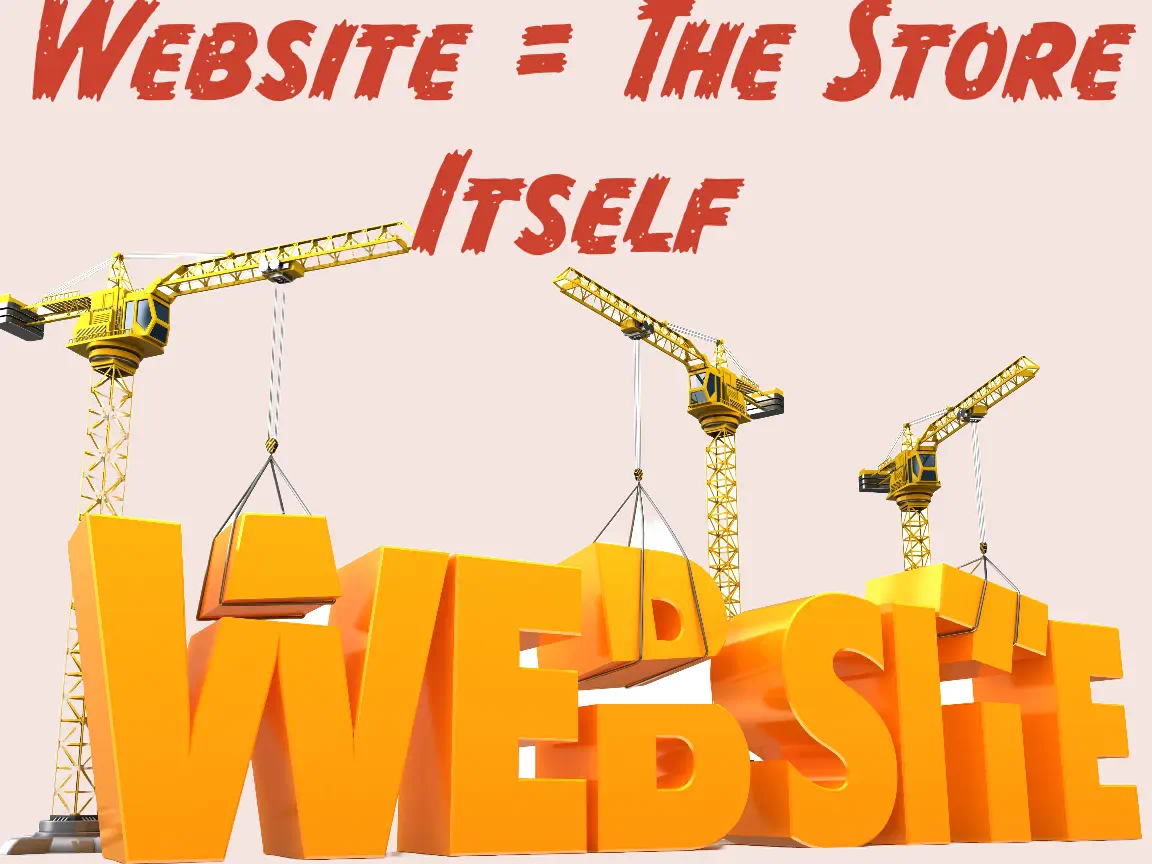
    Establishing an online presence is akin to building a physical storefront. At Popproxx, we simplify this process. Think of your website as your store, your domain as its address, and your hosting as the mall that houses your store. This guide will help you understand these components and how they work together to create your digital presence.

    Domain: The Address of Your Store

    Your domain name is your unique online address. It’s crucial for your brand identity and should be chosen carefully. TLDs like .com, .org, or .net are common choices. Your domain works with DNS settings to guide visitors to your website.

    DNS (Domain Name Server)
    DNS acts as a global directory. It’s responsible for connecting your domain name to the correct hosting server. DNS settings include essential records such as Address (A) records, Mail Exchange (MX) records for email routing, and Canonical Name (CNAME) records for aliasing. The DNS settings direct traffic, ensuring that your domain name leads to your website and your emails are properly routed.

    Zone File
    The zone file in DNS is like a detailed directory. It includes records that specify where to find your hosting server, email provider, and other services. This file must be managed carefully, as incorrect settings can disrupt service.

    Website: The Store Itself

    Your website is the digital manifestation of your brand. Whether a simple HTML site or a complex system like WordPress, it’s the digital equivalent of your store’s layout, design, and offerings. It’s where you showcase your products or services and engage with customers.

    Host: The Mall/Market Hosting Your Store

    Web hosting is the space where your website lives. The type of hosting you choose affects your website’s performance and capabilities.

    A website serves several key functions:

    Shared Hosting: A cost-effective option for new or small websites, shared hosting is like renting space in a busy mall. You share resources with other websites, which can affect performance.

    Virtual Private Server (VPS): A VPS offers more control and resources than shared hosting but without the cost of a dedicated server. It’s like having a larger, more exclusive space in a business complex.

    Dedicated Server: This option gives you an entire server for your website. It’s like owning a standalone building, offering maximum control and resources.

    Email Hosting: Your Online Mailbox
    Professional email hosting is essential for business communications. Using email addresses with your domain name enhances credibility and brand recognition. Services like Google Workspaces or Office 365 provide reliable, feature-rich email hosting.
    Website or Web Application

    Your website represents your business online. It comprises files stored on your hosting platform, ranging from simple HTML to complex content management systems. Your website should be designed to effectively represent your products and services.

    Setting Up Your Online Presence with Popproxx
    Once you have your domain, hosting, and website in place, you’re ready to showcase your business to the world. At Popproxx, we assist you in every step – from selecting a domain name and designing a captivating website to choosing the right hosting solution. Keeping your domain, hosting, and email services separate under your business name is advisable for control and flexibility.

    Why Choose Popproxx

    Understanding the roles of domains, websites, and hosting is crucial for any business venturing online. With Popproxx, you’re not just building a website but crafting an online experience that attracts and retains customers. Ready to stake your place in the digital world? Let’s start building.

  • From Zero to Hero: Transformative Web Design with Elementor for WordPress

    From Zero to Hero: Transformative Web Design with Elementor for WordPress

    [video src="http://blog.popproxx.com/wp-content/uploads/2023/11/Elementor_comprehensive_feature_review720p.mp4" /]

    Introduction

    Launched in 2016, Elementor has risen rapidly to be a top contender in the WordPress plugin arena. It’s currently powering over 13 million WordPress sites and has garnered a five-star rating from a vast number of users.
    Elementor’s blend of user-friendly editing, open-source flexibility, extensive design options, and a supportive community of professionals makes it the premier choice for building WordPress websites in 2023, catering to web creators worldwide.

    Discover Elementor

    Elementor is a WordPress site builder that enables you to realize your site’s vision without writing any code. In 2023, Elementor took a leap forward by introducing Elementor AI, a bespoke AI tool designed to enhance your site with automated text and code generation capabilities.

    Simplifying WordPress Website Construction with Elementor

    Elementor streamlines the process of crafting a professional WordPress website. There’s no need for programming expertise, exhaustive working hours on simple tasks, or endless tutorial viewing. It eliminates the need for juggling multiple plugins or incurring additional costs to develop a high-caliber WordPress site.

    With Elementor, you can:

    • Launch a WordPress site with one click, bypassing the hassle of multiple service providers and the intricacies of hosting services through Elementor’s Hosting solution.
    • Dive into Elementor’s intuitive onboarding and instantly deploy a fully-designed website kit.
    • Create entire pages using the visual drag-and-drop editor, no coding necessary.

    Versatility in Web Design with Elementor: From Simple Landing Pages to Complex Websites

    • Elevate your brand with customized business and brochure websites or concise one-pagers.
    • Establish your personal brand online with a biography, digital business card, or individual website.
    • Expand your enterprise with dedicated campaign sites, landing pages, affiliate portals, and lead-generation platforms.
    • Amplify sales with an online storefront, crafting ecommerce platforms, big or small, using Elementor’s WooCommerce Builder.
    • Engage audiences with content-driven sites like blogs, online magazines, news portals, and more.

    Elementor: The Ultimate Tool for Every Skill Level

    Elementor is tailored for any individual involved in website creation, be it developers, marketers, designers, or shop proprietors. This comprehensive builder equips you with the essentials to construct a top-tier website.

    • Developers – delve into a forward-thinking, open-source ecosystem with the freedom to implement custom code, APIs, and addons, all while harnessing the visual editor, an array of widgets, and pre-crafted templates to boost productivity.
    • Designers – craft detailed and intricate WordPress sites using the drag-and-drop editor, capitalizing on the full spectrum of styling and design features for pristine results.
    • Marketers – utilize integrated marketing tools to create WordPress websites that convert effectively.
    • Store Owners – take charge of every aspect of your online store’s design to align with your commercial objectives and enhance sales.

    You can also tap into Elementor’s collection of ready-made full website kits or templates, curated by seasoned web developers. These resources are designed to fast-track your website building efforts, as well as simplify the process for WordPress novices aiming to craft impressive websites effortlessly.


    Elementor’s No-Code Website Builder

    Elementor’s no-code platform invites you to visually construct your websites with design finesse, sans a single stroke of coding.

    Build, Design and Animate Pixel-Perfect Websites

    With Elementor’s Editor, grasp full sway over your page design and layout. Drag elements onto the canvas, arranging them with Elementor’s widgets to infuse content and style.

    Full Design Freedom

    Leverage Flexbox or CSS Grid Containers in Elementor for:

    • Precise element placement control: positioning, alignment, and spacing.
    • Infinite design possibilities with nested containers.
    • Uncompromising performance and responsiveness.
    • Cleaner, performance-optimized code output.

    Nested Elements

    Unlock design capabilities with Flexbox Containers for Nested Editing, letting you drag elements into nestable widgets like:

    • Nested tabs
    • Nested Mega Menus
    • Upcoming: Nested Carousel, Slides, Accordion, Content Switcher

    Advanced Design Capabilities

    Elementor enhances your creative power with:

    • SVG integration for precision in Text Path widgets.
    • Built-in CSS controls for custom transformations and filters.
    • Custom fonts support, inclusive of Google and Adobe Fonts libraries.
    • A wide selection of icons from Font Awesome and options to upload your own.

    Masking and Animations

    • Apply masks to any element for innovative design patterns.
    • Introduce dynamic animations and effects tailored to device responsiveness.

    Lottie Files and Sticky Elements

    • Embed interactive Lottie animations.
    • Use Sticky Elements to enhance navigation and structure, with device-specific settings.

    Over 100 Widgets, for Every Purpose

    Elementor’s arsenal includes widgets for every function:

    • Visual Widgets: Heading, Image, Gallery, Animated Headline, and more.
    • Embedded Widgets: Video, Google Maps, SoundCloud, etc.
    • Functional Widgets: Forms, Countdowns, Payment buttons, etc.
    • Dynamic Posts Widgets: Post grids, Portfolios, Post navigation, etc.
    • WooCommerce Widgets: Add to cart, Product grids, Checkout, and more.

    An Ultimate Experience on any Device and Screen Size

    Elementor’s toolkit is responsive out-of-the-box and grants manual control over:

    • Device-specific adjustments with mobile editing mode.
    • Visibility control for showing or hiding elements per device.
    • Element reordering for mobile responsiveness with Flexbox Containers.

    With Elementor, create seamlessly and ensure your website is a responsive, mobile-friendly masterpiece.

    Elementor Website Builder

    Next-Level Theme Builder
    Gain total command over your website with Elementor’s Theme Builder. Edit essential parts such as the Header & Footer, Single Pages and Posts, Archives, Search Results, and even the 404 Error pages for a fully cohesive design.

    Edit Every Theme Part
    Elementor allows the same level of editability for theme parts as it does for other website sections, enabling refined and professional theme design with its advanced tools.

    Dynamic Widgets for Site Consistency
    Utilize dynamic widgets that draw content directly from WordPress, ensuring your site remains consistent. Insert your site logo dynamically across your pages with the Site Logo widget.

    Multiple Theme Parts and Conditions
    Craft several templates for each theme part, like designing different headers for specific pages, with advanced display conditions guiding their appearance.

    WooCommerce Builder
    Integrate seamlessly with WooCommerce, customizing every aspect of your online store to align perfectly with your brand and enhance sales with features like promotional popups.

    WooCommerce Widgets for Online Store Excellence
    Leverage dedicated WooCommerce widgets within Elementor’s builder to design the ideal store, automatically populating with WooCommerce content for convenience.

    Archive Pages & Single Product Page
    Quickly set up archive or catalog pages using the Products widget with predesigned skins, or construct your own with the Loop Builder. Tailor Single-Product page templates with widgets that automatically fill with product-specific content from WooCommerce.

    Advanced Display Conditions & WooCommerce Notices
    Implement varied display conditions for your templates, dictating which products show based on WooCommerce categories and taxonomies. Customize WooCommerce notices to maintain branding consistency and trust throughout your site.

    Transactional Pages
    Design every detail of transactional pages like the Cart, Checkout, and My Account sections to heighten brand recognition and trust.

    Blogs and Dynamic Content
    Create unique, content-rich websites by designing blogs with dynamic widgets, automatically populated from WordPress, and construct custom Archive pages with content drawn from WordPress listings.

    Single Post & Custom Search Result Page
    Design a Single Post template with widgets that pull content dynamically, maintaining a consistent aesthetic across posts. Customize your Search Result Page to fit your brand with dynamic widgets.

    Advanced Display Conditions & Integration with Custom Fields
    Use advanced display conditions for a variety of Archive and Single Post designs based on WordPress categories and taxonomies. Take advantage of Elementor’s compatibility with plugins for Custom Post Types and Custom Fields, displaying content from WordPress Custom Fields dynamically.

    Loop Builder
    With the Loop Builder, create custom loops for listing your blog posts, products, and more. It grants total design freedom for your Main Item template, linked with dynamic widgets and tags to WordPress content.

    Hello Theme – The Ideal WordPress Theme for Elementor
    Maximize Elementor with the Hello Elementor Theme, a minimalist and speedy WordPress theme favored for its lightweight resource demand, ensuring swift loading times and improved website performance.

    Comprehensive Template Library
    Choose from over 300 templates, including full website kits and various web assets, in Elementor’s Library. All materials are crafted by design experts and are available for use under a collaborative license, incorporating the latest design trends for professional-grade website building.

    Elementor’s Marketing Suite

    Websites are more than a brochure or business card, and nowadays even a portfolio website has clear business goals and KPIs. To empower you to get more conversions from your site, Elementor provides a full marketing suite that turns your WordPress website into a professional marketing machine.

    Elementor’s Form Builder

    Being able to collect leads is the marketing foundation of any business or service provider. This turns any business website, portfolio, or landing page into a powerful marketing engine that increases engagement and revenue. With Elementor’s Form Builder, you can create professional, sophisticated, and flexible forms.

    Create any Type of Form Visually, Without Code

    Elementor’s Form Builder is an intuitive interface that allows you to create any type of form based on your website needs. The Form Builder is used in Elementor’s drag and drop interface, and doesn’t require any code or prior experience. Using Elementor’s Form Builder you can create:

    • Lead Collection Forms
    • Contact Forms
    • Event Registration Forms
    • Newsletter Subscription Forms
    • Price Quote Forms
    • Resume Submissions
    • And more…

    No-Code Pixel Perfect Form Design

    Elementor allows you to design every aspect of your Form: fonts, colors, spacing, borders, and comments. The Forms are also completely responsive, made to look great on any device – desktop, tablet, or mobile. Elementor’s advanced mobile editing capabilities also enable you to adjust specific elements for mobile viewing including font size, alignment, dividing fields into columns, button visibility, and more.

    Multi-Step Forms

    To increase lead conversion and improve the visitor experience, if you have multiple fields you want a visitor to fill out, you can divide the fields into a multi-step form, where the fields are divided into different pages and steps, and don’t overwhelm the visitor.

    Any Field Type

    Create any type of intake field, including free text, number, phone number, checkboxes, date & time, file upload, hidden fields, an HTML field for free text, and more. Then, you can use Captcha, or Honeypot to ensure you’re filtering out spam. Additionally, you can help logged-in users submit their information by populating data fields with Dynamic Content.

    Post Submission Redirect

    Redirect visitors to a specific page, or display a popup once they’ve completed the form, such as:

    • Confirmation page or popup
    • Thank you page or popup
    • Automatic email to the visitor
    • Additional actions via integrating with third-party providers.

    Collect and Manage Form Submissions

    Elementor’s Form Submission interface collects, backups, and stores all your form submissions in the WordPress database. This reduces your dependency on webhooks and integrations, ensures your data is always backed up, and allows you to access your submission data whenever you need it, from your WordPress dashboard. Gather insights, analyze a campaign and export your Form Submissions to a CSV at any time. Each form’s submissions can be exported separately and used as needed. For example, you can view and filter by bulk options using form name, page, or date range, enabling you to easily find any form to view, edit, or delete submissions. Elementor also offers various popular marketing integrations to choose from. When you use Elementor Forms, along with third-party integrations, you can use the Actions login in your Form Submissions to see if the integration was successful.

    Built For Scale!

    Elementor’s Form Builder is React-based and stores all of your submissions’ data in a separate database, enabling you to pull, filter, and edit data instantly. This means your submissions will not impact performance or overload your website! Additionally, Form Submissions are GDPR compliant and use WordPress’s native Export and Erase user information tools, so you can access all of your data from your WordPress admin while maintaining compliance.

    Built-in Integrations to Email Providers and Automations

    Send automated webhooks after each submission to a third-party system for further marketing automation activities and storage with Elementor’s integrations.

    • MailChimp
    • Drip
    • ActiveCampaign
    • Slack
    • Discord GetResponse
    • ConvertKit
    • MailerLite
    • And more…

    If you’d like to integrate with other providers or systems, you can use a webhook integration like Zapier to create infinite automations after Form Submission.

    Boost Conversion with the #1 Landing Page Builder for WordPress

    When trying to achieve a specific outcome in a campaign, sending visitors to your website can be overwhelming as it can have a lot of content and distractions. However, sending visitors to a dedicated landing page will keep visitors focused on the specific topic or action you want them to perform, allowing you to achieve better results with the same campaign budget.

    Elementor’s Landing Page Builder empowers you to create beautifully designed, professional landing pages in a flexible and intuitive editing interface, without the need to code.

    Get Inspired and Kickstart your Design with Over 100 Professional, Highly-Converting Landing Page Designs

    Elementor’s library of over 100 professionally-designed templates has any type of landing page that your business needs. Our templates are crafted to support different goals and audiences, with a variety of styles and trends.

    Wide Variety of Widgets and Features

    • Sell Products or Services
    • Collect Leads and Signups
    • Maximize Your ROI from Remarketing Campaigns

    Measure Your Campaign’s Impact

    Easily add custom code snippets, such as Google Analytics code or Facebook Pixel code, to your landing pages to measure the impact.

    Visual Popup Builder

    Elementor’s Visual Popup Builder enables you to create engaging popups that can help increase sales and conversion rates, and are fully responsive for all devices.

    Design and Publish Popup in Minutes

    Build sophisticated popups using Elementor’s Editor and make your popups stand out with advanced motion effects and design capabilities.

    Get Inspired and Kickstart your Design with Over 100 Professional, Engaging Popup Designs

    Choose from over 100 pre-designed, highly converting popups, designed to look pixel-perfect and follow the latest design trends.

    Advanced Triggers and Rules

    Determine how, when, and where popups will be displayed. Use Display Conditions to determine what pages the popup will appear on, Triggers to set specific visitor actions that will trigger the popup, and Advanced Rules to choose your audience, frequency, schedule, and more. That way, you can always display the most relevant popup to each visitor, which increases conversions.

    Display Conditions include:

    • Pages
    • Categories
    • Tags
    • Author
    • Publish date

    Triggers include:

    • Upon page load – how long after page load
    • Upon page scroll – how far on the page should the visitor scroll before triggering the popup
    • By hovering on an element – choose a class that when a visitor hovers over an element the popup will appear
    • By click – trigger a popup when a visitor clicks on a link or button
    • Upon inactivity – determine when to trigger a popup to a visitor who has been inactive on the website
    • Upon exit intent – trigger a popup when a visitor tries closing website

    Advanced Rules include:

    • Time – display after a number of seconds
    • Number of visits – display after a number of sessions
    • Limit frequency – determine

    The Professional Builder For Your WordPress Website

    Elementor’s Editor is an open-source platform that provides full flexibility for customization. It’s designed for users who want control over their website’s design and functionality, but it’s also developer-friendly, allowing for deeper modifications if needed.

    Custom CSS

    Add custom CSS to any element to fine-tune your design or achieve more specific, custom styles beyond the standard design options.

    Custom Code

    Implement custom code snippets in the header, footer, or body of your page to track performance or enhance your website’s capabilities.

    HTML Widget

    Use the HTML widget to integrate HTML, CSS, shortcodes, and JavaScript scripts directly into your page with Elementor’s drag-and-drop interface.

    Maintenance Mode and Coming Soon

    Easily switch your website to maintenance or “Coming Soon” mode while you’re updating or constructing your site, with the option to use Elementor’s templates or your own custom designs.

    History and Version Management

    Elementor’s version control allows you to view the revision history and revert to previous versions of your site, ensuring you can recover from mistakes or review past designs.

    Draft Mode

    Prepare changes to your website in draft mode without publishing them, allowing for planning and revisions before updates go live.

    Customize Your Website’s Setup

    Set up your site with Elementor’s comprehensive tools to start off on the right foot, ensuring efficiency and professionalism in your website builds.

    Global Design System

    Maintain a consistent look and feel across your website by configuring global fonts, colors, and widgets that ensure design uniformity and speed up your workflow.

    Theme Builder Management

    With Elementor’s Theme Builder, you have the power to design and manage all aspects of your site’s theme, from headers to footers, and apply them selectively across your website.

    Advanced Role Management

    Control user access with advanced role management, giving you the ability to restrict certain users from accessing the Editor or limiting their capabilities within it.


    Elementor AI

    Boost Your Productivity and Efficiency
    Elementor AI enhances your productivity by providing generative AI tools natively integrated within Elementor. This integration covers text areas, Custom Code, Custom CSS, and HTML, streamlining your workflow without the need to juggle between different tools.

    Instantly Create Original Text
    With the AI writer, you can instantly draft original content for your website directly within the widget’s content area. This feature allows you to generate new text, fine-tune the length, and adjust the tone to align with your brand’s voice seamlessly.

    Enhance Your Website’s Content
    Upgrade your website’s content by utilizing Elementor AI to optimize text, alter its style, and maintain high-quality, consistent messaging that strengthens your brand identity.

    Grow Your Audience with Multilingual Content
    Elementor AI enables you to translate your website into 25 different languages, broadening your reach and engaging a global audience without the need for external tools or translation services.

    Design Creative Website Experiences with Elementor AI’s Code Assistant
    Distinguish your website with unique designs by generating Custom CSS or HTML with Elementor AI’s Code Assistant. This tool understands Elementor’s specific selectors, simplifying the process of applying custom styles to each element.

    Measure Your Website’s Performance
    Use AI-generated Custom Code to implement analytics tracking, like Google Analytics or Facebook Pixel, to evaluate the performance of your landing pages effectively. Elementor AI’s Code Assistant can craft the necessary code snippets, streamlining the integration of these analytical tools.


    Professional Workflows: Streamlining Your Elementor Experience

    Utilizing Global Templates for Efficient Design

    Elementor provides a seamless way to streamline your web design process. You can save any section or entire page as a global template, which becomes instantly available in your Template Library. This means you can create a design once and reuse it across multiple pages or even different websites, maintaining a consistent look and feel while saving time. To save a section or a page, simply right-click on the section or use the save option beside the publish button. Access these templates anytime from the ‘My Templates’ tab.

    Personalized Default Settings

    With Elementor, every element can be customized and saved as your default setting. This includes styles, settings, placeholder content, and images. For instance, you can set your logo as the default image in an image widget or apply your brand colors as the default palette for text. These personalized defaults significantly reduce the repetitive task of customizing each new element from scratch, enhancing your workflow.

    Navigating with Ease Using Finder

    Elementor’s Finder is a powerful tool that lets you jump to any area of your website without leaving the page you’re working on. This feature reduces the hassle of managing multiple tabs and screens, allowing you to search and navigate to any Elementor page, setting, or WordPress dashboard area. The Finder is especially useful when you’re working on complex sites that require frequent switching between different content types and settings.

    Enhanced Access with Favorites

    For those widgets that you find yourself using repeatedly, Elementor offers a ‘Favorites’ feature. Pin your most-used widgets to the top of the widget panel, and they’ll always be just a click away. This small but powerful feature means no more scrolling through a long list of widgets to find the ones you need.

    Cross-Website Copy & Paste

    The cross-website copy and paste feature is a real time-saver, especially for web designers who manage multiple Elementor sites. It allows you to copy any element from one site and paste it into another. This not only ensures design consistency but also adapts the pasted elements to the global styles of the new site, ensuring they blend in seamlessly.

    Keyboard Shortcuts for Faster Editing

    Elementor comes with a comprehensive list of keyboard shortcuts designed to speed up your editing process. From undoing changes to copying and pasting elements, these shortcuts are there to save you time. For a quick reference, press Shift+? within the Editor to bring up the full list of available shortcuts.

    Dark Mode for Design Comfort

    Elementor’s Dark Mode provides a more comfortable design environment, particularly useful for those long hours spent on your projects. It’s not just about reducing eye strain; Dark Mode also helps conserve energy, making it a choice that benefits both you and the environment.

    Collaborative Notes for Team Projects

    The Notes feature in Elementor allows team members to leave comments and instructions right on the elements within the Editor. It’s a powerful way to collaborate in real time, ensuring everyone involved in the project is on the same page. With Notes, you can mention colleagues or clients, reply to feedback, and mark notes as resolved, streamlining the communication process.

    Managing Workflow and Collaborations

    Elementor enhances collaborations by sending email notifications to individuals tagged in Notes, ensuring they’re always in the loop. The Notes Panel provides an overview of all notes, their statuses, and who they’re assigned to, making it easy to track progress and manage tasks within your team.

    By integrating these workflow and collaboration tools, Elementor makes the website building process smoother, more efficient, and better suited to professional team environments.


    Performance

    The performance of your website not only enhances the user experience but also plays a crucial role in search engine ranking and conversion rates. To this end, Elementor has forged a partnership with Google Chrome, utilizing insights from tools such as the Chrome User Experience Report and Core Web Vitals Technology Report, supported by guidance from a Chrome technical expert.

    Reduced DOM Output

    Elementor enhances website speed and accessibility through optimization of the DOM:

    • Eliminating Redundant Wrappers: Streamlining HTML by removing unnecessary wrappers.
    • Leaner Elements: Adopting elements like Containers to expedite loading times and enable sophisticated designs.

    Improved Media File Loading

    Balancing media file quality and site performance, Elementor introduces features for media optimization:

    • Lazy Load: Delaying media file loading until necessary, applicable to carousels, slideshows, videos, and more.
    • WebP Support: Converting JPEGs to the more efficient WebP format via the ‘Performance Lab Plugin’.
    • Preload Self Hosted Videos: Enhancing load times by managing how locally hosted videos are loaded.

    Faster Font Loading

    Fonts significantly impact your website’s identity and loading speed. Elementor’s solutions include:

    • Disable Google Fonts: For performance and GDPR compliance, with alternative loading methods like Custom Fonts.
    • Font Loading Method: Swap: Utilizing the Swap CSS property to facilitate quicker text visibility.
    • Preconnect Browser Hint: Accelerating Google Fonts delivery by pre-establishing connections.
    • Asset Optimization: Using inline SVG for icons, foregoing the need for external font libraries.

    Optimized Front-End Asset Loading

    Elementor employs several strategies to minimize CSS and JavaScript file sizes:

    • Conditional JavaScript Libraries Loading: Loading only the necessary libraries per page.
    • Optimized JavaScript: Streamlining libraries for a smaller footprint.
    • Deferring Widgets Handlers: Improving interactivity by deferring widget initialization.
    • Custom Breakpoints: Enhancing CSS delivery efficiency, improving page load times by up to 23%.
    • Page Transitions: Prefetching content upon hover, rendering instantly on click for up to a 30% performance boost.

    By implementing these advanced performance features, Elementor ensures that your website not only stands out aesthetically but also excels in speed and efficiency.

    Developer Friendly

    Elementor, an open-source website builder, is built for expansion with extensive developer documentation. This documentation covers the editor’s code components like hooks, integrations, and controllers. The API and developer resources guide developers on using Elementor’s features to create versatile websites or addons.

    Support & Education

    The Elementor Customer Experience team offers 24/7 support via chat or email, addressing inquiries about Elementor features. Support is available for multiple team members. Elementor also provides a comprehensive set of tutorials, help documents, and an Academy for in-depth guidance on using the platform.

    Be Part of a Large Community

    Elementor’s global community is a hub for web creators to exchange knowledge, offer support, and access a wealth of resources:

    Dozens of Elementor Addons, Themes, and Kits

    Elementor’s ecosystem includes over 900 addons for specific functionalities, alongside a selection of themes and kits designed for Elementor, ensuring a tailored website experience.

    Affordable Pricing Plans

    Elementor Pro offers tiered pricing plans to accommodate different needs:

    • Essential Plan: For $59, get all Pro features for one site, including 24/7 support and annual updates.
    • Advanced Plan: 3 website activations for $99.
    • Expert Plan: 25 website activations for $199.
    • Agency Plan: 1,000 website activations for $399.

    Getting Started with Elementor

    Elementor provides a complete package for WordPress websites, incorporating hosting, theme, and the Elementor Plugin. Elementor Pro can be purchased and installed separately, along with the free basic version available in the WordPress Repository.


  • Enhancing Internal Linking: A Short Review of Link Whisper VS Internal Link Juicer

    Enhancing Internal Linking: A Short Review of Link Whisper VS Internal Link Juicer

    Internal linking is a critical component of Search Engine Optimization (SEO), providing a structured pathway that enhances user navigation, distributes page authority, and assists search engines in indexing your website effectively. Two prominent tools, Link Whisper, and Internal Link Juicer, have emerged as automated solutions to streamline the internal linking process. These tools employ distinct approaches to internal linking – with Link Whisper harnessing Artificial Intelligence (AI) for link suggestions and Internal Link Juicer utilizing a keyword-based approach. Let’s delve into a detailed comparative review to understand the unique offerings of these tools.

    Key Takeaway Table

    Feature Link Whisper Internal Link Juicer
    Link Suggestions AI-driven suggestions Keyword-based suggestions
    Automation Automatic linking & suggestions Automatic linking with set keywords
    SEO Impact Improved link equity & site structure Improved link equity
    Usability User-friendly interface, AI makes it easier to use Simpler setup but may encounter glitches setting up keywords
    Pricing $77/year for a single site $69.99/year for a single site

    Detailed Comparison

    Link Suggestions

    Link Whisper employs cutting-edge AI technology to scan the written content, suggesting relevant internal links based on textual context. This AI-driven approach aims to provide intuitive link suggestions, leading to a more organic internal linking structure that resonates with the content’s context.

    Conversely, Internal Link Juicer operates on a predefined keyword-based strategy. Users define specific keywords, triggering the tool to create internal links whenever those keywords appear in the text. This method allows for precise control over the linking process, ensuring relevance and accuracy in linking.

    Automation Features

    Automation stands as a core feature for both tools. Link Whisper shines with its auto-linking feature, which creates links for specified keywords across the site. This feature saves time, allowing webmasters to focus more on content creation while ensuring a robust internal linking structure.

    Internal Link Juicer also offers automation, albeit with a different flavor. The predefined keyword-triggered linking allows for more controlled automation, aligning with the user’s linking preferences.

    SEO Impact

    Effective internal linking significantly contributes to SEO by improving site structure and link equity. Link Whisper’s intuitive linking suggestions aim to create a well-organized, SEO-friendly site structure.

    Similarly, Internal Link Juicer’s keyword-based linking contributes to better link equity, building a solid site structure conducive to SEO. Popproxx, with its dedicated SEO services (SEO), complements these efforts by offering a holistic SEO strategy.

    User Experience

    User experience is a significant factor when choosing an internal linking tool. Link Whisper boasts a user-friendly interface featuring a Reporting Dashboard for easy monitoring and management of internal links.

    On the other hand, Internal Link Juicer offers a more straightforward setup. However, some users have reported glitches that could affect the workflow. Despite this, users desiring more control over the linking process appreciate its straightforward keyword-based linking approach.

    Pricing and Plans

    Link Whisper, priced at $77 per month for a single site, is a premium choice for webmasters. Conversely, Internal Link Juicer provides a budget-friendly option with its free version. For those seeking additional features, the pro version starts at $69.99 per year for a single site license, with a lifetime license available for $249.99.

    For those considering cost, exploring the pricing plans at Popproxx may provide a well-rounded solution covering not only internal linking but also other aspects of website management and SEO (Pricing).

    Benefits and Drawbacks

    Both tools come with their set of advantages and disadvantages. Link Whisper’s automated link suggestions save time and provide intuitive link recommendations, although it may not always provide the most accurate link suggestions. Internal Link Juicer, with its precise keyword-based linking, allows for precise control, yet the limited features in the free version and reported glitches may affect the user experience.

    Conclusion

    Internal linking is indispensable for SEO, with tools like Link Whisper and Internal Link Juicer offering automated solutions to enhance this aspect of website management. The choice between these tools boils down to individual preferences, budget considerations, and the level of control desired over the internal linking process.

    As the digital landscape evolves, having a robust internal linking strategy facilitated by efficient tools can significantly contribute to a website’s online success. Whether opting for Link Whisper, Internal Link Juicer, or a combination of both alongside professional web services from Popproxx, the goal remains clear: to create a well-structured, SEO-optimized website that drives traffic and delivers a superior user experience.

  • Four Ways Website Owners Can Benefit from Web Audits

    Four Ways Website Owners Can Benefit from Web Audits

    Website audits are an essential tool for anyone serious about the digital performance of their site. Going beyond just identifying issues, a well-executed web audit provides actionable insights that can lead to significant improvements. Here, we explore four crucial ways website owners can benefit from leveraging web audits.

    Boost Search Engine Visibility

    One of the foremost reasons for undertaking a web audit is to optimize your website for search engines. Search Engine Optimization (SEO) is an ever-evolving field, and website owners need to stay updated with the latest changes to maintain or improve their rankings. A web audit examines the SEO health of a site, checking everything from meta tags, keyword density, to backlink quality.

    By pinpointing areas that aren’t optimized for search engines, web audits guide owners on how to adjust their site’s content and structure. This can lead to higher rankings on search engine results pages (SERPs), driving organic traffic, and ultimately increasing the site’s visibility and reach.

    Identify Critical Performance Issues

    Performance is paramount. Slow-loading pages or downtime can seriously dent a website’s reputation, not to mention lead to missed opportunities and lost revenue. Web audits thoroughly review a site’s performance metrics, identifying bottlenecks such as unoptimized images, excessive use of scripts, or server response times.

    With the insights from the audit, website owners can take corrective measures, ensuring visitors have a seamless browsing experience. This not only enhances user satisfaction but also positively influences SEO, as search engines tend to favor fast-performing sites.

    Improve Website Design and User Experience

    While performance issues can deter users, so can a clunky design or poor user interface. Web audits go beyond just technical aspects, examining the website’s overall design and navigation. Is the site mobile-responsive? Are call-to-action buttons clearly visible and intuitive? How straightforward is the navigation?

    Addressing these questions ensures that the website’s design aligns with modern best practices, enhancing user engagement and reducing bounce rates. After all, even the best content can be overlooked if it’s presented in an unappealing or confusing manner.

    Determine Selling Opportunities

    For websites involved in e-commerce or service offerings, web audits can also be a goldmine for identifying selling opportunities. By analyzing user behavior, conversion funnels, and checkout processes, audits can highlight areas where potential sales are being lost.

    Perhaps users are abandoning their carts due to a convoluted checkout process. Or maybe a landing page isn’t compelling enough to convert visitors. With these insights, website owners can refine their sales strategies, creating a smoother path to conversion and potentially boosting revenue.

    Review Content and Pinpoint Technical Errors

    In addition to the aforementioned benefits, web audits play a pivotal role in reviewing content for quality and consistency. They ensure that all website content, from blog posts to product descriptions, is of high quality, free from errors, and relevant to the target audience. Moreover, technical glitches, broken links, or outdated plugins that could be hindering site functionality are brought to light, allowing for timely corrections.

    In summary, web audits are not just a diagnostic tool but a roadmap to excellence for website owners. Whether it’s enhancing visibility on search engines, streamlining performance, refining design, or unlocking selling opportunities, the insights from a web audit can be transformative. As the digital landscape becomes increasingly competitive, periodic web audits are the compass that guides website owners towards sustained success.

  • Unleashing the Power of WooCommerce: Why It Outshines Shopify

    Unleashing the Power of WooCommerce: Why It Outshines Shopify

    Unleashing the Power of WooCommerce: Why It Outshines Shopify

    In the digital age, e-commerce platforms have revolutionized the way businesses sell their products online.

    Learn More

    Two prominent players in this space are WooCommerce and Shopify. Both platforms offer comprehensive solutions for building and managing online stores. However, when it comes to flexibility, customization, and scalability, WooCommerce stands out as a robust and powerful choice. In this blog post, we will explore the benefits of WooCommerce over Shopify and why it is the preferred option for many businesses.

    1. Open-Source Flexibility

    One of the key advantages of WooCommerce is its open-source nature. Powered by WordPress, the most popular content management system in the world, WooCommerce provides users with unparalleled flexibility. As an open-source platform, it allows developers to customize every aspect of an online store to meet unique business needs. Whether it’s the design, functionality, or integrations, WooCommerce’s open-source nature empowers businesses to create a truly personalized e-commerce experience.

    1. Endless Customization Options

    WooCommerce offers an extensive range of themes and plugins, enabling businesses to create highly customizable online stores. With thousands of free and premium themes available, you can tailor the look and feel of your website to align with your brand identity. Additionally, the vast WooCommerce plugin ecosystem allows you to extend your store’s functionality with features such as advanced analytics, marketing tools, inventory management, and much more. This flexibility makes WooCommerce an excellent choice for businesses of all sizes and industries.

    1. Lower Costs and Greater Ownership

    Compared to Shopify, WooCommerce offers a cost-effective solution for building and maintaining an online store. While Shopify operates on a subscription-based model, WooCommerce itself is free to use. You only need to pay for domain registration, hosting, and any additional premium themes or plugins you choose to use. Moreover, with WooCommerce, you have complete ownership and control over your store’s data. This level of control ensures that your business is not tied to a specific platform and gives you the freedom to move your store to different hosting providers if needed.

    1. Scalability and Room for Growth

    As your business grows, scalability becomes a crucial factor in choosing an e-commerce platform. WooCommerce’s foundation on WordPress, coupled with its vast plugin ecosystem, provides businesses with unparalleled scalability. Whether you are a small startup or an enterprise-level company, WooCommerce can handle your evolving needs. With the ability to integrate various payment gateways, shipping options, and marketing tools, WooCommerce offers the flexibility required to support and expand your business as it grows.

    1. Strong SEO Capabilities

    Search Engine Optimization (SEO) plays a pivotal role in driving organic traffic to your online store. WooCommerce, built on WordPress, leverages the robust SEO capabilities of the CMS. It offers a wide range of SEO plugins and tools that enable you to optimize your product pages, meta tags, URLs, and other crucial elements for better search engine visibility. This inherent SEO-friendliness gives WooCommerce an edge over other platforms, making it easier for your store to rank higher in search engine results and attract potential customers.

    Conclusion

    While Shopify has its merits and is suitable for certain businesses, WooCommerce outshines it in terms of flexibility, customization, scalability, cost-effectiveness, and SEO capabilities. Its open-source nature, coupled with the vast WordPress plugin ecosystem, makes it a preferred choice for businesses seeking complete control over their online stores. With WooCommerce, you can unleash your creativity, build a unique shopping experience, and grow your business on your terms. So, if you value freedom, customization, and long-term scalability, WooCommerce is the e-commerce platform you should consider for your online venture. Learn more by visiting WooCommerrce.com