Category: Business

  • What Are the Accounting Rules for Capitalizing Website Design Costs?

    What Are the Accounting Rules for Capitalizing Website Design Costs?

    Listen to the Article: Experience the full content by listening to the audio version below.
    Accounting work at office
    Accounting work at office

    ​It’s no secret that websites are becoming increasingly crucial for businesses of all sizes. A well-designed website can help you attract new customers and grow your business. But what are the accounting rules for capitalizing website design costs?

    The first step is determining whether the costs are for website development or maintenance. Website development costs are capitalized, while website maintenance costs are expensed as incurred.

    Capitalizing website design costs means including them as part of your company’s assets on the balance sheet. This treatment is generally reserved for costs that will provide benefits for more than one year.

    To capitalize on website design costs, businesses must follow the same basic rules that apply to other types of capital assets, such as buildings or machines. The costs must be capitalized if they meet all of the following criteria:

    1. The costs are incurred during the construction or development phase of the website.
    2. The costs are necessary and directly related to the development or construction of the website.
    3. The costs can be reasonably expected to generate economic benefits for the company over a year.

    If the above criteria are met, businesses should then follow these specific guidelines for capitalizing website design costs:

    1. Include all direct costs of developing or constructing the website, such as labor, materials, and outside services.
    2. Do not capitalize indirect costs, such as overhead or general and administrative expenses.
    3. Capitalize interest expenses incurred during the construction or development phase of the website.
    4. Depreciate capitalized costs over the useful life of the website, which is typically three to five years.

    Businesses should consult with their accountant or financial advisor to ensure they follow all applicable accounting rules when capitalizing website design costs.

    What Qualifies a Website Design Cost as a Capital Expenditure?

    ​Numerous factors make website design costs a capital expenditure. However, the most important qualification is the website’s ability to generate revenue. In other words, the website must have the potential to generate income for the company through online sales, advertising, or some other means. This is the key criterion that distinguishes a website design cost as a capital expenditure from other types of expenses.

    Another essential factor to consider is the lifespan of the website. For example, a website that is designed to last for several years is more likely to be considered a capital expenditure than one that is only intended to be used for a short period. This is because the longer lifespan of the website indicates a greater investment of resources, which is typically associated with a capital expenditure.

    Finally, the size and scope of the project are also important considerations. A large and complex website design project is more likely to be classified as a capital expenditure than a smaller and simpler one. This is because the larger project requires a greater investment of resources and typically has a longer lifespan.

    In general, website design costs that meet all or most of the above criteria are more likely to be considered capital expenditures. This is because these types of projects have a greater potential to generate income and generate long-term value for the company.

    Are There Any Cost Limits for Capitalizing Website Design Costs?

    ​The process of website design can be a very costly one, and there are often cost limits that are associated with capitalizing these costs. For example, many companies will only capitalize on costs associated with the design of their website if the total cost is less than $50,000.

    There are a few different ways that companies can go about capitalizing website design costs. The most common method is to capitalize the costs as they are incurred. This means that as soon as the design work starts, the company begins to capitalize on the costs.

    Another way that companies can capitalize on website design costs is to amortize the costs over a period of time. This means that the company recognizes the costs over a set time, typically three to five years.

    The decision of how to capitalize website design costs is a decision that should be made by the company on a case-by-case basis. There are a number of factors that should be considered when making this decision, including the size of the project, the expected life of the website, and the company’s overall financial picture.

    US Tax forms
    US Tax forms

    What Documentation Is Needed to Capitalize Website Design Costs?

    ​If you’re in the process of starting a business, you may be wondering what documentation is needed to capitalize website design costs. The answer may vary depending on the accounting method you use and the country in which you do business.

    Under the accrual basis of accounting, you generally capitalize costs when you incur them, regardless of when you actually pay for them. This means that if you sign a contract in December for a website to be designed and built in January, you will capitalize on the costs in December.

    On the other hand, if you use the cash basis of accounting, you would only capitalize costs when you actually pay for them. So, in the same example, you would not capitalize the costs until January, when you actually paid for the work to be done.

    There are a few other factors to consider when deciding whether or not to capitalize on website design costs. For example, in the United States, the Internal Revenue Service (IRS) requires businesses to capitalize certain types of costs, including website design costs, if they meet specific criteria.

    In general, the IRS requires businesses to capitalize costs if they are considered “assets” with a useful life of more than one year. Website design costs typically meet this criterion since a business can use a well-designed website for many years.

    Another factor to consider is the country in which you do business. In some countries, like Canada, website design costs can be capitalized as “intangible assets.” This means that they can be deducted over a period of time, rather than all at once.

    So, what’s the bottom line? If you’re wondering what documentation is needed to capitalize website design costs, it depends on a number of factors, including the accounting method you use and the country in which you do business. Be sure to talk to your accountant or tax advisor to get specific advice for your situation.

    How Are Website Design Costs Depreciated?

    ​As a business owner, you understand the importance of depreciation when it comes to capitalizing on website development costs. By depreciating these costs, you can write off a portion of the expense each year, saving you money on your taxes.

    But how are website design costs specifically depreciated?

    The answer depends on how you account for them. If you capitalized the costs, then you would depreciate them over the life of the asset, which is typically three to five years. This means you would deduct a portion of the costs each year on your taxes.

    If you expensed the costs, then you would deduct the entire amount in the year it was incurred. This is often the preferred method because it allows you to deduct the costs in the year you need the deduction the most.

    You should speak with your accountant to determine the best method for you and your business. They can help you calculate the depreciation and determine which method will save you the most money on your taxes.

    Aspect Can Be Capitalized? Details
    Software Acquisition & Development Yes Costs for acquiring or developing software necessary for website operation can be capitalized.
    Domain Registration Yes Costs for domain name registration are capitalizable.
    Web Application Development Yes Costs for developing or customizing software for web applications can be capitalized.
    Hosting Services No Costs for hosting services, typically provided by a third party, are usually expensed over the period received.
    Ongoing Maintenance & Routine Updates No These are generally treated as expenses and not capitalized.
    Start-Up Costs No According to FASB ASC 720-15, start-up costs must be expensed as incurred.
    Tax Considerations Depends The tax treatment might vary and should be considered as per the specific regulations applicable.

    Are There Any GAAP Considerations for Capitalizing Website Design Costs?

    ​Most businesses today have an online presence, and a vital part of that is having a well-designed website. But what are the GAAP considerations for capitalizing website design costs?

    To determine whether website design costs can be capitalized, we must first examine what costs can be capitalized under GAAP. Generally, costs can be capitalized if they meet all of the following criteria:

    1. They are costs that are necessary and directly related to the acquisition, construction, or production of a long-lived asset.

    2. They are costs that can be measured reliably.

    3. They are expected to generate economic benefits for the company beyond the current reporting period.

    4. They are costs that are not already included in the cost of another long-lived asset.

    Based on these criteria, it appears that website design costs could potentially be capitalized. Website design costs meet the first criterion because they are necessary to acquire a long-lived asset (the website). They also meet the second criterion because they can be measured reliably.

    As for the third criterion, it is debatable whether website design costs generate economic benefits beyond the current reporting period. One could argue that a well-designed website will bring in more customers and generate more revenue over time, thus providing economic benefits beyond the current reporting period. On the other hand, one could also argue that a website is only used in the current period and does not generate any benefits beyond that, making it ineligible for capitalization.

    The fourth criterion is also debatable. In some cases, the cost of designing a website may already be included in the cost of another long-lived asset, such as the cost of developing the company’s overall branding strategy. In other cases, the cost of designing a website may not be included in the cost of another long-lived asset, making it eligible for capitalization.

    Ultimately, whether or not website design costs can be capitalized under GAAP is up for interpretation. Some accountants may choose to capitalize on such costs, while others may not. If you are unsure whether to capitalize your website design costs, it is best to consult with a certified public accountant or other financial advisor.

    How Are Website Design Costs Recorded in the Financial Statements?

    ​As a business grows, it will eventually need to have a website. This website can be used for a variety of reasons, including but not limited to selling products or services, providing information to customers or suppliers, or simply as a way to increase brand awareness. For a website to be effective, it needs to be designed well. A good website design can be the difference between a website that gets a lot of traffic and one that doesn’t.

    The cost of designing a website can vary depending on a number of factors, including the size and complexity of the website, the number of pages, the level of customization, and the designer’s experience. Generally speaking, the cost of designing a website can range from a few hundred dollars to tens of thousands of dollars.

    So, how are website design costs recorded in the financial statements?

    If a website is being designed for a new business, then the cost of the website design can be recorded as a start-up expense. This means that the cost of the website design will be recorded on the balance sheet as an asset and then amortized over time. Amortization is the process of spreading the cost of an asset over its lifetime.

    If a website is being designed for an existing business, then the cost of the website design can be treated as a business expense. This means that the cost of the website design will be recorded on the income statement as an expense in the period in which it is incurred.

    In either case, the amortization period for the website design costs will depend on the nature of the website. If the website is expected to generate revenue, then the amortization period will be shorter. If the website is not expected to generate revenue, then the amortization period will be longer.

    Website design costs can also be capitalized if they meet certain criteria. To be considered for capitalization, the costs must be incurred in connection with the development or enhancement of an internal-use software application. The costs must also be capitalizable under Generally Accepted Accounting Principles (GAAP).

    Some common types of costs that are capitalized for internal-use software applications include:

    -Design and coding
    -Testing
    -Installation
    -Training

    The costs of designing and developing a website can be significant, but they are an essential part of doing business in the modern world. By understanding how these costs are recorded in the financial statements, businesses can make informed decisions about their website design budgets.

    Tax files and tax refund files in a filing cabinet with woman going through tax records
    Tax files and tax refund files in a filing cabinet with woman going through tax records

    What Are the Tax Implications of Capitalizing Website Design Costs?

    ​When it comes to website design, the question of whether or not costs can be capitalized is a common one. After all, websites are long-term assets – they can be used for years and generate revenue for businesses during that time. So, it stands to reason that the costs associated with designing and building a website should be considered a long-term investment.

    However, the answer is not so straightforward. The tax implications of capitalizing website design costs depend on a number of factors, including the specific costs involved and the country in which the website is operated. In general, though, it is possible to capitalize on website design costs – but there may be some limitations.

    Let’s take a closer look at what capitalizing website design costs means and what the tax implications might be.

    What Does Capitalizing Website Design Costs Mean?

    In simple terms, capitalizing website design costs means treating the costs associated with designing and building a website as a long-term investment. This means that, instead of immediately deducting the costs from your business’s taxes, you can spread the deduction out over the asset’s life – in this case, the website.

    The main benefit of capitalizing website design costs is that it allows you to deduct more from your taxes in the long run. This can be helpful if your business is in a high tax bracket and cash flow is an issue.

    Of course, there are some downsides to capitalizing website design costs as well. For one thing, it means that you have to wait longer to deduct the costs from your taxes. Additionally, if you sell the website before its “useful life” is up, you may have to pay capital gains tax on the sale.

    What Are the Tax Implications of Capitalizing Website Design Costs?

    As we mentioned above, the tax implications of capitalizing website design costs depend on a number of factors. In general, though, you can expect to deduct a portion of the costs from your taxes each year over the life of the asset.

    The specific amount that you can deduct will depend on the country in which you operate your business. In the United States, for example, the Internal Revenue Service (IRS) has a “useful life” guideline for different types of assets. According to this guideline, websites have a useful life of three years. This means that you can deduct 33.33% of the costs from your taxes each year for three years.

    Of course, this is just a guideline – you may be able to deduct more or less depending on the specific circumstances of your business. For example, if you sell the website before its “useful life” is up, you may have to pay capital gains tax on the sale.

    It’s also important to note that tax laws are constantly changing, so it’s always a good idea to talk to your accountant or tax advisor before making any decisions about how to treat website design costs for tax purposes. They will be able to help you stay up-to-date on the latest changes and make sure you are taking advantage of all the deductions and credits you are entitled to.

    Are There Any Alternatives to Capitalizing Website Design Costs?

    ​When it comes to website design, the costs can vary greatly. Depending on the size and complexity of the website, the cost of designing and building it can range from a few hundred dollars to tens of thousands of dollars. For many businesses, the cost of a website is a significant expense.

    As with any significant expense, businesses have to decide whether or not to capitalize the cost of their website. There are a few different ways to do this, and each has its own advantages and disadvantages.

    One option is to treat the cost of the website as an asset and capitalize it on the balance sheet. This means that the cost of the website would be spread out over its useful life and depreciated accordingly. The advantage of this approach is that it would allow the business to deduct the costs of the website from their taxes.

    Another option is to treat the cost of the website as an expense and write it off in the year it is incurred. The advantage of this approach is that it would immediately reduce the taxes that the business has to pay. However, it would also mean that the cost of the website would not be deductible in future years.

    The decision of whether or not to capitalize the cost of a website depends on a number of factors, including the size and complexity of the website and the financial situation of the business. In some cases, it may make sense to capitalize the cost of the website, while in others it may be better to expense it.

    What Is the Difference Between Capitalizing and Expensing Website Design Costs?

    ​What is the difference between capitalizing and expensing website design costs? This is a question that many business owners and accounting professionals wrestle with. There are pros and cons to both capitalizing and expensing website design costs. The key is to weigh the pros and cons and make the decision that is best for your business.

    The main difference between capitalizing and expensing website design costs is that capitalizing costs means adding the costs to the value of your asset (in this case, your website), while expensing means deducting the costs from your income in the current year.

    There are a few key considerations to keep in mind when deciding whether to capitalize or expense website design costs:

    1. The purpose of the website: If the website is essential to your business operations and generate revenue, it makes sense to capitalize the costs. For example, if you are a retailer and your website is your only sales channel, the website is clearly essential to your business. On the other hand, if you have a brick-and-mortar store and your website is simply an informational site that does not generate revenue, you may want to expense the costs.

    2. The expected life of the website: The longer the expected life of the website, the more likely it is that you will want to capitalize the costs. This is because the costs are spread out over a longer period of time, making them less of a burden in any one year. On the other hand, if you expect to redesign or completely rebuild your website every few years, expensing may make more sense.

    3. The amount of money you are spending: Obviously, the more money you are spending on your website, the more important it is to carefully consider whether to capitalize or expense the costs. If you are spending a large amount of money on a website that is essential to your business, capitalizing makes sense. But if you are only spending a small amount on a website that is not essential to your business, expensing may be the better option.

    In general, capitalizing website design costs makes sense for websites that are essential to your business and have a long expected life. Expensing is a better option for websites that are not essential to your business or have a shorter expected life. Ultimately, the decision of whether to capitalize or expense website design costs comes down to a judgment call based on your specific circumstances.

    Key Takeaways for Capitalizing Website Design Costs

    ​As a business owner, you may be wondering if you can capitalize website design costs. The answer is yes, but there are a few key things to keep in mind.

    First, it’s important to consider the purpose of the website. If the website is purely for informational purposes, then the costs can be capitalized as part of your company’s overall marketing expenses. However, if the website is designed to generate revenue, then the costs should be capitalized as part of your company’s overall business expenses.

    Second, you need to consider the nature of the website design costs. If the costs are for things like developing custom code or designing unique graphics, then those costs can be capitalized. However, if the costs are for things like hosting or maintenance, then those costs should be expensed as they occur.

    Third, you need to consider the useful life of the website. If the website is expected to generate revenue for years to come, then the costs can be capitalized. However, if the website is only expected to generate revenue for a short period of time, then the costs should be expensed as they occur.

    By keeping these key things in mind, you can make sure that you’re properly accounting for your website design costs.
  • Wix vs Squarespace vs WordPress: Platform Comparison

    Wix vs Squarespace vs WordPress: Platform Comparison

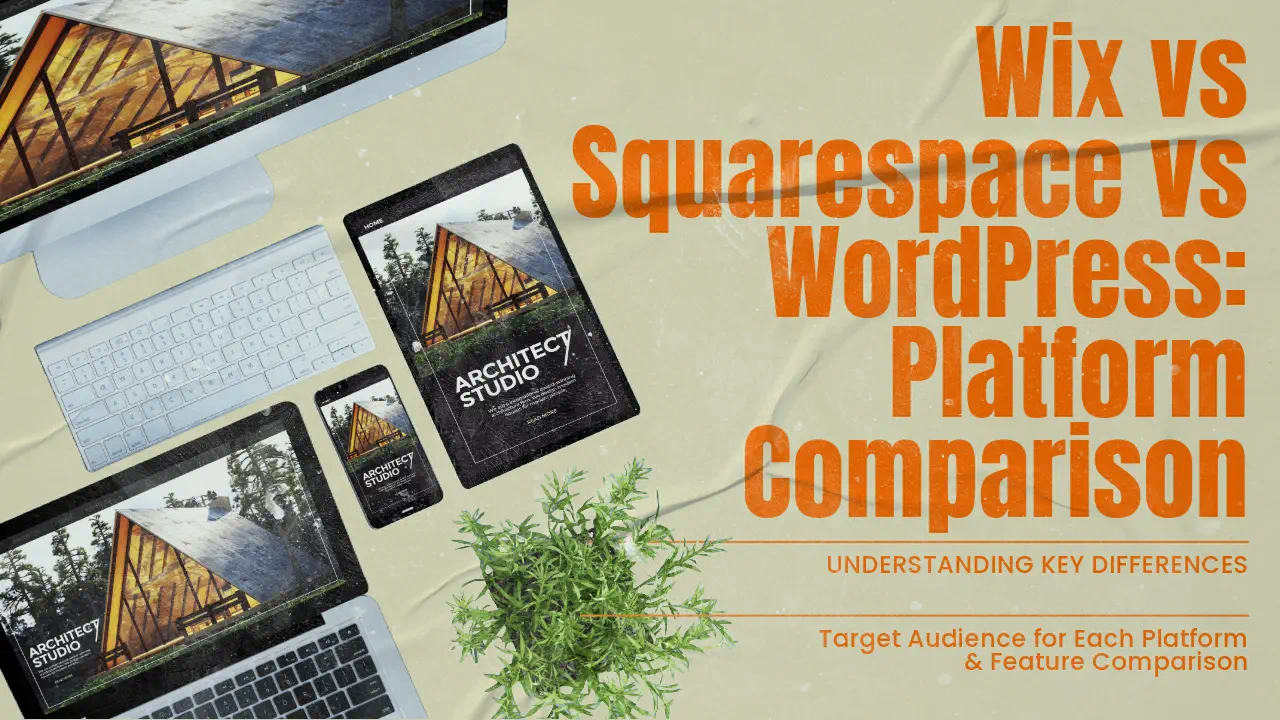
    Wix vs Squarespace vs WordPress: Platform ComparisonEver thought about which website builder could unlock your online potential? The right platform can make or break your success online. Let’s compare three big names: Wix, Squarespace, and WordPress.

    These giants control about 62% of the web1. They offer special features for various needs, from beautiful designs to strong e-commerce tools.

    WordPress is the leader with 45% of the market1. It’s loved for its flexibility and user base. Wix and Squarespace fight for the top spot in the website builder world, each with unique strengths.

    Wix is known for its easy-to-use interface and huge template library, with over 500 designs2. Squarespace is famous for its sleek designs, offering about 40 free templates that look great2.

    Pricing varies across these platforms. Wix costs between $13 and $39 a month. Squarespace starts at $16 and goes up to $46 for e-commerce2. WordPress is the most affordable, starting at just $3.95 a month2.

    Key Takeaways

    • WordPress dominates with 45% market share
    • Wix offers 500+ customizable templates
    • Squarespace provides 40 free, design-focused templates
    • Pricing varies: Wix ($13-$39), Squarespace ($16-$46), WordPress (from $3.95)
    • Each platform caters to different user needs and skill levels

    Overview of Website Building Platforms

    The world of website building platforms is vast and varied. They cater to all sorts of needs and skill levels. You can find everything from easy drag-and-drop editors to powerful content management systems. These tools help you build your online presence.

    Market Share and Platform Adoption

    WordPress leads the market, with over 40% of the share as the top website builder globally3. Its huge library of themes and plugins makes it very popular. On the other hand, Wix and Squarespace are gaining fans with their simple interfaces and focus on design.

    Key Differences Between Website Builders and CMS

    Website builders like Wix and Squarespace are great for beginners because of their drag-and-drop editors and templates4. Wix has over 800 templates, while Squarespace has about 100 design options3. WordPress, as a CMS, offers more advanced features and customization options, including thousands of themes and plugins43.

    Target Audience for Each Platform

    Wix is perfect for creative professionals who need simple portfolio sites4. It’s easy to use and manage, making it great for beginners5. Squarespace is ideal for small business owners who want more features and customization, with its sleek designs4. WordPress is best for businesses needing lots of features and scalability, thanks to its extensive customization options54.

    Platform Key Strengths Target Audience
    Wix Ease of use, 800+ templates Creative professionals, beginners
    Squarespace Modern design, ~100 templates Small businesses, design-focused users
    WordPress Customization, 10,000+ themes Content-heavy sites, experienced users

    Pricing Comparison and Value Analysis

    Choosing the right platform for your website is important. You need to look at pricing plans and features. Let’s compare the costs of popular ecommerce solutions and web hosting options.

    Wix Pricing Plans and Features

    Wix has different pricing plans for various needs. The cheapest paid plan is $17 per month, and the most expensive is $159 per month for the Business Elite plan6. All paid plans come with a custom domain, free domain for a year, no ads, SSL certificate, and secure payments6. You also get $600 in ad vouchers with paid plans, helping businesses grow online6.

    Squarespace Cost Structure

    Squarespace’s pricing is simple, with plans from $16 to $52 per month if you pay annually7. They have four premium plans for different business needs. Their Commerce Advanced plan is $52 per month, much cheaper than Wix’s Business Elite plan7.

    WordPress Expenses and Hidden Costs

    WordPress.org is free but needs web hosting, which costs less than $10 per month6. It has nearly 60,000 plugins, many free, for customization without extra costs6. WordPress.com offers plans from free to $64.99 per month6.

    Best Value for Different Business Types

    Wix is great for small businesses with its easy-to-use editor and many features6. Squarespace is perfect for creative professionals with its sleek templates and good long-term pricing7. WordPress is best for those who want flexibility and scalability, offering a free platform with endless customization options6.

    Platform Starting Price Max Price Key Features
    Wix $17/month $159/month Custom domain, SSL, ad vouchers
    Squarespace $16/month $52/month Mobile-responsive templates, Fluid Engine
    WordPress.org Free + hosting Varies 60,000+ plugins, full customization

    Ease of Use and Learning Curve

    Website design is all about how easy it is to use. Wix stands out with its drag-and-drop builder. It’s perfect for beginners who don’t need to know tech stuff8. It has over 800 templates, with half for e-commerce, making it easy to start online98.

    Squarespace focuses on simple designs and content blocks. This makes it easy to switch themes without losing your content. It’s great for those who love images and want a simple site8. With over 165 templates, it’s perfect for artists and online stores9.

    WordPress is used by 43% of all websites online. It offers lots of customization options9. While it used to be hard to learn, updates like the Gutenberg editor have made it easier9. It has over 30,000 themes, giving you endless design choices8.

    Platform Templates Ease of Use Best For
    Wix 800+ Very Easy Small businesses, personal sites
    Squarespace 165+ Easy Image-driven brands, artists
    WordPress 30,000+ Moderate Any type, scalable projects

    Wix is great for beginners with its AI chatbot and easy interface. Squarespace and WordPress offer more advanced features but might take more time to learn.

    Design Templates and Customization Options

    Each platform has its own strengths when it comes to website templates and customization. Let’s dive into the design options available on Wix, Squarespace, and WordPress.

    Wix Template Library

    Wix has 836 free templates for different industries and tastes10. These templates are easy to customize with a drag-and-drop editor10. It’s great for creative folks and small businesses looking to make a simple site4.

    Squarespace Design Aesthetics

    Squarespace has 178 free templates with a sleek, modern look10. It’s known for its easy-to-use interface and responsive design104. It’s perfect for small businesses wanting a modern site without needing a developer.

    WordPress Themes and Flexibility

    WordPress offers over 5,000 themes and templates11. For Business or Commerce plans, there are over 12,000 themes from third-party suppliers10. It’s ideal for businesses needing a customized site with lots of features and options4.

    Platform Number of Templates Customization Level Best For
    Wix 836+ High Creative professionals, Simple business sites
    Squarespace 178+ Medium Small businesses, Modern designs
    WordPress 5,000+ (12,000+ for higher plans) Very High Complex websites, Extensive customization

    While all three platforms offer responsive designs, WordPress is best for advanced custom coding10. This makes WordPress perfect for users wanting full control over their site’s design and functionality.

    Wix vs Squarespace vs WordPress: Feature Comparison

    Choosing a website builder means looking at what each offers. Wix, Squarespace, and WordPress each have their own strengths. They cater to different needs and tastes.

    Wix has over 800 design options, making it easy to find the right look. It also has a user-friendly editor and Dev Mode for more advanced changes12.

    Squarespace has fewer templates, but they are high quality. It’s great for professional sites. It also has strong blogging and e-commerce tools, perfect for content creators and online shops10.

    WordPress is all about flexibility and growth. It has thousands of themes and plugins for custom sites. It’s used by over 43% of websites, showing its wide appeal and flexibility12.

    Feature Wix Squarespace WordPress
    Templates 836 free 178 12,000+ (including third-party)
    Apps/Integrations 994 37 50,000+
    Storage Varies by plan Unlimited 6GB to 50GB (expandable)
    Pricing (Monthly) $17-$159 $25-$72 $9-$70

    10

    All three platforms have analytics, SEO tools, and email marketing. Wix has built-in tools, while Squarespace and WordPress offer them through integrations. WordPress has the most options thanks to its plugins.

    Squarespace is the easiest to use, followed by Wix. WordPress is more complex but offers unmatched customization10.

    E-commerce Capabilities and Solutions

    Setting up an online store requires strong e-commerce tools. Let’s see how Wix, Squarespace, and WordPress compare.

    Online Store Features

    Wix has different e-commerce plans for small stores1314. Its Business Basic plan costs $27 a month. It has tools for managing inventory and handling payments11. Squarespace is great for creative entrepreneurs, offering strong e-commerce tools for small to moderate sales13. WordPress, with WooCommerce, is best for growing businesses14.

    Payment Gateway Integration

    Wix, Squarespace, and WordPress all support many payment gateways. This makes transactions smooth for your store. Shopify is also top-notch for conversions and selling on multiple platforms13.

    Product Management Tools

    Good inventory management is key for online stores. Wix has basic tools, while Squarespace has strong in-built features14. WordPress has over 60,000 plugins for the best product management11. This lets businesses customize their inventory systems.

    Platform E-commerce Suitability Template Options App/Plugin Availability
    Wix Small online stores 500+ 600+ apps
    Squarespace Visual-focused businesses 100+ 25 extensions
    WordPress Scalable businesses 5000+ 60,000+ plugins

    WordPress is the best value for money. It has the most tools for online stores of all sizes11.

    SEO and Marketing Features

    Wix, Squarespace, and WordPress each have unique tools for SEO. Wix offers hundreds of templates and designs, improving its SEO tools over time15. It now supports accelerated mobile pages, automatic indexing, and site mapping15.

    Squarespace is known for its sleek, modern templates, perfect for creative industries15. It has free AMP support, SSL certification, and automatic tagging. This makes it great for businesses wanting a professional online look15. Both Wix and Squarespace make it easy for beginners to create websites with their drag-and-drop interfaces16.

    WordPress is unique with over 50,000 third-party plugins for customization15. The Yoast SEO plugin, available only for WordPress, offers advanced features like content silo creation and on-page optimization scoring15. WordPress offers more customization but is considered more complex than Squarespace and Wix16.

    Platform SEO Features Social Media Integration
    Wix Automatic indexing, site mapping, customizable URLs Google Analytics integration
    Squarespace AMP support, automatic tagging, mobile optimization Integrated blogging capabilities
    WordPress Content silo creation, breadcrumbs, structured data Social media image optimization

    Good SEO depends on quality content and links, no matter the platform16. Key practices include keyword research, content marketing, and link building on all platforms16. Choose the platform that best fits your needs and digital marketing skills.

    Platform Integration and Scalability

    Choosing a website builder means looking at app integration, scalability, and growth potential. Let’s see how Wix, Squarespace, and WordPress compare in these areas.

    App Marketplaces and Plugins

    Each platform has its own level of extensibility through apps and plugins. Wix offers 994 apps and integrations. Squarespace has 3710. WordPress, on the other hand, has over 59,000 plugins, giving you lots of options to improve your site17.

    Third-party Integration Options

    Integration options differ among platforms. Wix lets you add HTML, CSS, and JavaScript. Squarespace allows code injections through code blocks10. WordPress, especially on higher plans, offers advanced coding options, making it great for developers1017.

    Platform Apps/Plugins Integration Flexibility
    Wix 994 Moderate
    Squarespace 37 Limited
    WordPress 59,000+ High

    Growth Potential Assessment

    WordPress is the top choice for website growth and scalability. It powers 43.3% of all websites, offering unmatched flexibility for different types of sites17. Wix and Squarespace are great for beginners, but WordPress is best for long-term growth10.

    Conclusion

    Choosing the right platform for your online presence is key today. WordPress powers over 40% of all websites, thanks to its vast library of over 55,000 plugins18. It’s perfect for sites that need lots of customization.

    Wix is great for beginners with its easy drag-and-drop interface19. It has 800+ templates and over 500 web apps in its App Marketplace. This makes it ideal for small businesses needing a quick online presence18. Prices range from $16 to $159 per month, billed annually, fitting various budgets18.

    Squarespace is for creative professionals with its minimalist design and stunning templates19. It has built-in features like blogging, e-commerce, and scheduling. While it’s a bit more technical and pricey, its design focus is unmatched1920.

    When choosing a website builder, think about your skills, budget, and goals. Each platform has its own strengths for building your online presence. By considering these, you can pick the best fit for your digital needs.

    FAQ

    Which platform has the largest market share among Wix, Squarespace, and WordPress?

    WordPress leads with a 45% market share, up 8.9% since 2011. Wix and Squarespace are growing, but WordPress is still the biggest. They’re known for being easy to use.

    How do the pricing plans compare between Wix, Squarespace, and WordPress?

    Wix costs between and 9 a month, with a free option. Squarespace prices range from to a month. WordPress is free but needs hosting, starting at .95 a month, and may cost more for premium features.

    Which platform offers the most design templates?

    WordPress has over 10,000 themes. Wix has 800+ templates, and Squarespace has 150+ themes. WordPress has the most design options.

    How do the e-commerce capabilities compare between the platforms?

    Wix has built-in e-commerce tools like cart recovery and discounts. Squarespace is great for small to moderate sales. WordPress with WooCommerce is best for big sales.

    Which platform is best for SEO?

    All platforms support SEO basics. WordPress has the most SEO control with plugins like Yoast SEO. Wix and Squarespace also have good SEO features.

    How do the platforms compare in terms of ease of use?

    Wix and Squarespace are easy for beginners with drag-and-drop tools. WordPress is more complex but offers more control.

    Which platform offers the most integrations and apps?

    WordPress has over 50,000 plugins. Wix has 500+ integrations, and Squarespace has 40 services. WordPress has the most integrations.

    Can I switch themes after publishing my website?

    Yes, you can switch themes on Squarespace and WordPress after publishing. But Wix templates can’t be changed once your site is live.

    Which platform is best for blogging?

    WordPress is top for blogging, perfect for content-heavy sites. Squarespace also has great blogging features. Wix is good for basic blogging.

    How do the platforms handle mobile responsiveness?

    All platforms have mobile-responsive designs. Wix and Squarespace automatically adjust for mobile. WordPress themes are usually responsive but might need extra tweaks.

    Source Links

    1. Wix vs. Squarespace vs. WordPress: The Showdown
    2. Wix vs. Squarespace vs. WordPress – NerdWallet
    3. Squarespace vs Wix vs WordPress: Which is Better to Use?
    4. WordPress vs Wix vs Squarespace: Which one should you use?
    5. Wix vs. Squarespace vs. WordPress
    6. Wix Vs. WordPress (2024 Comparison)
    7. Wix vs Squarespace: A Battle of the Best Website Builders
    8. Wix vs. Squarespace vs. WordPress: Which One is Best? | Nexcess
    9. Squarespace vs Wix vs WordPress: Which one should you choose?
    10. Wix vs Squarespace vs WordPress — Which is Best?
    11. Wix Vs Squarespace vs WordPress – Which Is Good For You?
    12. Wix vs Squarespace vs WordPress 2024 Comparison: Discover the Best Site Creator
    13. Wix vs WordPress vs Shopify vs Squarespace
    14. Wix vs Squarespace vs WordPress – Oyova
    15. Wix vs WordPress vs Squarespace: Which is Best For SEO?
    16. SEO Comparison: Squarespace vs. WordPress vs. Wix (2021 Update) | Logical
    17. WordPress vs Squarespace vs Wix: Which One is Best in 2024?
    18. What is better WordPress or Wix or Squarespace? – WisdmLabs
    19. Wix vs Squarespace vs WordPress: Comparing Website Builders
    20. Wix Vs Square Space Vs Word Press Which Is Best For Your Business
  • Termageddon Review: Privacy Policy Generator Tool

    Termageddon Review: Privacy Policy Generator Tool

    Did you know every single review of Termageddon is a glowing 5-star rating? This fact shows how well this privacy policy generator is doing. It’s a big deal for businesses dealing with data privacy laws. Tools like Termageddon help keep things legal and build trust with customers.

    Nowadays, having website policies is a must for all businesses. Termageddon is a powerful tool that makes handling legal policies and data privacy easier. It was created by a licensed attorney and a Certified Information Privacy Professional. Their goal is to make it simple for websites and apps to have up-to-date privacy policies.

    Termageddon keeps up with many privacy laws, like GDPR, CCPA, and PIPEDA. It’s also ready for new laws, such as the Iowa SF262 and the Texas Data Privacy and Security Act. Its easy-to-use interface and automatic updates are changing how businesses handle website policies and legal stuff.

    Key Takeaways

    • Termageddon offers automatic policy updates for changing privacy laws
    • The service covers multiple existing and upcoming privacy regulations
    • Pricing starts at $12 per month or $119 per year for a single website
    • Founded by a licensed attorney specializing in privacy law
    • Suitable for various types of websites collecting personal information
    • Simplifies policy creation through a customized questionnaire process

    Introduction to Privacy Policy Generators

    Privacy policies are now key in our digital world. With laws like GDPR and CCPA, companies must protect user data. This has led to a need for tools that make creating policies easier.

    The importance of privacy policies in the digital age

    Privacy policies are legal agreements between companies and users. They explain how personal information is used and kept safe. Not following these rules can lead to big fines or legal trouble.

    These laws don’t care where a business is located. They focus on protecting people in certain areas.

    Why businesses need automated policy generation tools

    Writing privacy policies by hand is hard. Many companies use templates, but they might not cover everything needed for GDPR. Automated tools can make policies that fit specific laws and business needs.

    Overview of Termageddon’s role in the market

    Termageddon is a solution for accurate, current privacy policies. It makes policies that follow laws like GDPR and CalOPPA. By automating updates, Termageddon helps businesses avoid fines and stay legal.

    Privacy Law Key Requirements
    GDPR (EU) Protects EU residents’ data, applies globally
    CalOPPA (California) Applies to websites collecting PII from California consumers
    CCPA (California) Applies to large businesses or those handling significant California resident data

    What is Termageddon?

    Termageddon is a top online tool that started in 2017, right before the GDPR was put into action. It has become a key resource for making websites follow the law, creating thousands of legal policies for businesses all over the world.

    Company Background and Mission

    Donata Stroink-Skillrud, a licensed lawyer and Certified Information Privacy Professional, started Termageddon. The goal is to make following the law easier for websites. Termageddon aims to give businesses of any size affordable, current legal policies.

    Key Features of Termageddon’s Service

    Termageddon has some standout features:

    • Automatic policy updates to reflect changing laws
    • Coverage for multiple privacy regulations, including GDPR, CCPA, and COPPA
    • User-friendly interface for easy policy creation
    • Customizable policies tailored to individual business needs

    Target Audience for Termageddon

    Termageddon is for a wide range of people, including:

    With its wide coverage and automatic updates, Termageddon makes it easy for businesses to stay in line with the law.

    Termageddon Review: Pricing and Plans

    Termageddon has a simple pricing plan for its legal solutions for websites. It offers a single license for $10 a month or $99 a year. This makes Termageddon a great choice for businesses looking for affordable legal protection.

    With a Termageddon license, you get important documents like a Privacy Policy, Terms of Service, Disclaimer, Cookie Policy, and End User License Agreement. These cover one website or app, helping you stay legally compliant. You also get a cookie consent banner that supports up to 50,000 user sessions each month.

    Feature Details
    Monthly Price $12
    Annual Price $119
    Included Policies Privacy Policy, Terms of Service, Disclaimer, Cookie Policy, EULA
    Cookie Consent Banner Up to 50,000 user sessions/month
    Policy Updates Automatic
    Policy Edits Unlimited
    Branding No Termageddon branding on policies

    Users love Termageddon, giving it a perfect 5.0 out of 5 rating. They praise its ease of use, features, design, and support. This shows Termageddon’s dedication to offering top-notch legal solutions for websites at a fair price.

    Comprehensive Policy Coverage

    Termageddon provides a wide range of essential policies for websites and businesses. They cover everything from privacy policy to terms of service and cookie policy.

    Types of Policies Offered

    Termageddon’s policy generator creates several key documents:

    • Privacy Policy
    • Terms of Service
    • Cookie Policy
    • Disclaimer
    • End User License Agreement

    These policies help businesses meet legal requirements and protect their interests. For online stores, Termageddon also offers policies on cancellations, shipping, refunds, and returns.

    Supported Privacy Laws

    Termageddon keeps up with various privacy laws, including:

    • GDPR (General Data Protection Regulation)
    • CCPA/CPRA (California Consumer Privacy Act)
    • PIPEDA (Personal Information Protection and Electronic Documents Act)
    • State-specific privacy laws

    This broad coverage helps businesses stay compliant across different places. It’s important, as privacy fines can be as high as $7,500 per infringement.

    Automatic Policy Updates

    Termageddon’s automatic policy updates are a key feature. They update your policies as privacy laws change. This keeps you in compliance without the hassle.

    For $12 a month or $119 a year, Termageddon offers a single website license with these features. It’s a small price for peace of mind in the complex world of online privacy and legal compliance.

    User Experience and Interface

    Termageddon stands out for its user-friendly design. It makes creating website and legal policies easy. The design is simple, making it easy for users to go through the policy creation process. After signing up, users get guided by a series of questions that match their needs.

    The questionnaire format of Termageddon helps create policies that fit the user’s business perfectly. This ensures each policy is made just for the user’s needs. The layout is intuitive, making it easy to add in necessary information. This cuts down the time and effort usually needed to make policies.

    Termageddon also has great features for managing policies. Users get alerts when updates are needed because of law changes. This keeps policies up-to-date and compliant. The platform offers various ways to embed policies on websites.

    While Termageddon is great in many ways, some might find starting it a bit slow. But, the payoff is a detailed policy that truly reflects their business and legal duties. Overall, Termageddon’s easy-to-use interface and smart design make it a top choice for compliance tools.

    Policy Generation Process

    Termageddon’s online policy generator makes creating custom legal policies easy for website owners. It’s designed to be simple and tailored to your business needs.

    Creating Your Policy

    To start, users answer questions about their business. This makes sure the policy covers everything it needs to. It includes all the right disclosures for laws like GDPR, CCPA/CPRA, and PIPEDA.

    Customization Options

    Termageddon lets you customize your policy a lot. You can add details for things like Google Analytics, email marketing, or ads. The Premium Plan even lets you customize privacy policies, terms, and return policies more.

    Website Integration

    After making your policy, it’s easy to put it on your website. Termageddon gives you embed codes for a smooth fit. WordPress users get a special plugin for easy setup. The tool also has a cookie consent banner to help with website rules.

    Feature Details
    Policy Types Privacy Policy, Terms of Service, Disclaimer, Cookie Policy, EULA
    Customization Provisions for analytics, ads, user accounts, refunds, and more
    Integration Embed codes, WordPress plugin, Cookie consent banner

    Legal Expertise and Compliance

    Termageddon is a leader in data privacy and legal agreements. It was started by Donata and Hans in 2017. Donata, a co-founder, leads the American Bar Association’s ePrivacy Committee. This shows the company’s dedication to being at the forefront of the field.

    This platform is a pro at following GDPR rules and knows a lot about privacy laws. It makes policies for many laws, like GDPR, UK DPA, and CCPA/CPRA. This means businesses can follow the law in many places.

    Termageddon is all about being proactive with data privacy. They made their tool before GDPR was even a thing. This shows they’re ahead of the curve in privacy laws. The International Association of Privacy Professionals has taken notice, making Termageddon the only tool they recommend.

    People love how easy Termageddon is to set up and use. It updates automatically to keep up with new laws, which is key for staying legal. With thousands of happy customers worldwide, Termageddon has shown it’s a valuable tool for many types of businesses.

    At $12 a month or $119 a year, Termageddon is a budget-friendly option for businesses. It combines deep legal knowledge, wide coverage, and easy-to-use features. This makes it a top choice in the privacy policy generator market.

    Comparison with Other Policy Generators

    When picking a privacy policy generator, it’s key to look at different options. Let’s see how Termageddon compares with other legal solutions for websites.

    Termageddon vs. PrivacyPolicies.com

    Termageddon has clearer pricing and automatic updates over PrivacyPolicies.com. This means you stay up-to-date with privacy laws easily, without extra work.

    Termageddon vs. FreePrivacyPolicy

    FreePrivacyPolicy gives basic templates, but Termageddon covers more privacy laws. This is important since about 30 privacy bills are being tracked at any time.

    Unique Selling Points of Termageddon

    Termageddon is unique for its custom approach to making policies. It includes things like cookie consent banners and geolocation detection, which others don’t have.

    Feature Termageddon PrivacyPolicies.com FreePrivacyPolicy
    Automatic Updates Yes No No
    Cookie Consent Banners Yes Limited No
    Geolocation Detection Yes No No
    Comprehensive Law Coverage High Medium Low

    In 2023, six new privacy laws were added, and three more are set for 2024. Choosing a strong privacy policy generator is key to staying compliant and protecting customer data.

    Customer Support and Resources

    Termageddon excels in customer support, offering various ways to help with website compliance and legal policies. They have a 5.0 out of 5 customer service rating from 15 reviews. This shows their commitment to making users happy.

    Users can get help by phone, email, or through a special support portal. This means help is always easy to find, no matter how you like to communicate.

    Termageddon also provides detailed guides and resources. These help users understand and use their policies right, ensuring their websites are compliant.

    • State privacy bill tracker
    • Implementation guides
    • Policy customization tutorials

    The state privacy bill tracker is a key feature. It keeps users updated on legal changes, helping them stay on top of legal matters.

    With a score of 4.9 out of 5 for ease of use, Termageddon shows that handling legal policies doesn’t have to be hard. Their easy-to-use interface and strong support make dealing with online compliance simple.

    “Termageddon’s customer support is unmatched. They’re always ready to assist, making legal compliance easy.”

    In today’s world, website compliance is key. Termageddon’s focus on customer support and resources makes it a leading choice for businesses of all sizes.

    Pros and Cons of Using Termageddon

    Choosing a policy generator like Termageddon for your website legal needs is a big decision. This review looks at the good and bad points to help you decide.

    Advantages of choosing Termageddon

    Termageddon has many benefits as a policy generator:

    • Automatic policy updates to keep your website legal
    • Comprehensive coverage of various privacy laws
    • Backed by legal experts for reliable policy creation
    • User-friendly interface for easy policy generation
    • Affordable monthly pricing starting at $10 per license

    Potential drawbacks to consider

    Termageddon has its strengths, but there are some things to think about:

    • Recurring cost compared to one-time fee generators
    • Limited language support (currently only in English)
    • Lack of integrations with other platforms
    • Need for ongoing subscription for policy updates
    Feature Termageddon Other Policy Generators
    Pricing Model Monthly/Annual Subscription One-time Fee or Free
    Automatic Updates Yes Varies
    Language Support English Only Often Multiple Languages
    Legal Expertise Strong Varies

    The choice to use Termageddon depends on your specific needs and budget for website legal solutions.

    Conclusion

    Termageddon is a leading tool for creating privacy policies that keep up with website laws. With new privacy laws popping up in places like Hawaii, Illinois, and New York, having a strong privacy policy is key. Termageddon makes sure your website follows these laws by automatically updating its policies.

    This tool is easy to use and covers all you need for a privacy policy. Adding it to your website is easy, even for basic HTML/PHP sites. For those using advanced tech like ReactJS or GatsbyJS, there might be a bit more work. But, the benefits of using Termageddon are well worth it.

    With recent privacy issues, like the U.S. Marshals Service’s ransomware attack and the EU’s worries about the EU-US Data Privacy Framework, Termageddon is more important than ever. It helps businesses keep up with data protection laws. This tool makes it easy to keep your privacy policies current, helping you meet legal requirements and gain your users’ trust.


    FAQ

    What is Termageddon?

    Termageddon is a tool that helps businesses make legal policies for their websites. It keeps policies up to date with law changes. It covers many privacy laws, including GDPR and CCPA, and is easy to use.

    Why are privacy policies important for businesses?

    Privacy policies are key because of tough data protection laws like GDPR and CCPA. Businesses need tools to follow these laws and avoid fines. Termageddon helps by giving updated policies that follow privacy laws, saving time and ensuring compliance.

    What is the pricing of Termageddon?

    Termageddon costs a month or 9 a year. It includes policies like Privacy Policy, Terms of Service, and Cookie Policy for one site or app. You also get a cookie consent banner for up to 50,000 users, automatic updates, and unlimited policy changes without Termageddon branding.

    What types of policies does Termageddon offer?

    Termageddon has many policies like Privacy Policy, Cookie Policy, and Disclaimer. It also includes End User License Agreement and Terms of Service. These cover laws like GDPR, CCPA/CPRA, PIPEDA, and state privacy laws.

    How does the policy generation process work?

    Termageddon makes creating policies easy. First, you create an account and buy a license. Then, you answer a questionnaire to get the right disclosures. You can embed the policies on your site with code, and there’s WordPress integration too.

    Who is behind Termageddon?

    Donata Stroink-Skillrud, a lawyer and Certified Information Privacy Professional, started Termageddon. She knows a lot about privacy law. The service makes sure you follow privacy laws and keeps up with new state bills.

    How does Termageddon compare to other policy generators?

    Termageddon is better than PrivacyPolicies.com and FreePrivacyPolicy in many ways. It has clear pricing, automatic updates, and covers more privacy laws. It offers a custom approach to making policies and includes features like cookie consent banners and geolocation detection.

    What kind of customer support does Termageddon provide?

    Termageddon has support by phone, email, and a support portal. It gives detailed guides and resources to help you use your policies right. The service also tracks state privacy bills to keep you updated on legal changes.

    Navigating the intricacies of the online legal domain can seem daunting, but there’s good news! You can now purchase Termagedon directly from Popproxx, ensuring your website is compliant and cutting-edge. But that’s not all—Popproxx goes a step further. Recognizing that implementation can sometimes be challenging, we proudly offer an installation and configuration service tailored to your needs. Equipping your website with the best online policy management has never been easier. Dive into the future of online compliance with Popproxx and Termagedon by your side!

    Termageddon is a provider of auto-updating website policies. Get help complying with GDPR, CCPA and more. 

  • SEO for Accountants: A Comprehensive Guide

    SEO for Accountants: A Comprehensive Guide

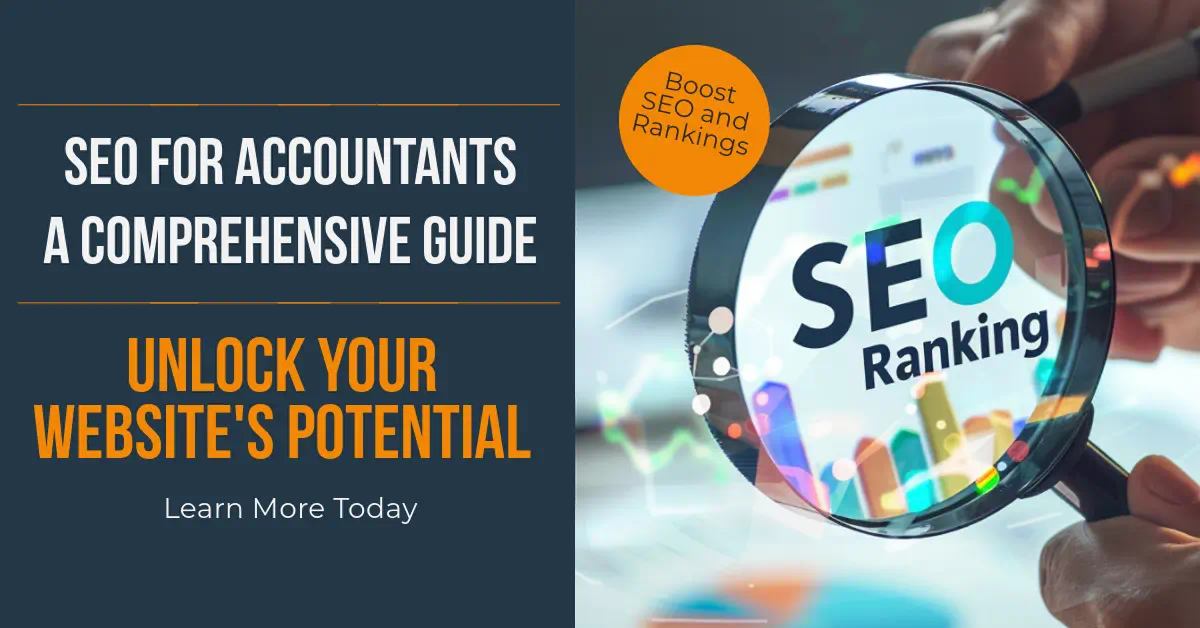
    Are you an accountant finding it hard to stand out online? In today’s digital age, having a strong web presence is key to attracting new clients and growing your practice. This guide will cover everything you need to know about SEO for accountants, helping you shine online.

    SEO guide for accountants, unlock website potential

    Search Engine Optimization (SEO) is a big deal for accounting firms. It’s not just about being online; it’s about being found by the right people at the right time. With most online searches starting with a search engine, SEO is vital for accountants1. By using SEO, accountants can get more online visibility, draw in more qualified leads, and be seen as trusted experts in their field2.

    About 70-80% of search engine users look only at organic results, not ads3. This means SEO can help accountants reach a huge number of potential clients who are looking for their services. Plus, websites that rank high on search engines get most of the web traffic, showing how important it is to rank well3.

    Key Takeaways

    Understanding SEO for Accountants

    SEO for accountants is a big deal in today’s digital world. It helps your accounting website stand out in search results. When people look for “accounting services” or “tax preparation,” you want your firm to be the first one they see.

    What is SEO and why it matters for accounting firms

    Search Engine Optimization (SEO) makes your website more visible on search engines like Google. For accounting firms, it’s a great way to draw in new clients. SEO brings in 1,000% more traffic than social media and beats paid ads in getting new leads4.

    The impact of SEO on online visibility and client acquisition

    A website that’s optimized well is more likely to show up in local search results5. This is key since many accounting firms don’t use SEO well, giving you a chance to stand out6. Using an SEO strategy for accountants puts your firm ahead in a tough market.

    Key benefits of implementing SEO strategies

    SEO for accountants has many perks:

    • More website visitors and visibility
    • Better client finding
    • A cheaper marketing option
    • Results that keep going

    Using tools like Google Analytics and Search Console helps you see how your site is doing and spot ways to get better5. This way, you can keep making SEO work for you, making it a wise choice for your firm’s growth.

    The Challenges of SEO in the Accounting Industry

    Accounting firms face unique hurdles in using SEO effectively. With Google being the top search engine, it’s key to stand out online7. There are over 1,000,000 searches each month for accounting services, making it a tough field7.

    One big challenge is making content that’s easy to understand but still accurate. Accountants need to explain complex financial ideas in simple terms. This balance is key for good SEO for accountants and their firms.

    Local SEO is another big challenge. Since 30% of mobile searches are about finding things nearby, and 78% of those searches lead to visits the same day, firms must be seen locally8. They need to work on both on-page and off-page SEO to be visible.

    Getting links from reputable financial sites is hard. Accountants can use guest posting and working with other industry professionals to get quality backlinks.

    SEO Challenge Impact Solution
    Technical Content Reduced readability Simplify language while maintaining accuracy
    Local Visibility Missed local clients Optimize for local searches and Google My Business
    Link Building Lower domain authority Guest posting and industry partnerships

    Technical SEO also challenges many accounting firms. Fast loading times and good site structure are important and need constant work9. If ignored, these can hurt a firm’s online presence and how users experience their site.

    Keyword Research for Accounting Firms

    Effective keyword research is key for successful SEO in accountancy. It helps you find out what potential clients are looking for. With 51% of all website traffic coming from organic search, it’s vital for accounting firms10.

    Identifying relevant keywords for accounting services

    Begin by listing terms related to your accounting services. Use tools like Ubersuggest, Ahrefs, and Semrush to grow your list. They provide data on search volume and competition11. For instance, “irs” gets 4,090,000 searches a month, while “certified public accountant” has both info and commercial searches12.

    Long-tail keywords and their importance

    Long-tail keywords are specific phrases with lower search volume but higher conversion potential. For accountants, these could be “accountant in (CITY)” or “small business tax accountant.” They have less competition, making them easier to rank for in SEO efforts.

    Tools for effective keyword research

    Here are some tools to help with keyword research:

    • Google Keyword Planner: Offers search volume and competition data for free
    • SEMrush: Provides detailed keyword analytics and competitor analysis
    • Ahrefs: Gives in-depth keyword difficulty scores and content gap analysis

    It’s important to balance high-volume and niche keywords for a strong SEO strategy. Choose keywords that match your services and target audience to bring quality traffic to your site10.

    Keyword Monthly Search Volume Keyword Difficulty CPC (USD)
    irs 4,090,000 N/A N/A
    accounts payable N/A 72/100 N/A
    small business accounting software N/A N/A 26.45
    tax preparation N/A N/A 3.32

    On-Page SEO Optimization for Accountant Websites

    Accountants should work on making their websites more visible online. A good SEO guide for accountants can greatly improve search rankings and bring in more clients. Since 85% of people look for accounting services online, and 90% don’t go past the first page, on-page SEO is key13.

    Key Elements of On-Page Optimization

    To boost your accounting website’s SEO, focus on these key points:

    • Title tags: Make titles that include main keywords
    • Meta descriptions: Write summaries that make people want to click
    • Headings: Use H1, H2, and H3 tags to organize your content
    • URL structure: Keep URLs short and filled with keywords

    Using these tips can really help your website do better. For example, using location-specific keywords like “accountant California” can make your site more visible for local searches14.

    Content Optimization

    When making accounting websites better, focus on creating top-notch, keyword-rich content. Pick 3-5 main keywords or phrases that people might use to find accounting services15. Add these keywords into your content in a way that’s easy to read and includes useful info.

    SEO is not a one-time effort but an ongoing process that drives sustainable growth in the long run.

    About 70% of clicks on search results go to organic results, not ads13. This shows how important ongoing SEO is for accountants who want to draw in new clients and be seen as experts in their field and area15.

    Creating High-Quality Content for Accounting Websites

    Quality content is key for successful accounting SEO services. It helps attract and keep clients by offering valuable, engaging, and informative content.

    Types of Content That Resonate with Accounting Clients

    Accounting firms should create a variety of content to meet different client needs. Blog posts, articles, and videos that answer common questions are great for showing expertise. Adding good stock photos can also make the site look better16.

    A “Meet the Team” page with staff bios and photos helps clients feel connected to their financial team. These pages are often visited a lot on accounting sites16. Adding things like QuickBooks Online and AICPA logos can make clients trust you more16.

    Balancing Technical Information with Readability

    Accounting has complex ideas, but it’s important to make them easy to understand. Good content structure helps keep people interested and lowers bounce rates17. Use clear headings, bullet points, and infographics to simplify hard topics.

    Incorporating Keywords Naturally into Content

    Putting keywords in the right places is key for SEO in accounting. Add relevant keywords in title tags, meta descriptions, and throughout the content. But always think about making it easy to read and use17.

    Content Type SEO Benefit Client Engagement
    Blog Posts Improves keyword rankings Establishes expertise
    Staff Bios Enhances local SEO Builds trust
    Informative Videos Increases time on site Simplifies complex topics

    Remember, 65% of successful accounting sites update their content often. This shows how important it is to keep your online presence fresh and interesting18. By using these strategies for creating content, accounting firms can boost their SEO and draw in more clients.

    Local SEO Strategies for Accountants

    Local SEO strategies for accountants workshop

    Local SEO is a big deal for accountants wanting to be top dogs in their area. By using smart local SEO tactics, accounting firms can get more visible and draw in more clients locally19.

    First, claim and make your Google My Business (GMB) listing shine. Make sure it’s filled out right with the right business info, services, and great photos. This is super important for getting better search rankings and being seen more20.

    Being consistent is key in local SEO. Make sure your Name, Address, and Phone number (NAP) match everywhere online. Search engines like this consistency to know you’re a real business and relevant to local searches21.

    Make content that talks about your area to connect with locals. Write blogs about local tax laws, community events, or financial tips for your area. Doing this helps with SEO and shows you’re a local expert.

    • Optimize for voice search to capture mobile users
    • Build backlinks from reputable local websites
    • Encourage and respond to client reviews quickly
    • Use schema markup to boost your local SEO

    Having a website that works well on mobile is a must today. More people use the internet on their phones, so a site that looks good on all devices is key for good user experience and search rankings1920.

    “Local SEO is not just about being found; it’s about being found by the right people at the right time.”

    By using these local SEO tips, accountants can get more online visibility, pull in more good leads, and grow their business in their area. A strong accountant SEO plan focused on local optimization can really make your firm stand out in the competitive search engine world.

    SEO Accountants Guide: Essential Techniques and Best Practices

    In the competitive world of accounting, mastering SEO is key for success. With over 88,000 accounting businesses in the United States, it’s vital to stand out online22. This guide shares important seo tips for accountants to improve their online presence and draw in more clients.

    Optimizing Website Structure for Better User Experience

    A well-structured website is key for SEO in accounting firms. Make sure your site is easy to navigate with a clear layout. Put your services into logical groups and use clear URLs for each page. This makes it easier for users and search engines to understand your site.

    Implementing Schema Markup for Accounting Services

    Schema markup is a strong tool for accounting websites. It helps search engines understand your content, which can lead to rich snippets in search results. Use schema to highlight your services, reviews, and contact info. This can boost your visibility in search results and draw in more potential clients.

    Leveraging Social Media for SEO Benefits

    Social media is crucial for SEO today. For accountants, LinkedIn is a great platform. Share valuable content, interact with your audience, and build a strong online presence. This not only increases website traffic but also creates chances for backlinks, which are key for SEO. In fact, top-ranked websites often have many more backlinks than others23.

    SEO is an ongoing effort. Keep updating your content, check your rankings, and tweak your strategy as needed. With these SEO tips for accountants, you’ll be on your way to better online visibility and more clients in the competitive accounting field2322.

    Technical SEO Considerations for Accounting Websites

    Technical SEO is key for accounting firms to stand out online. In the competitive world of cpa seo, having a strong technical base is crucial. Let’s look at important points to boost your accountancy seo.

    Website speed is very important. Sites that load quickly keep users engaged and rank better in searches. Sadly, many accounting sites are slow, losing potential clients18.

    Security is a top priority. HTTPS encryption is a must for accounting sites. It keeps client data safe and helps with search rankings. Sites with HTTPS rank higher than those without in the accounting field18.

    Being mobile-friendly is a must. With over 60% of Google searches on mobile, having a site that works well on phones is key for a good user experience and more visitors24. But, many accounting sites aren’t ready for mobile18.

    Submitting an XML sitemap to Google Search Console can help get more leads. This easy step helps search engines understand your site and index your pages better18.

    • Use schema markup to make your site more visible in search results
    • Make sure your website has only one domain to avoid duplicate content
    • Set up your robots.txt file right to guide search engine crawlers

    By focusing on these technical SEO areas, accounting firms can build a strong online presence. Remember, in the world of accountancy seo, small technical changes can make a big difference in visibility and client growth.

    Link Building Strategies for Accounting Firms

    Link building is key for accounting firms to boost their online presence and draw in potential clients. With over 46,000 accounting firms in the U.S., it’s tough to stand out. That’s why strategic SEO efforts are vital25.

    Building Authoritative Backlinks in the Finance Sector

    Accounting firms can use several methods to build strong backlinks. Guest posting lets accountants share their knowledge on well-known websites, getting them noticed and earning valuable backlinks25. Another good strategy is fixing broken links on other sites with links to their own content25.

    Guest Posting and Industry Collaborations

    Guest posting and working with industry partners are great for boosting accounting websites. By writing for respected sites like Accounting Today and Journal of Accountancy, accountants can build trust and get quality backlinks26. These actions not only help with SEO but also bring more relevant visitors to the firm’s site25.

    Leveraging professional associations for link opportunities.

    Leveraging Professional Associations for Link Opportunities

    Professional associations are a goldmine for link-building for accounting firms. Working with groups like the AICPA can lead to top-notch backlinks26. Firms can also use HARO to connect with journalists and get authoritative links by sharing their financial knowledge25.

    By using these strategies, accounting firms can climb up the search engine ranks and get more visible online. This guide shows how important ethical and relevant link building is. It helps build trust and adds lasting value to the firm’s site2527.

    Link Building Strategy Benefits Examples
    Guest Posting Exposure, Backlinks Accounting Today, Journal of Accountancy
    Broken Link Building Improved Rankings Replacing broken links on finance websites
    Professional Associations High-Quality Backlinks AICPA, National Society of Accountants
    HARO Authoritative Links Contributing insights to journalists

    Measuring SEO Success for Accountants

    Tracking SEO performance is key for accounting seo services. By keeping an eye on important metrics, accountants can see how well their strategies work. They can then make smart choices to boost their online presence.

    Organic traffic is a key sign of SEO success. It shows how many visitors come to your site from search engines. This tells you how visible your brand is and how well your keywords work28. For accountants, targeting different industries can bring in more organic traffic29.

    Keyword rankings are also crucial for SEO in accounting. They show how visible you are in search results for certain queries. This lets you see if your SEO efforts are working28. Tools like SEMrush can help find keywords that are easy to target29.

    Metric Importance Tools
    Organic Traffic Measures brand visibility Google Analytics, Search Console
    Keyword Rankings Tracks search result visibility SEMRush, Ahrefs
    Conversion Rate Measures action-taking visitors Google Analytics
    Bounce Rate Indicates visitor engagement Google Analytics

    Conversion metrics are key for seeing how many visitors do what you want on your site. This affects your revenue and success28. Adding clear calls-to-action on your pages can help people engage with your services29.

    Local SEO matters a lot for accountants. Most internet users look for local businesses online, and many Google searches are for local info19. Creating a Google Business Profile and keeping your business info consistent is key for SEO success29.

    By checking these metrics often and tweaking your SEO plan, you can get more people to see your accounting firm online.

    Common SEO Mistakes to Avoid in Accounting Websites

    Accounting firms often miss key parts of their SEO strategy. Let’s look at common errors and how to dodge them.

    Overlooking Mobile Optimization

    Today, making your site mobile-friendly is a must. More than half of internet use comes from mobile devices30. Not optimizing for mobile can hurt user experience and search rankings.

    Neglecting Local SEO Elements

    For accountants, being seen locally is key. Using location-specific keywords and info on websites boosts local search visibility30. There are 3,600 searches a month for “accountants in London”31, showing how vital local SEO is.

    Ignoring Website Speed and Performance

    Site speed affects user happiness and search rankings. A one-second delay can cut conversions30. Sadly, 44% of audited sites were slow, hurting their SEO31.

    SEO Mistake Percentage of Accountancy Sites Impact
    Poor Backlink Quality 73% Reduced Domain Authority
    Duplicate Content 70% Lower Search Rankings
    Lack of Internal Linking 67% Poor Site Structure
    Improper Keyword Optimization 60% Missed Ranking Opportunities

    Fixing these mistakes can greatly boost an accountant’s SEO strategy. SEO is a continuous effort that needs ongoing work and updates for lasting success.

    Conclusion

    SEO for accountants is a key strategy to boost your online presence and draw in more clients. By using smart SEO tactics, you can make your accounting firm more visible online. The main aim is to be in the top 3 spots on search engines32.

    Keyword research is key to success. Use tools like Google Ads’ Keyword Planner or SEMRUSH to find keywords your potential clients use32. Long-tail keywords are often less competitive and better for getting clients13. Combine these with on-page optimization, like writing great meta descriptions and using proper header tags, to help your site rank better3213.

    Local SEO is vital for accountants, as most clients are local13. Work on your Google My Business listing and create content specific to your area to show up more in local searches. Getting backlinks from respected finance sites can also lift your domain authority and rankings32.

    SEO is a long-term investment. It may take time to see changes, but the benefits are worth it33. With steady effort and the right SEO advice, you can keep improving your online visibility. This will help you get more clients and grow your practice without spending a lot on ads13.

    FAQ

    What is SEO and why is it important for accounting firms?

    SEO stands for Search Engine Optimization. It helps websites rank higher in search results. For accounting firms, SEO boosts their online visibility, attracts more clients, and grows their practice. It’s key for credibility, trust, and market edge.

    What are some key benefits of SEO for accounting firms?

    SEO brings more website traffic and helps get more clients. It strengthens the online presence and is a cost-effective marketing tool. Higher search rankings make accounting firms more visible to potential clients, leading to more business.

    What are some challenges faced by accounting firms in implementing SEO?

    The accounting field is competitive, making SEO tough. The specialized language and terms make content creation hard. Getting high-quality backlinks and content that speaks to potential clients is also a challenge.

    Why is keyword research important for SEO success in the accounting industry?

    Keyword research finds the terms clients use to search for accounting services. Targeting these keywords helps optimize content and boosts visibility. Tools like Google Keyword Planner and Ahrefs help find specific accounting keywords.

    What elements are essential for effective on-page SEO optimization for accounting websites?

    Key on-page SEO elements include title tags, meta descriptions, headings, and URL structure. Using compelling titles and concise meta descriptions helps. Structuring content with headings and keywords improves search engine visibility.

    How can accounting firms create high-quality content for SEO?

    Create blog posts, articles, and videos that answer client questions. Use visuals like infographics to engage readers. Long, detailed content ranks higher and should include relevant keywords naturally.

    Why is local SEO important for accounting firms?

    Local SEO helps accounting firms reach clients in specific areas. Claim and optimize a Google My Business listing and ensure consistent NAP across directories. Local content attracts nearby clients.

    What are some essential techniques and best practices for SEO success in the accounting industry?

    Important techniques include optimizing website structure and using schema markup. Leverage social media, internal linking, and ensure mobile-friendliness and fast loading speeds.

    What technical SEO considerations are important for accounting websites?

    Technical SEO includes HTTPS encryption, XML sitemaps, and site speed optimization. Ensure mobile-friendliness and correct robots.txt configuration to guide search engine crawlers.

    What are some effective link building strategies for accounting firms?

    Strategies include guest posting, local business collaborations, and creating shareable content. Reach out for backlinks, use HARO, and participate in forums with website URLs in signatures.

    How can accounting firms measure and monitor their SEO performance?

    Use Google Analytics and Search Console to track SEO performance. Monitor organic traffic, bounce rate, keyword rankings, and conversion rates. Regularly update content to stay relevant and improve rankings.

    What are some common SEO mistakes that accounting firms should avoid?

    Avoid ignoring mobile optimization, local SEO, and website speed. Ensure a responsive website, use local SEO, and optimize for speed for better rankings and user experience.

    Source Links

    1. Complete Guide to SEO for Accountants – Bizink
    2. SEO for Accountants: 8 Easy Tips to Increase Client Inquiries
    3. The Accountant’s Guide to SEO
    4. SEO for accountants: 16 effective strategies to attract new clients – Blog
    5. An accountant’s guide to optimizing SEO and increasing visibility – Thomson Reuters Institute
    6. The Ultimate Guide to SEO for Accountants
    7. SEO for Accountants: Top 16 Strategies to Get New Clients
    8. SEO for Accountants: Everything You Need To Know
    9. Mastering SEO for Accounting Firms
    10. How to Do Keyword Research for Accountants: A Beginner’s Guide – Marketing Tips For Accounting Firms | CPA Site Solutions Blog
    11. How to Choose Optimal SEO Keywords for Accountants
    12. Top SEO Keywords for Accountants: 2023 Guide | Social Spike
    13. SEO for Accountants: Attract More Clients
    14. SEO for Accountants: How To Create an SEO Strategy – Hike SEO
    15. SEO for Accountants: Optimize Your Website for More Clients
    16. The Ultimate Guide to Websites for Accountants and CPA Firms
    17. On-Page SEO Techniques for CPA Websites: A Step-by-Step Guide – Marketing Tips For Accounting Firms | CPA Site Solutions Blog
    18. How to Create an SEO-Friendly Accountants’ Websites – Marketing Tips For Accounting Firms | CPA Site Solutions Blog
    19. Maximize Your Visibility: A Comprehensive Guide to Local SEO for Accountants – Zenmonics
    20. SEO for Accountants: 10 Essential Strategies You Need to Use
    21. The 5-step guide to local SEO for accountants and bookkeepers
    22. SEO for Accountants: Setting Up Your Website for Success
    23. SEO for accounting firms
    24. SEO for Accountants: 18 Tactics to Acquire Clients – Future Firm
    25. Link Building For Accountants
    26. Ultimate Guide to Link Building for the Accountant Niche
    27. SEO for Accounting Firms: 8 Easy Tips to Generate More Leads
    28. How to Measure SEO Success – The Ultimate Metrics Guide
    29. SEO For Accountants: A Super SEO Guide – Vixen Digital
    30. On-Page SEO for Accountants: Attract More Clients Online – Zenmonics
    31. SEO for Accountants: Common Issues and How to Fix Them
    32. The Ultimate Guide To SEO For Accountants [2024]  | Johnson Jones Group
    33. PDF
  • Reasons to Hire a Professional Web Design Company

    Reasons to Hire a Professional Web Design Company

    Imagine you’re downtown, seeing two shops. One is inviting, clean, and modern. The other looks old and forgotten. The choice is clear. Now, think about your online business. Since most of North America now has internet, your website matters a lot. A professional design team can make your online shop front sleek, welcoming, and easy to use. This boosts your business’s image and how many people find you.

    [object Object]

    Experts in web design know what’s new and what works best. They make sure your website not only looks great but also runs smoothly. By creating a design that is uniquely yours, they help your business be noticed. They offer lots of perks like better search engine results, layouts that fit you perfectly, and planning for the future. This article looks at why you should get pros to build and maintain your website.

    Key Takeaways

    • Professional web designers provide a polished, modern online presence that enhances credibility.
    • They leverage cutting-edge trends and technologies for optimal website performance.
    • Custom designs reflect and reinforce your unique brand identity.
    • Enhanced SEO practices improve search engine rankings and user engagement.
    • Strategic planning ensures a scalable and adaptable online presence.

    First Impressions Matter

    In today’s world, a website’s first look matters a lot for any business. More than 83% of people might go to a competitor if they don’t like what they see at first. So, it’s vital that a website not only looks good but also works well.

    Creating a Lasting First Impression

    Great web design agencies make websites that make people stop and stare. They combine beauty with function, drawing visitors in. This keeps potential customers interested and wanting to see more.

    Importance of Professionalism in Design

    Being professional in web design means more than just looks. It’s about a site that runs without a hitch. By working with pros, a website gets user-friendly features and solid trust from its visitors. This approach helps businesses to stand out in their market.

    Better Search Engine Optimization (SEO)

    Search Engine Optimization (SEO) makes a website more visible in search results. It’s key to attracting more visitors and improving conversion rates. Knowing the value of good SEO helps companies see the need for expert help.

    Why SEO is Crucial

    SEO does more than boost search rankings. It makes a site easier to find and use. With a high search rank, more people might visit your site. This is why it’s smart to hire a professional web design company. They’ll design your site with SEO in mind from the beginning.

    How Professionals Enhance SEO

    Experts in web design have the skills and tools to improve your site’s SEO. They work on things like site speed, mobile use, and content structure to help your site rank higher. The reasons for choosing web design experts include their up-to-date knowledge of SEO trends and changes. This keeps your site competitive.

    SEO Element Before Professional Optimization After Professional Optimization
    Page Load Time 4.2 seconds 1.8 seconds
    Mobile Friendliness Inconsistent Fully Responsive
    Site Navigation Cluttered Intuitive
    Content Structure Poorly Organized Well-Structured
    Search Rankings Page 3 Page 1

    Access to Latest Technology and Trends

    The digital world is always changing, bringing new tech and trends. A professional web design company keeps your site up to date with the latest in web design. This makes sure your site uses the newest advancements.

    They keep up with the newest tools, apps, and designs. By doing this, your site remains relevant and gives a great user experience. Choosing professional website development has many benefits.

    • They use the latest technologies.
    • Your site will look good on any device.
    • They make use of AI to personalize your site.

    Having pros work on your site means you get the newest tools and trends. This helps your site both look great and work well in the digital world.

    Unique and Customized Designs

    In today’s online world, a website made just for your brand is key. It makes you stand out in a crowded space. Custom design lets your audience know who you are through your site’s look. It’s not like using the same themes everyone else has. Rather, it’s about creating a web look that’s one-of-a-kind, just for you.

    [object Object]

    How Custom Designs Reflect Brand Identity

    A custom design can reflect everything your brand is about. It uses your colors, logos, and brand messages in a unique way. Skilled web designers weave these elements together. The result is a website that truly tells your brand’s story. This tells customers why you’re special and what you stand for.

    Avoiding Cookie-Cutter Templates

    Using generic templates misses the mark. They can’t show your true uniqueness like custom designs do. Customization means your website doesn’t look like all the others. It stands out, making people remember who you are. This not only pleases your visitors but also helps you beat the competition. With a custom site, you’re clearly different in a good way.

    Why You Should Hire a Professional Web Design Company

    Hiring a pro web design company goes far beyond looks. They ensure your site both looks great and works well. This is key to meeting your business goals and keeping users happy. Professionals add expertise to make your online spot smart and strategic.

    Benefits Beyond Just Aesthetic Appeal

    Professional web design helps in many ways. It boosts how users interact with your site, helps with SEO, and builds a strong brand look. When experts design your site, it fits your goals and what users want, making things run smoothly online.

    How Experts Can Save You Time

    Hiring pros can save your business time. They make the site in a way that’s efficient from the start. This means your site launches quickly and it’s easy to update. With pros on the job, you can focus on your main business, knowing your site is in good hands.

    Enhanced User Experience

    A website should interest visitors and lead them to action. Experts focus on easy-to-use design and mobile compatibility. This ensures everyone can use the site smoothly, no matter the device.

    Importance of User-Friendly Navigation

    User-friendly navigation is key to a good website. It helps users quickly find what they’re looking for. This design not only keeps people happy but also engaged.

    When a site is easy to move around, it lowers stress. Users are more likely to enjoy their time and come back again.

    Mobile-First Design Approaches

    More people browse websites on their phones and tablets. Designing with mobile users in mind is now critical. It ensures a great look and feel on any screen, keeping visitors interested. This strategy reduces the number of people leaving without taking action, which is a big win for a business.

    Aspect Enhancement
    User-Friendly Navigation Improves engagement and assists users in finding relevant information easily
    Mobile-Fist Design Makes sure the site works well on all devices, lowering bounce rates

    Reliable Website Performance and Security

    Today, website reliability and web security are vital. A well-designed site boosts business trust and fights off cyber threats. It’s key to keeping users happy and making sure the site runs well every time they visit.

    Expert web designers use strong security to stop cyber-attacks. They safeguard important info, keeping the online space safe. This helps businesses run without fear of interruptions or hacks, improving how people enjoy the site.

    Here’s a look at how professional web design tackles site reliability and online security:

    Aspect Without Professional Web Design With Professional Web Design
    Site Crashes Frequent Rare
    Security Threats High Risk Low Risk
    Data Protection Limited Enhanced
    Customer Trust Compromised Strengthened

    Thanks to experts and new tech, businesses get unbeatable site reliability and strong security. This keeps threats at bay and ensures users have a smooth, trustworthy online visit every time.

    Strategic Online Planning and Execution

    Businesses need to plan their website’s design strategically from the start. This means setting clear goals and making everything on the site focused on them. Planning should be ongoing to ensure the site stays useful.

    [object Object]

    Setting Goals and Objectives

    Professional web design companies are great at helping businesses know what to aim for. They set goals like more visitors, better user interactions, or increased sales. These clear goals keep the website working efficiently.

    Long-term Website Maintenance and Updates

    After launching, websites need regular care to run smoothly. This includes keeping the site up-to-date, secure, and in line with new tech. By staying ahead of changes, a site keeps offering a great user experience.

    Also, with long-term planning, developers can prepare for a site’s future. They make sites ready to grow with a business. This often-forgotten step is key for lasting online success.

    Conclusion

    Hiring web designers is a smart move for your business’s online look. They use special skills and tech to make a website that fits your brand. This partnership helps your site be unique, attractive, and easy to use for visitors.

    Web design pros offer more than just good looks. They know a lot about SEO to get your site higher in search results and bring in more visitors. They also take care of your website so it stays safe, current, and works well all the time.

    Choosing experts in web design boosts your chances for success online. They assist in meeting current goals and plan for future achievements. With a top-notch website, your company can talk to customers, show its values, and lead the way in your market.

    FAQ

    What are the advantages of professional website development?

    Professional website development boosts your brand’s image and reach. It ensures your site looks good and works well. This makes it easy for people to find you online.

    What are the key benefits of working with a web design company?

    Working with a web design company brings your site up to date. It ensures your online home is modern and effective. You get to focus on running your business while they make sure your site wows your visitors.

    Why is SEO essential for a website?

    SEO is vital for showing up in search results. It helps boost your online traffic and user interaction. By following SEO practices, your website becomes more visible and accessible.

    How do professional web designers enhance SEO?

    Professional web designers amp up your site for better SEO. They improve its speed, setup, and content. By doing this, they make sure Google and other search engines see your site as top-quality.

    Why is it important to use the latest technology and trends in web design?

    Keeping up with the latest web tech and design trends is key. It makes your site competitive and appealing. Using modern tools ensures your website is secure and gives users a great experience.

    How do custom designs reflect a company’s brand identity?

    Custom designs show off your company’s uniqueness. They represent your brand’s voice and goals. This makes your website stand out as truly yours.

    What are the benefits of custom website development over pre-made templates?

    Custom websites are uniquely yours, not just another face in the crowd. They’re designed solely for your audience and business goals. This attracts more visitors and keeps them engaged longer.

    How can web design professionals save you time?

    Web professionals cut down on your site’s launch time. They know just what your site needs and do it right. This frees you to work on your business as they handle the hard parts of design.

    Why is user-friendly navigation important?

    Easy-to-use navigation keeps users happy. It means they can quickly find what they’re looking for. This keeps them on your site longer and coming back for more.

    What is mobile-first design, and why is it important?

    Mobile-first design puts mobile users first. It ensures your site looks and works well on all devices. With so many people using phones and tablets, it’s key for reaching them.

    How do professional web designers ensure reliable website performance?

    Professional web designers pick the best hosting and code for your site. They make sure your site is safe and runs smoothly. This gives your visitors a great experience every time.

    What are the benefits of long-term website maintenance and updates?

    Keeping your site updated makes it secure and current. It stops problems and keeps things running smoothly. Regular checks keep your site meeting the needs of your users over time.

    Source Links


  • 20 Effective Ways to Improve Your Website Business.

    20 Effective Ways to Improve Your Website Business.

    Ever ask yourself why you stay on some sites but not others? The key is making your website stand out from the start. This is more important than ever, with today’s fast-changing digital world. You want your website to be more than just a place for info. It should work like a top salesperson for your business. By using the best website tweaks, boosting your online presence, and smart digital marketing, you can do just that. These steps can turn your site into an active, high-traffic place that keeps users interested.

    Enhancing how easy and enjoyable people find your website is crucial. This helps solve what visitors are looking for quickly and makes them want to stay. It’s also vital to make sure your site runs well and follows search engine rules. This way, your site shows up more often online. To do this, you can use simple design, make your site faster, have clear action steps for visitors, keep your content fresh, and use smart SEO. All these steps play a big role in keeping users happy and attracting more of them to your site.

    Array

    Key Takeaways

    • Enhancing your website can transform it into a 24/7 salesperson for your business.
    • Prioritizing user experience (UX) can better solve visitors’ problems and enhance engagement.
    • SEO best practices are essential for boosting your online visibility.
    • Utilizing strategies like white space, optimized page speed, and effective CTAs can increase performance.
    • Regularly updating content keeps your website relevant and engaging.

    Enhancing Website User Experience

    Creating a great user experience on your site is key. It helps keep visitors and turns them into customers. A good design doesn’t just look nice. It also makes your site easier to use, boosting traffic and keeping users interested.

    Importance of White Space

    Using white space well can really help your text stand out. With the right placement, it can make your content 20% more eye-catching. This can be a big factor in keeping your readers focused and engaged. It’s a powerful tool for improving the website’s overall feel.

    Optimizing Your Page Speed

    How fast your site loads matters a lot. Studies show that people leave if it takes too long. Even a small five-second delay can make 20% of visitors give up. To fix this, try tools like image compression and caching. They can help your site run smoothly, giving visitors a good experience.

    Effective Use of CTAs

    CTAs need to stand out and tell users what to do. They can’t be missed and must be clear. Using colors and text that pop is a must. This makes users more likely to click and do what you want, boosting your success.

    Technique Impact Usage Example
    White Space Increases legibility, focus Makes text sections more readable
    Page Speed Optimization Reduces bounce rate, increases engagement Compressing images, enabling caching
    Effective CTAs Boosts conversions Actionable language, contrasting colors

    Optimizing for Mobile Responsiveness

    In the digital age, making sure your site works well on mobile is key. With more people using phones, your site must look good on every device. This helps your site be found easily and keeps visitors happy.

    Adapting to Changing User Behaviors

    Nowadays, people browse the internet more on their phones and tablets. So, it’s vital your site looks good on these devices. Creating a site that adjusts to different screens and reacts to touch is important. It not only makes users happy but also helps your site get seen more online.

    Creating Content That Engages

    The content you create plays a big role in how well your site works on mobile. Make your words and images easy to read and understand on small screens. Visitors want to find info quickly without a lot of scrolling.

    Adding elements like clickable buttons and easy-to-read fonts can be very helpful. They guide users to what they need, boosting both interest and action. This can help make your site a place where people want to stay, leading to more business.

    Impact on SEO Rankings

    Google now looks at mobiles first when it ranks sites. A mobile-friendly site not only makes users happier but also ranks better in search results. This means more people can find you, bringing in more traffic and business.

    Working on mobile design, SEO, and how you convert visitors into customers can really improve your site. It’s about making your site work better for users and for your business goals.

    Using High-Quality Images Wisely

    Today, websites need great images to succeed. Adding high-quality pictures doesn’t just make your site look better. It also helps get visitors interested in what you’re offering. Let’s see how to pick the right images for your website.

    Advantages of Authentic Images Over Stock Photos

    Authentic photos are better than stock ones. They connect more with people visiting your site. This builds trust and shows who you really are. For instance, Spectrum, Inc.’s study showed using real team photos boosted sales more than stock images.

    Incorporating Relevant Visuals

    Good images are those that fit your content well. They make your pages more interesting and keep readers involved. This approach also makes your website look nicer and work better.

    Image Type Impact on User Engagement
    Authentic Images Significantly Increased Conversions
    High-Quality Stock Photos Moderate Improvement
    Low-Quality Stock Photos Negligible Impact

    In short, good images help your website a lot. They make your site look better and help visitors connect with what you’re showing. So, they’re a big deal in making your online space stand out.

    Implementing SEO Best Practices

    SEO is key for making your website perform better. Doing good keyword research and organizing your content well can boost your site’s search rankings and draw more visitors.

    Keyword Research and Integration

    Start with solid keyword research for a strong SEO base. Understand what your audience is looking for. Then, use these keywords naturally in your content to help your site rank higher in search results.

    Improving Site Structure and Navigation

    Structuring your site well and making it easy to navigate is vital. Organize your content logically and use clear menus. This makes it easier for visitors to find what they need, keeping them on your site longer.

    Integrating Social Proof

    [object Object]

    Adding social proof, like customer reviews, can boost your site’s trustworthiness. It shows that others have found value in what you offer. This helps visitors connect more with your content, improving your overall site performance.

    Utilizing Hub-and-Spoke Content Strategy

    Creating a central “hub” page connected to more detailed “spoke” pages can do wonders. It highlights your expertise on a topic while providing a wider set of information. This makes search engines more likely to showcase your site.

    Component Description Benefit
    Hub Page Main topic content focusing on broad subjects. Displays central expertise.
    Spoke Pages Detailed articles on subtopics linked to the hub page. Increases content depth and authority.
    Internal Links Links connecting hub and spoke pages. Boosts navigation and SEO.

    Following these SEO practices can really make a difference in your site’s performance. It’s all about continually improving and making sure your site meets both user and search engine standards.

    Keeping Your Website Design Simple and Clean

    A clean web design is key. It makes your site look good and work better. When you keep things simple, visitors find your website easier to use and enjoy.

    Improving Readability

    Making text easy to read is crucial. Choose the right font sizes and styles. It’s important that text stands out clearly from the background to read without hassle.

    Effective Use of Bullet Points

    Bullet points are great for key info. They break down information into easy chunks. This is good for website marketing tactics and makes finding important details quick.

    • Cambridge Analytica Scandal
    • Impacts on Political Campaigns
    • Global Data Privacy Regulations

    Highlighting Key Information

    Putting focus on vital information is smart. It makes sure visitors see what’s most important right away. This boosts how well website marketing tactics work and can increase visitors who take actions on your site.

    Maintaining Fresh and Updated Content

    It’s key to keep your website content fresh and up-to-date. This is critical for a strong online presence. Regular updates not only keep your visitors engaged but also boost your search ranking. Here are some important strategies to keep your site current.

    [object Object]

    Regular Blog Updates

    Updating a blog is a great fresh content strategy. It keeps users coming back for the latest news and insights. Adding new blog posts regularly also improves your site’s performance. This leads to more traffic and better engagement with your visitors.

    Updating Product and Service Information

    Make sure your product and service details are always current. Keeping them up-to-date with market trends and customer needs is crucial. This helps your users stay informed and builds trust. It’s important for your website traffic growth techniques to have fresh details. Old information can turn away potential customers.

    Placing Contact Information Prominently

    Hiding your contact info is a big no-no. Make it easy for visitors to get in touch. This is a simple but powerful conversion rate optimization tip. A good content strategy is not just about blogs and products. It’s also about making contact info easy to find for everyone.

    Developing a Solid Content Strategy

    Creating a strong plan for your content is key for any business looking to boost its online presence. This method helps you make and sort out content that shows your expertise and makes people more engaged.

    Creating Authoritative Pieces

    The first step in a winning content strategy is making authoritative content. This means putting together articles that are packed with info, are deeply researched, and that showcase your knowledge. Content like this not only makes your brand look smart but also builds trust with your readers.

    Linking Relevant Content Internally

    Linking to your own content inside your website is a smart digital marketing move. It makes your site easier to use and helps with how high search engines rank you. Visitors find it easier to move around your site and discover valuable info with this strategy. Plus, it helps search engines understand your site better. This can lead to better search results and more people finding your site on their own.

    Here’s a fast look at why linking inside your site and coming up with expert content are important:

    Aspect Benefits
    Internal Linking Improves site navigation, enhances SEO, facilitates better user engagement
    Authoritative Content Builds credibility, establishes thought leadership, increases audience trust

    Conclusion

    Optimizing your website business needs many strategies. It’s key to make user experience better. Adding white space and making your pages load fast helps a lot. Effective CTAs or calls to action make users more satisfied.

    Being mobile-friendly is a must now. It helps your site work well on any device and improve search result rankings. Quality images are important too. Real, clear pictures are better than fake ones. They show your brand in the best light.

    Using good SEO methods is a big plus. This includes looking for the right keywords and organizing your site well. It makes your website more visible and works better. A simple design and easy-to-read content also do wonders for user experience.

    Keep your site fresh by updating it often. This includes your blog and any info about your products or services. Creating strong content and linking it internally also helps in many ways. It makes users find your site more interesting and helps in SEO.

    By using these digital marketing strategies, your website can become a strong tool. It will increase visitors and help your business grow. This is all part of a well-rounded website improvement plan.

    FAQ

    How can I optimize my website for better performance and user experience?

    To make your site better, remember these tips. Use white space well. Make sure your pages load fast. Put clear and strong CTAs that grab attention. Also, update your site often. These steps will make users happy and bring more people to your site.

    Why is white space important in web design?

    White space boosts user focus by 20%. It makes text easier to read and draws attention to key elements. This method is great for making your site more user-friendly.

    How does page speed influence my website’s performance?

    If your site takes five seconds too long to load, you could lose 20% of visitors. Fast pages mean happier users who stay longer. So, it’s very important to make your site load quickly.

    What makes an effective CTA?

    A good CTA stands out and uses strong words to get people to act. It’s a smart way to make more users interact with your site. It leads to a better experience for visitors.

    How important is mobile responsiveness for my website?

    Mobile is huge, and Google favors mobile-friendly sites. Being mobile-responsive can better your site’s results in search engines. It improves how users see your site, their behavior, and your SEO.

    What benefits do high-quality, authentic images provide?

    Real images build trust and show your brand’s true story better than stock photos. They mix well with text, fight boredom, and draw the eye. They’re great for keeping users interested.

    How can SEO strategies improve my website’s performance?

    For better SEO, focus on keywords and quality content. Using a hub-and-spoke content strategy can work wonders. It’ll raise your site in search results and attract more visitors.

    Why should I keep my website design simple and clean?

    A straightforward design looks good and works well. It makes your content shine and easy to understand. This helps keep visitors around and improve your site’s success.

    How often should I update my website content?

    Keep your blog and other info up-to-date to be seen as current and trustworthy. It brings in more visitors and keeps your site aligned with what people want.

    What is a solid content strategy, and how does it help my website?

    A strong content plan highlights your knowledge and guides users on your site. It makes for a better UX, boosts SEO, and establishes your business as an expert.

    Source Links

  • Web Development Cost: How Much Does a Website Cost in 2024?

    Web Development Cost: How Much Does a Website Cost in 2024?

    Web Development Pricing Guide

    Web development costs in 2024 infographic.

    In 2024, the average cost of web development for small to medium-sized businesses is projected to increase by 15% compared to previous years as demand for advanced functionalities and integrations continues to rise. Whether planning to create a new website or revamp an existing one, understanding the average cost to build a website this year is essential.

    Gone are the days when a simple HTML page would suffice. In this day and age, companies require sophisticated websites with robust functionalities that provide exceptional user experiences. The website development costs reflect this complexity and the expertise of the web developers who bring these digital visions to life. From website design to website hosting, partnering with the right website designer and web developer can significantly influence the development cost while ensuring that the end product aligns perfectly with your brand values and business objectives.

    With a myriad of elements factoring into the expenses—from the intricacy of design to the depth of content, the scalability of infrastructure to the potency of functionality—the cost in 2024 to establish or upgrade a web presence requires detailed foresight. As digital solutions become increasingly integrated into our economic fabric, the question isn’t just how much does it cost to build a website, but rather how can we smartly invest to gain maximal returns from this digital transformation.

    Key Takeaways

    • Investigating the average cost of web development in 2024 is key for planning your business’s online strategy.
    • Complexity in design and functionality are major factors affecting the development cost.
    • Choosing between different web development options can make a significant financial difference for businesses.
    • Web design and website hosting remain critical components of overall website development costs.
    • Professional web developers and website designers can provide value in streamlining the web creation process.
    • Anticipating future needs and scalability can influence the upfront cost to build a website.
    • Understanding the long-term benefits is as important as considering the initial development cost.
    2024 Web Development Trends Guide Ad

    Understanding the Web Development Landscape in 2024

    As we forge further into the decade, it is essential to grasp the rapid advancements and prevailing trends shaping the web development industry. From custom website creation to the rise of comprehensive ecommerce functionality, these elements are crucial for businesses to consider when establishing or upgrading their digital presence in 2024. Now, let us explore how these trends are influencing the design and development process, and in turn, the financial landscape of creating and maintaining a small business website or any type of website.

    Jamin Giersbach, CEO and Co-founder at Popproxx: “The best approach is balanced, considering both immediate needs and long-term objectives. Businesses should not cut corners on essential aspects like security and user experience but also avoid overspending on unnecessary features. Consider the 80/20 rule: 80% for web development and 20% for ongoing maintenance and hosting. A well-planned budget aligned with clear business goals ensures a cost-effective and successful web development project.”

    Maria Martin, (February 22, 2024), Evaluating the Cost of Web Development: Coverage and Considerations, Design Rush. https://www.designrush.com/agency/web-development-companies/trends/cost-of-web-development

    The Evolution of Web Design and Development

    Advancements in web design and web development have outpaced almost all predictions, redefining what we consider to be a state-of-the-art website. Key to this evolution is the implementation of sophisticated content management systems that offer exceptional ease of use and enhanced functionality. Additionally, the push towards responsive design is not just a trend but a standard, given the variety of devices accessing the internet today.

    Key Trends Influencing Website Costs

    The cost structure of web development has felt the ripple effects of various trend currents. High on the list are the demands for bespoke, custom website designs which allow businesses to stand out in a crowded digital marketplace. Web design agencies are continually innovating, creating unique graphics and interactive features that require a deeper pool of resources to design, test, and implement. The integration of ecommerce functionality has also become more complex, accommodating an array of payment gateways, inventory management systems, and customer relationship tools. Here’s a comparative look at common website features and their influence on overall cost:

    Feature Impact on Design/Development Costs Added Value for Businesses
    Responsive Design Increased costs due to extensive testing across multiple devices Improved user experience leading to higher retention and conversion rates
    Custom Visuals and Interactivity Higher costs for custom graphic creation and user interface design A unique brand presence distinguishable from competitors
    Ecommerce Functionality Significant upsurge in costs due to the complexity of transactions and security Direct sales channel with comprehensive analytics for better business decisions
    Content Management Systems Varied costs depending on the level of customization and scalability Ease of site management and content updates, minimizing long-term maintenance costs

    Importance of SEO Optimization in Modern Web Development

    At the heart of a website’s success is its ability to be discovered by potential clients, making SEO optimization an integral aspect of modern web development. An optimized website transcends aesthetic appeal and functionality; it serves as a marketing powerhouse that propels a site’s visibility in search engine rankings. Effective SEO strategies incorporate responsiveness, fast loading times, quality content, intuitive navigation, and structured data – all playing pivotal roles in determining a website’s reach and, implicitly, its ability to generate business.

    Professional discussing web development costs.

    Breaking Down the Cost of Web Development 2024

    When we consider the development services required for a professional website, the total cost is often a focal point for businesses. A closer look at the breakdown of website development costs reveals a spectrum of financial commitments associated with website creation. Let’s dissect the average expenditures that one can anticipate in the current development process.

    Website Component Cost Range Remarks
    Domain Name $8.97 – $20 Annual registration
    SSL Certificate $0 – $1,500 Essential for website security
    Hosting Services $24 – $10,000 Varies based on traffic, resources
    Style/Theme Development $2,000 – $15,000 Custom designs incur higher costs
    Interactive Multimedia Features $250 – $10,000 Includes advanced interactivity

    The aforementioned elements encapsulate the primary investment areas, yet the average cost of hiring web development professionals can surge, particularly if specialized or custom work is required. The curation of website content, including text, graphics, and multimedia, must also be factored into the calculation for an all-encompassing financial overview of website creation.

    Note: The fees listed for development and content creation represent a one-time cost; it’s the upkeep, including hosting, domain renewals, and content updates that comprise the recurring financial responsibilities.

    To summarize, businesses exploring online presence through web development in 2024 need to prepare for an initial cost range of $12,000 to $150,000, which encapsulates the essentials for launching a robust and professional website. It’s crucial to recognize that these figures are sizeable but fundamental investments in the ever-evolving digital landscape.

    Options for Building a Website: Which Path Suits Your Budget?

    In 2024, the digital landscape offers a variety of routes for creating an online presence that aligns with both your budget and technical skill level. Whether you’re looking to build your website with a low-cost solution or invest in a high-end, professional design, understanding the cost implications of each option is vital in making an informed decision. Here we explore the common avenues available for website creation and the associated expenses.

    DIY with Website Builders: Costs and Considerations

    For those taking their first steps into digital territory or seeking a simple website, using a website builder stands out as the most budget-friendly choice. The cost of using a website builder can be surprisingly low, often starting at just $9.99 per month. This low-cost website solution provides a plethora of templates and drag-and-drop features, making it a practical choice for individuals and small businesses aiming to build your website without extensive technical expertise.

    WordPress: Balancing Flexibility and Expense

    Moving up the technical ladder, WordPress represents an excellent middle-ground solution. It requires a slight learning curve but rewards users with flexibility and control over their site’s design and functionality. Starting at $11 and going up to about $50 per month, WordPress users can select from a plethora of themes and plugins, making it a preferred platform for those who need more than a simple website but are still mindful of the cost around web development.

    Hiring Professionals: When to Invest in Expertise

    For businesses aiming to stand out with a complex website that boasts customized features and a unique brand identity, engaging a web development partner or hiring a professional designer or agency is the recommended path. Although this is the most costly option, with starting prices cost around $10,000, the investment translates into a high-quality, exclusive web presence tailored precisely to your business requirements. When the prefabricated templates of a website builder don’t suffice, the expertise of a dedicated professional ensures your website’s functionality and aesthetics are second to none.

    In essence, the website builder cost for a basic platform is dwarfed by the premium paid for tailored web development services. However, the right investment for your business depends on the balance between the desired website complexity and the allocated budget.

    Web design services ad with professional man and pricing info.

    The Comprehensive Cost of Website Design Services

    When contemplating the investment involved in launching a user-friendly website, understanding the financial commitment attributed to web design services is key. For a small business or an informational site, the cost range is typically narrower, potentially making it a more accessible option for small-scale operations.

    Freelancers and agencies cater to diverse needs by offering scalable services, from designing a custom website to integrating interactive multimedia. However, the complexity of the website remains a driving force behind the cost spectrum, with detailed features and bespoke design leading to higher prices.

    Type of Website Design Cost Maintenance Cost Interactivity/Multimedia Cost
    Small Business Site $2,000 – $9,000 Lower Annual Cost $250 – $5,000
    Ecommerce Website $10,000 – $55,000 Higher Annual Cost $1,000 – $10,000
    Custom Corporate Site $15,000 – $55,000 Correlated to Site Traffic $2,500 – $10,000

    Diligence in selecting the right web designer or design and development partner can lead to significant savings while ensuring an online presence that genuinely exemplifies your brand and engages your audience effectively. Whether choosing an independent professional or full-service agency, the investment in your online platform is fundamental to your business’s success and growth in the digital marketplace.

    Maintaining Your Investment: Website Maintenance Costs Explained

    To maintain the functionality and security of your website, you must account for the various ongoing costs associated with website maintenance. Understanding these recurring expenses is essential for budgeting and ensuring your site operates effectively and securely. Let’s explore the key components of annual website costs.

    Domain Names and Hosting Essentials

    Consistent and reliable website hosting and the annual renewal of your domain name are fundamental to your website’s presence and performance. The cost of maintaining these crucial aspects varies, reflecting the diversity in the services available to website owners.

    Keeping Your Website Secure with SSL Certificates

    The SSL certificate is critical to your website security, encrypting data and building trust with your visitors. The SSL certificate costs can range from free to a significant investment, based on the level of protection required for your site.

    Regular Updates and Content Management Systems

    Ensuring regular updates and effective content management are essential to keep your website functional. These ongoing tasks can be managed internally or outsourced to professionals, affecting the overall cost of maintaining your site.

    Website Maintenance Component Cost Range Notes
    Domain Name $8.97 to $20 per year Necessary for brand identity and site accessibility
    Hosting $24 to $10,000 per year Varies from shared hosting to dedicated servers
    SSL Certificate $0 to $1,500 per year Dependent on the level of encryption and validation
    Content Management System (CMS) $0 to $40,000 annually Can be free or carry a high cost for advanced features
    Regular Site Updates $200 to $1,250 per year Includes updates for security, features, and content
    Speaker discussing website marketing costs.

    Marketing Your Website: Budgeting for Digital Marketing in 2024

    Promoting online visibility is more crucial than ever before. Navigating options, from SEO to PPC and email marketing, businesses need a clear plan aligning with their financial capabilities while ensuring their message reaches the targeted audience. Below is a comprehensive overview of how to allocate your marketing budget effectively to enhance your site’s reach and foster optimal growth in 2024.

    Digital Marketing Service Average Monthly Cost Objective
    SEO $1,500 – $5,000 Improving search engine rankings for enhanced online visibility
    PPC Campaigns $2,500 – $10,000+ Generating targeted traffic quickly through paid advertisements
    Content Marketing $2,000 – $10,000 Engaging and educating potential customers with relevant content
    Social Media Marketing $2,000 – $7,000 Building brand awareness and community engagement on social platforms
    Email Marketing $1,000 – $5,000 Cultivating relationships and retention through targeted communication
    Copywriting $50 – $500 per page Conveying brand message and value proposition through compelling copy

    In pursuit of a robust marketing strategy, companies must weigh the pros and cons of each channel against their marketing objectives and sales targets. Effective search engine optimization (SEO)—a key player in website marketing—is not simply about increasing traffic but about drawing in the right audience ready to engage and convert. PPC can offer quick returns on investment, yet it requires meticulous tracking to ensure profitability.

    • Content marketing feeds information to your audience and fuels your SEO efforts for a double-edged approach.
    • Email marketing, often an underappreciated tool, holds remarkable power in maintaining customer relationships and driving repeat business.
    • Social media marketing can greatly increase your brand’s exposure and is crucial for sustaining an ongoing dialogue with your audience.

    However, ensuring a steady return on investment can become a complex challenge without a holistic approach that cohesively blends these channels into a unified marketing strategy. Critical to the success of any campaign is a thorough understanding of how each aspect contributes to a cohesive online presence, ultimately nurturing and converting leads into loyal customers.

    Conclusion

    As we encapsulate the vast landscape of web development costs for 2024, it becomes evident that cost-effectiveness remains a central tenet for businesses seeking to expand their digital footprint. The delicate balance between affordability and high-quality development underscores the emphasis on deriving maximum value for money from the web development budget. Astute businesses know all too well that a penny saved in the present, without a view toward future growth, could mean dollars spent prematurely. Thus, a prudent investment in quality development isn’t just considered expenditure—it’s capitalizing on a digital asset that will appreciate in value as technology advances.

    Maximizing Value for Your Web Development Budget

    When evaluating web development pricing quotes, the angle of cost-benefit analysis becomes indispensable. The analysis should pivot on how the proposed spending relates to the anticipated return, not just in monetary terms but also in terms of customer engagement, brand development, and market competitiveness. A judicious approach to the web development budget ensures that both the frontend allure and backend functionality synergize to embody the intended corporate persona, enhancing the user experience and, by extension, value for money.

    Preparing for Future Growth: Investing in Quality Development

    Investing in a website that scales with your business’s trajectory in an era of rapid technological evolution is paramount. Embracing quality development as an investment for future growth paves the way for enhancements, feature integrations, and platform updates without necessitating complete overhauls. The foresight to choose a web development partner that aligns with this philosophy will be the keystone to a resilient digital presence that grows in tandem with your enterprise.

    Next Steps: Calculating Your Customized Web Development Costs

    The path forward involves tailoring a strategy that works for your business’s unique needs. This means calculating your customized web development costs by assessing current requirements against long-term objectives, encompassing all facets of the process, from design to maintenance, and from marketing to continuous optimization. Crafting this detailed plan in partnership with a reputable web developer will chart a course for a website that not only meets today’s standards but is also primed for tomorrow’s opportunities.

    FAQ

    What factors influence the cost of web development in 2024?

    The cost of web development in 2024 is influenced by design complexity, functionality, type of website, responsiveness, user experience, ecommerce features, content management systems, SEO optimization, and the particular demands of custom web development.

    Can smaller businesses afford web development services?

    Yes, smaller businesses can find affordable web development options such as using a website builder for basic functionality, or they may opt for WordPress to balance cost and flexibility. There are also web design agencies that offer tailored services to fit smaller budgets.

    How much does it cost to hire a professional web designer or developer in 2024?

    The cost to hire a professional web designer or developer can vary widely, depending on the scope and complexity of the project. Simple website designs may start at a few thousand dollars, whereas custom, feature-rich websites can go upwards of $10,000 or more.

    What are some ongoing costs associated with maintaining a website?

    Ongoing website maintenance costs include domain name renewals, hosting services, SSL certificates, regular updates, and content management systems. These can range from a few dollars up to several thousand annually, depending on the services required.

    What should be budgeted for digital marketing in 2024?

    Digital marketing budgets can encompass SEO strategies, PPC campaigns, professional copywriting, content marketing efforts, and social media and email marketing. Costs can vary, but businesses may expect to spend from a few thousand up to $10,000 monthly on these services.

    How has the rise of responsive design and user experience affected web development costs?

    The increased importance of responsive design and user experience has led to more sophisticated and intensive development processes, which can raise the cost of creating a website. These elements are essential for ensuring accessibility and engagement across multiple devices.

    Why should businesses invest in SEO optimization for their websites?

    SEO optimization is essential for enhancing a website’s visibility online, improving search engine rankings, and driving organic traffic. This, in turn, can lead to better lead conversion rates and overall business growth.

    Is it more cost-effective to use a website builder or to hire a web development agency?

    The cost-effectiveness of using a website builder versus hiring a web development agency depends on the specific needs of a business. Website builders are often more affordable and suitable for basic websites, while agencies provide customized solutions which can have a greater initial cost but may offer more value in the long term.

    What additional features can affect the cost of building a website?

    Additional features such as interactive multimedia, advanced ecommerce functionality, custom animations, API integrations, and specialized content management solutions can significantly affect the overall cost of website development.

    How do I determine the total cost to build and maintain my website in 2024?

    To determine the total cost, you should account for the initial design and development expenses, add the ongoing maintenance fees (like domain renewal, hosting, SSL certificates), and include any recurring marketing and content updates to ensure comprehensive budgeting.

  • Optimize Your Site with LiteSpeed Webserver & Plugin

    Optimize Your Site with LiteSpeed Webserver & Plugin

    As a website owner aiming to thrive in the competitive digital arena, I’ve learned that speed is not just a luxury; it’s a requirement for success. Imagine delivering content at lightning-fast speeds, reducing those dreaded bounce rates, and climbing the SEO ranks – it’s all possible with LiteSpeed Webserver and LiteSpeed Plugin technology. I’ve witnessed firsthand how implementing LiteSpeed caching can transform the user experience, turning a sluggish site into a high-performance engine. LiteSpeed’s innovative solutions, ranging from event-driven architecture to advanced caching, cater to the needs of various hosting environments, ensuring scalability and reliability for my web projects.
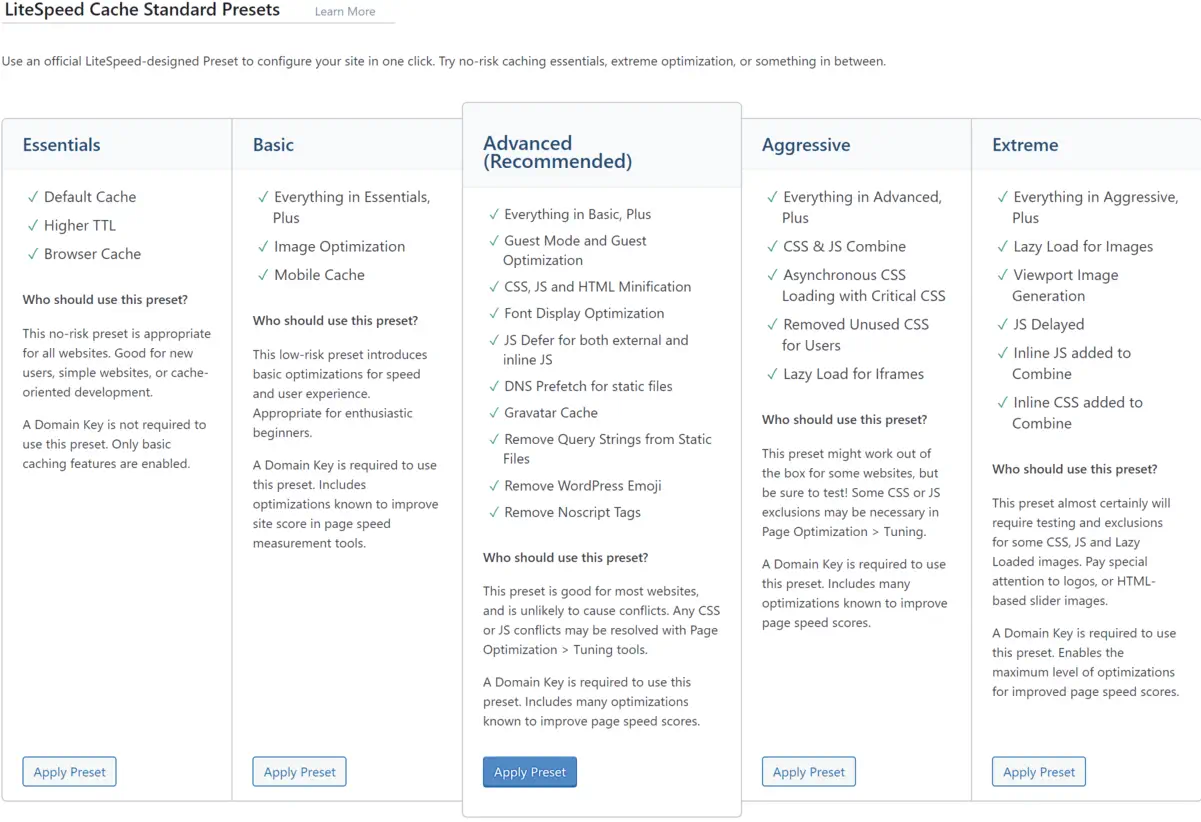

    LiteSpeed technology has revolutionized how I manage traffic spikes, resource distribution, and loading times, making it the backbone of my site optimization strategy. Join me in exploring LiteSpeed’s myriad benefits, as we gear up to harness its full potential for any online platform.

    Key Takeaways

    • LiteSpeed Webserver dramatically enhances website performance with its cutting-edge caching solutions.
    • Adopting LiteSpeed Plugin accelerates WordPress sites, improving user experience and SEO results.
    • The compatibility of LiteSpeed technology with various hosting control panels facilitates easy integration and management.
    • Pre-installed LiteSpeed Cache plugin simplifies the optimization process for website owners.
    • LiteSpeed’s event-driven architecture manages high traffic efficiently, reducing the need for excessive resources.
    • Through advanced caching functionality, LiteSpeed delivers dynamic content swiftly and effectively.

    The Importance of Website Speed and How LiteSpeed Enhances SEO

    Website speed is intrinsic to the SEO ranking of modern websites. It impacts SEO rankings and users’ first impressions of a site’s credibility and quality. As a copywriting journalist, I understand the critical role of a swift and responsive website in retaining visitor attention and converting clicks into customers. In this regard, the LiteSpeed WordPress plugin and the LiteSpeed cache plugin emerge as pivotal tools that significantly amplify website performance and refine the overall user experience.

    Understanding Website Performance and User Engagement

    A seamless digital experience is what every user seeks when they visit a website. High-performance websites engage users better and encourage them to interact with your content, whether multimedia resources or e-commerce platforms. It’s about ensuring prompt webpage loading, which, in effect, preserves the users’ interest and encourages prolonged interaction with your site. Caching is a splendid technique that the LiteSpeed plugin leverages, which effectively minimizes load times and keeps users engaged.

    Direct Impact of LiteSpeed on Website Loading Times and Bounce Rates

    I’ve observed numerous websites transform their user retention metrics by implementing the LiteSpeed cache plugin. Sites that lag during peak traffic not only disrupt the user experience but also lead to increased bounce rates. LiteSpeed technology trims these critical loading times, reducing visitor abandonment and potentially increasing dwell time and engagement—critical metrics that search engines interpret favorably.

    Correlation Between Page Speed, Traffic, and Conversions

    The correlation between page speed, traffic, and conversions is undeniable. Faster page loads are directly linked to better conversion rates. It’s the very foundation of an optimized online presence. This is where LiteSpeed’s prowess shines. Sites leveraging this technology boost their SEO ranking potential, elevating their visibility and incoming traffic and laying the groundwork for a higher conversion rate.

    • Quick page responses enhance user satisfaction.
    • Improved SEO rankings lead to increased organic traffic.
    • More significant traffic and outstanding performance naturally foster a higher conversion potential.

    Here’s a concise illustration of the benefits LiteSpeed technology offers to your website:

    Feature Benefits
    Cache Management Reduces server load, improving response times.
    Image Optimization Accelerates loading times via efficient image compression.
    CDN Integration Ensures global content delivery with minimal latency.
    CSS/JS Modification Enhances frontend loading speed and browser rendering performance.

    In my professional experience, optimizing with the LiteSpeed WordPress plugin isn’t just about speed—it’s an investment in creating an optimal digital environment that fosters business growth and a steadfast user base. Thus, the LiteSpeed cache plugin becomes indispensable for any WordPress site aiming to excel in user experience and organic search performance.

    Introducing LiteSpeed Webserver and Its Event-Driven Architecture

    In the competitive realm of web hosting, the LiteSpeed server has emerged as a top-tier solution primarily due to its sophisticated event-driven architecture. Unlike traditional web servers that rely on a process-driven or thread-based structure, LiteSpeed uses an event-driven approach that significantly reduces resource consumption and enhances scalability. It’s particularly effective under high-traffic loads, positioning LiteSpeed as an industry leader in efficiency and performance.

    Beyond Apache: The Advantages of LiteSpeed’s Built-in Apache Replacement

    Transitioning to LiteSpeed Web server presents a compelling case for those accustomed to Apache. Not only does this powerhouse server incorporate a high-speed, event-driven architecture, but it also offers seamless compatibility. With its native .htaccess support, organizations can effortlessly switch to LiteSpeed without modifying their existing Apache configurations, thus guaranteeing a drop-in replacement with an immediate performance boost.

    LiteSpeed Web Server Editions: Enterprise and OpenLiteSpeed

    LiteSpeed is available in two distinct editions, each designed to cater to different web hosting environments’ unique needs. LiteSpeed Enterprise is the go-to choice for commercial hosting that supports multiple websites, automating tasks like .htaccess file adjustment without restarting the server—crucial for uninterrupted service. Conversely, OpenLiteSpeed offers an open-source alternative for more minor or singular site installations, though it requires a restart for .htaccess changes. Both editions harness the robust capabilities of LiteSpeed’s event-driven architecture to deliver unmatched performance.

    Whether it’s the open-source flexibility of OpenLiteSpeed or the robust, comprehensive feature set of LiteSpeed Enterprise, my in-depth exploration showcases each solution’s strengths. As a web server engineered to handle the dense and diverse traffic patterns of the modern web, LiteSpeed stands tall with an exceptional ability to process hundreds of thousands of connections efficiently, driving industry standards ever higher. It’s no wonder why the LiteSpeed server has swiftly risen to prominence in the hosting world.

    Unlocking the Full Potential of LiteSpeed Cache for Dynamic Content

    My exploration of LiteSpeed Technologies delves into a remarkable feature of their offering – LiteSpeed Cache. As a powerhouse for dynamic content optimization, LiteSpeed Cache stands as an exceptional server-level cache mechanism. It captivates with its ability to expedite web page loading, a critical component for modern websites that crave speed and efficiency. Who wouldn’t want their content delivered at lightning speeds, enhancing user experiences and potentially elevating search engine rankings?

    LiteSpeed’s unique server-level cache capabilities ensure a seamless and rapid content delivery mechanism. This is exceptionally tailored for dynamic sites where content changes frequently and requires an intelligent cache solution that can intelligently invalidate and update itself. LiteSpeed Cache fits this role perfectly, demonstrating a keen understanding of the balance between performance and freshness of content.

    Here’s an introspective look at how LiteSpeed Cache finesse incredible page speeds:

    • It serves previously cached content instantaneously, reducing the wait time for information retrieval.
    • Cache management is crafted exquisitely within the LiteSpeed server environment, optimizing resources most effectively.
    • Dynamic content is optimized without compromising on interactivity, thanks to the exemplary engineering by LiteSpeed Technologies.

    In my examination, I’ve found that the efficacy of LiteSpeed’s caching solution becomes even more pronounced when dealing with high-traffic sites. The impact of LiteSpeed Cache on such websites is not just improvement in loading times; it manifests in the robustness of the site during peak loads and in enhancing the overall user experience.

    Feature Description Benefit
    Server-Level Full-Page Cache Caches the entire webpage at the server level Significantly reduces time to first byte (TTFB)
    Edge Side Includes (ESI) Allows for partial caching of webpages Dynamic features remain interactive while still benefiting from cache
    Tag-Based Smart Purge Automatically purges cache for updated content Keeps content fresh without manual intervention
    Private Cache for Logged-in Users Personalized caching for individual users Enhances user experience in membership sites and forums

    Through my research, LiteSpeed Cache isn’t just about accelerating websites; it’s a robust ecosystem tailored for dynamic content optimization. In this busy digital age, every second matters, and LiteSpeed Cache offers the advantage of time on the web.

    LiteSpeed Cache is a pivotal tool for web admins and businesses to amplify their online presence. The transformative potential it unlocks for dynamic websites is awe-inspiring and warrants serious consideration.

    Implementing the LiteSpeed Cache Plugin on WordPress Platforms

    Screenshot of LiteSpeed Cache preset options.

    When it comes to enhancing your WordPress site performance, installing and configuring the LiteSpeed cache plugin can be a game-changer. With LiteSpeed’s cutting-edge caching technology, fine-tuning your online presence for speed and efficiency is just a few steps away. I want to guide you through adding LiteSpeed’s power to your site.

    Simple Steps to Install LiteSpeed Cache Plugin for WordPress

    The journey to a faster WordPress begins with a straightforward LiteSpeed Cache plugin installation. After logging into the WordPress dashboard, navigate to the Plugins section—a quick search for ‘LiteSpeed Cache’ yields the desired plugin. With a single click on ‘Install Now’ followed by ‘Activate,’ the plugin is ready to contribute to your site’s excellent performance.

    Configuring LiteSpeed Plugin for Optimal Results

    The real power of the LiteSpeed cache for WordPress is unlocked through proper configuration. By ensuring that the plugin is set to update automatically, you are keeping your site equipped with the latest advancements from LiteSpeed. Adding a QUIC.cloud domain key can mark a considerable leap in cache synchronization with CDN services while enabling guest mode facilitates immediate access to the cached pages, reducing load times significantly. Tailoring these settings to align with your web content strategy can profoundly impact your site’s efficiency and speed.

    Testing and Comparing Performance on GTmetrix

    After configuring the LiteSpeed plugin for your WordPress site, the proof of improvement lies in performance testing. Utilizing platforms like GTmetrix, I’ve assessed the impact on LiteSpeed’s cache technology by comparing before and after results. The improvements are tangible, with GTmetrix reporting enhanced loading times and better scores across various performance matrices. These changes testify to the LiteSpeed plugin’s potency in elevating WordPress site performance.

    Advanced Optimization Features of the LiteSpeed Plugin

    Optimizing web performance is a multifaceted endeavor where every millisecond counts. I gravitate towards LiteSpeed optimization for its sophisticated capabilities that take website efficiency to the next level. In this section, we’ll dive into the nuanced features of the LiteSpeed Cache plugin that provides comprehensive optimization strategies to web developers and site owners looking to excel in site performance and user experience.

    Discussion on Image, CSS, and JS Optimization

    Initiating with image optimization, this feature compresses images without compromising quality. I have discovered that such compression significantly reduces page load times, enhancing the user experience, particularly for those with slower internet connections. The CSS and JS optimization process also lends itself to a sleeker content delivery. By minimizing these files, pages render faster, reducing user wait time and contributing positively to SEO metrics.

    Moving further into the intricacies, CSS optimization involves the removal of unnecessary spaces, comments, and line breaks from CSS files, condensing them without changing the functionality. Similarly, JS optimization reduces the size of JavaScript files through techniques like minification and combining multiple files into one. These granular details turn an ordinary online encounter into an immersive digital journey.

    Incorporating CDN Integration for Enhanced Global Delivery

    Another cornerstone of LiteSpeed optimization is its CDN integration. Employing a CDN is akin to establishing a global expressway for your content. Data is stored in multiple locations around the globe, ensuring that regardless of a user’s location, the content is delivered from the nearest server. This accelerates content delivery and can decrease server load and save bandwidth.

    For my part, I’ve noticed CDN integration’s tangible impact on international traffic; the enhanced reachability has a ripple effect, expanding audience engagement and retention.

    Customizing Cache Settings for Targeted Performance Gains

    Finally, the meticulous customization of cache settings within LiteSpeed tailors to the intricacies of a website’s unique needs. By adjusting these settings, I can pinpoint specific performance bottlenecks, ensuring that each web page is optimized for its intended purpose. Whether e-commerce, blogging, or multimedia showcases, tailored cache settings guarantee a vibrant and responsive user interface.

    Indeed, each of these advanced features—image, CSS, and JS optimization, CDN integration, and customized cache settings—put LiteSpeed optimization in a league of its own.

    LiteSpeed Technology: The Leading Edge in Webserver Optimization

    My experience as a web developer has allowed me to see firsthand the transformative effects of LiteSpeed web server optimization. By implementing LiteSpeed technology, I’ve consistently witnessed performance tuning take websites to new heights, ensuring they operate flawlessly even during peak traffic periods. Let me take you through some tangible benefits that LiteSpeed offers regarding webserver performance tuning.

    • Caching Capabilities: LiteSpeed’s technology is second to none, offering dynamic content caching that turns your website into a high-speed expressway.
    • Traffic Management: With LiteSpeed, your webserver can withstand the digital equivalent of rush hour without breaking a sweat. More resources for processing means less worry about site performance.
    • Alleviating Load: When complex tasks like heavy MySQL queries or resource-hungry plugins slow down your site, LiteSpeed technology balances the load and keeps things running smoothly.

    These key features prevent the typical bottlenecks experienced with other servers and guarantee a sturdy platform for web properties to grow. Outlined below is a comparative look highlighting the efficiency of LiteSpeed technology:

    Feature LiteSpeed Benefit Traditional Webserver
    Response Time Substantially reduced Often variable
    High Traffic Handling Exceptional performance Could be compromised
    Resource Usage Optimized efficiency Higher consumption
    Resource-Hungry Tasks Streamlined processing Potential for slowing
    Dynamic Content Delivery Accelerated loading Typically slower

    I’ve observed that websites optimized with LiteSpeed consistently deliver content faster, respond to user interactions without delay, and handle simultaneous visitors gracefully. It’s not just about keeping pace; it’s about setting the pace in a competitive online ecosystem.

    With LiteSpeed technology, I’m confident that the ceiling for webserver performance has been raised, allowing me and my clients to aim for and achieve unprecedented levels of web efficiency.

    Conclusion

    As we conclude, I want to emphasize the substantial benefits brought forth by LiteSpeed technologies within the realm of WordPress hosting. At the heart of modern-day site optimization, integrating the LiteSpeed server and LiteSpeed WordPress plugin has proven pivotal, boosting site performance and ensuring exceptional resource efficiency. In my evaluation, this harmonious blend of technologies facilitates significantly reduced loading times, propels SEO rankings, and fosters a superior user experience.

    Summarizing the Benefits of LiteSpeed Technologies for WordPress Hosting

    Throughout this exploration, the capabilities of LiteSpeed technology have reshaped my perspective on site fidelity and performance. Its aptitude in effortlessly serving up web pages and managing surging traffic while keeping resource use in check establishes it as an indispensable asset for WordPress hosting. The benefits of LiteSpeed, ranging from amplified server response times to improved SEO outcomes, have provided site administrators with the tools needed for fostering thriving, agile online spaces.

    Final Thoughts on the Importance of Site Optimization and Upcoming Trends

    Looking ahead, ongoing site optimization will continue to be a cornerstone of digital success. With emerging trends and evolving user expectations, the foresight in adopting LiteSpeed technologies could not be more timely. As we navigate the dynamic digital landscape, leveraging LiteSpeed server and plugin offerings is not just a strategic move but a vital one, ensuring WordPress sites remain resilient and ahead of the curve in a fiercely competitive market.

    FAQ

    What is LiteSpeed Webserver, and how does it benefit my WordPress site?

    LiteSpeed Webserver is a high-performance, event-driven web server that offers significant advantages in terms of speed and scalability for WordPress sites. Its optimized use of server resources helps minimize loading times, thereby improving user experience and SEO rankings.

    How does LiteSpeed Cache improve website performance?

    LiteSpeed Cache, a feature of LiteSpeed technology, enhances website performance by storing static snapshots of dynamic content and serving them to visitors at a much quicker rate than can be achieved by generating pages on the fly. This reduces server load and speeds up page delivery.

    Can LiteSpeed Cache and Plugins replace Apache, and are they compatible?

    Yes, LiteSpeed is designed to seamlessly replace Apache without changing the existing .htaccess configuration, making it fully compatible with Apache hosting environments. This ensures an easy transition to LiteSpeed for improved performance without compromising compatibility.

    What editions of LiteSpeed Web Server are available?

    There are two main editions of LiteSpeed Web Server: the Enterprise version, designed for hosting multiple websites with automatic .htaccess file management, and OpenLiteSpeed, which is the open-source version for individual sites and requires a server restart for .htaccess changes.

    What is dynamic content optimization, and how does LiteSpeed Cache handle it?

    Dynamic content optimization refers to the process of improving the loading and serving of web pages that are dynamically generated. LiteSpeed Cache handles this by caching the dynamic pages, thereby reducing the load on the server and quickly rendering pages to visitors.

    How do I install the LiteSpeed Cache Plugin on my WordPress site?

    You can install the LiteSpeed Cache Plugin by logging into your WordPress dashboard, navigating to Plugins, searching for LiteSpeed Cache, and installing and activating the plugin. Configuration settings can be adjusted to customize the caching and optimization features.

    What key performance metrics should improve after configuring LiteSpeed Cache?

    After adequately configuring LiteSpeed Cache, you should see improvement in key performance metrics such as load times, server response times, Time to First Byte (TTFB), and overall scores in performance testing tools like GTmetrix and Google PageSpeed Insights.

    Does the LiteSpeed Cache Plugin offer features beyond page caching?

    Yes, the LiteSpeed Cache Plugin offers advanced optimization features such as CDN integration, image optimization, and CSS/JS optimization, which go beyond standard page caching to enhance website performance further.

    Is CDN integration part of the LiteSpeed Cache solutions?

    Yes, CDN integration is a part of LiteSpeed’s caching solutions, which helps deliver content more efficiently to users worldwide by reducing geographical latency and offloading bandwidth from the origin server.

    How does LiteSpeed handle resource-intensive plugins or heavy MySQL queries?

    LiteSpeed technology helps optimize the handling of resource-intensive plugins or heavy MySQL queries by efficiently managing server resources. This streamlining enables the server to allocate more processing power to those demanding tasks, thus maintaining performance even under strain.

    Source Links

  • Black Friday Social Media Event: Tactics for Success

    Black Friday Social Media Event: Tactics for Success

    As Black Friday approaches, we must perfect our social media strategies to ensure a profitable event. The significance of Black Friday and Cyber Monday is monumental, not just as dates on the calendar but as opportunities for us to amplify sales through effective black friday social media marketing. We understand that social media tactics for a profitable black friday event hinge on heightened engagement and tactical anticipation – planting seeds of curiosity that blossom into sales.

    With a vast array of platforms, spotlighting our offers on popular channels like Instagram can set the stage for a record-breaking sales performance. Our tried-and-true approaches, comprising teasers that tantalize yet reveal just enough, leverage social media’s power to inform and captivate our audience. It’s about transforming that black friday event on social media from a mere promotional period into an experience that customers eagerly await.

    Key Takeaways

    • Encourage sales by engaging with customers through sneak peeks and anticipatory content.
    • Utilize Instagram and other platforms to create a buzz around our Black Friday event.
    • Implement urgency and scarcity to heighten interest and drive immediate action.
    • Prepare comprehensive pre-made campaigns to ensure a cohesive marketing message.
    • Employ live interactions to address queries and dismantle customer hesitations.
    • Streamline the marketing process with tools designed for efficient campaign management.

    Pre-Event Buzz: Crafting an Unmissable Black Friday Build-Up

    As veterans in the social media marketing field, we understand the power of build-up. The frenetic energy of Black Friday can be harnessed days, even weeks, in advance with the right strategies. We’re here to share essential tips for running a successful Black Friday event on social media and how to optimize your event to capture the collective anticipation of your audience.

    To kick off the event build-up, could you consider unveiling sneak peeks that pique consumer interest? A well-crafted teaser can spark conversation and sharing as a prelude to the sales crescendo. Behind-the-scenes videos offering a glimpse of your brand’s preparation for the big day or revealing a tantalizing corner of a new product can stir the imaginations of potential customers.

    Building Anticipation through Sneak Peeks and Teasers

    Imagine your followers’ excitement as they encounter a curated series of posts that tease your Black Friday offers. This slow reveal engages your audience and solidifies their attention on your upcoming deals. Effective use of teasers is a strategic lever in optimizing your event for social media platforms, where engagement can spread like wildfire.

    Creating a Puzzle-Style Grid Pattern on Instagram

    Instagram is the visual storyboard for suspenseful campaigns. We’ve seen significant success with a puzzle-style grid pattern approach. Here, each post interlocks with the next, forming a cohesive teaser that only makes sense when viewed as a whole. Followers can’t help but revisit your page, trying to unlock the grand scheme of your offers. This clever method keeps your audience guessing and encourages them to interact with each piece of the puzzle.

    In summary, leveraging social media for a successful Black Friday event involves a blend of intrigue and engagement. Starting your event with a bang is good, but a thoughtful pre-event buzz can turn good into extraordinary. Below is a comparison of traditional and innovative pre-event strategies that demonstrate the transformative power of anticipation and engagement:

    Traditional Approach Innovative Pre-Event Strategy
    Basic Sale Announcements Teasers and Puzzle Posts
    Countdown Clocks Behind-The-Scenes Videos
    General Discounts Sneak Peek Exclusive Offers

    Our crafting of your Black Friday pre-event buzz will captivate and convert, ensuring that your audience will be primed for engagement and sales when the day arrives.

    Maximizing Engagement: Utilizing Instagram Reels and Stories

    In social media marketing, Instagram Reels and Stories have emerged as powerful tools for brands seeking innovative strategies for engaging their audience during a Black Friday event. Stories, known for their transient nature, create a sense of urgency. At the same time, Reels allows us to deliver dynamic content that captures the essence of our deals more nuanced and captivatingly. By integrating these formats into our Black Friday strategy, we’re aiming to engage and maximize ROI with a Black Friday social media event.

    Our approach to utilizing Instagram Reels involves creativity and strategic planning. The content is designed to be bite-sized, easily digestible, and, above all, shareable. This entices our audience with a sneak peek of what’s to come and inspires a chain reaction of shares and saves, potentially expanding our reach exponentially.

    We recognize that the key to effective engagement lies in crafting a narrative that resonates with our audience and blends anticipation with instant gratification.

    With Instagram Stories, the countdown stickers and polls become our allies in stoking the excitement and making the audience feel like active participants in the buildup to our Black Friday event. This interaction enriches the customer experience, making them feel valued and seen and, thus, more invested in the event itself.

    • Teaser Reels: Short, enticing videos offering a glimpse into Black Friday deals.
    • Story Polls: Interactive polls about what deals or products the audience is most excited about.
    • Countdown Stickers: Timers that build anticipation and remind viewers of the event’s launch.
    • Behind-the-Scenes Content: Authentic visuals that humanize our brand and create a closer bond with the audience.

    The table below outlines the content types we’ll use and their intended impact:

    Content Type Platform Feature Expected Impact
    Product Showcases Instagram Reels Increase in product interest and shares.
    Deal Teasers Instagram Stories Growth of audience anticipation and engagement.
    Customer Testimonials Instagram Stories Highlights Greater trust and social proof, leading to higher conversion rates.
    Interactive Elements Instagram Polls and Questions Direct audience input, providing a sense of ownership and excitement.

    We understand that harnessing the full potential of Instagram’s offerings is pivotal in solidifying our connection with the audience and ensuring our Black Friday promotions are not just seen but actively sought after. Our commitment to these strategies for engaging our audience during a Black Friday event on social media is not just about brand visibility; it’s about creating a compelling journey that leads to maximized ROI, with each Reel and Story paving the way to our event’s success.

    Exclusive Offers: How to Develop and Communicate Limited Deals

    In the competitive landscape of Black Friday sales, creating and effectively communicating exclusive offers are integral to driving traffic and conversions through a black Friday event on social media. Unique, limited-time deals can create a buying frenzy but require innovative promotion strategies. Let’s delve into how to make these offers irresistible.

    Creating a Sense of Urgency through Countdown Stickers

    Our use of countdown stickers on platforms like Instagram is a crucial tactic in best practices for Black Friday event promotion on social media. These stickers serve as a visual cue and a reminder for your audience that time is ticking—increasing the likelihood they’ll act swiftly. Here’s how we capitalize on these features:

    • Launch a countdown a few days before the sale to create anticipation.
    • Reinforce the countdown across other social channels for an omnichannel approach.
    • Update the sticker regularly to reflect the diminishing time, maintaining the urgency.

    Introducing Scarcity to Drive Immediate Action

    Alongside urgency, we introduce scarcity into our promotional narrative. Informing our audience that our Black Friday offers are available in limited quantities spurs the fear of missing out and prompts immediate purchases. The table below highlights successful tactics:

    Exclusive Offer Description Scarcity Element
    Early Bird Specials Limited deals for the first number of customers First 50 Purchases Only
    Flash Hour Sales Steep discounts for a very short period Available for Only 1 Hour
    Limited Edition Products Products exclusively available for Black Friday While Supplies Last

    We consistently communicate these scarcity-induced promotions via stories, posts, and direct messages to ensure our offers are seen—and acted upon—quickly. This strategy has proven pivotal in driving traffic and conversions through a Black Friday event on social media, contributing to the overall success of our campaign.

    Overcoming Hesitations: Using Lives to Address Customer Objections

    Black Friday shopping sign on orange baclground
    Black Friday shopping sign on orange background

    As we approach the hustle and bustle of Black Friday, it becomes essential for businesses to understand how to optimize their Black Friday event for social media. Live streaming has proved indispensable in engaging your audience on social media and mitigating their purchasing reservations. Through the intimate and immediate format of live videos, we find a unique opportunity to interact authentically and transparently with potential customers.

    Incorporating live Q&A sessions into your social media strategy allows us to address customer objections head-on. This might take the form of a segment where we directly answer questions from viewers, providing them with the assurance needed to move forward with their purchasing decisions. Such interactions humanize our brand and create trust, an invaluable asset for any business.

    • Going live to showcase product demos and offer a sneak peek of the Black Friday deals.
    • Hosting live interviews with team members or loyal customers to share experiences and answer questions.
    • Promptly addressing concerns about product availability, shipping times, and return policies live.

    By empathetically engaging with followers, we can swiftly eliminate their doubts, reinforcing their confidence in our products and promotions. This approach facilitates a smoother customer journey and enhances their overall experience, prompting further interactions and sharing amongst their circles.

    “Live streaming on social media is like opening the doors to your store; it invites customers in a personal space where trust is built and sales are made.”

    In essence, effective use of live streams can significantly amplify the success of your Black Friday event, serving as the bridge between initial customer interest and final purchase commitment.

    Running a Black Friday Event on Social Media and How to Do It Right

    Let’s dive straight into it. Black Friday events are essential to harness the power of social media effectively. Critical factors like direct engagement with our audience and tapping into the persuasive nature of user-generated content could be the linchpin in swinging the needle toward a successful sale. Here, we’ll explore some foundational tips for running a successful Black Friday event on social media, focusing on personalization and community-driven validation to leverage social media for a successful Black Friday event.

    Direct Engagement: Proactive Outreach and Personalized Messaging

    In today’s digital landscape, customers value a brand that connects with them more intimately. Personalized messages and proactive responses are not just about being social; they’re about creating a relationship beyond the transactional nature of buying and selling. By appreciating new followers or sending personalized outreach with exclusive discount codes, we can cultivate a sense of community and loyalty, which translates into increased sales.

    Sharing Success: Leveraging User-Generated Content and Testimonials

    There is no stronger endorsement than that of a satisfied customer. We provide tangible evidence of our product’s value by showcasing user-generated content such as product reviews and testimonials. This social proof is instrumental in validating our Black Friday offers and persuading undecided shoppers to make a move. Let’s not underestimate the power of a well-timed share of success stories or sales milestones; these moments of victory can create a contagious enthusiasm that spreads across the platform.

    Collaborative Impact: Partnerships and Cross-Promotions

    top view of black friday white lettering near presents on black background
    top view of black friday white lettering near presents on black background

    As we navigate the bustling landscape of Black Friday sales, strategies for engaging your audience on social media during a Black Friday event are critical to standing out in a crowded market. One of the most effective social media tactics for a profitable black friday event is forming partnerships and participating in cross-promotions. When we align our brand with complementary businesses and influencers, we cast a wider net and capture the attention of diverse consumer groups.

    Collaborative ventures, whether they share giveaways or mutual shoutouts, leverage the power of combined audiences. The mutual support bolstered by Instagram’s ‘support small business’ sticker or similar initiatives is beneficial; it’s a powerhouse move for driving traffic and heightening brand visibility. Let’s explore some essential methods that can amplify our Black Friday impact through collaboration:

    • Identify compatible brands or influencers that align with our company’s values and target demographics.
    • Curate cross-promotional content that speaks to our audience and our partner’s followers, creating a seamless blend of value.
    • Engage in mutual shoutouts and features, harnessing the power of social proof to enhance credibility and broaden our reach.
    • Launch shared giveaways encouraging participation and generating excitement, multiplying our promotional efforts.

    The table below illustrates the potential benefits of cross-promoting our deals with another brand compared to solo promotions.

    Marketing Approach Estimated Reach Engagement Rate Conversion Rate Increase
    Solo Promotion 10,000 3% 2%
    Cross-Promotion 20,000+ 6% 4%

    The engagement and conversion rates double by tapping into two sets of audiences, highlighting the strength of collaborative endeavors.

    “The whole is greater than the sum of its parts. In the context of Black Friday, strategic partnerships on social media can significantly magnify our promotion’s success.”

    To conclude, integrating collaborative tactics into our Black Friday strategy does not just elevate our campaign. Still, it sets a tone for lasting partnerships that can yield profitable returns beyond the holiday season.

    Driving Traffic and Conversions: Strategic Use of Giveaways

    As seasoned marketers, we understand the leveraging power of giveaways, especially when running a Black Friday event on social media. A well-orchestrated giveaway not only thrills participants but also attracts enormous attention to your event. Engaging your audience through this approach turns them into active promoters of your brand, growing your reach exponentially.

    Creating Excitement with Gifting Mechanisms

    Giveaways invoke a sense of enthusiasm, instilling in participants the eager anticipation of winning something of value. The trick lies in the art of excitement—crafting gifting mechanisms that resonate with the audience’s desires. By aligning the giveaway prizes with the products on sale, we intricately weave the narrative of the Black Friday deals into the excitement of the giveaway, ensuring participants are keyed into what’s on offer.

    Boosting Reach: Leveraging Followers’ Networks

    The ingenuity of giveaways is their innate capacity to turn each participant into a node within a vast network. With the right call-to-action, participants share the giveaway with friends and family, who propagate it through their networks. Each share translates to potential eyes on our Black Friday event, driving traffic and fostering conversions. To harness this power, we meticulously plan our giveaways to incentivize shares and tags, tapping into the virality that social media thrives.

    Giveaway Tactic Benefit Expected Outcome
    Hosting Exclusive Contests Drives direct interaction and brand immersion Increase in direct traffic and heightened brand loyalty
    Encouraging Shares and Tags Exploits networks for wider reach Growth in follower count and potential customer base
    Partnering with Influencers Leverages influencer trust and audience Enhanced credibility and higher engagement rates
    Incorporating Sponsored Posts Targets specific demographics effectively Precise customer targeting leading to improved conversion rates

    When executed aptly, a giveaway becomes more than a game of chance; it morphs into a strategic tool for magnifying the scope of your Black Friday campaign. By running a Black Friday event on social media and doing it right, we create a wave of anticipation and eagerness that serves the present and paves the way for future engagements. Follow these tips for running a successful Black Friday event on social media and watch as analytics reflect a tale of triumph.

    Conclusion

    In the vigorous landscape of Black Friday events, standing out on social media demands creativity and strategic choreography. Our guide illuminates how **running a Black Friday event on social media** is a nuanced dance of anticipation, engagement, and compelling market offers. Successful campaigns hinge on meticulously planned and executed strategies that tap into consumer behavior and trends.

    Our tool kit for a formidable **Black Friday event social media marketing** plan includes leveraging sneak peeks to build curiosity, employing Instagram’s dynamic features to maintain interest, and promulgating exclusivity to create a compelling call to action. By intertwining direct interactions with our audience and showcasing the authenticity of customer testimonials, we construct a trustworthy narrative that fosters sales. **Social media tactics for a profitable Black Friday event** are, at their core, about forming connections that transform prospects into buyers and buyers into brand advocates.

    As we navigate the frenetic energy of Black Friday and Cyber Monday, our collective focus remains clear: sow the seeds of excitement early, attentively nurture our digital relationships, and deftly deploy incentives and social proof to harvest the rewards. By doing this, we aim to elevate traffic and conversions and deliver an experience that resonates with our audience, ensuring our brand’s prominence in a sea of holiday promotions.

    FAQ

    How can we build anticipation for our Black Friday event on social media?

    Anticipation can be built through gradual sneak peeks and tantalizing teasers. Consider using captivating visuals, behind-the-scenes footage, or cryptic messages that hint at the upcoming deals without ultimately revealing them. Craft a puzzle-style pattern on your Instagram feed to create suspense and maintain audience engagement.

    What strategies should we use to engage our audience on social media during a Black Friday event?

    Engage your audience by utilizing Instagram Reels and Stories to share exciting content highlighting your offers. Create a sense of urgency with countdown stickers and communicate the scarcity of products to encourage fast action. Use live sessions to interact in real-time and directly address customer queries or hesitations.

    What are the best practices for promoting exclusive Black Friday deals on social media?

    Best practices include creating and communicating time-sensitive deals that convey exclusivity. Use strategic storytelling, emphasize the limited nature of the offer, and highlight the unique benefits of your products or services. Employ clear, enticing calls to action and create shareable content that encourages engagement.

    How can we drive traffic and conversions during our Black Friday event?

    Drive traffic and conversions by combining direct engagement and urgency and scarcity strategies. Encourage proactive outreach with personalized messaging, leverage user-generated content for social proof, and collaborate with influencers or partners for a wider reach. Organize giveaways to engage the community and boost your social media presence.

    Can partnerships and collaborations enhance our Black Friday social media campaign?

    Absolutely. Teaming with influencers, complementary brands, or industry peers can extend your reach and bring new customers. Consider joint promotions, shared giveaways, or co-created content. Make sure to align with partners communicating your brand values and target audience to ensure a cohesive campaign.

    How can we use giveaways to increase interest and sales during Black Friday?

    Giveaways can spark interest and increase engagement, leading to potential sales. Encourage followers to participate by sharing your posts or tagging friends, turning them into brand ambassadors. Partner with other businesses to expand the reach of the giveaway and tap into new audiences, increasing your visibility and potential sales.

    How can we leverage followers’ networks during our Black Friday event?

    Leverage followers’ networks by encouraging them to share your content, partake in challenges, or use branded hashtags. I’d like you to implement a referral program where current followers can invite friends to join the event for exclusive deals, fostering organic growth and word-of-mouth marketing.

    How early should we start our pre-event buzz for Black Friday on social media?

    Begin creating a pre-event buzz at least a few weeks before Black Friday. This lead time gives you ample opportunity to pique interest, tease upcoming deals, and ensure your audience is primed when the event starts. Moreover, it allows for orchestrating a coordinated, well-thought-out marketing campaign.

    Source Links

  • The Importance of Local Web Design: Why Southern Oregon Businesses Need Local Expertise

    The Importance of Local Web Design: Why Southern Oregon Businesses Need Local Expertise

    Why Southern Oregon Businesses Need Local Website Design Expertise

    For businesses in Southern Oregon, tapping into local website design expertise is not just beneficial; it’s a strategic necessity. Local designers bring a nuanced understanding of the regional market, which is vital for creating websites that appeal directly to the Southern Oregon audience. Their services are highly personalized, ensuring that each website reflects the unique identity of the business it represents. Beyond technical skills, these designers have a genuine connection to the community, often resulting in work that’s done with more passion and dedication. Furthermore, they are well-versed in local SEO practices, giving businesses a competitive edge in local search rankings. Opting for local talent also means contributing to the regional economy, fostering growth and prosperity within the community. Additionally, the proximity of these designers ensures readily available support and quick resolution of any issues, a significant advantage over distant providers. In essence, local website design expertise is a cornerstone for businesses looking to establish a strong online presence in Southern Oregon, marrying regional insights with technical know-how.

    Graphic promoting website design for Southern Oregon businesses.

    A website is more than just an online space; it embodies the core identity of a Southern Oregon business. At Popproxx, we understand how crucial it is to ensure a website’s features closely match the local language and style. For us, the website design for Southern Oregon businesses is an artistic endeavor, with the region’s culture as our inspiration. We focus on crafting websites that are so deeply connected to Southern Oregon that they transform from mere web pages into digital landmarks, symbolic of the area’s unique essence.

    Key Takeaways

    • Local expertise from website designers in Southern Oregon ensures an authentic digital representation of businesses.
    • Understanding Southern Oregon user habits leads to deeply resonant user experiences.
    • Popproxx’s local roots in website design amplify a business’s digital presence within the community.
    • Working with Popproxx aligns Southern Oregon businesses with local website design services that grasp the unique market.
    • An effective online presence tailored by Popproxx can enhance customer engagement and regional relevance.
    • Partnering with local experts is integral for a website that not only attracts but also retains the attention of the Southern Oregon demographic.

    The Importance of Understanding the Local Market for Southern Oregon Businesses

    When it comes to Southern Oregon website development, having an intimate knowledge of the local market is not just beneficial; it’s essential. My work with Popproxx has underscored the undeniable value that such insights bring to the table—especially for small business website design. This deep market understanding translates into websites that not only captivate but also convert, aligning perfectly with the unique consumer behaviors found in Southern Oregon.

    Our professional website design services are tailored to encapsulate the spirit of the region seamlessly. We dive into the fabric of the local community to ensure that each design reflects the nuances that make Southern Oregon distinctive.

    As a local web designer, I recognize that a ‘one-size-fits-all’ approach does not suffice. Each project is a new canvas, painted with the colors of our client’s brand and the culture of their target audience.

    From initial concept through to final design, our grasp of the Southern Oregon market is evident. Below is an illustration of how Popproxx’s insights into regional preferences have successfully guided web development strategies:

    Aspect Traditional Design Popproxx Customized Design
    Color Palette Generic Corporate Colors Vibrant Shades Reflecting Local Landscapes
    Imagery Stock Photos Authentic Local Imagery
    Content Standardized Copy Copy With Local Vernacular and References
    Functionality Basic User Interface Custom Tools Relevant to Local Users
    User Experience Uniform For All Markets Personalized For Southern Oregon Consumers

    My commitment to small business website design in Southern Oregon has not just been about crafting sites that look good, but those that perform well and resonate with a specific audience. Integrating professional website design services with regional insights is not just an advantage—it is the cornerstone of successful online business strategies in this vibrant community.

    Southern Oregon Businesses Local Website Design: Personalized Service Touch

    As the digital landscape becomes more crowded, a personalized service is the hallmark of an exceptional local web design agency. My experience with Popproxx validates that here in Southern Oregon, the infusion of local culture in our web design is vital to crafting an online presence with a personal touch.

    Face-to-Face Interaction and Clear Communication

    I have found that face-to-face meetings allow for clear and direct communication, ensuring that a website’s design conveys the nuances of Southern Oregon’s local culture. This personalized approach by the team at Popproxx transcends the quality offered by larger, more detached design firms.

    Mountain road scenery promoting local web design services.

    Localization of Web Design that Resonates with Regional Culture

    It is a different experience altogether when your web designers not only know the area but also live and breathe the regional ethos. My role in facilitating this localization of web design aims to mirror the vibrant community spirit that makes Southern Oregon so unique.

    Feature Benefits
    Customized Aesthetics Tailored to reflect Southern Oregon’s local beauty and charm
    Cultural Relevance Engages local audience with familiar cues and landmarks
    Community Engagement Encourages interaction by highlighting local events and news

    Teaming up with Popproxx, a local web design agency, I am reminded of their stellar capability to deliver tailored solutions that solidify a business’s roots in this magnificent region of Oregon. Their approach isn’t just about constructing websites; it is about building community pillars in the digital space.

    Local SEO Insights Specific to Southern Oregon

    As a dedicated professional at Popproxx, I have come to understand the importance of mastering local SEO insights for businesses within Southern Oregon. It’s not just about being seen; it’s about creating a meaningful connection with the community through highly targeted content and using localized keywords. We aim to magnify our website design that draws in local traffic and speaks to the heart of what it means to be a part of this vibrant region.

    Leveraging Localized Keywords and Phrases

    At Popproxx, our approach incorporates localized keywords and phrases deeply rooted in Southern Oregon’s local culture. We identify key phrases, notable landmarks, and significant local events familiar to the community, and weave these elements into our clients’ websites. This strategy extends beyond standard SEO practices, aiming to ensure that each brand we collaborate with connects genuinely and effectively with its target audience.

    Connecting with the Community through Targeted Content

    In Southern Oregon, building a relationship with the community goes beyond simple business transactions. At Popproxx, we create targeted content that not only tells a story but also mirrors the community’s values and deeply engages customers. Each article, blog post, and feature is meticulously designed to capture the essence of the region, promoting a feeling of connection and cultivating loyalty among local customers.

    Local SEO tips illustration for entrepreneurs

    My experience has taught me that the future of search engine optimization (SEO) lies in hyper-localization. A seo-friendly website design, which capitalizes on local insights, provides a unique edge in the digital market, especially in a community-centric place like Southern Oregon. By focusing on local relevance, we enable Southern Oregon businesses to excel online and add value to the region’s vibrant digital landscape.

    Benefits of Quick Response Times from Southern Oregon Website Designers

    As someone working with Southern Oregon website designers, Popproxx, in particular, has cemented its reputation for providing impressively quick response times to client needs. It’s clear why local businesses are choosing proximity to their web designers as a savvy strategy for web success.

    Graphic for Southern Oregon Web Design services.

    Local designers offer a level of prompt service that larger, remote firms often need help to compete with. Quick solutions are essential, not just convenient, in the rapid digital world, where any downtime can mean lost business. Popproxx excels in providing swift responses to technical problems or updates, showcasing our dedication to minimizing disruptions.

    Furthermore, the significance of mobile responsive website design must be balanced in our current mobile-first world. The proficiency of Southern Oregon designers in this realm ensures that your website is not only accessible but also optimized for any device. This mobile readiness is critical for maintaining an edge in a competitive market.

    • Quicker turnaround for website maintenance and updates
    • Enhanced communication channels leading to a clear understanding of your business needs
    • Local expertise translates into web designs that reflect the community’s pulse
    • Immediate troubleshooting reduces business downtime significantly

    Choosing a Southern Oregon website design agency translates into a smart business continuity plan. By partnering with Popproxx, companies rest assured that their online presence is entrusted to quick-thinking professionals who deliver time-sensitive solutions with a personal touch, positioning them well above the competition.

    Conclusion

    Reflecting on the synergy between digital presence and regional growth, I’m reminded of the power vested in local collaboration. My advocacy for partnerships with community-centric firms like Popproxx stems from a shared passion for igniting Southern Oregon’s economic development. It’s a relationship that does more than create visually stunning websites; it fuels a robust economy rooted in unity and shared success.

    Investing in Southern Oregon’s Economic Development through Local Collaboration

    Opting to harness the skills of a homegrown entity such as Popproxx translates directly into tangible benefits for our local economy. It’s an affordable website design solution in Southern Oregon that operates beyond mere transactions to contribute to a broader scope—fortifying the economic scaffold by pooling resources and talents within our community. This local collaboration is a conscious investment in our collective future, bolstered by the prowess of Popproxx’s exemplary services.

    Why Popproxx is the Optimal Choice for Local Web Design Expertise

    When I think about custom web design, Popproxx stands out for its reliability and professionalism. They don’t just offer services; they create experiences that reflect the spirit of Southern Oregon. This makes Popproxx the go-to choice for those who want more than just skill – they offer a deep understanding of the local area, leading to top-notch web design here.

    FAQ

    Why do Southern Oregon businesses need local website design expertise?

    Southern Oregon businesses require local website design expertise because a website that understands the specific market enhances digital user experiences and connects more effectively with the local demographic. A local web design agency, such as Popproxx, offers expertise and in-depth knowledge of Southern Oregon user habits, preferences, and expectations, leading to more engaging and successful online presences for these businesses.

    What is the importance of understanding the local market for website development in Southern Oregon?

    Understanding the local market is critical for website development in Southern Oregon because it leads to the creation of compelling websites that align with local consumer behavior. A local web design agency, equipped with insights into the regional market, can deliver designs that offer genuine value and enhance the ability of local businesses to reach and connect with their audience, such as the professional website design services provided by Popproxx.

    How does local website design offer a personalized service touch to Southern Oregon businesses?

    Local website design offers a personalized service touch through face-to-face interaction and clear communication, ensuring the web design truly reflects the Southern Oregon culture. Agencies like Popproxx use direct meetings and close client collaboration to create websites that not only meet individual business needs but also embody the regional ethos and authentically engage with the local community.

    How does leveraging localized keywords and phrases benefit Southern Oregon businesses?

    Leveraging localized keywords and phrases greatly benefits Southern Oregon businesses as it helps tailor their SEO to target their specific geographic area effectively. Popproxx specializes in identifying and integrating such local elements into websites. This ensures the business is not only visible but also resonates with the community, driving targeted traffic and increasing local relevance and visibility.

    Why is local SEO knowledge vital for Southern Oregon website design?

    Local SEO knowledge is vital because it enables Southern Oregon businesses to connect with their community through targeted content that attracts potential clients from the area. By understanding and implementing SEO-friendly website design that features local SEO insights, businesses can ensure the right audience sees them and strengthen their presence in the local online marketplace.

    What are the benefits of quick response times from Southern Oregon website designers?

    Southern Oregon website designers provide the advantage of quick response times, resulting in faster solutions to website issues. This proximity means that any technical challenges can be addressed swiftly, minimizing potential downtime or business interruption, and making it a practical choice for businesses that want to maintain a responsive and reliable online presence.

    How does investing in local web design contribute to Southern Oregon’s economic development?

    Investing in local web design contributes to Southern Oregon’s economic development by supporting the local economy and fostering a sense of collaborative community. Businesses like Popproxx not only provide affordable website design Southern Oregon services but also spur economic growth by creating a network of mutual support, enriching the local business landscape and ensuring that the financial benefits circulate within the region.

    Why is Popproxx the optimal choice for local web design expertise in Southern Oregon?

    Popproxx is the optimal choice for local web design expertise in Southern Oregon because it offers a combination of professional, affordable, and specialized web design services that are specifically tailored for the Southern Oregon market. With their in-depth understanding of the local consumer behavior and culture, as well as their commitment to local collaboration and economic development, Popproxx stands out as a partner that can drive business success in the digital age.