Tag: page builder

  • Wix vs Squarespace vs WordPress: Platform Comparison

    Wix vs Squarespace vs WordPress: Platform Comparison

    Wix vs Squarespace vs WordPress: Platform ComparisonEver thought about which website builder could unlock your online potential? The right platform can make or break your success online. Let’s compare three big names: Wix, Squarespace, and WordPress.

    These giants control about 62% of the web1. They offer special features for various needs, from beautiful designs to strong e-commerce tools.

    WordPress is the leader with 45% of the market1. It’s loved for its flexibility and user base. Wix and Squarespace fight for the top spot in the website builder world, each with unique strengths.

    Wix is known for its easy-to-use interface and huge template library, with over 500 designs2. Squarespace is famous for its sleek designs, offering about 40 free templates that look great2.

    Pricing varies across these platforms. Wix costs between $13 and $39 a month. Squarespace starts at $16 and goes up to $46 for e-commerce2. WordPress is the most affordable, starting at just $3.95 a month2.

    Key Takeaways

    • WordPress dominates with 45% market share
    • Wix offers 500+ customizable templates
    • Squarespace provides 40 free, design-focused templates
    • Pricing varies: Wix ($13-$39), Squarespace ($16-$46), WordPress (from $3.95)
    • Each platform caters to different user needs and skill levels

    Overview of Website Building Platforms

    The world of website building platforms is vast and varied. They cater to all sorts of needs and skill levels. You can find everything from easy drag-and-drop editors to powerful content management systems. These tools help you build your online presence.

    Market Share and Platform Adoption

    WordPress leads the market, with over 40% of the share as the top website builder globally3. Its huge library of themes and plugins makes it very popular. On the other hand, Wix and Squarespace are gaining fans with their simple interfaces and focus on design.

    Key Differences Between Website Builders and CMS

    Website builders like Wix and Squarespace are great for beginners because of their drag-and-drop editors and templates4. Wix has over 800 templates, while Squarespace has about 100 design options3. WordPress, as a CMS, offers more advanced features and customization options, including thousands of themes and plugins43.

    Target Audience for Each Platform

    Wix is perfect for creative professionals who need simple portfolio sites4. It’s easy to use and manage, making it great for beginners5. Squarespace is ideal for small business owners who want more features and customization, with its sleek designs4. WordPress is best for businesses needing lots of features and scalability, thanks to its extensive customization options54.

    Platform Key Strengths Target Audience
    Wix Ease of use, 800+ templates Creative professionals, beginners
    Squarespace Modern design, ~100 templates Small businesses, design-focused users
    WordPress Customization, 10,000+ themes Content-heavy sites, experienced users

    Pricing Comparison and Value Analysis

    Choosing the right platform for your website is important. You need to look at pricing plans and features. Let’s compare the costs of popular ecommerce solutions and web hosting options.

    Wix Pricing Plans and Features

    Wix has different pricing plans for various needs. The cheapest paid plan is $17 per month, and the most expensive is $159 per month for the Business Elite plan6. All paid plans come with a custom domain, free domain for a year, no ads, SSL certificate, and secure payments6. You also get $600 in ad vouchers with paid plans, helping businesses grow online6.

    Squarespace Cost Structure

    Squarespace’s pricing is simple, with plans from $16 to $52 per month if you pay annually7. They have four premium plans for different business needs. Their Commerce Advanced plan is $52 per month, much cheaper than Wix’s Business Elite plan7.

    WordPress Expenses and Hidden Costs

    WordPress.org is free but needs web hosting, which costs less than $10 per month6. It has nearly 60,000 plugins, many free, for customization without extra costs6. WordPress.com offers plans from free to $64.99 per month6.

    Best Value for Different Business Types

    Wix is great for small businesses with its easy-to-use editor and many features6. Squarespace is perfect for creative professionals with its sleek templates and good long-term pricing7. WordPress is best for those who want flexibility and scalability, offering a free platform with endless customization options6.

    Platform Starting Price Max Price Key Features
    Wix $17/month $159/month Custom domain, SSL, ad vouchers
    Squarespace $16/month $52/month Mobile-responsive templates, Fluid Engine
    WordPress.org Free + hosting Varies 60,000+ plugins, full customization

    Ease of Use and Learning Curve

    Website design is all about how easy it is to use. Wix stands out with its drag-and-drop builder. It’s perfect for beginners who don’t need to know tech stuff8. It has over 800 templates, with half for e-commerce, making it easy to start online98.

    Squarespace focuses on simple designs and content blocks. This makes it easy to switch themes without losing your content. It’s great for those who love images and want a simple site8. With over 165 templates, it’s perfect for artists and online stores9.

    WordPress is used by 43% of all websites online. It offers lots of customization options9. While it used to be hard to learn, updates like the Gutenberg editor have made it easier9. It has over 30,000 themes, giving you endless design choices8.

    Platform Templates Ease of Use Best For
    Wix 800+ Very Easy Small businesses, personal sites
    Squarespace 165+ Easy Image-driven brands, artists
    WordPress 30,000+ Moderate Any type, scalable projects

    Wix is great for beginners with its AI chatbot and easy interface. Squarespace and WordPress offer more advanced features but might take more time to learn.

    Design Templates and Customization Options

    Each platform has its own strengths when it comes to website templates and customization. Let’s dive into the design options available on Wix, Squarespace, and WordPress.

    Wix Template Library

    Wix has 836 free templates for different industries and tastes10. These templates are easy to customize with a drag-and-drop editor10. It’s great for creative folks and small businesses looking to make a simple site4.

    Squarespace Design Aesthetics

    Squarespace has 178 free templates with a sleek, modern look10. It’s known for its easy-to-use interface and responsive design104. It’s perfect for small businesses wanting a modern site without needing a developer.

    WordPress Themes and Flexibility

    WordPress offers over 5,000 themes and templates11. For Business or Commerce plans, there are over 12,000 themes from third-party suppliers10. It’s ideal for businesses needing a customized site with lots of features and options4.

    Platform Number of Templates Customization Level Best For
    Wix 836+ High Creative professionals, Simple business sites
    Squarespace 178+ Medium Small businesses, Modern designs
    WordPress 5,000+ (12,000+ for higher plans) Very High Complex websites, Extensive customization

    While all three platforms offer responsive designs, WordPress is best for advanced custom coding10. This makes WordPress perfect for users wanting full control over their site’s design and functionality.

    Wix vs Squarespace vs WordPress: Feature Comparison

    Choosing a website builder means looking at what each offers. Wix, Squarespace, and WordPress each have their own strengths. They cater to different needs and tastes.

    Wix has over 800 design options, making it easy to find the right look. It also has a user-friendly editor and Dev Mode for more advanced changes12.

    Squarespace has fewer templates, but they are high quality. It’s great for professional sites. It also has strong blogging and e-commerce tools, perfect for content creators and online shops10.

    WordPress is all about flexibility and growth. It has thousands of themes and plugins for custom sites. It’s used by over 43% of websites, showing its wide appeal and flexibility12.

    Feature Wix Squarespace WordPress
    Templates 836 free 178 12,000+ (including third-party)
    Apps/Integrations 994 37 50,000+
    Storage Varies by plan Unlimited 6GB to 50GB (expandable)
    Pricing (Monthly) $17-$159 $25-$72 $9-$70

    10

    All three platforms have analytics, SEO tools, and email marketing. Wix has built-in tools, while Squarespace and WordPress offer them through integrations. WordPress has the most options thanks to its plugins.

    Squarespace is the easiest to use, followed by Wix. WordPress is more complex but offers unmatched customization10.

    E-commerce Capabilities and Solutions

    Setting up an online store requires strong e-commerce tools. Let’s see how Wix, Squarespace, and WordPress compare.

    Online Store Features

    Wix has different e-commerce plans for small stores1314. Its Business Basic plan costs $27 a month. It has tools for managing inventory and handling payments11. Squarespace is great for creative entrepreneurs, offering strong e-commerce tools for small to moderate sales13. WordPress, with WooCommerce, is best for growing businesses14.

    Payment Gateway Integration

    Wix, Squarespace, and WordPress all support many payment gateways. This makes transactions smooth for your store. Shopify is also top-notch for conversions and selling on multiple platforms13.

    Product Management Tools

    Good inventory management is key for online stores. Wix has basic tools, while Squarespace has strong in-built features14. WordPress has over 60,000 plugins for the best product management11. This lets businesses customize their inventory systems.

    Platform E-commerce Suitability Template Options App/Plugin Availability
    Wix Small online stores 500+ 600+ apps
    Squarespace Visual-focused businesses 100+ 25 extensions
    WordPress Scalable businesses 5000+ 60,000+ plugins

    WordPress is the best value for money. It has the most tools for online stores of all sizes11.

    SEO and Marketing Features

    Wix, Squarespace, and WordPress each have unique tools for SEO. Wix offers hundreds of templates and designs, improving its SEO tools over time15. It now supports accelerated mobile pages, automatic indexing, and site mapping15.

    Squarespace is known for its sleek, modern templates, perfect for creative industries15. It has free AMP support, SSL certification, and automatic tagging. This makes it great for businesses wanting a professional online look15. Both Wix and Squarespace make it easy for beginners to create websites with their drag-and-drop interfaces16.

    WordPress is unique with over 50,000 third-party plugins for customization15. The Yoast SEO plugin, available only for WordPress, offers advanced features like content silo creation and on-page optimization scoring15. WordPress offers more customization but is considered more complex than Squarespace and Wix16.

    Platform SEO Features Social Media Integration
    Wix Automatic indexing, site mapping, customizable URLs Google Analytics integration
    Squarespace AMP support, automatic tagging, mobile optimization Integrated blogging capabilities
    WordPress Content silo creation, breadcrumbs, structured data Social media image optimization

    Good SEO depends on quality content and links, no matter the platform16. Key practices include keyword research, content marketing, and link building on all platforms16. Choose the platform that best fits your needs and digital marketing skills.

    Platform Integration and Scalability

    Choosing a website builder means looking at app integration, scalability, and growth potential. Let’s see how Wix, Squarespace, and WordPress compare in these areas.

    App Marketplaces and Plugins

    Each platform has its own level of extensibility through apps and plugins. Wix offers 994 apps and integrations. Squarespace has 3710. WordPress, on the other hand, has over 59,000 plugins, giving you lots of options to improve your site17.

    Third-party Integration Options

    Integration options differ among platforms. Wix lets you add HTML, CSS, and JavaScript. Squarespace allows code injections through code blocks10. WordPress, especially on higher plans, offers advanced coding options, making it great for developers1017.

    Platform Apps/Plugins Integration Flexibility
    Wix 994 Moderate
    Squarespace 37 Limited
    WordPress 59,000+ High

    Growth Potential Assessment

    WordPress is the top choice for website growth and scalability. It powers 43.3% of all websites, offering unmatched flexibility for different types of sites17. Wix and Squarespace are great for beginners, but WordPress is best for long-term growth10.

    Conclusion

    Choosing the right platform for your online presence is key today. WordPress powers over 40% of all websites, thanks to its vast library of over 55,000 plugins18. It’s perfect for sites that need lots of customization.

    Wix is great for beginners with its easy drag-and-drop interface19. It has 800+ templates and over 500 web apps in its App Marketplace. This makes it ideal for small businesses needing a quick online presence18. Prices range from $16 to $159 per month, billed annually, fitting various budgets18.

    Squarespace is for creative professionals with its minimalist design and stunning templates19. It has built-in features like blogging, e-commerce, and scheduling. While it’s a bit more technical and pricey, its design focus is unmatched1920.

    When choosing a website builder, think about your skills, budget, and goals. Each platform has its own strengths for building your online presence. By considering these, you can pick the best fit for your digital needs.

    FAQ

    Which platform has the largest market share among Wix, Squarespace, and WordPress?

    WordPress leads with a 45% market share, up 8.9% since 2011. Wix and Squarespace are growing, but WordPress is still the biggest. They’re known for being easy to use.

    How do the pricing plans compare between Wix, Squarespace, and WordPress?

    Wix costs between and 9 a month, with a free option. Squarespace prices range from to a month. WordPress is free but needs hosting, starting at .95 a month, and may cost more for premium features.

    Which platform offers the most design templates?

    WordPress has over 10,000 themes. Wix has 800+ templates, and Squarespace has 150+ themes. WordPress has the most design options.

    How do the e-commerce capabilities compare between the platforms?

    Wix has built-in e-commerce tools like cart recovery and discounts. Squarespace is great for small to moderate sales. WordPress with WooCommerce is best for big sales.

    Which platform is best for SEO?

    All platforms support SEO basics. WordPress has the most SEO control with plugins like Yoast SEO. Wix and Squarespace also have good SEO features.

    How do the platforms compare in terms of ease of use?

    Wix and Squarespace are easy for beginners with drag-and-drop tools. WordPress is more complex but offers more control.

    Which platform offers the most integrations and apps?

    WordPress has over 50,000 plugins. Wix has 500+ integrations, and Squarespace has 40 services. WordPress has the most integrations.

    Can I switch themes after publishing my website?

    Yes, you can switch themes on Squarespace and WordPress after publishing. But Wix templates can’t be changed once your site is live.

    Which platform is best for blogging?

    WordPress is top for blogging, perfect for content-heavy sites. Squarespace also has great blogging features. Wix is good for basic blogging.

    How do the platforms handle mobile responsiveness?

    All platforms have mobile-responsive designs. Wix and Squarespace automatically adjust for mobile. WordPress themes are usually responsive but might need extra tweaks.

    Source Links

    1. Wix vs. Squarespace vs. WordPress: The Showdown
    2. Wix vs. Squarespace vs. WordPress – NerdWallet
    3. Squarespace vs Wix vs WordPress: Which is Better to Use?
    4. WordPress vs Wix vs Squarespace: Which one should you use?
    5. Wix vs. Squarespace vs. WordPress
    6. Wix Vs. WordPress (2024 Comparison)
    7. Wix vs Squarespace: A Battle of the Best Website Builders
    8. Wix vs. Squarespace vs. WordPress: Which One is Best? | Nexcess
    9. Squarespace vs Wix vs WordPress: Which one should you choose?
    10. Wix vs Squarespace vs WordPress — Which is Best?
    11. Wix Vs Squarespace vs WordPress – Which Is Good For You?
    12. Wix vs Squarespace vs WordPress 2024 Comparison: Discover the Best Site Creator
    13. Wix vs WordPress vs Shopify vs Squarespace
    14. Wix vs Squarespace vs WordPress – Oyova
    15. Wix vs WordPress vs Squarespace: Which is Best For SEO?
    16. SEO Comparison: Squarespace vs. WordPress vs. Wix (2021 Update) | Logical
    17. WordPress vs Squarespace vs Wix: Which One is Best in 2024?
    18. What is better WordPress or Wix or Squarespace? – WisdmLabs
    19. Wix vs Squarespace vs WordPress: Comparing Website Builders
    20. Wix Vs Square Space Vs Word Press Which Is Best For Your Business
  • Elementor 3.23: Exciting New Features Unveiled

    Elementor 3.23: Exciting New Features Unveiled

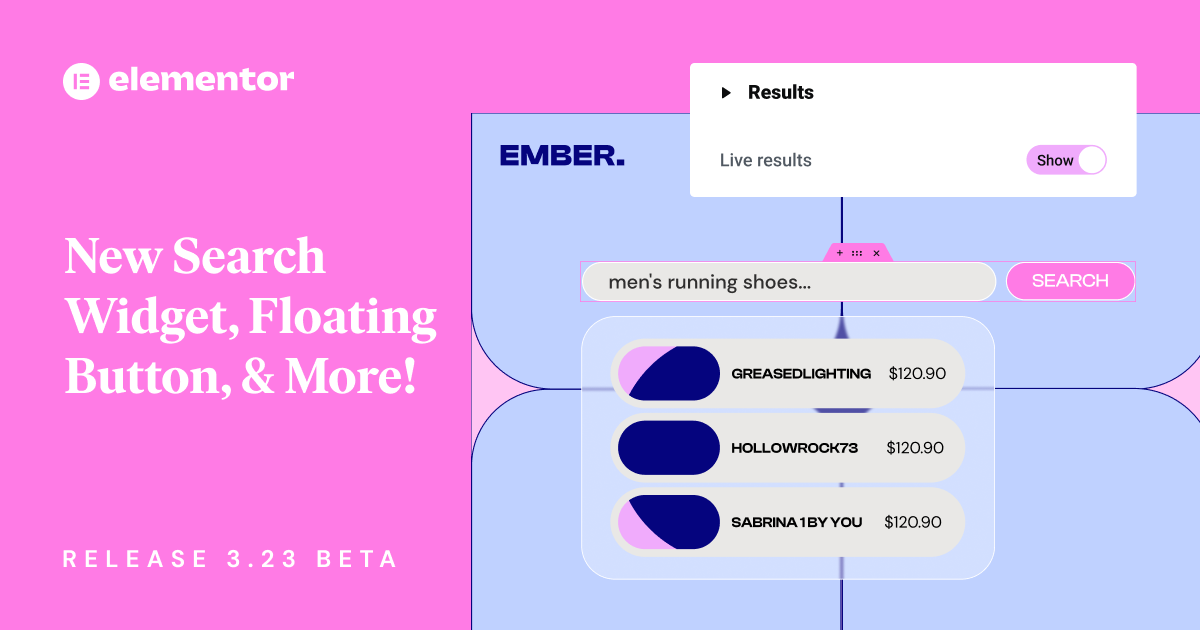
    Elementor New Search Widget and More, Release 3.23 Beta

    Elementor 3.23 has arrived, bringing new features to the popular website builder. This update focuses on making things faster and easier for users. It sets a new standard for web design tools.

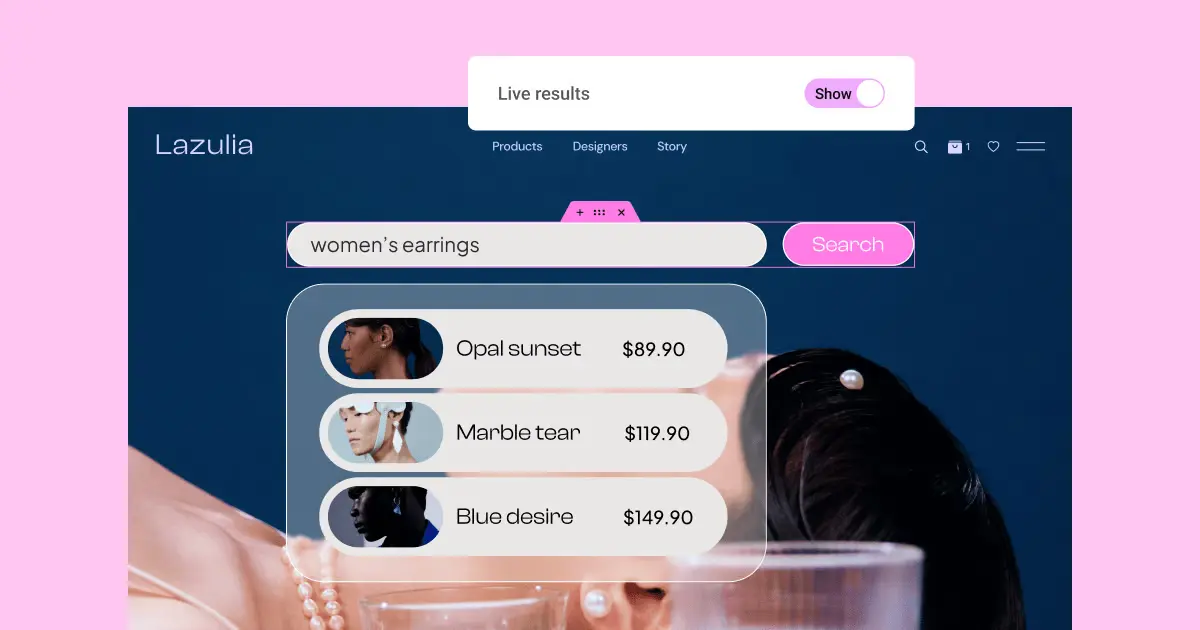
    The latest version has an enhanced Search widget with live results. This makes finding things on websites faster and more fun. A new Floating Button widget helps increase sales, and Link in Bio widgets make adding social media links easy.

    These new features come with big performance upgrades. This makes Elementor 3.23 a big deal for web designers and site owners.

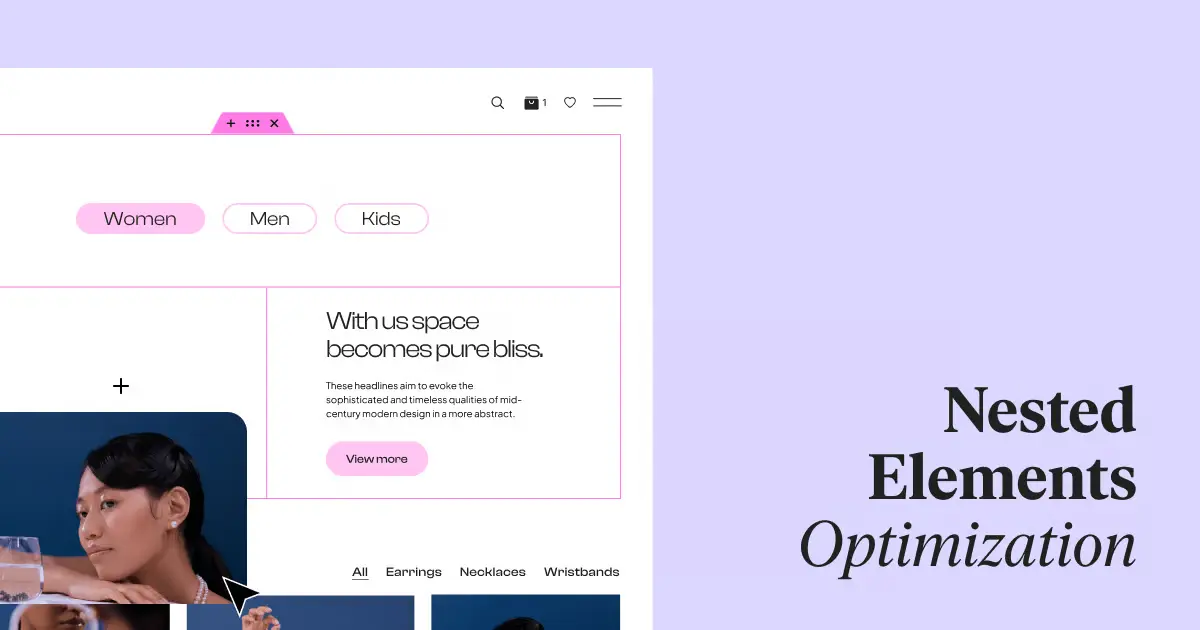
    One big improvement is Nested Elements, which make designing faster and more detailed. Editor performance has gotten 60%-98% better. Element Caching is now on by default for new sites, making websites load faster.

    Key Takeaways

    • New Search Widget with AJAX-powered live results
    • 40+ Floating Button templates available in Elementor Pro
    • Seven new Link in Bio widgets for social media integration
    • Significant editor performance gains with optimized Nested Elements
    • Element Caching active by default for new sites
    • Improved accessibility features, including screen reader compatibility

    Introduction to Elementor 3.23

    Elementor 3.23 is a big step forward in making websites better and more engaging. It comes with new tools to make exploring sites easier, design more precise, and keep visitors interested. The beta version is out for testing, letting users share their thoughts on the new stuff.

    The new Search Widget is a big deal in this update. It shows live search results as people type, changing how we look at site content. You can set the search to look in “All”, “Product”, or “Posts”, making searching more personal.

    Improving site speed is a key focus of Elementor 3.23. The time it takes for nested widgets to work has gotten much faster:

    Metric Before After Improvement
    Interaction Time (Case 1) 2,290ms 240ms 89.5%
    Interaction Time (Case 2) 707ms 5.5ms 99.2%

    Elementor 3.23 also introduces Floating Buttons to help increase conversions. These buttons make it easy for visitors to connect with you. They come in many templates and can show your contact info.

    For social media fans, there’s the Link in Bio widgets. These seven widgets are for both free and Pro users. They help make your online presence stronger and send more traffic to important website parts.

    To try out these new features, go to WordPress Dashboard → Elementor → Features. This update shows Elementor’s ongoing effort to make websites better and faster.

    Search results for women's earrings on Lazulia

    Enhanced Search Widget: Revolutionizing User Experience

    Elementor 3.23 introduces a game-changing search widget that changes how users interact with websites. This feature brings AJAX search to the forefront, making site navigation and user engagement better.

    AJAX-powered Live Results

    The new search widget uses AJAX technology for instant results as users type. This makes searching faster and more efficient, helping visitors find what they need quickly.

    Customizable Search Input and Results Display

    With this customizable search widget, website owners can make the search fit their brand. They can change the search input field, submit buttons, and how live results are shown.

    Dynamic Filtering Options

    The search widget also has powerful filtering options. Users can narrow down their search results on the fly. This makes searching more targeted and relevant, boosting user satisfaction.

    Feature Description Benefit
    AJAX Search Real-time results as users type Faster content discovery
    Live Results Instant display of search matches Improved user engagement
    Customizable Widget Tailored search input and results display Consistent brand experience
    Dynamic Filtering Refined search options More relevant search results

    The enhanced search widget in Elementor 3.23 is a big step forward for websites. It combines AJAX search, live results, and customization. This makes it a powerful tool for better user experience and finding content.

    Chat with store manager Sheila Lou

    Floating Button Widget: Boosting Conversions

    Elementor’s new Floating Button Widget is changing the game for boosting conversions. It has sticky buttons that stay visible as users scroll. This means users always have easy access to important actions. The widget comes with many customizable templates, including three for free and over 40 in Elementor Pro.

    Users can make each template their own, picking messaging platforms and customizing avatars and chat messages. This makes it easy to add chat features, which can improve user engagement and increase conversions.

    Feature Free Version Elementor Pro
    Pre-designed Templates 3 40+
    Customization Options Limited Extensive
    Click Tracking Yes Yes
    Display Conditions Basic Advanced

    The Floating Button Widget tracks clicks, helping businesses see how well it works. It also lets you target messages to certain groups of people. This personal touch can really help increase conversions, as studies show it can boost them by up to 35%.

    “The Floating Button Widget is a powerful tool for businesses looking to enhance user engagement and drive conversions. Its customization options and strategic placement make it an invaluable asset for any website.”

    Jeweler profile card with contact options

    Link in Bio Widgets: Streamlining Social Media Integration

    Elementor 3.23 has introduced a big change for social media: Link in Bio widgets. These widgets help make pages that bring together content and calls-to-action from different social platforms. They are customizable and responsive.

    Seven Ready-to-Use Widgets

    There are now seven new Link in Bio widgets. They help improve brand identity and make social media easier to manage. Users can pick from over 60 pre-made blocks in the library for quick page setup.

    Customization Options for Brand Identity

    These widgets let users customize their Link in Bio pages to match their brand. You can change colors and fonts to show off your brand’s unique style.

    Widget Feature Benefit
    Responsive Design Ensures optimal display across all devices
    Customizable Layouts Allows for unique brand representation
    Multiple Platform Support Integrates seamlessly with various social media platforms

    Availability for Free and Pro Users

    Elementor’s update is for both free and pro users. Free users get the “Minimalist” widget for simple social media integration. Pro users get all seven widgets for more design options and flexibility.

    With these new Link in Bio widgets, Elementor is making it easier for users to have a strong online presence on different social media platforms.

    Website header with categories: Women, Men, Kids

    Performance Improvements for Nested Elements

    Elementor 3.23 has changed the game with its boost to website performance. It has made the editor faster by cutting down the time it takes to interact with it by 60% to 98%. This is thanks to the upgrade of Nested Elements, a feature from version 3.10.

    Now, creating complex designs is faster thanks to the widget’s new infrastructure. Designers can easily make detailed layouts using Flexbox Containers. This makes editing smoother, letting users work better.

    Here are some key ways it’s improved:

    • Element Caching feature improves Time To First Byte (TTFB) by 30%-70%
    • Memory usage decreases from 3MB to 8KB with Elementor caching
    • Waypoint.js library replacement reduces memory use by 18KB

    These changes make designing easier and help websites run better. Sites load faster and use less memory, which means a better experience for visitors.

    Feature Improvement
    Editor Interaction Time 60%-98% reduction
    TTFB 30%-70% improvement
    Memory Usage Reduced from 3MB to 8KB

    With these updates, Elementor 3.23 helps designers make complex layouts efficiently. It also ensures websites run smoothly.

    New in Elementor 3.23: Element Caching and Top Bar

    Elementor 3.23 introduces big changes to make websites load faster and easier to edit. Element Caching is now on by default for new sites, making them run smoother and quicker. This is a big win for speeding up websites.

    The Top Bar is now a key part of the Editor, changing how we work. It makes editing better by showing responsive previews, giving quick access to the Theme Builder, and making it easy to move between pages. These updates make editing smoother and easier.

    Feature Benefit
    Element Caching Faster loading times, improved performance
    Top Bar Integration Enhanced editor navigation, streamlined workflow
    Responsive Preview Instant view of different device layouts
    Theme Builder Access Quick modifications to site-wide elements

    With these updates, Elementor keeps focusing on making things better for users and websites. The mix of Element Caching and the Top Bar lets users make websites that load fast and are easy to edit.

    Accessibility Enhancements: Improved DOM Output

    Elementor 3.23 makes a big step forward in web accessibility with its new DOM output. This update aims to make websites more inclusive, especially for users who use screen readers.

    Screen Reader Compatibility for Mega Menu

    The Mega Menu now works perfectly with screen readers. This means visually impaired users can easily go through complex menus. The better keyboard navigation also supports inclusive design, making sites more accessible to everyone.

    Impact on Overall Website Accessibility

    These updates make the web more inclusive. By making the DOM output better, Elementor 3.23 cuts down on code, making sites load faster. This is great for users with slow internet or old devices.

    • 39% less code for Flexbox Containers
    • 85% less code for Grid Containers
    • Improved Time to First Byte (TTFB) score by 3-5%

    With these updates, Elementor keeps focusing on making sites accessible to everyone. Now, developers can make sites that look good and work well for all users, no matter their abilities or tools.

    Elementor’s Growth and Market Presence

    Elementor keeps adding new features, showing it’s a big player in the website builder market. It’s always innovating, keeping up with the latest web design trends.

    The Search Widget with Live Results in version 3.23.0 is a great example. It uses AJAX technology for real-time search results. This meets the high standards of today’s web design.

    Elementor also introduced the Off-Canvas widget in version 3.22.0. This feature lets designers add engaging layers to their sites. Layers are a big trend in web design right now.

    Version Feature Impact on Web Design
    3.23.0 Search Widget with Live Results Improved user engagement
    3.22.0 Off-Canvas Widget Enhanced layered design capabilities
    3.21.0 Loop Taxonomy Query Advanced content organization
    3.19.0 Display Conditions Personalized content delivery

    These updates show how Elementor is making a mark in web design. It gives designers tools that follow the Golden Ratio. This helps create sites that look good and are easy to use. It could lead to more people using Elementor in the website builder market.

    Upcoming Features in Elementor’s Roadmap

    Elementor’s future updates are bringing exciting changes to web design. With over 16 million websites using it, the platform keeps getting better. Let’s look at some new features coming our way.

    AI Integration Advancements

    AI is changing web design. Elementor might add AI tools to help with design, layout, and even content creation. This could make designing websites faster and more engaging.

    Dynamic Content Enhancements

    Elementor already has dynamic content, but it’s getting even better. We might see more ways to personalize websites. This could mean websites change based on what users like or do.

    Website Setup Acceleration

    Elementor’s template library might grow even more. New tools could make starting a website quicker. Maybe with AI help or templates for specific industries.

    Details are still secret, but these ideas show Elementor’s drive for innovation. As it grows, users will get more tools to make amazing, dynamic websites easily.

    Elementor Hosting: Performance and Security Updates

    Elementor Hosting is changing the game with its managed WordPress hosting. It focuses on making websites secure and fast. It uses Google Cloud for top security like SSL certificates, daily backups, and protection against DDoS attacks.

    Building websites is quick and easy, taking just 5 minutes. There are over 120 widgets and 150 templates to choose from. This makes it simple for anyone to create a website.

    The Staging Tool is a big plus. It lets users test new features safely. This way, updates can be made without affecting the live site. Everything you need is in one dashboard, so you don’t need to know a lot about tech.

    • Worry-free managed hosting with optimized environments
    • Enhanced security measures for safe websites
    • Integrated AI tool for content creation and automation
    • Seamless domain purchase and custom email setup

    Elementor Hosting meets all kinds of needs, from simple sites to complex e-commerce stores. It works well with WooCommerce for better online stores. Features like Lazy Loading and Image Optimizer make websites run smoothly.

    With over 16 million websites using Elementor, its hosting keeps getting better. It’s setting new standards in managed WordPress hosting.

    Send: New WooCommerce Marketing Tool

    WooCommerce marketing has just gotten a big boost with Send, a new e-commerce tool. This tool aims to change how online store owners talk to their customers and boost sales.

    Early Access Program Details

    Send is now available through an early access program for WooCommerce store owners. By signing up, you can be one of the first to try this advanced email marketing platform. This program lets you help shape the tool and get ahead in the e-commerce world.

    Integration with Existing WooCommerce Stores

    Send works smoothly with your current WooCommerce store. This means you can easily share customer info, product details, and purchase history. You can use this info to make email marketing campaigns that really speak to your customers.

    Send has some key features:

    • Automated email sequences based on customer behavior
    • Customizable email templates optimized for conversions
    • Advanced segmentation capabilities for personalized messaging
    • Detailed analytics to track campaign performance and ROI

    By using WooCommerce and Send together, store owners can make their marketing more effective. They can build stronger customer relationships and increase sales. As online shopping changes, tools like Send are key to staying ahead.

    Conclusion

    Elementor 3.23 brings big updates that change web design for the better. It now has a search widget with live results and options to customize how it looks. This makes websites more user-friendly.

    There are also new tools like the floating button widget and link in bio features. These help turn visitors into customers and connect with social media easily.

    Elementor has made its elements faster and more efficient. It also works better with screen readers for people who need accessibility tools. This shows Elementor’s focus on making websites for everyone.

    Looking forward, Elementor is planning to add AI and dynamic content features. These updates will make websites faster and safer. The new tool for WooCommerce, Send, will help online stores grow even more.

    FAQ

    What are the key new features introduced in Elementor 3.23?

    Elementor 3.23 brings many new features. These include an enhanced Search widget with live results and a Floating Button widget for more conversions. It also has Link in Bio widgets for social media, performance boosts for Nested Elements, Element Caching, a Top Bar, and better accessibility.

    How does the new Search Widget in Elementor 3.23 improve the user experience?

    The new Search Widget shows live results as you type, thanks to AJAX. You can customize the search input, buttons, and how results are displayed. This makes searching more personalized.

    What is the purpose of the Floating Button widget in Elementor 3.23?

    The Floating Button widget aims to boost conversions by linking directly to chats or other platforms. It comes with customizable templates, messaging platform integration, and options for targeting your audience.

    How do the Link in Bio widgets in Elementor 3.23 benefit social media integration?

    Elementor 3.23 offers seven Link in Bio widgets for creating responsive pages. These pages have consolidated content and CTAs for social media. They let you customize for your brand and use over 60 pre-designed blocks.

    What performance improvements are included in Elementor 3.23 for Nested Elements?

    Elementor 3.23 has big performance boosts for Nested Elements. This reduces Editor interaction time by 60%-98%. It makes creating complex designs faster and editing smoother.

    What is Element Caching, and how does it impact website performance?

    Element Caching is now on by default for new sites in Elementor 3.23. It greatly improves performance and cuts loading times for websites made with Elementor.

    How does the new Top Bar in Elementor 3.23 enhance the user experience?

    The Top Bar is now a key part of the Editor in Elementor 3.23. It makes navigating and working more efficient. You can preview responsive views, access the Theme Builder, and switch between pages easily.

    What accessibility improvements are included in Elementor 3.23?

    Elementor 3.23 has made accessibility better with restructured DOM output. This makes Mega Menu content work well with screen readers. These updates help make websites more inclusive and accessible to everyone.

  • Unlocking New Heights in WordPress Design: The Ultimate 2024 Crocoblock Review for Elementor Users

    Unlocking New Heights in WordPress Design: The Ultimate 2024 Crocoblock Review for Elementor Users

    Imagine elevating your online presence to new frontiers of customization and design, seamlessly and without a single line of code. Many might think it sounds like the work of a full development team, but what if all it took was a powerful duo: Elementor and Crocoblock? With WordPress, where nearly every site fights to stand out, the pairing of the Elementor page builder with the versatile Crocoblock suite has revolutionized how we think about website creation. This Elementor Crocoblock Review for WordPress will show the strong features that change how you build websites with Elementor. It brings a new level of action to create clear website experiences. From sliders to forms, and the ability to create custom post types with ease, the toolkit bids a hearty farewell to the cumbersome intricacies of code.

    [object Object]

    Key Takeaways

    • Discover the synergistic power of integrating Crocoblock with Elementor page builder to transform your WordPress site.
    • Explore the extended functionalities that come with the suite, including 60+ templates and 200 Elementor widgets.
    • Understand how Crocoblock empowers you to create custom post types and tailor-make dynamic content with minimal effort.
    • Gain insight into building responsive, mobile-optimized websites using Crocoblock’s robust WordPress plugins.
    • Learn about the possibilities that a strong theme builder can unlock for your online identity and branding.
    • Unveil the secrets to crafting compelling e-commerce platforms with powerful Elementor widgets and designs.

    Why Choose Crocoblock for Your Elementor WordPress Site in 2024?

    If boosting the capability and design flair of your WordPress website using Elementor is your goal, Crocoblock offers a treasure trove of resources to elevate your site’s functionality and aesthetic appeal. With a comprehensive suite of robust crocoblock plugins at your service, the limitations of web design become a thing of the past. Let’s delve into how this toolkit stands apart in the realm of WordPress website building.

    Enhancing Your WordPress Website with Crocoblock and Elementor

    Utilizing Crocoblock with Elementor opens up a universe of design possibilities for your site, turning the act of building a website from a necessity into a creative endeavor. This powerful duo simplifies the process of creating custom post types and taxonomies, fleshing out dynamic templates, and integrating e-commerce functionalities that are vital for modern online presence.

    Crocoblock vs. Other Elementor Add-Ons: A Comparative Analysis

    It is vital to juxtapose Crocoblock against other plugins for Elementor to appreciate its comprehensive offering. As the latest reviews indicate, Crocoblock’s suite, with its regular updates and a strong supportive community of over 23,000 members, outperforms other elementor add-ons on multiple fronts, such as features, usability, and developer support.

    Is Crocoblock Worth the Investment for WordPress Users?

    Deciding to use the Crocoblock subscription is more than just a purchase—it’s an investment in your website’s future. With a starting point of $199, Crocoblock provides an all-encompassing toolkit that practically pays for itself, given the professional results and time saved. Whether enhancing an existing site or building a new one from scratch, Crocoblock’s suite is engineered to maximize your website’s potential in the competitive Internet of 2024.

    The price of Crocoblock varies based on the subscription plan chosen. Here are the main pricing options:

    • All-Inclusive Yearly Subscription: This plan costs $199 per year and provides access to all JetPlugins and pre-made templates for one year.
    • Freelance Lifetime Subscription: Priced at $750 per year, this lifetime package includes all Jet plugins, templates, and popups and can be used on 500 WordPress sites.
    • Lifetime Subscription: The Lifetime package costs $999 and offers unlimited access to all Crocoblock products and updates forever.

    These prices are subject to change, so it’s advisable to check the Crocoblock website for the most up-to-date pricing information.

    Discover a whole new level of WordPress design.

    Ready to enhance your WordPress site with the ultimate 2024 Crocoblock tools? Buy Now and experience the difference!

    Exploring the Core Features of Crocoblock Plugins

    For users seeking to augment their WordPress experience with unmatched flexibility and design potential, Crocoblock plugins emerge as a formidable choice. In this deep dive, we’ll explore how Crocoblock’s jetengine plugin, jet plugins, and additional tools harmoniously enhance Elementor, revolutionizing how we approach and execute web design.

    JetEngine: Extending the Power of Elementor with Dynamic Content

    JetEngine is a quintessential component for web professionals who want to break free from static page limitations and embrace dynamic content in their WordPress sites. This robust plugin is ideal for adding intricate details to your site through custom post types, fields, and taxonomies, thereby enabling sophisticated data management and display options that cater to complex web project demands.

    JetElements: Elevating Your Page Design with Unique Widgets

    With JetElements, your creative toolkit expands significantly. This plugin curates a curated collection of Elementor widgets, each designed to deliver not only visual flair but also functional sophistication to your web pages. The diversity of widgets ranges from simple buttons to advanced sliders, all engineered to amplify the user interface and user experience on your WordPress site.

    JetWooBuilder: Revolutionizing WooCommerce Product Pages

    The online shopping experience stands at the forefront of digital business success. JetWooBuilder addresses this priority by providing a rich array of tools tailored for WooCommerce product pages. Users gain access to numerous widgets and features, allowing for complete customization of product listings, and intricate layout options that engage customers and encourage sales.

    Feature Description Benefits
    Custom Post Types Add different types of content beyond posts and pages Enhanced site structure and SEO benefits
    Dynamic Field Widgets Display custom field data dynamically on the site Personalized user experience based on content
    WooCommerce Widgets Customize WooCommerce product and category pages Boosted conversion rates with tailored shopping experience
    Interactive Carousels & Sliders Create engaging visual displays for multimedia content Improved storytelling and visual appeal

    Each plugin and widget within the Crocoblock suite has been meticulously developed with user needs in mind, delivering both utility and elegance to any WordPress project. Layered with the possibilities of Elementor widgets and WooCommerce products, these tools evoke a new era of web building, where creativity is both accessible and boundless.

    The Crocoblock suite includes a comprehensive range of plugins and addons to enhance website design and functionality. Here is the full list of Crocoblock plugins and addons:

    Plugin/Addon Description
    JetEngine Develops website structure and dynamic content
    JetElements Adds various elements to Elementor for design
    JetStyleManager Manages styles and design settings
    JetSearch Enhances search functionality on websites
    JetSmartFilters Provides advanced filtering options
    JetGridBuilder Builds customizable grids for website layouts
    JetBlocks Customizes headers and footers on websites
    JetCompareWishlist Enables comparison and wishlist functionality
    JetBooking Offers booking services for websites
    JetPopup Creates eye-catching pop-ups with customization
    JetTabs Adds tabbed content sections to websites
    JetMenu Enhances website menus with design options
    JetReviews Improves audience engagement with better reviews
    JetWooBuilder Enhances WooCommerce experience
    JetBlog Improves blog functionality and design
    JetThemeCore Core functionalities for website themes
    JetAppointment Provides appointment scheduling services
    JetProductGallery Enhances product galleries on e-commerce sites
    JetTricks Adds visual effects and animations to websites
    JetFormBuilder Builds custom forms for websites

    How to Seamlessly Integrate Crocoblock with Your Elementor Workflow

    The synergy between Crocoblock and Elementor opens users to a world of possibilities within the realm of WordPress website creation. This powerful combo facilitates a user-centric approach to web design, making it a coveted duel for developers aiming for top-notch, dynamic websites. Below you’ll find pivotal steps and techniques to incorporate Crocoblock seamlessly into your Elementor page builder ecosystem.

    Step-by-Step Tutorial on Using Crocoblock Plugins with Elementor

    Integrating Crocoblock with Elementor is a straightforward process that boosts your webpage’s functionality. To start, install the Crocoblock plugin after purchase and activate it in your WordPress dashboard. Following this, navigate to Elementor’s visual interface where you can begin dragging and dropping Crocoblock’s widgets onto your pages. Each plugin, from creating a WooCommerce product showcase to adding attractive pricing tables, is designed to take full advantage of Elementor’s intuitive layout for an effortless user experience.

    Customizing WooCommerce Stores with JetWooBuilder and Elementor

    The JetWooBuilder plugin is a true game-changer for users keen on perfecting their e-commerce space. Using JetWooBuilder with Elementor, create bespoke WooCommerce product pages by selecting from a number of widgets specifically tailored for shop functionalities. Customize every aspect of your product listings and details to provide a unique shopping experience that stands out from the digital crowd.

    Maximizing Efficiency: Tips and Tricks for Crocoblock and Elementor Users

    1. Synchronize JetWooBuilder: Automatically link your WooCommerce products with Crocoblock’s widgets to display real-time updates.
    2. Utilize Theme Templates: Use Crocoblock’s theme builder capabilities to construct global templates for headers, footers, and more for a consistent look across your website.
    3. Apply Dynamic Content: Make content dynamic with JetEngine, bringing personalization to your audience for a fresher and more engaging user experience.

    When you marry Crocoblock’s multifaceted toolset with the prefacing Elementor page builder, the depth of customization and efficiency is unparalleled. Employ these practices consistently, and you will undeniably cultivate a standout digital space poised for growth and success in the vast, competitive landscape of the internet.

    Feature Benefits Elementor Integration
    Dynamic Templates Themes that adapt and change content based on user behavior or conditions Fully compatible with Elementor, which allows customization without coding skills
    WooCommerce Customization Specific widgets and blocks for tailoring the online shopping experience Widgets can be visually edited and placed within Elementor’s UI
    Responsive Design Adaptive and mobile-friendly interfaces for better user engagement Elementor and Crocoblock facilitate design coherence on all devices

    Crocoblock for WooCommerce: Transforming Your Online Store in 2024

    As the e-commerce world evolves, the need for robust and flexible web-building tools has never been greater. This is where Elementor Crocoblock Review WordPress steps in, providing a comprehensive suite of crocoblock plugins and jet plugins specifically tailored for WooCommerce users. The integration of these state-of-the-art tools can boost the functionality, appearance, and user experience of any WooCommerce product page and e-commerce site as a whole.

    Must-Have WooCommerce Plugins from Crocoblock for eCommerce Success

    To stay competitive in the online marketplace, an array of key plugins is essential. Crocoblock offers a range of JetPlugins that are unmatched in their capability to furnish a WooCommerce store with everything it needs for seamless operations and engaging customer interaction.

    • JetWooBuilder – Personalize your checkout page and product displays
    • JetSearch – Implement an intelligent search form that customers love
    • JetSmartFilters – Offer powerful filtering options for easier product navigation
    • JetPopup – Create enticing promotional pop-ups to capture customer attention

    Enhancing Your WooCommerce Store with JetPlugins

    Customizing your online storefront is a breeze with JetPlugins. These powerful extensions work in tandem with Elementor to give you an unrivaled level of customization. With tools designed for every aspect of the store, from product listings to user reviews, implementing advanced features is straightforward, thereby elevating the user experience to new heights.

    1. Create engaging product grids and lists tailored to your audience’s needs
    2. Design bespoke WooCommerce product pages that showcase items in the best light
    3. Easily manage inventory and pricing options with intuitive interface elements
    4. Incorporate dynamic pricing and sales badges to grab attention and boost conversions

    Creating a Seamless Shopping Experience with Elementor and Crocoblock

    A streamlined shopping journey is paramount for converting visitors into loyal customers. The combination of Crocoblock and Elementor is instrumental in crafting a shopping experience that users find both, seamless and enjoyable. With a focus on blending functionality with aesthetics, you can ensure that every element, from the contact form to the checkout page, works in harmony to deliver a high-quality user journey.

    Elementor Crocoblock Review WordPress is a testament to the versatility and efficiency that these powerful tools can bring to your online WooCommerce store, helping you stay a step ahead in the dynamic e-commerce landscape of 2024.

    Crocoblock Review: Real User Experiences and Success Stories

    The impact of Crocoblock paired with Elementor is best understood through the lens of those who have used it to transform their WordPress websites. It’s not just about the tools— it’s the real-world applications that show the power of the Crocoblock plugin and theme. Let’s dive into some of the narratives that define this powerful duo’s place in the WordPress community.

    Case Studies: Successful WordPress Sites Built with Crocoblock and Elementor

    Over the years, many businesses have harnessed the capabilities offered by Crocoblock and Elementor to create stunning, functional websites. These success stories come from a diverse range of industries, showcasing the versatility of the Crocoblock theme and its compatibility with Elementor add-ons. Tailored design, e-commerce expansion, and user engagement are just some of the highlights in these case studies.

    What the WordPress Community Says About Crocoblock in 2024

    The consensus among WordPress users is clear: the integration of Crocoblock plugins within a WordPress theme elevates the website building experience. Forums, discussion groups, and online communities often tout Crocoblock’s continuous innovation and compatibility with the latest version of Elementor, reinforcing its status as a top choice for website developers.

    Pros and Cons: Is Crocoblock the Right Choice for Your Website?

    When it comes to optimizing a WordPress site, every developer weighs the benefits and possible downsides. Crocoblock’s expansive features list and seamless Elementor integration stand as significant benefits. However, one must consider the possibility of needing additional plugins for certain niche functionalities, which can be a deciding factor for some. Here is a detailed comparison:

    Pros Cons
    Comprehensive WooCommerce integration Potential need for additional plugins
    Extensive library of prebuilt templates and advanced features Learning curve for maximizing all available tools
    Regular updates and a robust user community Cost may be prohibitive for small-scale projects
    Real-time customer support with a strong focus on user satisfaction Interdependency between plugins for certain complex functionalities

    Whether you’re a freelance developer or part of an agency, the experiences of real users and the vibrant community around Crocoblock and Elementor provide valuable insights for making an informed decision. It’s no wonder that Crocoblock remains a cornerstone for people looking to get the most out of their WordPress website in 2024 and beyond.

    Advanced Customization Techniques Using Crocoblock with Elementor

    In this Elementor Crocoblock Review for WordPress, we delve into the advanced customization potential that Crocoblock unleashes when paired with the Elementor page builder. The focus of Crocoblock on providing intricate tools that go beyond basic design allows savvy developers and WordPress enthusiasts to construct highly customized, complex websites that cater to specific audience needs. The dexterity of these tools, especially the celebrated JetEngine plugin, is central to bringing this unprecedented customization to life.

    Building Complex Websites with JetEngine and Custom Post Types

    The JetEngine plugin is a cornerstone in the Crocoblock suite for those wanting to create custom post types and extend functionality beyond the regular page content. This powerful plugin facilitates the structuring of a diverse range of content types, making it possible to design an elaborate WordPress site that can cater to varied and intricate data sets. Crafting complex websites is no longer a daunting task, as this seamless integration fits perfectly within the Elementor ecosystem, empowering creators to envision and execute with precision.

    Using Crocoblock to Create Advanced Elementor Designs

    Utilizing the Crocoblock plugin with Elementor elevates the design process, allowing for the creation of advanced, bespoke designs that resonate with users. The added widgets and features that come with Crocoblock are essential in fashioning experiences that are not just visually appealing but also highly functional and interactive. They serve as the backbone of a theme builder toolkit where limitless design possibilities await those who dare to push the envelope and think creatively.

    Integrating Custom Fields and Taxonomies with Your WordPress Theme

    Integration of custom fields and taxonomies into a WordPress theme is rendered effortless with the jetengine plugin, a testament to the sophisticated nature of Crocoblock. With these capabilities, website creators can tailor their sites to extraordinary levels, ensuring that each piece of content relates precisely to the bespoke structure of their theme. This transformative approach to content management and site architecture emphasizes Crocoblock’s commitment to maximizing the potential of websites using Elementor, guiding users towards developing truly unique digital experiences.