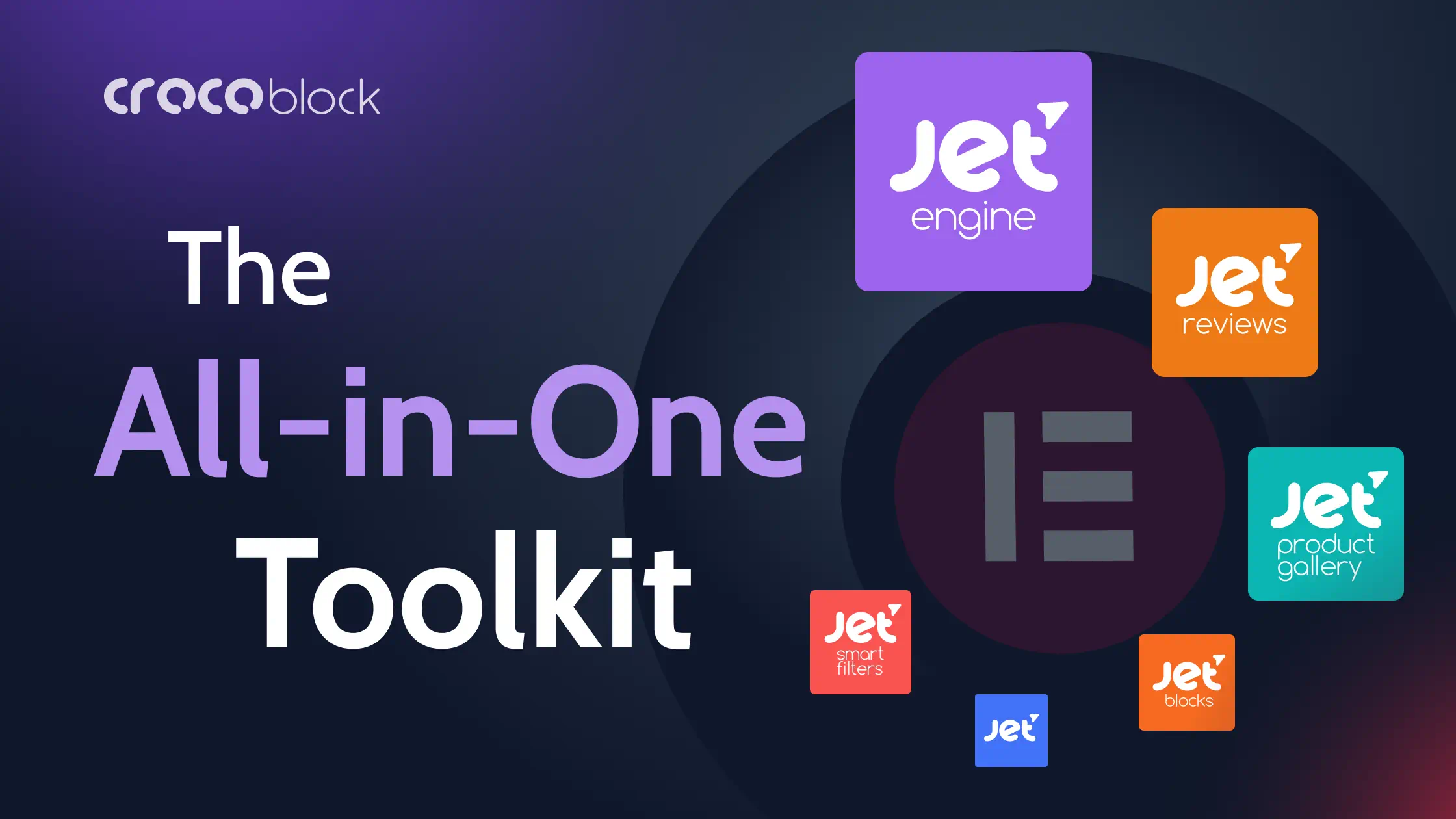
Imagine elevating your online presence to new frontiers of customization and design, seamlessly and without a single line of code. Many might think it sounds like the work of a full development team, but what if all it took was a powerful duo: Elementor and Crocoblock? With WordPress, where nearly every site fights to stand out, the pairing of the Elementor page builder with the versatile Crocoblock suite has revolutionized how we think about website creation. This Elementor Crocoblock Review for WordPress will show the strong features that change how you build websites with Elementor. It brings a new level of action to create clear website experiences. From sliders to forms, and the ability to create custom post types with ease, the toolkit bids a hearty farewell to the cumbersome intricacies of code.
![[object Object]](http://blog.popproxx.com/wp-content/uploads/2024/06/crocoblock-the-all-in-one-toolkit-for-building-websites.webp)
Key Takeaways
- Discover the synergistic power of integrating Crocoblock with Elementor page builder to transform your WordPress site.
- Explore the extended functionalities that come with the suite, including 60+ templates and 200 Elementor widgets.
- Understand how Crocoblock empowers you to create custom post types and tailor-make dynamic content with minimal effort.
- Gain insight into building responsive, mobile-optimized websites using Crocoblock’s robust WordPress plugins.
- Learn about the possibilities that a strong theme builder can unlock for your online identity and branding.
- Unveil the secrets to crafting compelling e-commerce platforms with powerful Elementor widgets and designs.
Why Choose Crocoblock for Your Elementor WordPress Site in 2024?
If boosting the capability and design flair of your WordPress website using Elementor is your goal, Crocoblock offers a treasure trove of resources to elevate your site’s functionality and aesthetic appeal. With a comprehensive suite of robust crocoblock plugins at your service, the limitations of web design become a thing of the past. Let’s delve into how this toolkit stands apart in the realm of WordPress website building.
Enhancing Your WordPress Website with Crocoblock and Elementor
Utilizing Crocoblock with Elementor opens up a universe of design possibilities for your site, turning the act of building a website from a necessity into a creative endeavor. This powerful duo simplifies the process of creating custom post types and taxonomies, fleshing out dynamic templates, and integrating e-commerce functionalities that are vital for modern online presence.
Crocoblock vs. Other Elementor Add-Ons: A Comparative Analysis
It is vital to juxtapose Crocoblock against other plugins for Elementor to appreciate its comprehensive offering. As the latest reviews indicate, Crocoblock’s suite, with its regular updates and a strong supportive community of over 23,000 members, outperforms other elementor add-ons on multiple fronts, such as features, usability, and developer support.
Is Crocoblock Worth the Investment for WordPress Users?
Deciding to use the Crocoblock subscription is more than just a purchase—it’s an investment in your website’s future. With a starting point of $199, Crocoblock provides an all-encompassing toolkit that practically pays for itself, given the professional results and time saved. Whether enhancing an existing site or building a new one from scratch, Crocoblock’s suite is engineered to maximize your website’s potential in the competitive Internet of 2024.
- All-Inclusive Yearly Subscription: This plan costs $199 per year and provides access to all JetPlugins and pre-made templates for one year.
- Freelance Lifetime Subscription: Priced at $750 per year, this lifetime package includes all Jet plugins, templates, and popups and can be used on 500 WordPress sites.
- Lifetime Subscription: The Lifetime package costs $999 and offers unlimited access to all Crocoblock products and updates forever.
These prices are subject to change, so it’s advisable to check the Crocoblock website for the most up-to-date pricing information.
Discover a whole new level of WordPress design.
Ready to enhance your WordPress site with the ultimate 2024 Crocoblock tools? Buy Now and experience the difference!
Exploring the Core Features of Crocoblock Plugins
For users seeking to augment their WordPress experience with unmatched flexibility and design potential, Crocoblock plugins emerge as a formidable choice. In this deep dive, we’ll explore how Crocoblock’s jetengine plugin, jet plugins, and additional tools harmoniously enhance Elementor, revolutionizing how we approach and execute web design.
JetEngine: Extending the Power of Elementor with Dynamic Content
JetEngine is a quintessential component for web professionals who want to break free from static page limitations and embrace dynamic content in their WordPress sites. This robust plugin is ideal for adding intricate details to your site through custom post types, fields, and taxonomies, thereby enabling sophisticated data management and display options that cater to complex web project demands.
JetElements: Elevating Your Page Design with Unique Widgets
With JetElements, your creative toolkit expands significantly. This plugin curates a curated collection of Elementor widgets, each designed to deliver not only visual flair but also functional sophistication to your web pages. The diversity of widgets ranges from simple buttons to advanced sliders, all engineered to amplify the user interface and user experience on your WordPress site.
JetWooBuilder: Revolutionizing WooCommerce Product Pages
The online shopping experience stands at the forefront of digital business success. JetWooBuilder addresses this priority by providing a rich array of tools tailored for WooCommerce product pages. Users gain access to numerous widgets and features, allowing for complete customization of product listings, and intricate layout options that engage customers and encourage sales.
| Feature | Description | Benefits |
|---|---|---|
| Custom Post Types | Add different types of content beyond posts and pages | Enhanced site structure and SEO benefits |
| Dynamic Field Widgets | Display custom field data dynamically on the site | Personalized user experience based on content |
| WooCommerce Widgets | Customize WooCommerce product and category pages | Boosted conversion rates with tailored shopping experience |
| Interactive Carousels & Sliders | Create engaging visual displays for multimedia content | Improved storytelling and visual appeal |
Each plugin and widget within the Crocoblock suite has been meticulously developed with user needs in mind, delivering both utility and elegance to any WordPress project. Layered with the possibilities of Elementor widgets and WooCommerce products, these tools evoke a new era of web building, where creativity is both accessible and boundless.
The Crocoblock suite includes a comprehensive range of plugins and addons to enhance website design and functionality. Here is the full list of Crocoblock plugins and addons:
| Plugin/Addon | Description |
|---|---|
| JetEngine | Develops website structure and dynamic content |
| JetElements | Adds various elements to Elementor for design |
| JetStyleManager | Manages styles and design settings |
| JetSearch | Enhances search functionality on websites |
| JetSmartFilters | Provides advanced filtering options |
| JetGridBuilder | Builds customizable grids for website layouts |
| JetBlocks | Customizes headers and footers on websites |
| JetCompareWishlist | Enables comparison and wishlist functionality |
| JetBooking | Offers booking services for websites |
| JetPopup | Creates eye-catching pop-ups with customization |
| JetTabs | Adds tabbed content sections to websites |
| JetMenu | Enhances website menus with design options |
| JetReviews | Improves audience engagement with better reviews |
| JetWooBuilder | Enhances WooCommerce experience |
| JetBlog | Improves blog functionality and design |
| JetThemeCore | Core functionalities for website themes |
| JetAppointment | Provides appointment scheduling services |
| JetProductGallery | Enhances product galleries on e-commerce sites |
| JetTricks | Adds visual effects and animations to websites |
| JetFormBuilder | Builds custom forms for websites |
How to Seamlessly Integrate Crocoblock with Your Elementor Workflow
The synergy between Crocoblock and Elementor opens users to a world of possibilities within the realm of WordPress website creation. This powerful combo facilitates a user-centric approach to web design, making it a coveted duel for developers aiming for top-notch, dynamic websites. Below you’ll find pivotal steps and techniques to incorporate Crocoblock seamlessly into your Elementor page builder ecosystem.
Step-by-Step Tutorial on Using Crocoblock Plugins with Elementor
Integrating Crocoblock with Elementor is a straightforward process that boosts your webpage’s functionality. To start, install the Crocoblock plugin after purchase and activate it in your WordPress dashboard. Following this, navigate to Elementor’s visual interface where you can begin dragging and dropping Crocoblock’s widgets onto your pages. Each plugin, from creating a WooCommerce product showcase to adding attractive pricing tables, is designed to take full advantage of Elementor’s intuitive layout for an effortless user experience.
Customizing WooCommerce Stores with JetWooBuilder and Elementor
The JetWooBuilder plugin is a true game-changer for users keen on perfecting their e-commerce space. Using JetWooBuilder with Elementor, create bespoke WooCommerce product pages by selecting from a number of widgets specifically tailored for shop functionalities. Customize every aspect of your product listings and details to provide a unique shopping experience that stands out from the digital crowd.
Maximizing Efficiency: Tips and Tricks for Crocoblock and Elementor Users
- Synchronize JetWooBuilder: Automatically link your WooCommerce products with Crocoblock’s widgets to display real-time updates.
- Utilize Theme Templates: Use Crocoblock’s theme builder capabilities to construct global templates for headers, footers, and more for a consistent look across your website.
- Apply Dynamic Content: Make content dynamic with JetEngine, bringing personalization to your audience for a fresher and more engaging user experience.
When you marry Crocoblock’s multifaceted toolset with the prefacing Elementor page builder, the depth of customization and efficiency is unparalleled. Employ these practices consistently, and you will undeniably cultivate a standout digital space poised for growth and success in the vast, competitive landscape of the internet.
| Feature | Benefits | Elementor Integration |
|---|---|---|
| Dynamic Templates | Themes that adapt and change content based on user behavior or conditions | Fully compatible with Elementor, which allows customization without coding skills |
| WooCommerce Customization | Specific widgets and blocks for tailoring the online shopping experience | Widgets can be visually edited and placed within Elementor’s UI |
| Responsive Design | Adaptive and mobile-friendly interfaces for better user engagement | Elementor and Crocoblock facilitate design coherence on all devices |
Crocoblock for WooCommerce: Transforming Your Online Store in 2024
As the e-commerce world evolves, the need for robust and flexible web-building tools has never been greater. This is where Elementor Crocoblock Review WordPress steps in, providing a comprehensive suite of crocoblock plugins and jet plugins specifically tailored for WooCommerce users. The integration of these state-of-the-art tools can boost the functionality, appearance, and user experience of any WooCommerce product page and e-commerce site as a whole.
Must-Have WooCommerce Plugins from Crocoblock for eCommerce Success
To stay competitive in the online marketplace, an array of key plugins is essential. Crocoblock offers a range of JetPlugins that are unmatched in their capability to furnish a WooCommerce store with everything it needs for seamless operations and engaging customer interaction.
- JetWooBuilder – Personalize your checkout page and product displays
- JetSearch – Implement an intelligent search form that customers love
- JetSmartFilters – Offer powerful filtering options for easier product navigation
- JetPopup – Create enticing promotional pop-ups to capture customer attention
Enhancing Your WooCommerce Store with JetPlugins
Customizing your online storefront is a breeze with JetPlugins. These powerful extensions work in tandem with Elementor to give you an unrivaled level of customization. With tools designed for every aspect of the store, from product listings to user reviews, implementing advanced features is straightforward, thereby elevating the user experience to new heights.
- Create engaging product grids and lists tailored to your audience’s needs
- Design bespoke WooCommerce product pages that showcase items in the best light
- Easily manage inventory and pricing options with intuitive interface elements
- Incorporate dynamic pricing and sales badges to grab attention and boost conversions
Creating a Seamless Shopping Experience with Elementor and Crocoblock
A streamlined shopping journey is paramount for converting visitors into loyal customers. The combination of Crocoblock and Elementor is instrumental in crafting a shopping experience that users find both, seamless and enjoyable. With a focus on blending functionality with aesthetics, you can ensure that every element, from the contact form to the checkout page, works in harmony to deliver a high-quality user journey.
Elementor Crocoblock Review WordPress is a testament to the versatility and efficiency that these powerful tools can bring to your online WooCommerce store, helping you stay a step ahead in the dynamic e-commerce landscape of 2024.
Crocoblock Review: Real User Experiences and Success Stories
The impact of Crocoblock paired with Elementor is best understood through the lens of those who have used it to transform their WordPress websites. It’s not just about the tools— it’s the real-world applications that show the power of the Crocoblock plugin and theme. Let’s dive into some of the narratives that define this powerful duo’s place in the WordPress community.
Case Studies: Successful WordPress Sites Built with Crocoblock and Elementor
Over the years, many businesses have harnessed the capabilities offered by Crocoblock and Elementor to create stunning, functional websites. These success stories come from a diverse range of industries, showcasing the versatility of the Crocoblock theme and its compatibility with Elementor add-ons. Tailored design, e-commerce expansion, and user engagement are just some of the highlights in these case studies.
What the WordPress Community Says About Crocoblock in 2024
The consensus among WordPress users is clear: the integration of Crocoblock plugins within a WordPress theme elevates the website building experience. Forums, discussion groups, and online communities often tout Crocoblock’s continuous innovation and compatibility with the latest version of Elementor, reinforcing its status as a top choice for website developers.
Pros and Cons: Is Crocoblock the Right Choice for Your Website?
When it comes to optimizing a WordPress site, every developer weighs the benefits and possible downsides. Crocoblock’s expansive features list and seamless Elementor integration stand as significant benefits. However, one must consider the possibility of needing additional plugins for certain niche functionalities, which can be a deciding factor for some. Here is a detailed comparison:
| Pros | Cons |
|---|---|
| Comprehensive WooCommerce integration | Potential need for additional plugins |
| Extensive library of prebuilt templates and advanced features | Learning curve for maximizing all available tools |
| Regular updates and a robust user community | Cost may be prohibitive for small-scale projects |
| Real-time customer support with a strong focus on user satisfaction | Interdependency between plugins for certain complex functionalities |
Whether you’re a freelance developer or part of an agency, the experiences of real users and the vibrant community around Crocoblock and Elementor provide valuable insights for making an informed decision. It’s no wonder that Crocoblock remains a cornerstone for people looking to get the most out of their WordPress website in 2024 and beyond.
Advanced Customization Techniques Using Crocoblock with Elementor
In this Elementor Crocoblock Review for WordPress, we delve into the advanced customization potential that Crocoblock unleashes when paired with the Elementor page builder. The focus of Crocoblock on providing intricate tools that go beyond basic design allows savvy developers and WordPress enthusiasts to construct highly customized, complex websites that cater to specific audience needs. The dexterity of these tools, especially the celebrated JetEngine plugin, is central to bringing this unprecedented customization to life.
Building Complex Websites with JetEngine and Custom Post Types
The JetEngine plugin is a cornerstone in the Crocoblock suite for those wanting to create custom post types and extend functionality beyond the regular page content. This powerful plugin facilitates the structuring of a diverse range of content types, making it possible to design an elaborate WordPress site that can cater to varied and intricate data sets. Crafting complex websites is no longer a daunting task, as this seamless integration fits perfectly within the Elementor ecosystem, empowering creators to envision and execute with precision.
Using Crocoblock to Create Advanced Elementor Designs
Utilizing the Crocoblock plugin with Elementor elevates the design process, allowing for the creation of advanced, bespoke designs that resonate with users. The added widgets and features that come with Crocoblock are essential in fashioning experiences that are not just visually appealing but also highly functional and interactive. They serve as the backbone of a theme builder toolkit where limitless design possibilities await those who dare to push the envelope and think creatively.
Integrating Custom Fields and Taxonomies with Your WordPress Theme
Integration of custom fields and taxonomies into a WordPress theme is rendered effortless with the jetengine plugin, a testament to the sophisticated nature of Crocoblock. With these capabilities, website creators can tailor their sites to extraordinary levels, ensuring that each piece of content relates precisely to the bespoke structure of their theme. This transformative approach to content management and site architecture emphasizes Crocoblock’s commitment to maximizing the potential of websites using Elementor, guiding users towards developing truly unique digital experiences.