Category: Technology

  • Cloudflare Web Application Firewall: Secure Your Website

    Cloudflare Web Application Firewall: Secure Your Website

    Cloudflare Web Application Firewall stops hackers and bots.Did you know Cloudflare’s Web Application Firewall (WAF) handles 81 million HTTP requests every second at its busiest? This tool is key in shielding websites from new cyber threats1.

    Web security is crucial today. Cloudflare’s WAF uses advanced threat intelligence and machine learning to block new threats, like zero-day attacks. It works with Cloudflare’s global network for top-notch protection against cyber threats2.

    The Cloudflare zone-level WAF provides strong defense. It uses Managed Rules for quick action against known attacks. Plus, it has Traffic detections to add important details for better security1.

    Cloudflare’s WAF also has custom rules and rate limiting for specific security needs. It’s not just about blocking threats. It’s about smart, evolving protection that keeps up with cyber threats1.

    Key Takeaways:

    • Cloudflare WAF processes 81 million HTTP requests per second at peak
    • Uses threat intelligence and machine learning to stop newest threats
    • Offers Managed Rules for quick defense against known attacks
    • Employs Traffic detections to add security details to requests
    • Provides custom rules and rate limiting for specific security
    • Works with Cloudflare’s global network for full protection

    Introduction to Cloudflare WAF

    Web security is key in today’s digital world. With web attacks on the rise, companies need strong security for their apps. Cloudflare’s Web Application Firewall (WAF) is a top choice to fight off web threats and block bad traffic.

    What is a Web Application Firewall?

    A WAF stands as a shield between web apps and users. It checks incoming HTTP requests to stop attacks like Cross-site Scripting (XSS), SQL injection, and Layer 7 DoS. WAFs use either a positive (allowlist) or negative (denylist) approach to block threats3.

    The importance of web security

    Web app attacks are the top cause of data breaches. This shows how vital WAF security is today3. Cloudflare’s WAF shields against common threats with Managed Rules, like SQL injection, XSS, and known flaws4.

    Cloudflare’s role in cybersecurity

    Cloudflare offers a full WAF solution that does more than just protect. It has many Managed Rulesets, lets you customize, and allows exceptions for certain IP addresses or requests4. Users can boost their site’s security by adding custom rules, blocking traffic from certain countries, and stopping spam and bots5. This makes it easy for businesses to adjust their security to fit their needs and handle malicious traffic.

    How Cloudflare WAF Works

    Cloudflare’s Web Application Firewall (WAF) is a key tool for stopping cyber attacks. It works on a global network to protect your website in real-time.

    Real-time Threat Detection

    The cloudflare zone-level web application firewall (waf) uses smart algorithms to spot and block bad traffic. It gives each request an attack score from 1 to 99. Lower scores mean a higher chance of the traffic being harmful6.

    This system helps quickly find and stop threats.

    Machine Learning and Threat Intelligence

    Cloudflare WAF uses machine learning to get better at finding threats. It looks at web traffic patterns to spot new attacks and update its rules automatically. It can also find hidden bad content by decoding things like Base64 and JavaScript Unicode6.Couldflare Zone-level Web Application Firewall (WAF)

    Integration with Cloudflare’s Global Network

    The WAF works well with Cloudflare’s big network. This means rules can be set up fast and it can handle a lot of traffic7. Companies can make their own rules based on how likely an attack is, and some plans offer even more protection6.

    Cloudflare has different levels of protection for different plans. For example, Pro plans get 3 Zone Lockdown rules, while Enterprise plans get up to 2008. This means any business can get strong protection against cyber attacks.

    Cloudflare uses Managed Rules and WAF attack scores for strong protection against many threats6. This way, the cloudflare zone-level web application firewall (waf) is a strong shield against cyber attacks.

    Key Features of Cloudflare Zone-level Web Application Firewall (WAF)

    Cloudflare’s WAF gives strong security to protect against web threats. It has three packages: Cloudflare Managed Ruleset, OWASP ModSecurity Core Rule Set, and Customer requested rules9. This mix protects against OWASP Top 10 vulnerabilities and common web threats.

    The OWASP ModSecurity Core Rule Set scores requests to decide if they need WAF action. For regular requests, scores are Low (60+), Medium (40+), and High (25+). AJAX requests need higher scores9. Cloudflare suggests starting with a Low setting to avoid false alarms.

    The WAF updates fast, making changes global in about 30 seconds9. This quick update keeps your web app safe from new threats. For API security, it checks JSON responses up to 128 KB for vulnerabilities9.

    Cloudflare’s security team keeps updating the rules to tackle new threats and cut down on false alarms10. Users can pick rules that fit their tech, like WordPress-tagged rules for WordPress sites10. This lets you balance security without blocking good traffic.

    The WAF dashboard lets you set up different actions for the Managed Ruleset10. You can choose from Managed Challenge, Block, JS Challenge, Log, and Interactive Challenge. Advanced users can use the API for more detailed control, making custom rules and overrides10.

    With these strong features, Cloudflare’s Zone-level WAF offers a full solution for app security. It tackles both known and new web threats.

    Protection Against OWASP Top 10 Threats

    Cloudflare’s Web Application Firewall (WAF) protects against the OWASP Top 10 web threats. This tool keeps websites safe from harmful traffic and new cyber risks.

    Understanding OWASP Vulnerabilities

    The OWASP Top 10 lists the most serious security risks for web apps. Cloudflare’s WAF fights these threats with advanced methods. It uses a Managed Ruleset that spots common attacks and updates weekly to catch new ones11.

    How Cloudflare WAF Addresses Each Threat

    Cloudflare’s WAF fights web threats in several ways:

    • Attack scoring system: Rates incoming requests from 1 (likely malicious) to 99 (likely clean)11.
    • Bot detection: Figures out if requests are from bots11.
    • OWASP Core Ruleset: Finds common attacks like SQL injection and cross-site scripting11.

    Continuous Updates for Emerging Threats

    Cloudflare keeps improving its WAF for new security issues. It offers managed rulesets that guard against zero-day threats, top-10 attacks, and exposed credentials12. Users can tweak rules by making exceptions or setting overrides for flexible security12.

    With Cloudflare’s WAF, websites get full protection against OWASP Top 10 and new threats. This keeps bad traffic away and ensures strong online security.

    Custom Rules and Flexibility

    Cloudflare’s zone-level web application firewall (WAF) is highly customizable. It lets users make specific rules to protect websites and APIs from bad traffic. This means organizations can adjust their security to fit their exact needs and policies.

    The WAF blocks over 57 billion cyber threats every day, stopping about 650,000 bad HTTP requests per second13. This strong protection comes from its advanced features like checking attack scores and scanning content.

    Customizing rules is key to Cloudflare’s WAF. Users can set severity levels, add or block certain IP addresses, and make unique firewall rules4. This ensures security matches an organization’s risk level and how it works.

    Cloudflare has many Managed Rulesets for different security issues:

    • Zero-day vulnerabilities
    • Top-10 attack techniques
    • Use of stolen/exposed credentials
    • Extraction of sensitive data

    These rulesets protect against known and new threats without needing special rules for each app4.

    The WAF’s new UI makes it easier to use with features like editing many rules at once, editing one rule at a time, and a review screen for changes13. This easy-to-use interface, along with custom rules, makes Cloudflare’s WAF a must-have for web security today.

    DDoS Protection and Rate Limiting

    Cloudflare’s Web Application Firewall (WAF) offers strong ddos protection and helps prevent cyber attacks. It keeps websites, apps, and networks safe while making sure they work well for real users.

    Mitigating Volumetric Attacks

    The WAF’s rate limiting feature fights off big attacks by setting limits on how many requests come in. This tool lets website owners control who can access their site. They can check things like IP address, user agent, and where someone is from14.

    Customizable Rate Limiting Rules

    Cloudflare lets you set your own rules for rate limiting. You can choose what to limit based on things like what the request looks like, how often it comes in, and how many come in at once15. These rules help stop bad stuff like trying to guess passwords, taking over accounts, and scraping by bots14.

    Plan Rules Allowed Max Mitigation Timeout
    Free Limited 10 seconds
    Pro Moderate 1 hour
    Business Advanced 24 hours
    Enterprise 100+ 1 day

    Integration with Other Cloudflare Security Features

    Rate limiting works well with other Cloudflare security tools. For example, it can guard login pages against attacks by limiting how many requests you get14. For businesses, there are even more tools to help protect you15.

    Cloudflare's WAF provides zero-day vulnerability protection.

    Cloudflare’s WAF helps users make strong plans to stop cyber attacks. It’s great for protecting things like REST APIs, GraphQL endpoints, or SaaS apps. The flexible rules offer a strong defense against many threats14.

    Advanced Security Features

    Cloudflare’s Web Application Firewall (WAF) offers top-notch security to protect websites from new web threats and bad traffic. These features boost application security and fight off complex attacks.

    Content Scanning for Malware Detection

    Cloudflare WAF has strong content scanning to protect web servers and networks from malware. It checks files before they’re uploaded, stopping bad content and keeping user data safe. This way, websites can greatly lower the chance of malware getting in and keep their users safe1.

    Exposed Credential Checks

    Cloudflare WAF is great at stopping hackers from taking over accounts. It finds and blocks stolen or leaked login details, adding an extra shield against unauthorized access. This keeps user accounts safe and stops data breaches.

    Zero-day Vulnerability Protection

    Cloudflare WAF also fights off zero-day vulnerabilities with its managed rules and updates from threat intelligence. It uses managed rulesets, like the Cloudflare Managed Ruleset, to quickly protect against known and new threats1.

    • Traffic detections such as bot score and attack score
    • User-defined rules for customized security needs
    • Mitigation features like custom rules and rate limiting
    • Organized rule execution order for efficient request processing1

    These tools work together to offer a full security solution against common web app security issues. By using Cloudflare WAF, websites can guard against attacks like Cross-site Scripting (XSS), SQL injection, and Layer 7 DoS3.

    Security Feature Function Benefit
    Content Scanning Scans uploaded files for malware Prevents malware infiltration
    Exposed Credential Checks Detects and blocks use of stolen credentials Prevents account takeover attempts
    Zero-day Protection Utilizes managed rules and threat intelligence Defends against new vulnerabilities

    With these advanced security features, Cloudflare WAF gives a strong defense against web threats. It ensures better application security and keeps out malicious traffic.

    Implementation and Management

    Setting up Cloudflare’s web application firewall (WAF) is easy, just a few clicks. The interface makes it simple to check on requests and adjust security settings. This ease doesn’t mean the security is weak.

    Cloudflare’s WAF works well with other security tools, making managing your account easy. You can add team members, check active sessions, and look at audit logs from one dashboard.

    Cloudflare web application firewall security tools

    The WAF lets you manage lists in different ways. Free plans let you have 1 custom list. But, Pro, Business, and Enterprise plans let you have up to 10 custom lists with 10,000 items total16.

    Enterprise customers get special access to the Open Proxies Managed IP List for better protection16. The platform also has Bot Management, scoring from 1 to 99 to see if a request is likely from a bot17.

    Plan Custom Lists Bot Management
    Free 1 Not available
    Pro 10 Not available
    Business 10 Not available
    Enterprise 10 Available

    Cloudflare’s WAF gives you detailed control over bot traffic. You can block low-scoring bot requests, challenge suspicious ones, and protect different types of traffic like APIs or mobile17. This customization ensures your app is secure in the way that suits you best.

    Conclusion

    Cloudflare’s Zone-level Web Application Firewall (WAF) is a strong defense against cyber attacks. It was introduced in 2021 and helps protect websites from many security threats and known vulnerabilities18. This tool is part of Cloudflare’s full security package, using a network that covers over 200 cities in more than 100 countries19.

    The WAF is flexible because users can set their own rules. The number of rules changes from 5 for free plans to 1000 for enterprise plans18. This means businesses of all sizes can get top security. The WAF works well with other Cloudflare services like DDoS protection and SSL/TLS encryption, offering a strong defense against cyber threats19.

    Cloudflare’s WAF does more than just protect. For paid plans, it has managed rulesets to block bad IP addresses, secure WordPress sites, and stop spam18. With Cloudflare’s global CDN, security and website speed get better, making the user experience better too19. As cyber threats keep changing, Cloudflare’s Zone-level WAF is key for keeping websites safe.

    FAQ

    What is a Web Application Firewall (WAF)?

    A Web Application Firewall (WAF) checks incoming web and API requests. It filters out unwanted traffic using rules. It acts as a shield between the internet and your web application, protecting against various threats and attacks.

    How does Cloudflare’s WAF work?

    Cloudflare WAF runs on a global network, sitting in front of web applications to stop attacks in real-time. It uses powerful rules, advanced rate limiting, and checks for exposed credentials. The WAF also scans content and uses machine learning to block threats automatically.

    What are the key features of Cloudflare’s WAF?

    Cloudflare WAF offers custom rules for specific protection and rate limiting to control incoming requests. It includes managed rulesets for quick protection. Security Events and Security Analytics are available for business plan users to review and analyze requests.

    How does Cloudflare WAF protect against OWASP Top 10 threats?

    Cloudflare uses core OWASP Top 10 rules to block common layer 7 attacks. The WAF provides fast protection against new threats with managed rules. Custom rules allow specific policies. Cloudflare keeps updating its protection to tackle new threats and vulnerabilities.

    Can I create custom rules with Cloudflare WAF?

    Yes, Cloudflare WAF lets users create custom rules to block malicious traffic. These rules can include advanced features like WAF attack score and content scanning. This flexibility helps organizations tailor their WAF to their security needs.

    Does Cloudflare WAF offer DDoS protection and rate limiting?

    Yes, Cloudflare provides strong DDoS protection to secure websites and networks. The WAF has customizable rate limiting rules to set request thresholds. It also defines actions when limits are hit.

    What advanced security features does Cloudflare WAF offer?

    Cloudflare WAF scans content to protect servers and networks from malware. It prevents account takeovers by blocking stolen login credentials. The WAF offers zero-day protection with managed rules and updates based on threat intelligence.

    How easy is it to implement and manage Cloudflare WAF?

    Cloudflare WAF is easy to set up with just a few clicks, no training needed. It has an easy interface for reviewing requests and customizing security. The WAF works with other Cloudflare security features for full account security.

    Source Links

    1. Concepts | Cloudflare Web Application Firewall (WAF) docs
    2. Securing Your Application with Firewall: A Comprehensive Guide to Using Cloudflare WAF – Appsecure Security
    3. What is Web Application Firewall? | VMware
    4. Cloudflare WAF Managed Rules: Options, Rulesets, Customization, and More
    5. Cloudflare Firewall Rules for Securing WordPress Websites
    6. WAF attack score | Cloudflare Web Application Firewall (WAF) docs
    7. WAF Managed Rules migration | Cloudflare Web Application Firewall (WAF) docs
    8. Zone Lockdown | Cloudflare Web Application Firewall (WAF) docs
    9. WAF managed rules (previous version) | Cloudflare Web Application Firewall (WAF) docs
    10. Cloudflare Managed Ruleset | Cloudflare Web Application Firewall (WAF) docs
    11. Get started | Cloudflare Web Application Firewall (WAF) docs
    12. Managed rules | Cloudflare Web Application Firewall (WAF) docs
    13. A new Cloudflare Web Application Firewall
    14. Best practices | Cloudflare Web Application Firewall (WAF) docs
    15. Rate limiting rules | Cloudflare Web Application Firewall (WAF) docs
    16. Lists | Cloudflare Web Application Firewall (WAF) docs
    17. Challenge bad bots | Cloudflare Web Application Firewall (WAF) docs
    18. Cloudflare Firewall Rules for WordPress | Nexcess
    19. Cloudflare Review – Host Guide Zone

  • Exploring the Future with Headless WordPress

    Exploring the Future with Headless WordPress

    As we navigate the digital landscapes, our quest for dynamic, future-proof websites has led us to embrace the pioneering realm of Headless WordPress. This powerful iteration of the well-established content management system (CMS) is revolutionizing how we think about website development, carving out a new frontier for creators and developers alike. By decoupling the WordPress backend via its robust API, we’re not just keeping pace with technological advancements but setting the stage for them.

    Our journey into this new paradigm is charged with the promise of limitless creativity and performance. The traditional boundaries that once confined our online experiences are now dissolved, giving rise to a CMS for headless websites that redefine what is possible. With Headless WordPress, we wield the tools to craft unparalleled digital narratives, all while ensuring that the foundational power of WordPress propels us forward.

    In recognizing the shift towards this decoupled architecture, we’ve committed ourselves to fully leveraging the WordPress backend API, ensuring our websites are not only built for today but are primed for the developments of tomorrow. Through this lens, we invite you to discover the potential that Headless WordPress holds—for us, for you, and for the future of web presence.

    Key Takeaways

    • Headless WordPress fosters future-proof websites poised for technological evolution.
    • Decoupled WordPress architecture invites innovation and superior user engagement.
    • Utilizing the WordPress backend API enhances our capability to build robust digital experiences.
    • Embracing CMS for headless websites ensures scalability and creative freedom.
    • Our commitment to headless solutions marks the dawn of a new era in web development.

    Defining Headless WordPress and Its Core Advantages

    As the digital landscape evolves, developers seek solutions that break away from traditional limits, embracing systems like headless CMS for WordPress. The headless approach offers new dimensions of flexibility and security, benefitting developers and content creators alike. Let’s delve into what makes headless WordPress an innovative shift in content management strategy.

    What Is Headless WordPress?

    Headless WordPress is a content management system that operates without a frontend, delegating the presentation layer to external applications. This approach utilizes the WordPress REST API, enabling the backend to serve content to many different frontends, from mobile apps to high-performance websites. Using WordPress as a headless CMS, developers can harness the power of popular frameworks like React or Vue.js to deliver enhanced user experiences.

    The Flexibility and Scalability of Headless Solutions

    The architecture of a headless CMS development inherently supports expansion and innovation. Decoupled WordPress systems separate concerns between the content repository and the presentation layer, offering the maneuverability needed to craft unique frontend experiences. Scalability is readily achieved, as headless setups can effortlessly handle increased demand, propelling businesses toward new heights without compromising performance or aesthetic coherence.

    Enhancing Security with a Decoupled System

    Regarding digital security, the enhanced security offered by headless approaches is not trivial. A decoupled WordPress architecture significantly reduces the risk associated with front-end attacks. Since the content delivery and management are separated, vulnerabilities typically exposed in more traditional WordPress setups are diminished, providing an extra layer of security and peace of mind for businesses and developers alike.

    Technical Insights: Implementing Headless WordPress

    Headless WordPress API Integration

    When approaching a headless WordPress setup, we begin with a foundational installation of WordPress to harness its backend’s robust content management capabilities. The journey to a fully operational headless environment relies heavily on the WordPress REST API, which facilitates a seamless bond between the backend and the chosen frontend landscape.

    Enabling the WordPress backend API is crucial. It acts as a dispatcher, conveying content to many frontends—web, mobile, or any other application interfacing with WordPress. This API-driven architecture demands a strategic, thoughtful implementation to ensure smooth retrieval and display of content, molded to fit the unique requirements of each digital experience we craft.

    By leveraging the REST API, WordPress evolves into a decoupled powerhouse, allowing us to dictate the frontend experience from any technological platform, unfettered by traditional WordPress theme constraints.

    Below is an outline of the critical steps in our process:

    1. Installation and setup of a clean WordPress instance.
    2. Activate and configure the WordPress REST API.
    3. Selection and preparation of the frontend technology stack.
    4. Ongoing development and integration of RESTful API calls.
    5. Iterative testing and customization phases to refine user interactions.

    Ahead of the curve, this configuration frees us from the trappings of monolithic architectures and places us squarely on the cutting edge of web development.

    In the table below, we compare the traditional WordPress flow with our headless WordPress approach:

    Traditional WordPress Headless WordPress
    Frontend tightly linked with the backend Backend and frontend are completely separated
    Limited to PHP and WordPress themes for frontend Freedom to use any frontend technology stack
    Content served directly from WordPress Content delivered through REST API calls
    Plugin-dependent extensions API-driven interactions allow for scalable extensions

    We’ve entered a new realm of possibilities with our headless approach, pushing the boundaries of what we can achieve with WordPress as a backend. It’s more than a mere trend; it is a resilient framework for future-proof digital platforms that call for agile, secure, and innovative solutions.

    The Future-Proof Benefits of a Decoupled CMS

    Performance optimization in a decoupled CMS

    The evolution of content management systems into decoupled architectures has marked a new era in web development. Not only do these systems offer enhanced agility, but they also pave the way for significant improvements in website maintenance and future scalability. Weaving in the principles of performance optimization and faster loading times, they serve as the backbone for creating a tailored user experience that can readily evolve with technology adaptation, ultimately future-proofing web entities against the ever-changing digital landscape.

    Speed and Performance Optimization

    A decoupled CMS infrastructure streamlines the user experience with rapid content delivery. With a focus on performance optimization, it eliminates unnecessary bulk, narrowing down front-end components to those essential for functionality and faster loading times. This refined approach ensures that users enjoy a seamless interaction with web applications, even during peak traffic conditions.

    Creating a Tailored User Experience

    By liberating the front-end development from a fixed presentation layer, we leverage the freedom to design custom interactions unique to our brand. This level of tailored user experience meets specific visitor needs and fosters a deeper connection with our audience. Our imaginative capabilities are boundless through headless WordPress, shaping experiences as bespoke as our vision.

    Staying Ahead with Technology Adaptation

    As innovators in the digital space, we recognize the importance of keeping pace with emerging technologies. The modular nature of a decoupled CMS facilitates technology adaptation, allowing us to swiftly incorporate cutting-edge features such as AI, AR, and IoT. This adaptability is not just about staying current; it’s about future-proofing our digital offerings to ensure longevity and relevance in a competitive market.

    Feature Benefit Impact on User Experience
    Performance Optimization Enhanced loading times and efficiency Reduced wait times, increased satisfaction
    Custom Interactions Unique branding opportunities Memorable, personalized engagement
    Technology Adaptation Integration of new digital innovations Continually evolving and dynamic content

    Real-World Applications of Headless WordPress

    At the core of modern web development, Headless WordPress stands as a testament to flexibility and performance across a broad spectrum of applications. Its most notable real-world implementations offer transformative outcomes for businesses and users alike. From robust e-commerce with headless WordPress platforms that provide finely-tuned shopping experiences to streamlined content management for mobile apps and dedicated interfaces for membership sites, the practical examples of Headless WordPress are as diverse as they are effective.

    Below, we’ve curated a selection of headless WordPress examples to showcase its potential in live environments:

    • E-Commerce Platforms: The flexibility of decoupled WordPress is revolutionizing the e-commerce sector, offering highly customizable shopper journeys and interactive UI elements, all tailored to enhance customer engagement.
    • Mobile Applications: For applications on the go, headless architecture provides a consistent and efficient system for content delivery, unifying user experience across diverse mobile ecosystems.
    • Membership Sites: Membership portals leverage headless setups to empower users with personalized dashboards, specialized content access, and seamless user account management.

    These examples showcase not just versatility but the strategic value of adopting a headless approach:

    Industry Benefits of Headless WordPress
    E-Commerce Custom shopping experiences, dynamic product displays, and enhanced performance during sales or high-traffic events.
    Mobile Apps Uniform content distribution, faster load times, and the ability to push updates without app store approvals.
    Membership Sites Personalized content based on user roles, secure data handling, and greater control over member interaction.

    Our understanding deepens when we consider these applications in context. Each sector harnesses the inherent strengths of Headless WordPress—speed, security, and scalability—to meet specific needs that standard WordPress configurations may not sufficiently address. The result? Sophisticated solutions that continue to push the boundaries of what’s possible in the digital realm.

    Conclusion

    In pursuing innovative CMS solutions, the momentum has decisively shifted towards Headless WordPress, charting a decoupled web development roadmap that promises to redefine how we conceive and deploy web content. This freedom allows us to innovate and tailor digital experiences that meet and exceed expectations for speed, performance, and engagement.

    Our commitment to harnessing headless WordPress is rooted in its capacity to deliver a genuinely future-proof foundation for web development. As we embrace its potential, we acknowledge the challenges inherent in adopting this approach; there is a learning curve, and complexities arise. Yet, the benefits far outweigh the initial hurdles. We are now empowered to create performance-driven sites and applications that are responsive and singular in their interaction and design.

    As we look toward the horizon of web technologies, it’s evident that the flexibility and robustness bestowed by Headless WordPress position us to adapt swiftly and effectively. The digital landscape is perpetually evolving, and through this advanced CMS, our digital platforms are well-equipped to grow alongside it, ensuring that our presence online remains cutting-edge and resolute in the face of perpetual change.

    FAQ

    What Is Headless WordPress?

    Headless WordPress refers to a content management system (CMS) configuration where a website’s front end, or the presentation layer, is decoupled from the WordPress back end. This allows developers to use WordPress as a headless CMS, managing content through the back end and delivering it to any front end via the WordPress REST API. It provides greater flexibility in designing the user experience across different digital platforms.

    What are the Core Advantages of Using WordPress as a Headless CMS?

    WordPress as a headless CMS offers several advantages, such as enhanced flexibility and scalability, better security, and the ability to create a tailored user experience. It also allows for performance optimization, with faster loading times, and facilitates the adoption of emerging technologies and future-proofing digital platforms.

    How Does a Decoupled System Enhance Security?

    A decoupled or headless system enhances security by reducing the potential attack surface. Since the front end is separate from the back end, potential vulnerabilities in themes or front-end plugins don’t affect the content management and storage systems, thereby minimizing the risk of security breaches.

    What Are the Flexibility and Scalability Benefits of Headless WordPress?

    Headless WordPress offers unprecedented flexibility and scalability for web applications, enabling developers to use any front-end technology stack. This means they can build fast, responsive interfaces that can be scaled up easily as user traffic grows. Additionally, it allows for creating custom experiences for different devices or platforms without altering the back-end infrastructure.

    How is Performance Optimized in a Decoupled WordPress Architecture?

    Performance is optimized in a decoupled WordPress architecture because the front end is purpose-built and streamlined for efficiency. Without the overhead of traditional theme rendering, decoupled front ends can serve content faster, cache more efficiently, and provide a better user experience, especially when dealing with high traffic.

    What Does Creating a Tailored User Experience Entail in the Context of Headless WordPress?

    Creating a tailored user experience in the context of headless WordPress involves customizing the front-end presentation independent of the back end. Designers have more control over how the content is displayed, which allows them to design unique user interfaces and interactions that align with specific brand standards or customer expectations.

    How Does Technology Adaptation Contribute to Future-Proofing with Decoupled CMS?

    Technology adaptation contributes to future-proofing in a decoupled CMS scenario by allowing developers to quickly and easily incorporate new technologies and tools, such as AI, AR, and IoT, into their front end. This agility ensures the digital experience stays current with web trends, offering enhanced functionality and engagement without overhauling the back-end content system.

    What Are Some Real-World Applications of Headless WordPress?

    Real-world applications of headless WordPress are diverse and include e-commerce platforms that require personalized shopping experiences, mobile applications benefiting from consistent content delivery, and membership sites featuring custom-tailored dashboards. These varied uses demonstrate the versatility and adaptability of headless WordPress in fulfilling specific digital needs across a broad range of industries.

  • SEOwriting.ai 1-Click Blog Post Creation

    SEOwriting.ai 1-Click Blog Post Creation

    SEOwriting.ai 1-click blog post technology represents a new chapter in content creation. As a professional content producer, I’ve witnessed how this blog writing tool speeds up the process of creating great content. The power to generate and automate blog posts with precision and speed streamlines my workflow and enhances the published material’s SEO strength.

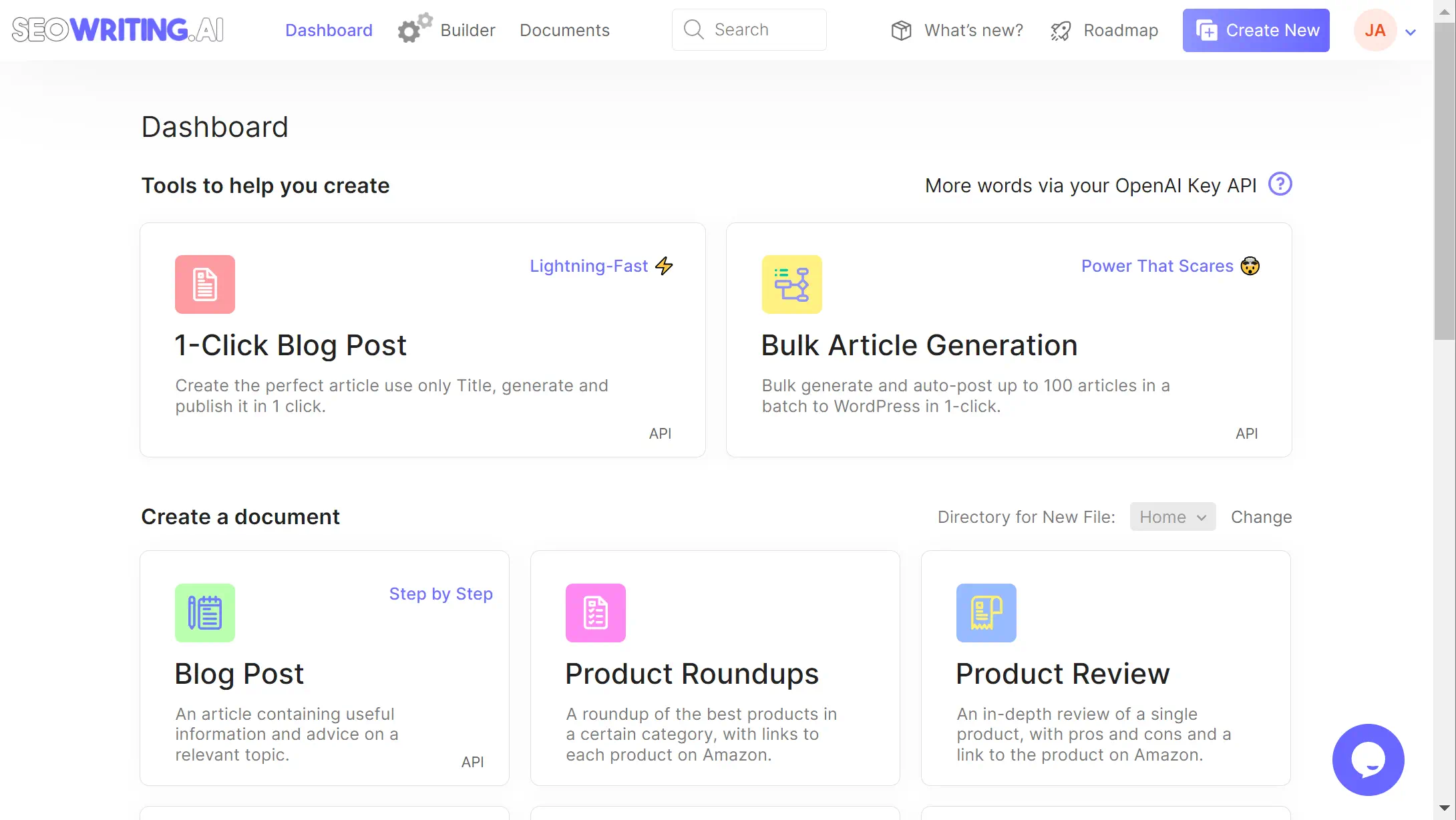
    AI-powered blog post generation tool interface.

    Integrating SEO tools into my routine is critical for maintaining a competitive edge. SEO content generators like SEOwriting.ai have been nothing short of revolutionary.

    Unveiling the Power of Automated SEO Content with SEOwriting.ai

    content marketing has undergone a transformative shift with the advent of advanced AI tools. For someone who manages multiple aspects of a digital presence, the capability to quickly produce content that adheres to the rigors of SEO optimization is nothing short of a revolution. My firsthand experience with SEOwriting.ai has convinced me of the importance of leveraging AI to amplify my content strategy.

    Intuitive Interface and 1-Click Post to WordPress

    Navigating the SEOwriting.ai platform is a breeze, thanks to an intuitive interface and SEO writer. I can quickly generate an online blog post and then rewrite it for better clarity and my personal touch. A standout feature for me has consistently been the WordPress autopost function. It saves precious time and maintains a seamless workflow, transforming my posts from conception to live on my WordPress site in a single click.

    Mastering Keyword Optimization with SEOwriting.ai

    Regarding keyword optimization, SEOwriting.ai stands as a powerful blog post tool. Inputting my targeted keywords into the system, I align my content with SEO best practices, pushing for a high-quality SEO score that reflects a meticulously executed SEO strategy. The built-in checker feature is an indispensable asset, as it consistently tracks my writing progress and keyword distribution, ensuring the final product is primed for optimal search engine performance.

    A Picture is Worth a Thousand Words: AI Image Generation

    The visual appeal of a blog post cannot be underrated, and with SEOwriting.ai’s AI image generation, each post I publish commands attention. This feature automatically introduces high-quality, relevant images that complement the article’s narrative, satisfying SEO content generator objectives and user engagement metrics. Enhancing not just the aesthetic but also the functional aspect of the blog, these AI-generated images are instrumental in improving search rankings and enriching the overall reader experience. Some of the images are great, and others could be better. I can regenerate a new image with SEOwriting.ai, which uses OpenAI’s Dall-e, or use a tool like MidJourney or one of my many stock art sites. Having great images is important, and I will usually make the first ‘featured image’ in Adobe Express. This step helps with my workflow because, using Adobe Express, I can quickly push my blog post to my social media accounts.

    Creating High-Quality Long-Form Content Effortlessly

    SEOwriting.ai has unlocked my potential to produce high-quality, long-form content that captivates readers and ranks well in SEO. This innovative tool has refined my approach to SEO writing, allowing me to draft elaborate and sophisticated blog posts that could span up to 3000 words effortlessly, even though I keep my blog posts below 2000 words unless the content really warrants it.

    The strength of SEOwriting.ai lies in its dynamic capability to cater to a wide array of content needs. Whether it’s an in-depth how-to guide, a comprehensive review, or a detailed product roundup, each piece is meticulously crafted, ensuring maximum reader engagement and conversion potential. Pairing this SEOwriting.ai with Grammarly has allowed me to create better content than I was able to create before, even including hiring professional blog writers. As writers, we would often stray from the outline and break key SEO fundamentals without the structured approach we use today with AI.

    With SEOwriting.ai, content creation becomes not a task but a creative journey with a powerful, intuitive ally to get started with.

    The Checker tool is, without a doubt, a standout feature. It meticulously analyzes my content’s SEO as I write, providing real-time feedback to ensure every article is primed for the best search engine performance. This tool acts as my structure, keeping my articles in line with SEO fundamentals.

    Effortless High-Quality Long-Form Content Creation

    Image generated with Dall-E in SEOwriting.ai

    Beyond the drafting process, SEOwriting.ai offers support by suggesting enhancements and fine-tuning elements to elevate my content’s readability and search relevance.

    1. Analyzing keyword density for optimal search engine visibility.
    2. Structuring content with the right balance of headings and paragraphs.
    3. Incorporating targeted SEO strategies to foster organic growth.

    This approach not only simplifies content creation but also infuses a sense of confidence, knowing each article is fortified with SEO best practices and is worthy of the high standards my audience expects.

    SEOwriting.ai Feature Benefits
    1-click Long-form Content Ease of creating detailed content
    Checker Tool Real-time SEO optimization
    Diverse Content Capabilities Adaptability to various topics and styles
    Engagement and Conversion Content primed for audience interaction

    In conclusion, SEOwriting.ai has revolutionized how I approach long-form content, offering an unrivaled blend of efficiency and effectiveness in SEO-driven digital storytelling—a vital component in today’s content-competitive landscape.

    SEOwriting.ai 1-Click Blog Post: Revolutionizing Blog Writing

    The emergence of SEOwriting.ai marks a pivotal shift in my writing process, offering a suite of powerful AI-driven tools designed for SEO-optimized blog content. Creating personalized content that simultaneously caters to audience interests and ensures search engine visibility is a cornerstone of my content strategy. SEOwriting.ai’s innovative SEO content generator is my go-to solution for crafting tailored and effective posts with advanced technology integration. It’s not just about writing; it’s about creating with precision and authority as an internet content creator.

    Screenshot of an SEO content creation dashboard.

    Embracing SEO Excellence with Personalized Content Creation

    My approach to crafting outstanding content begins with a clear vision. It involves researching topics and keywords with low competition yet strongly resonates with the audience and performs well in SEO rankings. Utilizing SEOwriting.ai, I implement a custom 7-step method for SEO writing that operates as follows:

    1. Topic research with Ahrefs
    2. 1-Click blog creation with SEOwriting.ai
    3. Rewriting, plagiarism checks, and correcting with Grammarly
    4. Creating images in Dall-e, Midjourney, Stock Art, and Adobe Express
    5. Build keywords with ChatGPT and Ahrefs
    6. Push the post to WordPress with SEOwriting
    7. Push the post from Adobe Express to Social media

    From Product Reviews to Inspiring Blog Posts: Content Diversity at its Best

    The breadth of content diversity attainable through SEOwriting.ai is impressive. Whether I’m compiling in-depth product reviews or crafting inspiring narratives, the platform’s versatile AI blog writing tool adapts to various needs and formats. This adaptability is critical, allowing me to seamlessly pivot between topics and content types, ensuring that each blog post reflects quality and expertise.

    Advanced Technology Integration: The Role of GPT-3 and GPT-4

    At the heart of SEOwriting.ai lies the integration of cutting-edge technologies like GPT-3 and GPT-4. These advanced algorithms drive the platform’s capability to generate high-quality, contextually relevant content across a wide array of subject matter. This powerful combination of GPT-3 and GPT-4 makes it the exemplary SEO content generator, pushing the boundaries of what’s possible in automated, intelligent blog post creation.

    Feature Benefit to SEOwriting.ai Users Technology Utilized
    Personalized SEO Content High engagement and conversion rates GPT-3, Proprietary AI
    Automated Blog Posts Efficient publishing cycle GPT-4, Machine Learning
    Diverse Content Types Appeal to a broad audience spectrum Advanced Content Analysis
    SEO Optimization Improved search engine rankings SEO Performance Algorithms

    Why You Need To Add SEOwriting.ai To Your Content Creation Tool Kit

    Visit the SEOwriting.ai pricing page here and create your account (website with official pricing)Unlock the power of optimized content creation with SEOwritingAI and enjoy a special offer: use coupon code POPPROXX2024 to save 25% on your subscription. Sign up today and enhance your SEO efforts with cutting-edge AI tools!

    In digital marketing, creating and optimizing content can be a significant challenge—yet it’s one that I have managed to navigate efficiently, thanks to SEOwriting.ai. This sophisticated SEO tool is more than just a blog post tool; it’s a multifaceted companion in crafting compelling narratives that capture readers’ attention and excel in search engine rankings. By leveraging its 1-click blog post capabilities, I’ve transformed my writing process into a streamlined, automated operation, ensuring SEO optimization without sacrificing content quality.

    The effectiveness and utility of SEOwriting.ai as a content creation tool are undeniable. Its seamless integration with WordPress streamlines my workflow by automating the posting process, thereby removing the hassle of manual uploads. As someone who values high-quality content, witnessing the AI generate pertinent images that visually enhance the post is genuinely a cool feature. Furthermore, the blend of GPT-3 and GPT-4 LLMs in the platform gives me confidence that the content is unique and crafted with a level of sophistication that only ChatGPT can achieve.

    Any content creator who is serious about leaving a digital footprint must notice the marriage between human creativity and AI efficiency. With SEOwriting.ai as the cornerstone of my automated blog post production, I am assured of maintaining a competitive edge in an increasingly saturated online space. Embracing such an innovative tool into your content strategy is advantageous and a strategic imperative for success in today’s AI-dominated SEO landscape.

    Source Links

  • Simplifying Credit Card Payments for Your E-Commerce Store: A Comprehensive Guide

    Simplifying Credit Card Payments for Your E-Commerce Store: A Comprehensive Guide

    Credit Card Online Technology Shopping
    Credit Card Online Technology Shopping

    In today’s e-commerce, efficient credit card transaction processing is essential. Newcomers to online retail may find themselves daunted by the many choices at their disposal. However, this guide streamlines the selection, offering a clear and comprehensible breakdown.

    Understanding Your Options

    When it comes to processing credit card payments online, you primarily have two choices:

    1. All-in-One Online Payment Services: These platforms, like PayPal Standard, Amazon Pay, Stripe, and 2Checkout (now Verifone), offer an integrated solution for payment processing. They are user-friendly, with a straightforward setup and no monthly fees. You only pay per transaction. This option is ideal for new or small-scale businesses due to its low initial cost and simplicity. However, it’s worth noting that your customers will be redirected to the processor’s page for payment, which might lead to higher transaction costs.
    2. Traditional Merchant Services Providers: Services like Authorize.net and PayPal Pro fall under this category. They are best suited for businesses with a higher volume of transactions, offering lower per-transaction fees. These services keep the payment process on your website, enhancing customer experience. However, they come with monthly fees, application and setup costs, and might require a longer setup time.

    Key Considerations

    • Cost-Effectiveness: Analyze the costs associated with each option, including setup, transaction, and any recurring fees.
    • Customer Experience: Seamless checkout experiences can reduce cart abandonment rates. Consider how the payment process will affect your customers’ journey on your site.
    • Compliance and Security: Ensure that your chosen method meets PCI DSS standards for security. For traditional merchant services, you’ll need an SSL certificate to secure transactions.

    Recommendations and Tips

    • For Startups and Small Businesses: The all-in-one payment services are generally more cost-effective and easier to set up. They are a practical choice for businesses that are just starting out or have low transaction volumes.
    • For Established Businesses: If you already have a brick-and-mortar store with an existing merchant account, consider extending it to include online transactions. This can be more economical in the long run.
    • Negotiate Terms: The payment processing market is competitive. Don’t hesitate to negotiate fees with providers to get the best deal.
    • Choosing a Payment Gateway: Select a gateway compatible with your shopping cart software if you opt for a merchant account. Authorize.net is widely recommended due to its compatibility with various applications.

    Final Thoughts

    Choosing the right credit card processing option can significantly impact your e-commerce business’s success. It’s not just about accepting payments but also about providing a secure, efficient, and user-friendly experience for your customers. Consider your business size, transaction volume, and growth potential when making this crucial decision.

  • Patchstack: A Comprehensive Review of Your Go-To WordPress Security Solution

    Patchstack: A Comprehensive Review of Your Go-To WordPress Security Solution

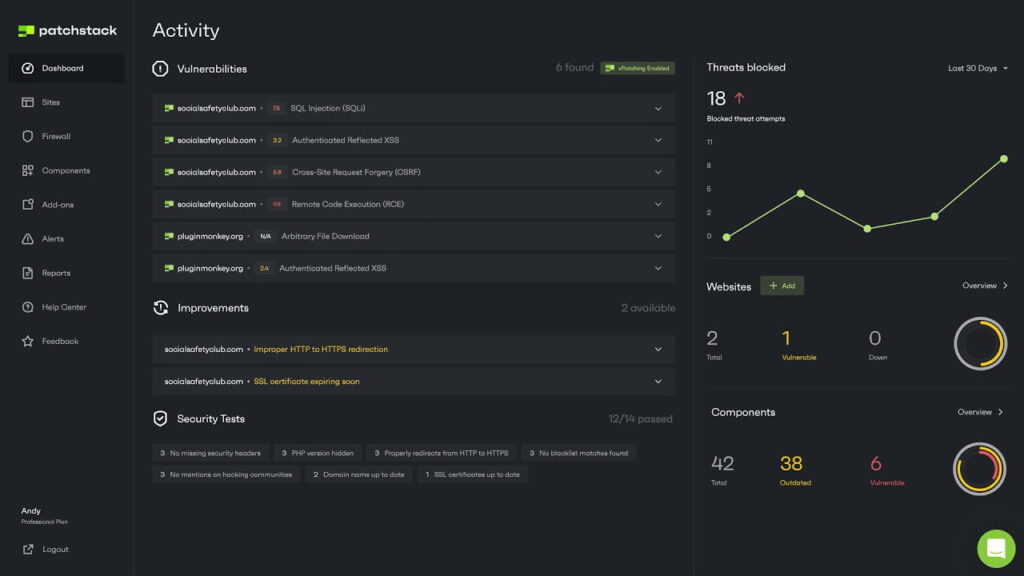
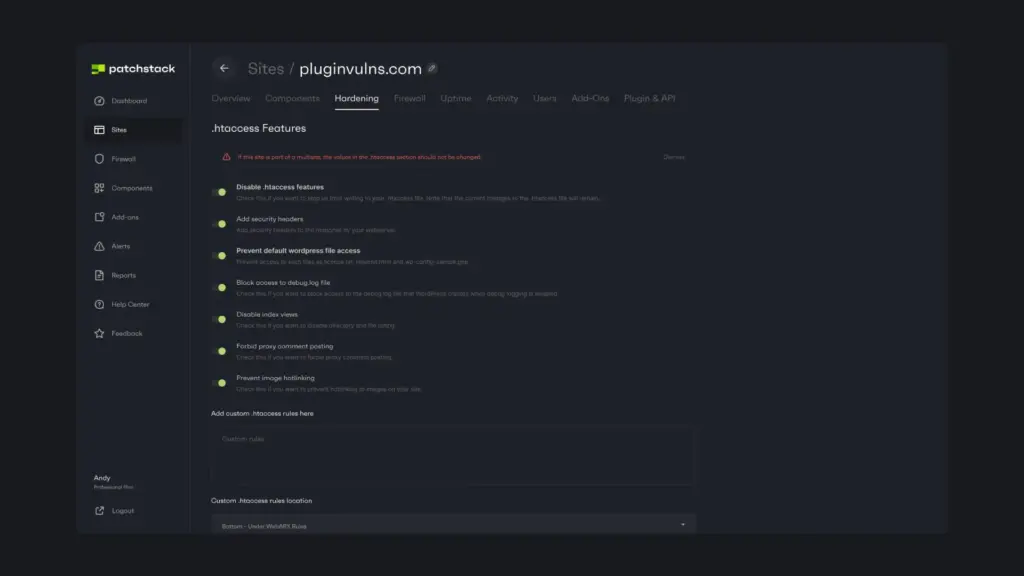
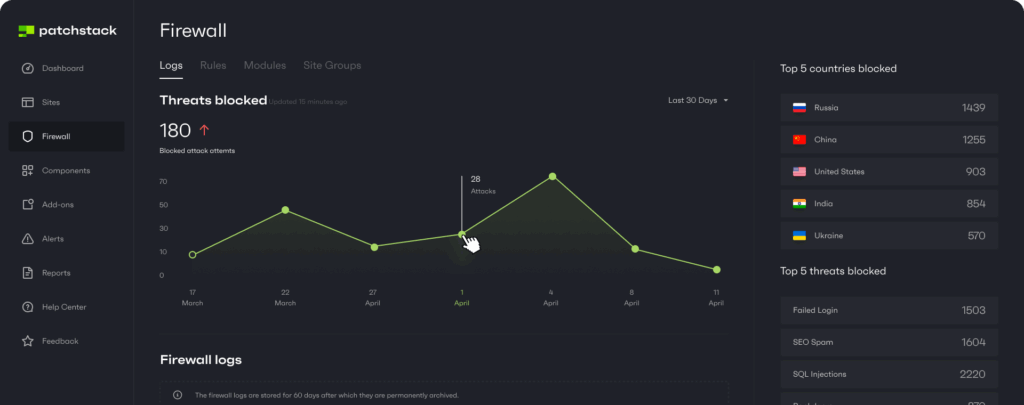
    WordPress, being one of the most popular content management systems, powers a significant portion of the web. However, with its popularity comes the increased attention of cybercriminals, making WordPress sites a prime target for attacks. In this context, measures to secure these sites are not merely optional; they are indispensable. Patchstack, formerly known as WebARX, has carved a niche for itself in the realm of WordPress security. As an emerging force, it offers a robust suite of tools that are specifically designed to shield websites from a plethora of vulnerabilities that threaten the integrity of a WordPress site. Patchstack’s offerings include real-time threat intelligence, automated vulnerability patching, and a web application firewall, among others. These tools work in tandem to provide a comprehensive security solution that is both proactive and reactive in nature. At its core, Patchstack is designed to be user-friendly, allowing website owners, regardless of their technical expertise, to easily implement security measures. The real-time threat intelligence ensures that users are always aware of the latest vulnerabilities and threats, enabling them to act swiftly. The automated vulnerability patching feature, on the other hand, is a game-changer. It automatically applies virtual patches to known vulnerabilities, ensuring that even if a site owner is not actively managing their site, it remains secure. The web application firewall serves as the first line of defense, blocking malicious traffic and preventing unauthorized access. However, no security solution is without its potential drawbacks. One of the concerns with Patchstack could be its reliance on a third-party to provide security. Some users might be hesitant to outsource such a critical aspect of their digital presence. Additionally, while Patchstack is a powerful tool, it is not a silver bullet. Users must still adhere to best practices in security, such as using strong passwords and keeping their WordPress core, themes, and plugins up to date. When it comes to its competitors, Patchstack holds its own. Other security solutions such as Sucuri and Wordfence also offer comprehensive security features for WordPress sites. However, Patchstack’s unique selling point is its focus on simplicity and automation, making security accessible to all. While its competitors may offer similar functionalities, Patchstack’s intuitive interface and hassle-free maintenance make it a standout choice for many users. In conclusion, Patchstack is a formidable option for WordPress site owners who are looking to fortify their sites against cyber threats. Its suite of tools offers a well-rounded approach to security, ensuring that sites are protected from multiple angles. While there are considerations to be made about its use, the benefits it provides, especially in comparison to its competitors, make it a worthy investment for anyone serious about securing their WordPress site in the digital age.

    The Strengths of Patchstack

    Early Warning System: In today’s digital age, cybersecurity is of utmost importance. With the increasing number of cyber-attacks, it is essential to have a system in place that can provide an early warning to potential vulnerabilities. This is where Patchstack’s 48-hour early warning system comes into play. Patchstack’s early warning system is designed to give users a crucial lead time to prepare and brace against any potential threats. The system is powered by a dedicated team of cybersecurity experts who are constantly monitoring the digital landscape for any signs of vulnerabilities. They work tirelessly to ensure that the system is updated with the latest information on potential threats, so users can be informed as soon as possible. In addition to the team of experts, the early warning system is also powered by an automated system that uses advanced algorithms to detect any unusual activity. This automated system works 24/7, constantly scanning the internet for any signs of potential cyber threats. When a threat is detected, the system immediately alerts the team of experts, who then analyze the threat and determine the best course of action. With Patchstack’s early warning system, users can rest assured that they are always one step ahead of cyber threats. The 48-hour lead time provided by the system gives users ample time to take the necessary precautions to protect their digital assets. Whether it’s updating software, changing passwords, or implementing other security measures, users can take action before a threat becomes a reality. Overall, Patchstack’s early warning system is an invaluable tool for anyone looking to stay ahead of the curve when it comes to cybersecurity. With its dedicated team of experts and advanced automated system, users can have peace of mind knowing that they are always one step ahead of potential threats.

    Comprehensive Vulnerability Database: Patchstack stands out in the world of WordPress security with its impressive, ever-expanding database that meticulously tracks and records vulnerabilities found in WordPress core, along with the numerous plugins and themes that users rely on to build and enhance their websites. This extensive coverage is more than just a feature; it is an indispensable resource for anyone running a WordPress site. The database is not just a stagnant list; it is a dynamic, living repository that is consistently updated by a dedicated team of security experts. These experts scour the internet, collaborate with developers, and even engage with the wider WordPress community to identify and document new security threats as they emerge. This proactive approach to security ensures that Patchstack users are always armed with the most current information, giving them the ability to act swiftly to protect their sites against potential breaches. For WordPress users, this means peace of mind. Knowing that Patchstack is continuously monitoring for vulnerabilities allows site owners to focus on what they do best – creating content, engaging with their audience, and growing their online presence – without the looming fear of a security lapse. The database includes detailed descriptions of each vulnerability, its potential impact, and the steps needed to mitigate the risk, often before the exploits become widely known to malicious actors. Furthermore, Patchstack’s Comprehensive Vulnerability Database is more than just a safety net; it is also an educational tool. Each entry in the database is an opportunity for users to learn about the types of threats that exist, how they can be exploited, and how to build stronger defenses for their sites. By raising awareness and understanding among WordPress users, Patchstack plays a crucial role in fostering a more secure web ecosystem. In an online world where threats are ever-evolving and hackers are becoming increasingly sophisticated, a resource like the Patchstack Comprehensive Vulnerability Database is not just valuable – it is vital. It empowers users to stay one step ahead of potential security issues, ensuring that their WordPress sites remain safe, secure, and successful.

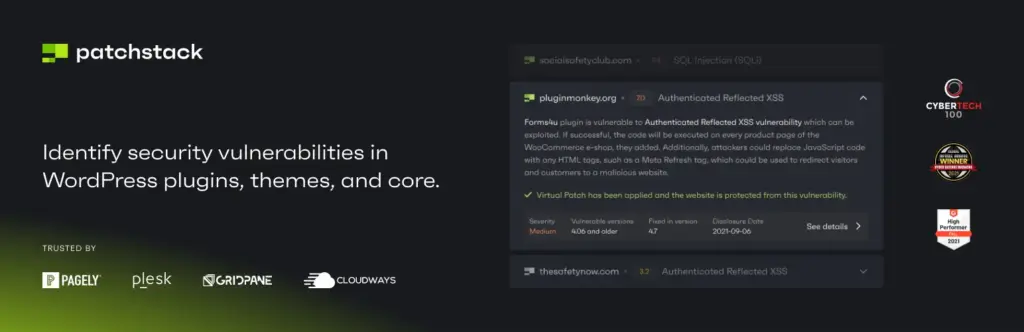
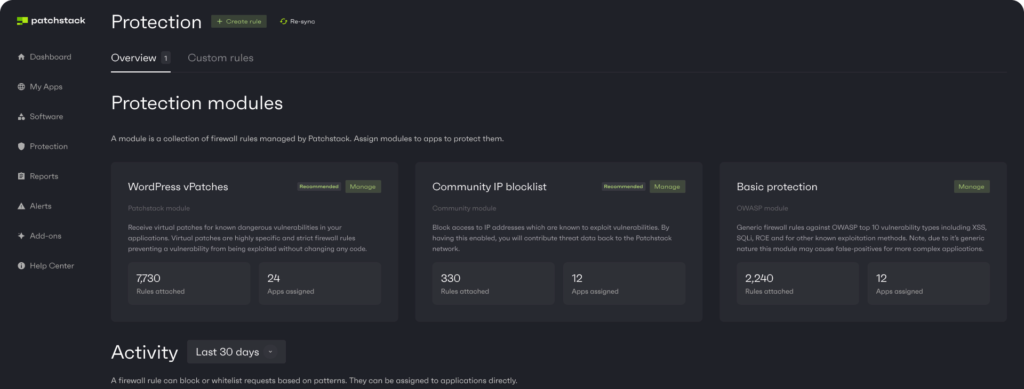
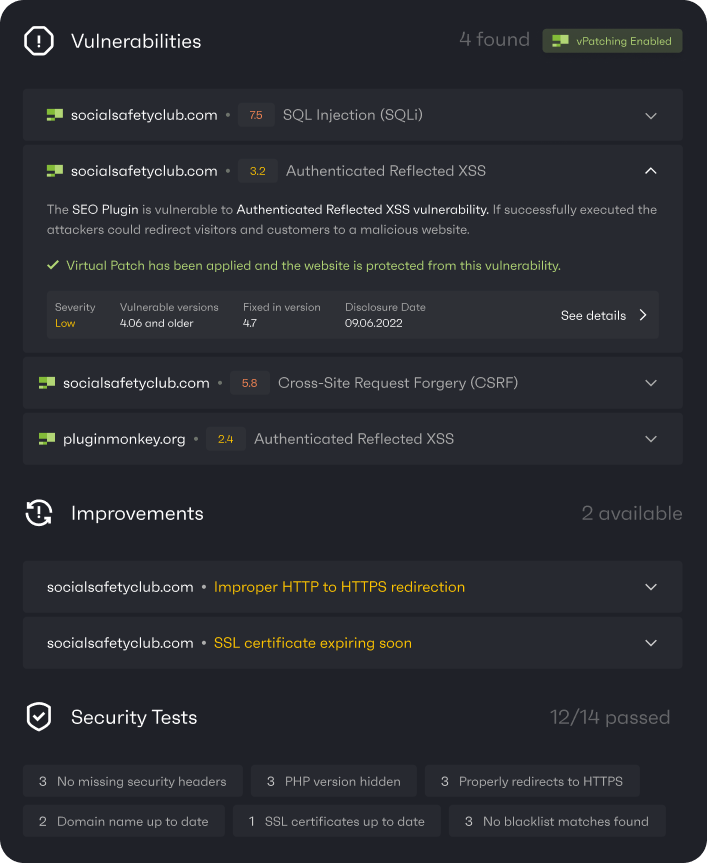
    Automatic Virtual Patches: In the ever-evolving world of cybersecurity, staying one step ahead of potential threats is crucial for the safety and integrity of your website. Patchstack, a leading security solution provider, offers a standout feature that sets it apart from its competitors – automatic virtual patching. This innovative feature acts as a first line of defense, offering real-time protection against known vulnerabilities. As soon as a vulnerability is discovered and reported, Patchstack’s team of security experts swiftly create a virtual patch, which is then automatically applied to your site. This means that even before the official patch is released by the software vendor, your site is already safeguarded against potential attacks. Virtual patches are essentially a set of rules or filters that intercept and block malicious traffic targeting the identified vulnerability. By deploying these patches automatically, Patchstack ensures that your website’s security is not reliant on the manual update process, which can sometimes be slow or overlooked by website owners. This automation not only saves you time but also offers continuous protection, minimizing the risk of your site being compromised. What’s more, automatic virtual patching by Patchstack is unobtrusive and does not affect your website’s performance. It operates seamlessly in the background, ensuring that your site’s visitors experience no interruptions or slowdowns. This feature also gives website owners peace of mind, as it alleviates the stress and worry associated with keeping up with the latest security threats and updates. In conclusion, automatic virtual patching by Patchstack is an essential feature for any website owner who values security. It provides a robust, proactive approach to safeguarding your site, allowing you to focus on running your business with confidence, knowing that your online presence is in safe hands. With Patchstack’s continuous protection, you can rest assured that your site is shielded from the ever-present dangers of the digital world.

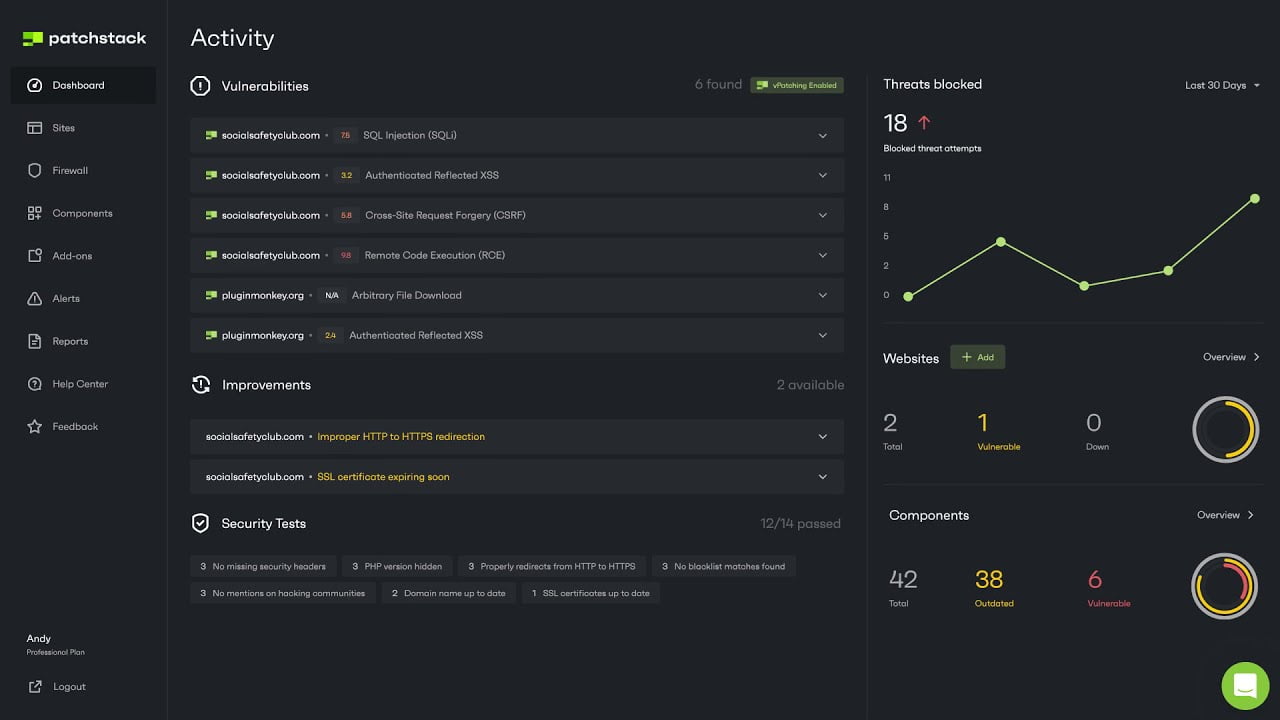
    User-Friendly Interface: In the world of cybersecurity, where complexity often reigns supreme, Patchstack emerges as a beacon of simplicity and ease of use. Boasting an array of sophisticated functionalities designed to fortify your website against potential threats, Patchstack manages to deliver these features without overwhelming its users. The setup process is straightforward, requiring no extensive technical know-how, which makes it an ideal choice for individuals and businesses alike, regardless of their familiarity with web security protocols. Once installed, Patchstack greets users with a sleek, intuitive dashboard that serves as the command center for all security operations. The layout is meticulously designed to ensure that every feature is within reach, eliminating the need for tedious navigation through convoluted menus. This user-centric approach allows even those with minimal technical expertise to effortlessly monitor and manage their site’s security posture. The dashboard presents a comprehensive yet comprehensible overview of your site’s security status, highlighting critical information such as recent attacks, vulnerability detections, and security recommendations. Real-time alerts keep you informed about potential breaches, enabling swift action to safeguard your digital presence. This level of transparency and control ensures that users feel empowered, rather than intimidated, by the task of website security management. Patchstack’s commitment to accessibility extends beyond its user interface. The platform offers extensive support resources, including detailed documentation, tutorials, and responsive customer service. These tools provide valuable guidance to help users navigate the platform’s features and optimize their website’s security measures. In an era where cyber threats are becoming increasingly sophisticated, Patchstack’s user-friendly interface stands out as a testament to the fact that robust security solutions can be both powerful and approachable. By striking this delicate balance, Patchstack not only protects your online assets but also instills confidence in users of all technical levels to take an active role in their website’s defense.

    Community-Driven Approach: At the heart of Patchstack’s security philosophy lies a deep commitment to collaboration and community engagement. Recognizing the power of collective intelligence, Patchstack has built an extensive network of security researchers, developers, and WordPress enthusiasts who are passionate about protecting the digital landscape. This network operates as the backbone of Patchstack’s security infrastructure, providing a platform for individuals to share their insights, discoveries, and innovations. By tapping into the diverse expertise of its community members, Patchstack can rapidly identify and respond to new security threats, ensuring that its database remains not only robust but also highly responsive to the ever-evolving challenges of cybersecurity. The community-driven approach also fosters a sense of shared responsibility among its members. As they contribute to the safety and integrity of WordPress sites worldwide, these collaborators become integral to the Patchstack ecosystem. They help to cultivate an environment where knowledge is freely exchanged, and continuous learning is encouraged. This, in turn, leads to the development of more sophisticated and effective security solutions that benefit the entire WordPress community. Furthermore, Patchstack actively incentivizes participation through recognition, rewards, and the provision of resources that empower its members to further their research and development efforts. By doing so, Patchstack not only keeps its database up-to-date but also ensures that it is constantly being refined and strengthened by the most current and relevant information available. In essence, Patchstack’s community-driven approach is a testament to the belief that the best defense against cyber threats is a united front. By harnessing the collective power of its network, Patchstack provides a security solution that is not only comprehensive but also deeply rooted in the spirit of collaboration and mutual support. It is this approach that sets Patchstack apart and makes it a formidable ally in the quest to safeguard WordPress sites from potential security breaches.

    Considering the Downsides

    However, Patchstack is not without its limitations:

    1. Pricing for Premium Features: The more advanced features, including some crucial security elements, are available only in paid plans, which might be a barrier for small website owners with limited budgets.
    2. Limited Scope for Non-WordPress Sites: Patchstack is specifically tailored for WordPress, making it unsuitable for those using other content management systems.
    3. Dependency on External Plugin: Operating as a plugin, Patchstack’s effectiveness can be contingent on compatibility with other plugins and WordPress versions, which could lead to conflicts in certain setups.

    Patchstack Pricing: A Closer Look

    Patchstack offers various pricing plans to cater to different needs:

    Plan TypePriceFeatures
    Free$0Basic security features, weekly reports, community support
    Developer$99/monthApps included 50, Seats included 1, Vulnerability detection
    Real-time protection, Software management, Add-ons
    Business$499/monthApps included 500, Seats included 5, Vulnerability detection
    Real-time protection, Software management, Add-ons
    https://patchstack.com/pricing/

    The Competitive Landscape

    When evaluating the security solutions offered by Patchstack, it is equally important to analyze the landscape of its competition. This not only provides a clearer understanding of what Patchstack brings to the table but also allows us to see how it stacks up against other companies offering similar services. One of Patchstack’s main competitors is Wordfence, a popular security plugin that provides a range of features such as firewall protection, malware scanning, and live traffic monitoring. Wordfence is known for its comprehensive approach to security, offering users real-time threat defense feeds and the ability to block malicious traffic effectively. Another notable competitor is Sucuri, a well-established player in the website security industry. Sucuri offers a suite of security tools, including a website firewall, intrusion prevention system, and a cloud-based backup solution. Sucuri’s services are designed to provide robust protection against various types of attacks, such as DDoS, brute force, and malware injections. iThemes Security is also a key competitor, providing over 30 ways to secure and protect WordPress websites. With features such as two-factor authentication, password security, and file change detection, iThemes Security focuses on preventing unauthorized access and securing vulnerabilities within WordPress sites. All In One WP Security & Firewall is another alternative that offers a user-friendly interface and a comprehensive set of security features. It includes a security points grading system to help users understand the strength of their website’s security posture. As we compare Patchstack to its competitors, it’s essential to consider factors such as ease of use, the range of features offered, the effectiveness of threat detection and response, and the level of customer support provided. Patchstack prides itself on providing an easy-to-use interface, automated security updates, and a dedicated support team, which may set it apart from the competition for some users. In conclusion, while Patchstack presents a compelling option for website security, it operates within a competitive landscape filled with robust alternatives. By examining its competitors, users can make a more informed decision about which security solution best fits their needs, ensuring their websites remain protected against the ever-evolving threats in the digital world.

    Wordfence offers a comprehensive WordPress security solution with an endpoint firewall installed on the same server as the website, offering stricter security rules than cloud-based firewalls. It also features a thorough malware scanner to detect threats and check the integrity of WordPress core files, themes, and plugins. Unlike cloud-based services, Wordfence is locally managed, allowing website owners to directly control their security measures. Additional features include two-factor authentication and live traffic monitoring. Wordfence provides a hands-on approach to security, giving WordPress site owners the tools to protect their online presence effectively.

    Sucuri is a top provider of website security solutions for various platforms, including WordPress. Known for its effective security features and proactive approach, Sucuri is a trusted name in the industry. They offer cleanup services for hacked websites, quickly identifying and removing malware to restore the site. Additionally, Sucuri provides preventive measures like continuous monitoring, a web application firewall, and a content delivery network for enhanced security and performance. Their exceptional customer service is available 24/7 to help with any security concerns. In an era of sophisticated cyber threats, Sucuri’s reliable security solutions are invaluable for website owners, providing peace of mind and allowing them to focus on their business growth.

    MalCare is a popular WordPress security plugin with a deep malware scanner, one-click removal, and a firewall. The powerful scanner runs automatically every day and scans every part of your WordPress site, including files and database. You can also scan your website on-demand if needed. MalCare scans for malware on its servers, ensuring your website remains fast and responsive without using site resources.


    dashboard mobile

    Final Verdict

    Patchstack is a strong contender in the WordPress security arena, especially with its unique early warning system, comprehensive vulnerability database, and automatic virtual patches. However, its focus on WordPress, the cost barrier for premium features, and reliance on plugin compatibility are factors to consider.

    In comparison to Wordfence and Sucuri, Patchstack holds its own, particularly with its early warning system and community-driven approach. However, those looking for a more holistic website security solution that extends beyond WordPress might find Sucuri more fitting, while Wordfence could appeal to those preferring a locally managed firewall.

    Ultimately, the choice depends on your specific needs, budget, and the nature of your website. For WordPress users seeking a proactive and comprehensive security solution, Patchstack is certainly worth considering. For more details and the latest on their offerings, visit Patchstack.

  • From Zero to Hero: Transformative Web Design with Elementor for WordPress

    From Zero to Hero: Transformative Web Design with Elementor for WordPress

    [video src="http://blog.popproxx.com/wp-content/uploads/2023/11/Elementor_comprehensive_feature_review720p.mp4" /]

    Introduction

    Launched in 2016, Elementor has risen rapidly to be a top contender in the WordPress plugin arena. It’s currently powering over 13 million WordPress sites and has garnered a five-star rating from a vast number of users.
    Elementor’s blend of user-friendly editing, open-source flexibility, extensive design options, and a supportive community of professionals makes it the premier choice for building WordPress websites in 2023, catering to web creators worldwide.

    Discover Elementor

    Elementor is a WordPress site builder that enables you to realize your site’s vision without writing any code. In 2023, Elementor took a leap forward by introducing Elementor AI, a bespoke AI tool designed to enhance your site with automated text and code generation capabilities.

    Simplifying WordPress Website Construction with Elementor

    Elementor streamlines the process of crafting a professional WordPress website. There’s no need for programming expertise, exhaustive working hours on simple tasks, or endless tutorial viewing. It eliminates the need for juggling multiple plugins or incurring additional costs to develop a high-caliber WordPress site.

    With Elementor, you can:

    • Launch a WordPress site with one click, bypassing the hassle of multiple service providers and the intricacies of hosting services through Elementor’s Hosting solution.
    • Dive into Elementor’s intuitive onboarding and instantly deploy a fully-designed website kit.
    • Create entire pages using the visual drag-and-drop editor, no coding necessary.

    Versatility in Web Design with Elementor: From Simple Landing Pages to Complex Websites

    • Elevate your brand with customized business and brochure websites or concise one-pagers.
    • Establish your personal brand online with a biography, digital business card, or individual website.
    • Expand your enterprise with dedicated campaign sites, landing pages, affiliate portals, and lead-generation platforms.
    • Amplify sales with an online storefront, crafting ecommerce platforms, big or small, using Elementor’s WooCommerce Builder.
    • Engage audiences with content-driven sites like blogs, online magazines, news portals, and more.

    Elementor: The Ultimate Tool for Every Skill Level

    Elementor is tailored for any individual involved in website creation, be it developers, marketers, designers, or shop proprietors. This comprehensive builder equips you with the essentials to construct a top-tier website.

    • Developers – delve into a forward-thinking, open-source ecosystem with the freedom to implement custom code, APIs, and addons, all while harnessing the visual editor, an array of widgets, and pre-crafted templates to boost productivity.
    • Designers – craft detailed and intricate WordPress sites using the drag-and-drop editor, capitalizing on the full spectrum of styling and design features for pristine results.
    • Marketers – utilize integrated marketing tools to create WordPress websites that convert effectively.
    • Store Owners – take charge of every aspect of your online store’s design to align with your commercial objectives and enhance sales.

    You can also tap into Elementor’s collection of ready-made full website kits or templates, curated by seasoned web developers. These resources are designed to fast-track your website building efforts, as well as simplify the process for WordPress novices aiming to craft impressive websites effortlessly.


    Elementor’s No-Code Website Builder

    Elementor’s no-code platform invites you to visually construct your websites with design finesse, sans a single stroke of coding.

    Build, Design and Animate Pixel-Perfect Websites

    With Elementor’s Editor, grasp full sway over your page design and layout. Drag elements onto the canvas, arranging them with Elementor’s widgets to infuse content and style.

    Full Design Freedom

    Leverage Flexbox or CSS Grid Containers in Elementor for:

    • Precise element placement control: positioning, alignment, and spacing.
    • Infinite design possibilities with nested containers.
    • Uncompromising performance and responsiveness.
    • Cleaner, performance-optimized code output.

    Nested Elements

    Unlock design capabilities with Flexbox Containers for Nested Editing, letting you drag elements into nestable widgets like:

    • Nested tabs
    • Nested Mega Menus
    • Upcoming: Nested Carousel, Slides, Accordion, Content Switcher

    Advanced Design Capabilities

    Elementor enhances your creative power with:

    • SVG integration for precision in Text Path widgets.
    • Built-in CSS controls for custom transformations and filters.
    • Custom fonts support, inclusive of Google and Adobe Fonts libraries.
    • A wide selection of icons from Font Awesome and options to upload your own.

    Masking and Animations

    • Apply masks to any element for innovative design patterns.
    • Introduce dynamic animations and effects tailored to device responsiveness.

    Lottie Files and Sticky Elements

    • Embed interactive Lottie animations.
    • Use Sticky Elements to enhance navigation and structure, with device-specific settings.

    Over 100 Widgets, for Every Purpose

    Elementor’s arsenal includes widgets for every function:

    • Visual Widgets: Heading, Image, Gallery, Animated Headline, and more.
    • Embedded Widgets: Video, Google Maps, SoundCloud, etc.
    • Functional Widgets: Forms, Countdowns, Payment buttons, etc.
    • Dynamic Posts Widgets: Post grids, Portfolios, Post navigation, etc.
    • WooCommerce Widgets: Add to cart, Product grids, Checkout, and more.

    An Ultimate Experience on any Device and Screen Size

    Elementor’s toolkit is responsive out-of-the-box and grants manual control over:

    • Device-specific adjustments with mobile editing mode.
    • Visibility control for showing or hiding elements per device.
    • Element reordering for mobile responsiveness with Flexbox Containers.

    With Elementor, create seamlessly and ensure your website is a responsive, mobile-friendly masterpiece.

    Elementor Website Builder

    Next-Level Theme Builder
    Gain total command over your website with Elementor’s Theme Builder. Edit essential parts such as the Header & Footer, Single Pages and Posts, Archives, Search Results, and even the 404 Error pages for a fully cohesive design.

    Edit Every Theme Part
    Elementor allows the same level of editability for theme parts as it does for other website sections, enabling refined and professional theme design with its advanced tools.

    Dynamic Widgets for Site Consistency
    Utilize dynamic widgets that draw content directly from WordPress, ensuring your site remains consistent. Insert your site logo dynamically across your pages with the Site Logo widget.

    Multiple Theme Parts and Conditions
    Craft several templates for each theme part, like designing different headers for specific pages, with advanced display conditions guiding their appearance.

    WooCommerce Builder
    Integrate seamlessly with WooCommerce, customizing every aspect of your online store to align perfectly with your brand and enhance sales with features like promotional popups.

    WooCommerce Widgets for Online Store Excellence
    Leverage dedicated WooCommerce widgets within Elementor’s builder to design the ideal store, automatically populating with WooCommerce content for convenience.

    Archive Pages & Single Product Page
    Quickly set up archive or catalog pages using the Products widget with predesigned skins, or construct your own with the Loop Builder. Tailor Single-Product page templates with widgets that automatically fill with product-specific content from WooCommerce.

    Advanced Display Conditions & WooCommerce Notices
    Implement varied display conditions for your templates, dictating which products show based on WooCommerce categories and taxonomies. Customize WooCommerce notices to maintain branding consistency and trust throughout your site.

    Transactional Pages
    Design every detail of transactional pages like the Cart, Checkout, and My Account sections to heighten brand recognition and trust.

    Blogs and Dynamic Content
    Create unique, content-rich websites by designing blogs with dynamic widgets, automatically populated from WordPress, and construct custom Archive pages with content drawn from WordPress listings.

    Single Post & Custom Search Result Page
    Design a Single Post template with widgets that pull content dynamically, maintaining a consistent aesthetic across posts. Customize your Search Result Page to fit your brand with dynamic widgets.

    Advanced Display Conditions & Integration with Custom Fields
    Use advanced display conditions for a variety of Archive and Single Post designs based on WordPress categories and taxonomies. Take advantage of Elementor’s compatibility with plugins for Custom Post Types and Custom Fields, displaying content from WordPress Custom Fields dynamically.

    Loop Builder
    With the Loop Builder, create custom loops for listing your blog posts, products, and more. It grants total design freedom for your Main Item template, linked with dynamic widgets and tags to WordPress content.

    Hello Theme – The Ideal WordPress Theme for Elementor
    Maximize Elementor with the Hello Elementor Theme, a minimalist and speedy WordPress theme favored for its lightweight resource demand, ensuring swift loading times and improved website performance.

    Comprehensive Template Library
    Choose from over 300 templates, including full website kits and various web assets, in Elementor’s Library. All materials are crafted by design experts and are available for use under a collaborative license, incorporating the latest design trends for professional-grade website building.

    Elementor’s Marketing Suite

    Websites are more than a brochure or business card, and nowadays even a portfolio website has clear business goals and KPIs. To empower you to get more conversions from your site, Elementor provides a full marketing suite that turns your WordPress website into a professional marketing machine.

    Elementor’s Form Builder

    Being able to collect leads is the marketing foundation of any business or service provider. This turns any business website, portfolio, or landing page into a powerful marketing engine that increases engagement and revenue. With Elementor’s Form Builder, you can create professional, sophisticated, and flexible forms.

    Create any Type of Form Visually, Without Code

    Elementor’s Form Builder is an intuitive interface that allows you to create any type of form based on your website needs. The Form Builder is used in Elementor’s drag and drop interface, and doesn’t require any code or prior experience. Using Elementor’s Form Builder you can create:

    • Lead Collection Forms
    • Contact Forms
    • Event Registration Forms
    • Newsletter Subscription Forms
    • Price Quote Forms
    • Resume Submissions
    • And more…

    No-Code Pixel Perfect Form Design

    Elementor allows you to design every aspect of your Form: fonts, colors, spacing, borders, and comments. The Forms are also completely responsive, made to look great on any device – desktop, tablet, or mobile. Elementor’s advanced mobile editing capabilities also enable you to adjust specific elements for mobile viewing including font size, alignment, dividing fields into columns, button visibility, and more.

    Multi-Step Forms

    To increase lead conversion and improve the visitor experience, if you have multiple fields you want a visitor to fill out, you can divide the fields into a multi-step form, where the fields are divided into different pages and steps, and don’t overwhelm the visitor.

    Any Field Type

    Create any type of intake field, including free text, number, phone number, checkboxes, date & time, file upload, hidden fields, an HTML field for free text, and more. Then, you can use Captcha, or Honeypot to ensure you’re filtering out spam. Additionally, you can help logged-in users submit their information by populating data fields with Dynamic Content.

    Post Submission Redirect

    Redirect visitors to a specific page, or display a popup once they’ve completed the form, such as:

    • Confirmation page or popup
    • Thank you page or popup
    • Automatic email to the visitor
    • Additional actions via integrating with third-party providers.

    Collect and Manage Form Submissions

    Elementor’s Form Submission interface collects, backups, and stores all your form submissions in the WordPress database. This reduces your dependency on webhooks and integrations, ensures your data is always backed up, and allows you to access your submission data whenever you need it, from your WordPress dashboard. Gather insights, analyze a campaign and export your Form Submissions to a CSV at any time. Each form’s submissions can be exported separately and used as needed. For example, you can view and filter by bulk options using form name, page, or date range, enabling you to easily find any form to view, edit, or delete submissions. Elementor also offers various popular marketing integrations to choose from. When you use Elementor Forms, along with third-party integrations, you can use the Actions login in your Form Submissions to see if the integration was successful.

    Built For Scale!

    Elementor’s Form Builder is React-based and stores all of your submissions’ data in a separate database, enabling you to pull, filter, and edit data instantly. This means your submissions will not impact performance or overload your website! Additionally, Form Submissions are GDPR compliant and use WordPress’s native Export and Erase user information tools, so you can access all of your data from your WordPress admin while maintaining compliance.

    Built-in Integrations to Email Providers and Automations

    Send automated webhooks after each submission to a third-party system for further marketing automation activities and storage with Elementor’s integrations.

    • MailChimp
    • Drip
    • ActiveCampaign
    • Slack
    • Discord GetResponse
    • ConvertKit
    • MailerLite
    • And more…

    If you’d like to integrate with other providers or systems, you can use a webhook integration like Zapier to create infinite automations after Form Submission.

    Boost Conversion with the #1 Landing Page Builder for WordPress

    When trying to achieve a specific outcome in a campaign, sending visitors to your website can be overwhelming as it can have a lot of content and distractions. However, sending visitors to a dedicated landing page will keep visitors focused on the specific topic or action you want them to perform, allowing you to achieve better results with the same campaign budget.

    Elementor’s Landing Page Builder empowers you to create beautifully designed, professional landing pages in a flexible and intuitive editing interface, without the need to code.

    Get Inspired and Kickstart your Design with Over 100 Professional, Highly-Converting Landing Page Designs

    Elementor’s library of over 100 professionally-designed templates has any type of landing page that your business needs. Our templates are crafted to support different goals and audiences, with a variety of styles and trends.

    Wide Variety of Widgets and Features

    • Sell Products or Services
    • Collect Leads and Signups
    • Maximize Your ROI from Remarketing Campaigns

    Measure Your Campaign’s Impact

    Easily add custom code snippets, such as Google Analytics code or Facebook Pixel code, to your landing pages to measure the impact.

    Visual Popup Builder

    Elementor’s Visual Popup Builder enables you to create engaging popups that can help increase sales and conversion rates, and are fully responsive for all devices.

    Design and Publish Popup in Minutes

    Build sophisticated popups using Elementor’s Editor and make your popups stand out with advanced motion effects and design capabilities.

    Get Inspired and Kickstart your Design with Over 100 Professional, Engaging Popup Designs

    Choose from over 100 pre-designed, highly converting popups, designed to look pixel-perfect and follow the latest design trends.

    Advanced Triggers and Rules

    Determine how, when, and where popups will be displayed. Use Display Conditions to determine what pages the popup will appear on, Triggers to set specific visitor actions that will trigger the popup, and Advanced Rules to choose your audience, frequency, schedule, and more. That way, you can always display the most relevant popup to each visitor, which increases conversions.

    Display Conditions include:

    • Pages
    • Categories
    • Tags
    • Author
    • Publish date

    Triggers include:

    • Upon page load – how long after page load
    • Upon page scroll – how far on the page should the visitor scroll before triggering the popup
    • By hovering on an element – choose a class that when a visitor hovers over an element the popup will appear
    • By click – trigger a popup when a visitor clicks on a link or button
    • Upon inactivity – determine when to trigger a popup to a visitor who has been inactive on the website
    • Upon exit intent – trigger a popup when a visitor tries closing website

    Advanced Rules include:

    • Time – display after a number of seconds
    • Number of visits – display after a number of sessions
    • Limit frequency – determine

    The Professional Builder For Your WordPress Website

    Elementor’s Editor is an open-source platform that provides full flexibility for customization. It’s designed for users who want control over their website’s design and functionality, but it’s also developer-friendly, allowing for deeper modifications if needed.

    Custom CSS

    Add custom CSS to any element to fine-tune your design or achieve more specific, custom styles beyond the standard design options.

    Custom Code

    Implement custom code snippets in the header, footer, or body of your page to track performance or enhance your website’s capabilities.

    HTML Widget

    Use the HTML widget to integrate HTML, CSS, shortcodes, and JavaScript scripts directly into your page with Elementor’s drag-and-drop interface.

    Maintenance Mode and Coming Soon

    Easily switch your website to maintenance or “Coming Soon” mode while you’re updating or constructing your site, with the option to use Elementor’s templates or your own custom designs.

    History and Version Management

    Elementor’s version control allows you to view the revision history and revert to previous versions of your site, ensuring you can recover from mistakes or review past designs.

    Draft Mode

    Prepare changes to your website in draft mode without publishing them, allowing for planning and revisions before updates go live.

    Customize Your Website’s Setup

    Set up your site with Elementor’s comprehensive tools to start off on the right foot, ensuring efficiency and professionalism in your website builds.

    Global Design System

    Maintain a consistent look and feel across your website by configuring global fonts, colors, and widgets that ensure design uniformity and speed up your workflow.

    Theme Builder Management

    With Elementor’s Theme Builder, you have the power to design and manage all aspects of your site’s theme, from headers to footers, and apply them selectively across your website.

    Advanced Role Management

    Control user access with advanced role management, giving you the ability to restrict certain users from accessing the Editor or limiting their capabilities within it.


    Elementor AI

    Boost Your Productivity and Efficiency
    Elementor AI enhances your productivity by providing generative AI tools natively integrated within Elementor. This integration covers text areas, Custom Code, Custom CSS, and HTML, streamlining your workflow without the need to juggle between different tools.

    Instantly Create Original Text
    With the AI writer, you can instantly draft original content for your website directly within the widget’s content area. This feature allows you to generate new text, fine-tune the length, and adjust the tone to align with your brand’s voice seamlessly.

    Enhance Your Website’s Content
    Upgrade your website’s content by utilizing Elementor AI to optimize text, alter its style, and maintain high-quality, consistent messaging that strengthens your brand identity.

    Grow Your Audience with Multilingual Content
    Elementor AI enables you to translate your website into 25 different languages, broadening your reach and engaging a global audience without the need for external tools or translation services.

    Design Creative Website Experiences with Elementor AI’s Code Assistant
    Distinguish your website with unique designs by generating Custom CSS or HTML with Elementor AI’s Code Assistant. This tool understands Elementor’s specific selectors, simplifying the process of applying custom styles to each element.

    Measure Your Website’s Performance
    Use AI-generated Custom Code to implement analytics tracking, like Google Analytics or Facebook Pixel, to evaluate the performance of your landing pages effectively. Elementor AI’s Code Assistant can craft the necessary code snippets, streamlining the integration of these analytical tools.


    Professional Workflows: Streamlining Your Elementor Experience

    Utilizing Global Templates for Efficient Design

    Elementor provides a seamless way to streamline your web design process. You can save any section or entire page as a global template, which becomes instantly available in your Template Library. This means you can create a design once and reuse it across multiple pages or even different websites, maintaining a consistent look and feel while saving time. To save a section or a page, simply right-click on the section or use the save option beside the publish button. Access these templates anytime from the ‘My Templates’ tab.

    Personalized Default Settings

    With Elementor, every element can be customized and saved as your default setting. This includes styles, settings, placeholder content, and images. For instance, you can set your logo as the default image in an image widget or apply your brand colors as the default palette for text. These personalized defaults significantly reduce the repetitive task of customizing each new element from scratch, enhancing your workflow.

    Navigating with Ease Using Finder

    Elementor’s Finder is a powerful tool that lets you jump to any area of your website without leaving the page you’re working on. This feature reduces the hassle of managing multiple tabs and screens, allowing you to search and navigate to any Elementor page, setting, or WordPress dashboard area. The Finder is especially useful when you’re working on complex sites that require frequent switching between different content types and settings.

    Enhanced Access with Favorites

    For those widgets that you find yourself using repeatedly, Elementor offers a ‘Favorites’ feature. Pin your most-used widgets to the top of the widget panel, and they’ll always be just a click away. This small but powerful feature means no more scrolling through a long list of widgets to find the ones you need.

    Cross-Website Copy & Paste

    The cross-website copy and paste feature is a real time-saver, especially for web designers who manage multiple Elementor sites. It allows you to copy any element from one site and paste it into another. This not only ensures design consistency but also adapts the pasted elements to the global styles of the new site, ensuring they blend in seamlessly.

    Keyboard Shortcuts for Faster Editing

    Elementor comes with a comprehensive list of keyboard shortcuts designed to speed up your editing process. From undoing changes to copying and pasting elements, these shortcuts are there to save you time. For a quick reference, press Shift+? within the Editor to bring up the full list of available shortcuts.

    Dark Mode for Design Comfort

    Elementor’s Dark Mode provides a more comfortable design environment, particularly useful for those long hours spent on your projects. It’s not just about reducing eye strain; Dark Mode also helps conserve energy, making it a choice that benefits both you and the environment.

    Collaborative Notes for Team Projects

    The Notes feature in Elementor allows team members to leave comments and instructions right on the elements within the Editor. It’s a powerful way to collaborate in real time, ensuring everyone involved in the project is on the same page. With Notes, you can mention colleagues or clients, reply to feedback, and mark notes as resolved, streamlining the communication process.

    Managing Workflow and Collaborations

    Elementor enhances collaborations by sending email notifications to individuals tagged in Notes, ensuring they’re always in the loop. The Notes Panel provides an overview of all notes, their statuses, and who they’re assigned to, making it easy to track progress and manage tasks within your team.

    By integrating these workflow and collaboration tools, Elementor makes the website building process smoother, more efficient, and better suited to professional team environments.


    Performance

    The performance of your website not only enhances the user experience but also plays a crucial role in search engine ranking and conversion rates. To this end, Elementor has forged a partnership with Google Chrome, utilizing insights from tools such as the Chrome User Experience Report and Core Web Vitals Technology Report, supported by guidance from a Chrome technical expert.

    Reduced DOM Output

    Elementor enhances website speed and accessibility through optimization of the DOM:

    • Eliminating Redundant Wrappers: Streamlining HTML by removing unnecessary wrappers.
    • Leaner Elements: Adopting elements like Containers to expedite loading times and enable sophisticated designs.

    Improved Media File Loading

    Balancing media file quality and site performance, Elementor introduces features for media optimization:

    • Lazy Load: Delaying media file loading until necessary, applicable to carousels, slideshows, videos, and more.
    • WebP Support: Converting JPEGs to the more efficient WebP format via the ‘Performance Lab Plugin’.
    • Preload Self Hosted Videos: Enhancing load times by managing how locally hosted videos are loaded.

    Faster Font Loading

    Fonts significantly impact your website’s identity and loading speed. Elementor’s solutions include:

    • Disable Google Fonts: For performance and GDPR compliance, with alternative loading methods like Custom Fonts.
    • Font Loading Method: Swap: Utilizing the Swap CSS property to facilitate quicker text visibility.
    • Preconnect Browser Hint: Accelerating Google Fonts delivery by pre-establishing connections.
    • Asset Optimization: Using inline SVG for icons, foregoing the need for external font libraries.

    Optimized Front-End Asset Loading

    Elementor employs several strategies to minimize CSS and JavaScript file sizes:

    • Conditional JavaScript Libraries Loading: Loading only the necessary libraries per page.
    • Optimized JavaScript: Streamlining libraries for a smaller footprint.
    • Deferring Widgets Handlers: Improving interactivity by deferring widget initialization.
    • Custom Breakpoints: Enhancing CSS delivery efficiency, improving page load times by up to 23%.
    • Page Transitions: Prefetching content upon hover, rendering instantly on click for up to a 30% performance boost.

    By implementing these advanced performance features, Elementor ensures that your website not only stands out aesthetically but also excels in speed and efficiency.

    Developer Friendly

    Elementor, an open-source website builder, is built for expansion with extensive developer documentation. This documentation covers the editor’s code components like hooks, integrations, and controllers. The API and developer resources guide developers on using Elementor’s features to create versatile websites or addons.

    Support & Education

    The Elementor Customer Experience team offers 24/7 support via chat or email, addressing inquiries about Elementor features. Support is available for multiple team members. Elementor also provides a comprehensive set of tutorials, help documents, and an Academy for in-depth guidance on using the platform.

    Be Part of a Large Community

    Elementor’s global community is a hub for web creators to exchange knowledge, offer support, and access a wealth of resources:

    Dozens of Elementor Addons, Themes, and Kits

    Elementor’s ecosystem includes over 900 addons for specific functionalities, alongside a selection of themes and kits designed for Elementor, ensuring a tailored website experience.

    Affordable Pricing Plans

    Elementor Pro offers tiered pricing plans to accommodate different needs:

    • Essential Plan: For $59, get all Pro features for one site, including 24/7 support and annual updates.
    • Advanced Plan: 3 website activations for $99.
    • Expert Plan: 25 website activations for $199.
    • Agency Plan: 1,000 website activations for $399.

    Getting Started with Elementor

    Elementor provides a complete package for WordPress websites, incorporating hosting, theme, and the Elementor Plugin. Elementor Pro can be purchased and installed separately, along with the free basic version available in the WordPress Repository.


  • Exploring Ollie: A Seamless Integration in WordPress Themes

    Exploring Ollie: A Seamless Integration in WordPress Themes

    Introduction

    The digital realm is evolving, and having a robust, flexible, and aesthetically pleasing website is no longer a luxury but a necessity. Among the myriad of themes available for WordPress, Ollie shines bright, promising a seamless integration and a plethora of features designed to elevate your digital presence. Let’s dive into the world of Ollie and discover what makes it a worthy contender in the vast ocean of WordPress themes.

    Key Takeaways

    • Ease of Customization: Tailor your website effortlessly to reflect your brand’s ethos.
    • Performance Optimization: Achieve blazing-fast load times and enhanced SEO capabilities.
    • Responsive Design: Ensure a seamless user experience across various devices and screen sizes.

    Seamless Customization with Ollie

    Creating a website that resonates with your brand’s ethos and appeals to your target audience has always been challenging. With its array of pre-designed templates and drag-and-drop builder integration, Ollie empowers beginners and professionals to craft pixel-perfect websites. The ease with which you can modify and customize every aspect of your website, from headers to footers, makes Ollie a preferred choice among many. Moreover, with agencies like Popproxx offering custom web design services, integrating Ollie into your digital strategy is a breeze.

    Performance Optimization

    In a world where every second counts, having a website that loads quickly is paramount. Ollie is engineered to be lightweight yet robust, ensuring your website loads at lightning speed. Moreover, its SEO-friendly structure ensures that your website ranks well on search engines, driving organic traffic and enhancing visibility. Explore how SEO can significantly impact your website’s performance with Popproxx’s comprehensive SEO services.

    Key Takeaways

    • Loading Speed: Quick load times ensure a better user experience and contribute to higher SEO rankings.
    • SEO Ready: Leverage Ollie’s SEO-ready structure to drive organic traffic and enhance online visibility.

    Ensuring Responsiveness and Cross-Device Compatibility

    The exponential growth of mobile users necessitates a responsive design that ensures a seamless user experience across devices. Ollie’s responsive design automatically adjusts to different screen sizes, providing a consistent user experience whether your visitors are on a desktop, tablet, or smartphone. Check out these tips for managing multiple WordPress sites to ensure optimal performance across all devices.

    Enhanced User Experience

    A website is your brand’s digital face, so providing an outstanding user experience is crucial. Ollie excels in this department with its intuitive header and footer builders and other UI/UX-enhancing features. With Ollie, creating a website that is visually appealing and user-friendly is straightforward. If you would like more insights on enhancing user engagement on your WordPress site, you can explore how to improve customer engagement.

    Key Takeaways

    • User-Centric Features: Crafting a user-friendly website is effortless with Ollie.
    • Real-World Impact: Experience a positive impact on user engagement and satisfaction.

    Comparative Analysis

    In the vast landscape of WordPress themes, Ollie holds its own with its unique blend of features, ease of use, and robust performance. Compared to other popular themes, Ollie stands out for its modern design, seamless integration with the WordPress block editor, and supportive community. Whether you are a blogger, a small business owner, or run a large enterprise, Ollie provides a scalable solution to meet your needs. You can explore our services comparison to better understand how Ollie can be a pivotal tool for your digital presence.

    Detailed Comparative Analysis

    The Ollie WordPress Theme stands tall with its distinctive features, especially compared to other themes: real-world testimonials and expert opinions back its intuitive design, SEO readiness, and performance optimization. The cost-effectiveness of Ollie, coupled with its robust features, makes it a viable choice for individuals and businesses alike. For a thorough comparison of WordPress tools, you can go into The Ultimate Comparison of WordPress Agency Tools for 2023.

    Key Takeaways

    • Unique Features: Ollie’s distinctive features set it apart in a crowded marketplace.
    • Cost Efficiency: Achieve a modern, user-friendly website without breaking the bank.

    Expert Opinions and Case Studies

    Industry experts rave about the flexibility and ease of use that Ollie provides. Real-world case studies demonstrate the theme’s effectiveness across various business scenarios. The Ollie WordPress Theme facilitates a seamless digital transition from small businesses to large enterprises. Discover how different tools fare in a head-to-head comparison in Elevating Your Digital Presence: A Comparative Review of WordPress Agency Tools.

    Ollie for Your Business

    Integrating Ollie into your business website is straightforward, and the benefits are many. Catering to many industries, Ollie provides a solid foundation for creating a captivating online presence. The supportive community around Ollie ensures you have the necessary resources and support for a smooth sailing experience. Check out these tips for managing multiple WordPress sites to enhance your website management skills further.

    Conclusion

    The Ollie WordPress Theme is a gem in the vast expanse of WordPress themes. Its modern design, user-friendly interface, and powerful features make it a compelling choice for anyone looking to elevate their digital presence. Explore Ollie, and it is the perfect fit for your business. For a personalized web design and theme integration consultation, please compare our services and contact us at Popproxx.

    Key Takeaways

    • Modern Design: Embrace the modern design and powerful features of Ollie for a revitalized digital presence.
    • Business Growth: Leverage Ollie to catalyze your digital transformation journey and propel your business toward tremendous online success.

    If the features and benefits of the Ollie WordPress Theme have piqued your interest, there’s a lot more to explore and experience firsthand. You’re just a click away from embarking on a journey toward creating visually stunning, highly functional, and user-friendly websites. You can head over to Ollie’s official website to delve deeper into its extensive feature set and see how it can revolutionize your digital presence. Take advantage of the opportunity to download the theme and start building your dream website with Ollie today!

  • Elevating Your Digital Presence: A Comparative Review of WordPress Agency Tools

    Elevating Your Digital Presence: A Comparative Review of WordPress Agency Tools

    Key Takeaway Table

    Aspect Popproxx Services WordPress Agency Tools
    Design Flexibility Custom Design Varies by Tool
    SEO Optimization Comprehensive SEO Varies by Tool
    Hosting Services Managed Hosting Self-Managed
    Maintenance Included Self-Service
    Support 24/7 Support Varies by Tool

    Introduction

    In the digital realm, having a robust online presence is not just a luxury, it’s a necessity. The right blend of design aesthetics, search engine optimization (SEO), and reliable hosting services play a pivotal role in a website’s success. This holds especially true for business owners, entrepreneurs, and agencies looking to carve out a niche in the saturated online market.

    Herein lies the importance of leveraging the right tools and services to not only create but sustain and elevate your digital footprint. WordPress, being a versatile and widely-adopted platform, offers a plethora of tools aimed at aiding agencies in managing their online operations efficiently. Among these tools are notable names like Assistant Pro, Atarim, and Bit Assist, each with its unique set of features tailored for agency needs.

    In the same vein, Popproxx Digital Marketing Agency emerges as a holistic solution provider, merging creative web design with proven SEO strategies and premium hosting services to ensure your online success.


    Delving into WordPress Agency Tools

    The WordPress ecosystem is ripe with tools designed to streamline agency operations, facilitate client interactions, and manage projects effectively. Let’s delve into some of these tools to understand their offerings and how they compare against a holistic solution like Popproxx.

    • Assistant Pro: A cloud-based template management tool that simplifies the design process by allowing easy access to a template library across different WordPress websites.
    • Atarim: Known for its efficiency in project and website management, Atarim provides a seamless interface for client and agency interactions, making feedback collection and design project management a breeze.
    • Bit Assist: A suite of functionalities that includes form building, chat support, and integrations with various platforms, facilitating enhanced communication and customer support.

    Upgrade Your Agency Tools


    In this section, the objective is to set the stage for the discussion on various WordPress agency tools while introducing the readers to Popproxx’s comprehensive services. The key takeaway table at the outset provides a snapshot comparison, setting the premise for a more detailed exploration as the article progresses.

    The next section will further delve into the holistic approach of Popproxx in comparison to the features of various WordPress tools, highlighting the benefits of an all-encompassing solution over disparate tools.

    Popproxx’s Holistic Approach

    Venturing into the digital world with a robust backing of well-rounded services can significantly impact your brand’s online trajectory. This is where Popproxx Digital Marketing Agency shines. With a holistic approach encompassing custom web design, meticulous SEO optimization, managed hosting services, and a dedicated care plan, Popproxx aims to be a one-stop solution for all your digital needs. Let’s break down the services offered:

    • Custom Web Design: Tailored designs to reflect your brand’s ethos and appeal to your target audience.
    • Comprehensive SEO Optimization: Ensuring your website ranks well on search engine result pages to drive organic traffic.
    • Managed Hosting Services: Reliable and secure hosting solutions to keep your website up and running smoothly.
    • Dedicated Care Plan: Ongoing maintenance and support to ensure your website stays updated and issues are resolved promptly.

    Explore SEO Services


    Key Takeaway Table

    Service Offered Benefit
    Custom Web Design Tailored branding, Enhanced user experience
    SEO Optimization Increased organic traffic, Better visibility
    Managed Hosting Reliable uptime, Enhanced security
    Dedicated Care Plan Ongoing support, Peace of mind

    Comparative Analysis

    The array of WordPress agency tools available certainly brings a lot to the table. However, juggling multiple tools can sometimes lead to a fragmented approach in managing your online presence. On the other hand, Popproxx, with its bundled services, provides a cohesive solution, reducing the need for multiple tools and ensuring a seamless digital experience.

    Compare Our Services

    • Design Flexibility: Unlike standalone tools that may offer design templates, Popproxx provides custom design solutions ensuring your website stands out.
    • SEO Optimization: While some WordPress tools offer SEO functionalities, Popproxx’s comprehensive SEO services ensure your website is optimized for search engines, driving organic traffic.
    • Hosting and Maintenance: The convenience of having managed hosting and a dedicated care plan eliminates the need for self-managed hosting services, often required when using standalone WordPress tools.

    In this section, a detailed comparative analysis is performed to shed light on how Popproxx’s holistic services stack up against the features offered by various WordPress agency tools. The key takeaway table encapsulates the benefits of the services offered by Popproxx, painting a clear picture for the readers on why a one-stop solution like Popproxx may be a more viable option.

    The narrative is structured to provide readers with a well-rounded understanding, aiding in making informed decisions regarding the management and enhancement of their digital presence.

    Conclusion

    The digital landscape is constantly evolving, making it imperative for businesses and agencies to adapt and employ the right set of tools and services to stay ahead. The comparative review sheds light on the diverse range of WordPress agency tools available, each with its unique set of features aimed at simplifying agency operations, client interactions, and project management. However, the holistic approach adopted by Popproxx Digital Marketing Agency encapsulates a wide spectrum of services, offering a one-stop solution to all your digital needs.

    • One-Stop Solution: With services ranging from custom web design, SEO optimization, managed hosting, to a dedicated care plan, Popproxx alleviates the need for multiple tools, providing a streamlined solution for your digital presence.
    • Cost-Effectiveness: Opting for an all-encompassing solution like Popproxx can also be a more cost-effective approach as it bundles various essential services under one roof.
    • Simplicity and Efficiency: The simplicity and efficiency of having a single service provider handle all your digital needs cannot be overstated. It not only ensures consistency across different aspects of your online presence but also simplifies the management process.

    Discover Our Pricing


    Key Takeaway Table

    Aspect Popproxx WordPress Tools
    One-Stop Solution
    Cost-Effectiveness Varies
    Simplicity and Efficiency Varies

    In wrapping up, the article reiterates the benefits of opting for a comprehensive solution like Popproxx over juggling multiple WordPress agency tools. The key takeaway table in the conclusion serves as a quick recap, encapsulating the core advantages of Popproxx’s holistic approach. The goal is to leave readers with a clear understanding of the value proposition offered by Popproxx, aiding in making an informed decision for their digital journey.

    This structured outline aims to provide a thorough comparative review, painting a clear picture of the various options available for managing and elevating a digital presence in today’s competitive online landscape. Through this narrative, readers can gauge the potential impact of choosing a holistic service provider like Popproxx versus employing multiple standalone WordPress tools.


  • The Ultimate Comparison of WordPress Agency Tools for 2023

    The Ultimate Comparison of WordPress Agency Tools for 2023

    Key Takeaways

    • The landscape of WordPress agency tools is diverse, catering to different needs.
    • MainWP, ManageWP, and The Hub by GoDaddy Pro are comprehensive solutions for multi-site management.
    • Stalkfish and ThriveDesk offer specialized features for customer engagement.
    • WP Umbrella stands out for monitoring and performance metrics.

    Introduction

    Choosing the right tools can make or break your WordPress agency. From project management to client communication and website maintenance, the tools you choose will significantly impact your efficiency and effectiveness. In this article, we’ll take a comprehensive look at the top WordPress agency tools available in 2023 to help you make an informed decision.

    Why Every WordPress Agency Needs Robust Tools

    List of Common Agency Needs

    Before diving into the comparisons, let’s take a look at some common needs every WordPress agency typically has:

    • Project Management: Managing timelines, tasks, and people.
    • Client Communication: Facilitating transparent and efficient interactions with clients.
    • Site Maintenance: Updating, monitoring, and improving client websites.
    • Legal Compliance: Ensuring that client websites adhere to laws and regulations.

    Comprehensive Management Solutions

    What to Expect in this Section

    • Understand the all-in-one solutions for managing multiple WordPress sites.
    • Learn how features differ in MainWP, ManageWP, and The Hub by GoDaddy Pro.

    MainWP

    As a WordPress agency, managing multiple websites can be a challenging task. MainWP offers a comprehensive solution that simplifies this aspect of your business. It allows you to update, backup, and manage multiple WordPress sites from a single dashboard.

    Features

    • One-click updates for WordPress core, plugins, and themes
    • Uptime monitoring
    • Client reporting

    Pros and Cons

    • Pros: Highly customizable, robust community support
    • Cons: Can be overwhelming for beginners

    5 Tips for Managing Multiple WordPress Sites

    ManageWP

    Another heavy hitter in the realm of comprehensive WordPress management is ManageWP. This tool offers a similar set of functionalities as MainWP but comes with its unique features and interface.

    Features

    • Performance checks and SEO ranking reports
    • Scheduled backups with one-click restore
    • Clone websites for staging or migration

    Pros and Cons

    • Pros: Easy-to-use interface, strong performance metrics
    • Cons: Limited customization, higher pricing tiers for advanced features

    How to Improve Website Speed and Performance

    Highlights

    • Stalkfish excels in customer data collection and analytics.
    • ThriveDesk offers an all-in-one customer support solution.

    Specialized Solutions for Customer Engagement

    While comprehensive tools like MainWP and ManageWP cover a lot of ground, sometimes you need specialized tools to enhance specific aspects of your service. Here, we focus on Stalkfish and ThriveDesk, which excel in customer engagement functionalities.

    Stalkfish

    This tool is particularly beneficial for agencies looking to gather in-depth customer data and analytics. Stalkfish helps you understand your customer’s behavior and enables you to make data-driven decisions.

    Features

    • User behavior tracking
    • Heatmaps
    • Real-time analytics

    Pros and Cons

    • Pros: In-depth analytics, GDPR compliant
    • Cons: No built-in customer support feature

    How to Improve Customer Engagement on Your WordPress Site

    1. Comparison Table for Specialized Solutions
      1. Metrics to Consider: User engagement, analytics depth, ease of use
      2. Stalkfish: High, High, Moderate
      3. ThriveDesk: Moderate, Low, High

    ThriveDesk

    Another tool that specializes in customer engagement is ThriveDesk. Unlike Stalkfish, ThriveDesk is more focused on customer support with features like ticketing and live chat.

    Features

    • Integrated ticketing system
    • Live chat functionality
    • Knowledge base for self-service

    Pros and Cons

    • Pros: All-in-one customer support, easy to set up
    • Cons: Limited analytics capabilities

    Why Customer Support Matters in WordPress Management

    ManageWP

    Another heavy hitter in the realm of comprehensive WordPress management is ManageWP. This tool offers a similar set of functionalities as MainWP but comes with its unique features and interface.

    Features

    • Performance checks and SEO ranking reports
    • Scheduled backups with one-click restore
    • Clone websites for staging or migration

    Pros and Cons

    • Pros: Easy-to-use interface, strong performance metrics
    • Cons: Limited customization, higher pricing tiers for advanced features

    How to Improve Website Speed and Performance

    Highlights

    • Stalkfish excels in customer data collection and analytics.
    • ThriveDesk offers an all-in-one customer support solution.

    Specialized Solutions for Customer Engagement

    While comprehensive tools like MainWP and ManageWP cover a lot of ground, sometimes you need specialized tools to enhance specific aspects of your service. Here, we focus on Stalkfish and ThriveDesk, which excel in customer engagement functionalities.

    Stalkfish

    This tool is particularly beneficial for agencies looking to gather in-depth customer data and analytics. Stalkfish helps you understand your customer’s behavior and enables you to make data-driven decisions.

    Features

    • User behavior tracking
    • Heatmaps
    • Real-time analytics

    Pros and Cons

    • Pros: In-depth analytics, GDPR compliant
    • Cons: No built-in customer support feature

    How to Improve Customer Engagement on Your WordPress Site

    1. Comparison Table for Specialized Solutions
      1. Metrics to Consider: User engagement, analytics depth, ease of use
      2. Stalkfish: High, High, Moderate
      3. ThriveDesk: Moderate, Low, High

    ThriveDesk

    Another tool that specializes in customer engagement is ThriveDesk. Unlike Stalkfish, ThriveDesk is more focused on customer support with features like ticketing and live chat.

    Features

    • Integrated ticketing system
    • Live chat functionality
    • Knowledge base for self-service

    Pros and Cons

    • Pros: All-in-one customer support, easy to set up
    • Cons: Limited analytics capabilities

    Why Customer Support Matters in WordPress Management

    Monitoring and Performance Tools

    What We’ll Cover

    • Importance of monitoring website health and performance.
    • A deep dive into WP Umbrella and Assistant Pro.

    WP Umbrella

    Keeping an eye on the health and performance of your clients’ websites is vital. WP Umbrella provides real-time monitoring and offers metrics that can help you preemptively address issues.

    Features

    • Real-time uptime and performance monitoring
    • Incident reporting
    • WordPress-specific metrics

    Pros and Cons

    • Pros: Excellent monitoring capabilities, straightforward interface
    • Cons: Limited to monitoring functionalities

    Why Website Performance Metrics Matter

    Assistant Pro

    Assistant Pro offers a range of features that go beyond monitoring to include actions like updating plugins and themes directly from its dashboard.

    Features

    • One-click updates
    • Backup and restore functionality
    • Performance checks

    Pros and Cons

    • Pros: Extensive feature set, flexible pricing plans
    • Cons: Learning curve for beginners

    Securing Your WordPress Site: A Guide

    Quick Summary

    • Briefly review lesser-known or more specialized tools like Bit Assist, Easy Support Videos, HelpGent, and Legal Pages Pro.

    Other Tools Worth Mentioning

    • Bit Assist: Specializes in coding assistance.
    • Easy Support Videos: Video support integrated into the WordPress dashboard.
    • HelpGent: A newer tool offering general WordPress support.
    • Legal Pages Pro: Helps you set up legal pages easily.

    Your Ultimate Guide to WordPress Tools and Plugins

    Conclusion

    Selecting the ideal WordPress agency tool depends on your specific requirements. Comprehensive tools like MainWP and ManageWP offer broad functionalities, but specialized tools like Stalkfish and ThriveDesk excel in specific areas like customer engagement or performance monitoring.

    Final Thoughts

    • Choosing the right tool depends on the specific needs of your agency.
    • While comprehensive solutions offer broad features, specialized tools cater to specific areas like customer engagement or performance monitoring.
  • Optimize Your Site with WordPress Care Plans

    Optimize Your Site with WordPress Care Plans

    Maintaining the health and efficiency of your WordPress site is paramount in today’s fast-paced digital landscape. Tailored WordPress care plans are the backbone for a robust online presence, ensuring your website is optimized, supported, and resilient against the myriad of online challenges. With comprehensive WordPress website support, business owners can focus on growth while professionals manage the technical intricacies.

    From securing your site against potential threats to bolstering its performance, a WordPress care plan is the armor and toolkit your digital fortress needs. These care plans are intricately designed to optimize WordPress sites and elevate your digital strategy, underpinning your online efforts with reliability and efficiency.

    Key Takeaways

    • Essential maintenance and support tailored to WordPress websites.
    • Proactive measures to optimize site performance and prevent downtime.
    • Daily backups and robust security protocols to safeguard your online presence.
    • Monthly reports providing insights into website health and user engagement.
    • Image optimization and content support to enhance SEO and loading times.
    • Managed WordPress hosting with cutting-edge features for peak site performance.

    Understanding the Importance of WordPress Maintenance Services

    Engaging in professional WordPress maintenance services is not a luxury but a necessity for any website owner looking to ensure the longevity and security of their online presence. An effective WordPress care strategy focuses on both preventative measures and recovery solutions to safeguard against and address the challenges of running a continuously smooth operation.

    Prevention and Restoration: A Dual Approach

    WordPress maintenance services adopt a dual approach, combining prevention with restoration. This ensures that your digital asset remains unaffected by common and unforeseen issues, such as website hacking, with robust support structures for website restoration and cleanup firmly in place. Daily backups, included as a standard in these plans, become lifesavers in scenarios where swift recovery is needed, minimizing the risks of data loss and service interruption.

    Keeping Your WordPress Website Secure and Functional

    WordPress site management must include proactive actions such as malware scanning and regular WordPress updates. These actions ensure that your WordPress site’s performance and security settings are always optimized. Part of this protective suite is hosting features finely tuned for specific WordPress requirements, including SSD storage, firewall protection, and anti-DDoS measures to ensure your website remains secure and functional at all times.

    Monthly Status Reports: Transparency in Maintenance

    Accountability in WordPress site management is enhanced through comprehensive monthly status reports. These reports not only serve as a WordPress site health check but Subsequent also provide valuable insights into the health and performance of your website. Clear insights into traffic analysis, completed maintenance tasks, and a bird’s-eye view of your digital footprint with competitor and social media analysis are included. For websites opting for premium plans, these insights extend into a strategic marketing advisory, helping you to keep ahead of the curve.

    Optimized WordPress management ensures your site remains an effective, secure, and reliable tool for engaging users, powering transactions, and building your brand.

    Service Included in Basic Plan Included in Premium Plan
    Daily Backups Yes Yes
    Malware Scanning Yes Yes
    Firewall Protection No Yes
    WordPress Updates Yes Yes + Priority Support
    SSD Storage Standard Enhanced
    Monthly Status Report Yes Yes + Marketing Insights

    Maximizing Performance with WordPress Care Plans

    Achieving peak performance optimization for WordPress is not simply about launching a website; it’s about ongoing care that addresses all aspects critical to delivering a flawless user experience. Frequent WordPress site monitoring and timely WordPress backup processes are just as important as the development phase itself. Here, we delve into how WordPress care plans are intelligently designed to elevate your website’s performance in line with Google’s Core Web Vitals, encompassing speed, interactivity, and visual stability.

    Core Web Vitals represent a subset of factors that Google considers essential in a webpage’s overall user experience. WordPress care plans help ensure that websites offer fast, interactive, and stable visitor experiences by focusing on these factors, ultimately contributing to better search rankings and user engagement.

    • Speed: Site speed is of the essence in the digital age, and WordPress care plans prioritize loading times to keep bounce rates to a minimum.
    • Interactivity: Responsive and engaging care plans fine-tune a site’s interactivity, aiming to make user navigation as intuitive as possible.
    • Visual Stability: Care plans address visual stability to prevent annoying page shifts that could hinder the reading or browsing experience.

    In comprehensive care plans, tasks extend beyond mere maintenance, involving cutting-edge strategies for performance optimization for WordPress, including:

    1. Regular updates to themes, plugins, and core WordPress files to maintain performance levels and security.
    2. Continuous WordPress site monitoring to detect and troubleshoot issues before they affect users.
    3. Strategic WordPress backup approaches to safeguard data and ensure business continuity.

    Apart from the basic tasks, these plans may also offer the use of a staging server for websites with custom functionalities. This allows for safe and secure testing before any new feature goes live, ensuring the stability and performance of your live environment remain uncompromised. Below is a table that further illustrates the components of an optimum performance optimization strategy within a WordPress care plan:

    Performance Aspect Basic Plan Features Premium Plan Enhancements
    Speed Optimization Caching, CDN setup, Image optimization advanced Advanced caching rules, Custom CDN configurations
    Interactivity Adjustments Database optimizations, Minification of JS and CSS Real-time monitoring, Priority issue resolution
    Visual Stability Maintenance Focused layout shift correctional-time Real-time visual debugging, Custom coding solutions
    Regular Updates & Backups Scheduled backups and updates Real-time backups, Immediate updates post-release
    Staging Server Use Not included provision Provision and management of staging environments

    Implementing a WordPress care plan with these optimizations at its core enhances site performance and aligns closely with Google’s expectations for a superior web experience. This proactive approach to WordPress site monitoring and robust WordPress backup protocols ensures uninterrupted performance and, by extension, site success.

    Enhance Security and Protect Your Investment

    In an era of increasing digital threats, security for WordPress is not just a feature; it is necessary to safeguard your online presence. WordPress care plans are not just a maintenance routine—they are a profound investment in the security and longevity of your WordPress site. As website breaches become more sophisticated, implementing strong security measures and ensuring diligent WordPress site management can distinguish between a thriving online presence and a cyber incident.

    Preemptive Security Measures against Hacks and Malware

    A WordPress care plan integrates preemptive measures to fend off cyber threats effectively. By closely monitoring for unusual activity and employing regular malware scanning, these strategies are designed to detect vulnerabilities before they are exploited. WordPress updates also play a critical role, as they often contain necessary security patches, reducing the risk of malware injections and hacking attempts.

    Continuous WordPress Site Monitoring for Ultimate Safety

    Real-time website monitoring serves as the eyes and ears for your WordPress site, diligently scanning for any signs that may indicate a security breach. This constant vigilance enables immediate response to potential threats, ensuring that any unusual activities are scrutinized and managed before they escalate into a full-blown security crisis. The commitment to continuous monitoring is the hallmark of advanced WordPress site management.

    Regular Backups as Your Safety Net

    The importance of reliable and regular backups cannot be overstated. They serve as your digital safety net, ensuring that if your site suffers an attack or data loss, you can quickly revert to an earlier state with minimal impact on your operations. Detailed care plans include backups and daily and diversified backups—offline and online—to provide a multi-layered approach to recovery and security for WordPress sites.

    Streamlining WordPress Updates and Site Management

    The upkeep of a WordPress website can often be as challenging as its development. It’s a continuous process that requires attention to detail and understanding the ecosystem. To address this critical aspect, WordPress care plans focus on simplifying WordPress updates and overall WordPress site management, thereby solidifying WordPress website support. Let’s delve into how these care plans streamline the administrative workload so that business owners can focus more on growth and less on maintenance.

    • Plugin and Theme Updates: Care plans take charge of routine updates, ensuring all components of your WordPress site are current, thus shielding it from potential vulnerabilities.
    • Database Optimization: Regular database maintenance is crucial for site speed and efficiency and is a staple in these comprehensive care plans.
    • License Verification: WordPress care plans maintain compliance and functionality by checking licenses for themes and plugins, preventing legal or technical setbacks.
    • Scheduled Performance and Security Scans: Weekly security checks are combined with performance scans to maintain optimal site health and protect against emerging threats.

    Through meticulously scheduled maintenance, your WordPress site benefits from an environment constantly optimized for the best possible performance and security. This proactivity improves stability and user experience and efficiently prepares the site to address sudden security patches. WordPress care plans empower site owners and administrators to redirect their energies toward strategic business objectives by alleviating the worry of technical maintenance.

    In WordPress management, foresight is the cornerstone of stability and success.

    The forward-thinking approach of incorporating a WordPress care plan into your site’s ecosystem can be the difference between a site that functions and one that thrives in the digital landscape.

    Utilizing WordPress Care Plans for E-Commerce Success

    The importance of a steadfast maintenance plan cannot be overstated for e-commerce entrepreneurs who have chosen WooCommerce to power their online stores. A well-rounded WordPress care plan lays the groundwork for an online store’s success, affording website owners the peace of mind of knowing their platform is continuously polished, secure, and ready to welcome customers.

    Maintaining WooCommerce Sites for Seamless Operations

    Steering a WooCommerce site towards flawless operation necessitates regular tune-ups and supervision. WordPress maintenance services are the cornerstone of this process, delivering a suite of solutions designed to calibrate and safeguard all the moving parts constituting a dynamic e-commerce experience.

    Importance of Performance Optimization for Online Stores

    Speed and efficiency are non-negotiable in the competitive landscape of online shopping, where every millisecond counts. Performance optimization for WordPress is, therefore, pivotal for e-commerce websites, ensuring that each customer interaction is swift, responsive, and enjoyable, thus reducing bounce rates and increasing conversions.

    Timely Content Changes to Keep Your Store Up-to-Date

    Engaging in e-commerce requires more than just a static catalog of products; it demands freshness and relevance. Thanks to timely content changes facilitated by dedicated care plans, WordPress site owners can swiftly update their offerings, banners, and promotions, keeping pace with market trends and customer expectations.

    Benefits Features of WordPress Care Plans Impact on WooCommerce Sites
    Reliable Performance Speed optimization and cache management faster Faster loading times and improved user experience
    Enhanced Security Regular malware scans and security audits Greater trust from customers and reduced risk of data breaches-to-date
    Up-to-date Content Streamlined processes for content updates and product edits Continuously refreshed product listings, leading to better customer engagement
    Seamless Operations Ongoing plugin and theme updates, compatibility checks Uninterrupted shopping experiences without glitches or downtime

    Conclusion

    In the contemporary digital landscape, the vitality of a WordPress site’s health cannot be overstated—prompting us to recognize the all-encompassing role of WordPress care plans. With an extensive array of services tailoring to the meticulous demands of WordPress backupWordPress site monitoring, and WordPress site health checks, these plans are nothing short of a safeguarding cocoon for your online presence. Businesses of varying scales, from boutique eCommerce stores powered by WooCommerce to large-scale enterprises with bespoke functionalities, find resolute partners in these care plans.

    Embracing these care plans means embracing enduring security, optimal performance, and seamless content management. This powerful triad fortifies a site’s foundation against potential disruptors, ensuring that every avenue—from minor updates to comprehensive site overhauls—is handled precisely. Regular maintenance is a pivotal feature of these plans, guaranteeing that a website remains operational, polished, and responsive. In essence, these care plans are a proactive stance against the plights of digital complacency, consistently driving your site toward peak proficiency.

    Leveraging a WordPress care plan is an investment towards cultivating and sustaining a robust, thriving online ecosystem for your brand. It transcends mere protection; it’s a strategic move to augment your digital footprint. Doing so fosters a resonant trust with your clientele and elevates the user experience to its pinnacle—a testament to the unwavering commitment to excellence these plans embody. Hence, for those looking to fortify their digital assets, WordPress care plans are not just an option; they’re an indispensable ally in the ongoing quest for online supremacy.

    FAQ

    What are WordPress care plans, and how can they optimize my website?

    WordPress care plans are comprehensive services designed to support and enhance a WordPress website’s overall performance and security. They include regular updates, backups, performance optimizations, and ongoing support to ensure your site remains healthy and efficient, thus contributing to improved user experience and SEO rankings.

    Why are WordPress maintenance services essential for my site’s health?

    WordPress maintenance services are crucial as they prevent potential problems such as security vulnerabilities and plugin conflicts. They ensure your site is running the latest software, which is both secure and functional. Regular maintenance checks performed as part of these services help identify and fix issues early, keep your site healthy, and reduce the risk of downtime.

    What are the benefits of prevention and restoration strategies in maintenance services?

    Prevention strategies in maintenance services aim to reduce the likelihood of problems occurring by keeping all software up to date and monitoring for security threats. Restoration strategies ensure that if something goes wrong, such as a hack or a technical malfunction, the site can be quickly restored to working condition, often with the help of daily backups and support from experts.

    How do care plans keep my WordPress website secure and functional?

    WordPress care plans maintain optimized security and operational settings through regular malware scanning, firewalls, and real-time monitoring. These measures are designed to detect and prevent security breaches and keep your website running smoothly, prioritizing security and functionality.

    What sort of insights can I expect from monthly status reports?

    Monthly status reports from WordPress care plans typically include a detailed breakdown of maintenance tasks performed, security and performance scans, updates completed, traffic analysis, and sometimes, insights into competitor and social media analysis. This transparency helps website owners understand what’s done to maintain their site’s health.

    How do WordPress care plans contribute to performance optimization?

    Performance optimization is a crucial feature of WordPress care plans, including tasks such as content changes, image optimization, database optimization, and the implementation of caching mechanisms. This contributes to faster loading times and improved user engagement, which are beneficial for SEO and the overall user experience.

    What proactive security measures are included in WordPress care plans?

    WordPress care plans include proactive security measures such as continuous malware scanning, firewall implementation, and security monitoring to guard against hacks and malware. These steps are put in place to protect your website from potential threats and quickly respond to any incidents.

    How does continuous site monitoring enhance my website’s safety?

    Continuous site monitoring involves real-time tracking of your website’s performance and security. It can quickly identify and respond to anomalies or security breaches, ensuring your website remains safe and reliable for visitors and reducing the risk of prolonged downtime.

    Why are regular backups important, and how do they function as a safety net?

    Regular backups are critical because they allow your website to be restored to its most recent state during data loss, hacking, or technical issues. They act as a safety net, providing peace of mind that you can quickly recover your site without significant disruption to your business or loss of essential data.

    How do WordPress care plans streamline updates and site management?

    WordPress care plans usually include weekly updates of themes and plugins, routine database optimizations, and license verifications. This systematic approach helps prevent security vulnerabilities and technical issues, enabling a smooth and well-managed WordPress site.

    How do specialized care plans benefit WooCommerce sites?

    Specialized WordPress care plans for WooCommerce sites provide critical services tailored to e-commerce needs, such as heightened security measures, enhanced performance optimizations for faster loading times, and support for regular content updates. These plans help maintain a seamless shopping experience, which is crucial for retaining customers and driving sales.

    Why is performance optimization essential for online stores?

    Performance optimization is essential for online stores because it directly impacts loading times and the overall shopping experience. Fast, responsive sites encourage customers to continue browsing and making purchases, while slow performance can lead to lost sales and reduced customer satisfaction.

    How can timely content changes improve my e-commerce site?

    Timely content changes, including updates to product listings, promotions, and marketing materials, keep your online store relevant and engaging. Regular updates can attract new customers, retain existing ones, and enhance your site’s SEO, contributing to increased traffic and conversion rates.