Welcome to our comprehensive review of the MotoPress Appointment Booking Plugin for WordPress! Look no further if you want a powerful tool to streamline your appointment scheduling process. The MotoPress Appointment Booking Plugin offers a user-friendly interface and a wide range of features that can benefit businesses in various industries.
Whether you run a spa, a dental clinic, a fitness center, or any other service-based business, this plugin enhances your appointment booking system. This review will explore the key functionalities and benefits of the MotoPress Appointment Booking Plugin and the specific features that make it an essential tool for businesses like yours.
Key Takeaways:
- Streamline your appointment scheduling process with the MotoPress Appointment Booking Plugin for WordPress.
- Enjoy a user-friendly interface and a wide range of features
- Customize your online booking system to fit your specific needs
- Seamlessly integrate payment solutions for a hassle-free payment collection process
- Simplify the booking process for your customers with the intuitive step-by-step booking wizard
Introducing MotoPress Appointment Booking
Welcome to the world of MotoPress Appointment Booking, a remarkable plugin designed to revolutionize the way businesses handle appointments. This section will provide an overview of the plugin’s main features and functionalities, giving you a glimpse into its power. Let’s dive in and explore the possibilities!
Plugin Overview
The MotoPress Appointment Booking plugin is a versatile tool designed specifically for WordPress websites. It offers a comprehensive solution for businesses seeking to streamline their appointment scheduling process. With its user-friendly interface and extensive range of features, this plugin caters to the diverse needs of various industries.
One of the standout features of MotoPress Appointment Booking is its seamless integration with your WordPress site. The plugin effortlessly slots into your existing setup, enabling hassle-free implementation. Whether you’re a healthcare professional, a beauty salon owner, or a fitness center manager, this plugin offers the flexibility to adapt to your unique requirements.
MotoPress Appointment Booking also gives businesses complete control over their booking system. From managing services and assigning staff members to customizing booking forms and setting up personalized email notifications, this plugin offers a comprehensive suite of tools to optimize and streamline the appointment booking process.
Furthermore, the plugin offers a range of exciting add-ons that can take your appointment booking system to the next level. From integration with popular payment gateways to enhanced reporting and analytics, MotoPress Appointment Booking provides a robust framework for businesses looking to scale and grow.
Targeted Business Niches
MotoPress Appointment Booking is not limited to a specific industry or niche. Its versatility is one of its greatest strengths, allowing businesses from various sectors to benefit from its features. Whether you’re a healthcare provider looking to streamline patient appointments, a spa owner aiming to maximize bookings, or a consultant seeking a convenient scheduling solution, this plugin has you covered.
Here are some of the targeted business niches that can significantly benefit from the MotoPress Appointment Booking plugin:
- Healthcare providers, including doctors, dentists, and therapists
- Salons and beauty centers offering services such as haircuts, styling, and facials
- Fitness centers and personal trainers scheduling fitness classes and training sessions
- Consultants, coaches, and advisors offering professional services
- Spas and wellness centers provide a variety of treatments and therapies
- Repair and maintenance services, such as auto workshops or plumbers
- Educational institutions scheduling classes and workshops
These are just a few examples of the many business niches that can leverage the power of MotoPress Appointment Booking to streamline their appointment scheduling process, increase efficiency, and enhance the overall customer experience.
Now that we’ve introduced the MotoPress Appointment Booking plugin and explored its main features and targeted business niches, it’s time to delve deeper into this powerful tool’s key functionalities. The following section will explore the customizable online booking system, integrated payment solutions, and intuitive step-by-step booking wizard. Get ready for a closer look at the features that make MotoPress Appointment Booking a game-changer for businesses of all sizes.
Key Features of MotoPress Appointment Booking
The MotoPress Appointment Booking plugin offers a range of critical features that make it an essential tool for businesses looking to enhance their appointment booking system. Let’s explore the customizable online booking system, integrated payment solutions, and intuitive step-by-step booking wizard that set this plugin apart.
Customizable Online Booking System
The MotoPress Appointment Booking plugin provides businesses with a customizable online booking system, empowering them to tailor the booking process to their needs. With flexible settings, companies can easily configure the booking form, choose the desired time slots, set availability, and manage services. Whether it’s a salon, fitness center, or medical clinic, the plugin allows businesses to adapt the booking system to their unique requirements.
Integrated Payment Solutions
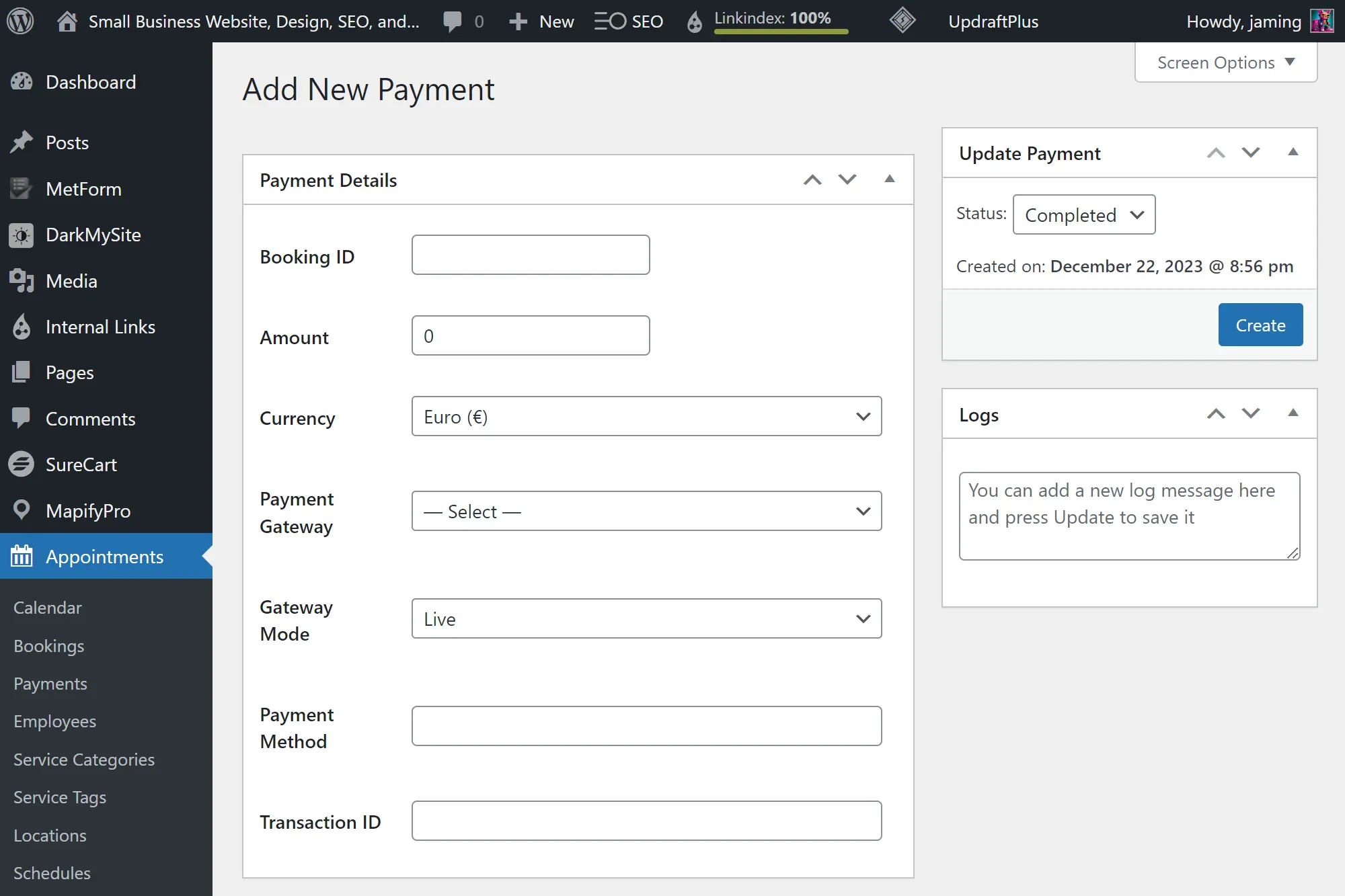
The plugin seamlessly integrates with popular payment gateways, enabling businesses to collect customer payments right after booking. With reliable and secure payment processing, customers can conveniently pay for their appointments, improving the user experience. The integrated payment solutions ensure a smooth and efficient payment process, reducing the administrative burden on businesses and increasing customer satisfaction.
Intuitive Step-by-step Booking Wizard
The MotoPress Appointment Booking plugin features an intuitive step-by-step booking wizard that simplifies the booking process for customers. With clear and easy-to-follow instructions, customers can quickly select their preferred service, choose a convenient date and time, and finalize their appointment. The step-by-step approach ensures a seamless and user-friendly booking experience, reducing friction and enhancing customer engagement.
| Key Features | Benefits |
|---|---|
| Customizable Online Booking System | – Tailor the booking process to meet your business needs – Increase flexibility and adaptability – Provide a personalized booking experience |
| Integrated Payment Solutions | – Collect payments seamlessly and securely – Improve customer convenience and satisfaction – Streamline administrative tasks |
| Intuitive Step-by-step Booking Wizard | – Simplify the booking process for customers – Enhance user experience and engagement – Reduce friction and maximize conversions |
MotoPress Appointment Booking: Setting Up Your Services
Adding and Customizing Services
One of the critical features of the MotoPress Appointment Booking plugin is the ability to add and customize services easily. Whether you offer haircuts, massages, or yoga classes, this plugin lets you showcase your services and provide detailed information to your customers.
To add a new service, navigate to the “Services” section in the plugin settings. Fill in the relevant details, such as the service name, description, duration, and price. You can also add images or icons to enhance the visual appeal of your services. Once you have added your services, they will be displayed on your booking page for customers.
Customization options are also available to tailor your services to your business requirements. You can create service categories or subcategories to organize your offerings. Additionally, you can add custom fields to collect specific customer information during the booking process. This flexibility ensures that the plugin adapts to the unique needs of your business.
Assigning Staff and Managing Schedules
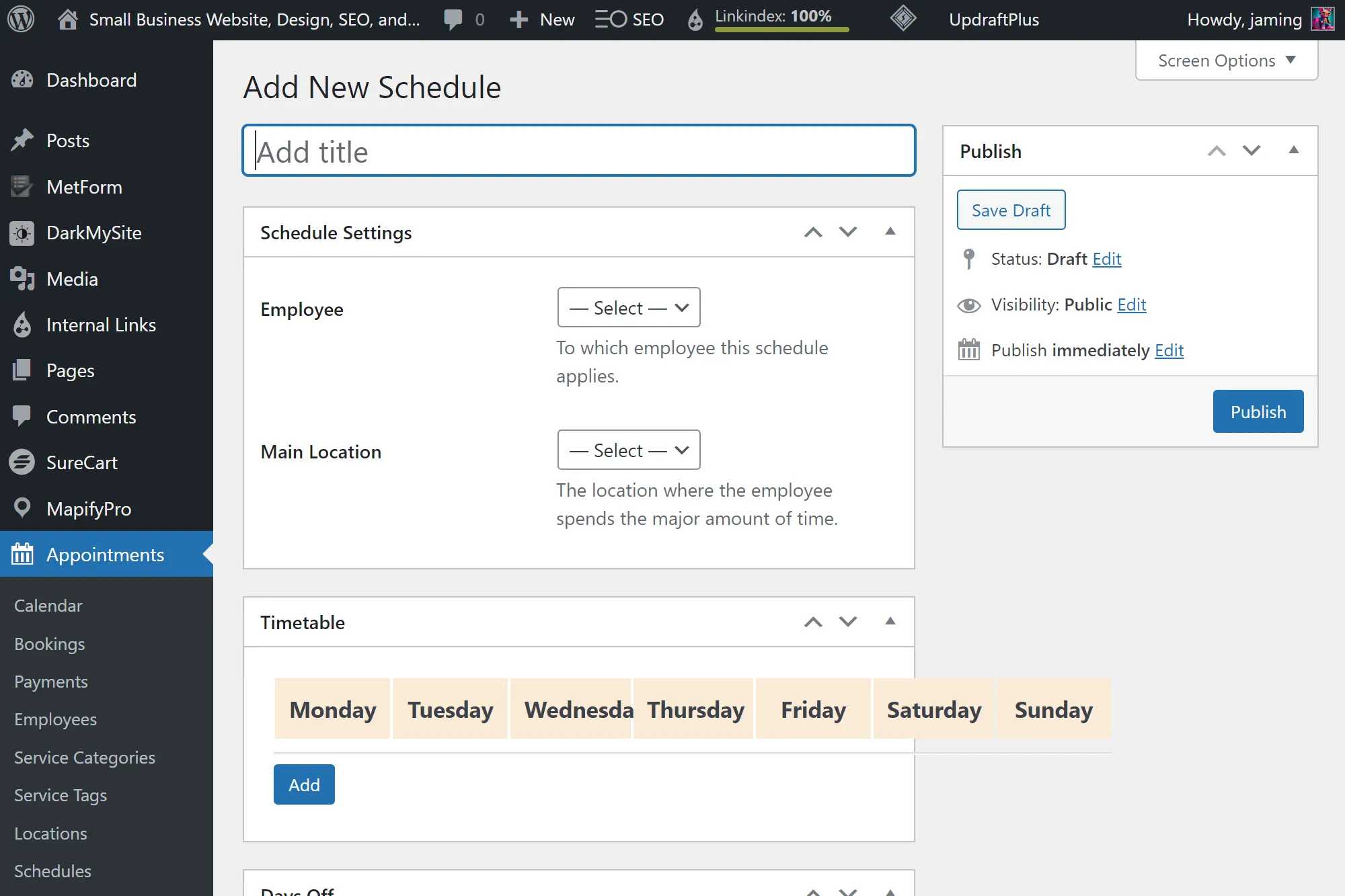
The MotoPress Appointment Booking plugin offers seamless staff management capabilities, allowing you to assign staff members to specific services and manage their schedules effortlessly. This feature mainly benefits businesses with multiple staff members who provide different services.
To assign staff members to services, navigate to the “Staff” section in the plugin settings. You can add staff profiles here, including their names, photos, and descriptions. After creating staff profiles, you can assign them to the relevant services. Customers can then select their preferred staff member when booking a service, providing a personalized experience.
The plugin also provides a centralized system for managing staff schedules. You can define the working hours for each staff member and set their availability for different services. This ensures that customers can only book services when staff members are available, reducing the risk of scheduling conflicts.
Buffer times and Custom Service Durations
It is essential to consider buffer times and custom service durations to optimize your appointment booking process. Buffer times refer to the gaps between appointments that allow staff members to prepare for the next customer or handle unexpected delays. The MotoPress Appointment Booking plugin will enable you to easily set buffer times to ensure a smooth and efficient workflow.
Custom service durations enable you to define the length of each service based on your business requirements. Whether you prefer shorter or longer durations for specific services, the plugin allows you to customize service durations to suit your needs. This flexibility ensures you can accurately allocate time for each appointment, maximizing efficiency and customer satisfaction.
Streamlining Appointments with Automation
In today’s fast-paced business environment, efficiency is critical. With the MotoPress Appointment Booking plugin, businesses can streamline their appointment process through automation, saving time and enhancing customer satisfaction. Let’s explore two key automation features this plugin offers: email notifications, reminders, and SMS updates.
Email Notifications and Reminders
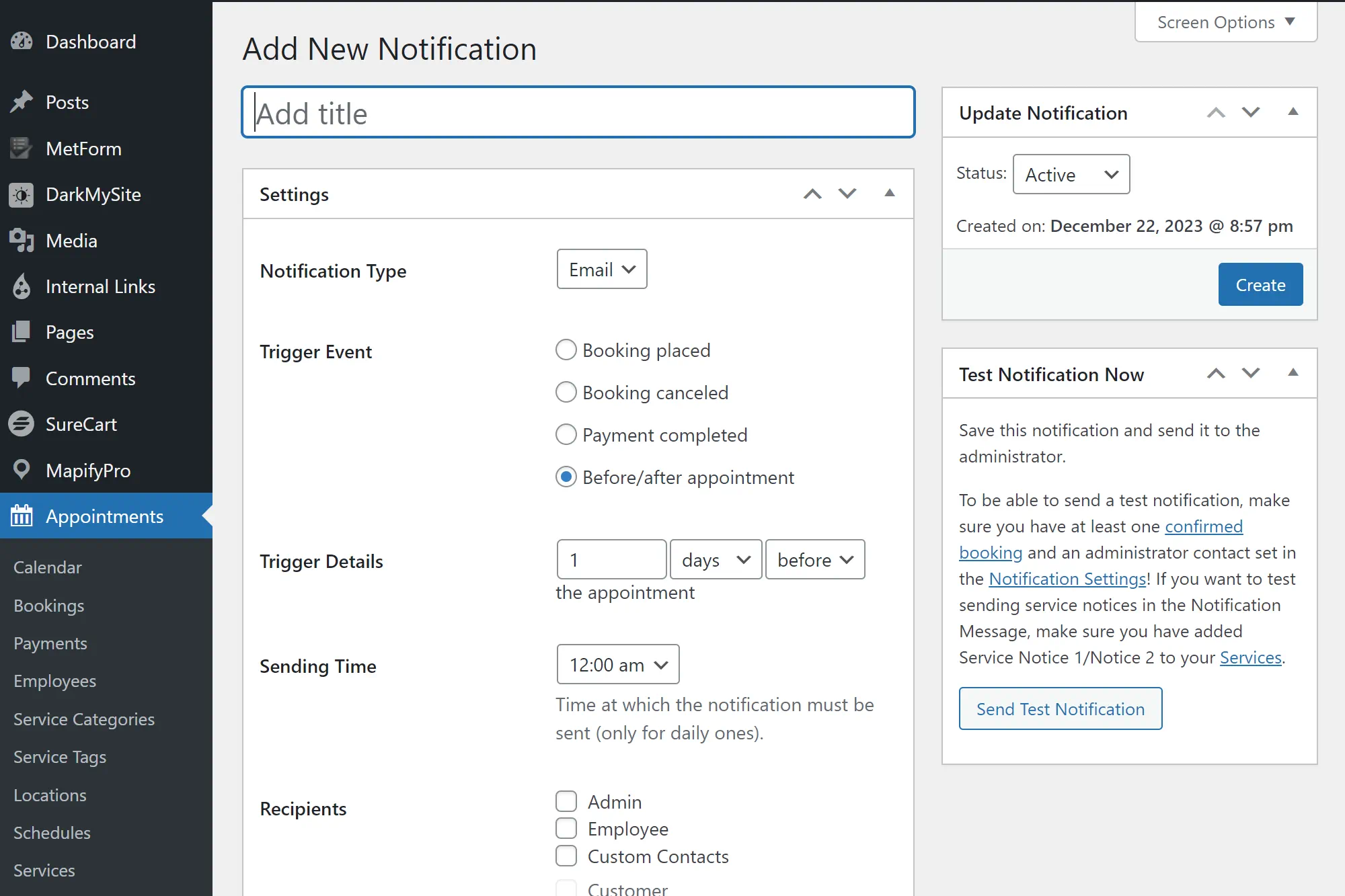
One of the standout features of the MotoPress Appointment Booking plugin is its ability to send automated email notifications and reminders to customers. This feature eliminates manual communication and ensures customers stay informed about upcoming appointments.
Customers who book an appointment will receive an email confirmation instantly, reducing any uncertainty or confusion. Additionally, the plugin can be configured to send automated reminders to customers a set number of hours or days before their scheduled appointments. This simple yet effective automation ensures that customers never miss an appointment and helps businesses reduce the number of no-shows.
SMS Updates for Enhanced Communication
In today’s digital age, many customers prefer to receive updates through text messages. The MotoPress Appointment Booking plugin allows businesses to enhance their communication by offering automated SMS updates to customers.
With this feature, businesses can send text message notifications to customers, keeping them informed about their appointments, changes in schedule, or any other important updates. By leveraging SMS updates, businesses can improve customer engagement and provide a convenient and efficient communication channel.
Overall, the automation features of the MotoPress Appointment Booking plugin help businesses streamline their appointment process, enhance communication with customers, and improve overall efficiency. By utilizing email notifications, reminders, and SMS updates, companies can create a seamless and hassle-free appointment booking experience for themselves and their customers.
Personalizing User Experience with Customer Accounts
Personalization is critical to providing a memorable user experience in today’s digital age. With the MotoPress Appointment Booking plugin, businesses can create and manage customer accounts, personalizing the booking process and enhancing customer satisfaction.
Account Creation and Management
By offering account creation and management features, businesses can give customers a seamless and customized experience. With a MotoPress Appointment Booking account, customers can easily access appointments, view past bookings, and make changes or cancellations without hassle. This saves time and empowers customers to take control of their appointments.
To create an account, customers must provide basic information, such as name, email address, and contact details. They can then log in to their account on the business’s website or booking portal to access all the features and benefits that come with it.
Account management is made easy with the intuitive interface of the MotoPress Appointment Booking plugin. Customers can update their personal information, manage their preferences, and even link their accounts to social media platforms for a more seamless experience.
User-Friendly Client Interface
The user-friendly client interface of the MotoPress Appointment Booking plugin ensures that customers can easily navigate and interact with the booking system. With its intuitive design and clear instructions, customers can effortlessly browse available services, select desired dates and times, and complete their booking in just a few clicks.
The client interface is designed to be visually appealing, responsive, and optimized for desktop and mobile devices. Customers can make appointments on the go using their smartphones, tablets, or computers.
In addition to the convenience of booking appointments, the user-friendly client interface also provides customers with important information such as service descriptions, pricing, and availability. This allows them to make informed decisions and ensures a positive experience from start to finish.
With MotoPress Appointment Booking, businesses can personalize the user experience with customer accounts, creating a seamless and intuitive booking process. By offering account creation and management features, companies empower their customers and establish a strong relationship built on trust and convenience. The user-friendly client interface further enhances the customer experience, making it easy for them to navigate, book appointments, and stay informed. With these features, businesses can provide a personalized and satisfying experience that keeps customers returning repeatedly.
Expanding Functionality through WooCommerce
Integrating the MotoPress Appointment Booking plugin with WooCommerce opens up a world of possibilities for businesses looking to enhance their appointment booking system. By combining the powerful features of MotoPress with the e-commerce capabilities of WooCommerce, companies can take their online booking experience to the next level.
With the integration of MotoPress Appointment Booking and WooCommerce, businesses can:
- Expand their payment options by utilizing the various payment gateways supported by WooCommerce. This allows businesses to offer their customers a wide range of secure and convenient payment methods.
- Access advanced e-commerce features such as inventory management, order tracking, and shipping options, enriching customers’ overall online shopping experience.
- Utilize WooCommerce’s robust reporting and analytics tools to gain valuable insights into their appointment booking performance, sales, and customer behavior.
By combining the functionality and flexibility of MotoPress Appointment Booking with the extensive e-commerce capabilities of WooCommerce, businesses can create a seamless and efficient booking process that maximizes customer satisfaction and drives revenue growth.
Unlock the Power of Integration
“Integrating MotoPress Appointment Booking with WooCommerce has been a game-changer for our business. It has allowed us to offer a wide range of payment options to our customers, streamline our inventory management, and provide a seamless online booking experience.” – Mark Johnson, CEO of Business XYZ
The integration of MotoPress Appointment Booking and WooCommerce empowers businesses to enhance their appointment booking process while harnessing the full potential of an e-commerce platform. By seamlessly blending these two powerful plugins, companies can deliver a unified and exceptional online experience for their customers.
When it comes to expanding the functionality of your appointment booking system, the integration of MotoPress Appointment Booking with WooCommerce is a winning combination that combines the best of both worlds.
Advanced Analytics with MotoPress Appointment Booking
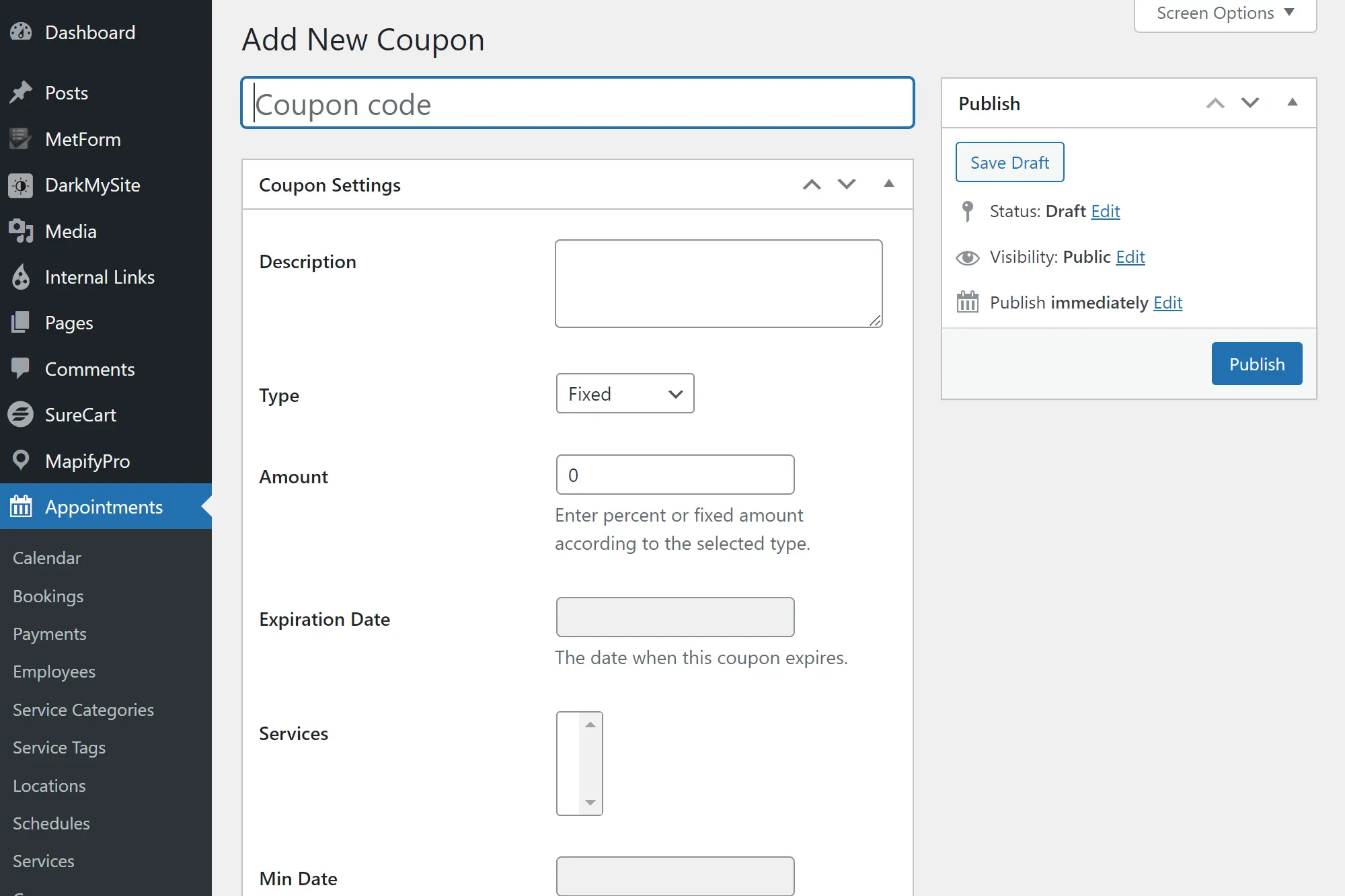
With the MotoPress Appointment Booking plugin, you can take advantage of advanced analytics features that provide valuable insights into your booking data and help you make informed decisions.
Google Analytics Integration
The MotoPress Appointment Booking plugin seamlessly integrates with Google Analytics, one of the most popular analytics platforms. Connecting your website’s appointment booking system with Google Analytics gives you access to a wealth of data and metrics that offer a deeper understanding of your customers’ booking journey.
Through this integration, you can track important metrics such as website traffic, conversion rates, and user engagement. With a clear view of how visitors interact with your booking system, you can identify any bottlenecks or areas for improvement. This data empowers you to make data-driven decisions to optimize your booking process and enhance the overall customer experience.
Appointment Booking Insights
Appointment Booking Insights, provided by the MotoPress Appointment Booking plugin, offers you a comprehensive overview of your booking data. These insights give you a detailed understanding of your appointment scheduling patterns, customer preferences, and booking trends.
This information lets you identify peak booking times, popular services, and staff performance. This knowledge allows you to allocate resources effectively, optimize your service offerings, and identify areas for growth.
The MotoPress Appointment Booking plugin’s Appointment Booking Insights provides you with actionable data that you can leverage to improve your business operations, streamline your appointment scheduling process, and maximize your revenue.
Managing Appointments and Staff with MotoPress
To effectively manage appointments and staff, the MotoPress Appointment Booking plugin offers a range of powerful backend appointment management tools. These tools provide businesses with efficient functionalities to handle bookings and ensure a smooth workflow.
Backend Appointment Management Tools
The MotoPress Appointment Booking plugin offers a comprehensive set of backend appointment management tools that simplify the appointment process. With these tools, businesses can easily view and manage all their appointments in one centralized location. They can conveniently schedule, reschedule, or cancel appointments, ensuring that their staff stays organized and that appointments are efficiently managed.
Additionally, the backend appointment management tools allow businesses to send automated notifications and reminders to customers, reducing no-shows and improving overall customer satisfaction. With a few clicks, businesses can effortlessly keep their customers informed and engaged, ensuring a smooth and hassle-free appointment experience.
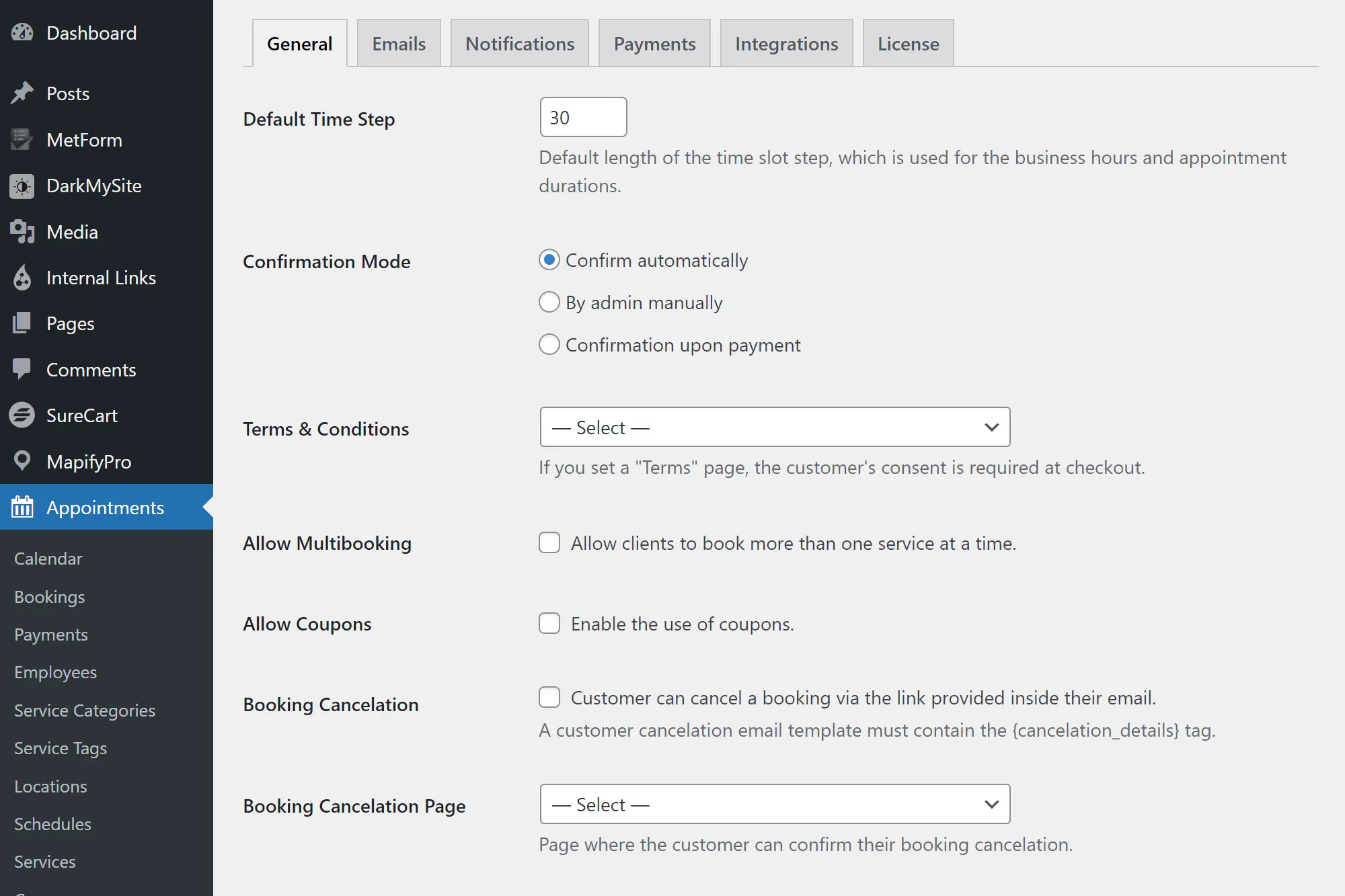
Furthermore, the plugin allows businesses to customize their booking rules and settings. They can define specific appointment durations, set buffer times between appointments, and establish particular time slots for specific services. This level of customization ensures that businesses have complete control over their booking process and can tailor it to their unique requirements.
Centralized Booking Calendars
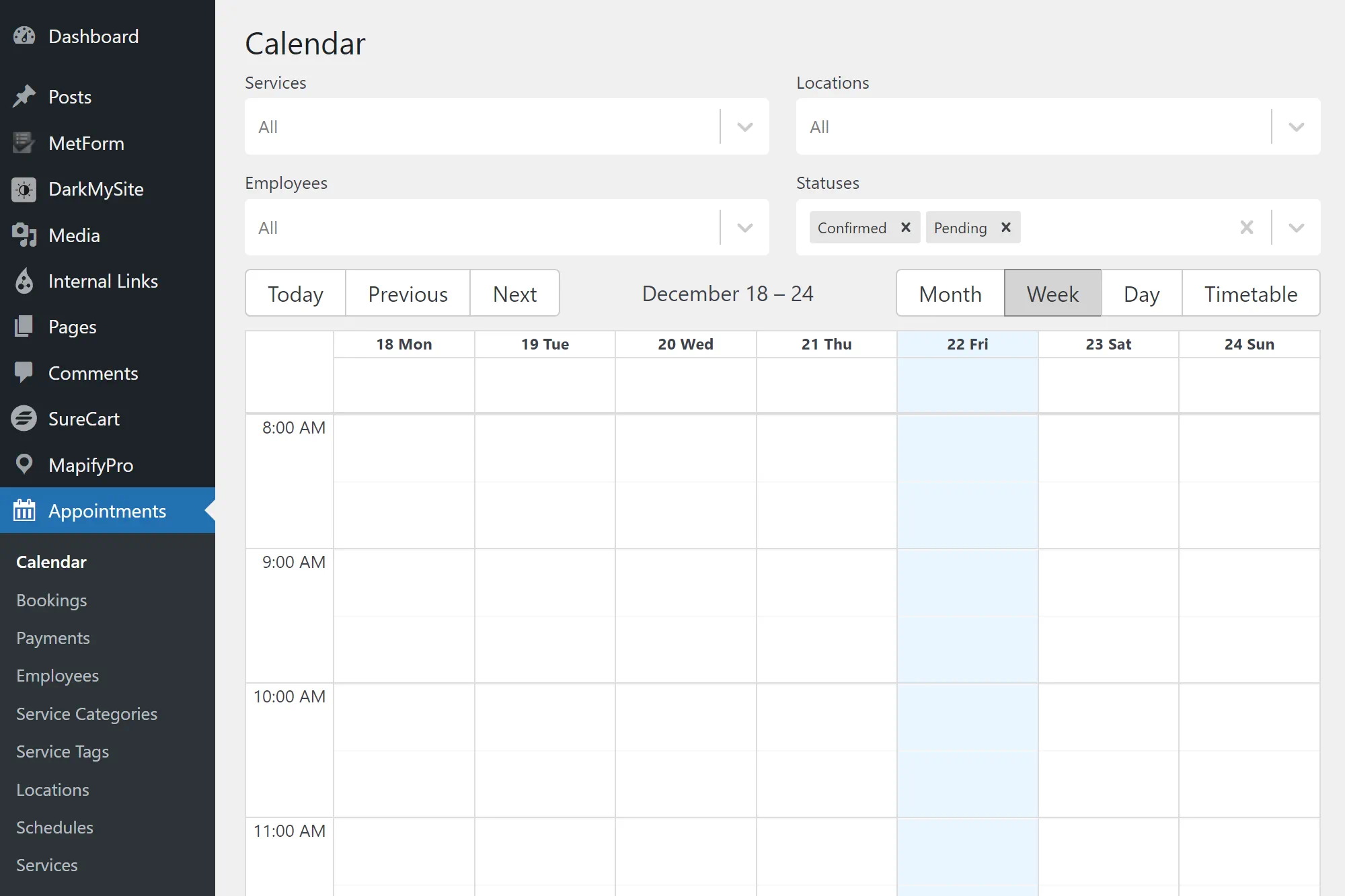
One of the key benefits of using the MotoPress Appointment Booking plugin is the centralized booking calendar feature. This feature gives businesses a comprehensive view of all their appointments and staff availability in one convenient calendar. This centralized view allows businesses to manage and allocate resources effectively and efficiently.
The centralized booking calendar gives businesses a clear and organized overview of their upcoming appointments, allowing them to schedule staff and allocate resources accordingly and efficiently. This helps businesses avoid double bookings and scheduling conflicts and ensures that they make the most efficient use of their staff’s time.
Furthermore, the centralized booking calendar makes it easy for businesses to keep track of their appointments and make adjustments if necessary. They can quickly identify any gaps or availability issues and take immediate action to address them, ensuring that their customers receive prompt and seamless service.
With the MotoPress Appointment Booking plugin’s backend appointment management tools and centralized booking calendars, businesses can streamline their appointment and staff management processes, improving efficiency and customer satisfaction.
Support for Various WordPress Builders
The MotoPress Appointment Booking plugin offers extensive support for various WordPress builders, making it a versatile choice for businesses using different website-building tools. This comprehensive compatibility allows enterprises to seamlessly integrate the plugin into their WordPress websites, regardless of the builder they prefer to work with.
Gutenberg Integration
One of the critical highlights of MotoPress Appointment Booking is its seamless integration with Gutenberg, the block editor introduced in WordPress 5.0. This integration enables businesses to incorporate the appointment booking functionality into their Gutenberg-powered websites effortlessly. By leveraging Gutenberg’s intuitive and flexible nature, companies can easily customize the appearance and layout of their booking forms to align perfectly with their brand and website design.
Compatibility with Elementor and Divi
In addition to Gutenberg, the MotoPress Appointment Booking plugin is compatible with popular WordPress builders like Elementor and Divi. This compatibility allows businesses to leverage these builders’ robust features and flexibility while benefiting from MotoPress’s advanced appointment booking capabilities. Whether companies use Elementor’s drag-and-drop interface or Divi’s visual builder, they can seamlessly incorporate the appointment booking functionality without any technical hurdles or compatibility issues.
With support for various WordPress builders, including Gutenberg, Elementor, and Divi, the MotoPress Appointment Booking plugin offers businesses the flexibility and freedom to create a customized and streamlined appointment booking system that aligns perfectly with their specific website design and builder preferences.
Multi-Service and Group Booking Capabilities
In today’s fast-paced world, convenience is vital for customers when booking appointments. With the MotoPress Appointment Booking plugin, businesses can offer enhanced convenience through multi-service and group booking capabilities. This feature allows customers to book multiple services in one transaction, streamlining the booking process and saving valuable time.
Booking for Groups
“Booking for groups has never been easier. With MotoPress Appointment Booking, businesses can effortlessly accommodate bookings for multiple individuals or groups.”
Whether it’s a family outing, a team-building event, or a group fitness class, the plugin’s group booking options ensure that businesses can cater to the needs of their customers. The intuitive interface makes it simple for customers to select and book services for their entire group in a single transaction: no more back-and-forth communication or complicated arrangements. The group booking capabilities provided by MotoPress Appointment Booking make it a breeze for businesses to manage and coordinate appointments for groups of any size.
Convenience for Customers
By offering multi-service and group booking capabilities, businesses can provide customers with a seamless and convenient experience. With just a few clicks, customers can choose their desired services and book them in a single transaction, eliminating the hassle of booking each service individually. This convenience not only saves time but also enhances customer satisfaction, as it allows them to plan and manage their appointments easily.
The MotoPress Appointment Booking plugin is designed to prioritize customer convenience, and the multi-service and group booking capabilities are just one of the many features that make it an invaluable tool for businesses. With this plugin, companies can transform their appointment booking process, streamline operations, and provide a seamless experience for their customers.
Conclusion
In conclusion, the MotoPress Appointment Booking plugin offers a comprehensive solution for businesses looking to streamline their appointment scheduling process. With its user-friendly interface and wide range of features, this plugin is a valuable tool for companies in various industries.
By utilizing the customizable online booking system, businesses can tailor the booking process to their specific needs, providing a seamless experience for both customers and staff. The integrated payment solutions further enhance efficiency, allowing businesses to collect payments quickly and securely.
The automation features, including email notifications and reminders, help to streamline the appointment process and reduce no-shows. Additionally, the option for SMS updates improves communication with customers, ensuring a smooth and reliable booking experience.
In summary, the MotoPress Appointment Booking plugin is a powerful tool that enhances the booking process for businesses of all sizes. With its advanced analytics, simplified appointment management tools, and support for various WordPress builders, this plugin offers a versatile and user-friendly solution for businesses needing a robust appointment booking system.
FAQ
What is MotoPress Appointment Booking?
MotoPress Appointment Booking is a powerful WordPress plugin that allows businesses to streamline their appointment scheduling process.
How does MotoPress Appointment Booking work?
MotoPress Appointment Booking works by providing businesses with a customizable online booking system. It allows companies to add and customize services, assign staff members to services, and manage their schedules effectively.
Which business niches can benefit from using MotoPress Appointment Booking?
MotoPress Appointment Booking is suitable for various industries. It can benefit healthcare, beauty and wellness, education, consulting, and more businesses.
What are the critical features of MotoPress Appointment Booking?
The key features of MotoPress Appointment Booking include a customizable online booking system, integrated payment solutions, and an intuitive step-by-step booking wizard.
How can businesses set up their services using MotoPress Appointment Booking?
Businesses can set up their services by adding and customizing them within the plugin. They can also assign staff members to services and manage their schedules effectively.
What are buffer times and custom service durations, and why are they important?
Buffer times and custom service durations allow businesses enough time between appointments to prepare for the next one. They are essential to ensure a smooth booking experience for companies and customers.
How can MotoPress Appointment Booking help businesses automate their appointment process?
MotoPress Appointment Booking offers features such as email notifications, reminders, and SMS updates for enhanced customer communication, reducing no-shows.
How can businesses personalize the user experience with MotoPress Appointment Booking?
Businesses can facilitate account creation and management for their customers, allowing them to access and manage their appointments easily. The plugin also offers a user-friendly client interface for a seamless booking experience.
Can MotoPress Appointment Booking be integrated with WooCommerce?
Yes, MotoPress Appointment Booking can be integrated with WooCommerce, allowing businesses to expand the functionality of their appointment booking system and enhance their e-commerce capabilities.
Does MotoPress Appointment Booking offer advanced analytics features?
MotoPress Appointment Booking integrates with Google Analytics, allowing businesses to track and analyze their appointment booking data. The plugin also provides appointment booking insights to help companies optimize their booking process.
How can businesses effectively manage their appointments and staff with MotoPress Appointment Booking?
MotoPress Appointment Booking offers backend appointment management tools, allowing businesses to handle bookings and ensure a smooth workflow efficiently. The plugin also provides centralized booking calendars to view appointments and staff availability comprehensively.
Is MotoPress Appointment Booking compatible with WordPress builders?
MotoPress Appointment Booking is compatible with popular WordPress builders such as Gutenberg, Elementor, and Divi, allowing businesses to leverage their preferred builder while utilizing the plugin’s features.
Does MotoPress Appointment Booking support multi-service and group booking?
MotoPress Appointment Booking offers multi-service booking capabilities, allowing customers to book multiple services in one transaction. It also supports group booking options, accommodating bookings for various individuals or groups.