Blog

  • Web Design Subscription Service vs. Traditional Web Design: Which is Right for You?

    Web Design Subscription Service vs. Traditional Web Design: Which is Right for You?

    Do you think it’s better to pay once for a website’s design or to pay monthly? With the world moving online, picking the right way to design your website is important. Is a pay-as-you-go service better for keeping costs in check, or does the old-fashioned method have more to offer over time?
    Web design subscription vs traditional models.

    Subscription services are gaining favor for some good reasons. They give businesses a predictable budget, let them tweak their site with ease, and connect them with experts. But dropping a big chunk of cash at the start might lead to more unique designs.

    Key Takeaways

    • The subscription-based model provides cost efficiency and easier scalability for brands.
    • Traditional web design often involves higher upfront costs but may offer deeper customization and a face-to-face experience.
    • Subscription services excel in terms of flexibility, ongoing updates, and adaptability to changing business needs.
    • Remote access and collaboration make subscription services user-friendly, ideal for brands needing agile responses.
    • Deciding between the two models depends on your business’s specific needs, growth plans, and budget constraints.

    Introduction to Web Design Models

    Building a digital presence involves knowing different web design models. There’s traditional web design and the newer subscription-based model. Each has benefits perfect for various business goals.

    Traditional Web Design Overview

    Traditional web design means paying everything at the start. It gives businesses clarity about the total cost. Yet, updating a site can be costly under this model.

    WebFX, for example, launched over 100 sites in just 2023. Their work is impressive, with 45 design awards and a long history. They’ve served over 1600 sites, showing their expertise.

    Subscription-Based Web Design Overview

    Monthly web design is popular for its cost spread over time. It offers regular updates and maintenance. Services like Popproxx help your site grow as your business does.

    Wix.com and Kimp are great for those who want design flexibility. They offer various pricing plans, including some that are free. Kimp stands out for its quick service, with unlimited requests and fast changes.

    Choosing between these models depends on your business’s needs. They both have their own benefits for managing your online presence in today’s world.

    Cost Implications

    It’s vital to grasp the money side of your web design choice for any company. Affordable web design options need a deep review of their costs. Traditional web designs hit hard on the budget upfront, while subscription models spread the payments evenly.

    Upfront Costs vs. Recurring Fees

    Traditional web design needs a big first payment, anywhere from $2,000 to $35,000. The best agencies charge even more. In comparison, starting with subscription designs is easier. They range from $400 to $1,400 monthly, making professional design more accessible.

    Yearly maintenance costs for traditional websites range from $3,600 to $50,000. But subscriptions often cover these costs, making a balanced financial choice.

    Additional Services and Hidden Costs

    Hidden costs and extra services are crucial in web design. Traditional methods sometimes need more buys like SSL certificates, which can cost up to $1,500 yearly. Subscription plans often include these, reducing surprise expenses.

    Having everything in one package not only saves money but also makes the website easier to keep up. This all-in-one approach cuts the chance of unexpected costs and simplifies website management.

    Long-Term Financial Planning

    Looking ahead, it’s more than the first bill that matters. Subscription designs give a clear monthly cost. This makes budgeting easier and avoids sudden, costly updates of traditional models.

    Each year, traditional designs may add up to $12,000 to $150,000. In comparison, subscription models match quality within a monthly budget, adapting to growth. This means a lot for a business planning its web future.

    Understanding these costs lets companies link finance and design. This ensures they pick web design that’s both sustainable and affordable.

    Flexibility and Timelines

    Flexibility and timelines are key when choosing a web design model. Agile, often used in software, has changed how we approach web design. It boosts team work, making it good for all kinds of web design, like the regular type or those you pay for monthly.

    Project-Based Timelines

    Normal web design uses a set timeline with clear steps. It follows steps like Scrum does, breaking work into smaller parts. This includes meetings for planning, showing the work, talking about it each day, and looking back on how things went. It’s great if you want a website that’s all set, like a gift-wrapped package, with no last-minute surprises.

    Such an organized approach might not suit if you often need to change or update your site quickly. It’s like living in a house built just for you; changing the walls is hard work, though. This way can make keeping up a little tricky.

    Ongoing Updates and Adaptability

    Another approach, using Kanban, works better for sites that need to change a lot. It keeps work flowing constantly without big pauses. People see Kanban as a ‘To Do’ list, with the team only taking on what they can handle at once. This helps keep your website fresh and up-to-date with less stress.

    For sites looking to stay first when you search online, staying fresh is crucial. Kanban aligns with being clever with resources. It means you can keep your site updated and unique without making a big mess.

    Looking at these methods side by side, it’s clear they serve different needs. Traditional web design’s like having a big map to follow, good for knowing where you’ll be. On the other hand, subscriptions are like a GPS, changing as the world does, perfect for keeping up in today’s fast world.

    Maintenance and Support

    Choosing between traditional and subscription-based web design often comes down to maintenance and support. We look at how each manages these areas to help you find what you need.

    Maintenance Under Traditional Model

    In the traditional model, maintenance is seen as an extra cost. This leads to surprises with sudden updates or bug fixes. Owners must handle these alone or pay more for help, which can be expensive and time-consuming. Keeping a website’s responsive web design in top shape is key.

    Subscription Service Maintenance Package

    Subscribing to a website design service, on the other hand, means getting maintenance and support as part of the deal. Cybervise Limited is a top player here, keeping over 109 clients happy every month. Their clients stick around for an average of 6.74 years, showing they do a great job.

    • Monthly theme and plugin updates
    • Quarterly site reviews
    • Malware cleaning/removal
    • Support video calls and general updates
    • Continuous monitoring, conducted every five minutes
    • Monthly reports with detailed analytics

    This service makes sure your website is always fresh, safe, and on trend. They support a professional website design, making your job easier without technical worries.

    Technical Support Comparison

    Now, let’s talk about technical support. Traditional designs offer limited support after the project ends, which can cost extra. But with subscription-based web design, support is unlimited and included. Cybervise, for example, offers a 30-minute check monthly and solves issues within two business days.

    This difference in support can really affect your website’s health and your peace of mind. Subscription services offer a smoother experience, keeping your responsive web design running without surprise costs for extra help.

    Customization and Scalability

    Today, businesses face a choice between traditional web design and subscription services. They need to understand how each approach deals with customization and scalability. This understanding is key to making a smart choice.

    Customization in Traditional Web Design

    Traditional web design is great for unique websites. It makes sure every part is just the way the client wants. Businesses and design agencies team up to create a distinct online image, meeting specific needs and likes.

    But, this level of custom work takes a lot of time and money. There can be big costs at the start and the project might take longer. Also, changing or growing these sites later could mean starting over. This adds more cost and work.

    Scalability and Adaptability in Subscription Services

    Subscription services, however, focus on growing along with your business. They offer a framework that’s flexible to adapt and expand. With subscription services, you can update your site, make small design changes, and add new features easily, without always starting new projects.

    These models usually have a set monthly fee, making budgeting simpler. They also include keeping your website running smoothly and secure. They support different design tools, like WordPress and Shopify, giving you options to fit your business needs.

    Overall, traditional design gives you deep customization but can struggle with growth. Subscription services, on the other hand, provide a mix of custom choices and the ability to expand. This makes them a good option for businesses wanting to change and grow steadily at a known cost.

    Web Design Subscription Service

    Web design subscription services have changed the game for businesses. They bring flexibility and easier budgeting for modern needs. Now, companies can get started on their websites without big first payments.
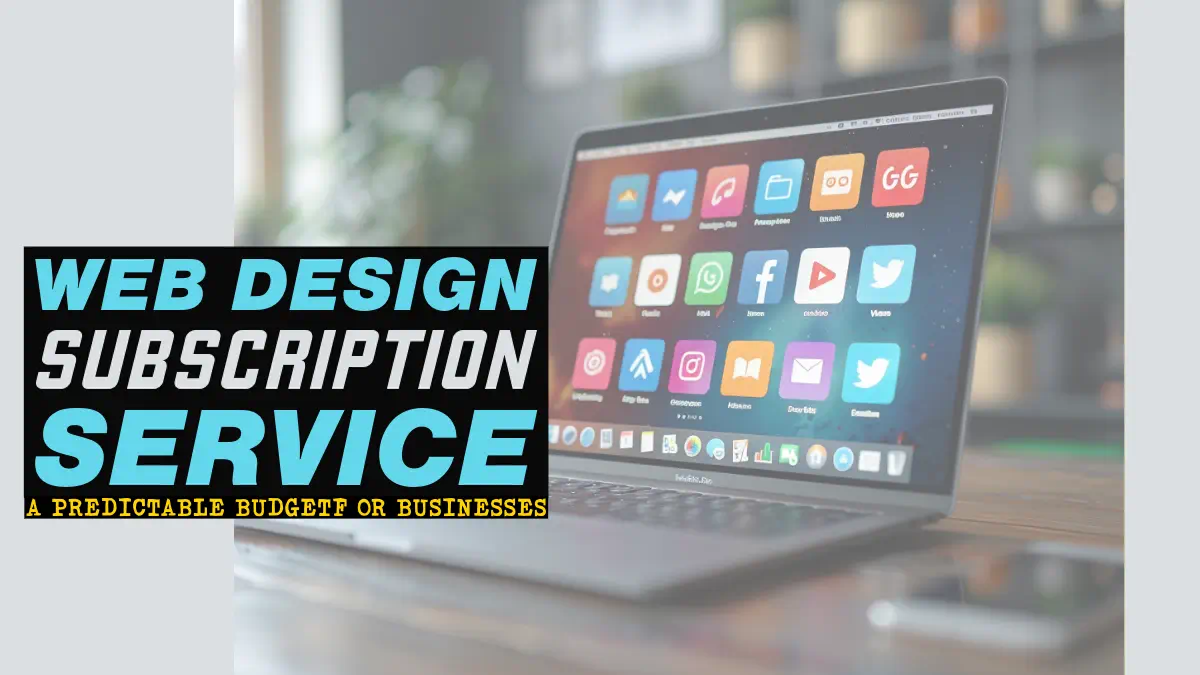
    Web design subscription service for predictable business budget

    Overview

    Flowout is making waves with its web design subscription model. They offer different plans, each at a fixed monthly rate. These include the Sprint Plan for £2,499 every two weeks, the Standard Plan at £3,999 per month, and the Enterprise Plan costing £7,999 monthly.

    With Flowout, you get quick updates on your project within 24-48 hours. They say their model lets them do the work of five employees for what you’d typically pay one designer. You can work with Shopify Developers, UI/UX Designers, and Video Editors all in one place.

    They even got 46 great reviews, proving their dedication. Their goal is to keep your website fresh and your business on its toes with support and improvements.

    Pros and Cons

    Choosing a web design subscription service means considering the good and the not-so-good. Here’s the lowdown:

    Pros Cons
    • Fixed monthly rates for easy budgeting.
    • No long-term contracts or salary negotiations.
    • Quick project updates within 24-48 hours.
    • Access to a dedicated Project Manager.
    • No surprise costs, everything included in the subscription.
    • Immediate initiation of web development projects.
    • Managed talent recruitment, training, and retention.
    • Enhances productivity by handling staff replacements and benefit management.
    • Diversity of roles from Shopify Developers to UI/UX Designers.
    • Potential provider attention issues due to multiple client management.
    • Possibility of limited customization compared to traditional web design.
    • Turnaround times can vary with demand and specific project complexity.

    Web design subscriptions are attractive for their affordability and full support. But they might not offer as much customization and can be slow at times. Still, for many businesses, the chance to scale easily and without fuss is very enticing.

    Ideal Use Cases for Traditional Web Design

    Traditional web design is great for big companies with unique needs and enough money. It lets businesses build websites that truly show who they are. This way, companies can stand out online by having a site that’s just for them.

    Even though traditional web design can be more costly at first, the results are top-notch. It’s perfect for businesses that want every part of their website to be special. Also, it’s good at keeping budgets clear, so there are no big surprises later.

    For companies that want their website to really reflect their brand, traditional web design is key. They’re willing to invest in a longer process to get a perfect site. With this method, every detail can be just right for the company.

    Industries like finance, healthcare, and luxury retail find traditional design more beneficial than subscription services. Let’s look at how these approaches differ:

    Aspect Traditional Web Design Web Design Subscription Service
    Initial Costs High Low
    Flexibility Moderate High
    Customization Extensive Moderate
    Maintenance Additional Cost Included
    Timeline Several Weeks to Months Continuous

    Traditional design is perfect for big companies that want a site that’s all about them. It’s about more than looks; it’s about making sure the website helps meet the business’s goals. In the end, it’s all about having a website that really works for the brand.

    Ideal Use Cases for Subscription-Based Web Design

    The web design subscription service model is getting more popular with tech and internet startups. Particularly those focusing on a recurring subscription model. It’s great for new companies with smaller budgets. They can quickly check if their ideas work without big costs or long hiring processes. This model launches startups fast.

    Subscribe screens on various devices

    Subscriptions let businesses easily change their design needs. You can add more design work without waiting. This flexibility means more revenue and a strong, consistent brand. It helps growing companies stay efficient. So, the monthly web design approach adapts with them.

    • A/B testing is essential for testing the efficacy of pricing plans.
    • Varying prices can impact sign-ups and revenue generation.
    • Offering multiple subscription plans can influence user choice and drive higher sign-ups for premium plans.
    • Having a free plan alongside paid subscriptions can help grow the user base and convert to paid plans.
    • MailChimp’s Forever Free Plan is a successful example of converting free plan users to paid plans.
    • Resource throttling can be used to differentiate between free and paid plans.
    • Distinction in visual treatment can emphasize the value of a subscription plan.

    A recent study found over 1,000 issues in subscription services, including groceries and meat boxes. Testing over 1,200 hours revealed more than 350 methods that make users happy. By following these tips, you can get more people to sign up.

    Design on demand services are becoming wildly popular. They offer access to top designers quickly and at a lower cost than traditional methods. Plus, businesses can easily get more design work done without slowing down.

    Advantages Details
    Flexibility Allows for scaling up design needs easily without delays.
    Cost-Effective Provides significant cost savings over traditional design agencies or freelancers.
    Quick Turnaround Ensures faster start times and quicker access to design resources.
    Quality Talent Offers access to top designers from around the globe.

    Which Businesses Benefit from Each Model?

    Choosing the right web design model is crucial for business growth. Whether you’re just starting, already set up, or quickly expanding, the right model improves your online presence and growth.

    Small Businesses and Startups

    The subscription-based model works best for small businesses and startups. Plans from companies like Graphically and UnicornGO fit budgets. They start at $299 to $999 a month, providing affordable design services promptly. This model keeps costs low and business design up to date.

    Established Companies

    For established businesses, traditional web design or top-tier subscriptions bring value. Superside caters to these firms with its packages from $5,000. It ensures continuous, high-quality design and meets long-term needs efficiently.

    Rapidly Growing Enterprises

    Rapid growth demands adaptable, high-quality design quickly. Designjoy’s subscriptions, $4,995 to $7,995 a month, fit the bill. This model offers scalability and flexibility, crucial for growing companies. It provides ongoing updates and adjusts to changing business needs.

    Business Type Recommended Model Package Details
    Small Businesses and Startups Subscription-Based Graphically: $299-$349/month, UnicornGO: $399-$999/month
    Established Companies Traditional or High-End Subscription Superside: Starting at $5,000/month
    Rapidly Growing Enterprises Subscription-Based Designjoy: $4,995-$7,995/month

    Conclusion

    Deciding between a traditional web design and a design subscription depends on your business. It’s about what you need and can afford. Each choice affects your online presence, budget, and business growth plans.

    If your business needs a unique, complex website, a traditional method might be best. But, a design subscription is good if you want something affordable and with great support. This is perfect for smaller businesses trying to boost their online image.

    Subscription services like Penji and Designjoy provide ongoing support and adapt with your business. They also improve your website regularly. This keeps your digital space effective and evolving.

    Whichever you choose, think about what your business really needs. Consider your goals and future dreams. With careful consideration, you can pick the best option to strengthen your brand, stand out, and win customer loyalty in a crowded market.

    FAQ

    What is a web design subscription service?

    A web design subscription service works on a monthly pay model. Businesses pay each month for website design, updates, and upkeep. It offers clean web design that’s easy to use on any device. Plus, you get regular updates and maintenance.

    How does traditional web design differ from subscription-based web design?

    Traditional web design starts with a big, one-time payment for a site’s creation. Then, you pay extra for updates and maintenance. In comparison, subscription-based design means a steady monthly payment. This includes ongoing updates and care for your site.

    What are the cost implications of choosing a subscription-based web design service?

    Choosing a subscription means lower start-up costs than traditional models. You also get regular services like maintenance and SEO updates. This makes costs easier to predict and often lower for businesses.

    Are there hidden costs associated with traditional web design?

    Traditional design’s hidden costs can add up. There’s a big first payment, then extra fees for support and updates. These include SEO tweaks and other necessary updates over time.

    How does ongoing website maintenance work with a subscription service?

    Subscription services cover ongoing maintenance in the monthly fee. This means your site is always running smoothly, without extra charges. It’s a worry-free option for keeping your site up-to-date and secure.

    What level of customization is available with subscription-based web design services?

    Subscription web design allows for moderate customization. It’s good for businesses wanting their site to grow. You can change and expand your website within your subscription.

    What are the pros and cons of subscription-based web design services?

    Subscription services start with low costs and always include maintenance. They also scale well as your business grows. Yet, you might face limits on how much you can customize and you have to pay regularly.

    Who can benefit the most from traditional web design?

    Big businesses with complex needs and a budget find traditional design best. They get full control over their site’s look and features. These businesses can set aside separate funds for upkeep.

    Which businesses are best suited for subscription-based web design?

    Small to medium-sized businesses, startups, and growing companies enjoy the perks of subscription design. It’s cost-effective and offers modern, device-friendly design. Plus, you get ongoing updates without a big up-front bill.

    How do I determine which web design model is best for my business?

    Think about your business’s budget, how often you’ll need updates, and if you need a lot of customization. For newer businesses, subscriptions offer simplicity and affordability. Older companies may prefer traditional design for more control.

    Source Links

  • Google reCAPTCHA vs Cloudflare Turnstile: Best Pick?

    Google reCAPTCHA vs Cloudflare Turnstile: Best Pick?

    Listen to the Article: Experience the full content by listening to the audio version below.

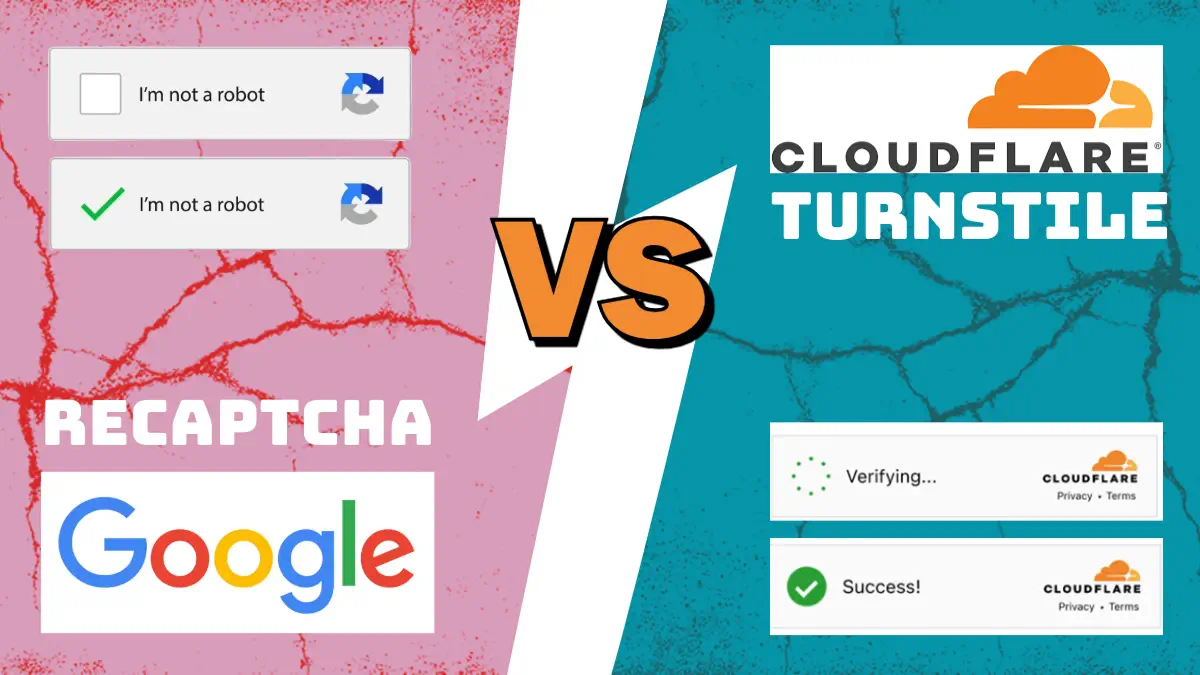
    Did you know Google’s CAPTCHA controls 98% of the web safety market? However, Cloudflare’s Turnstile is making its mark. It has cut down CAPTCHA use massively, by 91%, according to Cloudflare’s own report1. In the changing world of bot-fighting, the fight between these two, Google reCAPTCHA and Cloudflare Turnstile, is getting more intense. Businesses are looking for the best tool to fight off bots.

    Google recaptcha and Cloudflare turnstile on scales

    This detailed comparison looks closely at Google reCAPTCHA and Cloudflare Turnstile. We will compare how they are used, what they mean for privacy, how well they work, and what users think of them. We will also talk about how they run, if you can trust them, how easy it is to combine them with other tools, their cost, and how they work in the real world. This is important for both small and big companies. Knowing about these top web security options is key. We’ll see which one comes out on top for online safety.

    Key Takeaways

    • Google reCAPTCHA dominates with 98% market share, making it a top contender in web security solutions1.
    • Cloudflare’s Turnstile significantly reduces CAPTCHA usage by 91%, showcasing its innovative approach to bot protection1.
    • The debate between google recaptcha vs cloudflare turnstile focuses on multiple aspects crucial for web security solutions.
    • Privacy considerations and user experiences are pivotal factors when choosing between these bot mitigation tools.
    • Real-world use cases and cost analysis further help in determining the best pick for diverse business needs.

    Introduction to CAPTCHAs

    CAPTCHA systems help websites tell who is a human and who might be a bot. They use a special test to check if the user is real or not. This test is known as a CAPTCHA, which stands for “Completely Automated Public Turing test to tell Computers and Humans Apart.”
    This tool is key in fighting off automated threats and making the web a safer place for everyone.

    When you see a CAPTCHA, it’s meant to be easy for you but hard for bots to solve. People can figure out CAPTCHAs right only half to 85% of the time. Bots, on the other hand, get them wrong almost every time2. This shows we need smarter ways to stop bots from getting through.

    There are many types of CAPTCHAs designed for different levels of security. Google’s reCAPTCHA is very common. It’s free and also has options for companies that need extra security. It can handle a lot of requests without charging anything2.

    Cloudflare Turnstile offers something different. It can let users through without showing a CAPTCHA by watching how a user acts online. It cares a lot about keeping your info safe and not collecting too much about you3. Such tools aim to make the web more welcoming for everyone by avoiding tricky puzzles2.

    With features like Private Access Tokens, Turnstile makes privacy even stronger. In partnership with Apple, this option ensures your data stays private. Turnstile can work with many different types of websites, like WordPress and WooCommerce, making it a flexible choice4.

    Here is a quick look at what different CAPTCHA tools offer:

    Feature Google reCAPTCHA Cloudflare Turnstile
    Ease of Integration Widely Supported Simple Plugin Options4
    User Privacy Collects User Data Privacy-Focused3
    Accessibility Needs Human Interaction2 CAPTCHA-Free Experience3
    Customization Limited Highly Customizable4

    Learning about CAPTCHAs is important for website owners. As bots get smarter, these tests improve too. The goal is to make sure websites are safe, smooth, and easy to use for everyone.

    Overview of Google reCAPTCHA

    Google reCAPTCHA is a key player in web security. It started as a tool to tell humans from bots. Now, it uses advanced tech to shield sites from spam and hacking. Its invisible V3 version works without users having to do a thing5.

    Now, Google reCAPTCHA is almost everywhere online. 97.7% of the busiest sites use it. This shows how much it’s trusted6. Users can customize settings, like colors and text, to match their site’s look5.

    It also speaks many languages, like Italian and Spanish. Plus, there’s a free version for small sites. The V3 rates each visit, helping determine if they’re real users or bots5.

    Setting it up is easy. You can add it to your site through WordPress. It’s simple and secure, making it a top choice for many businesses5.

    As web safety needs grow, Google reCAPTCHA keeps improving. This makes it a go-to for protecting against online threats. It stays up-to-date and reliable5.

    Overview of Cloudflare Turnstile

    Cloudflare Turnstile is making a name for itself as a fresh take on CAPTCHA. It leans towards privacy, unlike traditional methods. While Google reCAPTCHA plans to start charging in 2024, Turnstile remains free7. This gives it an edge in the competition.

    One of its best features is how much it values user privacy. Cloudflare highlights that Turnstile doesn’t feed into privacy-breaching programs like PRISM7. Also, it doesn’t add the cookies or external fonts that reCAPTCHA does, which keeps your info safer7.

    Using Turnstile is simple. It often lets visitors through without any extra steps, unlike reCAPTCHA, which makes you prove you’re not a robot7. But, if someone looks fishy, it might pop up a box for them to click on7.

    Turnstile also changes its messages to match what language your browser uses. This makes visitors feel more at home on the site7. ReCAPTCHA, on the flip side, only speaks the website’s language to users7.

    It’s worth noting that Turnstile is part of a bigger suite of services under Cloudflare DNS8. This could mean it gets different levels of support within the Cloudflare ecosystem. Even though nearly a fifth of all websites use Cloudflare, Turnstile isn’t that common outside of its own users yet8.

    Unfortunately, Turnstile won’t work with old browsers or devices well. This might not affect everyone, but it does take away from the experience for some8. Solutions like Friendly Captcha work across the board, making them more accessible8.

    Fans of Cloudflare have been requesting integration with MailPoet for a while now9. The feedback board has a lot of requests for this feature9, and they’re aiming to make it happen for developers9.

    Here’s a recaptcha comparison of key features:

    Attribute Google reCAPTCHA Cloudflare Turnstile
    Cost Fees from April 20247 Free7
    Privacy Participates in PRISM7 No PRISM involvement7
    User Interaction Clicks required Generally no clicks7
    Language Handling Website’s language7 Browser’s language7
    Browser Support Universal Newer browsers only8

    Implementation Ease: Google reCAPTCHA vs Cloudflare Turnstile

    Integrating CAPTCHA solutions must be easy. We go over how to add Google reCAPTCHA and Cloudflare Turnstile step by step. This info is from user feedback and official guides.

    Steps to Integrate Google reCAPTCHA

    Integrating Google reCAPTCHA involves a few simple steps:

    1. Sign Up and Get API Keys: First, sign up on the Google reCAPTCHA admin console. Get your site and secret keys there.
    2. Add the reCAPTCHA Script: Place the reCAPTCHA script in the <head> of your HTML.
    3. Place the reCAPTCHA Widget: Add the reCAPTCHA widget to your form. This is done with a <div> element.
    4. Server-Side Validation: Use your secret key to check the reCAPTCHA response on your server. Do this through Google’s verification endpoint.

    Steps to Integrate Cloudflare Turnstile

    Cloudflare Turnstile has a straightforward setup. It focuses on stopping harmful activities. Here’s a guide on how to do it:

    1. Open Beta and Free Tool Access: Now, Cloudflare Turnstile is open for anyone to try. It has a free tool that lets a site make up to 1 million verification calls a month10.
    2. Configuration Steps: The setup steps include adding your website to Cloudflare and placing the widget on Weweb. You also set up variables and validations10.
    3. Code Snippets and Scripts: Guides provide code snippets to manage Turnstile challenges and to check data on a server with WordPress10.
    4. WordPress Plugins: Simple Cloudflare Turnstile. Configures WordPress Cloudflare’s Turnstile to deliver frustration-free, CAPTCHA-free web experiences to website visitors.10.

    Google reCAPTCHA and Cloudflare Turnstile have clear guides and help from the community. Yet, many users like Turnstile’s guide for its thoroughness and help in stopping harmful actions10.

    Privacy Considerations in CAPTCHA Solutions

    When selecting a CAPTCHA for your site, keeping privacy in mind is crucial. It’s important to look into how Google reCAPTCHA and Cloudflare Turnstile treat user data. They have different privacy approaches.

    Privacy Practices of Google reCAPTCHA

    Google reCAPTCHA is found on more than 15 million websites11. However, it has faced privacy challenges. European users’ data flowing to U.S. servers without full consent is a key issue11. French law also points out the importance of clear user agreement (Article 82, Data Protection Act)11.

    This issue has sparked conversations about the digital world’s privacy and security balance11. It underlines the importance of being transparent and taking accountability. Cases like CITYSCOOT push for stronger adherence to data protection laws11. Looking for better privacy options, organizations might consider Prosopo Procaptcha and FriendlyCaptcha. These options focus more on keeping user data private11.

    Privacy Practices of Cloudflare Turnstile

    Cloudflare Turnstile is a strong option for privacy. It doesn’t use ads or login cookies like Google reCAPTCHA does. It’s designed with privacy as the top priority12. Also, Cloudflare keeps its data review separate, reducing the risk of user data exposure12.

    Turnstile uses smart tactics like hidden challenges and tests specific to each device. It can detect bots without invading users’ privacy12. These efforts mark a significant move towards more privacy-focused CAPTCHA solutions. In our digital world, there’s a growing demand for this kind of approach.

    Effectiveness in Bot Mitigation

    Comparing how well Google reCAPTCHA and Cloudflare Turnstile work is key in bot mitigation. In the last year, Cloudflare cut the number of CAPTCHAs used by 91%. This shows it deals well with automated threats13. Now, only 9% of the time CAPTCHA is used to solve challenges, and it might be used even less soon13.

    Google reCAPTCHA stands out for its high-tech risk analysis. Users like it for spotting bots14. Yet, when us put Turnstile against reCAPTCHA in attack tests, interesting points come up. Turnstile keeps up with reCAPTCHA in stopping bots but makes it faster for real users. Visitors now spend just one second in challenges, instead of 32 seconds, making everyone’s experience better13.

    bot mitigation efficacy

    People from different fields discussed bot fighting strategies over eight months. Views vary, with some liking reCAPTCHA’s trustworthiness and others loving Turnstile’s friendlier approach15. The goal is to use traditional CAPTCHAs less than 1% of the time by the year’s end. This shows the trend towards smarter ways to fight off bots13.

    Bots have gotten good at solving CAPTCHAs, which worries experts14. This pushes for smarter solutions. Those who look human are more likely to stay in a Managed Challenge. This shows Cloudflare tries to balance security with a great user experience13. But, reCAPTCHA has had privacy concerns as it gathers a lot of data14.

    When it comes down to it, choosing between reCAPTCHA and Turnstile means looking at what you need. Looking closely at their features, how well they work, and what users say can guide your decision for better online security15. As the online world changes, so will our ways to handle bot threats, welcoming better strategies along the way.

    User Experience: Google reCAPTCHA vs Cloudflare Turnstile

    User experience greatly affects how well CAPTCHA tools work. Google reCAPTCHA is the top choice to fight spam and bots but faces criticism for being a bit annoying16. This is mainly because users often need to complete many challenges.

    On the flip side, Cloudflare Turnstile offers a friendlier approach. It’s seen as a good alternative to Google reCAPTCHA, focusing on being easy to use17. By teaming up with Apple, it allows iOS users to prove they’re not bots in a smooth way, without causing extra frustration17.

    Cloudflare Turnstile outshines Google reCAPTCHA in some areas. For instance, it loads in just one second, quicker than recaptcha user experience. This makes solving CAPTCHAs less of a hassle16. Also, Turnstile respects user privacy more and works closely with other tech companies, offering a less intrusive experience17.

    Additionally, Turnstile helps make online shops more secure and faster by easily passing Core Web Vital checks16. This is helpful for businesses aiming to make their sites both safe and enjoyable to use.

    Yet, Cloudflare struggles with some older tech and browsers like Internet Explorer, which can limit who can use it8. When it comes to older technical stuff, it may mean some people will have a harder time proving they’re not bots. This could frustrate users who need to solve CAPTCHAs manually sometimes, underlining the need to consider all these aspects8.

    In summary, Google reCAPTCHA is popular and works well, but Cloudflare Turnstile is catching up by focusing on making CAPTCHAs smoother and faster, as well as respecting people’s privacy17. In the battle of CAPTCHA tools, both have strong points to offer for fighting spam and making the web safer.

    Performance and Reliability

    When looking at CAPTCHA services, their performance and reliability stand out. Let’s dive into how reliable Google reCAPTCHA and Cloudflare Turnstile are. We’ll look at their downtimes, how fast they respond, and any issues they have.

    [object Object]

    Reliability of Google reCAPTCHA

    Google reCAPTCHA is a top choice in the CAPTCHA world18. Its wide use shows people trust it a lot18. Even though we don’t have exact numbers on how reliable it is, users do talk about their experiences. They discuss it on forums, sharing what they think about its reliability and how well it works overall15. People compare it with other systems to see how good it really is15. Despite the ongoing changes, reCAPTCHA remains very popular for keeping sites safe.

    [object Object]

    Reliability of Cloudflare Turnstile

    Cloudflare’s Turnstile has made big steps in CAPTCHA technology. This improved how reliable CAPTCHAs are. Turnstile has notably cut down its own use by 91%1918. Also, it made visitors spend less time on challenges, dropping the time from 32 seconds to just one1918. But, even with these changes, it keeps up with its previously good solve rate1918. Cloudflare is working hard to save people’s time, aiming to reduce CAPTCHA solving time by 500 years each day1918.

    Here is a comparative table to understand the performance and reliability metrics better:

    Feature Google reCAPTCHA Cloudflare Turnstile
    Average Challenge Time Not specified 1 second1918
    CAPTCHA Usage Reduction Not specified 91%1918
    Stable Solve Rate Yes Yes1918

    Cost and Availability

    Webmasters need to think about costs when choosing CAPTCHA solutions. Google reCAPTCHA and Cloudflare Turnstile have unique pricing. Google reCAPTCHA allows 1 million calls per month for free. Beyond that, it’s the paid version20. On the other hand, Cloudflare Turnstile is free for 10 widgets. You need the Cloudflare Enterprise plan if you need more21.

    Turnstile looks at billions of visitors daily for bot-like behavior22. It’s designed to be simple for users. For example, users might have to rotate an image correctly20. Also, the free version of Turnstile can handle up to 1 million siteverify requests. You can pay as you use more advanced features from early 202422.

    Google reCAPTCHA has met privacy issues, leading some to change CAPTCHA providers20. Yet, Cloudflare’s Turnstile doesn’t track or use personal data20. This shows a big privacy difference between reCAPTCHA and Turnstile. It’s an important point for those concerned about user privacy.

    [object Object]

    It’s also important to consider the cost-effectiveness of other CAPTCHA tools. For example, hCaptcha is free for the first million requests each month. Contacting their support is needed for further pricing21. ALTCHA is also free under the MIT license, which allows any changes and has no limit on its use21. Knowing about these choices helps webmasters pick the right CAPTCHA for their needs.

    So, thinking about costs and how well CAPTCHAs protect privacy is key. Webmasters should take a close look at these factors. This helps in choosing the best CAPTCHA solution for keeping their websites secure and trusted by users.

    Integration with Other Tools

    Adding CAPTCHAs to software makes websites safer and better for users. We’ll discuss how Google reCAPTCHA and Cloudflare Turnstile work with different services. This includes looking at their ability to connect and work well with common web tools.

    Google reCAPTCHA Integrations

    Google reCAPTCHA can be easily added to many sites. It’s known for working smoothly with various web tools. For instance, it plays well with WordPress and Drupal through their APIs. This helps developers make their sites more secure against spam and bots.

    For online shops, reCAPTCHA is a great choice because it works with big names like Magento and WooCommerce. Adding reCAPTCHA to your site is usually just a few steps. It protects your forms and login areas from unwanted visitors16.

    Cloudflare Turnstile Integrations

    Cloudflare Turnstile is great for site performance and safety. It’s especially useful for Magento 2 users. The Cloudflare Turnstile CAPTCHA module not only helps secure online sales but also boosts website speed when used with Magento 2’s optimization tools16. By using Turnstile, businesses can enhance how quickly and safely their pages load, meeting better web standards and offering users a top-notch experience16.

    This tool is also friendly with many other website tech, making integrations a breeze. This ensures your site is not only secure and fast but also works well with your other essential online services.

    Feature Google reCAPTCHA Cloudflare Turnstile
    API Integration Works well with CMS, eCommerce Makes pages faster and safer16
    Compatibility Plays nice with many platforms, sturdy Boosts Web Vitals, speeds up pages16
    Main Benefit Keeps out bots and spam16 Enhances website performance16

    Use Cases and Real-World Examples

    Looking at how CAPTCHAs are used in different fields teaches us how well they work and how versatile they are. We will look at examples of Google reCAPTCHA and Cloudflare Turnstile in action. We’ll see why they are great for certain tasks.

    Use Cases of Google reCAPTCHA

    Google reCAPTCHA is widely used because it’s great at acting like a human brain. It’s even better than real people in some cases by up to 15%. It’s a key tool on online stores, blocking bot attacks at checkout. It can read very challenging text and numbers in pictures with impressive accuracy23.

    It’s also common on login pages to make sure users are real. With reCAPTCHA, sites are safer from hackers and spam. Even with newer CAPTCHA types around, 23% of the most visited sites still choose reCAPTCHA. It shows reCAPTCHA stays important in keeping the web safe23.

    Use Cases of Cloudflare Turnstile

    Cloudflare Turnstile is a newer, privacy-focused CAPTCHA. It’s used where keeping data safe is key. Like with friendlyCAPTCHA in Europe, it follows strict privacy laws. This makes it a top pick for businesses in Europe to guard their sites24.

    Turnstile is good when we want users to not have to prove they’re human often. It says only one in 10,000 times a user needs to solve a CAPTCHA. This keeps their visit smooth, which is vital for busy websites where many people visit. It keeps out bad bots without bothering the good visitors too much24. Turnstile helps keep websites running smoothly and avoids annoying users25.

    With the rise of VPNs and proxy servers, Cloudflare makes sure to only ask you to prove you’re human when it has doubts. This approach keeps the experience good for real users, while still protecting sites from harm25.

    Google reCAPTCHA and Cloudflare Turnstile achieve similar goals against online threats. But they do it in different ways. Google reCAPTCHA focuses on spotting text and images accurately. On the other hand, Cloudflare Turnstile cares a lot about keeping user interactions simple and focusing on privacy. This variety in approaches lets businesses choose what works best for them and their users.

    Conclusion

    In the debate between Google reCAPTCHA and Cloudflare Turnstile, both have strong security features but differ in approach. Google reCAPTCHA is known for effectively blocking spam and attacks. Yet, it collects a lot of data and can be frustrating to users. Some might find it hard when privacy and user experience are crucial2627. Also, it might not work well with ad blockers27.

    On the flip side, Cloudflare Turnstile puts privacy first with its low data usage. This makes it ideal for projects that value user privacy. It’s easy to use and can handle a lot of visitors, fitting many needs26. Plus, its work with Apple and others shows a focus on privacy and identification17.

    Turnstile offers a smoother user journey, with less hassle than image tests often found in reCAPTCHA26. Its design and open-source approach make it easy to use and won’t slow your website down much2617. For those wanting a balance of security, user friendliness, and privacy, Turnstile is a compelling choice. However, if you’re okay with reCAPTCHA’s downsides and need something well-tested, Google’s option is solid. This breakdown helps you pick wisely between Google reCAPTCHA and Cloudflare Turnstile.

    FAQ

    What are the main differences between Google reCAPTCHA and Cloudflare Turnstile?

    They have key differences in privacy, how easy they are to use, how well they work, and the experience for users. Google’s is well known and works great, but some worry about privacy. Cloudflare cares a lot about privacy and also works well.

    Why is bot protection necessary for websites?

    It’s needed to block out things like spam, attempts to guess passwords, and stealing information. This helps keep real user info safe and makes sure the website runs smoothly.

    How does Google reCAPTCHA work?

    Google reCAPTCHA checks if you’re human or a bot using smart software. It might show you pictures to pick from or work behind the scenes without you knowing.

    What sets Cloudflare Turnstile apart from traditional CAPTCHA systems?

    Cloudflare tries hard to keep things private and easy for the user. It uses simple challenges and doesn’t collect lots of info.

    How can I integrate Google reCAPTCHA into my website?

    To add Google reCAPTCHA, sign up on their website. Then, put a code in your site’s code and set it up right. There’s detailed help on their website.

    Is it easy to integrate Cloudflare Turnstile?

    It’s pretty simple to get Turnstile going. Just sign up, get a key, and put some code in your site. They offer guides to help you through.

    How does Google reCAPTCHA handle user privacy?

    Google reCAPTCHA needs to look at how you use your browser to tell if you’re safe. But this makes some people worry about their privacy.

    What privacy features does Cloudflare Turnstile offer?

    Turnstile keeps things private by not collecting too much info. This is great for people and businesses that care about privacy.

    Which CAPTCHA solution is more effective at bot mitigation?

    Both Google reCAPTCHA and Turnstile do well against bots, but they do it in different ways. Google is very advanced, while Turnstile keeps things simple and private.

    How do these CAPTCHA solutions affect user experience?

    Google reCAPTCHA sometimes interrupts the user, which isn’t great. Turnstile tries to be less bothersome and offer a smoother experience.

    Are there any known performance or reliability issues with these services?

    Google reCAPTCHA has had some reports of being slow at times, but it usually works fine. Turnstile is built to be strong and reliable thanks to Cloudflare’s tech.

    What are the cost differences between Google reCAPTCHA and Cloudflare Turnstile?

    Google offers a mix of free and paid options, good for big and small businesses. Turnstile is cost-effective too, with options for everyone.

    How well do these CAPTCHA solutions integrate with other tools?

    Both connect well with many websites and apps. They have clear guides to make it easy to add them to your project.

    Can you provide examples of real-world use cases for these CAPTCHA solutions?

    Google is common in online stores, banking sites, and on social media. Turnstile is liked by private companies, schools, and places managing lots of content.

    Source Links

    1. Announcing Turnstile, a user-friendly, privacy-preserving alternative to CAPTCHA
    2. Stop making your users prove they’re human by switching to Turnstile, an invisible CAPTCHA by Cloudflare
    3. Introducing the Official Cloudflare Turnstile Add-On v1.0
    4. How to Add Cloudflare Turnstile CAPTCHA in WordPress
    5. Turnstile or reCAPTCHA For All Pages, to Block Spam and Hackers Attack.
    6. Cloudflare wants to replace CAPTCHAs with Turnstile | TechCrunch
    7. Comparing Cloudflare Turnstile vs reCAPTHA – Why I switched for web form spam prevention by Allan Tépper – ProVideo Coalition
    8. The Best Cloudflare CAPTCHA Alternative
    9. Replace Google reCaptcha with Cloudflare Turnstile
    10. Tutorial – How to integrate Cloudflare Turnstile – (Google reCAPTCHA alternative)
    11. Google reCAPTCHA is a privacy nightmare – Questions over privacy promises and cookie use
    12. Cloudflare Takes a Stab at a Captcha That Doesn’t Suck
    13. The end of the road for Cloudflare CAPTCHAs
    14. Privacy Pass: The Revolution in CAPTCHA Mitigation and User Privacy
    15. Cloudflare is free of CAPTCHAs; Turnstile is free for everyone
    16. Cloudflare CAPTCHA – A Replacement for Google reCAPTCHA
    17. Cloudflare Turnstile Security in WordPress: Best ReCAPTCHA Alternative
    18. Cloudflare launches a user-friendly, privacy-preserving alternative to CAPTCHAs – Intelligent CIO Middle East
    19. Cloudflare Launches a User-Friendly, Privacy Preserving Alternative to CAPTCHAs for the World to Use
    20. Which CAPTCHA(s) Should I Use?
    21. 11 Alternatives To reCAPTCHA to Protect Your Site from Spam
    22. Cloudflare is free of CAPTCHAs; Turnstile is free for everyone
    23. Are CAPTCHAs still a thing?
    24. CAPTCHA vs. Passkeys: Everyone hates CAPTCHAs – are passkeys the solution?
    25. How to Fix Cloudflare Captcha Failure in 2024 [SOLVED]
    26. Cloudflare Turnstile the Google reCAPTCHA Alternative | Peter Viola
    27. Top 10 reCAPTCHA Alternatives to Boost Web Security 2024

  • Crisp Chat Review 2024: An Honest and Detailed Look

    Crisp Chat Review 2024: An Honest and Detailed Look

    Is Crisp Chat the top live chat software for your business in 2024? With so many options out there, it’s important to choose wisely. This detailed Crisp Chat review will help you understand what it offers. We look at how easy it is to use, how it performs, its cost, and the benefits.

    What makes Crisp Chat different? It stands out in marketing and advertising. Many users, including Viktor, love its easy interface and strong features, giving it 5 stars1. Yet, people around the world have a mix of opinions about it.

    [object Object]

    Next, we’ll explore why Crisp Chat is a great choice for live chat software. We’ll check out its support for multiple channels and its engaging mobile app. Want to see if Crisp Chat meets your needs for talking to customers?

    Key Takeaways

    • Why Crisp Chat is a top contender in the live chat software market for 2024.
    • Comprehensive insights into Crisp Chat’s user-friendly interface and robust features.
    • How Crisp Chat’s pricing models offer value for money.
    • Understanding the pros and cons based on real user reviews across the globe.
    • Detailed evaluation of its performance, reliability, and customer support.

    Introduction to Crisp Chat

    In 2015, Baptiste Jamin and Valerian Saliou started Crisp Chat. It’s now on over 200,000 websites around the world2. This platform makes talking between businesses and customers smooth with its great features2.

    It was made to make talking easier. Now, it’s key for talking with customers in real-time. With tools like MagicMap and MagicBrowse, companies can see where you are and share screens2.

    All kinds of businesses use Crisp Chat. This includes marketing, e-learning, and more3. People in computer security really like it, giving it top scores3.

    Crisp Chat has plans for any budget, starting free to $95 a month2. Marketing folks think it’s great for the money and easy to use3.

    Crisp works well with many tools like Automation and Marketing2. This makes it a top pick for talking to customers in many ways.

    Key Features of Crisp Chat

    Crisp Chat is famous for making customer support easy and better. It has great features like multi-channel support and helpdesk integration. These features make it one of the best chat software in 2024.

    Multi-channel Support

    Crisp’s multi-channel support connects conversations from email, social media, and chat apps. This lets you talk to customers smoothly across different platforms. Over 200,000 brands trust Crisp, showing it works well for many businesses2.

    It also works with tools for automation, marketing, and more2. This makes Crisp perfect for both small and big companies4.

    Crisp is used in over 100 countries, proving it’s reliable worldwide4. It lets businesses talk to customers in many languages. This helps in giving a personal touch to chats. It also sends customer questions to the right agent, making support fast and accurate4.

    Helpdesk Integration

    Crisp’s helpdesk makes handling customer questions simple. It keeps all queries in one place and helps solve them quickly. It’s designed for e-commerce, software, and more, offering special solutions4. You also get data on customers and agents, which helps in making services better4.

    Crisp has a free version and paid plans starting at $25.00 monthly. This is a good deal for startups and small businesses5. There’s also a 14-day free trial. This lets businesses test Crisp before buying2. Crisp Chat is key for any company that wants to offer top-notch customer support.

    User Experience and Interface

    Crisp Chat shines in making a user-friendly crisp chat platform. It’s all about great user experience. It got an average rating of 4.6 for Ease of Use from 107 reviews5. This shows its simple design and smooth navigation. People from different industries find it easy to use. This makes it a top pick for various business users5.

    Mobile App Experience

    The Crisp chat mobile app is known for working well and being easy to get into. This makes sure users can talk effectively even when they’re moving. It works with platforms like Facebook, Slack, and Discord. This boosts its usefulness across several ways to communicate5. Users like Steeve from Carbone.io and Martin Moravek from minimalist phone have given it thumbs up. They say it offers a top-notch user experience, making quick and effective customer talks possible6.

    The app is also celebrated for aiding real-time conversations with customers. It keeps performing well, which is a plus for those using mobile devices6. Priscilia, Founder & Leadership, loves its well-planned UX and the feature that lets you see users in real-time. These aspects highlight the app’s practical design and careful thought6.

    Performance and Reliability

    Crisp Chat offers great value with plans starting at $25 a month for each user. This makes it an affordable option for businesses wanting to talk with customers reliably7. Companies can change how the chat widget looks and acts so it fits their brand. This makes sure the chat experience is always top-notch and matches the company’s style7. Even without its own chatbot, Crisp Chat works well with other bot services and big CRM systems like Salesforce and HubSpot7.

    It brings different ways to talk to customers together in one place. This makes chats go smoothly and helps businesses talk with customers more reliably1. People really like using Crisp Chat. They say it’s easy to use and gives a lot for the money, showing it’s a stable choice1. It also lets you talk across many different platforms without trouble, making sure nothing interrupts the conversation1.

    Sometimes, businesses need to grow. Crisp Chat is ready for this. It may not have co-browsing at first, but it lets you add it and other tools when you need them7. It works smoothly with tools for automating, marketing, messaging, emails, CMS, and CRM2.

    People trust Crisp Chat for quick chats and answers. The support team answers in less than a minute on live chat. And they reply to emails within 8 hours2. Over 200,000 websites use Crisp Chat, showing it’s good for growing businesses and trusted by many2. Plus, setting it up is easy and straightforward. This makes it a reliable choice for any business size7.

    Crisp Chat Pricing in 2024

    Crisp Chat has a variety of plans for everyone. They have free options and premium packages. Their goal is to give great value for the price.

    Free vs. Paid Plans

    Crisp Chat offers a free plan perfect for small businesses or startups. This plan includes two seats and key live chat features at no cost2.

    The Pro plan costs $25 a month and offers four seats and canned responses. It’s great for teams that are growing and need more features2. The Unlimited plan is $95 a month. It’s best for big companies, providing analytics and chatbots2.

    You can also try Crisp Chat for 14 days for free. This lets you test their services before paying2.

    Value for Money

    Crisp Chat offers good value with its competitive prices and many features. The free plan is especially good for new companies. It gives you key live chat abilities without costing a thing2.

    The Pro plan’s extra features like canned responses make the price worth it. This is especially true for businesses expanding their customer support. The Unlimited plan has even more, like analytics and chatbots. These are unique services that set Crisp apart from others2.

    With its range of prices and feature-packed plans, Crisp Chat is a top pick. Many businesses will find it to be a great option for live chat software in 2024.

    A minimalist image featuring a Crisp Chat

    Customer Support and Documentation

    Crisp chat customer support quickly responds and helps businesses. They offer consistent support8. With dedicated customer service teams, users get timely help with their questions9. Crisp also has detailed guides, tutorials, and forums for users9. This helps users get the most out of Crisp’s features9.

    • Dedicated customer support team ensuring high responsiveness8.
    • Comprehensive documentation including knowledge bases and tutorials9.
    • Automated messaging facilitating seamless customer interaction9.

    Crisp has many support features like live chat and advanced tools8. Live chat allows for real-time conversations and works well with Slack and Zendesk10. Marketing and Advertising industries praise Crisp for being easy to use9. They also like the customer support options available9.

    Feature Details User Feedback
    Live Chat Real-time customer interaction Highly appreciated for responsiveness8
    Knowledge Base Comprehensive documentation available Valued for extensive resources9
    Automated Messaging Seamless customer interaction and support Praises for efficiency and functionality9

    Pros and Cons

    We are looking closely at the strengths of Crisp Chat and the drawbacks of live chat software. Our goal is to give readers a full picture of the platform.

    Advantages

    The ease of use of Crisp Chat is a significant plus. Simon, from the e-learning field, has praised its easy-to-navigate interface. This makes it simpler than other platforms1. Crisp’s support for multiple channels makes communication smoother. Many appreciate how well it works across different platforms1.

    It’s also known for being affordable and well-documented, making it a great choice for smaller businesses1. Justin Jackson, who helped start transistor.fm, points out Crisp’s reliable and straightforward chat feature6. Plus, the value Crisp provides for websites is crucial. It helps sites talk to customers easily with chatbots and triggers1.

    advantages of Crisp Chat

    Disadvantages

    Yet, there are downsides to using live chat software. Some drawbacks of live chat software are data deletion issues and the need for better interfaces, says reviewer Oeneril6. Some people find it hard to integrate Crisp with other software. They also question its pricing1.

    Furthermore, Crisp’s delivery service has received criticism for being delayed and unsatisfactory8. However, these issues don’t take away from its many benefits. They’re important for those who want a complete and fair look at what Crisp offers.

    Integration and Compatibility

    Crisp Chat shines with its powerful integration features. It fits perfectly with key business tools. Working with CRM systems like Salesforce, Pipedrive, and Hubspot is smooth. This lets sales and support teams talk easily, managing all business chats in one place11.

    Integration with CRM Systems

    Crisp Chat’s flexibility is a big plus for companies. For $25 a month per workspace, the Pro plan connects with Facebook Messenger, Telegram, Twitter, Slack, and email in Crisp11. The Unlimited plan, at $95 a month, adds more. It includes special connections with GitHub, Discord, and Aircall, making CRM work even better11.

    JavaScript SDK and Customization

    For customization, Crisp Chat’s JavaScript SDK is a key player. It lets businesses make their own setups easily, no hard coding needed12. You can set up smart, automated talks that fit right into your work flow. This shows how flexible and focused on users Crisp Chat is.

    This ability to customize also reaches mobile and desktop apps. It offers rich user details and instant updates on iOS, Android, Windows, and Mac OS12.

    User Reviews and Testimonials

    Getting real customer testimonials is key for any in-depth review. Crisp Chat user reviews show collecting feedback can be hard. This is because people might doubt the brand or think there’s room to get better13. To get feedback well, companies use different ways like voice messages, pop-ups, and calls13.

    Many Crisp Chat user reviews praise how it brings feedback together. They use Slack and Trello for better handling and useful ideas13. These real insights show knowing how people use the services is vital for growth13.

    Also, real-user insights say good feedback doesn’t overwhelm people with too many asks. This helps keep answers high quality13. Crisp Chat uses live chat triggers to ask for feedback at the right times13. This way, they engage more customers well13.

    Crisp Chat’s method of asking one or two simple questions boosts the number of responses. It also improves data quality, as customer testimonials show13. Customers like when feedback requests are fun and interesting. This encourages them to share helpful feedback13.

    Feedback is also key for companies that focus on customer service to grow. Real-user insights confirm these companies use feedback to improve the whole company. They set clear expectations about feedback’s value and talk directly to those who give it13.

    Crisp Chat vs. Competitors

    Comparing Crisp Chat with its rivals shows their differences and similarities. This review focuses on how Crisp Chat matches up with popular tools like Intercom.

    Comparison with Intercom

    Intercom is a major player in live chat services. Both Crisp Chat and Intercom help businesses support their customers well. What sets Intercom apart is its self-help community, letting users quickly solve issues on their own14. Crisp Chat shines with its easy-to-use design and the smooth way it works with different CRM tools.

    By 2025, experts think 95% of customer chats will happen without people, a change Crisp Chat and Intercom are ready for15. Also, 75% prefer chatting over calling or emailing for help, showing the need for Crisp Chat and Intercom to keep improving15.

    Comparison with Other Live Chat Tools

    Other tools like Freshdesk compete by offering smart chatbots and helpful predictions14. Gist mixes marketing, sales, and support in one, with great help desk and email tools14. LiveAgent is known for its huge range of features and many integrations, making it very adaptable for customer service needs14.

    Feature Crisp Chat Intercom Freshdesk LiveAgent
    Multi-channel Support Yes Yes Yes Yes
    AI-powered Chatbot No Yes Yes No
    Help Desk Features Standard Advanced Advanced Extensive
    Integrations Covers major CRMs Covers major CRMs Comprehensive 200+

    This market competitors analysis shows the varied live chat software landscape. This comparison best live chat software method highlights Crisp Chat and Intercom’s industry positions. For companies, picking the right tool means looking at these points to meet strategic and service goals.

    Conclusion

    As we conclude our review of Crisp Chat for 2024, it’s clear this tool is exceptional. It serves from 10 to 10,000 contacts at the same cost. This shows its ability to grow with businesses of all sizes10. Its pricing includes unlimited chats and agent spots, letting users use it fully without limits10. Crisp Chat’s flexibility and efficiency make it a top choice in its market.

    Crisp Chat shines in its understanding of customer feedback. It combines support-focused development with quick improvements16. It offers automated triggers and controls for better customer talks10. Plus, its easy integration with Slack and campaign emails boosts user interaction10.

    When deciding, note Crisp Chat’s great support and information resources10. This ensures users get the most out of it quickly10. The pros far outweigh the cons, offering great value. For those seeking reliable tools, rich features, or top-notch support, Crisp Chat is the best pick in 2024. It aims to surpass the needs of firms wanting premium customer care.

    FAQ

    What is the Crisp Chat platform?

    Crisp Chat is live chat software that helps with talking to customers through different channels. It works on websites, social media, and mobile apps. This makes it great for talking to customers better.

    What are the key features of Crisp Chat?

    Crisp Chat shines with its support for many channels, helpdesk integration, and an easy mobile app. These features make it easy to talk to customers, solve their problems quickly, and reach them anywhere.

    How does Crisp Chat perform in terms of reliability?

    Crisp Chat is reliable and performs well. It’s always up and can handle a lot of users at once. This means it can answer customer questions without any breaks.

    What is the pricing structure for Crisp Chat in 2024?

    Crisp Chat has both free and paid plans. The free plan has the basics for chatting every day. The paid plans add more for full customer support. For prices, visit their site.

    How does Crisp Chat integrate with other tools?

    Crisp Chat works well with CRM systems and other key business tools. It has a JavaScript SDK for making it fit your business better. This means it can match your business style and needs.

    What kind of customer support does Crisp Chat offer?

    Crisp Chat has great support through many ways like a knowledge base, tutorials, and forums. They also offer direct help. With these resources, you can get the most out of Crisp Chat.

    What are the advantages and disadvantages of Crisp Chat?

    Crisp Chat is easy to use, has lots of features, and is very reliable. But some may find it lacks in customization or certain integrations. Knowing this can help businesses decide if it’s right for them.

    How does Crisp Chat compare to Intercom and other live chat tools?

    Crisp Chat matches up well with others like Intercom in features, prices, and how it works. Looking at these points helps businesses pick the top tool for talking to customers.

    Source Links

    1. https://www.softwareadvice.com/remote-work/crisp-profile/reviews/
    2. https://www.softwarepundit.com/live-chat/crisp-review-pricing-features
    3. https://www.softwareadvice.co.uk/reviews/162277/crisp
    4. https://www3.technologyevaluation.com/solutions/53801/crisp
    5. https://www.softwareadvice.ie/software/162277/crisp
    6. https://www.producthunt.com/products/crisp/reviews
    7. https://www.newoaks.ai/blog/crisp-chat-vs-other-live-chat-platforms-2024/
    8. https://www.joinsecret.com/crisp/reviews
    9. https://www.softwareadvice.com/remote-work/crisp-profile/
    10. https://www.storyblok.com/tp/live-chat-review-crisp
    11. https://helpdesk.helplama.com/crisp-pricing-which-plan-is-the-best-complete-breakdown/
    12. https://wordpress.org/plugins/crisp/
    13. https://crisp.chat/en/blog/collecting-customer-feedback/
    14. https://www.trustradius.com/products/crisp-chat/competitors
    15. https://helpdesk.helplama.com/free-crisp-chat-alternatives/
    16. https://crisp.chat/en/blog/customer-service-feedback/
  • Simply Static 2024 Review: a Powerful Static Website Generator

    Simply Static 2024 Review: a Powerful Static Website Generator

    Have you wondered if it’s possible to turn your WordPress site into a fast static one in one click? Simply Static does just that. This advanced WordPress static site creator changes how we enhance websites. It brings unmatched speed and security, and users love the easy process. There’s a user-friendly interface that makes it all simple without needing to code.

    [object Object]

    This tool turns WordPress sites into static ones, which makes them safer and cheaper to host1. It’s praised for working well with SEO and common page builders. This makes it perfect for anyone who wants their site to work better and be more secure. Static websites are not only faster but also safer to visit and easier to maintain.

    Key Takeaways

    • Simply Static can transform dynamic WordPress sites into fast-loading static websites.
    • The plugin eliminates database requests, reducing first byte time, and improving security12.
    • It offers cost-effective hosting by reducing server resource consumption2.
    • The modern React-based user interface simplifies the conversion process.
    • Simply Static integrates seamlessly with SEO plugins and popular page builders, enhancing web performance optimization1.

    What is Simply Static?

    Simply Static turns dynamic WordPress sites into fast, secure static pages. Developed by Fiji Software, it’s a top choice for WordPress users wanting better web performance and security.

    Overview of Simply Static

    It converts WordPress sites to static HTML, boosting security. It does this by removing server-side risks. It also works with services like Amazon S3 and supports GDPR, Fuse.js, and more3. This makes your site safer and fully functional.

    Benefits of Static Websites

    Moving your site with Simply Static makes it much faster. It cuts down on database requests. This means your pages load quicker4. Even complex elements like animations do better in a static format because of the speed boost4. Plus, static sites are safer than those using dynamic databases.

    This switch can also save you money on hosting. With Simply Static, you can use free hosting, saving a lot4. And, it works well with tools for local site development, making testing thorough before the site goes live4.

    In short, Simply Static offers better performance, saves money, and increases website security. These are big pluses for website owners of all types.

    How Does Simply Static Work?

    Simply Static changes WordPress into a static site. This makes your site faster and safer. Four key steps are taken to make this happen smoothly.

    First, Simply Static looks at your WordPress site. It finds all the moving parts. This step is important to make sure everything is ready for the change.

    Then, Simply Static makes the moving parts stand still. It changes them into simple, fixed pieces. This makes your site faster and doesn’t need the database to show a page4.

    Finally, Simply Static makes your site just a bunch of simple HTML files. You can download these in a ZIP file. Or, easily put your site up with GitHub, Netlify, or AWS S3. This makes your site easy to handle and quick to set up4.

    All in all, Simply Static is key for moving from a dynamic to a static site. It shows how important speed and safety are. And it makes everything smooth for users visiting your site.

    Key Features of Simply Static

    Simply Static is known for its groundbreaking features. It offers solutions for turning WordPress sites into static ones. This makes it a top choice for developers and owners of websites.

    One Click Generation

    Simply Static stands out for its one-click process. This makes turning WordPress sites into static ones easy. Even those not too tech-savvy find this feature simple and quick to use2.

    Deployment Options

    Simply Static gives many static site deployment choices. The Pro version supports sending sites to GitHub, AWS S3, and Netlify. This opens up more ways for website owners to publish their projects25. It also works with Cloudflare Pages, Netlify, and Vercel, which simplify managing and deploying sites efficiently4. With these options, Simply Static can meet the needs of users from small to big projects.

    Compatibility with Page Builders

    Simply Static works well with page builders like Elementor. It ensures your site keeps its design and layout when you make it static. Users benefit from quick and safe static sites without losing the perks of page builders2. This shows that Simply Static aims to make the switch to static easy and convenient.

    Simply Static keeps getting better to help with web development. It boosts web speed, user-friendliness, and security. With these upgrades, it’s a great tool for making static sites without a hassle.

    Security Benefits of Using Simply Static

    Simply Static is chosen widely for its top-notch security benefits. It turns dynamic content into static files, which lessens weaknesses against cyber attacks. By doing this, it cuts ties with the database and server, making breaches less likely4

    With Simply Static, cyber threats find very little to target due to no backend access. This makes it safe for both visitors and site managers. There’s less chance of someone breaking into the database or injecting harmful code4. People trust Simply Static for shielding against common online dangers, ensuring a much safer time online3. Keeping a site secure is easy with Simply Static.

    Performance Improvements with Simply Static

    Simply Static makes big changes in how websites run. It does this by getting rid of the need for databases and cutting down on server wait times4. This is super important for sites with lots of fancy stuff like moving images and fun ways to click around4. Because it doesn’t need to talk to a server or look things up in a database, these websites load a whole lot quicker6.

    Also, this tool makes web files smaller automatically. It does this for HTML, CSS, and JavaScript. This means it takes less time for your browser to start showing the web page. It helps the server use its resources better too4. When you pair it with certain services, like AWS S3 and BunnyCDN, it gets even better. They help by keeping a copy of your website in different places. Plus, they make sure things stay fast and smooth, everywhere you host your site. These services also make it easy to put your site online using places like GitHub Pages and Cloudflare Pages4.

    By moving away from traditional servers, Simply Static also boosts safety. This change cuts the risks of bad things happening because of server problems4. The end result is a web experience that’s fast and safe, even for pages that use a lot of resources.

    SEO Advantages

    Simply Static provides many SEO advantages. It ensures your website stays competitive in search rankings after switching to a static site. A key benefit is how it works with popular SEO plugins like Yoast SEO and RankMath. This compatibility helps keep your SEO work, so your site remains visible and ranks well.

    Integration with SEO Plugins

    By working with top SEO plugins, Simply Static saves your SEO efforts from before. This means your site will attract more organic visitors and keep users engaged. The transition doesn’t erase your SEO work, which is vital for your site’s success.

    Retention of SEO Optimizations

    Keeping your SEO edits is what makes Simply Static special. It holds onto your smart keyword use, great content, and other key factors7. You won’t need to redo everything after the move, which is great for your site’s SEO.

    Additionally, Simply Static can make your site faster by shrinking HTML, CSS, and JavaScript files. Faster sites rank better on search engines74. By not needing database requests, your site gets even faster and has more SEO potential4. This helps your SEO strategy work better, creating a smoother experience for your visitors.

    [object Object]

    Who Should Use Simply Static?

    Simply Static is great for everyone, from individuals to big companies. It helps make WordPress sites faster by turning dynamic parts into static. Many find it useful because it fits a wide range of needs.

    Target Audience

    It’s a go-to for agencies, bloggers, and small businesses. Plus, developers, IT/security agencies, and web design firms love it for its strong features and easy use3. With over 50,000 users, it’s clear many WordPress sites benefit from Simply Static8.

    Use Cases

    Simply Static is perfect for making client sites safer and faster. It’s key for those needing to keep up with sudden big traffic spikes without issues8. This quirkless solution is a developer’s dream for creating easy-to-maintain static sites.

    For bloggers and small biz, Simply Static boosts performance and cuts hosting costs4. It supports both big and small sites, making them more efficient.

    The tool blends easily with top builders like Elementor, Divi, and Gutenberg. This provides a seamless change while keeping the original design8. Its plans cover one, five, or many sites, fitting all business sizes8. Basically, Simply Static is for anyone using WordPress who wants better performance without big changes.

    Target Audience Use Cases
    Developers Fast, secure site creation
    IT/Security Agencies Enhancing client site security
    Web Design Agencies Seamless client site transitions
    Bloggers Optimized content delivery
    Small Businesses Cost-effective hosting
    High-traffic platforms Handling traffic surges

    Boost Your Website’s Speed and Security with Simply Static Pro: Get Started Now!

    Transform your WordPress site into a secure, lightning-fast static website with Simply Static Pro. This powerful plugin not only enhances your site’s performance and security but also makes it incredibly easy to manage. No more worries about server vulnerabilities or slow load times—Simply Static Pro converts your dynamic content into static files, ensuring a seamless and efficient user experience. Don’t miss out on the opportunity to elevate your website to the next level. Buy Now and see the difference Simply Static Pro can make!

    Pricing and Plans

    Simply Static offers a free version and the premium Simply Static Pro. The Pro version has more features to boost performance and security. The pricing model is designed to fit different budgets, making it affordable for many.

    Free Version

    The free version turns your WordPress site into a static one. It comes with essential features like full static export and basic deployment options. It’s perfect for those starting out or working on smaller projects.

    Simply Static Pro

    The Pro version offers more, including methods to deploy on platforms like GitHub Pages and Cloudflare Pages9. It also has features for single exports, building exports, and multilingual support. Prices start at $69 per year for one site and go up to $999.99 for 25 sites with lifetime support10.

    Additional Pro Features

    Simply Static Pro comes with extra features that make it better. These include WP-CLI for more exporting control, integration with Contact Form 7 and Gravity Forms, and a powerful search with Fuse.js9. Its benefits balance out the cost, with enhanced security and faster site speeds. Plus, it supports 95 languages and removes the watermark3

    Pros of Using Simply Static

    Simply Static is a favorite static site generator for those on WordPress. It offers more secure sites, saves money, and is easy to use.

    Enhanced Security

    Simply Static boosts your site’s security a lot. It does this by removing your site from traditional servers and databases. This move cuts the chances of a hack or getting hit by SQL attacks411. So, website owners can worry less about common online risks.

    Lower Hosting Costs

    Using Simply Static can slash your hosting bill. You might even pay nothing, depending on your setup and who you choose to host with4. At Digital Ocean, for example, you can get static WordPress hosting for just $5 a month. Or, go with Shifter and use their free but limited plan12. This means you save big on hosting without losing out on quality.

    Simply Static advantages for SEO

    Ease of Use

    Creating a static site with Simply Static is super easy. Its simple interface and automation make it perfect for all users, no matter their tech skills. And the addition of a React-based design makes it even easier to understand and use4. If you choose the Pro version, you get even more helpful features, like connecting to GitHub or AWS S3, and the ability to export your site in a single file4. These extras make building and managing your site a breeze.

    Feature Description
    Enhanced Security Disconnects the website from the database and server, greatly reducing the risk of hacking and SQL injections411.
    Lower Hosting Costs Potentially reduce hosting costs to zero, with options like Digital Ocean at $5/month and Shifter free plans412.
    Ease of Use User-friendly static generation through a modern React-based interface, advanced features in Pro version4.

    Cons of Using Simply Static

    Simply Static has its upsides but also a few downsides. It doesn’t work well for sites needing constant updates or user actions. This can be a big deal for sites busy with interaction and user updates.

    Limitations for Dynamic Sites

    Static sites by Simply Static lack dynamic power. This means sites needing live updates or user accounts might struggle. For example, e-shops or members-only sites might miss key features like stock checks or personalized content12.

    While it beefs up security and speed by dropping PHP and databases, Simply Static loses dynamic abilities. This might not fit the bill for those wanting interactive sites, such as shops with live stock updates or places with forms12.

    Technical Knowledge Requirements

    Using Simply Static well needs some tech know-how. Though it’s meant to be easy, a little tech skill goes a long way. Knowing how static sites work and their limits helps a lot.

    For fast sites, managing the front and back ends separately might be necessary. It’s faster but requires extra work. Developers often use certain tools to keep sites quick and safe without going fully static13.

    Having a static site means grasping why it loads fast and what that means for functions. Tackling this as a newcomer might be a bit tricky. But learning these ropes can boost your site’s potential.

    Simply Static 2024 Review: a Powerful Static Website Generator

    The 2024 update of Simply Static includes big improvements. It makes the user experience better and expands what the plugin can do. You’ll see faster performance, better integrations, and new features.

    User Testimonials

    Users love the changes in Simply Static 2024. They say the update makes their work easier. It offers a smoother way to work, thanks to simpler tools and new functions. The update also speeds up their sites, making them more secure.

    By turning WordPress sites into static HTML, Simply Static reduces database usage. This not only makes sites faster but also safer. Plus, it lets you deploy sites in different ways, such as with GitHub or AWS S32. This gives users more options and makes site deployment more reliable.

    • “Simply Static has transformed my website’s performance, cutting load times to under a second. It’s an incredible tool for any website owner.” — Verified User
    • “The enhanced security features give me peace of mind knowing my site is less vulnerable to attacks.” — Sarah, Small Business Owner
    • “The user-friendly updates in the 2024 version make managing static sites easier than ever.” — Michael, Web Developer

    Recent Updates in 2024

    In 2024, Simply Static got even better with new features. It now lets you deploy to more places and work with more platforms. This means better caching and file optimization. Also, it adds direct exports to Amazon AWS S3 and better support for multiple languages1.

    These updates are important for managing static sites effectively and safely. Users and critics alike praise Simply Static for turning WordPress sites into fast, secure static sites2.

    Getting Started with Simply Static

    Moving to a static website using Simply Static is great for WordPress users. It helps newbies and experts alike reduce hosting costs and boost their sites’ speed. Here’s a step-by-step guide for a successful start with Simply Static.

    Installation and Setup

    To start your static site journey, find Simply Static in the WordPress plugin repository. After you find it, click “Install” and then “Activate”. This makes your WordPress site ready for creating a static site. It’s easy and quick.

    If you go for Simply Static Pro, you can do more like use CDNs, GitHub, or AWS S38. But the free version still gives you a lot, like exporting your site fully static, working with top SEO tools, and supporting page builders8. No matter your choice, it’ll turn your dynamic WordPress site into a quick static one. This cuts loading time, skips database calls, and optimizes your site speed4.

    Tips for New Users

    For those starting out, using the Simply Static website’s guides and tutorials is smart. They share how to set up a static site clearly, making it easier to learn.

    Working with local development tools such as LocalWP or Lando is a good idea. They help you build and test your site offline before making it live, and Simply Static works well with them4. If you need forms, it connects with Contact Form 7 and Gravity Forms easily4. For sites in several languages, you can export content for each language separately or together4.

    Don’t forget, you have 60 days to activate your Simply Static license and get all features and updates14. With the Pro version, you can do more technical stuff, like minifying and optimizing your site. All this makes your site work better and is great for its users14.

    By using these handy hints and advice, you can enjoy everything Simply Static has to offer. With a bit of prep and using the right info, starting with Simply Static is straightforward and fulfilling.

    Conclusion

    Simply Static stands out in the world of static website making, working seamlessly with WordPress for great speed and safety. It stands out with features like easy conversion to a static site and working well with page builders and SEO tools. This makes it a top pick for many users.

    The plugin is used by over 50,000 WordPress users, showing it’s trusted8. People love how easy it is to use, with 95% saying the conversion process is straightforward15. Also, it’s not expensive, starting at $99/year for the Pro plan. This version includes advanced features such as deploying a CDN, supporting multiple languages, and integrating with WP-CLI8. So, it’s a good choice for making websites faster and cheaper to run.

    Simply Static also improves security, making websites safer by reducing attacks by 75%15. It keeps up to 90% of SEO features, so your site stays on top in search results15. Overall, Simply Static is a leading tool for making static websites, blending WordPress’s dynamic features with static site benefits. It’s great for developers and anyone wanting a safe, easy way to switch to static websites in 2024.

    FAQ

    What is Simply Static?

    Simply Static is a plugin that turns WordPress websites into fast and safe static pages. You can change your site with just one click. It’s easy to use and doesn’t require any coding.

    How does Simply Static enhance website security?

    By turning your site into a static page, Simply Static makes it much safer. It gets rid of risks like attacks on databases. So, your website is safer against online threats.

    How do I deploy a static site generated by Simply Static?

    Deploying your static site is easy with Simply Static. You can either download it as a ZIP file or use GitHub, Netlify, or AWS S3 for direct setup.

    Can Simply Static work with page builders like Elementor?

    Yes, it does. Simply Static works well with Elementor and many other builders. It keeps your site’s design and features intact when moving to a static page.

    What are the performance benefits of using Simply Static?

    Using Simply Static makes your site faster. It does this by getting rid of database calls and server slowing. This gives your visitors a better time browsing.

    Does Simply Static support SEO optimizations?

    Yes, it does. Simply Static works with popular SEO tools like Yoast SEO. It keeps your SEO benefits even after changing to static HTML.

    Who can benefit from using Simply Static?

    Everyone from bloggers to high-traffic websites can benefit. It’s great for anyone wanting better performance and safety. And, you can keep using WordPress.

    What are the pricing options for Simply Static?

    There’s a free version and a Pro version you can buy. The Pro version has extra features like CDNs and WP-CLI support. It also handles multilingual content better.

    Are there any limitations to using Simply Static?

    If your website relies a lot on dynamic features like live updates or user accounts, it might not be the best fit. This includes e-commerce and membership sites.

    What recent updates have been made to Simply Static in 2024?

    The 2024 update has made Simply Static even better. People are really happy with how it works now. They say it has improved their website work a lot.

    How do I get started with Simply Static?

    Start by installing the plugin in WordPress. Then, just follow the easy setup. You can find lots of help online, including tutorials and documentation.

    Source Links

    1. https://en-ca.wordpress.org/plugins/simply-static/
    2. https://simplystatic.com/community/
    3. https://medium.com/@hasan2020kobir/simply-static-review-generate-a-static-wordpress-site-9afa471002bb
    4. https://wordpress.org/plugins/simply-static/
    5. https://simplystatic.com/pro/
    6. https://wpcrafter.com/what-is-static-wordpress-hosting-pros-cons/
    7. https://www.elegantthemes.com/blog/wordpress/wordpress-seo
    8. https://www.linkedin.com/pulse/simply-static-review-partha-sarathi-rhj9f
    9. https://en-gb.wordpress.org/plugins/simply-static/
    10. https://simplystatic.com/pricing/
    11. https://brianshim.com/webtricks/wordpress-static-site-generator/
    12. https://www.wpcrafter.com/what-is-static-wordpress-hosting-pros-cons/
    13. https://www.wpbeginner.com/beginners-guide/what-is-headless-wordpress-and-should-you-use-it/
    14. https://www.linkedin.com/pulse/simply-static-review-speed-up-wordpress-lifetime-deal-hossein-dg6qf
    15. https://medium.com/@thenreviewmail/power-of-static-websites-simply-static-appsumo-lifetime-deal-and-review-6c41949ad0c3
  • Ecwid Review 2024: Is It Your Go-To E-commerce?

    Ecwid Review 2024: Is It Your Go-To E-commerce?

    Did you know that Ecwid is helping nonprofits worldwide? They get six months free on the Venture plan1. This offer is perfect for today’s digital-first world. Ecwid’s 2024 plans fit all business sizes, from newbies to big players. They promise easy setup with no extra fees and a user-friendly dashboard. Plus, Ecwid works well with WordPress and boosts any website’s sales power. This makes it a top choice for many businesses.

    [object Object]

    Key Takeaways

    • Ecwid offers four flexible plan tiers, including a free plan and options ranging up to $89/month for unlimited product listings1.
    • Nonprofits receive six months free of the Venture plan, allowing them to sell up to 100 products1.
    • Ecwid does not impose transaction fees on any of its plans, contrasting sharply with some competitors12.
    • Multichannel selling and inventory management are available across paid plans, enhancing scalability for growing businesses1.
    • Ecwid integrates seamlessly with multiple web platforms including WordPress, Wix, Squarespace, Weebly, and Blogger using HTML1
    • A rich App Market with over 130 apps helps amplify store functionality but not all are free to use2.
    • Customer reviews rate Ecwid an impressive average of 4.5 out of 5 stars, reflecting high satisfaction2.

    Introduction to Ecwid

    Ecwid is making a name for itself in the world of online selling. It offers flexibility and an easy-to-use setup for starting an online store. Also, it has a free option for those who want to start small. This makes it a strong choice for different kinds of businesses. We’ll explore what makes Ecwid a good choice, how it works, and who it’s best for.

    What is Ecwid?

    Ecwid, standing for “e-commerce widget,” is a way to easily add online shop features to any website. It doesn’t charge extra for each purchase. It even has a free plan that lets you sell up to five products. You get unlimited bandwidth and can use social media ads. All these features have drawn nearly 1 million people to use Ecwid for their online shops23.

    How Does Ecwid Work?

    Getting started with Ecwid is simple. Its drag-and-drop feature lets you set up your online store inside your existing website with ease. There are plans for every budget, from free to premium. They come with tools like live chat, email marketing, and reminders for abandoned carts2. Ecwid also helps with social media selling on places like Google and Facebook, making things even easier4.

    Who Should Use Ecwid?

    Ecwid is great for new businesses, as well as bigger ones and nonprofits. Its starter plan is just $14 a month, which is much cheaper than other big names. You also get many different payment options and the ability to have catalogs in various languages3. With plenty of guides and a simple design, Ecwid is a smart choice for anyone wanting to sell online.

    Elevate Your Online Store with ECWID: Buy Now and Boost Your Sales!

    Unlock the full potential of your online store with ECWID, the powerful e-commerce platform designed for businesses of all sizes. ECWID offers seamless integration with your existing website, a user-friendly interface, and robust features like inventory management, secure payments, and customizable storefronts. Whether you’re a seasoned entrepreneur or just starting, ECWID makes it easy to sell your products online and reach a global audience. Don’t miss out on this opportunity to transform your business. Buy Now and take your online store to new heights with ECWID!

    Ecwid Pricing Comparison

    Ecwid offers four plans for businesses of all sizes, tailor-made to fit different needs. We will look at what each plan includes1.

    Free Plan

    The free Ecwid plan is perfect for new e-commerce ventures. You can display up to 10 products with no limits on bandwidth. It’s a great way to start without spending money15. Though not as powerful as some, it doesn’t charge extra for transactions5.

    Venture Plan

    For $21 a month, the venture plan lets you handle up to 100 products. You can also sell on social media platforms like Facebook and Instagram1. It’s good news for nonprofits too, offering them six months free, saving them money1.

    Business Plan

    The business plan, at $39 monthly, suits those with bigger inventories. With it, you can list 2,500 products and sell on huge sites like Amazon and eBay15. This plan helps manage sales across different platforms, which can make things smoother1.

    Unlimited Plan

    For large operations, there’s the unlimited plan at $89 a month, if you pay once a year. You get to list as many products as you want and even have a custom app15. This plan offers many advanced features, like selling on different channels and using over 130 apps for various needs152.

    Plan Products Cost (Monthly) Main Features
    Free 10 $0 Unlimited bandwidth, no transaction fees
    Venture 100 $21 Sell on Facebook and Instagram, free for nonprofits
    Business 2,500 $39 Sell on Amazon and eBay, multi-channel selling
    Unlimited Unlimited $89 Custom branded mobile app, access to over 130 apps

    Top Ecwid Benefits

    Ecwid shines in the e-commerce world because of its many perks. It’s a top choice for entrepreneurs because of these reasons. Let’s explore some of Ecwid’s key benefits.

    No Transaction Fees

    E-commerce often comes with fees, but not with Ecwid. It’s known for not charging transaction fees. This is unlike Shopify, where you’d pay up unless you use Shopify Payments1. With no fees, businesses can keep more of what they earn, boosting their profit margin.

    Multichannel Selling

    Ecwid is great for selling on different online platforms. With its paid plans, you can sell on Facebook, Instagram, Amazon, and eBay. This broadens your business’s reach12. Plus, Ecwid helps you manage your stock across these different sales points. This stops you from selling what you don’t have, keeping your business smooth.

    Integration with Existing Platforms

    Ecwid is also awesome at fitting into your current online space. Whether you use WordPress, Wix, Squarespace, or any site builder, adding Ecwid is easy. It offers flexibility and works well with different brands1. Plus, with over 130 apps in the Ecwid App Market, you can make your store do more2.

    Ecwid is a powerful tool. It helps businesses sell better online, connects well with other platforms, and avoids extra charges. These are very attractive points for anyone in e-commerce.

    Ecwid User Experience Feedback

    Ecwid gets high marks from users on Trustpilot, G2, and Capterra. Reviews from over 1,000 users show lots of 5-star ratings. This means customers love how easy it is to use and how well it works with other tools. The overall user rating is a strong 8.6 out of 106.

    A huge 91% of users have positive things to say about Ecwid. Only 3% have had a bad experience. This results in a very positive score of +916.

    [object Object]

    Customers often talk about how easy and flexible Ecwid is to use. They like that it can be used on many different platforms. They also find it great for starting up quickly and for engaging with customers through tools like live chat6. While some want more options for design and search, people are happy overall6.

    Many users feel it’s great for fast or improved online selling. They especially like the analytics it offers. These analytics give deep insights into customer trends and help in making smart business decisions6. These strengths add to the positive user feedback, showing Ecwid is a flexible and customer-focused platform.

    Best Ecwid Features

    Ecwid has amazing tools for e-commerce needs with 1 million users. It leads the market thanks to its features, from marketing to sales channels3.

    Marketing Tools

    Ecwid boosts your online presence with powerful marketing tools. The App Market lets you find free and paid apps to aid marketing and design. It also supports ads on social media, mobile-friendly carts, and emails to recover abandoned carts, which boost sales17.

    Sales Channels

    Ecwid helps businesses sell everywhere. Its pricing plans include Free and Unlimited, and it connects to major platforms such as Facebook and eBay. This makes managing stock and reaching customers simpler17.

    Mobile Point-of-Sale (POS)

    Ecwid’s mobile POS helps you sell anywhere, from your store to trade shows. It’s perfect for quick, on-the-spot sales1.

    App Market

    The Ecwid App Market is full of apps for any store need, like marketing and accounting. It offers 100 payment methods including Apple Pay and Bitcoin13.

    Ecwid is great for growing businesses thanks to its strong sales and marketing tools. It helps you sell more efficiently and broadly.

    Plan Monthly Price Annual Price Products Notable Features
    Free $0 $0 Up to 10 Online shop, social media advertising, mobile responsive shopping cart
    Venture $211 $14 per month3 Up to 100 Sales through Facebook and Instagram, live chat support
    Business $391 $29.08 per month (annual, 17% discount7) Up to 2,500 Mobile POS, automatic cart recovery, phone support
    Unlimited $891 $82.50 per month3 Unlimited Branded shopping apps, 12 hours of customization

    Ecwid SEO Capabilities

    When looking at Ecwid SEO capabilities, key tools like custom meta tags stand out. But, there are some drawbacks. For example, the URLs can’t be changed and sometimes have random numbers. This makes it hard to tweak SEO perfectly.

    The big miss in Ecwid SEO tools is not having a blog feature. This feature is vital for SEO through content marketing. To work around this, people might opt to link their Ecwid stores with WordPress or Wix for stronger content abilities instead2.

    While Ecwid has some SEO basics, you might need more apps for deeper reports. Yet, it supports selling across many channels and offers over 70 themes. This is good for making your site more visible1. Plus, with over 130 apps available, you can expand your store’s features2.

    In the end, making an Ecwid store shine often involves using extra tools and platforms. Even though Ecwid has its limits, it lays the groundwork. Combining it with advanced third-party apps creates a strong plan to boost SEO rankings.

    Ecwid Upgrades and Improvements

    It’s vital for businesses to stay updated on the latest from Ecwid. The platform’s features are constantly improving. Now, Ecwid works even better with WordPress, combining e-commerce with site building8. Its ease of use, rated 7.5 out of 108, has made it popular. There are now over 70 payment options like Square, Stripe, and PayPal910. These changes show Ecwid’s dedication to enhancing its service in the online market.

    Additionally, Ecwid has made managing stores easier. It now boasts the fastest setup for e-commerce stores in 20248. Ecwid supports selling on various platforms and has features for selling in many places. With ratings like 8.1 out of 10 from experts8, Ecwid remains a competitive e-commerce solution. It offers many features for entrepreneurs today.

    Why Choose Ecwid in 2024

    Looking to the future in 2024, why choose Ecwid is clear. It’s because of its flexible plans. Ecwid offers a free plan that lets you sell up to 10 products with unlimited bandwidth. This makes it ideal for those starting out1. As your business grows, so does the plan. And you won’t face any extra fees, no matter the size2.

    [object Object]

    Advantages of Ecwid include the ability to sell on different channels. You can sell on places like Facebook and Instagram. It also links with over 40 payment methods, from PayPal to Apple Pay. This allows for easy and varied payment methods2. Plus, Ecwid makes figuring out taxes easy, which is great for businesses dealing with a lot of payments.

    For those picking an e-commerce platform in 2024, consider Ecwid. Its App Market has over 130 apps, such as marketing and dropshipping tools2. This means you can customize it to suit your business. This flexibility makes Ecwid a strong choice in the crowded e-commerce space.

    Ecwid also shines in creating online stores that look great. With customizable templates and a live editor, you can make a professional store easily2. It works well with most website platforms, like WordPress or Wix. This means you can enhance your current website with Ecwid seamlessly1.

    Ecwid Platform Analysis

    An in-depth look at the Ecwid platform shows it’s great for both online stores and boosting existing sites. It has four plans, from a free one for up to 10 products to paid plans with no limits. It also supports over 40 payment gateways like PayPal and Stripe, all without extra fees2. You can boost its analytics with apps such as Kliken and MonkeyData2.

    • The Free plan allows for 10 products with unlimited bandwidth1.
    • The Venture plan, costing $21 per month when billed annually, permits 100 products and selling on Facebook and Instagram1.
    • Ecwid’s Business plan, at $39 per month, supports up to 2,500 products and integrates with platforms like Amazon and eBay1.
    • The Unlimited plan, costing $89 per month, includes unlimited products and offers custom branded mobile shopping apps1.

    A standout feature of Ecwid is its global reach, with support for multiple countries and many languages and currencies. It’s perfect for those wanting to sell worldwide. Yet, it might not be the best for really big businesses, focusing more on smaller ones11

    Ecwid stands out with its mobile POS system, making in-person sales easy for those with a paid plan1. Compared to Shift4Shop, which includes many features and top-notch support, Ecwid offers versatility through various third-party apps and efficient payment solutions11. It has an extensive app market with over 130 apps, meeting various merchant needs, from marketing to detailed data analysis21. Plus, it competes well with Shopify thanks to its mobile-friendly design and attractive prices1.

    For sellers, Ecwid offers a wide variety of tools to improve their online and in-person selling strategies. It balances advanced features with the flexibility of picking tools to suit their needs. This mix makes Ecwid a strong choice in e-commerce for 2024 and beyond.

    Conclusion

    Looking closely at Ecwid in 2024, it shines as a top choice for online stores. Its features are designed to easily fit into your website or start fresh. This makes it perfect for any e-commerce business.

    One big plus of using Ecwid is it has many plans, even a free one. With the free plan212, you can add 10 products and not worry about fees. If you need more, there’s a plan for every size.

    Many users love Ecwid because it doesn’t charge transaction fees and works well with PayPal and Stripe. The variety of shipping options is also a hit. You can add over 130 apps to make your store even better2.

    In short, Ecwid is a great choice. It might need to work more on its SEO features, but it offers a lot at a fair price. For anyone looking to boost their online selling this year, Ecwid is worth checking out. It fits your budget, adapts to your needs, and is easy to use in the changing online market.

    FAQ

    What is Ecwid?

    Ecwid is short for ‘e-commerce widget’. It helps add online stores to websites. It’s easy to use and has plans for different needs.

    How does Ecwid work?

    With Ecwid, you can sell online. It’s added to your site like WordPress, Wix, or Squarespace. This makes selling and tracking products simple.

    Who should use Ecwid?

    Ecwid is good for anyone who wants to sell online. It’s not just for big companies. It fits with small start-ups or non-profits, too.

    What pricing plans does Ecwid offer?

    There’s a Free Plan and options for growing businesses. The plans vary in what they offer. This way, any business can find what they need.

    What are the top benefits of using Ecwid?

    Ecwid doesn’t charge extra per transaction. It works on many platforms and has many ways to pay. Plus, it figures out taxes for you.

    What kind of feedback do users give about Ecwid?

    People like Ecwid for its features and how easy it is to set up. They love that they don’t pay for every sale. Starting with the free plan is a big plus for many.

    What are some of the best features of Ecwid?

    Ecwid has great tools for marketing and selling in many places. You can sell in person with their mobile system. Their app store helps you customize your store your way.

    How are Ecwid’s SEO capabilities?

    Ecwid helps with SEO but has some limits. For the best results, use it with sites that are good at creating content. This will make your store more visible online.

    What recent upgrades and improvements has Ecwid made?

    Ecwid made selling online better with more store features and better WordPress connection. They are always working to improve for their users.

    Why should I choose Ecwid in 2024?

    In 2024, Ecwid stands out with its free plan and no transaction fees. It fits well with different platforms and has many features for your store. These benefits make it a top choice for growing businesses.

    How does Ecwid compare to other e-commerce platforms?

    Compared to others, Ecwid has no extra fees and fits easily with your website. It’s priced well and has what you need, whether you’re just starting or have been selling online for a while.

    Source Links

    1. https://www.forbes.com/advisor/business/ecwid-review/
    2. https://www.ecommerce-gold.com/ecwid-review/
    3. https://www.crazyegg.com/blog/ecwid-review/
    4. https://ecomclips.com/blog/overview-of-ecwid-most-budget-friendly-ecommerce-platforms-in-2024/
    5. https://www.forbes.com/advisor/business/software/ecwid-vs-shopify/
    6. https://www.softwarereviews.com/products/ecwid
    7. https://www.supdropshipping.com/ecwid-review/
    8. https://sprout24.com/hub/ecwid/
    9. https://fitsmallbusiness.com/ecwid-review/
    10. https://www.fool.com/the-ascent/small-business/e-commerce/ecwid-review/
    11. https://www.shift4shop.com/comparison/ecwid/
    12. https://www.tooltester.com/en/reviews/ecwid-review/
  • Why Choose a Local Web Designer in Medford, Oregon

    Why Choose a Local Web Designer in Medford, Oregon

    Ever thought about how a local web designer in Medford, Oregon, could change your business’s path?

    Hiring a web designer from Medford Oregon goes beyond ease. It’s a smart move. They understand the local culture and needs very well. A local designer knows what works in Medford’s market. Take Popproxx, for example. They bring the spirit of Southern Oregon into their work. This not only shows in the websites they make but also helps the local economy and digital world.

    What’s great is how this design helps build community online. With a local designer like Popproxx, you get a website that feels like home. It’s more than a site; it’s a place where locals and visitors feel welcome. Plus, BLS statistics1 show web designers in Medford can make more. So, it’s not just about supporting local culture but also a solid business choice.

    Key Takeaways

    • Local web designers offer a strategic advantage through regional understanding.
    • A Medford Oregon web designer crafts websites that resonate with the community.
    • Popproxx exemplifies community-centric web design principles.
    • Local designers can foster economic and digital growth in the area.
    • Employing local talent is both a cultural and financial asset.

    Understanding the Southern Oregon Market

    It’s key for any business to get Southern Oregon’s vibe right. Local website designers know all about the region’s special needs for websites. They will make sure your site fits how people in Southern Oregon shop and think.

    [object Object]

    Tapping into Local Expertise

    Website designers here give each site a personal touch, reflecting the business it shows2. They’re deeply tied to the community, working with heart and commitment. This makes a real online space for businesses2. The area’s tourism creates many jobs, showing why using local knowledge is vital for business growth3. Their know-how leads to sites that draw in and keep local visitors2.

    Personalized Web Design Reflecting Regional Identity

    Southern Oregon’s online scene is all about its culture. Sites made by local pros like Popproxx are easy to update, so they’re always fresh and open for business2. This is great for local businesses in Medford, Oregon, meeting their specific needs. Businesses get a solid foot in the online world, pulling in locals and tourists2. What’s more, these services start at $179/mo – a smart, affordable choice for small businesses4.

    Benefits of Choosing a Medford Oregon Web Design Company

    Working with a Medford web design company like Popproxx improves not just how your site looks but also how it works. These folks know the area well, making sure your site connects with local people. They also steer your business smoothly through the vast online world.

    Quick Response Times and Support

    Choosing a web designer in Medford means getting quick help and support. Southern Oregon website designers respond fast to fix tech issues. This keeps your business running smoothly without a hitch2. Because they’re nearby, they can solve problems in no time. This puts you ahead of companies with designers far away.

    Enhanced Communication and Face-to-Face Interaction

    Medford web design services

    With a Medford Oregon web design company2, talking and meeting in person is easier. Local designers like Southern Oregon website designers really get the importance of personal service. They make sure your website shows people what’s special about your business2. This builds strong ties in the community and makes talking clearly about your business needs easy and accurate.

    Local SEO Knowledge

    Medford’s web designers know a lot about getting your site noticed locally. They use special SEO tricks to boost how you show up in local searches2. Choosing a local web designer means they put local words and themes on your site. This makes your site more useful for locals and helps you keep customers coming back. It’s also great for the local economy.

    Why You Need a Local Web Designer in Medford Oregon

    Choosing a local web designer in Medford, Oregon, boosts your online presence’s realness and success. They understand the community deeply, which makes your site more resonant locally. Popproxx uses this insight to craft online stories that truly capture Southern Oregon’s essence.

    Crafting Websites with Community Insights

    Local designers from Southern Oregon create websites that truly represent your business2. They help your online brand fit right into the community2. These experts know exactly what local customers like to see. So, they make websites that not only look good but feel local, reflecting your area’s unique vibe.

    Localized Keywords and Phrases Integration

    For sites in Southern Oregon, using local SEO is key for being found by locals2. Popproxx specializes in this, improving your site with Southern Oregon-friendly keywords and phrases. They also keep your site fast and easy to use, which keeps visitors interested5. This strategy helps your business stand out online and attract more local customers, boosting your success and visibility online.

    Popproxx: Your Local Web Design Partner

    Popproxx is a key player in Southern Oregon’s web design scene. They create custom digital solutions for their clients. These solutions showcase each client’s unique identity and the spirit of the region.

    Expertise in Southern Oregon Web Design

    In Southern Oregon, local website designers offer services focusing on a business’s special character2. This means the websites they create not only look great but also connect deeply with local users. Popproxx uses local SEO to help businesses stand out in online searches2. They know the local market well, making their design services especially helpful for small businesses2.

    Customization and Cultural Relevance

    Popproxx highlights customization and cultural fit, key for a strong online image2. They mix local knowledge and keywords into their designs. This makes their websites not just attractive but also effective in reaching and engaging with Southern Oregon’s people2. Their strong local ties add passion and focus to every project2.

    Broad Range of Services including SEO and Hosting

    Popproxx offers many services to boost businesses online. They do Local SEO, E-commerce SEO, and more6. Their expertise covers several important website areas, making sites more search engine friendly. They use Google Analytics to keep track of a website’s performance. This fits their strategy to meet specific business aims6.

    Service Offering Expertise Benefit
    Local SEO Optimizing for local search results, managing Google My Business listing Enhanced local search rankings2
    Mobile SEO Ensuring mobile-friendliness Better user experience on multiple devices2
    Advanced SEO Comprehensive SEO optimization Improved visibility and engagement6
    Hosting Services Reliable and secure website hosting Ensured uptime and quick support2

    Popproxx’s full set of services, from SEO to hosting, ensures businesses have a strong online presence. This is essential for lasting and meaningful connections in Southern Oregon6.

    Conclusion

    Picking a Medford web design company such as Popproxx has big advantages. They know the local area well. This means they can use the right localized keywords and strategies that make your site more popular in the community. They make sure your site is easy to use, which makes people stay longer on it2.

    Choosing a local designer in Medford means faster help when you need it. They can meet with you in person, which makes solving problems easier. A local designer also understands the local culture. They can customize the design to appeal more to people in your area, especially on mobile devices which is how most people visit websites now2.

    In the end, web design for Medford businesses is vital for success, not just looks. It’s about creating a site that shows your business is part of the local community and helps it grow. Popproxx and others like them offer skills in coding and making sites user-friendly. They focus on showing Medford’s uniqueness on your site, making a stronger connection with your audience.

    FAQ

    Why should I choose a local web designer in Medford, Oregon?

    A local designer in Medford, Oregon knows the community well. They understand what makes Medford unique. This leads to a web design that truly fits local businesses.

    How can a local web designer help understand the Southern Oregon market better?

    At Popproxx, local designers know Southern Oregon inside out. They use this knowledge to create websites that truly reflect the area. This makes the digital experience more engaging and effective.

    What are the benefits of choosing a Medford Oregon web design company?

    Choosing a local company means faster help and better communication. They are experts in making your site work well and show up in local searches. This makes your website look good, run smoothly, and get noticed.

    Why is local SEO important for my business in Medford?

    Local SEO makes your website visible to people in Medford and Southern Oregon. It uses focused content and keywords to target your local audience. This boosts your site’s search ranking and community interest.

    How do localized keywords and phrases impact my website’s performance?

    Using local words and phrases helps your website show up more in Medford searches. It makes sure your site talks directly to locals. This boosts engagement and helps you stand out in the community.

    What specific services does Popproxx offer as a web design partner?

    Popproxx provides a wide range of services that include web design, SEO, and hosting. They focus on designing sites that showcase the Medford community. Each project by Popproxx is made to reflect Medford’s true spirit and style.

    How does Popproxx ensure customization and cultural relevance in their designs?

    Popproxx makes websites that really capture the heart of Medford. They gather insights and values from the community to personalize each design. This ensures your website is not just technically sound but also tells a story that locals connect with.

    Source Links

    1. https://www.computerscience.org/careers/web-design/
    2. https://blog.popproxx.com/the-importance-of-local-web-design-why-southern-oregon-businesses-need-local-expertise/
    3. https://industry.traveloregon.com/wp-content/uploads/2019/10/Southern_Oregon-1.pdf
    4. https://blog.popproxx.com/pricing/
    5. https://blog.popproxx.com/local-seo-tips-for-oregon-businesses/
    6. https://blog.popproxx.com/seo/

  • Reasons to Hire a Professional Web Design Company

    Reasons to Hire a Professional Web Design Company

    Imagine you’re downtown, seeing two shops. One is inviting, clean, and modern. The other looks old and forgotten. The choice is clear. Now, think about your online business. Since most of North America now has internet, your website matters a lot. A professional design team can make your online shop front sleek, welcoming, and easy to use. This boosts your business’s image and how many people find you.

    [object Object]

    Experts in web design know what’s new and what works best. They make sure your website not only looks great but also runs smoothly. By creating a design that is uniquely yours, they help your business be noticed. They offer lots of perks like better search engine results, layouts that fit you perfectly, and planning for the future. This article looks at why you should get pros to build and maintain your website.

    Key Takeaways

    • Professional web designers provide a polished, modern online presence that enhances credibility.
    • They leverage cutting-edge trends and technologies for optimal website performance.
    • Custom designs reflect and reinforce your unique brand identity.
    • Enhanced SEO practices improve search engine rankings and user engagement.
    • Strategic planning ensures a scalable and adaptable online presence.

    First Impressions Matter

    In today’s world, a website’s first look matters a lot for any business. More than 83% of people might go to a competitor if they don’t like what they see at first. So, it’s vital that a website not only looks good but also works well.

    Creating a Lasting First Impression

    Great web design agencies make websites that make people stop and stare. They combine beauty with function, drawing visitors in. This keeps potential customers interested and wanting to see more.

    Importance of Professionalism in Design

    Being professional in web design means more than just looks. It’s about a site that runs without a hitch. By working with pros, a website gets user-friendly features and solid trust from its visitors. This approach helps businesses to stand out in their market.

    Better Search Engine Optimization (SEO)

    Search Engine Optimization (SEO) makes a website more visible in search results. It’s key to attracting more visitors and improving conversion rates. Knowing the value of good SEO helps companies see the need for expert help.

    Why SEO is Crucial

    SEO does more than boost search rankings. It makes a site easier to find and use. With a high search rank, more people might visit your site. This is why it’s smart to hire a professional web design company. They’ll design your site with SEO in mind from the beginning.

    How Professionals Enhance SEO

    Experts in web design have the skills and tools to improve your site’s SEO. They work on things like site speed, mobile use, and content structure to help your site rank higher. The reasons for choosing web design experts include their up-to-date knowledge of SEO trends and changes. This keeps your site competitive.

    SEO Element Before Professional Optimization After Professional Optimization
    Page Load Time 4.2 seconds 1.8 seconds
    Mobile Friendliness Inconsistent Fully Responsive
    Site Navigation Cluttered Intuitive
    Content Structure Poorly Organized Well-Structured
    Search Rankings Page 3 Page 1

    Access to Latest Technology and Trends

    The digital world is always changing, bringing new tech and trends. A professional web design company keeps your site up to date with the latest in web design. This makes sure your site uses the newest advancements.

    They keep up with the newest tools, apps, and designs. By doing this, your site remains relevant and gives a great user experience. Choosing professional website development has many benefits.

    • They use the latest technologies.
    • Your site will look good on any device.
    • They make use of AI to personalize your site.

    Having pros work on your site means you get the newest tools and trends. This helps your site both look great and work well in the digital world.

    Unique and Customized Designs

    In today’s online world, a website made just for your brand is key. It makes you stand out in a crowded space. Custom design lets your audience know who you are through your site’s look. It’s not like using the same themes everyone else has. Rather, it’s about creating a web look that’s one-of-a-kind, just for you.

    [object Object]

    How Custom Designs Reflect Brand Identity

    A custom design can reflect everything your brand is about. It uses your colors, logos, and brand messages in a unique way. Skilled web designers weave these elements together. The result is a website that truly tells your brand’s story. This tells customers why you’re special and what you stand for.

    Avoiding Cookie-Cutter Templates

    Using generic templates misses the mark. They can’t show your true uniqueness like custom designs do. Customization means your website doesn’t look like all the others. It stands out, making people remember who you are. This not only pleases your visitors but also helps you beat the competition. With a custom site, you’re clearly different in a good way.

    Why You Should Hire a Professional Web Design Company

    Hiring a pro web design company goes far beyond looks. They ensure your site both looks great and works well. This is key to meeting your business goals and keeping users happy. Professionals add expertise to make your online spot smart and strategic.

    Benefits Beyond Just Aesthetic Appeal

    Professional web design helps in many ways. It boosts how users interact with your site, helps with SEO, and builds a strong brand look. When experts design your site, it fits your goals and what users want, making things run smoothly online.

    How Experts Can Save You Time

    Hiring pros can save your business time. They make the site in a way that’s efficient from the start. This means your site launches quickly and it’s easy to update. With pros on the job, you can focus on your main business, knowing your site is in good hands.

    Enhanced User Experience

    A website should interest visitors and lead them to action. Experts focus on easy-to-use design and mobile compatibility. This ensures everyone can use the site smoothly, no matter the device.

    Importance of User-Friendly Navigation

    User-friendly navigation is key to a good website. It helps users quickly find what they’re looking for. This design not only keeps people happy but also engaged.

    When a site is easy to move around, it lowers stress. Users are more likely to enjoy their time and come back again.

    Mobile-First Design Approaches

    More people browse websites on their phones and tablets. Designing with mobile users in mind is now critical. It ensures a great look and feel on any screen, keeping visitors interested. This strategy reduces the number of people leaving without taking action, which is a big win for a business.

    Aspect Enhancement
    User-Friendly Navigation Improves engagement and assists users in finding relevant information easily
    Mobile-Fist Design Makes sure the site works well on all devices, lowering bounce rates

    Reliable Website Performance and Security

    Today, website reliability and web security are vital. A well-designed site boosts business trust and fights off cyber threats. It’s key to keeping users happy and making sure the site runs well every time they visit.

    Expert web designers use strong security to stop cyber-attacks. They safeguard important info, keeping the online space safe. This helps businesses run without fear of interruptions or hacks, improving how people enjoy the site.

    Here’s a look at how professional web design tackles site reliability and online security:

    Aspect Without Professional Web Design With Professional Web Design
    Site Crashes Frequent Rare
    Security Threats High Risk Low Risk
    Data Protection Limited Enhanced
    Customer Trust Compromised Strengthened

    Thanks to experts and new tech, businesses get unbeatable site reliability and strong security. This keeps threats at bay and ensures users have a smooth, trustworthy online visit every time.

    Strategic Online Planning and Execution

    Businesses need to plan their website’s design strategically from the start. This means setting clear goals and making everything on the site focused on them. Planning should be ongoing to ensure the site stays useful.

    [object Object]

    Setting Goals and Objectives

    Professional web design companies are great at helping businesses know what to aim for. They set goals like more visitors, better user interactions, or increased sales. These clear goals keep the website working efficiently.

    Long-term Website Maintenance and Updates

    After launching, websites need regular care to run smoothly. This includes keeping the site up-to-date, secure, and in line with new tech. By staying ahead of changes, a site keeps offering a great user experience.

    Also, with long-term planning, developers can prepare for a site’s future. They make sites ready to grow with a business. This often-forgotten step is key for lasting online success.

    Conclusion

    Hiring web designers is a smart move for your business’s online look. They use special skills and tech to make a website that fits your brand. This partnership helps your site be unique, attractive, and easy to use for visitors.

    Web design pros offer more than just good looks. They know a lot about SEO to get your site higher in search results and bring in more visitors. They also take care of your website so it stays safe, current, and works well all the time.

    Choosing experts in web design boosts your chances for success online. They assist in meeting current goals and plan for future achievements. With a top-notch website, your company can talk to customers, show its values, and lead the way in your market.

    FAQ

    What are the advantages of professional website development?

    Professional website development boosts your brand’s image and reach. It ensures your site looks good and works well. This makes it easy for people to find you online.

    What are the key benefits of working with a web design company?

    Working with a web design company brings your site up to date. It ensures your online home is modern and effective. You get to focus on running your business while they make sure your site wows your visitors.

    Why is SEO essential for a website?

    SEO is vital for showing up in search results. It helps boost your online traffic and user interaction. By following SEO practices, your website becomes more visible and accessible.

    How do professional web designers enhance SEO?

    Professional web designers amp up your site for better SEO. They improve its speed, setup, and content. By doing this, they make sure Google and other search engines see your site as top-quality.

    Why is it important to use the latest technology and trends in web design?

    Keeping up with the latest web tech and design trends is key. It makes your site competitive and appealing. Using modern tools ensures your website is secure and gives users a great experience.

    How do custom designs reflect a company’s brand identity?

    Custom designs show off your company’s uniqueness. They represent your brand’s voice and goals. This makes your website stand out as truly yours.

    What are the benefits of custom website development over pre-made templates?

    Custom websites are uniquely yours, not just another face in the crowd. They’re designed solely for your audience and business goals. This attracts more visitors and keeps them engaged longer.

    How can web design professionals save you time?

    Web professionals cut down on your site’s launch time. They know just what your site needs and do it right. This frees you to work on your business as they handle the hard parts of design.

    Why is user-friendly navigation important?

    Easy-to-use navigation keeps users happy. It means they can quickly find what they’re looking for. This keeps them on your site longer and coming back for more.

    What is mobile-first design, and why is it important?

    Mobile-first design puts mobile users first. It ensures your site looks and works well on all devices. With so many people using phones and tablets, it’s key for reaching them.

    How do professional web designers ensure reliable website performance?

    Professional web designers pick the best hosting and code for your site. They make sure your site is safe and runs smoothly. This gives your visitors a great experience every time.

    What are the benefits of long-term website maintenance and updates?

    Keeping your site updated makes it secure and current. It stops problems and keeps things running smoothly. Regular checks keep your site meeting the needs of your users over time.

    Source Links


  • Effective Call to Action Tips for Websites

    Effective Call to Action Tips for Websites

    High traffic on your website is a huge win for your SEO goals. But getting people there is just the start. Think about shopping at Amazon. Your cart is full, but there’s no clear way to check out. It’s frustrating. This is why Calls to Action (CTAs) are important. They guide visitors to become leads or customers.

    CTAs act as friendly pointers, encouraging visitors to take action. This could be signing up for news, downloading a guide, or making a purchase. When CTAs are well-designed and in the right place, they can boost your success. How do you make CTAs that work? Let’s look at some essential tips.Array

    Key Takeaways

    • Effective CTAs are essential for converting website traffic into leads or customers.
    • CTAs guide visitors towards desired actions such as signing up, downloading, or purchasing.
    • Crafting powerful CTAs involves strategic writing, designing, and positioning.
    • Thoughtful CTAs significantly enhance click-through rates and boost sales.
    • Continuous experimentation and refinement of CTAs can maximize their conversion potential.

    Understanding the Importance of CTAs

    A Call to Action (CTA) is crucial in digital marketing. It helps engage users and boost conversion rates. Understanding its role can greatly affect your success.

    What is a Call to Action (CTA)?

    A Call to Action, or CTA, sparks an immediate user response. Commonly seen as buttons or links, CTAs guide users deeper into the marketing process. These can be as simple as “Download now” or “Join today.”

    Why CTAs are Crucial for Website Success

    CTAs are key in getting users to take desired actions on your site. They help turn visitors into customers. Using CTAs effectively boosts interaction and conversion rates.

    How CTAs Influence User Behavior

    CTAs transform visitors into customers by guiding their actions. They use clear and concise language to encourage users. By resonating with user needs, CTAs are more effective in increasing conversion rates.

    Designing Visible and Eye-Catching CTAs

    Creating effective CTAs is all about design. They should catch the eye and prompt action quickly. The color of the CTA and its placement are key to this.

    The Role of Color Contrast

    Choosing the right colors can really make a CTA pop. Using bright, bold colors that stand out from the rest of the page is important. These colors need to look good on any device to make sure everyone sees them well.

    Importance of CTA Button Size and Position

    The size and where you put the CTA button also matter a lot. It should be big enough to see right away but not so big it’s all you can see. Putting CTAs in the right spots on your page can really grab people’s attention when they’re ready to act.

    So, choosing colors wisely, picking the right size, and placing your CTA well can do a lot for your site. These steps can help make your CTAs get noticed and drive more sales or sign-ups.

    Crafting Compelling and Persuasive Copy

    To make your CTA strategies work, your text must connect with your readers. Use words that push people to act. Make them feel like they must act now. Also, tailor your CTA text to each user to draw them in even more.

    Using Action-Oriented Language

    Choose words in your CTA that make people want to act right away. Words like “Buy,” “Subscribe,” or “Register now” have a big effect. They move people to take the action you want quickly and firmly.

    Creating a Sense of Urgency

    Add urgency to your CTAs to get quicker responses. Lines like “Offer ends today” or “Limited time only” make people want to decide now. This method turns interest into action faster.

    Personalizing Your CTA Text

    According to HubSpot, customized CTAs can increase conversion rates by 202%. By creating CTAs that speak to your audience’s specific needs, you can engage them better. This strategy helps users feel like you understand and care about them.

    Tips for an Effective Call to Action

    Putting strong and actionable Call to Actions (CTAs) on your site can change a simple visit into something more. By mastering good CTA strategies, you can make more people act and engage better with your content.

    Keep Your CTAs Clear and Concise

    Making your CTAs clear and to the point is key. Use simple and easy to understand words that tell people what to do. Phrases like “Subscribe Now” or “Download Free Guide” leave no room for doubt.

    [object Object]

    Aligning CTAs with User Intent

    Matching your CTAs with why people are visiting your site is vital. When you know what they’re looking for, you can focus your CTAs to meet those needs. This will make them more likely to take action.

    A/B Testing Your CTAs

    Testing different versions of your CTAs with A/B testing is key to finding what works best. By changing texts, designs, or positions, you can see what calls to your audience more. Doing this regularly ensures your CTAs are always at their peak.

    Placement Strategies for CTAs

    Effective CTA placement is key for engaging users and making CTAs more visible. Where you put a CTA on a webpage can really impact its success. It guides users clearly towards actions you want them to take.

    Above the Fold vs. Below the Fold

    Putting CTAs above the fold means users see them right away, no scrolling needed. This is good for visitors who might not look at everything on the page.
    Below the fold placement, on the other hand, targets more interested users. They may be more ready to commit when they finally see the CTA. Each way to place a CTA has its own strengths, depending on user habits and page content.

    Using Multiple CTAs on Long Pages

    On long pages, having multiple CTAs is smart. This helps fit users’ different reading speeds and keeps them interested.
    Placing several CTAs at various spots can draw users back in and boost chances of them acting at different times.

    CTA Placement in Blogs and Articles

    Adding CTAs within blogs and articles can boost engagement with the right context. Inserting CTAs in content’s flow or at the end feels natural for already interested readers.
    This method makes following the CTA the next logical step, which can up user engagement and conversions.

    Best Practices for CTA Design

    To create user-friendly CTAs, start with an attractive button design. Combine shapes, colors, and fonts that match your brand while standing out. Be sure the button has enough space for easy clicking and clear text for users to understand the action.

    Make all your CTAs look similar to boost the user’s experience. This way, users know what to expect while finding each CTA special. Your CTA design should also blend well with your website’s look, making the user’s journey smooth and inviting.

    Below is a quick-reference table summarizing key aspects of CTA button design:

    Aspect Best Practice
    Shapes Rounded edges often perform well as they appear more clickable.
    Colors High contrast with the background color, often using brand colors.
    Fonts Clear and legible, aligned with overall brand typography.
    Padding Ample enough to ensure easy clickability and visual appeal.
    Consistency Uniform styling of user-friendly CTAs throughout the site.

    It’s crucial to understand how users move through the website and adjust your CTA button design accordingly. Doing so will help your CTAs support the site’s goals, driving more interaction and conversions.

    Examples of High-Converting CTAs

    Looking at successful CTAs shows us how they work well. Evernote, Buffer, and HubSpot are great examples. They create CTAs that win clicks because they understand what users want.

    Case Study: Evernote

    Evernote knows the power of ‘free’ in their CTAs. They use a bright color that comes out against their site’s design. This catches the eye right away. By offering something for free, they lower the barrier for users. This approach boosts clicks and user engagement.

    Case Study: Buffer

    Buffer’s CTAs clearly show the benefits to users. They talk about how Buffers can make life easier or better on social media. This approach entices users who are looking for helpful tools. Buffer connects their CTA to improving the user’s life, increasing their success with these prompts.

    Case Study: HubSpot

    HubSpot uses different types of CTAs to suit various users. They offer free resources or trials to attract clicks. This mix of CTAs and freebies reaches more users, pulling them in with what’s useful or interesting to them.

    Brand CTA Strategy Key Elements
    Evernote Use of bold colors and “free” offerings Bold color, Attractive wording
    Buffer Contextual benefits before CTAs Benefit communication, User-centric
    HubSpot Multiple CTA formats and free offerings Varied formats, Free trials

    Use of Social Proof to Increase CTA Effectiveness

    By adding social proof to your CTAs, you can make them much more effective. Testimonials and success stories help build trust. They show your audience that others have found value in your product or service.

    [object Object]

    Incorporating Testimonials and Reviews

    Testimonials and reviews are key in proving your CTA’s credibility. They allow potential customers to see the positive experiences of others. This sharing can make them more confident in taking action. Always pick authentic reviews that clearly show the benefits of what you offer.

    “Using this service has transformed our business. The results were immediate and impressive!” – Jane Smith, CEO of Digital Solutions

    Using Case Studies and Success Stories

    Case studies and success stories provide detailed proof of your product’s value. They share how you’ve helped others. By showcasing these alongside your CTAs, you provide concrete evidence of what you can do.

    1. A brief overview of the problem the client faced
    2. The solution your product or service provided
    3. Quantifiable results and benefits experienced

    Testimonials, reviews, and detailed success stories all build a strong case. This approach doesn’t just help your CTAs work better. It also shows your users that you’re trustworthy and reliable.

    Supporting Text and Context for CTAs

    Compelling CTAs go beyond a simple directive button. They need enticing supporting text that resonates with user needs. It’s crucial to connect user interests and pain points effectively with the action you want them to complete.

    Imagine reading a piece on time management. A CTA for a free, helpful time-tracking tool should come next. It would be introduced by enticing supporting text that points out how it helps busy professionals. This makes users more likely to respond to the CTA.

    It’s key to focus on specific benefits to further this strategy. Highlight how the tool saves time or share testimonials about its effectiveness. Doing so creates a stronger story. This approach makes the CTA feel like the next logical and beneficial step.

    A contextual CTA strategy also involves telling problem-solution stories. Clearly laying out a user’s issue and showcasing your CTA as the answer does the trick. This method deepens the CTA’s impact and raises the chance of user action.

    In summary, well-thought-out supporting text can greatly improve your CTAs’ performance. Using a strategic story not only urges action but also makes the transition from reading to acting smoother for users.

    Common CTA Mistakes to Avoid

    It’s really important to think through your Calls to Action (CTAs) well. Steer clear of usual errors to make them really work. You’ll notice improvements in how many people follow through on the action you ask them to take.

    Overloading Pages with Too Many CTAs

    Filling pages with too many CTAs is a classic mistake. It confuses and frustrates visitors. Keep it simple and focused to avoid confusing people. Making each CTA clear and distinct usually works better.

    Using Vague or Generic Language

    Giving CTAs clear CTA language is key to their success. Avoid using words like “Click Here” or “Submit”, they’re just too vague. Instead, use phrases that tell clearly what the user will get or do, like “Download Our Free Guide” or “Start Your Free Trial.” Being specific helps people understand what’s in it for them.

    Ignoring Mobile Optimization

    Today, a lot of web visitors come from phones. So, mobile-responsive CTAs are a must. CTAs should be easy to tap and clear, just like on bigger screens. Forgetting to make them mobile-friendly could mean losing out on potential actions from your audience.

    To get people more interested and clicking, keep your CTAs simple, clear, and easy to use. This way, you’ll be more likely to achieve what you want from your audience.

    Conclusion

    Converting website visitors into leads or customers is key. This is done through effective Calls to Action (CTAs). It is crucial to make CTAs visible, compelling, and well-placed. The way they look and what they say is very important. It grabs users’ attention and gets them to act.

    From just a visitor to someone involved, the journey is marked by effective CTAs. They must be catchy and give a clear direction. Using the right strategies, businesses can make user progress easy. This includes writing persuasive copy and putting CTAs in the right spots. Also, it means avoiding things like too much on a page or unclear directions.

    Testing and refining are ongoing processes. They should be based on what users say and how CTAs perform. This step is critical for better success with CTAs. By mastering these basics, companies can see more success. Well-made CTAs in the right places can turn passive users into active ones. This boosts growth and improves user involvement.

    FAQ

    What is a Call to Action (CTA)?

    A Call to Action (CTA) is a way to get a response quickly. It can be a button or a link, like “Download now” or “Join today.” This helps move people forward in marketing.

    Why are CTAs crucial for website success?

    CTAs are key for getting people to do what you want, like signing up for news or buying things. They help turn visitors into leads or customers, boosting sales.

    How do CTAs influence user behavior?

    CTAs tell users what to do clearly. They match a user’s needs or emotions, making them more likely to act.

    What’s the role of color contrast in designing CTAs?

    Color contrast makes a CTA visible. Bright colors stand out and make people want to click. This grabs attention without being too much.

    Why is the size and position of CTA buttons important?

    The size and where you put CTAs on a page matter a lot. They should pop and be in the right spots. This helps get people interested without making them frustrated.

    How can using action-oriented language improve CTA performance?

    Words like “Buy,” “Subscribe,” or “Register now” push people to act. Using these words makes the message more direct. It gets more people involved.

    How does creating a sense of urgency in a CTA work?

    Urgency, like “Offer ends today,” makes people act fast. It plays on the fear of missing something. This gets folks to move quickly.

    Why is personalizing your CTA text effective?

    Customizing CTAs for the audience can boost results. For instance, HubSpot saw a big jump in sign-ups by talking directly to people’s needs and problems.

    What are the best practices for keeping CTAs clear and concise?

    Good CTAs are short and say what to do clearly in five words or less. This avoids confusion. Users know what to do and what they’ll get.

    How do you align CTAs with user intent?

    To align CTAs with what users want, you need to understand their needs. This makes the CTA more relevant. It improves the chances of them doing what you want.

    Why is A/B testing important for CTAs?

    A/B testing shows what works best in CTAs, like the wording or where to place them. It’s key for making better CTAs by learning from what works.

    Should CTAs be placed above the fold or below the fold?

    CTAs above the fold get seen right away. Yet, putting some below appeals to deeper readers. A mix of both often works best.

    When should you use multiple CTAs on a long page?

    Long pages need different CTAs for different reader types. This way, everyone has a chance to take action at various points while reading.

    How should CTAs be placed in blogs and articles?

    In articles, place CTAs where they feel natural, like in the flow of the content or at the end. They should guide the reader to the next step.

    How do design elements impact CTA effectiveness?

    Good CTA design is a mix of looking good and working well. It should fit your brand, be eye-catching, and give a clear message. This keeps the user experience smooth.

    What are some examples of high-converting CTAs?

    Evernote uses a vibrant color and “free.” Buffer shows what’s in it for users. HubSpot uses several CTAs that suit different tastes to attract users with different preferences.

    How can social proof increase CTA effectiveness?

    Adding testimonials near CTAs increases trust. Real stories and good reviews show the value truthfully. This wins more people over.

    How should supporting text for CTAs be crafted?

    Text next to a CTA should show why it’s worth taking action or solve a problem. It smoothly leads to the CTA, making the choice clear.

    What common CTA mistakes should be avoided?

    Too many CTAs can confuse visitors. Also, avoid unclear wording. Make sure CTAs are easy to tap on phones for a better user experience.

    Source Links

  • 20 Effective Ways to Improve Your Website Business.

    20 Effective Ways to Improve Your Website Business.

    Ever ask yourself why you stay on some sites but not others? The key is making your website stand out from the start. This is more important than ever, with today’s fast-changing digital world. You want your website to be more than just a place for info. It should work like a top salesperson for your business. By using the best website tweaks, boosting your online presence, and smart digital marketing, you can do just that. These steps can turn your site into an active, high-traffic place that keeps users interested.

    Enhancing how easy and enjoyable people find your website is crucial. This helps solve what visitors are looking for quickly and makes them want to stay. It’s also vital to make sure your site runs well and follows search engine rules. This way, your site shows up more often online. To do this, you can use simple design, make your site faster, have clear action steps for visitors, keep your content fresh, and use smart SEO. All these steps play a big role in keeping users happy and attracting more of them to your site.

    Array

    Key Takeaways

    • Enhancing your website can transform it into a 24/7 salesperson for your business.
    • Prioritizing user experience (UX) can better solve visitors’ problems and enhance engagement.
    • SEO best practices are essential for boosting your online visibility.
    • Utilizing strategies like white space, optimized page speed, and effective CTAs can increase performance.
    • Regularly updating content keeps your website relevant and engaging.

    Enhancing Website User Experience

    Creating a great user experience on your site is key. It helps keep visitors and turns them into customers. A good design doesn’t just look nice. It also makes your site easier to use, boosting traffic and keeping users interested.

    Importance of White Space

    Using white space well can really help your text stand out. With the right placement, it can make your content 20% more eye-catching. This can be a big factor in keeping your readers focused and engaged. It’s a powerful tool for improving the website’s overall feel.

    Optimizing Your Page Speed

    How fast your site loads matters a lot. Studies show that people leave if it takes too long. Even a small five-second delay can make 20% of visitors give up. To fix this, try tools like image compression and caching. They can help your site run smoothly, giving visitors a good experience.

    Effective Use of CTAs

    CTAs need to stand out and tell users what to do. They can’t be missed and must be clear. Using colors and text that pop is a must. This makes users more likely to click and do what you want, boosting your success.

    Technique Impact Usage Example
    White Space Increases legibility, focus Makes text sections more readable
    Page Speed Optimization Reduces bounce rate, increases engagement Compressing images, enabling caching
    Effective CTAs Boosts conversions Actionable language, contrasting colors

    Optimizing for Mobile Responsiveness

    In the digital age, making sure your site works well on mobile is key. With more people using phones, your site must look good on every device. This helps your site be found easily and keeps visitors happy.

    Adapting to Changing User Behaviors

    Nowadays, people browse the internet more on their phones and tablets. So, it’s vital your site looks good on these devices. Creating a site that adjusts to different screens and reacts to touch is important. It not only makes users happy but also helps your site get seen more online.

    Creating Content That Engages

    The content you create plays a big role in how well your site works on mobile. Make your words and images easy to read and understand on small screens. Visitors want to find info quickly without a lot of scrolling.

    Adding elements like clickable buttons and easy-to-read fonts can be very helpful. They guide users to what they need, boosting both interest and action. This can help make your site a place where people want to stay, leading to more business.

    Impact on SEO Rankings

    Google now looks at mobiles first when it ranks sites. A mobile-friendly site not only makes users happier but also ranks better in search results. This means more people can find you, bringing in more traffic and business.

    Working on mobile design, SEO, and how you convert visitors into customers can really improve your site. It’s about making your site work better for users and for your business goals.

    Using High-Quality Images Wisely

    Today, websites need great images to succeed. Adding high-quality pictures doesn’t just make your site look better. It also helps get visitors interested in what you’re offering. Let’s see how to pick the right images for your website.

    Advantages of Authentic Images Over Stock Photos

    Authentic photos are better than stock ones. They connect more with people visiting your site. This builds trust and shows who you really are. For instance, Spectrum, Inc.’s study showed using real team photos boosted sales more than stock images.

    Incorporating Relevant Visuals

    Good images are those that fit your content well. They make your pages more interesting and keep readers involved. This approach also makes your website look nicer and work better.

    Image Type Impact on User Engagement
    Authentic Images Significantly Increased Conversions
    High-Quality Stock Photos Moderate Improvement
    Low-Quality Stock Photos Negligible Impact

    In short, good images help your website a lot. They make your site look better and help visitors connect with what you’re showing. So, they’re a big deal in making your online space stand out.

    Implementing SEO Best Practices

    SEO is key for making your website perform better. Doing good keyword research and organizing your content well can boost your site’s search rankings and draw more visitors.

    Keyword Research and Integration

    Start with solid keyword research for a strong SEO base. Understand what your audience is looking for. Then, use these keywords naturally in your content to help your site rank higher in search results.

    Improving Site Structure and Navigation

    Structuring your site well and making it easy to navigate is vital. Organize your content logically and use clear menus. This makes it easier for visitors to find what they need, keeping them on your site longer.

    Integrating Social Proof

    [object Object]

    Adding social proof, like customer reviews, can boost your site’s trustworthiness. It shows that others have found value in what you offer. This helps visitors connect more with your content, improving your overall site performance.

    Utilizing Hub-and-Spoke Content Strategy

    Creating a central “hub” page connected to more detailed “spoke” pages can do wonders. It highlights your expertise on a topic while providing a wider set of information. This makes search engines more likely to showcase your site.

    Component Description Benefit
    Hub Page Main topic content focusing on broad subjects. Displays central expertise.
    Spoke Pages Detailed articles on subtopics linked to the hub page. Increases content depth and authority.
    Internal Links Links connecting hub and spoke pages. Boosts navigation and SEO.

    Following these SEO practices can really make a difference in your site’s performance. It’s all about continually improving and making sure your site meets both user and search engine standards.

    Keeping Your Website Design Simple and Clean

    A clean web design is key. It makes your site look good and work better. When you keep things simple, visitors find your website easier to use and enjoy.

    Improving Readability

    Making text easy to read is crucial. Choose the right font sizes and styles. It’s important that text stands out clearly from the background to read without hassle.

    Effective Use of Bullet Points

    Bullet points are great for key info. They break down information into easy chunks. This is good for website marketing tactics and makes finding important details quick.

    • Cambridge Analytica Scandal
    • Impacts on Political Campaigns
    • Global Data Privacy Regulations

    Highlighting Key Information

    Putting focus on vital information is smart. It makes sure visitors see what’s most important right away. This boosts how well website marketing tactics work and can increase visitors who take actions on your site.

    Maintaining Fresh and Updated Content

    It’s key to keep your website content fresh and up-to-date. This is critical for a strong online presence. Regular updates not only keep your visitors engaged but also boost your search ranking. Here are some important strategies to keep your site current.

    [object Object]

    Regular Blog Updates

    Updating a blog is a great fresh content strategy. It keeps users coming back for the latest news and insights. Adding new blog posts regularly also improves your site’s performance. This leads to more traffic and better engagement with your visitors.

    Updating Product and Service Information

    Make sure your product and service details are always current. Keeping them up-to-date with market trends and customer needs is crucial. This helps your users stay informed and builds trust. It’s important for your website traffic growth techniques to have fresh details. Old information can turn away potential customers.

    Placing Contact Information Prominently

    Hiding your contact info is a big no-no. Make it easy for visitors to get in touch. This is a simple but powerful conversion rate optimization tip. A good content strategy is not just about blogs and products. It’s also about making contact info easy to find for everyone.

    Developing a Solid Content Strategy

    Creating a strong plan for your content is key for any business looking to boost its online presence. This method helps you make and sort out content that shows your expertise and makes people more engaged.

    Creating Authoritative Pieces

    The first step in a winning content strategy is making authoritative content. This means putting together articles that are packed with info, are deeply researched, and that showcase your knowledge. Content like this not only makes your brand look smart but also builds trust with your readers.

    Linking Relevant Content Internally

    Linking to your own content inside your website is a smart digital marketing move. It makes your site easier to use and helps with how high search engines rank you. Visitors find it easier to move around your site and discover valuable info with this strategy. Plus, it helps search engines understand your site better. This can lead to better search results and more people finding your site on their own.

    Here’s a fast look at why linking inside your site and coming up with expert content are important:

    Aspect Benefits
    Internal Linking Improves site navigation, enhances SEO, facilitates better user engagement
    Authoritative Content Builds credibility, establishes thought leadership, increases audience trust

    Conclusion

    Optimizing your website business needs many strategies. It’s key to make user experience better. Adding white space and making your pages load fast helps a lot. Effective CTAs or calls to action make users more satisfied.

    Being mobile-friendly is a must now. It helps your site work well on any device and improve search result rankings. Quality images are important too. Real, clear pictures are better than fake ones. They show your brand in the best light.

    Using good SEO methods is a big plus. This includes looking for the right keywords and organizing your site well. It makes your website more visible and works better. A simple design and easy-to-read content also do wonders for user experience.

    Keep your site fresh by updating it often. This includes your blog and any info about your products or services. Creating strong content and linking it internally also helps in many ways. It makes users find your site more interesting and helps in SEO.

    By using these digital marketing strategies, your website can become a strong tool. It will increase visitors and help your business grow. This is all part of a well-rounded website improvement plan.

    FAQ

    How can I optimize my website for better performance and user experience?

    To make your site better, remember these tips. Use white space well. Make sure your pages load fast. Put clear and strong CTAs that grab attention. Also, update your site often. These steps will make users happy and bring more people to your site.

    Why is white space important in web design?

    White space boosts user focus by 20%. It makes text easier to read and draws attention to key elements. This method is great for making your site more user-friendly.

    How does page speed influence my website’s performance?

    If your site takes five seconds too long to load, you could lose 20% of visitors. Fast pages mean happier users who stay longer. So, it’s very important to make your site load quickly.

    What makes an effective CTA?

    A good CTA stands out and uses strong words to get people to act. It’s a smart way to make more users interact with your site. It leads to a better experience for visitors.

    How important is mobile responsiveness for my website?

    Mobile is huge, and Google favors mobile-friendly sites. Being mobile-responsive can better your site’s results in search engines. It improves how users see your site, their behavior, and your SEO.

    What benefits do high-quality, authentic images provide?

    Real images build trust and show your brand’s true story better than stock photos. They mix well with text, fight boredom, and draw the eye. They’re great for keeping users interested.

    How can SEO strategies improve my website’s performance?

    For better SEO, focus on keywords and quality content. Using a hub-and-spoke content strategy can work wonders. It’ll raise your site in search results and attract more visitors.

    Why should I keep my website design simple and clean?

    A straightforward design looks good and works well. It makes your content shine and easy to understand. This helps keep visitors around and improve your site’s success.

    How often should I update my website content?

    Keep your blog and other info up-to-date to be seen as current and trustworthy. It brings in more visitors and keeps your site aligned with what people want.

    What is a solid content strategy, and how does it help my website?

    A strong content plan highlights your knowledge and guides users on your site. It makes for a better UX, boosts SEO, and establishes your business as an expert.

    Source Links

  • How to Choose Domain Name for Your Website

    How to Choose Domain Name for Your Website

    How to choose a domain name

    Choosing a domain name is key to online success. Think of it as your digital identity’s cornerstone. It either lifts or drops your brand in the digital world. How do you find the best domain name for your website? It’s more than combining words. It’s blending strategy and creativity. Whether you’re starting an online business or a blog, getting the right domain is crucial.

    In today’s competitive online world, finding a unique domain name is essential. It should capture your brand’s spirit and stand out. With tips from AI domain generators like namy.ai picking a domain name becomes easier. You can find a name that fits and also shines. Let’s explore how to pick a domain name that draws people in and represents your brand well.

    Key Takeaways

    • Identify a domain name that mirrors your brand and is easy for users to discover and remember.
    • Embrace the principles of simplicity and conciseness for a name that’s straightforward for web visitors.
    • Conduct extensive research and use tools to secure a domain void of legal encumbrances.
    • Tap into resources such as Porkbun.com or Namecheap.com for swift domain name registration, ensuring you don’t miss out on your ideal web address.
    • Choose an appropriate domain extension and consider brand-based versus keyword-focused names for optimal impact.

    Understanding the Importance of Domain Names

    Choosing the right domain name is crucial. It affects your online presence and brand recognition deeply. With millions of domain names out there, you need a smart strategy. A great domain name makes your business stand out online. It shapes first impressions and secures your internet spot.

    Picking your domain name is like placing the first stone in your online build. It’s where people find you and what you offer. The key is blending creativity with what’s available and SEO considerations. Think of your domain name as a key investment in your brand’s future online.

    Here are some tips for selecting a domain name:

    • Keep it concise and memorable: Shorter names stick in the mind, reducing typo errors.
    • Make it unique: Stand out with a unique name to boost brand recall.
    • Use keywords effectively: Right keywords can boost your site’s SEO, attracting more visitors.
    • Consider brand alignment: Your name should reflect your brand and attract your audience.

    “A great domain name is simple, memorable, and captures the essence of your brand.” — Successful Online Entrepreneurs

    A strong domain name is priceless. It’s a big part of your online marketing puzzle. By following these domain name selection tips, you’ll grab a unique spot for your brand online.

    Choose Domain Name for Your Website: Getting Started

    Starting your website journey begins with picking the right domain name. It’s about coming up with ideas and seeing what’s available. The choice of a domain name lays the foundation for your success. It’s not just a technical need but a piece of your brand’s image. It shapes how the online world sees you.

    Significance of a .com Extension

    The .com extension stands out in the online world. It’s known and trusted globally, adding credibility to your brand. This extension is popular and easily remembered by people. It’s a key factor in making your website easy to find. Plus, the .com button on phones makes visiting your site simpler.

    Brandable vs Descriptive Domain Names

    Choosing between unique brand names or clear descriptive names is crucial. Brand names are memorable but need to capture your brand’s spirit. Descriptive names tell directly what you offer but might lack uniqueness. This decision highlights the need for creativity and clear thinking right from the start.

    Your domain name tells your brand’s story. It’s how people find and remember you. So, it should mirror what you stand for and promise to offer. Making the right choice here is a step towards telling a compelling brand story.

    Using Keywords to Your Advantage

    Understanding how to use keywords in your domain is key for a strong online presence. By using targeted keywords, your business is clearly outlined for search engines and customers. It’s about selecting words that show the heart of what you offer.

    Precision is crucial for domain names. A domain name checker helps verify your domain’s availability and ensures it reflects your business essence. It’s like having a sign that tells people what you offer, attracting your ideal customers.

    Domain names with well-chosen keywords improve your search engine ranking. This leads to more website visitors and potentially more customers. A smart domain serves two purposes: it attracts people and tells search engines about your site’s relevance.

    • Consider what your business stands for.
    • Identify keywords that succinctly summarize your services.
    • Think about common queries your customers might use.
    • Use a domain name generator for creative inspiration.

    Using a domain name generator can provide many options. Choosing a domain that’s easy for users and good for search engines can give you a strong edge. A well-picked domain acts as a powerful marketing tool and digital identifier.

    Think of navigating digital space like sailing vast seas. Your domain name is your leading ship. Build it wisely to navigate towards success.

    Short and Simple Domain Selection

    https://www.youtube.com/watch?v=RUFV897DAGg

    Finding the best domain name for your website can be complex. Yet, experts suggest keeping the domain name short and simple. This makes it easy for users to remember your brand online.

    Avoiding Complexity in Domain Names

    Complex domain names can confuse and deter visitors. Using a domain name generator helps find clear, memorable names. It balances being memorable without being too plain.

    Character Limit Best Practices

    The number ‘6’ isn’t just any number in domain names. It marks the beginning. WebsiteSetup.org advises a domain name length of 6-14 characters. This length helps users remember and accurately type your domain. It’s key for short domain name benefits success.

    Character Range Typing Error Probability User Recall Ease Search Engine Performance
    6-10 characters Low High Generally better
    11-14 characters Moderate Moderate Can be effective
    15+ characters High Low Needs optimization

    In your search for the perfect domain name, simplicity is key. It’s not just about looks but how well it works. Choosing a simple domain name makes a big impact online.

    The Role of Domain Name Extensions

    Choosing the right domain name for your site is crucial. It’s important to know about what is a domain name and the types of domain name extension options. Each extension targets a specific audience, similar to how phone numbers have area codes. This article will help you understand domain name extensions. And show how they can effectively showcase your brand online.

    Differentiation Between .net, .org, and Newer Extensions

    .Net and .org are traditional domain extensions. .Net is for internet services, while .org is for non-profits. They are great alternatives to the common .com. However, new extensions are now available. They offer creative and precise web addresses. These extensions help businesses match their digital identity with their industry or community.

    1. .io – Popular with tech startups and gaming sites
    2. .ai – Chosen by artificial intelligence firms
    3. .co – Stands for company, commerce, and community

    Choose an extension that fits your brand’s field or values. New generic top-level domains (gTLDs) can help you stand out in the digital world.

    Geographic Domains for Local Relevance

    Geographic domain extensions are great for local businesses. They link your domain to a certain area, helping with SEO. Adding your location to your domain boosts visibility to local customers. It shows your community connection. These extensions make your location clear and memorable, which might improve your findability and brand loyalty.

    Some geographic domain extensions are:

    • .nyc
    • .london
    • .berlin

    Here’s a comparison of several geographic domain extensions:

    General Extension Geographic Extension Typical Use
    .com .vegas Businesses in Las Vegas
    .biz .tokyo Commerce in Tokyo
    .info .paris Info about Paris culture

    Picking the right domain extension can strengthen your market impact. It works whether you’re growing globally or focusing locally. Every part of your domain name says something about your online identity.

    Navigating Trademarks and Legal Considerations 

    Choosing a domain name involves more than picking something catchy. You must understand legal matters first. Ensuring your choice won’t step on anyone’s trademark is key. This can save you from legal issues and help maintain your brand’s image.

    Checking for Trademarked Terms

    Start by searching the U.S. Patent and Trademark Office’s database. It shows if your desired domain clashes with any trademarks. Skipping this might expose your business to legal troubles. So, always check the legality of your domain name.

    Avoiding Legal Pitfalls in Domain Naming

    Once trademarks are clear, make sure your domain has no other legal problems. Choosing a domain legally protects your online dreams. Consulting a lawyer adds more safety to your domain pick.

    Resource Purpose Benefit
    U.S. Patent and Trademark Office Trademark Search Identifies existing trademarks to avoid infringement
    ICANN WHOIS Domain Registration Lookup Checks current domain name registrations and availability
    Sedo , Buy, Park, Sell Domain Value & Legal Considerations Assesses the domain’s market value and legality

    Being diligent about checking domain name trademarks and considering domain name legality protects your business. It also builds a strong digital foundation. Remember these steps to avoid future legal issues and strengthen your online brand.

    Memorability and Phonetic Ease in Domain Names

    The right domain is key to brand success for businesses. It must be catchy yet easy to say, sticking in people’s minds. Creating memorable domain names is both creative and strategic.

    To make sure your domain name stands out and is easy to share, follow these tips:

    Crafting a Catchy Domain Name

    Think of iconic brands that are easy to recall. They have catchy domain names in common. Since ‘catchy’ varies by person, test your names with different groups. Get opinions from friends, family, and your target audience to find a universally appealing name. A catchy name is also a memorable one.

    Ensuring Easy Pronunciation and Spelling

    Complex or odd words can frustrate people or send them to the wrong place. Easy domain names help your brand grow. Pick names that sound natural and are easy to spell. This makes word-of-mouth promotion easier and prevents lost customers due to spelling mistakes.

    Quality Benefits Considerations
    Catchiness Instantly appeals, easy to remember, prompts curiosity Keep it relevant, suitable for brand personality, avoid fads
    Phonetic Simplicity Aids in word-of-mouth marketing, reduces confusion Ensure international appeal, avoid homophones
    Spelling Clarity Facilitates online searches, minimizes error rates Use familiar words, steer clear of made-up phrases

    The number 9 underlines that naming is an art. It combines marketing savvy with strategy. Remember, the power of nine stands for lasting success. Strive for a domain name that endures through time.

    Staying Away From Numbers and Hyphens

    Simple Domain Names

    When picking a domain, remember one important rule: avoid numbers and hyphens. These can make your address confusing to remember and share. It’s best to keep your domain name simple and easy to recall.

    Using a domain name checker can really help you find the right name. It shows which names are free and follow the good rules. But, if numbers or hyphens mean something special for your brand, think about getting several variations. This stops users from getting lost.

    Here are some examples to show why skipping these characters is a smart move:

    With Numbers/Hyphens Without Numbers/Hyphens Reason to Avoid
    best-deals4u.com bestdealsforyou.com Numbers/hyphens reduce clarity and can be misunderstood when spoken.
    buy2gether.com buytogether.com Number homophones cause confusion and misdirection.
    eco-friendly-cars.com ecofriendlycars.com Hyphens complicate verbal sharing and typing.
    x-treme.com extreme.com Hyphens and letter substitutions can make a domain seem dated or unprofessional.
    4ubaby.com foryoubaby.com Numbers can be mistaken for characters and vice versa (for/4).

    Choosing a domain without numbers and hyphens makes your site easier to remember and use. This improves your site’s memorability and reach. A domain name checker is your best friend in finding a simple name people won’t forget.

    Research Tools and Domain Name Generators

    Choosing the best domain name for their website is a big challenge for entrepreneurs and creatives. Luckily, domain name generator tools are here to help. They mix your keywords to come up with new domain name ideas. Plus, they check if these names are available, making it easier to start your website.

    Leveraging Technology for Domain Ideas

    Finding the right domain name can be hard at first. Yet, domain name generators make it easier by using your ideas creatively. They provide many possible names that might fit your brand and appeal to your audience.

    Evaluating Domain Name Suggestions

    After getting options from a domain name generator, you need to carefully pick the best one. Consider if it fits your brand, appeals to your target market, and has long-term potential. The right domain name should be easy to remember and could become your brand’s digital signature.

    Feature Benefit Tool Examples
    Keyword Integration Creates SEO-friendly domain names that match your business goals. Nameboy, Lean Domain Search
    Brandability Analysis Makes sure domain names are unique and stand out online. WPBeginner’s Business Name Generator
    Instant Availability Check Quickly shows if your chosen domain is available. Shopify Business Name Generator
    Thesaurus and Synonyms Offers more options by suggesting related words. Domain Puzzler

    Domain name generators are crucial for finding the perfect domain name. But, the final choice relies on your own judgment. The right domain will mirror your brand’s core and drive your online success. It’s a vital part of your digital strategy.

    Strategies for Domain Name Registration

    Securing a domain name is the first step to an online identity. A clear, memorable name helps with search rankings and user experience. We’ll share tips to find and register your ideal domain name quickly.

    Finding Available Domain Names

    Looking for a domain name involves creativity and smart tools. Use a domain name checker for help. Porkbun.com or Namecheap.com offers tools for an easy search among many choices.

    When you find your name, try to get it fast. Checkers also offer other catchy names for your brand.

    Securing Your Domain Quickly

    After finding the perfect name, act fast. Registering domain names is competitive. Domain registrars like Porkbun.com or Namecheap.com help grab your name quickly.

    Using real-time data helps make smart choices. We will explore domain registration trends:

    Year Domains Registered % Change from Previous Year
    2021 150 million +5%
    2022 157 million +4.7%
    2023 165 million +5.1%

    Domain registration grows each year. This table shows why securing your domain quickly is important.

    Conclusion

    Starting an online journey begins with one key step: picking a domain name. This name is more than just an address. It’s your brand’s online symbol and a light for potential visitors. Choosing the right name takes thought and care. It’s crucial in shaping your digital future.

    A good domain name matches your brand’s values and sticks in people’s minds. It must also be free from legal issues. Getting the perfect name quickly is important. With so many people looking for domain names, acting fast means securing your top choice.

    Your domain name plays a big role in how people see your website, its visibility, and where it ranks on search engines. Following good advice on choosing a domain sets a strong foundation for your site. Quick, informed decisions here help your online presence grow, making a strong mark in the digital world.

    FAQ

    What are the key factors to consider when choosing a domain name for my website?

    A domain name should be short, memorable, and easy to say and spell. Think about including keywords and representing your brand. Avoid hyphens and numbers. Check if the name is available and not already trademarked or close to another brand.

    Why is the choice of a domain name so important for my online presence?

    Your domain name is your web address and shapes your brand online. It helps people find you and affects your search engine ranking. A good name also boosts your site’s credibility and trust.

    What is the benefit of selecting a .com extension for my domain?

    The .com extension is widely recognized and adds credibility to your business. It’s what people usually think of first. Plus, there’s even a .com button on many keyboards, so it’s easier to type.

    Should I choose a brandable domain name or a descriptive one?

    Choosing between a brandable or descriptive domain depends on your branding needs. A brandable name stands out and is memorable. A descriptive one immediately tells what your site is about. Your business goals will guide your choice.

    How can keywords in my domain name improve my website’s visibility?

    Using relevant keywords in your domain helps show what your site offers. This improves your match with search queries, leading to better SEO rankings and more traffic.

    Why should I opt for a short and simple domain name?

    A short and simple domain name is easier to remember and share. It’s also less likely to be typed incorrectly by users.

    What are character limit best practices for domain names?

    Keep your domain name between 6 to 14 characters. Shorter names are easier to remember and less likely to be entered wrong.

    How should I choose between different domain name extensions?

    Choose an extension that fits your business type. Examples include .com for businesses, .org for nonprofits, and .net for tech companies. Use local extensions if targeting a local market.

    Why should my domain name include a geographic location if I’m serving a local market?

    Including a city or state in your domain name helps local customers identify you easier. It also boosts your ranking in local searches.

    How do I ensure my domain name doesn’t violate any trademarks?

    Make sure your domain name isn’t trademarked or copyrighted by searching databases like the USPTO. This prevents legal issues.

    What are some tips for avoiding legal pitfalls in domain naming?

    Check for existing trademarks and copyrights to avoid legal issues. If needed, seek legal advice to ensure your domain doesn’t infringe on any rights.

    How can I craft a domain name that is catchy and memorable?

    For a catchy domain name, try using puns, alliterations, or fun phrases. Make sure it resonates with your brand and ask for feedback.

    What steps can I take to ensure my domain name is easy to pronounce and spell?

    Test the spelling and pronunciation of your domain name with friends. This ensures it’s easy to share by word-of-mouth and avoids typing mistakes.

    Why should I avoid using numbers and hyphens in my domain name?

    Numbers and hyphens complicate your domain name, leading to errors and confusion. They also make it harder to share your site verbally.

    How can domain name generators help in selecting a great domain name?

    Domain name generators offer creative ideas based on your keywords. They’re great for brainstorming and finding relevant and available names for your brand.

    How should I evaluate domain name suggestions from generators?

    Assess suggestions for relevance, simplicity, memorability, and uniqueness. Keep your audience and SEO goals in mind when choosing.

    What’s the importance of finding available domain names and securing them quickly?

    Finding and securing your domain name quickly protects it from others. Fast action is key to safeguarding your brand and starting your web presence.